
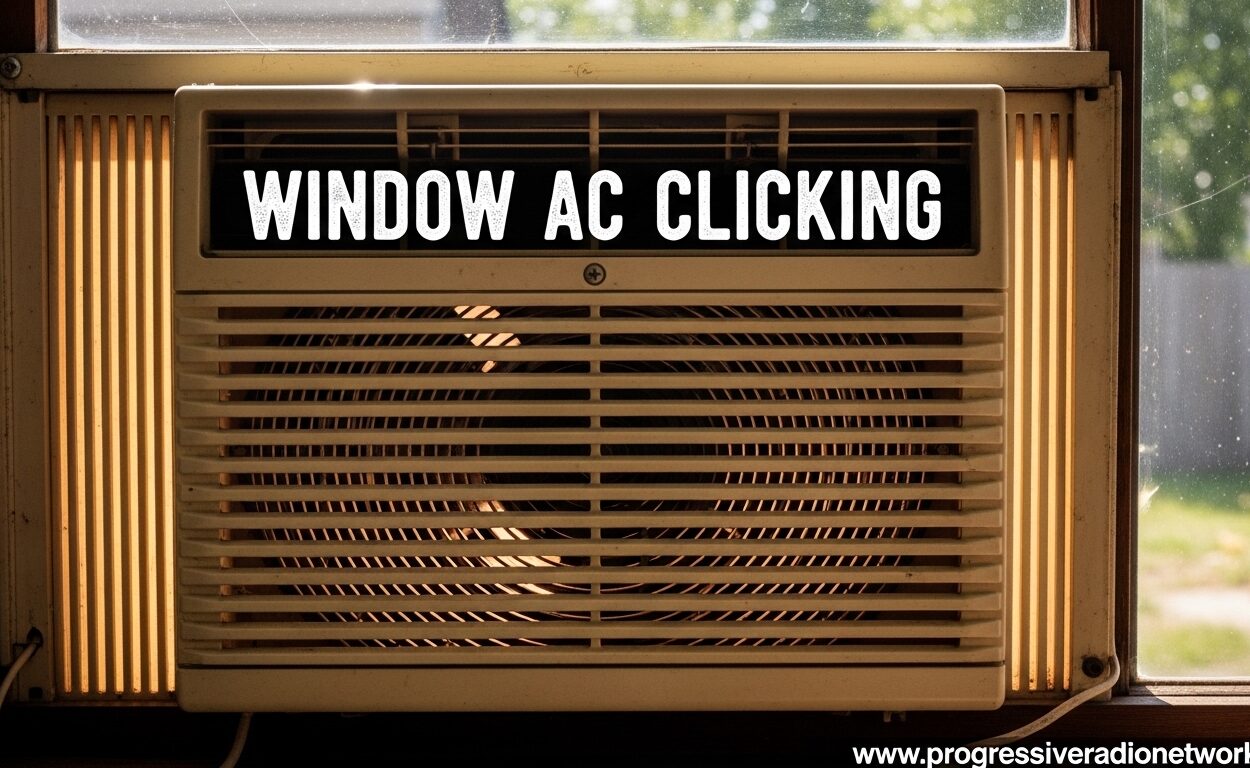
That rhythmic clicking sound coming from your window AC unit isn’t just annoying—it’s your air conditioner trying to tell you something’s wrong. I’ve spent years diagnosing HVAC sounds, and window AC clicking is one of the most common complaints homeowners face during cooling season.
The good news? Most clicking issues have identifiable causes and straightforward solutions. Whether your window AC clicks when it starts up, clicks continuously while running, or makes clicking sounds even when turned off, understanding the source of the noise is the first step toward fixing it.
In this guide, I’ll walk you through every common cause of window AC clicking, how to diagnose the problem yourself, and when it’s time to call in a professional. Let’s stop that clicking and get your AC running quietly again.
Is Your Window AC Clicking Normal or a Problem?
Before diving into diagnostics, let’s establish what’s normal and what needs attention:
Normal Clicking: A single click when your window AC starts up or shuts down is completely normal. This is simply the relay switch engaging or disengaging the compressor. Think of it like your car starting—that initial click is just the system doing its job.
Problematic Clicking: Repetitive clicking during operation, rapid clicking when the compressor tries to start, or clicking that continues when the unit is off indicates a real issue. These sounds typically point to loose components, electrical problems, or failing parts that need attention before they cause bigger problems.
The key difference is timing and frequency. One click at startup or shutdown? You’re fine. Multiple clicks during the cooling cycle or when the unit should be silent? Keep reading.
What Causes Window AC Clicking?
Window AC clicking typically stems from one of seven specific causes. Understanding these will help you pinpoint the issue faster:
1. Loose or Bent Fan Blade: The most common cause by far. When the fan blade becomes loose, bent, or blocked by debris, it creates a repetitive clicking sound as it rotates and strikes other components.
2. Faulty Relay Switch: The electrical relay that controls your compressor can fail, causing rapid clicking as it attempts to engage but can’t maintain connection.
3. Control Board Issues: Modern window ACs have electronic control boards that can malfunction, sending faulty signals that create clicking sounds.
4. Thermostat Malfunction: A failing thermostat may send rapid on-off signals to the system, causing clicking as the relay repeatedly attempts to respond.
5. Capacitor Problems: The start capacitor gives your compressor the boost it needs to start. When it fails, you’ll often hear clicking as the system tries unsuccessfully to start the compressor.
6. Compressor Issues: More serious compressor problems, including thermal overload protection, can cause clicking. This is often accompanied by the unit not cooling properly.
7. Loose Components or Debris: Sometimes the cause is simple—loose screws, bolts, or debris inside the unit that click due to vibration during operation.
Loose or Bent Fan Blade: The #1 Cause
In my experience, a loose or bent fan blade accounts for nearly 60% of all window AC clicking cases. Here’s why it happens and what to listen for:
Window AC fan blades can become bent from accidental impacts, improper cleaning, or normal wear and tear over time. When even a small section of the blade bends, it creates an imbalance that causes the blade to strike the housing or other components as it spins.
The telltale sign of a fan blade issue is a clicking that correlates directly with fan speed. The clicking speeds up when the fan runs faster and slows down when it reduces speed. You may also notice vibration in the unit or reduced airflow.
Here’s a quick test: carefully remove the front grille (with the unit unplugged!) and manually spin the fan blade. If it wobbles, makes contact with anything, or doesn’t spin freely, you’ve found your culprit.
Sometimes the issue isn’t a bent blade but a loose one. The blade may have slipped on the motor shaft or the mounting screw may have loosened. This creates a rhythmic clicking as the blade shifts slightly during rotation.
Faulty Relay Switch and Electrical Issues
The relay switch in your window AC is essentially an electrical bridge that connects the thermostat to the compressor. When the thermostat calls for cooling, the relay closes this bridge and sends power to the compressor. When cooling is no longer needed, it opens the bridge.
A healthy relay makes a single, solid click when engaging or disengaging. A failing relay, however, will make rapid, repetitive clicking sounds—sometimes 5-10 clicks per second—as it tries to maintain connection but can’t quite get there.
This often happens at startup because that’s when the electrical demand is highest. The relay attempts to send power to the compressor, the connection fails, it tries again, fails again, and creates that distinctive rapid-clicking pattern.
Electrical arcing can also occur within a failing relay, which you might see as small sparks through the vent openings (don’t look directly at them). This is both the cause of the clicking sound and a serious fire hazard that requires immediate professional attention.
If your window AC clicks but the compressor never starts, or if it clicks multiple times before finally starting, the relay switch is likely the issue.
Thermostat and Control Board Problems
Modern window AC units rely on electronic control boards and digital thermostats to manage operation. When these components malfunction, they can create confusing clicking patterns.
A faulty thermostat may send rapid, conflicting signals to the system—essentially telling the AC to start, then stop, then start again in quick succession. This causes the relay to click repeatedly as it attempts to follow these contradictory instructions.
The control board, which acts as the AC’s brain, can also fail in ways that create clicking. Board components may short-circuit, capacitors on the board may fail, or the microprocessor may send incorrect timing signals to various components.
One common scenario with control board issues is clicking that occurs even when the AC is turned off at the thermostat but still plugged in. This indicates the control board is still attempting to operate certain functions, pointing to a board failure rather than a user control issue.
These problems often worsen over time. What starts as occasional clicking may progress to constant clicking, eventually followed by complete failure of the unit to respond to any commands.
Capacitor Problems: The Hidden Cause
The start capacitor is a small but critical component that gives your compressor the electrical boost it needs to overcome inertia and start running. When this component fails, the clicking you hear is the relay attempting to start the compressor without sufficient power.
Here’s the pattern: the thermostat calls for cooling, the relay clicks to engage the compressor, but the compressor can’t start because the capacitor isn’t providing that initial boost. The system senses this, disengages, waits a moment, tries again, and the cycle repeats—creating that distinctive click-pause-click pattern.
A failing capacitor may sometimes allow the compressor to start after several attempts. You’ll hear multiple rapid clicks, then finally the compressor kicks in and cooling begins. This is a clear sign the capacitor is failing and will need replacement soon.
Capacitors are relatively inexpensive parts, but they store high-voltage electrical charge even when unplugged. Unless you have experience safely discharging capacitors, this is typically a repair best left to professionals.
Compressor Issues: The Serious Cause
When the compressor itself is the source of clicking, you’re dealing with one of the more serious AC problems. The compressor is the heart of your cooling system, and issues here often mean expensive decisions ahead.
One compressor-related clicking occurs when the thermal overload protection activates. This safety feature shuts down the compressor if it detects overheating or excessive electrical current draw. The clicking you hear is the overload protector tripping to prevent compressor damage.
This often happens when the compressor is failing internally or when there’s a refrigerant leak causing the compressor to work harder than designed. The compressor attempts to start, draws too much power, the overload trips, and everything shuts down with a click.
Another compressor clicking scenario involves hard starting. The compressor tries to start but can’t quite overcome internal resistance or pressure issues. You’ll hear the relay clicking as it attempts to engage, followed by the compressor straining, then the cycle repeats.
Compressor problems typically come with other symptoms: reduced cooling, warmer air from the unit, or the unit running constantly without reaching the set temperature. If you notice these alongside clicking, the compressor is likely the issue.
High Humidity and Drainage-Related Clicking
Here’s a cause many homeowners overlook: humidity and drainage issues can create sounds that mimic clicking, especially in newer window AC units.
Modern window ACs have specific drainage requirements, and many new units don’t use traditional drain holes. Instead, they rely on the fan to splash water onto the condenser coils for evaporative cooling. When these units are overtilted—angled too steeply downward for proper drainage—the water flow creates unusual sounds.
Users in HVAC forums frequently report that clicking or popping sounds intensify during high humidity days or after rain. This happens because excess water in the unit creates abnormal flow patterns and can cause the fan to work harder, creating clicking-like sounds.
Ice buildup is another humidity-related issue. When your AC’s evaporator coils freeze due to low refrigerant, poor airflow, or high humidity, the ice can crackle and pop as it expands or contracts. Many homeowners mistake this cracking sound for clicking.
If the clicking seems worse on humid days, appears shortly after rain, or your unit is new and has been tilted significantly downward for drainage, check your installation angle and consider whether humidity might be the real culprit.
When Your Window AC Clicks But Won’t Start
This specific scenario—clicking without the compressor starting—almost always points to electrical component failure. Here’s how the components work together and what failure looks like:
When everything works properly, the thermostat signals the control board, the board activates the relay, the relay closes the circuit to the compressor, the capacitor provides starting boost, and the compressor starts. This entire sequence happens in seconds with a single click.
When you hear clicking but no compressor start, something in this chain has failed:
Relay Failure: The relay clicks but can’t maintain the connection. The compressor never receives power, so it never starts. This is the most common cause of clicking without startup.
Capacitor Failure: The relay successfully engages, but without the capacitor’s boost, the compressor can’t overcome starting resistance. The system senses this and disengages, creating the click-start-click pattern.
Compressor Seizure: The worst-case scenario. The relay and capacitor are working properly, but the compressor’s internal components have seized or locked up. The electrical system tries to start it, fails, and the safety systems shut everything down with a click.
Distinguishing between these causes requires electrical testing and sometimes specialized equipment. If your window AC clicks but won’t start and you’ve ruled out simple issues like tripped breakers, it’s time to call a professional.
Step-by-Step DIY Inspection Guide
Before calling a professional, you can safely perform a basic inspection to identify obvious issues. Follow these steps in order:
Step 1: Safety First
Turn off the AC at the thermostat and unplug the unit from the wall outlet. Never attempt inspection or repair while the unit is connected to power. Wait at least 5 minutes after unplugging to allow electrical components to discharge.
Step 2: Remove the Front Grille
Most window AC front grilles either snap off or are secured with visible screws. Consult your owner’s manual if unsure. Set the grille aside carefully to avoid damaging the plastic clips.
Step 3: Visual Inspection
With the interior exposed, look for obvious problems: loose debris, leaves or twigs that may have worked inside, obviously bent fan blades, or any visible wires that appear disconnected or damaged. Use a flashlight to see deep into the unit.
Step 4: Check the Fan Blade
Carefully reach in (avoiding the capacitor, which looks like a cylinder and can still hold charge) and manually spin the fan blade. It should spin freely without wobbling, scraping, or making contact with anything. Note any resistance or unusual sounds.
Step 5: Check for Loose Components
Look for loose screws, bolts, or mounting hardware. Gently wiggle non-electrical components to see if anything shifts or creates sound. Sometimes the clicking source is as simple as a loose screw vibrating against the housing.
Step 6: Listen Test (with power)
Plug the unit back in and turn it on, but stand back and listen carefully. Try to pinpoint exactly where the clicking originates—front, back, top, bottom, or a specific side. This information is incredibly valuable for professionals.
Step 7: Document Everything
Before calling a professional, note: when the clicking occurs (startup, during operation, shutdown), whether it correlates with fan speed, any other sounds or symptoms, how long it’s been happening, and any changes you’ve made (new installation, recent cleaning, etc.).
Repair vs. Replace: Making the Decision
When your window AC has a serious problem causing clicking, you’ll face the repair-or-replace decision. Here’s a practical framework based on unit age and repair cost:
Unit Age Under 5 Years: Repair almost always makes financial sense. These units have many years of service life remaining, and most repairs cost significantly less than replacement. The exception is compressor failure, which may approach replacement cost.
Unit Age 5-8 Years: Repair depends on the specific issue. Fan blade, relay, thermostat, and capacitor problems are worth fixing. Compressor or control board failures may warrant considering replacement, especially if repair exceeds 50% of replacement cost.
Unit Age Over 8 Years: Replacement is often the better choice. Window AC units typically last 10-15 years, and units past the 8-year mark have declining efficiency and increasing failure rates. Major repairs on older units often precede other failures.
The “$5000 rule” applies differently to window ACs than central systems: if repair exceeds 50% of replacement cost and the unit is over half its expected lifespan, replacement is usually smarter. For a $400 window AC, that means any $200+ repair on a unit over 5-7 years old probably isn’t worth it.
HVAC professionals often candidly admit that window AC units are essentially “throw-away appliances” from a repair perspective. Unlike central AC systems, which are designed for decades of service and repair, window units are manufactured for limited service life with limited parts availability.
When to Call a Professional
While some clicking issues are DIY-friendly, others require professional expertise. Call an HVAC technician if you notice:
Electrical Issues: Any visible sparking, burning smells, or breaker trips when the AC attempts to start. These indicate serious electrical problems that can create fire hazards if improperly repaired.
Compressor Problems: If the compressor attempts to start but can’t, or if thermal overload protection is activating, you need professional diagnosis. Compressor replacement requires specialized tools and EPA certification for refrigerant handling.
Refrigerant Leaks: If your AC is clicking and not cooling properly, a refrigerant leak may be the root cause. Refrigerant handling requires EPA certification and specialized equipment—this isn’t a DIY repair.
Control Board Failure: While technically possible to replace yourself, control board diagnosis and replacement often requires specialized knowledge. Improper installation can damage other components or create safety hazards.
Uncertain Diagnosis: If you’ve performed the basic inspection and can’t identify the clicking source, professional evaluation makes sense. The cost of a service call is often less than the cost of misdiagnosing and replacing the wrong parts.
A qualified HVAC technician will perform electrical load testing, refrigerant pressure checks, and component isolation testing to pinpoint the exact cause of your clicking issue. They’ll also have access to replacement parts that may not be available to consumers.
Preventing Future Clicking Issues
The best clicking problem is the one that never happens. Here’s how to keep your window AC running quietly and reliably:
Proper Installation: Ensure your window AC is installed level or with the slight downward tilt specified by the manufacturer (typically 1-4 degrees). Avoid over-tilting, which a Reddit HVAC community member identified as a major cause of clicking in newer units that don’t have traditional drain holes.
Regular Cleaning: Clean the air filter monthly during cooling season. A clogged filter restricts airflow, which causes the system to work harder, creating more vibration and wear on components. Vacuum the unit’s exterior coils annually to remove dust and debris buildup.
Annual Professional Maintenance: Schedule a tune-up before each cooling season. A technician will check electrical connections, lubricate moving parts, test capacitor performance, and identify developing issues before they become clicking problems.
Monitor Sounds: Pay attention to new sounds immediately. That first unusual click is your warning. Addressing small problems early prevents them from becoming big, expensive problems. A slightly loose fan blade is a simple fix—a destroyed blade that damages other components is a major repair.
Proper Storage: If you remove your window AC during winter, store it upright in a dry location. Never store a window AC on its side or upside down, as this can cause compressor oil to migrate into places it shouldn’t be, creating startup problems when you reinstall the unit.
Following these preventive measures won’t eliminate all clicking issues—components still wear out and fail—but they’ll significantly reduce the likelihood and help your window AC provide years of quiet, reliable service.
Frequently Asked Questions
Why is my window AC making a clicking sound?
Window AC clicking is typically caused by a loose or bent fan blade striking other components, a faulty relay switch that can’t maintain connection, a failing capacitor preventing compressor startup, thermostat control board issues sending faulty signals, or compressor problems like thermal overload protection activating.
How do I stop my actuator from clicking?
First unplug the unit and remove the front grille to inspect the fan blade for damage or obstructions. Check for loose components or debris. If the blade is bent, it needs replacement. If everything looks fine visually, the issue is likely electrical (relay, capacitor, or control board) and requires professional diagnosis.
What is the 3 minute rule for air conditioners?
The 3-minute rule means waiting at least 3 minutes after your AC shuts off before turning it back on. This allows pressure in the refrigerant lines to equalize and the compressor to stop spinning. Immediate restart can damage the compressor and cause clicking or failure to start.
What noises does a failing AC compressor make?
A failing compressor typically makes loud banging, clanking, or clicking sounds. The clicking often occurs as the thermal overload protection repeatedly trips when the compressor attempts to start. You may also hear buzzing, humming, or rattling. If the compressor is failing, the unit usually won’t cool properly.
How to fix AC clicking noise?
Start by unplugging the unit and checking for loose fan blades, debris, or bent components. Manually spin the blade to ensure it rotates freely. Tighten any loose screws. If clicking persists, note when it occurs (startup, during operation, shutdown) and whether it correlates with fan speed. For electrical causes like relay or capacitor failure, call a professional.
Why is my air conditioner making a cracking/popping sound?
Cracking or popping sounds typically indicate ice buildup on evaporator coils cracking as temperature changes, or thermal expansion/contraction of metal components. This often happens when humidity is high, refrigerant is low, or airflow is restricted. Unlike clicking, these sounds aren’t usually caused by loose or bent fan blades.
Is it safe to keep using a clicking AC?
A single click at startup or shutdown is normal and safe. However, repetitive clicking during operation indicates a problem that will worsen over time. While not immediately dangerous, continuing to use a clicking AC can cause further damage—a loose fan blade can break completely, electrical issues can damage other components, and compressor problems can lead to complete system failure.
Conclusion
Window AC clicking is more than just an annoyance—it’s your unit’s way of signaling that something needs attention. Whether it’s a simple bent fan blade you can fix yourself or a compressor issue requiring professional repair, understanding the cause is the first step toward a solution.
Remember: a single click at startup or shutdown is completely normal. Repetitive clicking during operation, rapid clicking when the compressor tries to start, or clicking when the unit is off means you have a real issue that needs addressing before it causes bigger problems.
Start with the basic inspection I outlined. Check for loose or bent fan blades, look for debris, and listen carefully to identify when the clicking occurs. For simple mechanical issues, you may be able to fix the problem yourself. For electrical issues, compressor problems, or anything you’re uncertain about, don’t hesitate to call a professional.
Your window AC clicking doesn’t have to be a mystery. With the right diagnostic approach and knowing when to call for help, you can stop the clicking and keep your home cool and comfortable all season long.


Leave a Comment