
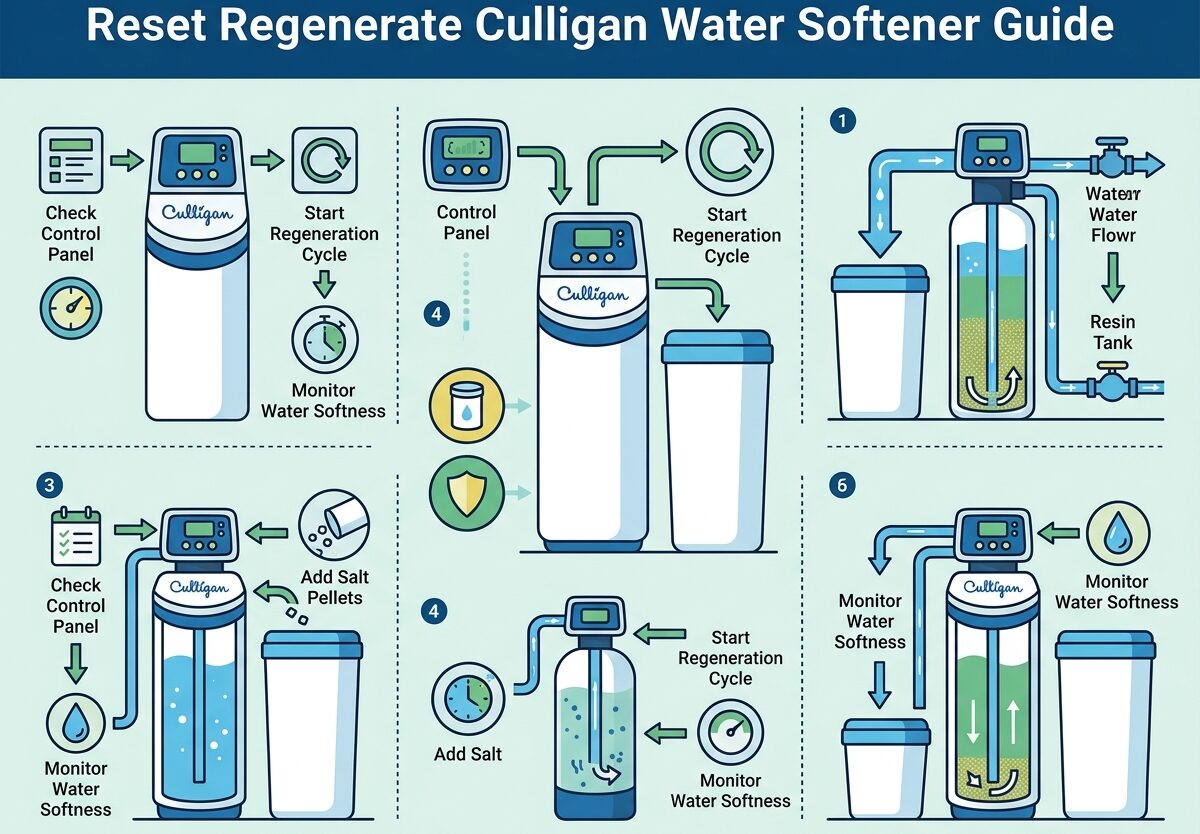
If you’ve noticed your water feeling harder than usual or spotted soap scum building up again, your Culligan water softener probably needs to run a regeneration cycle. I’ll walk you through exactly how to manually reset and regenerate your Culligan water softener, whether you have a Mark 100, Select Series, or Estate model.
After researching this topic thoroughly and reviewing real user experiences from homeowners and water treatment professionals, I’ve compiled the most reliable methods for getting your softener back on track. The process is straightforward once you know where to look and what to expect.
Understanding Reset vs Regeneration
Before we dive into the steps, it’s important to understand what we’re actually doing. Many people confuse “resetting” their water softener with “regenerating” it, but these are two different things.
Regeneration is the normal cleaning cycle your Culligan water softener runs automatically to flush out hardness minerals from the resin bed and recharge it with brine solution. This happens every few days depending on your water usage and settings. When you manually regenerate, you’re simply telling the softener to run this cleaning cycle now instead of waiting for its scheduled time.
A factory reset, on the other hand, erases all your programmed settings and returns the control valve to its original state. You’d only need a factory reset if you’re experiencing persistent errors, after replacing components, or when setting up a used unit for the first time. For most situations where you’ve just added salt or notice hard water, manual regeneration is what you actually need.
How to Manually Regenerate Culligan Water Softener
Follow these steps to manually regenerate your Culligan water softener. This process works for most models including the Mark series, High Efficiency units, and older Medalist models.
Step 1: Check your salt level first. If the brine tank is empty or very low, fill it with water softener salt pellets or crystals. Leave about 3-4 inches of space at the top. The salt should be loose and free-flowing, not caked together.
Step 2: Locate the Regenerate or Regen button on your control valve. On most Culligan models, this is clearly marked on the face of the timer head or digital display panel. If you have a Select Series model with no visible buttons, open the cover or look on the side of the unit—the controls are often hidden inside.
Step 3: Press and hold the Regenerate button for 3-5 seconds. You should hear the control valve begin cycling within a few seconds. On digital models, you’ll see a display change or a regeneration indicator light up. On mechanical timer models, you’ll notice the dial beginning to turn.
Step 4: Let the regeneration cycle complete undisturbed. A full regeneration typically takes 90-120 minutes depending on your model and settings. During this time, the softener will backwash, draw brine, rinse the resin bed, and then refill the brine tank. You may notice water sounds and the motor running—this is normal.
Step 5: Once the cycle finishes, run a cold water tap somewhere in your house for 2-3 minutes to flush any residual brine from the lines. Your water should now feel soft again. If you still notice hardness after 24 hours, you may need to repeat the process or investigate other issues.
Model-Specific Instructions
While the general regeneration process is similar across Culligan models, there are some important differences you should know about.
Culligan Mark 100 and Mark Series
On Mark 100 models and similar Mark series units, the Regenerate button is typically located on the front face of the control valve. It’s a mechanical button that you’ll press and hold until you hear the motor engage. Some Mark series models have a small dial instead—turn this to the “Regen” or immediate cycle position. After regeneration completes, return the dial to its normal operating position.
Culligan Select Series
The Select Series is one of the most confusing models because there are no visible buttons on the front panel. The controls are actually located under a flip-up cover on top of the valve head. Open this cover to reveal the regeneration button and programming interface. Press and hold the Regen button until the display shows it’s beginning the cycle. If you can’t find any controls at all, check if your model has a remote timer mounted nearby—some Select Series installations place the timer in a different location.
Culligan High Efficiency (HE) and Estate 2
On digital HE models and Estate 2 units, look for a touchscreen or button display. Navigate to the regeneration menu using the arrow keys or touchscreen, then select “Immediate Regeneration” or “Manual Regen.” The display will show the cycle progress and estimated completion time. These models also allow you to schedule a manual regeneration for the next convenient time if you don’t want it to run immediately.
What to Do If Unplugged Mid-Regeneration
One common question is what happens if the power goes out or someone accidentally unplugs the softener during a regeneration cycle. This is a situation many homeowners have faced, and the good news is that modern Culligan softeners are designed to handle it gracefully.
Most Culligan models will resume their cycle where they left off once power is restored. The control valve remembers its position and will continue from that stage. However, if it’s been more than an hour or so without power, the softener may abort the cycle entirely and return to service mode.
If your softener seems stuck after being unplugged during regeneration, try pressing the Regenerate button to restart the cycle manually. If that doesn’t work, you can put the unit in bypass mode using the bypass valve on the top or back of the system, wait 5 minutes, then return it to service mode. This often resets a stuck valve. As a last resort, you may need to perform a factory reset using your model’s specific procedure.
Changing Regeneration Settings
Many Culligan owners want to adjust when their softener regenerates or how often it runs. Here’s how to change these settings on common models.
On mechanical timer models (older Mark series and Medalist), there’s typically a time dial with pins or tabs. Pull out and rotate the dial to set the current time, then move the regeneration pins to your desired time—usually 2 AM is ideal because water usage is minimal. For frequency, most mechanical units are set for every 3-7 days based on a small gear inside that you can adjust by removing the timer cover.
Digital models like the High Efficiency series make this easier through their menu system. Access the settings menu and look for “Regen Time” or “Clean Cycle Time.” Set this to a time when you won’t be using water, typically overnight. The frequency on these models is often automatic based on your water usage (metered initiation), but you can set it to a fixed schedule if preferred through the “Regen Frequency” or “Days Between Cycles” option.
Reset Regenerate Culligan Water Softener
Sometimes your Culligan water softener won’t regenerate properly even when you press the button. Based on real user experiences and professional troubleshooting, here are the most common problems and their solutions.
No response when pressing Regen button: First, verify the unit has power. Check that it’s plugged in and the outlet is working. Some models have a fuse in the power cord—check if this has blown. If power is confirmed but there’s no response, the control board or timer motor may have failed and need replacement.
Softener runs but water stays hard: This often indicates a salt bridge—a hardened layer of salt that has formed above the water level in the brine tank. Use a broom handle to gently break up any hardened salt. Also check that the brine valve isn’t clogged and that the float assembly moves freely. If these check out but problems persist, the resin beads may be exhausted and need replacement after 10-15 years of use.
Stuck in regeneration cycle: If your softener seems to be regenerating continuously for hours, this could indicate a stuck rotor valve or debris in the control head. Try putting the unit in bypass mode for 5 minutes, then returning to service. If it immediately starts cycling again, you may need to clean or replace the venturi nozzle or have a technician service the valve.
Motor runs but valve doesn’t move: This typically means the drive gear has stripped or the valve rotor is stuck. In some cases, you can free a stuck rotor by manually advancing it with a screwdriver in the small access hole on the valve body. If the gear is stripped, the entire timer module or valve body may need replacement.
Salt Bin and Brine Tank Maintenance
Proper salt maintenance is essential for reliable regeneration. I’ve seen many cases where regeneration problems were simply due to salt issues rather than mechanical failures.
Always use high-quality salt designed for water softeners—either pellets, crystals, or block salt. Avoid rock salt as it contains impurities that can damage your softener over time. Keep the brine tank filled to at least one-third capacity, but don’t overfill it. Salt should be loose and free-flowing, never a solid mass.
Check your brine tank periodically for proper water level. There should typically be 3-6 inches of water at the bottom, depending on your model. Too much water might indicate a stuck fill valve, while too little could mean the brine valve isn’t drawing properly. If you consistently have too much or too little water, this warrants further investigation.
To prevent salt bridges (that hard crust that forms above the water level), break up any clumps when you add salt and keep the area dry around the tank. Humidity can cause salt to cake together. If you do develop a salt bridge, carefully break it up using a broom handle—be gentle to avoid damaging the brine tank or float assembly.
For annual maintenance, consider completely emptying and cleaning the brine tank every 1-2 years. This removes any accumulated sediment or “mud” at the bottom that can affect performance. Before cleaning, put the softener in bypass mode, then drain the tank, scoop out the old salt, and wipe it clean before refilling with fresh salt.
Frequently Asked Questions
How long does a regen cycle take on a Culligan water softener?
A complete regeneration cycle on a Culligan water softener typically takes 90-120 minutes (1.5 to 2 hours). The cycle includes backwash, brine draw, slow rinse, fast rinse, and brine refill stages. During this time, avoid using hot water in your home as the water heater will fill with hard water.
How to force regen on Culligan water softener?
Press and hold the Regenerate or Regen button on your Culligan water softener for 3-5 seconds. You’ll hear the control valve begin cycling. On Select Series models, open the cover to access the button. On mechanical timer models, turn the dial to the immediate regeneration position. The full cycle takes approximately 1-2 hours to complete.
Why won’t my Culligan water softener regenerate?
Common reasons include no power (check outlet and fuse), a depleted salt tank, a salt bridge preventing brine draw, a clogged brine line or Venturi nozzle, or a failed timer motor/control board. Start by verifying power and salt level, then check for salt bridges. If these check out, the brine system may need cleaning or component replacement.
Do I need to add water to the brine tank after adding salt?
No, you typically don’t need to manually add water to the brine tank. Your Culligan water softener will automatically add water during the brine refill stage of the regeneration cycle. However, if the tank is completely empty and dry, adding 3-4 gallons of water can help dissolve the initial salt charge. After that, the system maintains the proper water level automatically.
How often should water softener regenerate?
Most Culligan water softeners regenerate every 3-7 days depending on your water hardness, household size, and usage patterns. Metered models regenerate based on actual water usage, while timer-based models regenerate on a fixed schedule. The goal is to regenerate before the resin bed becomes exhausted, which is typically after treating approximately 500-1000 gallons per cubic foot of resin.
Conclusion
Manually regenerating your Culligan water softener is a simple process that anyone can do with the right instructions. Whether you need to reset after adding salt, your softener stopped regenerating automatically, or you’re troubleshooting a specific issue, the steps outlined in this guide should get your system back to producing soft water.
Remember to check the basics first—power supply, salt level, and for any salt bridges—before assuming there’s a mechanical problem. Many cases of “broken” softeners are actually just maintenance issues that are easy to fix yourself. When in doubt, consult your owner’s manual or contact a Culligan service professional for complex problems.
With proper maintenance and timely regeneration, your Culligan water softener can provide 15-20 years of reliable service, protecting your plumbing, appliances, and providing the soft water your household deserves.





Leave a Comment