
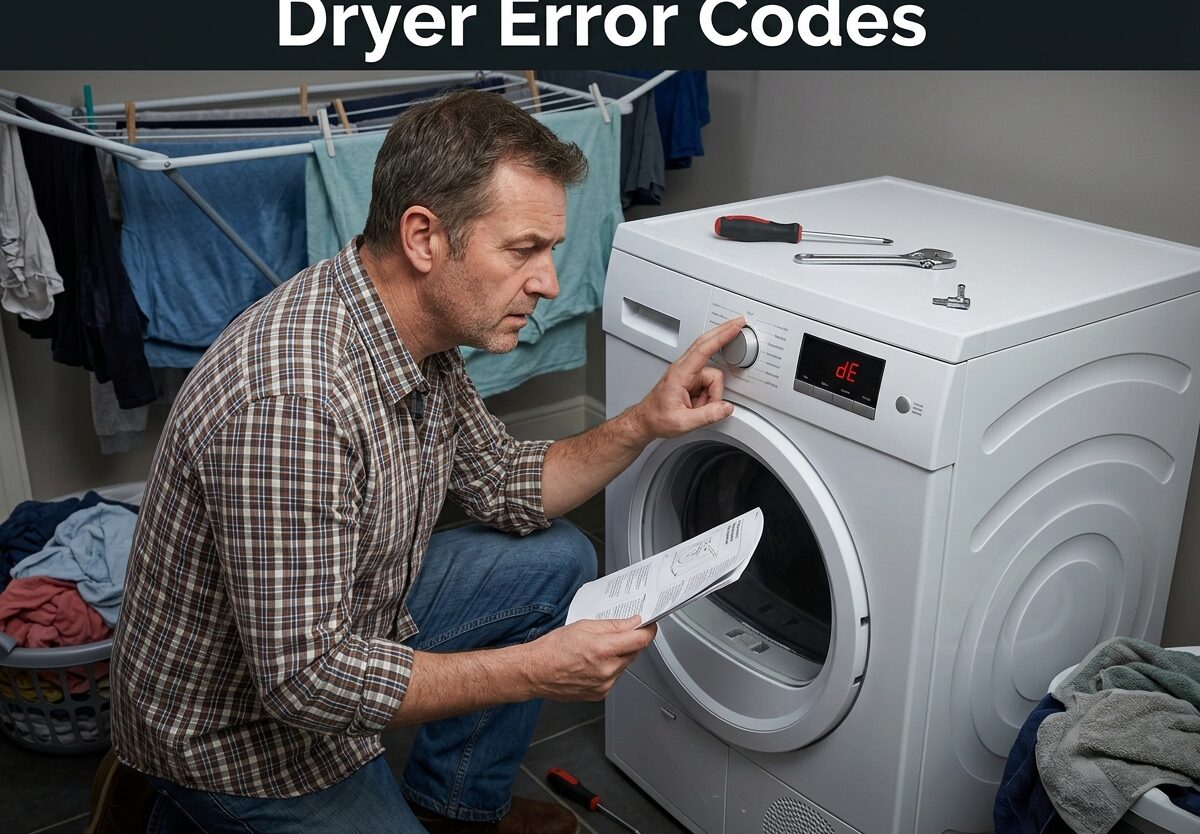
When your dryer displays an unfamiliar code, it’s trying to tell you something important. Dryer error codes are your appliance’s way of communicating specific problems before they become dangerous or expensive repairs. I’ve researched error codes across all major dryer brands to help you diagnose the issue, decide if it’s a DIY fix, and know when to call a professional.
Understanding these codes matters because they often indicate fire hazards from lint buildup, overheating components, or vent blockages that need immediate attention. Let’s break down what each code means for your specific brand and what action you should take.
Quick Reference: Dryer Error Codes by Brand
Here’s a fast overview of the most common error codes across major dryer brands. This table helps you quickly identify what your code means and how serious the problem might be.
| Brand | Common Error Code | Meaning | Severity |
|---|---|---|---|
| LG | D80, D90, D95 | Vent blocked (80%, 90%, 95% clogged) | High – Fire risk |
| Samsung | Clg, C80, C90 | Vent blockage detected | High – Check immediately |
| Whirlpool/Maytag | AF, F4E3 | Airflow restriction | High – Clean vent |
| GE | E16, E23 | Heating element or thermistor issue | Medium – Service may be needed |
| Bosch | E12 | Overheating detected | High – Safety concern |
| Electrolux/Frigidaire | E68, EF5 | Airflow or thermistor problem | Medium – Check vent first |
| Amana | F01, F02 | Control board or keypad issue | Medium – Professional service |
| Speed Queen | E1, E2 | Thermistor or temperature sensor | Medium – Test components |
LG Dryer Error Codes
LG dryers use some of the most specific error codes in the industry, particularly when it comes to vent blockage detection. The D-series codes are among the most common LG dryer error codes I see in service forums.
D-Series Vent Blockage Codes (D75, D80, D90, D95)
These codes indicate exactly how clogged your exhaust system is. The number tells you the percentage of blockage your dryer’s sensors have detected. D90 means 90% blocked, which is a serious fire hazard that needs immediate attention.
Forum users often report that D80 error codes persist even after cleaning the lint screen. This usually means the blockage is in the vent hose, exterior vent cap, or somewhere in the exhaust duct between your dryer and the outside. I’ve seen cases where birds built nests in the exterior vent, causing complete blockage.
Thermistor Error Codes (TE, tE1, tE2, tE3)
The thermistor is your dryer’s temperature sensor. When it fails or gives inaccurate readings, you’ll see TE codes. LG uses several variations to pinpoint which thermistor is causing problems.
Real user experiences from appliance repair forums show that thermistor errors often require actual ohm testing with a multimeter. Visual inspection alone won’t tell you if the thermistor is working within the correct resistance range. If you’re comfortable with electrical testing, you can check the thermistor yourself. Otherwise, this is usually a job for a professional.
Other Common LG Codes
HS – Humidity sensor error. The sensor that detects moisture in your clothes isn’t working properly. Try cleaning the sensor bars inside the drum with rubbing alcohol first.
FO – Door won’t lock. This is common on front-loading LG dryers. Check for items caught in the door seal and ensure the door is closing completely.
dO – Door open error. The dryer thinks the door is open when it shouldn’t be. This could be a door switch problem or a wiring issue.
LG Hard Reset Procedure
Before calling service, try this LG-specific reset: Unplug the dryer for 5 minutes, then press and hold the Start/Pause button for 5 seconds while plugging it back in. This can clear temporary electronic glitches and sometimes resolves persistent error codes.
Samsung Dryer Error Codes
Samsung dryers are known for their sensitive vent blockage detection. Like LG, Samsung uses percentage-based codes to tell you exactly how restricted your airflow is.
Vent Blockage Codes (Clg, C80, C90, C90-1, C90-2)
Samsung displays “Clg” when the dryer is actively checking your vent system. If it shows C80, C90, or variations with dashes, your vent is 80% or 90% blocked. These are among the most serious Samsung dryer error codes because they indicate a significant fire risk.
I’ve helped many users troubleshoot persistent Samsung vent codes. The issue is often in the wall duct or outside vent cover, not just the flexible hose behind the dryer. In multi-story homes, the vertical run can accumulate lint that’s difficult to clean without professional tools.
Heating Error Codes (HE, HC, hE, hE1, hE2, hE3)
These codes indicate problems with the heating element or related components. HE typically means the heating element has failed, while HC variations point to specific heating circuit issues. Unlike vent blockage codes, heating errors usually require parts replacement.
Users in appliance forums report recurring heating element failures on newer Samsung dryers. If you’re under warranty, contact Samsung immediately. Out of warranty, you’ll need to decide between DIY repair (if you’re comfortable with appliance repair) and professional service.
Sensor and Door Error Codes
DE, dE, dE1, dE2 – Door error. The door isn’t detected as closed or locked. Check for obstructions and ensure nothing is preventing the door from latching completely.
SE – Sensor error. The moisture sensor system isn’t working. Clean the sensor bars with alcohol and check the wiring connections.
DC, dC – Door can’t close. Similar to DE codes but specifically about physical closure issues.
Samsung Reset Procedure
To reset a Samsung dryer, turn the dial to off or support, then press and hold the Temp and Signal buttons simultaneously for 3 seconds. For models with a dial, turn it to any position except off or support, then press and hold the Start/Pause and Time buttons together.
Whirlpool and Maytag Dryer Error Codes
Whirlpool and Maytag dryers share many error codes since they’re manufactured by the same company. Their error codes focus heavily on airflow and power issues.
Airflow Codes (AF, F4E3)
The AF code is straightforward: Air Flow restriction. Your dryer isn’t getting enough air through the exhaust system. F4E3 is the modern electronic version of the same error. Both indicate you need to check your vent system immediately.
What makes Whirlpool/Maytag airflow codes tricky is that they can appear even when your vent looks clean. I’ve seen cases where the vent hose was kinked behind the dryer, the outside vent flap was stuck, or there was a hidden blockage in the wall duct. Disconnect the vent from the dryer and run a test cycle – if the code clears, you know the problem is in your vent system, not the dryer itself.
F-Series Error Codes
Whirlpool uses F-codes for various system failures. F01 and F02 indicate control board problems, F1E3 points to keypad or electronic control issues, and other F-codes signal specific component failures.
Most F-series errors require professional service unless you have experience with appliance repair. The control board contains sensitive electronics that can be damaged by improper troubleshooting.
L2 Low Voltage Code
The L2 code appears when your dryer isn’t receiving proper voltage. This could be a problem with your home’s electrical supply, a loose connection in the dryer’s power cord, or an issue with the dryer’s power control board.
Before calling service, check that your dryer is plugged in properly and that the circuit breaker hasn’t tripped. If you have a gas dryer, ensure it’s getting both 120V legs of power – one leg powers the motor, the other powers the heating element.
Whirlpool/Maytag Reset Procedure
Unplug the dryer for one full minute to reset the electronic control board. For models with a digital display, some users report success by pressing specific button combinations, but the power cycle method is most reliable for clearing temporary errors.
GE, Electrolux, and Frigidaire Error Codes
These brands use E-codes for most errors, though the specific meanings vary between manufacturers.
Common GE Dryer Error Codes
E16 – Heating element failure. The element needs replacement.
E23 – Thermistor or temperature sensor problem. May require testing to determine which component has failed.
E13, E14 – Control board or communication errors between components.
GE dryers often display codes that point directly to the failed component, which is helpful for troubleshooting. However, this also means most GE errors require parts replacement rather than simple fixes.
Electrolux and Frigidaire Error Codes
E68 – Airflow restriction. Similar to Whirlpool’s AF code, this means your vent system needs attention.
EF5 – Thermistor or temperature sensor failure. The dryer can’t accurately read temperature.
E52, E53 – Control board or motor-related issues. These typically require professional diagnosis.
Electrolux dryers are known for being sensitive to vent length restrictions. If your vent run exceeds the manufacturer’s specifications, you may see recurring E68 codes even with a clean vent system.
Bosch, Amana, and Speed Queen Error Codes
These less common brands have their own error code systems that are worth understanding.
Bosch Dryer Error Codes
E12 – Overheating detected. This is a serious safety code that means the dryer is running too hot. Stop using the dryer immediately and check for vent blockages or lint buildup around the heating element.
E11 – Heating element failure. The element isn’t producing heat.
E09 – Motor or control board problem preventing proper operation.
Bosch dryers are designed with multiple safety systems, so E12 overheating codes should never be ignored. Continued use with an E12 code could create a fire hazard.
Amana Dryer Error Codes
F01, F02, F03, F04 – Control board and electronic control failures. These codes indicate the main control board isn’t communicating properly with dryer components.
F05, F06 – Door switch and door lock problems. The dryer can’t detect whether the door is properly closed.
Amana is owned by Whirlpool, so many Amana codes mirror Whirlpool errors. The same troubleshooting steps often apply to both brands.
Speed Queen Dryer Error Codes
E1 – Thermistor failure. The temperature sensor isn’t providing accurate readings.
E2 – High limit thermostat tripped. This safety device activates when the dryer gets too hot.
E3 – Control board communication error.
Speed Queen is known for durable commercial-style dryers, but their electronic models use modern error code systems. The E2 code is particularly important because it indicates the safety system has activated to prevent overheating.
Understanding Dryer Error Code Categories
Beyond specific codes, it helps to understand what different categories of errors mean. This knowledge helps you decide whether to attempt DIY repairs or call a professional.
Airflow and Vent Blockage Errors
Vent blockage codes (D80, C90, AF, E68) are the most common and most critical. They indicate your dryer can’t exhaust properly, which creates fire hazards from overheating and lint buildup. I always recommend addressing these immediately rather than continuing to use the dryer.
Airflow restriction errors often have simple fixes: clean the lint screen, check the vent hose for kinks, inspect the outside vent, and ensure proper vent length. However, persistent codes may indicate a deeper blockage in your wall duct that requires professional cleaning.
Temperature and Overheating Codes
Overheating codes (E12 on Bosch, E2 on Speed Queen) mean the dryer’s safety systems have activated. These are serious and should never be ignored. The high limit thermostat is preventing a fire by shutting down the heating element.
Common causes include clogged vents, failed thermostats, or malfunctioning control boards. If cleaning the vent doesn’t resolve overheating codes, professional diagnosis is essential.
Sensor Failure Indications
Sensor errors (TE, tE, SE, E23) occur when temperature or moisture sensors fail. These affect drying performance but aren’t typically immediate safety concerns. However, operating a dryer with failed sensors can lead to longer drying times and potential damage to clothes.
Power and Control Board Issues
Power-related codes (L2, F01, F02) and control board errors usually require professional service. Unless you have experience with appliance electronics, these repairs involve complex diagnostics and potential safety hazards from working with 240V power.
DIY Troubleshooting Steps for Dryer Error Codes
Before calling a professional, try these proven troubleshooting steps. I’ve ordered them from easiest to most complex, and many error codes can be resolved without professional help.
Step 1: Clear the Error and Restart
Start by clearing the error code using your brand’s reset procedure. Unplug the dryer for at least one full minute to reset electronic controls. For LG, hold Start/Pause while plugging back in. For Samsung, use the Temp + Signal or Start + Time button combination. For other brands, a simple power cycle often works.
After resetting, run a short cycle without clothes to see if the code returns. If it doesn’t, you may have resolved a temporary electronic glitch. If the code returns, proceed to the next steps.
Step 2: Check and Clean the Lint Screen
A clogged lint screen is the most common cause of dryer error codes. Remove the lint screen and clean it thoroughly with warm water and mild soap. Fabric softener residue can build up on the screen, blocking airflow even when visible lint is removed.
After cleaning, hold the screen up to a light source. You should be able to see through the mesh clearly. If light doesn’t pass through easily, the screen needs more thorough cleaning or replacement.
Step 3: Inspect Vent Hose and Exhaust Duct
Disconnect the vent hose from the back of your dryer and check for obstructions. Use a vacuum or vent brush to remove any lint buildup. Check that the hose isn’t kinked, crushed, or restricted in any way.
While the dryer is disconnected, run a test cycle. If the error code doesn’t appear with the vent disconnected, you’ve confirmed the problem is in your vent system, not the dryer itself.
Step 4: Check the Exterior Vent
Go outside and inspect the vent cover. Remove any visible debris, leaves, or animal nests. Ensure the vent flap moves freely and isn’t stuck closed. Many homeowners are surprised to find complete blockages at the exterior vent that cause persistent error codes.
Step 5: Test Airflow
With the dryer running, check the airflow at the exterior vent. You should feel strong, warm air exiting. If airflow is weak or nonexistent, there’s a blockage somewhere in the vent system. Professional vent cleaning may be necessary if you can’t locate or clear the obstruction.
Step 6: Check Power Supply
For L2 codes or power-related errors, verify your dryer is receiving proper voltage. Check that the circuit breaker hasn’t tripped and that the power cord is securely connected. For gas dryers, ensure both 120V legs are reaching the unit.
When to Attempt Thermistor Testing
If you’re comfortable with electrical testing, you can test a thermistor with a multimeter. Consult your dryer’s technical sheet (often found behind the rear service panel) for the expected resistance values at different temperatures. If readings are outside specifications, the thermistor needs replacement.
Hard Reset Procedures by Brand
Sometimes error codes persist even after fixing the underlying problem. A hard reset can clear stubborn codes that remain in the dryer’s memory. These procedures go beyond simple power cycling.
LG Hard Reset
Unplug the dryer for 5 minutes. While holding the Start/Pause button, plug the dryer back in. Continue holding the button for 5 additional seconds after power is restored. This full control reset can clear persistent codes that survive a standard power cycle.
Samsung Hard Reset
Turn the dryer’s dial to “Off” or “Support.” Press and hold both the Temp and Signal buttons simultaneously for 3-5 seconds. For models without a dial, press and hold Start/Pause and Time together. The display should clear, indicating a successful reset.
Whirlpool/Maytag Power Cycle
Unplug the dryer for one full minute. Some technicians recommend pressing and holding the Start button while plugging back in, though this isn’t officially documented by Whirlpool. If the code persists after a standard power cycle, this extended method may help.
Other Brand Resets
For GE, Electrolux, and Bosch dryers, a simple power cycle (unplugging for 1-5 minutes) is typically sufficient. If codes persist after a proper reset and vent cleaning, professional diagnosis is usually necessary.
Seasonal Hazards That Cause Dryer Error Codes
Many homeowners don’t realize how seasonal changes affect dryer performance. I’ve tracked error code patterns throughout the year and found that certain seasons bring specific problems.
Winter: Snow and Ice Blockages
In cold climates, exterior vents can become blocked by snow drifts or ice buildup. The warm, moist air from your dryer freezes when it hits the cold outside air, creating ice dams that completely block the vent. If you see D90 or C90 codes during winter, check your exterior vent for ice accumulation.
Spring: Nesting Animals
Birds, squirrels, and other animals love to build nests in dryer vents during spring. A new nest can create a complete blockage in just a few days. I’ve seen cases where persistent error codes were traced to a bird’s nest that filled the entire vent cap.
Fall: Leaves and Debris
Falling leaves can accumulate around exterior vents, especially if the vent is near ground level. Strong winds can blow leaves directly into vent openings, creating gradual blockages that trigger airflow error codes over several weeks.
Summer: High Humidity Effects
In extremely humid conditions, moisture sensors may give inaccurate readings. This can cause codes related to sensor failures or extended drying times. If you only see sensor errors during humid weather, the problem may resolve itself when conditions improve.
Fabric Softener and Dryer Performance
One often-overlooked cause of dryer error codes is fabric softener residue. Liquid fabric softeners and dryer sheets leave behind a waxy buildup that affects multiple dryer components.
This residue coats the lint screen, blocking airflow even when the screen appears clean. It can also build up on moisture sensor bars, causing the dryer to misread how wet your clothes are. In severe cases, fabric softener residue accumulates on the drum and internal components, leading to overheating and thermal fuse failures.
I recommend cleaning your lint screen with soap and water monthly, even if you remove visible lint after every load. For sensor errors, clean the sensor bars inside the drum with rubbing alcohol to remove any residue that might be affecting readings.
When to Call a Professional for Dryer Error Codes
While many error codes have DIY solutions, some situations require professional service. Knowing when to call can save you money and prevent further damage to your dryer.
Signs You Need Professional Service
Multiple error codes appearing simultaneously often indicate a control board failure that requires professional diagnosis. If you see F-series errors on Whirlpool/Maytag or recurring thermal errors after cleaning vents, the problem is likely internal.
Heating element failures (HE, E16, E11) typically require parts replacement. While DIY is possible for experienced homeowners, working with 240V electrical systems carries serious risks. If you’re not comfortable with electrical work, this is a job for a professional.
Persistent error codes that return after proper vent cleaning and reset procedures often indicate component failures. If you’ve addressed all airflow issues and the code still appears, professional diagnosis can identify the specific failed component.
Repair vs Replace Considerations
If your dryer is over 10 years old and experiencing multiple error codes, replacement may be more cost-effective than repair. Newer models are more energy efficient and may include features that prevent common error code problems.
For dryers under 5 years old, professional repair is usually worthwhile unless the control board has failed, which can be expensive to replace. Get a quote before deciding – some repairs are surprisingly affordable.
Prevention and Maintenance Tips to Avoid Error Codes
Most dryer error codes are preventable with proper maintenance. Following these guidelines can help you avoid unexpected breakdowns and extend your dryer’s lifespan.
Regular Cleaning Schedule
Clean the lint screen before every load. Deep clean it with soap and water monthly to remove fabric softener residue. Inspect and clean the vent hose annually, or more frequently if you do large amounts of laundry.
Annual Professional Inspection
Consider having your entire vent system professionally cleaned every 1-2 years. This is especially important if your vent run is long, has multiple elbows, or passes through a crawlspace or attic where you can’t easily access it.
Warning Signs to Watch For
If clothes take longer than 50 minutes to dry, the dryer feels unusually hot to the touch, or you notice a burning smell, address these issues before they trigger error codes. These are early warning signs of vent blockages or component failures.
Frequently Asked Questions About Dryer Error Codes
Is a D90 code a serious problem for my LG dryer?
Yes, a D90 code indicates your vent is 90% blocked, which is a serious fire hazard that needs immediate attention. Stop using the dryer and inspect your entire vent system for blockages.
What is the most common dryer failure?
Vent blockage is the most common dryer failure, causing D80/D90 codes on LG, C80/C90 on Samsung, and AF codes on Whirlpool/Maytag. Regular vent cleaning prevents most error codes and extends dryer lifespan.
Can I still use the dryer with the CL code?
CL on LG dryers means Child Lock is activated, not an error code. You can use the dryer normally after disabling Child Lock by pressing and holding the designated button (usually marked with a lock icon) for 3 seconds.
Why is my dryer saying error?
Your dryer displays error codes when sensors detect problems like vent blockages, overheating, or component failures. These codes protect your dryer from damage and alert you to potential fire hazards from lint buildup or restricted airflow.
How do I clear error codes on my dryer?
Start by unplugging the dryer for 1-5 minutes to reset electronic controls. For LG, hold Start/Pause while plugging back in. For Samsung, press Temp + Signal together. If codes return after resetting, address the underlying problem before using the dryer.
Conclusion: Understanding Your Dryer Error Codes
Dryer error codes are your appliance’s way of protecting itself and your home from potential hazards. By understanding what these codes mean and taking appropriate action, you can resolve many issues yourself while recognizing when professional service is necessary.
The most important takeaway is that vent blockage codes (D80, C90, AF) should never be ignored. These indicate serious fire risks that need immediate attention. Regular maintenance, including lint screen cleaning and annual vent inspections, can prevent most error codes from appearing in the first place.
If you’ve tried the troubleshooting steps outlined here and error codes persist, don’t continue running your dryer. Professional diagnosis can identify the specific problem and prevent further damage or safety risks.
Leave a Comment