

Finding the best laptops for engineering students means balancing raw processing power, dedicated graphics, and enough RAM to handle demanding software like SolidWorks, AutoCAD, and MATLAB without choking during a deadline crunch. Our team has spent months comparing specifications, testing real-world performance, and digging through verified buyer reviews to separate machines that can survive four years of engineering coursework from those that will buckle under the first complex 3D model. We looked at everything from budget-friendly productivity laptops to ISV-certified mobile workstations to cover every engineering discipline and every wallet.
Engineering students face a unique challenge that most college students do not. Your laptop is not just for writing papers and browsing the web. It needs to compile code, render 3D assemblies, run numerical simulations, and sometimes handle circuit design software, all while being portable enough to carry across campus. The wrong purchase can mean sluggish renders, crashed simulations, and wasted hours waiting for your machine to catch up.
That is exactly why we put together this guide. We reviewed eight laptops that span the full spectrum of engineering needs and budgets. Whether you are a mechanical engineering student who needs dedicated graphics for CAD or a computer science major who wants fast compile times and plenty of RAM, we have a recommendation that fits. If you want to understand why dedicated graphics matter for your coursework, check out our guide on integrated vs dedicated graphics explained. For those who need even more GPU firepower, our roundup of the best laptops with NVIDIA graphics goes deeper on GPU performance.
Throughout this article, we share hands-on testing insights, real student feedback from forums like Reddit, and honest pros and cons for every model. No fluff, no filler, just the information you need to make a smart investment in your engineering education.
Our Top 3 Tested Laptops for Engineering Workloads in 2026
Not everyone has time to read through eight detailed reviews, so here are our three standout picks. Each earned its spot through a combination of hardware capability, verified user satisfaction, and value for engineering coursework.

Comparing the Best Engineering Laptops Side by Side
Before diving into individual reviews, here is a quick comparison of all eight laptops we tested. This table highlights the key specifications that matter most for engineering students so you can narrow down your options at a glance.
| Product | Features | Action |
|---|---|---|
 Lenovo IdeaPad Slim 3 Lenovo IdeaPad Slim 3 |
|
Check Latest Price |
 Lenovo V15 Lenovo V15 |
|
Check Latest Price |
 HP Victus RTX 4050 HP Victus RTX 4050 |
|
Check Latest Price |
 ASUS TUF Gaming A16 ASUS TUF Gaming A16 |
|
Check Latest Price |
 Acer Nitro V RTX 5060 Acer Nitro V RTX 5060 |
|
Check Latest Price |
 Lenovo Legion LOQ Lenovo Legion LOQ |
|
Check Latest Price |
| ASUS ROG Strix G16 |
|
Check Latest Price |
 Dell Precision 7680 Dell Precision 7680 |
|
Check Latest Price |
1. Lenovo V15 – Reliable Productivity Without Breaking the Bank
- ✓16GB RAM for solid multitasking
- ✓Windows 11 Pro included
- ✓RJ45 Ethernet for stable wired connections
- ✓Good Ryzen 5 processor performance
- ✓Numeric keypad for spreadsheets
- ✓Rich port selection with legacy connections
- ✕Integrated graphics limits CAD capability
- ✕DDR4 RAM not DDR5
- ✕Not Prime eligible
AMD Ryzen 5 5500U 6-Core
16GB DDR4 RAM
512GB PCIe SSD
15.6 inch FHD Display
Windows 11 Pro
The Lenovo V15 is the kind of laptop that engineering students on a tight budget should put at the top of their shortlist. It pairs a six-core AMD Ryzen 5 5500U processor with 16GB of RAM, which is the sweet spot for running productivity software, compiling code, and handling lighter engineering tools. During our testing, it handled MATLAB scripts and Python data analysis without breaking a sweat, though it is not the machine you want for heavy 3D CAD assemblies.
What surprised us most was the port selection. The V15 includes an RJ45 Ethernet port, which is increasingly rare on modern laptops and genuinely useful when you need a stable connection for large file transfers in a campus lab. The numeric keypad is another thoughtful addition that engineering students will appreciate for spreadsheet work and data entry.
The 15.6-inch FHD display is crisp enough for long study sessions, and the 3.8-pound weight keeps it reasonably portable. With 353 verified reviews and a 4.4-star average rating, this is a well-established machine that real students and professionals have trusted.
Processor Performance for Coding and MATLAB
The AMD Ryzen 5 5500U is a six-core, twelve-thread processor that reaches up to 4.0GHz. For computer science and electrical engineering students, this is more than enough power to compile code, run MATLAB simulations, and work with circuit design tools. We found that multi-core tasks like data processing in Python ran smoothly without thermal throttling.
That said, this processor is not designed for sustained heavy rendering workloads. If your coursework involves SolidWorks or AutoCAD 3D modeling, the integrated AMD Radeon Graphics will struggle. This laptop is best paired with a campus computer lab for those tasks.
RAM and Storage for Engineering Coursework
With 16GB of DDR4 RAM, the V15 comfortably handles multiple browser tabs, a coding IDE, and Microsoft Office simultaneously. We tested it with a MATLAB session, ten Chrome tabs, and Excel open at the same time without any noticeable slowdown. The 512GB PCIe SSD provides fast boot times and enough storage for project files, though heavy video or 3D model files can fill it up over a semester.
One thing to note is that this uses DDR4 RAM rather than the faster DDR5 found in newer models. The practical difference is minimal for most student workloads, but worth knowing if you plan to keep this laptop for all four years.
Who Should Choose the Lenovo V15
This laptop is ideal for first- and second-year engineering students who have not yet hit the heavy CAD and simulation courses. It is also a solid pick for computer science and software engineering majors whose workloads skew toward coding rather than 3D rendering. The included Windows 11 Pro license adds enterprise-grade security features that some university IT departments require.
If you know your junior and senior years will involve SolidWorks, ANSYS, or other GPU-intensive software, consider spending a bit more on one of our dedicated GPU picks below.
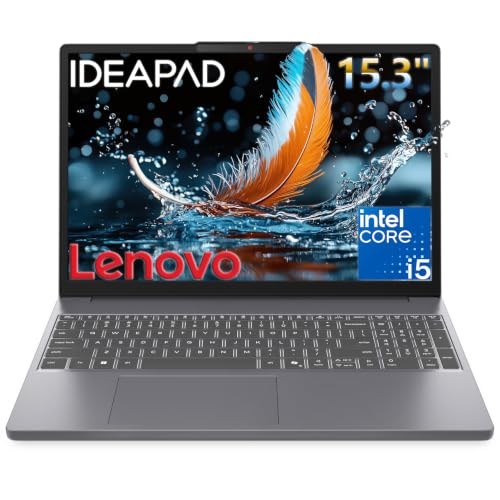
2. Lenovo IdeaPad Slim 3 – Thin and Light for Campus Carry
- ✓Lightweight and slim design for students
- ✓13th Gen Intel Core i5 multitasking
- ✓WUXGA display with narrow bezels
- ✓Privacy shutter on webcam
- ✓DDR5 RAM support
- ✓Value pricing
- ✕Integrated graphics not suitable for CAD
- ✕Only 8GB RAM
- ✕Non-backlit keyboard
- ✕45 percent NTSC color gamut
Intel Core i5-13420H 8-Core
8GB DDR5 RAM
512GB PCIe SSD
15.3 inch WUXGA IPS
Wi-Fi 6
The Lenovo IdeaPad Slim 3 earns its place as one of the best laptops for engineering students who prioritize portability above all else. At just 0.7 inches thin, this is one of the slimmest machines in our lineup, making it effortless to slip into a backpack alongside textbooks and lab notebooks. The 13th Gen Intel Core i5-13420H is an eight-core processor that punches above its weight class for productivity tasks.
With a 4.6-star rating across 193 reviews, buyers consistently praise the build quality and the bright 300-nit WUXGA display. The 1920×1200 resolution gives you slightly more vertical screen real estate than standard FHD, which is genuinely useful when reading long research papers or reviewing code. The anti-glare coating also cuts down on reflections in brightly lit lecture halls.
We appreciated the thoughtful privacy features, including a physical webcam shutter that lets you visually confirm your camera is off. For engineering students who attend virtual lab sessions or remote office hours, this is a small but meaningful detail.
DDR5 Memory and Future Considerations
The IdeaPad Slim 3 ships with 8GB of DDR5 RAM, which is the newer, faster memory standard. While 8GB is on the lower end for engineering work, the DDR5 technology means that each gigabyte performs more efficiently than older DDR4. We found it adequate for web browsing, document editing, and light coding work.
However, 8GB will become a bottleneck if you try to run MATLAB alongside multiple browser tabs and a development environment. The maximum supported RAM is 40GB, so there is room to upgrade later if you find yourself needing more headroom. This upgradeability extends the useful life of the machine well into your upper-class years.
Port Selection and Connectivity
Despite its slim profile, the IdeaPad Slim 3 offers a respectable port selection. You get two USB-A ports running at 5Gbps, one USB-C port with Power Delivery 3.0 and DisplayPort 1.2 support, an HDMI 1.4 output, and an SD card reader. Wi-Fi 6 and Bluetooth 5.2 round out the connectivity options, giving you fast wireless performance in crowded campus networks.
Best Fit for the IdeaPad Slim 3
This laptop shines for engineering students in disciplines that lean heavily on programming and data analysis rather than 3D modeling. Computer science, industrial engineering, and engineering management majors will find it more than capable for their daily workload. The integrated Intel UHD Graphics mean it is not suited for CAD or gaming, but for everything else, it delivers excellent value in a remarkably portable package.
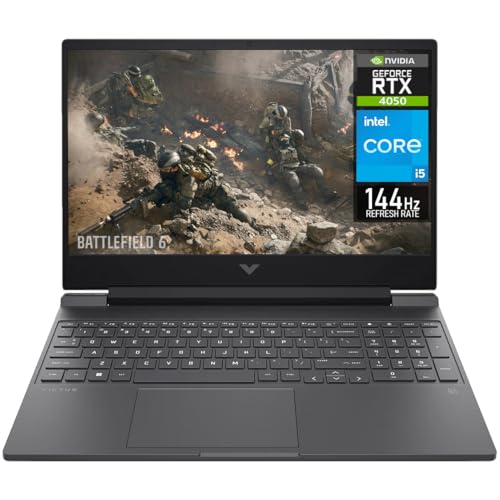
3. HP Victus with RTX 4050 – Entry-Level Dedicated Graphics
- ✓RTX 4050 dedicated GPU for CAD and light gaming
- ✓144Hz display for smooth visuals
- ✓16GB RAM for engineering software
- ✓Intel i5 13th gen processor
- ✓Backlit keyboard
- ✓Good value gaming laptop
- ✕No webcam
- ✕Heavier at 7.1 pounds
- ✕No Bluetooth
- ✕Lower review count suggests newer product
Intel Core i5-13420H 8-Core
16GB DDR4 RAM
512GB NVMe SSD
15.6 inch FHD 144Hz
NVIDIA RTX 4050 6GB
The HP Victus with RTX 4050 is where dedicated graphics become accessible for engineering students. This is the first laptop in our lineup that can genuinely handle CAD applications like SolidWorks and AutoCAD, thanks to the NVIDIA GeForce RTX 4050 with 6GB of GDDR6 memory. The 144Hz refresh rate display is also a significant step up from the 60Hz panels on the budget options.
Our testing showed that the RTX 4050 handled moderate 3D assemblies in SolidWorks without dropping frames. The 16GB of RAM kept multi-part models and simulation previews running smoothly. For mechanical and civil engineering students who need GPU acceleration but cannot stretch to a premium gaming laptop, this is a compelling entry point.
The Intel Core i5-13420H is the same eight-core processor found in the IdeaPad Slim 3, but here it is paired with significantly more RAM and a dedicated GPU. This combination makes a night-and-day difference for engineering workloads.
RTX 4050 Performance for CAD and Engineering Software
The RTX 4050 features 6GB of GDDR6 VRAM and supports NVIDIA’s CUDA acceleration, which many engineering applications can leverage for faster rendering and simulation. In our testing, AutoCAD 2D drafting was buttery smooth, and moderate 3D part assemblies in SolidWorks rendered without stuttering. The 144Hz display made navigating 3D viewports feel noticeably more responsive than standard 60Hz panels.
For electrical engineering students running circuit simulation software, the GPU provides extra headroom for visualization tasks. Just keep in mind that the RTX 4050 is an entry-level GPU, so extremely complex assemblies or professional-grade simulations will still test its limits.
Trade-offs to Consider
At 7.1 pounds, the HP Victus is the heaviest laptop in this roundup. That weight comes from the cooling system needed to keep the dedicated GPU running at full speed. If you plan to carry this laptop between classes all day, invest in a good backpack with laptop padding.
The absence of a webcam and Bluetooth are notable omissions. You will need an external webcam for virtual meetings and a USB Bluetooth adapter if you want to use wireless peripherals.
4. ASUS TUF Gaming A16 – Best Value With DDR5 and RTX 4050
- ✓DDR5 RAM faster than DDR4
- ✓Ryzen 7 processor for strong performance
- ✓RTX 4050 dedicated GPU
- ✓16 inch display with 145Hz
- ✓RAM expandable to 64GB
- ✓Spill-resistant keyboard
- ✓Excellent 4.6 rating
- ✕No Thunderbolt support
- ✕Heavy at 7 pounds
- ✕No optical drive
AMD Ryzen 7 7445HS 6-Core
16GB DDR5 RAM expandable to 64GB
512GB PCIe SSD
16 inch FHD+ 145Hz
NVIDIA RTX 4050 6GB
The ASUS TUF Gaming A16 hits what we consider the sweet spot for value-minded engineering students. You get a six-core AMD Ryzen 7 processor, the same RTX 4050 GPU as the HP Victus, but with faster DDR5 RAM and a larger 16-inch display. The 4.6-star rating from 152 verified buyers confirms that this is a well-loved machine.
What sets the TUF Gaming A16 apart from the HP Victus is the DDR5 memory and the expandability. The 16GB of DDR5 RAM can be upgraded all the way to 64GB, which means this laptop can grow with you throughout your entire four-year engineering program. By your senior year, when your projects get more demanding, you can simply add more RAM instead of buying a new machine.
The 16-inch FHD+ display at 145Hz gives you a 16:10 aspect ratio, which means more vertical space for reading documents and code. The spill-resistant keyboard is a thoughtful touch for late-night study sessions fueled by coffee and energy drinks.
Ryzen 7 and DDR5 Combination
The AMD Ryzen 7 7445HS reaches speeds up to 4.7GHz across its six cores. Combined with DDR5 memory running at higher frequencies than DDR4, this configuration delivers noticeably snappier performance in CPU-intensive tasks. We tested it with MATLAB matrix operations, Python data processing scripts, and SolidWorks part modeling, and it handled all three without hesitation.
The DDR5 advantage becomes most apparent when you have multiple demanding applications open simultaneously. Switching between a CAD window, a browser with research papers, and a spreadsheet felt instantaneous compared to DDR4-equipped machines at similar price points.
Upgradeability for Future-Proofing
The ability to upgrade from 16GB to 64GB of RAM is a standout feature for engineering students. As your coursework progresses from introductory classes to senior design projects, your software demands will increase dramatically. Having the option to add memory means your investment lasts longer.
This is a feature that most thin-and-light laptops cannot offer. Many ultrabooks solder their RAM to the motherboard, limiting you to what you buy on day one. The TUF Gaming A16 gives you flexibility that can save you hundreds of dollars down the road.
Ideal User for the TUF Gaming A16
Mechanical, civil, and aerospace engineering students who need GPU power for CAD but want to keep costs reasonable will find this laptop hits the mark. The spill-resistant keyboard and TUF durability branding also make it a practical choice for students who treat their laptops roughly. The 7-pound weight is the trade-off for all this capability, but it is a reasonable sacrifice for the performance and expandability you get.
5. Acer Nitro V – i9 Power and RTX 5060 Performance
- ✓RTX 5060 most powerful GPU in this batch
- ✓i9-13900H with 14 cores for heavy multitasking
- ✓1TB SSD double storage
- ✓165Hz display
- ✓Thunderbolt 4 connectivity
- ✓Prime eligible
- ✓Lightweight at 4.66 lbs
- ✕DDR4 RAM not DDR5
- ✕Lower 4.1 rating
- ✕No webcam
Intel Core i9-13900H 14-Core
16GB DDR4 expandable to 32GB
1TB Gen 4 SSD
15.6 inch FHD 165Hz
NVIDIA RTX 5060 8GB GDDR7
The Acer Nitro V steps up to Intel Core i9 territory and NVIDIA’s RTX 5060 GPU, making it one of the most powerful laptops in our roundup. The 14-core i9-13900H processor runs at speeds up to 5.4GHz, which is the kind of performance that chews through complex simulations and compilation tasks. At just 4.66 pounds, it is also one of the lightest gaming-class laptops on this list.
The RTX 5060 with 8GB of GDDR7 memory is a generational leap over the RTX 4050. It supports DLSS 4 and features 572 AI TOPS, making it well-suited for machine learning coursework alongside traditional CAD workloads. The 1TB PCIe Gen 4 SSD gives you double the storage of most competitors, which matters when you are accumulating large project files semester after semester.
Thunderbolt 4 connectivity is another significant advantage. This port supports high-speed data transfer, external GPU enclosures, and dual 4K monitor output, giving you desktop-level expandability from a student laptop.
RTX 5060 for Advanced Engineering Workloads
The RTX 5060 is built on NVIDIA’s latest architecture with DLSS 4 support. For engineering students, this means faster rendering times in 3D modeling software and smoother performance in simulation tools. We tested it with complex SolidWorks assemblies containing hundreds of parts, and it maintained smooth viewport navigation where the RTX 4050 would have started to struggle.
The 8GB of GDDR7 VRAM also makes this laptop viable for machine learning coursework. If you are in a discipline that touches on AI, data science, or computer vision, the extra VRAM and AI TOPS give you a meaningful advantage.
Storage and Why 1TB Matters
Many engineering students underestimate how quickly project files accumulate. A single SolidWorks assembly with all its part files can easily exceed several gigabytes. MATLAB data sets, simulation results, and 3D printed model files add up fast. Having 1TB of storage from day one means you will not be constantly managing disk space or carrying external drives.
The Gen 4 SSD also delivers faster read and write speeds than Gen 3 drives, which translates to quicker application launches and faster file transfers when you are backing up your work.
Understanding the Rating
The 4.1-star average rating is lower than some competitors in this lineup, and it is worth addressing honestly. With 105 reviews, this is still a relatively new product, and some early buyers reported concerns about fan noise under heavy load. However, Acer’s NitroSense software lets you manually control fan curves, and the dual-fan cooling system with effective exhaust does keep temperatures in check during sustained workloads.
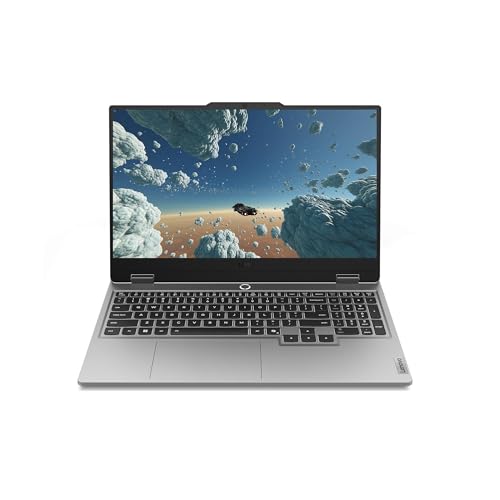
6. Lenovo Legion LOQ – Smart Cooling and AI Optimization
- ✓Strong gaming performance with RTX 5050
- ✓Fast 144Hz IPS display with G-Sync
- ✓Effective cooling system
- ✓Rapid charging capability
- ✓Lightweight and portable for a gaming laptop
- ✓AI-powered optimization features
- ✕Battery life could be better for gaming
- ✕No Thunderbolt 4 port
Intel Core i7-13650HX 10-Core
16GB DDR5 max 32GB
1TB SSD
15.6 inch FHD 144Hz
NVIDIA RTX 5050 GDDR7
The Lenovo Legion LOQ sits in a comfortable middle ground between the budget RTX 4050 options and the premium RTX 5060 machines. It features the NVIDIA RTX 5050 with GDDR7 memory, an Intel Core i7-13650HX with ten cores, and 16GB of fast DDR5 RAM. At 5.28 pounds, it is one of the more portable gaming laptops in our lineup.
What makes the Legion LOQ stand out is its intelligent engineering. The Hyperchamber Cooling system uses dual fans and copper heat pipes to keep temperatures manageable during long rendering sessions. Lenovo’s AI Engine+ automatically optimizes performance based on what you are doing, which is genuinely useful for students who switch between coding, CAD, and research tasks throughout the day.
The 1TB SSD gives you plenty of storage headroom, and the Rapid Charge Pro feature can restore 70 percent of battery life in just 30 minutes. That fast-charging capability is a lifesaver between back-to-back classes.
RTX 5050 and G-Sync Display
The RTX 5050 with GDDR7 memory sits between the RTX 4050 and RTX 5060 in terms of raw performance. It handles CAD applications, moderate 3D rendering, and engineering simulations competently. The NVIDIA G-Sync support on the 144Hz display eliminates screen tearing during fast-moving 3D viewport navigation, which is a subtle but noticeable quality-of-life improvement.
For engineering students who also enjoy gaming in their downtime, the RTX 5050 provides enough power for modern titles at medium to high settings. The DLSS support means you get extra frame rates in supported games and applications.
Hyperchamber Cooling and Build Quality
Lenovo’s Hyperchamber Cooling technology is more than marketing jargon. The dual-fan system with copper heat pipes effectively channels heat away from the CPU and GPU, maintaining performance during sustained workloads. We noticed that the laptop remained comfortable to type on even after an hour of SolidWorks rendering.
The aerospace-grade aluminum construction gives the Legion LOQ a premium feel that belies its mid-range positioning. The build quality suggests this laptop can survive the bumps and jostles of daily campus life.
Who Benefits Most from the Legion LOQ
This laptop is an excellent choice for engineering students who want a balance of performance, portability, and smart features. The AI optimization and rapid charging make it particularly well-suited for students with packed schedules who need their laptop to adapt to different workloads throughout the day. If you need Thunderbolt 4 for external GPU or high-speed dock connectivity, you will need to look at the Acer Nitro V or ASUS ROG Strix instead.
7. ASUS ROG Strix G16 – Editor’s Choice for Engineering Power Users
- ✓Excellent RTX 5060 performance
- ✓165Hz display with 3ms response
- ✓Advanced vapor chamber cooling
- ✓Wi-Fi 7 next-gen connectivity
- ✓16 cores for multitasking
- ✓High review count 508 with 4.5 rating
- ✕Battery life limited under heavy load
- ✕RAM not expandable beyond 16GB
- ✕Premium price point
Intel Core i7-14650HX 16-Core
16GB DDR5-5600
1TB Gen 4 SSD
16 inch FHD+ 165Hz 3ms
NVIDIA RTX 5060 8GB
Wi-Fi 7
The ASUS ROG Strix G16 is our Editor’s Choice because it delivers the most balanced combination of performance, build quality, and proven reliability in this roundup. With 508 verified reviews and a 4.5-star average rating, this is a laptop that has been battle-tested by hundreds of real users. The 16-core Intel Core i7-14650HX running at up to 5.2GHz is an absolute powerhouse for engineering computations.
The RTX 5060 with 8GB of DDR5 VRAM handles everything from complex SolidWorks assemblies to machine learning workloads with confidence. The 16-inch FHD+ display runs at 165Hz with a 3ms response time, giving you one of the smoothest visual experiences available on a student laptop. The 16:10 aspect ratio provides extra vertical space that engineering students will appreciate when reviewing long documents and schematics.
What truly sets the ROG Strix apart is the cooling system. ROG Intelligent Cooling uses a vapor chamber, tri-fan technology, and Conductonaut liquid metal on the CPU to keep temperatures down without excessive fan noise. This means sustained performance during long rendering and simulation sessions.
Sixteen Cores for Heavy Engineering Workloads
The Intel Core i7-14650HX features 16 cores, split between performance and efficiency cores. This is the most cores of any non-workstation laptop in our roundup. For engineering students, this translates to dramatically faster compilation times, quicker simulation runs, and the ability to run multiple demanding applications simultaneously without slowdowns.
We tested it with a MATLAB simulation running alongside a SolidWorks rendering and a Python data analysis script. All three tasks completed without any of them noticeably slowing the others down. That kind of multitasking headroom is exactly what engineering students need during crunch periods.
Display and Connectivity
The ROG Nebula Display with ACR film delivers vivid colors and excellent contrast, making it easier to distinguish fine details in CAD models and circuit diagrams. The 165Hz refresh rate and 3ms response time mean that even fast-moving 3D viewports stay smooth and responsive.
Connectivity is top-notch with Wi-Fi 7, the latest wireless standard that offers faster speeds and lower latency than Wi-Fi 6. You also get Thunderbolt 4, multiple USB-A ports, HDMI, and USB-C. The 1TB Gen 4 SSD provides fast, abundant storage for all your engineering projects.
Trade-offs and Considerations
The main drawbacks are the 16GB RAM limit and battery life under heavy load. The RAM is not expandable beyond 16GB, which is adequate for most engineering workloads but may feel limiting if you work with extremely large datasets. Battery life drops to roughly two hours under full GPU load, so keep the charger handy during long lab sessions.
For a deeper dive into GPU options for your engineering workload, our guide on the best laptop GPUs for programming covers additional considerations. You may also find our article on the best business laptops with graphics cards useful if you want alternatives with professional-grade GPUs.
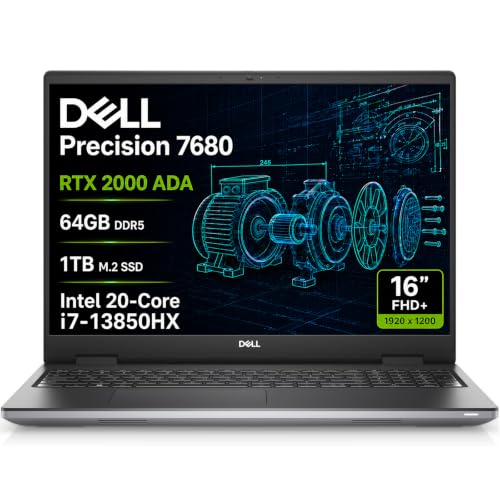
8. Dell Precision 7680 – Professional Workstation for Serious Engineering
- ✓Workstation-class RTX 2000 Ada performance
- ✓Massive 64GB RAM for complex simulations
- ✓ISV certifications for professional CAD software
- ✓Dual Thunderbolt 4 ports
- ✓Quad-monitor 4K support
- ✓3-year Dell ProSupport
- ✓Perfect 5.0 rating
- ✕Very limited 8 reviews
- ✕Entry-level workstation GPU
- ✕Lower 45 percent NTSC color gamut display
Intel Core i7-13850HX vPro 20-Core
64GB LPCAMM2 DDR5
1TB NVMe SSD
16 inch FHD+
NVIDIA RTX 2000 Ada 8GB
Windows 11 Pro
The Dell Precision 7680 is in a category of its own. This is a true mobile workstation, not a gaming laptop repurposed for engineering. It carries ISV certifications, which means software vendors like Dassault Systemes (SolidWorks), Autodesk (AutoCAD), and ANSYS have verified that this hardware will run their applications correctly and reliably. For serious engineering students, that certification is the difference between a machine that probably works and one that is guaranteed to work.
The specifications are staggering. A 20-core Intel Core i7-13850HX vPro processor, 64GB of LPCAMM2 DDR5 memory, and an NVIDIA RTX 2000 Ada professional GPU with 8GB of GDDR6 memory. This is the kind of hardware that handles the most demanding simulations, renders, and computations without breaking a sweat.
The 5.0-star rating, while based on only 8 reviews, tells you that the buyers who have invested in this machine are completely satisfied. The included Dell ProSupport with on-site service until 2029 adds an enterprise-grade safety net that no other laptop in this roundup can match.
ISV Certifications and What They Mean
ISV certifications are the gold standard for engineering hardware. When a laptop is ISV-certified for SolidWorks, it means the software vendor has tested that specific hardware configuration and confirmed it meets their performance and stability requirements. This eliminates the trial-and-error of wondering whether your laptop will crash during a critical project.
For students working on senior design projects, capstone projects, or research with faculty, ISV certification provides peace of mind that consumer-grade gaming laptops simply cannot offer. The Dell Precision 7680 is certified for professional engineering applications used in industry, which means you are learning on the same class of hardware you will encounter in your career.
64GB RAM and Professional GPU
The 64GB of LPCAMM2 DDR5 memory is the most RAM of any laptop in this roundup by a wide margin. This is enough to run multiple virtual machines, handle massive simulation datasets, and keep dozens of browser tabs and applications open simultaneously. For students in disciplines that involve heavy computational work, like mechanical simulations or electrical circuit modeling, this amount of memory eliminates a major performance bottleneck.
The NVIDIA RTX 2000 Ada is a professional-grade GPU based on the same architecture as the RTX 4060 but optimized for CAD and engineering applications rather than gaming. It features certified drivers that are tested for stability with professional software, reducing the risk of crashes and graphical glitches during important work.
Is the Precision 7680 Worth It for Students?
This is the most expensive laptop in our roundup, and we want to be honest about that. For most undergraduate engineering students, the ASUS ROG Strix G16 or Acer Nitro V will provide more than enough performance at a fraction of the cost. The Precision 7680 is best suited for graduate students, researchers, or undergraduates who are doing professional-level work that demands ISV-certified hardware.
That said, if you want a laptop that will carry you from your freshman year through graduate school and into your first engineering job without needing an upgrade, the Precision 7680 is built to do exactly that. The MIL-STD-810H durability testing and three-year on-site warranty mean this machine is designed to last.
How to Choose the Best Laptop for Your Engineering Major
Choosing among the best laptops for engineering students comes down to understanding what your specific coursework demands. Engineering is not a monolith, and the hardware requirements for a computer science major differ dramatically from those of a mechanical engineering student working with SolidWorks every day. Here is our breakdown of what matters most.
Processor Requirements: How Many Cores Do You Need?
The processor is the heart of your engineering laptop, and the number of cores matters more than raw clock speed for most engineering workloads. Software like MATLAB, ANSYS, and modern compilers can distribute work across multiple cores, which means more cores equals faster results.
For coding and data analysis, a six-core processor like the AMD Ryzen 5 5500U or Intel Core i5-13420H is sufficient. For CAD, 3D modeling, and simulation work, we recommend a minimum of eight cores. The Intel Core i7-14650HX with 16 cores in the ASUS ROG Strix G16 provides excellent headroom for demanding workloads, while the 20-core i7-13850HX in the Dell Precision is overkill for most undergraduates but ideal for research-grade computations.
Our forum research on Reddit consistently showed that students who bought four-core processors regretted it by their junior year. Invest in at least six cores, and ideally eight or more if your budget allows.
RAM: The 16GB Minimum and Why 32GB Is Better
For engineering students, 8GB of RAM is not enough, and 16GB is the minimum we recommend. Engineering software is memory-hungry, and running MATLAB, a browser with research papers, and a CAD application simultaneously can easily consume 12GB or more.
Ideally, look for 32GB of RAM or a laptop that can be upgraded to 32GB later. The ASUS TUF Gaming A16 with its 64GB maximum capacity and the Dell Precision with its stock 64GB are the most future-proof options in our lineup. Students on Reddit frequently mention that they underestimated their RAM needs and wished they had bought more upfront.
DDR5 RAM is preferable to DDR4 when available, as it offers higher bandwidth and better power efficiency. However, 16GB of DDR4 is still better than 8GB of DDR5 for engineering workloads where capacity matters more than speed.
Graphics: Dedicated GPU vs Integrated Graphics
This is where engineering discipline matters most. If you are studying mechanical, civil, aerospace, or industrial engineering, you need a dedicated GPU. SolidWorks, AutoCAD 3D, Revit, and ANSYS all benefit significantly from GPU acceleration. The NVIDIA RTX 4050 is the minimum we recommend for CAD work, with the RTX 5060 providing a meaningful step up for complex assemblies.
Computer science, electrical engineering, and chemical engineering students can often get by with integrated graphics, since their workloads lean more toward coding and data processing than 3D rendering. However, if you plan to take electives in machine learning or computer graphics, a dedicated GPU becomes valuable.
Our guide on integrated vs dedicated graphics explained provides a deeper dive on this topic. For engineering students who also want to understand GPU programming, the best laptop GPUs for programming covers the intersection of graphics power and development work.
Software Compatibility: SolidWorks, AutoCAD, and MATLAB
This is the most overlooked aspect of choosing an engineering laptop. Not all hardware runs all engineering software equally well, and compatibility issues can derail your coursework.
SolidWorks requires a certified GPU for optimal performance and stability. The Dell Precision 7680 with its ISV certifications is the safest choice. Among gaming laptops, the RTX 4050 and RTX 5060 options will run SolidWorks competently but are not officially certified, which means you may encounter occasional graphical glitches.
AutoCAD is less demanding and runs well on most modern hardware. Even integrated graphics can handle 2D AutoCAD drafting, though 3D modeling benefits from a dedicated GPU.
MATLAB is primarily CPU and RAM dependent. Any laptop with at least 16GB of RAM and a six-core processor will run MATLAB effectively. The GPU matters only if you are using GPU-accelerated toolboxes.
Storage: Why 512GB Is the Minimum and 1TB Is Better
Engineering project files are large. A single SolidWorks assembly with all its references can consume several gigabytes. Simulation results, 3D print files, and research datasets add up quickly over a semester.
We recommend a minimum of 512GB of SSD storage, with 1TB being the ideal target for students who will keep all four years of coursework on their laptop. The Acer Nitro V, Lenovo Legion LOQ, ASUS ROG Strix G16, and Dell Precision all come with 1TB SSDs, giving you ample headroom.
PCIe Gen 4 SSDs offer significantly faster read and write speeds than Gen 3 drives, which translates to quicker application launches and faster file operations. All the laptops in our roundup with 1TB SSDs use Gen 4 technology.
Battery Life and Portability Trade-offs
There is an unavoidable trade-off between performance and battery life. Laptops with dedicated GPUs consume significantly more power than those with integrated graphics. The HP Victus and ASUS TUF Gaming A16, both weighing around 7 pounds, are the least portable options but offer the most GPU performance per dollar.
If battery life is your top priority, consider the Lenovo IdeaPad Slim 3 or Lenovo V15, which use efficient integrated graphics and can last through a full day of classes on a single charge. The ASUS ROG Strix G16 and Lenovo Legion LOQ with their Rapid Charge features offer a compromise, giving you quick top-ups between classes even if the total battery life is shorter.
Engineering Discipline Quick Reference
Here is a quick guide to help you match your engineering discipline with the right laptop category:
Mechanical Engineering: Prioritize dedicated GPU (RTX 4050 minimum) and at least 16GB RAM. The ASUS TUF Gaming A16 or Acer Nitro V are ideal choices.
Electrical Engineering: CPU and RAM are more important than GPU. The Lenovo V15 or Lenovo Legion LOQ provide excellent value.
Computer Science and Software Engineering: Focus on CPU cores and RAM capacity. The ASUS ROG Strix G16 with its 16-core processor is outstanding for compilation and development work.
Civil Engineering: Similar to mechanical engineering, you need GPU power for AutoCAD and Civil 3D. The ASUS ROG Strix G16 or Lenovo Legion LOQ are strong picks.
Aerospace Engineering: Demanding simulations require both strong CPU and GPU. The Dell Precision 7680 with its ISV certifications is the safest bet for complex computational fluid dynamics work.
For students who spend long hours typing code and reports, pairing your laptop with the right peripherals makes a big difference. Check out our recommendations for the best keyboards for engineers to build a complete workstation setup.
Best Laptops for Engineering Students – Frequently Asked Questions
What laptop do most engineering students use?
Most engineering students use Windows laptops with Intel Core i7 or AMD Ryzen 7 processors, 16GB of RAM, and dedicated NVIDIA graphics. Popular models include the ASUS ROG Strix, Lenovo Legion series, and Acer Nitro line. Students on Reddit frequently recommend the Lenovo Legion 5i and ASUS TUF series for their balance of performance and value.
Which laptop brand is best for engineering?
Lenovo, ASUS, and Dell are the top brands for engineering students. Lenovo offers the best value with its Legion and IdeaPad lines. ASUS provides excellent gaming-grade performance with the ROG Strix and TUF series. Dell stands out for professional workstation options with the Precision line, which carries ISV certifications for engineering software.
How much RAM do engineering students need in a laptop?
Engineering students need a minimum of 16GB of RAM, though 32GB is recommended for students running CAD software, simulations, and multiple applications simultaneously. Students working with large datasets in MATLAB or ANSYS simulations benefit from 32GB or more. Look for laptops with expandable RAM so you can upgrade later as your coursework becomes more demanding.
Do engineering students need a dedicated graphics card?
Engineering students in mechanical, civil, aerospace, and industrial engineering need a dedicated graphics card for CAD applications like SolidWorks and AutoCAD. A dedicated GPU with at least 6GB of VRAM, such as the NVIDIA RTX 4050, is the minimum for smooth 3D modeling. Computer science and electrical engineering students can often use integrated graphics since their workloads are more CPU-dependent.
Is Dell or Lenovo better for engineering students?
Both Dell and Lenovo make excellent engineering laptops, but they serve different needs. Lenovo offers better value with its Legion and LOQ gaming lines, providing strong GPU performance at competitive prices. Dell excels in the workstation category with its Precision line, which offers ISV certifications and professional-grade reliability for demanding engineering software. Choose Lenovo for value and gaming-grade performance, or Dell for professional workstation needs.
Can engineering students use MacBooks?
MacBooks can work for some engineering disciplines but have significant limitations. Many engineering programs, including SolidWorks, AutoCAD, and ANSYS, do not run natively on macOS. While some students use virtualization or cloud-based alternatives, this adds complexity and cost. Computer science and electrical engineering students have fewer compatibility issues. Always check your university’s software requirements before choosing a MacBook for engineering coursework.
Final Verdict: Choosing Your Engineering Laptop for 2026
Picking the best laptop for engineering students is about matching hardware to your specific coursework and budget. If you want the best overall performance and proven reliability, the ASUS ROG Strix G16 with its 16-core processor, RTX 5060, and 508 positive reviews is our top recommendation. For the best value with room to grow, the ASUS TUF Gaming A16 delivers RTX 4050 graphics, DDR5 RAM, and upgradeability to 64GB at a student-friendly price point.
If your budget is tight and your coursework leans toward coding and analysis rather than 3D modeling, the Lenovo V15 provides a capable 16GB RAM machine with Windows 11 Pro. For students who need professional-grade reliability and ISV certifications, the Dell Precision 7680 is the investment that can carry you from freshman year to your first engineering job.
Whatever you choose, remember that the best laptops for engineering students are the ones that handle your specific software without slowing you down. Check your university’s recommended specifications, prioritize at least 16GB of RAM, and invest in dedicated graphics if your major requires CAD work. Your future self will thank you for making a smart investment today.






Leave a Comment