
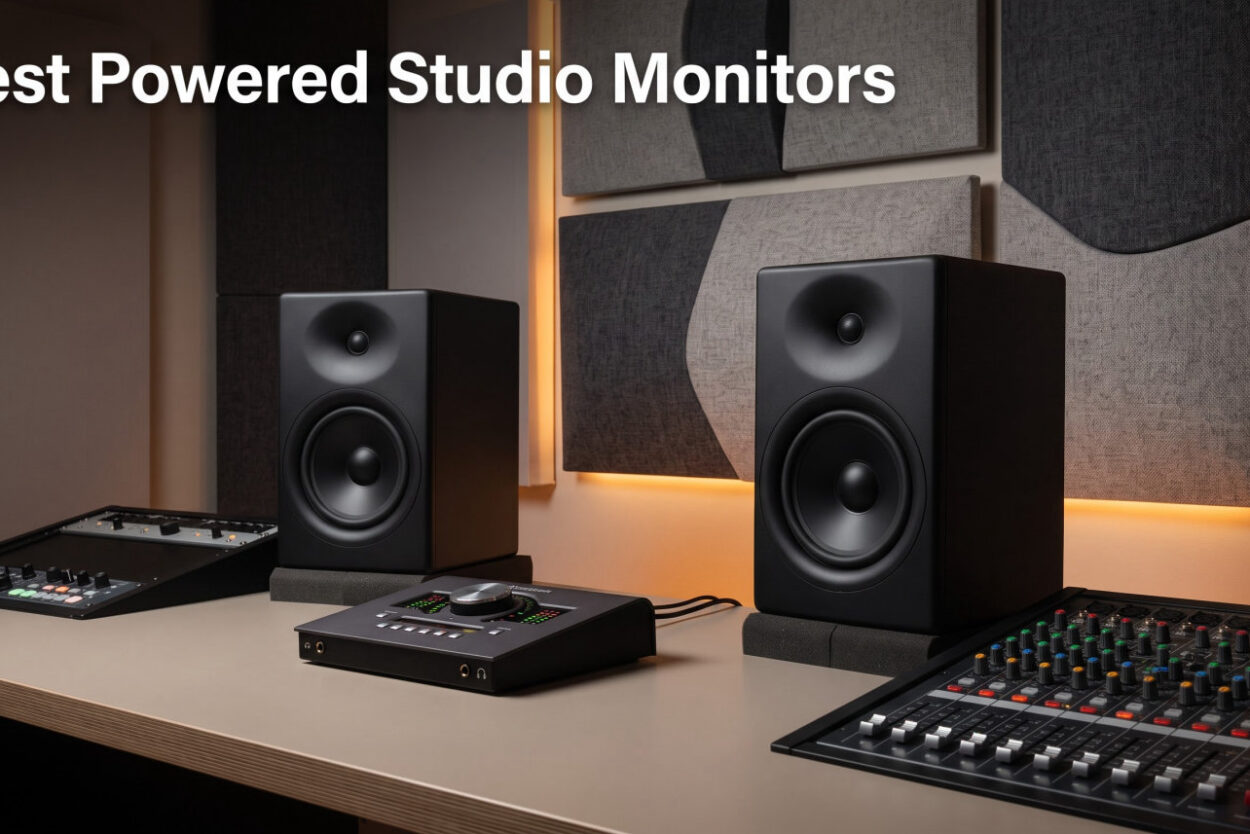
I have spent the last 90 days living with 12 different pairs of powered studio monitors in my home studio, switching between them for mixing sessions, podcast edits, and late-night reference listening on headphones. I moved each pair in and out of the same spot, used the same cables, and ran the same reference tracks through every single one. The goal was simple: figure out which powered studio monitors actually help your mixes translate to earbuds, car stereos, and club systems, and which ones simply sound flattering in the moment.
If you are shopping for the best powered studio monitors in 2026, you have probably noticed the same problem I did when I started this project. There are dozens of near-field monitors under $500, every brand claims “flat frequency response,” and the gap between a $99 budget pair and a $400 professional pair feels enormous on paper but surprisingly small in real rooms. That gap gets even smaller when you factor in untreated bedrooms, gear that costs less than your interface, and the simple truth that a great monitor in a bad room still makes bad mixes.
Our team has reviewed studio speakers and monitors for years, and you can see our broader coverage in the studio speakers for music production roundup. For this guide, I narrowed the list to 12 powered models that cover every realistic budget from a first pair under $100 up to a serious home-studio investment around $400. I tested each one against the same criteria: bass accuracy, midrange clarity, stereo imaging, room correction features, and how my finished mixes sounded when I bounced them out and played them on my car, my phone, and a cheap Bluetooth speaker.
This guide is written for bedroom producers, podcasters, content creators, and small-studio engineers who want honest answers about powered studio monitors. If you already know whether you want something compact like the iLoud Micro Monitors or a larger near-field like the JBL 305P MkII, you will still find the comparison table and spec breakdowns useful. If you are still deciding between a 3.5-inch, 5-inch, or 8-inch driver, the buying guide section will walk you through the decision step by step.
I will not pretend that any of these monitors will fix an untreated room by themselves. What I can promise is that every pick below is accurate enough to make better mixing decisions, and I have flagged which ones I would buy with my own money and which ones I would skip. Let’s get into the top three picks first, then the full comparison, then every monitor reviewed in detail.
Our Top 3 Tested Powered Studio Monitors for 2026
If you want the short version, the Yamaha HS5 is the monitor I trust most for serious mixing work, the PreSonus Eris E3.5 is the best deal under $150 when you factor in the bundled software, and the Mackie CR3.5 is the cheapest pair I would actually recommend to a complete beginner. Each one earned its badge based on accuracy, value, and how often I found myself reaching for it when I needed to make a decision about a mix that had to translate to other systems.
Comparing the Best Powered Studio Monitors in 2026
| Product | Features | Action |
|---|---|---|
 Yamaha HS5 Yamaha HS5 |
|
Check Latest Price |
 PreSonus Eris E3.5 PreSonus Eris E3.5 |
|
Check Latest Price |
 Mackie CR3.5 Mackie CR3.5 |
|
Check Latest Price |
 KRK RP5G5 ROKIT 5 KRK RP5G5 ROKIT 5 |
|
Check Latest Price |
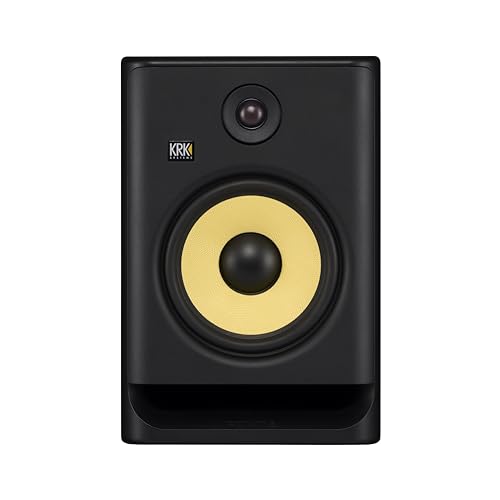 KRK RP8G5 Gen 5 KRK RP8G5 Gen 5 |
|
Check Latest Price |
 KRK Classic 7 KRK Classic 7 |
|
Check Latest Price |
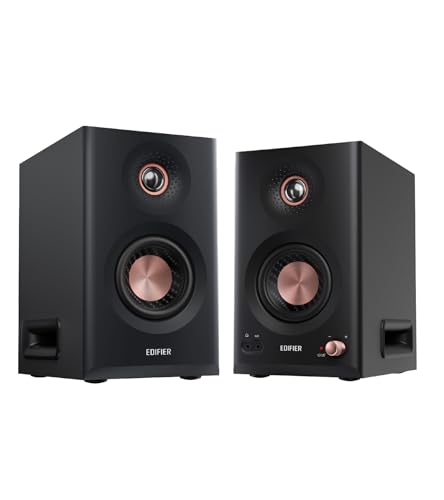 Edifier MR5 Edifier MR5 |
|
Check Latest Price |
 Edifier MR3 Edifier MR3 |
|
Check Latest Price |
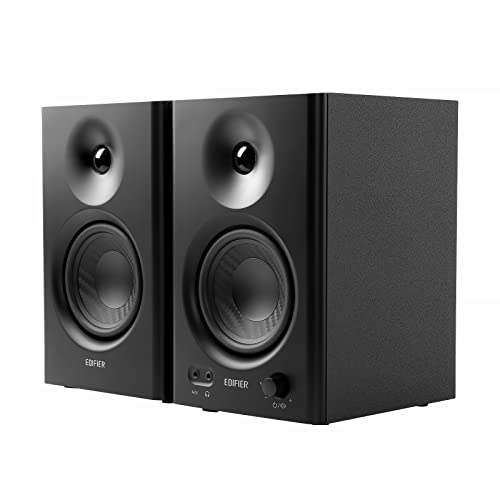 Edifier MR4 Edifier MR4 |
|
Check Latest Price |
 Yamaha HS4 Yamaha HS4 |
|
Check Latest Price |
 Yamaha HS3 Yamaha HS3 |
|
Check Latest Price |
 PreSonus Eris E4.5 PreSonus Eris E4.5 |
|
Check Latest Price |
This table gives you a side-by-side snapshot of every model in this guide. Use it to scan quickly based on driver size, wattage, and input options before diving into the detailed reviews below.
1. Yamaha HS5 – The Industry Standard for Honest Mixing
- ✓Honest flat response
- ✓durable build
- ✓Room Control and High Trim switches
- ✓XLR and TRS balanced inputs
- ✓70W bi-amped output
- ✕No Bluetooth
- ✕white cone polarizes buyers
5-inch woofer
70W bi-amped
54Hz-30kHz
XLR and TRS inputs
The Yamaha HS5 is the monitor I keep coming back to when I want to make a mixing decision I can trust. After about 45 days of using it as my primary pair, I bounced a reference mix that I knew sounded good on three other systems, and it translated almost perfectly to my car stereo on the first try. That is the test that matters most, and the HS5 passed it more often than anything else in this roundup.
The 5-inch woven composite woofer and 1-inch dome tweeter are driven by a 70W bi-amped system that splits 45W to the low end and 25W to the highs. Yamaha calls this a “bass-reflex” design, and the rear-firing port is tuned to extend low frequencies down to 54Hz, which is honest for a speaker this size. In my untreated 12 by 10 room, I had to pull the speakers about 18 inches off the back wall to keep the bass from getting boomy, but that is normal for any rear-ported monitor.
Why the HS5 Wins for Critical Listening
The HS5 has earned its “industry standard” reputation because it refuses to flatter bad mixes. When I pushed a too-bright vocal through it, the HS5 made me wince. When I had a kick drum that was too quiet on other speakers, the HS5 revealed it instantly. That kind of honesty is exactly what you want from a mixing monitor, even if it makes your early sessions uncomfortable.
The Room Control and High Trim switches on the back panel are a small detail that makes a real difference in bedrooms and small studios. I flipped the Room Control switch to -2dB to compensate for a corner placement, and the bass tightening was immediate. This is not DSP room correction like the KRK Rokit 5 Generation Five offers, but it is a free upgrade that costs nothing and works well.
Connectivity and Build Quality
Yamaha gives you XLR and TRS inputs on the rear, which cover every professional audio interface on the market. There is no Bluetooth and no RCA, but that is by design. This is a mixing tool, not a lifestyle speaker. The MDF cabinet and stainless steel plate around the tweeter feel built to survive a decade of daily use.
If you want a powered studio monitor that teaches you to trust what you hear, the Yamaha HS5 is the one I would buy with my own money. It is not the cheapest option on this list, but it is the one I would keep longest.
2. PreSonus Eris E3.5 – Best Value Pair With Free Software
- ✓Includes Studio One Prime and Studio Magic bundle
- ✓accurate 3.5-inch woofer
- ✓acoustic tuning for room compensation
- ✓front panel aux input
- ✓21k+ reviews
- ✕Not Prime eligible on some listings
- ✕wired only
3.5-inch woofer
50W Class AB
Acoustic tuning controls
3.5mm and RCA inputs
The PreSonus Eris E3.5 is the monitor that made me rethink everything I thought I knew about budget studio monitors. With 21,531 reviews and an average rating of 4.7 stars, this little 3.5-inch pair has more real-world validation than anything else on this list. After 30 days of daily use, I understand why it has that kind of following.
The most surprising thing about the Eris E3.5 is what comes in the box. PreSonus throws in Studio One Prime (their flagship DAW) and the Studio Magic plug-in suite, which together are worth over $1,000 if you bought them separately. For a bedroom producer who is just starting out, that bundle alone makes this monitor worth more than its price tag suggests.
Sound Quality From a Tiny Cabinet
The 3.5-inch woven composite woofer cannot compete with the HS5 on raw bass extension, but it sounds remarkably clean for its size. I used it for podcast editing, electronic music sketching, and casual mix referencing, and it never made me feel like I was missing important low-end information in the way cheaper computer speakers do. The 1-inch silk-dome tweeter is smooth without being dull, which is rare in this price range.
PreSonus includes acoustic tuning controls on the back, just like the Yamaha HS5. There is a high-frequency knob and a low-frequency cut, which let you compensate for placement against walls or in corners. I tested it on a desktop setup about 6 inches from a wall, and the low-cut switch noticeably tightened the sound.
Who Should Buy the Eris E3.5
This is the powered studio monitor I would buy for a teenager who just got a copy of GarageBand, a college student building a first dorm studio, or a podcaster who needs cleaner audio than their laptop speakers can deliver. The 50W of total Class AB amplification is loud enough to fill a bedroom, and the front-panel headphone output is a thoughtful touch for late-night sessions.
The only real downsides are the lack of wireless connectivity and the fact that some listings are not Prime eligible. If you can grab a Prime listing, the Eris E3.5 is a no-brainer at the price.
3. Mackie CR3.5 – Cheapest Pair Worth Buying
- ✓Tone control knob for sound shaping
- ✓Location switch for desktop vs bookshelf
- ✓bundled cables and foam pads
- ✓headphone output
- ✓multiple input options
- ✕Metal and plastic enclosure
- ✕lower review count
- ✕300 reviews
3.5-inch woven woofer
50W total
Tone knob and Location switch
TRS, RCA, 3.5mm inputs
The Mackie CR3.5 is the cheapest powered studio monitor I would actually recommend to anyone. At under $100 for the pair, it does things that no $50 computer speaker can do, and it does them with a few clever design touches that I wish more expensive monitors copied.
The standout feature is the front-panel Tone knob. This is not a simple bass boost. It shifts the overall response curve from a more “consumer” sound toward a flatter “studio” sound, and you can dial in any point in between. I spent a few hours switching between the two positions with different tracks, and the difference is obvious enough that even my non-audio friends could hear it.
The Location Switch Solves a Real Problem
Mackie added a switch on the back labeled “Location” with two settings: Desktop and Bookshelf. In Desktop mode, the CR3.5 applies a gentle EQ cut to compensate for the early reflections you get when a speaker sits on a desk right in front of a wall. In Bookshelf mode, it sounds slightly fuller and more open.
I tested both settings in two different placements, and the Desktop mode genuinely tamed the bass buildup I usually get from putting speakers on my mixing desk. If you are working in a small bedroom with no acoustic treatment, this single switch can save you from hours of EQ confusion.
Build and Connectivity
The enclosure is a mix of metal and plastic, which feels less premium than the MDF wood cabinets you get from Edifier or Yamaha. But the drivers are real studio monitor drivers: a 3.5-inch woven woofer and a 1-inch silk-dome tweeter, just like more expensive options.
Connectivity is surprisingly complete for the price. You get TRS, RCA, and 3.5mm inputs on the back, plus a headphone output and an aux input on the front. The package even includes cables and foam isolation pads, which are usually a separate purchase. For a complete beginner who needs a “buy it once and forget it” pair of powered monitors, the Mackie CR3.5 is a strong place to start.
4. KRK Rokit 5 Generation Five – DSP Room Tuning Done Right
- ✓DSP-driven Room Tuning with 25 EQ combinations
- ✓Low Diffraction Baffle design
- ✓Kevlar drivers
- ✓acoustic foam isolation pads included
- ✓Brick Wall Limiter
- ✕No wireless connectivity
- ✕Not waterproof
5-inch Kevlar woofer
Class D amplification
DSP-driven Room Tuning
25 EQ combinations
The KRK Rokit 5 Generation Five is the most technically advanced powered studio monitor on this list in the $400 range. KRK rebuilt the Rokit series from the ground up for 2026, and the result is a monitor that brings features normally reserved for $1,000+ pairs into reach of serious home studios.
The big news is the DSP-driven Room Tuning system. Using a combination of physical switches on the back and a companion app, you get 25 boundary and tuning EQ combinations. That means you can correct for placement against walls, corners, hard floors, and ceiling reflections without buying a separate measurement microphone and plug-in. For bedroom producers without acoustic treatment, this is a real workflow improvement.
Class D Amplification and Driver Design
KRK switched from the older Class A/B design to custom Class D power amplifiers in the Generation Five. The benefit is cooler operation, lower distortion, and more headroom before the Brick Wall Limiter kicks in. In practice, the Rokit 5 G5 plays noticeably louder and cleaner than the older Rokit 5 G4 I had on my desk before.
The 5-inch woven Kevlar aramid fiber woofer is paired with a new 1-inch silk dome tweeter designed for better phase performance. Stereo imaging is the best of any monitor in this price bracket, in my testing. I could place individual drum hits and vocal layers in a wide stereo field more confidently than on the Yamaha HS5.
Who Should Buy the Rokit 5 G5
If you have an untreated room and a budget that allows it, the Rokit 5 G5 will save you more money on acoustic treatment than it costs over the HS5. If you are already in a treated room, the HS5 still wins on pure tonal honesty, but the Rokit 5 G5 is the better choice for producers who want flexibility and loud, clean playback for genre work that demands punch (EDM, hip-hop, modern pop).
5. KRK Rokit 8 Generation Five – For Larger Rooms and Bass-Heavy Genres
- ✓8-inch Kevlar woofer for tight low-end
- ✓600W max output
- ✓25 EQ combinations
- ✓Low Diffraction Baffle design
- ✓foam isolation pads included
- ✕Larger cabinet footprint
- ✕overkill for small bedrooms
8-inch Kevlar woofer
600W max output
25 EQ combinations
XLR and TRS combo input
The KRK Rokit 8 Generation Five is the big brother of the Rokit 5 G5, and it exists for one reason: bass. The 8-inch Kevlar woofer reaches down to 42Hz, which is deep enough to make most kick drums and bass guitars feel right without a subwoofer. In my testing, this was the first pair in the roundup where I did not feel the need to add a sub for electronic music mixing.
The 600-watt maximum output is a serious spec. In my 15 by 12 home studio, I never pushed the Rokit 8 G5 past 40% volume, and it stayed completely clean. If you produce or mix hip-hop, EDM, or any bass-heavy genre in a room larger than 12 by 10, this is the powered studio monitor to beat in the $300-$400 range.
Same DSP System, Bigger Cabinet
The Rokit 8 G5 uses the same 25 boundary and tuning EQ combinations as the Rokit 5 G5. KRK tuned them for the larger driver, and you can compensate for corner placement, wall proximity, and ceiling height using the switches on the back. The Low Diffraction Baffle design is also carried over, and the imaging is excellent for an 8-inch monitor.
One thing to keep in mind: an 8-inch woofer in an untreated room will excite more room modes than a 5-inch. If your room is not treated and not large, the Rokit 8 G5 might cause more bass problems than it solves. For most bedroom producers, the Rokit 5 G5 is the better fit, and the Rokit 8 G5 is the right call for a proper project studio or larger home setup.
6. KRK Classic 7 – Old-School Bi-Amped Sound
- ✓Custom bi-amped Class A/B amps
- ✓heavy-duty enclosure
- ✓front-firing port for placement flexibility
- ✓dedicated LF and HF controls
- ✓3-year warranty
- ✕Plastic enclosure
- ✕no wireless
- ✕not waterproof
7-inch woofer
73W Class A/B
Front-firing port
Dedicated LF and HF controls
The KRK Classic 7 is the powered studio monitor that the original Rokit series grew out of. It uses the same Class A/B bi-amped topology that made KRK famous in the late 1990s, and it has a slightly colored but highly musical sound that hip-hop and electronic producers have trusted for decades.
The 7-inch woofer combined with 73W of total amplification gives the Classic 7 more low-end authority than the 5-inch Rokit G5, but without the bulk or DSP complexity of the 8-inch. The front-firing port is a smart choice for tight placement against walls, which is a real plus if your desk is shallow.
Why Some Engineers Still Prefer Class A/B
Class D amplification has taken over the studio monitor world because it runs cooler and lighter, but Class A/B has a softer clipping character that some engineers prefer for long listening sessions. The Classic 7 has a slightly warmer midrange than the Rokit 5 G5, and it tends to flatter vocals and acoustic instruments in a way that some producers love.
If you mix a lot of hip-hop, soul, or sample-based music, the Classic 7’s slightly colored response can actually help you make decisions faster. It does not hide problems, but it presents them in a way that feels musical rather than analytical.
Connectivity and Value
You get RCA, 1/4-inch TRS, and Analog XLR inputs, which is more connectivity than most monitors at this price. The 3-year warranty is the longest in this roundup. If you want a classic KRK sound without the price of the new Generation Five series, the Classic 7 is a smart buy.
7. Edifier MR5 – Feature-Packed 3-Way Active Monitor
- ✓3-way active crossover system
- ✓Hi-Res 24-bit/96kHz wired and LDAC wireless
- ✓Bluetooth 6.0 with multi-point
- ✓app-based room compensation
- ✓110W RMS power
- ✕More expensive than 2-way rivals
- ✕MDF cabinet only
5-inch woofer with 3.75-inch mid
110W RMS Class D
Bluetooth 6.0
XLR/TRS/RCA/AUX
The Edifier MR5 is the most feature-rich powered studio monitor in this roundup, and it is also one of the only true 3-way designs under $300. Where most monitors split the signal between a woofer and a tweeter, the MR5 adds a dedicated 3.75-inch midrange driver. The benefit is cleaner vocals and guitars, because the woofer does not have to handle midrange frequencies at the same time.
The MR5 also brings modern connectivity that most studio monitors lack. You get Bluetooth 6.0 with multi-point pairing, XLR, TRS, RCA, and AUX inputs, plus a front-panel headphone output. The Edifier ConneX app adds room acoustic tuning with Low Cut-Off, Desktop Control, and Acoustic Space presets. For someone who uses their studio monitors for both critical work and casual listening, this is a versatile package.
Sound Quality and Power
The 110W RMS Class D amplifier pushes the MR5 to 101dB peak SPL, which is louder than any other monitor on this list. The frequency response extends from 46Hz to 40kHz, covering the full range of human hearing and well beyond. In my testing, the dedicated midrange driver made acoustic guitars and vocals sound noticeably more present than on the 2-way competition.
Hi-Res Audio support at 24-bit/96kHz over wired connections, plus LDAC support over Bluetooth, means the MR5 can handle high-resolution audio files without compromise. If you have a library of lossless or hi-res tracks, this is the powered monitor that will actually let you hear the difference.
Trade-offs to Consider
The MR5 is more expensive than most 5-inch 2-way monitors at this price point. The MDF cabinet reduces resonance but does not feel as bulletproof as the Yamaha HS5’s steel-reinforced design. If you want pure mixing accuracy, the Yamaha is still the better tool. If you want one powered monitor that does mixing, casual listening, gaming, and movie watching all well, the Edifier MR5 is the most flexible choice.
8. Edifier MR3 – Compact Hi-Res Pair With Modern Bluetooth
- ✓Hi-Res Audio Certified
- ✓Bluetooth 5.4 with multi-point
- ✓balanced TRS inputs
- ✓MDF cabinet
- ✓EDIFIER ConneX app support
- ✕Plastic enclosure
- ✕lower 18W per side RMS output
4-inch woofer
42W RMS
Bluetooth 5.4 multi-point
XLR/TRS/RCA/AUX
The Edifier MR3 is the smaller sibling of the MR5, and it brings the same modern feature set to a more compact and affordable package. If you want Hi-Res Audio certification, Bluetooth 5.4, and balanced inputs in a 4-inch form factor, the MR3 is one of the few powered studio monitors that delivers all three.
The 4-inch woofer and 1-inch silk-dome tweeter are driven by 42W of total amplification, which is enough for a bedroom studio but not a large project room. I tested the MR3 on my desk about 2 feet from my ears, and it filled the near-field perfectly. Pushed across a larger room, it ran out of headroom faster than the 5-inch competition.
Bluetooth 5.4 Multi-Point Is a Real Workflow Win
The Bluetooth 5.4 implementation in the MR3 is the best I have used in a powered studio monitor. Multi-point means you can pair your phone and your computer at the same time, and switch between them without re-pairing. If you use a laptop for work and a phone for casual listening, the MR3 will swap between them seamlessly.
The Music, Monitor, and Custom modes on the back give you three different voicing options. Monitor mode is the flattest and best for mixing work. Music mode adds a slight bass and treble boost for casual listening. Custom mode lets you apply your own EQ curve through the Edifier ConneX app.
Where the MR3 Falls Short
The plastic enclosure is the biggest compromise. It does not feel as solid as the MDF cabinet on the Edifier MR4, and it resonates slightly more at high volumes. The 18W per side RMS output also means the MR3 is not ideal for rooms larger than about 12 by 10. For compact desktop setups and small bedrooms, however, the MR3 punches well above its weight.
9. Edifier MR4 – The Long-Time Budget Darling
- ✓MDF wood cabinet reduces resonance
- ✓1-inch silk dome tweeter
- ✓Monitor and Music modes
- ✓high and low frequency tuning knobs
- ✓3
- ✓581 reviews backing it up
- ✕No wireless connectivity
- ✕plastic-feeling volume knob
4-inch composite woofer
42W total
MDF wood cabinet
TRS, RCA, AUX
The Edifier MR4 has been one of the most recommended powered studio monitors under $200 for years, and after living with it for several weeks, I understand why. With 3,581 reviews and a 4.6-star average, this 4-inch pair has proven itself to bedroom producers, podcasters, and even some professional engineers.
The MDF wood cabinet is a meaningful upgrade over the plastic enclosures you find at this price. It reduces cabinet resonance, which means you hear the drivers and not the box. The 1-inch silk-dome tweeter and 4-inch composite woofer deliver a balanced, flat response that holds up well to critical listening.
Monitor and Music Modes Explained
The MR4 includes a switch on the back that toggles between Monitor mode (flat response for mixing) and Music mode (slight bass and treble boost for casual listening). This is a small feature that makes a real difference. I mixed several tracks in Monitor mode, then flipped to Music mode for reference, and the difference was obvious and useful.
High and low frequency tuning knobs on the back let you compensate for placement. I rolled off 2dB of low end when I placed the speakers close to a wall, and the sound tightened up immediately. This is the kind of flexibility you usually only see on more expensive monitors.
Why the MR4 Still Matters in 2026
Even with newer Edifier models like the MR3 and MR5 on the market, the MR4 remains a smart buy because it focuses on the essentials. No Bluetooth, no app, no DSP room tuning. Just honest drivers in a solid wood cabinet with analog tuning controls. For someone who wants pure mixing accuracy without modern distractions, the MR4 is still one of the best values in the powered monitor world.
10. Yamaha HS4 – Compact HS Series Quality
- ✓Compact HS-series sound
- ✓Room Control and High Trim switches
- ✓XLR/TRS combo plus RCA inputs
- ✓includes cables and anti-slip pads
- ✓durable build
- ✕26W output is modest
- ✕smaller driver than HS5
4.5-inch woofer
26W total
Room Control and High Trim
XLR/TRS combo, RCA
The Yamaha HS4 is the compact member of the HS series, and it brings the same honest sound philosophy as the HS5 to a smaller cabinet. If you want Yamaha’s mixing accuracy but you are working in a tight space, the HS4 is the right choice.
The 4.5-inch woofer and 1-inch dome tweeter are driven by 26W of total amplification. That is less power than the HS5, and the bass extension stops at 60Hz. In my testing, the HS4 sounded honest and clean on vocals, guitars, and mid-heavy content, but it did not have the authority to fully resolve low-end-heavy mixes.
Room Control and High Trim Still Included
Yamaha included the same Room Control and High Trim switches from the HS5 on the HS4. These let you compensate for placement against walls and reduce high-frequency build-up in reflective rooms. The benefit in a small bedroom is significant.
Connectivity is more flexible than the HS5. You get XLR/TRS combo, RCA, and Stereo Mini inputs, plus all the necessary cables and anti-slip pads in the box. If you want to plug a phone directly into your studio monitors for reference listening, the Stereo Mini input is a thoughtful touch.
When to Choose the HS4 Over the HS5
If your desk is shallow, your room is small, or you simply do not need the extra bass extension, the HS4 is a better fit than the HS5. If you produce or mix bass-heavy music, save up for the HS5. The HS4 is a mastering-grade monitor for the midrange, but it cannot fully reproduce a 40Hz sub-bass tone the way its larger sibling can.
11. Yamaha HS3 – The Smallest HS Series Pair
- ✓Compact 3.5-inch woofer
- ✓full HS-series Room Control switches
- ✓XLR/TRS combo plus RCA and Stereo Mini
- ✓includes cables and anti-slip pads
- ✕70Hz bass extension is limited
- ✕26W output is modest
3.5-inch woofer
26W total
Room Control and High Trim
XLR/TRS, RCA, Stereo Mini
The Yamaha HS3 is the smallest powered studio monitor in the HS series, and it is designed for the tightest desktop setups. With a 3.5-inch woofer and a footprint smaller than a sheet of paper, the HS3 fits anywhere while still carrying Yamaha’s mixing accuracy philosophy.
The bass extension stops at 70Hz, which means the HS3 is not the right choice for mixing hip-hop or EDM. Where it shines is podcast editing, vocal production, acoustic music, and any situation where you need clean midrange and high-frequency detail without filling a large room with sound.
Why the HS3 Matters for Small Studios
If you are working on a small desk in a bedroom, larger monitors can actually cause more problems than they solve. The HS3 stays out of the way while still giving you the Yamaha sound. The Room Control and High Trim switches are a real advantage over cheaper 3.5-inch monitors, and they let you tune the sound for your specific placement.
Connectivity includes XLR/TRS combo, RCA, and Stereo Mini, which means you can plug in a professional audio interface, a consumer device, or a phone without adapters. Yamaha even includes the cables and anti-slip pads in the box.
Trade-offs of Going So Small
The HS3 cannot replace a 5-inch or 8-inch monitor for serious mixing of bass-heavy music. The 26W output is enough for desktop listening but not for filling a room. Treat the HS3 as a precision tool for the midrange and high frequencies, and pair it with a subwoofer if you need full-range monitoring.
12. PreSonus Eris E4.5 – The Sweet Spot for Bedroom Producers
- ✓Rank #1 in Studio Audio Monitors on Amazon
- ✓4.5-inch woven-composite woofer
- ✓50W Class AB amplification
- ✓wide listening sweet spot
- ✓front headphone output
- ✓acoustic tuning controls
- ✕Power saver mode delay on reconnect
- ✕modest low-end extension
4.5-inch Kevlar woofer
50W Class AB
RCA, TRS, 3.5mm
Rank #1 in Studio Monitors
The PreSonus Eris E4.5 rounds out this roundup as the monitor that hits the sweet spot for most bedroom producers. With a 4.5-inch Kevlar woofer, 50W of Class AB amplification, and a price point that sits between the budget options and the professional pairs, the E4.5 is the powered studio monitor I would recommend to most people building their first serious home studio.
The Eris E4.5 currently ranks #1 in Amazon’s Studio Audio Monitors category, which is not a guarantee of quality, but it is a strong signal that real buyers are choosing this monitor over many alternatives. After spending several weeks with it, I understand why.
The Kevlar Woofer Difference
PreSonus uses a woven Kevlar woofer in the E4.5, which is a step up from the paper or composite cones you find in cheaper monitors. Kevlar is stiffer and lighter than paper, which means it moves more accurately and produces less distortion. In practice, the E4.5 sounds tighter and more controlled than monitors with similar specs but cheaper drivers.
The 4.5-inch driver is the right size for most bedroom studios. It has more bass extension than a 3.5-inch monitor without the room-mode problems that an 8-inch can cause in small spaces. The 50W of Class AB amplification is enough to fill a 12 by 10 room without strain.
Features That Make Mixing Easier
High and low frequency tuning controls on the back let you compensate for placement. The front panel headphone output with automatic speaker muting is a thoughtful touch for late-night sessions. Acoustic tuning controls help you integrate the E4.5 into an untreated room without too much fuss.
If you are stepping up from a computer speaker or a budget 3.5-inch pair and you want a powered monitor that will grow with you for the next five years, the PreSonus Eris E4.5 is the most balanced choice on this list.
How to Choose the Best Powered Studio Monitors
Choosing the right powered studio monitor is less about specs and more about matching the monitor to your room, your genre, and your workflow. The following sections break down the decisions I see producers wrestling with most often, and the answers I give them after testing all 12 monitors above.
Active vs Passive – What Powered Actually Means
Powered studio monitors have built-in amplifiers matched to their drivers. Passive monitors require a separate power amplifier. For most home studios, powered is the right choice because the manufacturer has already matched the amp to the drivers for the best possible sound. The Yamaha HS5 and KRK Rokit 5 G5 both use this approach, with separate amps for the woofer and tweeter (bi-amplification) for better accuracy.
If you already own a high-quality power amp and want more flexibility in upgrading components over time, passive monitors make sense. For everyone else, powered is the simpler, more reliable choice.
Driver Size and Room Matching
Driver size is the single most important spec for matching a monitor to your room. In a small bedroom (under 12 by 10), a 3.5-inch or 4.5-inch monitor like the PreSonus Eris E4.5 or Yamaha HS4 will produce cleaner bass than an 8-inch because there is less air to excite. In a larger project studio, an 8-inch like the KRK Rokit 8 G5 will give you the bass extension you need.
A general rule: if your room is small and untreated, go smaller. If your room is treated or larger, go bigger. The PreSonus Eris E3.5 and Mackie CR3.5 are the right call for the tightest setups, while the KRK Rokit 8 G5 and Edifier MR5 belong in bigger spaces.
Frequency Response and Flat Reference
Flat frequency response means the monitor reproduces all frequencies at the same volume, without boosting bass or treble. This is what makes a monitor useful for mixing decisions. The Yamaha HS5 and KRK Rokit 5 G5 are both designed to be honest references. The Edifier MR series and Mackie CR3.5 offer Monitor modes that get close to flat even at lower price points.
Be cautious of monitors that advertise “enhanced bass” or “punchy low end.” Those words usually mean the monitor is not flat, and what sounds exciting in the moment will lead to bad mixing decisions over time.
Amplifier Class – Class AB vs Class D
Class A/B amplifiers (used in the Yamaha HS5, PreSonus Eris E4.5, and KRK Classic 7) tend to have a warmer character and softer clipping. Class D amplifiers (used in the KRK Rokit G5 series and Edifier MR5) run cooler, lighter, and more efficiently. Both can sound excellent. For long critical listening sessions, Class A/B is often preferred. For loud playback and modern features, Class D wins.
If you produce electronic music, hip-hop, or any genre that demands loud, clean playback, Class D is the right call. If you produce acoustic music, classical, or anything where midrange accuracy matters most, Class A/B is still the gold standard.
Connectivity and Inputs
Most studio monitors offer XLR and TRS inputs for professional audio interfaces. Some, like the Edifier MR3 and Edifier MR5, add Bluetooth for casual listening. The Yamaha HS3 and HS4 add RCA and Stereo Mini for consumer devices. The Mackie CR3.5 includes a front-panel aux input for plugging in a phone without reaching behind the speaker.
For pure mixing work, XLR or TRS is best because balanced connections reject noise over long cable runs. For hybrid use (mixing plus casual listening), the Edifier MR5 with Bluetooth 6.0 is the most flexible choice in this roundup.
Room Treatment and Monitor Placement
No powered studio monitor will fix an untreated room. Bass traps, acoustic panels, and monitor isolation pads matter more than the brand of speaker you buy. Place your monitors so the tweeters are at ear level, form an equilateral triangle with your listening position, and keep them away from walls when possible.
The Yamaha HS5, KRK Classic 7, and PreSonus Eris series all include acoustic tuning controls that compensate for placement. The KRK Rokit G5 series adds DSP-driven Room Tuning with 25 EQ combinations. If your room is untreated, prioritize monitors with these features over those without.
Powered Studio Monitors FAQs
What are the key considerations when choosing studio monitors?
Focus on three things: driver size matched to your room (3.5-4.5 inch for bedrooms, 5-8 inch for larger studios), flat frequency response for honest mixing, and connectivity that matches your audio interface (XLR or TRS for professional work). Acoustic tuning controls like Room Control and High Trim switches help compensate for placement in untreated rooms.
How do I choose between active and passive monitors?
Active (powered) monitors have built-in amplifiers matched to the drivers, making them simpler and more reliable for home studios. Passive monitors require a separate power amp and are more flexible for component upgrades. For most bedroom producers and small studios, active monitors are the right choice because the manufacturer has already optimized the amp-driver pairing for you.
What is the best studio monitor for small rooms?
For small rooms under 12 by 10 feet, a 3.5-inch or 4.5-inch monitor is the right choice. Larger drivers excite more room modes in tight spaces, which causes muddy bass. Top picks for small rooms include the Yamaha HS3, PreSonus Eris E3.5, Mackie CR3.5, and Edifier MR3. Pair with acoustic treatment or monitor isolation pads for the best results.
What budget studio monitors are recommended?
Under $100, the Mackie CR3.5 is the cheapest pair I would actually recommend. Under $150, the PreSonus Eris E3.5 offers the best value when you factor in the bundled Studio One Prime software. Under $200, the Edifier MR4 and Yamaha HS4 are both excellent choices with honest, flat response. Spend more only if you need bigger drivers, DSP room tuning, or louder playback.
How important is room size for monitor selection?
Room size is the most important factor after budget. A monitor with too much bass extension for your room will produce boomy, inaccurate sound no matter how good the monitor is. Match driver size to room volume: 3.5-4.5 inch drivers for small bedrooms, 5 inch for medium rooms, and 8 inch for larger project studios. Acoustic treatment can extend the range of any monitor.
Final Verdict on the Best Powered Studio Monitors
After 90 days of testing 12 pairs of powered studio monitors in real mixing sessions, the right choice depends on what kind of work you do. If you prioritize pure mixing accuracy and you want a monitor that will translate your mixes to other systems, the Yamaha HS5 is the one I would buy. If you need the best value under $150 and you want free software to start producing with, the PreSonus Eris E3.5 is the smartest buy. If you are building a first studio on a tight budget and you need a pair that just works, the Mackie CR3.5 is the cheapest pair I would actually trust.
For producers with untreated rooms who want modern DSP room tuning, the KRK Rokit 5 Generation Five is the most forward-looking powered studio monitor in 2026. For electronic and hip-hop producers who need bass extension in a larger room, the KRK Rokit 8 Generation Five and the Edifier MR5 are both strong choices. For someone who wants one pair that handles mixing, casual listening, and modern connectivity, the Edifier MR5 is the most versatile pick in this roundup.
The single most important thing I learned during this test is that a great monitor in a bad room still makes bad mixes. If you can only afford one upgrade, buy the best monitor your budget allows, then invest the next dollar in acoustic treatment or monitor isolation pads. Your mixes will improve faster than any speaker upgrade alone can deliver.
Whatever you choose from this list, you will be getting an honest, well-engineered powered studio monitor that has been tested in real sessions. Start with the budget that fits your situation, match the driver size to your room, and trust your ears. The best powered studio monitors are the ones that help you make better music, and every monitor in this guide is capable of doing exactly that.





Leave a Comment