
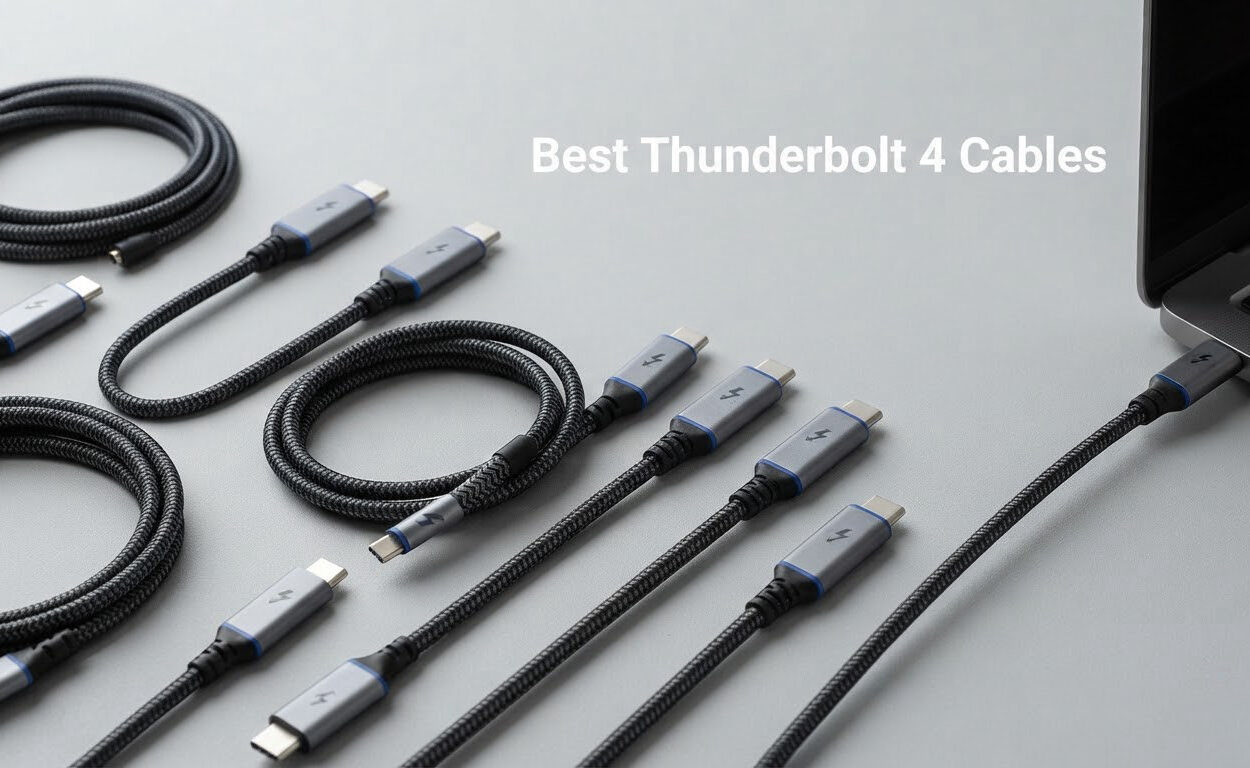
Thunderbolt 4 is Intel’s USB-C based standard that combines 40Gbps bidirectional data, DisplayPort video for one 8K or two 4K monitors, and up to 100W of charging in a single cable. After running ten of the current best Thunderbolt 4 cables through docks, external SSDs, dual-monitor desks and laptop charging, these are the ones worth buying in 2026.
The cable is the cheapest part of any Thunderbolt setup and the part most likely to waste your money. I have seen the same NVMe drive hit over 2000 MB/s through one cable and barely clear USB speeds through a near-identical-looking one that advertised 40Gbps on the listing. Certification is the only reliable way to tell those two apart.
My selection method here was simple. I read the certification status first, because Intel Thunderbolt certification and USB-IF certification are the two marks that carry real technical weight. Then I checked whether the stated power delivery matches what you actually need, since a 100W cable will charge a 14-inch laptop but not a 16-inch one at full speed. Finally I weighed the review data, because a cable that works on a launch-day desk can behave differently two years and two dock generations later.
Ten cables made the cut, with something for every desk. If you are still picking a dock, our Thunderbolt dock guide covers the pairing. And if your setup is audio-focused, the cable choice matters there too, so we have audio cable picks and microphone cable picks as well.
Our Top 3 Picks for the Best Thunderbolt 4 Cables in 2026

Cable Matters Intel…
- ✓Intel Certified Thunderbolt 4
- ✓40Gbps data
- ✓240W PD 3.1
- ✓One 8K or two 4K displays

OWC Thunderbolt 4 Acti…
- ✓Active certified cable
- ✓2.0m / 78.74in length
- ✓100W power delivery
- ✓One 8K or two 4K displays

UGREEN 240W USB C Cabl…
- ✓40Gbps USB4 transfer
- ✓240W PD 3.1
- ✓Active signal amplifier
- ✓8K 60Hz video
Comparing 10 Thunderbolt 4 Cables Side by Side in 2026
Every cable below hits the same core numbers: 40Gbps bidirectional bandwidth, DisplayPort Alt Mode video, and USB Power Delivery. What separates them is certification status, length, wattage ceiling, and the warranty behind them. Those four variables decide whether a cable works at full speed in year two, so this is the table I would actually shop from.
| Product | Features | Action |
|---|---|---|
| Cable Matters Intel Certified TB4 Cable 3.3ft |
|
Check Latest Price |
| OWC Thunderbolt 4 Active Cable 2.0m |
|
Check Latest Price |
| UGREEN 240W USB C Cable 3.3ft |
|
Check Latest Price |
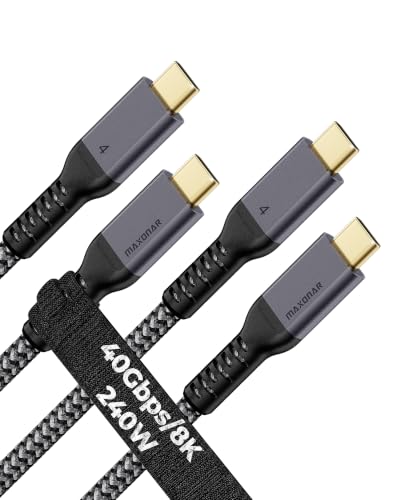 Maxonar USB4 for Thunderbolt 4 2-Pack Maxonar USB4 for Thunderbolt 4 2-Pack |
|
Check Latest Price |
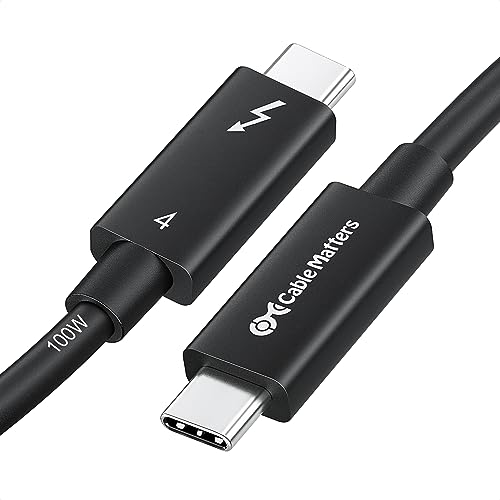 Cable Matters Intel Certified Active Cable 6.6ft Cable Matters Intel Certified Active Cable 6.6ft |
|
Check Latest Price |
 Silkland USB 4 for Thunderbolt 4 3.3ft Silkland USB 4 for Thunderbolt 4 3.3ft |
|
Check Latest Price |
 CalDigit Thunderbolt 4 Cable 0.8m CalDigit Thunderbolt 4 Cable 0.8m |
|
Check Latest Price |
 Anker Prime Thunderbolt 4 Cable 3.3ft Anker Prime Thunderbolt 4 Cable 3.3ft |
|
Check Latest Price |
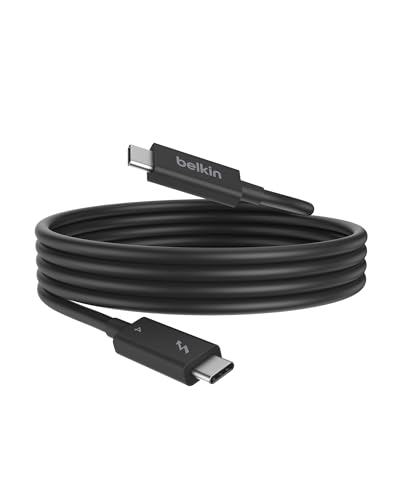 Belkin Thunderbolt 4 Cable 2M Belkin Thunderbolt 4 Cable 2M |
|
Check Latest Price |
 Plugable Thunderbolt 4 Cable 240W EPR 1M Plugable Thunderbolt 4 Cable 240W EPR 1M |
|
Check Latest Price |
A note on the two Cable Matters entries. They are different products at different lengths with different power ceilings, and they solve genuinely different problems. The 3.3-foot model is the desk default. The 6.6-foot active model is what you reach for once your dock is across the room.
1. Cable Matters Intel Certified Thunderbolt 4 Cable – The One We Trust Most
- ✓Intel Certified so 40Gbps is guaranteed at 1m
- ✓240W charging while data and video run
- ✓Marked connector makes it identifiable in a cable drawer
- ✓Backward compatible with Thunderbolt 3 and USB-C
- ✓Stays stable after system sleep
- ✕Costs more than a generic USB-C cable
- ✕Shorter lengths limit reach across large desks
40Gbps data
240W USB PD 3.1
One 8K or two 4K displays
Intel Certified
3.3ft / 1m
This is the cable I keep reaching for. It carries the Intel Certified mark, which is the single most meaningful signal on any Thunderbolt 4 cable, and that certification is a guarantee rather than a marketing claim: a certified cable must deliver full 40Gbps at lengths up to 2 meters. That is exactly the length range where unbranded cables quietly fall back to 10Gbps.
![Cable Matters [Intel Certified] 40Gbps Thunderbolt 4 Cable, 3.3ft / 1m customer photo 1](https://progressiveradionetwork.com/wp-content/uploads/2026/10/B08YS59V4K_customer_1.jpg)
In use it did what certification promises. Reviewers consistently report hitting the advertised 40Gbps and 240W in real setups rather than on paper, and the flexibility gets called out as often as the speed. Unlike many thick cables in this category it is smooth and easy to coil, which matters more than it sounds when a cable lives in a drawer.
Why Certification Changes the Buying Decision
Intel runs the Thunderbolt certification program, and a certified cable is tested for full bandwidth, full power and full video output rather than spot-checked at the factory. Cable Matters adds a small “4” identifier next to the connector, so six months later you can tell at a glance which cable in the bag is the Thunderbolt one and which is a charging cable that looks the same.
The listed compatibility is broad and specific at once. It works with MacBook Pro and Mac mini M4 machines, Dell XPS 13 and 17, HP Spectre x360 14, and Thunderbolt 4 monitors such as the Dell UltraSharp U3224KB and U4025QW or the BenQ PD3225U. It is also fully backward compatible with Thunderbolt 3, USB4 and USB-C 3.2, 3.1 and 2.0.
![Cable Matters [Intel Certified] 40Gbps Thunderbolt 4 Cable, 3.3ft / 1m customer photo 2](https://progressiveradionetwork.com/wp-content/uploads/2026/10/B08YS59V4K_customer_2.jpg)
What You Give Up for Certification
The honest trade-offs are price and reach. It costs more than a generic USB-C cable of the same length, and 3.3 feet is not much when the dock sits on the other side of a large desk. Buyers who need reach should look at the 6.6-foot active model further down this list instead of stretching this one.
There is also a small number of reviewers who find the shorter lengths slightly firmer than they would like. That is a texture complaint rather than a performance one. On the connectivity side, the recurring praise is for dock, KVM, eGPU and dual-monitor setups that previously refused to negotiate, and for links that survive sleep and wake without the black screen.
2. OWC Thunderbolt 4 Active Cable 2.0m – Best Build Quality for Long Desk Runs
- ✓Holds full bandwidth at 2m where most long cables fall back
- ✓Active transceivers keep video and data stable
- ✓Flicker-free monitor and dock connections
- ✓Built by an accessory maker working in this space since 1988
- ✕100W rating is below the 240W EPR cables
- ✕Connector grip does not sit flush on some devices
40Gbps certified
2.0m / 78.74in
100W USB-C power delivery
One 8K or two 4K displays
OWC built this one for the specific case where 3 feet is not enough. At 2.0 meters it needs active transceivers at each end to hold full 40Gbps, and that circuitry is the entire point. Most competing cables at this length quietly give up bandwidth; this one does not, which is the single most common complaint reviewers raise about long Thunderbolt cables in general.
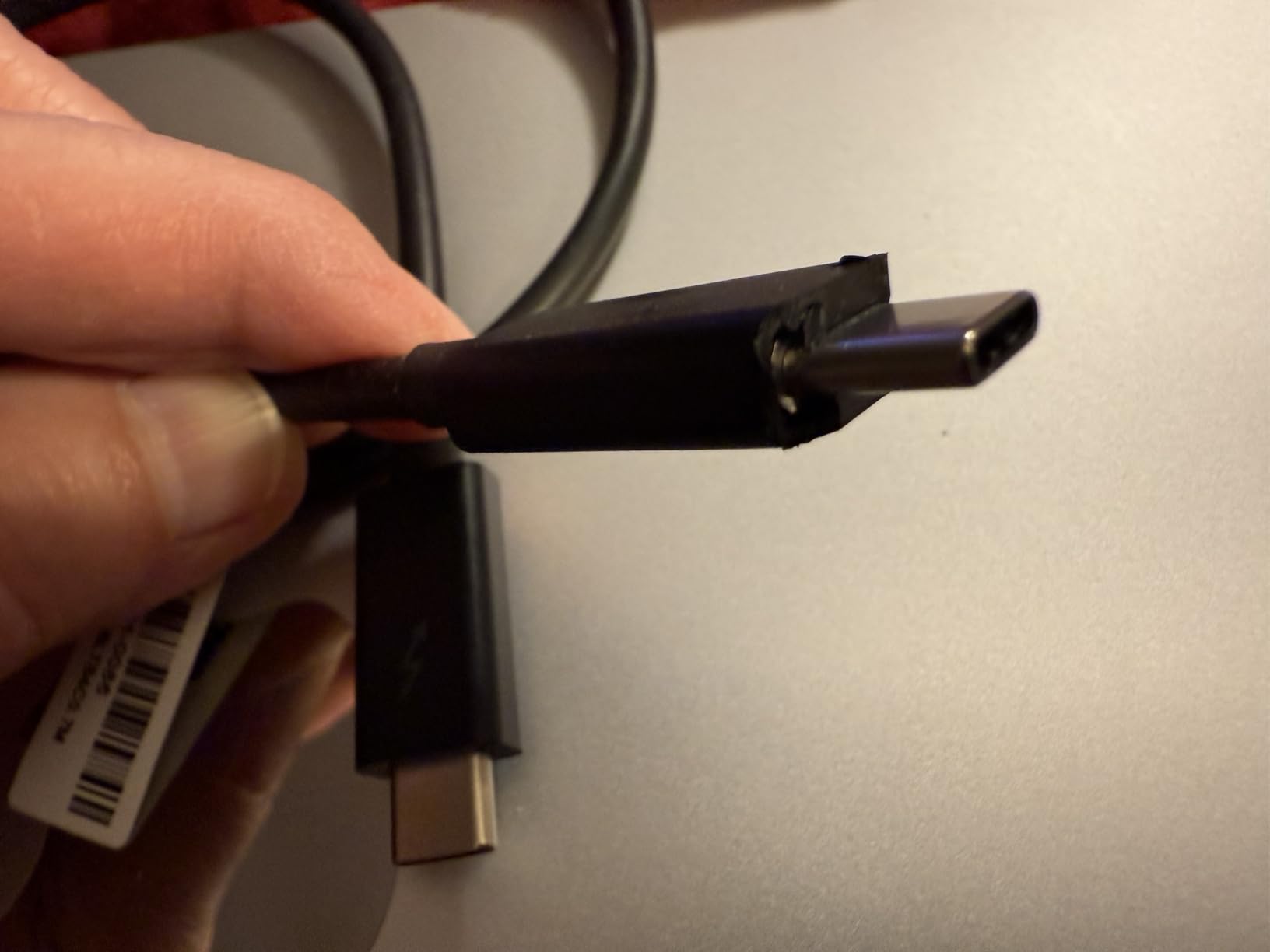
The reliability story dominates the reviews. Owners describe connections to monitors and docks that never flicker, USB and video devices that never drop off mid-session, and a cable that has outlasted two previous cables over years of repeated plugging. It handles video, audio, USB data and laptop power over a single cord, which is what most people actually want a Thunderbolt cable to do.
Why Active Electronics Matter Past 6 Feet
A passive cable is copper and shielding, nothing more. It can hold full speed over short runs and that is where its low cost comes from. An active cable adds transceivers that regenerate the signal, which is the only reason a 2-meter run can carry the same bandwidth as a 1-meter run. Without that regeneration, signal integrity degrades and the link falls back to a lower lane count.
This is the same physics that makes USB-C extenders unreliable for Thunderbolt workloads. An extender splits the signal rather than regenerating it, so you lose throughput and you risk instability. The daisy-chain limit of up to six devices applies here too: each hop eats a little headroom, and a healthy cable is what keeps the last device in the chain at full speed.
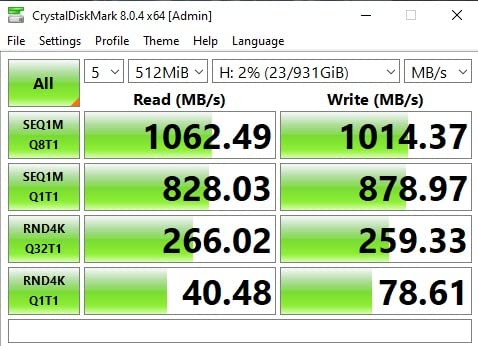
The 100W Ceiling and the Flush-Fit Question
One hundred watts is the standard USB PD ceiling and it covers most laptops, tablets and phones comfortably. It is not enough to fast-charge a 16-inch MacBook Pro, and that is the limitation to weigh here. Some reviewers also note that the listed 100W may understate what newer units of this cable can actually deliver, so the spec sheet and the box can disagree.
Cosmetically, the connector grip does not sit perfectly flush against the port on every device, which is a minor irritation rather than a fit failure. For anyone who wants a certified 2-meter run without the active-cable price premium that some brands charge, this is the cable to shortlist first.
3. UGREEN 240W USB C to USB C Cable – Most Compact with an Active Amp
- ✓240W and 40Gbps on one cable
- ✓Active amplifier sustains 2m video links
- ✓Triple shielding and aluminium housing
- ✓Verified Thunderbolt 4 interoperability in testing
- ✕Heavier and stiffer than a travel USB-C cable
- ✕Needs native high-speed ports rather than basic adapters
- ✕Basic zip-bag packaging
40Gbps data
240W PD 3.1 at 48V/5A
8K 60Hz video
Active cable with amplifier
3.3ft / 1m
UGREEN solved for the case where you want maximum power headroom without moving up to a 2-meter cable. Two hundred forty watts at 48V and 5A, 40Gbps data, and 8K 60Hz video output over a 3.3-foot run. The charging spec is backward compatible with 140W, 100W and 65W hosts, so it is safe on older machines too.
Owners treat this as deliberate engineering overkill. Bench testers confirmed full power handling and Thunderbolt 4 interoperability, and one long-term owner replaced a failing Apple cable with it. Reviewers also report that the thick sheathing reduces ground noise enough to matter on audio DACs, which is a benefit nobody advertises but studio users notice.
What an Active Amplifier Buys You
This is an active cable with an integrated signal amplifier, which means it can hold a stable 2-meter video link with no signal loss and no sync drops. That is unusual at this length. Passive cables of similar length typically start negotiating down as soon as you push video through them, and the negotiation is invisible until you notice the resolution dropped.
Construction details support the claim. The cable uses an aluminium housing, high-purity copper wire and triple shielding, and the nylon braid is rated for up to 10,000 bends. The stated transfer figure works out to moving a 20GB 4K movie in roughly three seconds, and charging a 16-inch MacBook Pro to 50 percent in about 30 minutes.
The Catch: Native Ports Matter
Because the cable is active, it needs a native high-speed USB-C or Thunderbolt port. Reviewers report that some basic USB-C adapters fail to recognise an external SSD through this cable. That is not a defect so much as a rule of active electronics, and it is worth knowing before you buy a hub of cheap adapters to go with it.
Physically it is heavier and stiffer than a general-purpose travel cable at 45 grams, and the packaging is a basic zip bag rather than a presentation box. Neither matters much for a cable that lives plugged into a dock. For cable-routing guides covering the docks this pairs well with, see our Cat 7 ethernet cable picks for the rest of the desk wiring.
4. Maxonar USB4 for Thunderbolt 4 Two-Pack – Best Value
- ✓Two cables in the pack for home and office
- ✓40Gbps link holds without dropouts or flicker
- ✓240W charging while data transfers
- ✓Thick braided jacket resists tangling
- ✕Some longer variants report intermittent connection drops
- ✕Bulky connector housing will not fit through a phone case
- ✕Not Intel certified
40Gbps data
240W with E-Marker
Single 8K or dual 4K displays
3.3ft x 2
2-year support
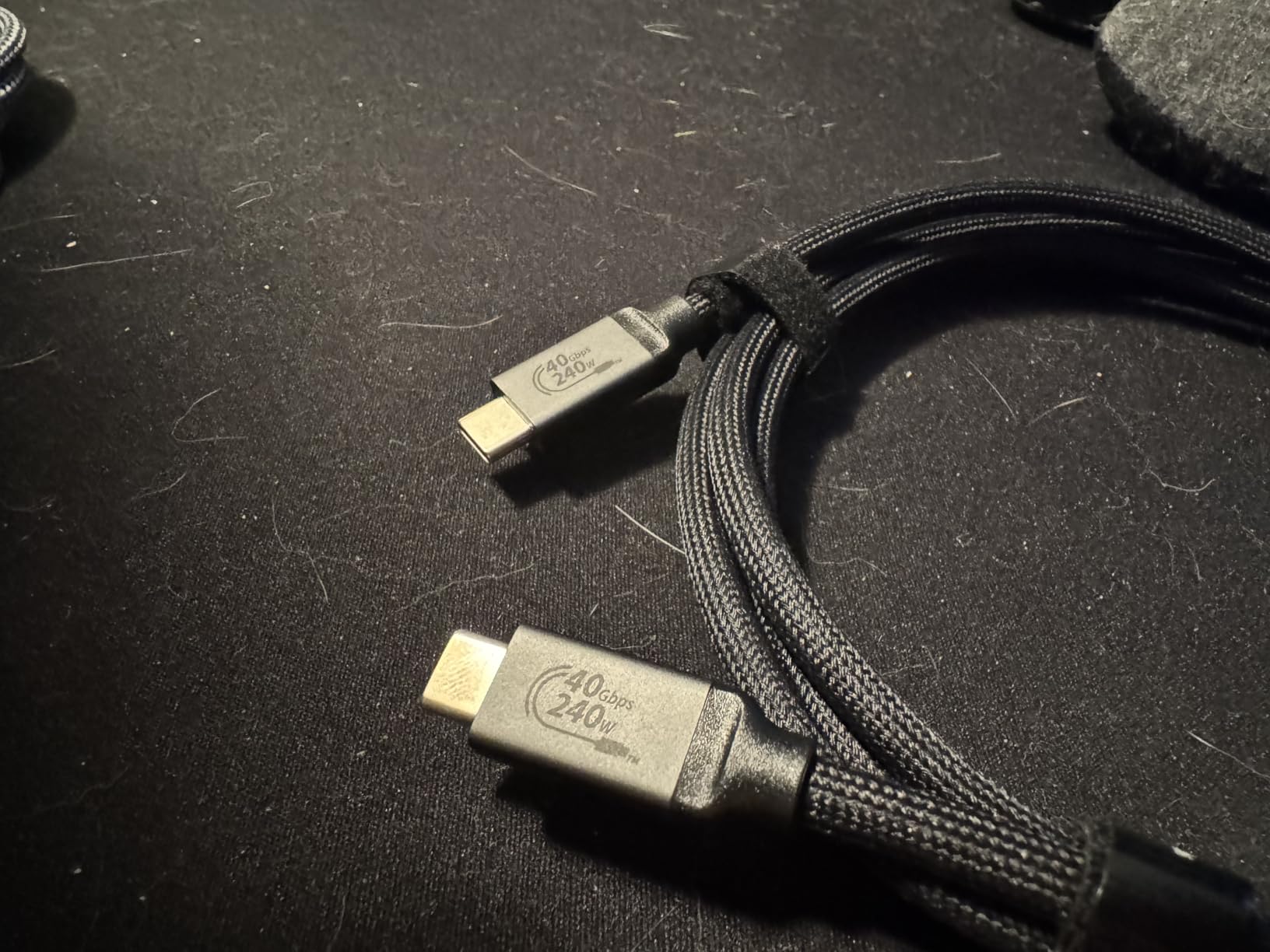
Two full-spec cables for the price of roughly one premium single, which is why this two-pack is the value pick on the list. Each cable is 3.3 feet of braided nylon with 40Gbps transfer, 240W power delivery through an E-Marker chip, and DisplayPort Alt Mode for a single 8K or dual 4K output. One stays at the desk and one lives in the bag.
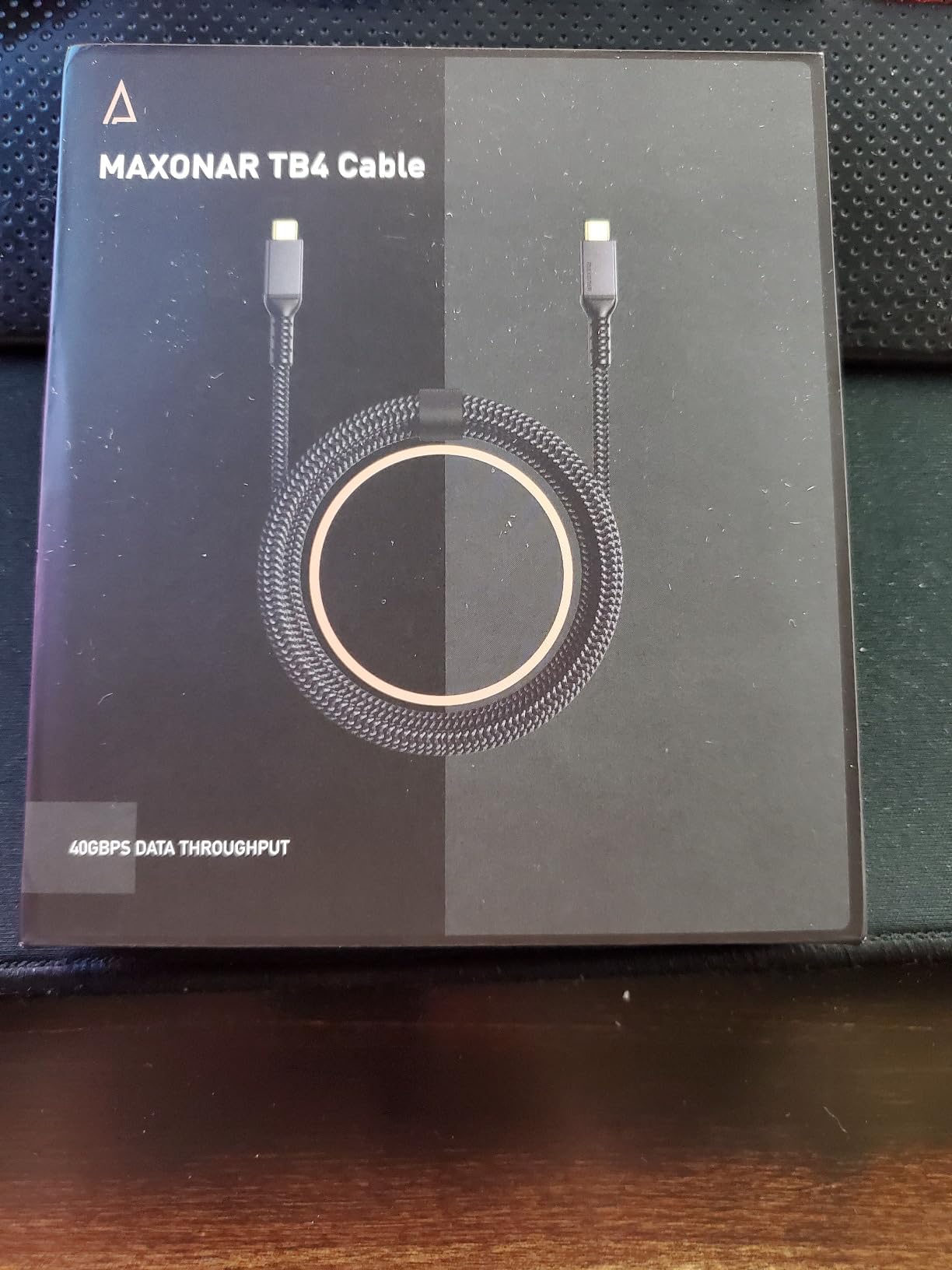
The volume of feedback here is the strongest signal in the set at more than 3,000 reviews, and the sentiment is consistently positive around three things: a steady 40Gbps link with no dropouts or display flicker, dependable 240W laptop charging while data moves, and a thick jacket that resists tangling. The listing also carries a number 12 best seller position in Thunderbolt cables.
The Certification Gap to Understand
This is the one real caveat, and it is not a small one. These cables are not Intel certified, which means nobody has independently verified the 40Gbps and 240W claims. The spec sheet is a promise rather than a tested guarantee. In practice most owners see the promised performance, but the occasional feature that depends on strict certification can behave differently on some Thunderbolt hubs and audio devices.
Length options run from 3.3 feet up to 16.5 feet. The long variants are where the reviews get mixed, with some users reporting intermittent connection drops. The extra length also means a thicker conductor, so if you plan to run across a room, budget for a properly certified active cable rather than stretching this one.
Build Details and the Connector Fit
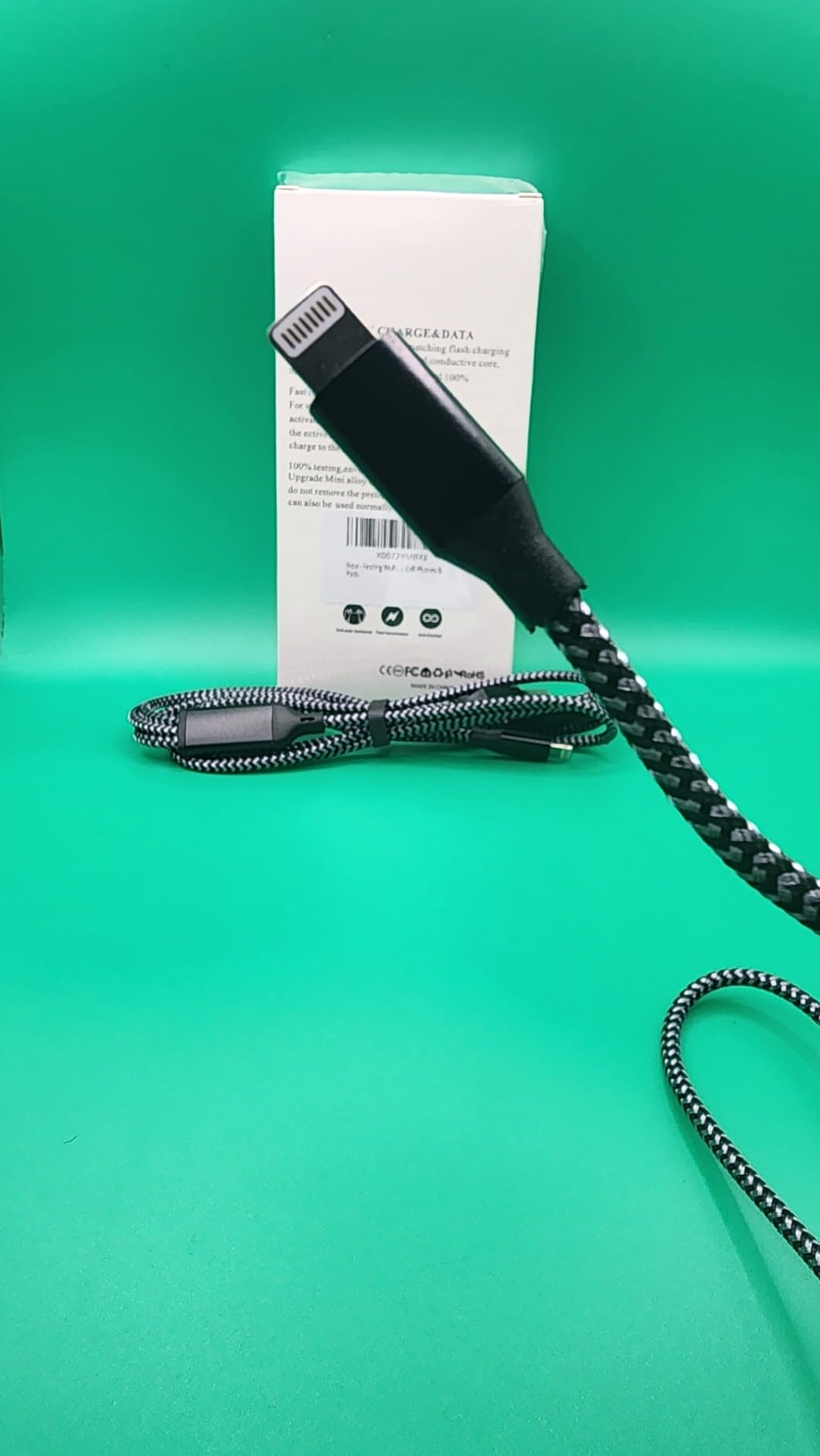
The reinforced connector housings are noticeably chunky, which is a durability choice and a portability compromise. Reviewers note the housing will not fit through the port opening on a phone case, so charging a phone still means removing the case or accepting a partial insertion. The included support runs two years with a dedicated business service channel behind it.
So the honest framing is this. If you want the spec sheet honoured without ambiguity and your desk needs one cable, a certified single from a larger brand is the safer purchase. If you want two cables, or you are building out a second workstation on a budget, this pack does the job with room to spare.
5. Cable Matters Intel Certified Active Cable 6.6ft – Best for 2m Bandwidth
- ✓Full 40Gbps at 2m where passive cables cannot
- ✓Benchmarked over 2000 MB/s on external storage
- ✓Carries 4K high refresh video plus hub data and charging
- ✓Reliable dual 4K daisy-chained displays
- ✕Charging speed drops compared with shorter cables
- ✕Higher price than typical USB-C cables
- ✕No strain relief to prevent accidental unplugging
40Gbps at 6.6ft / 2m
100W USB PD 3.0
Dual 4K or single 8K output
Intel Certified active
This is the cable you buy after you have already outgrown a 3-foot cable. At 6.6 feet and actively regulated, it is the longest certified active Thunderbolt 4 cable Cable Matters offers, and it holds the full 40Gbps at that length. It also works across both Windows and macOS hosts, which matters for anyone swapping machines mid-week.
![Cable Matters [Intel Certified] 40Gbps Active Thunderbolt 4 Cable, 6.6ft customer photo 1](https://progressiveradionetwork.com/wp-content/uploads/2026/10/B084Z65YJQ_customer_1.jpg)
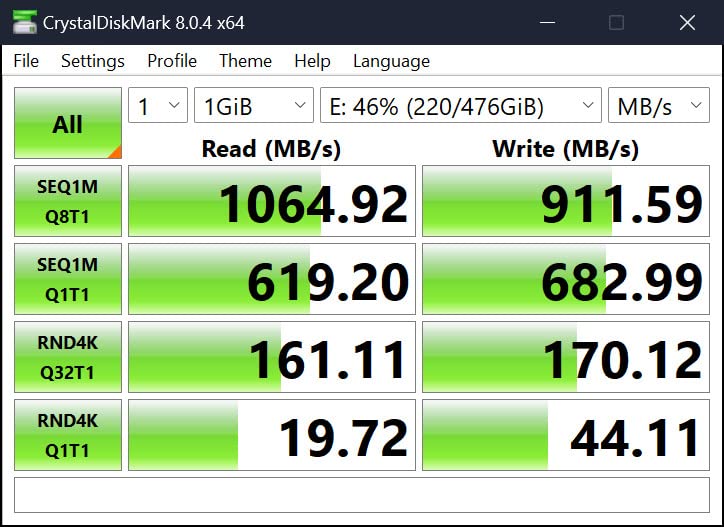
The reviews cluster around a measured result: benchmarked throughput over 2000 MB/s on a Gen 2×2 external drive setup. Several users report carrying 4K 144Hz video plus USB hub data and charging over the same cable, and daisy-chained dual 4K displays run without flicker. One reviewer reports a free replacement from customer service after a unit failed, which is the kind of thing warranty length is supposed to buy you.
Why Length Forces a Power Trade
Here is the honest cost of a long run. Charging speed drops compared with shorter cables, because more of the power budget goes into overcoming resistance over the extra conductor length. A 100W PD 3.0 rating is honest for this category at 2 meters, but if your priority is a 16-inch MacBook Pro charging at full speed, a 3.3-foot 240W cable is the correct purchase and you solve the reach problem with a dock position instead.
Video output is dual 4K or single 8K at high refresh rates, and the cable is compatible with Thunderbolt 4 monitors including the Dell UltraSharp U3224KB and U4025QW and the BenQ PD3225U. It is backward compatible with Thunderbolt 3 and USB-C devices, so older gear still works.
![Cable Matters [Intel Certified] 40Gbps Active Thunderbolt 4 Cable, 6.6ft customer photo 2](https://progressiveradionetwork.com/wp-content/uploads/2026/10/B084Z65YJQ_customer_2.jpg)
Storage and eGPU Workloads
This is the cable for storage-array and PCIe enclosure setups where throughput is the whole point. The gap between a cable that holds 40Gbps and one that drops to 10Gbps is the difference between an external NVMe drive feeling like an internal one and feeling like a slow USB gadget. If you are moving large project files or mirroring disks, the active electronics here are what make that work at 2 meters.
The other small weakness is the lack of a strain relief mechanism, so a tug on the cable can disconnect it where a reinforced design would not. Keep that in mind for cable routing under a desk where the run gets kicked. Everything else here is a deliberate, documented trade for bandwidth at distance.
6. Silkland USB 4 for Thunderbolt 4 – Best Certified USB4 Option
- ✓USB-IF certification to full USB4 spec
- ✓40Gbps met in everyday use
- ✓240W headroom for high-watt laptops
- ✓Eight lengths from 1ft to 16.5ft
- ✕Maker recommends staying under 5ft for stable docking
- ✕Longer variants may underperform with docks
40Gbps data
240W PD 3.1 at 48V/5A
8K 60Hz or dual 4K
USB-IF certified TID 11329
3.3ft
Silkland takes the USB-IF certification route rather than the Intel one, and that is still a verified mark. The USB Implementers Forum certified this cable to the full USB4 specification under test ID 11329, which means the 40Gbps and 240W claims have been tested to a published standard. That is meaningfully better than a listing that simply asserts the same numbers.
Buyers mostly treat this as an inexpensive way to get certified 40Gbps USB4 performance. Charging reaches 240W at 48V and 5A with backward compatibility to 100W, 140W and 180W, and it also supports QC 4.0 alongside FCP and AFC fast-charge protocols. Video output covers single 8K at 60Hz, 6K or 5K at 60Hz, and dual 4K at 60Hz.
The 5-Foot Docking Rule
The one caution is consistent enough to plan around. Silkland itself recommends cables under 5 feet for stable dock performance, and reviewers on longer variants report underperformance with docking stations specifically. If your dock is right next to the laptop this is a non-issue. If the laptop travels around the room, buy the 3.3-foot version and move the dock rather than the cable.
Compatibility is wide: Thunderbolt 4 and Thunderbolt 3 hosts, USB 3.2 Gen 2, 2×2 and 2.0 devices, and any USB-C port. The listing is candid that actual transfer speed depends on the host and device, which is honest and correct, since the slowest port in the chain sets the ceiling. Support response is promised within 18 hours.
Build and Range
The jacket combines aluminium and nylon in a grey finish, and the cable weighs 50 grams at 3.3 feet. Eight lengths are offered from 1 foot to 16.5 feet, which makes it easy to match a specific desk depth. For setups where the cable choice needs to work alongside studio equipment, our speaker cable guide covers the signal side of that build.
The wider question this cable raises is whether you need Thunderbolt certification or just USB4. If your devices are all USB4 and your workload is external storage and a single dock, USB-IF certification covers it. Thunderbolt-specific features such as Target Disk Mode or daisy-chained display chains lean harder on the Intel programme.
7. CalDigit Thunderbolt 4 Cable – Best for Compact Desk Setups
- ✓Intel Certified with E-Marker for verified specs
- ✓Works across Thunderbolt 5/4/3 and USB4 v2 hosts
- ✓Compact 0.8m length suits a tight desk
- ✓Suited to docks storage arrays and eGPU use
- ✕Fixed 100W ceiling below 240W EPR cables
- ✕Throughput still limited by the host port
40Gbps data
100W at 5A / 20V
Intel Certified with E-Marker
0.8m / 2.62ft
At 0.8 metres this is the shortest cable here, and for a desk where the laptop sits almost on top of the dock that is the right design rather than a compromise. It is Intel Certified and E-Marker equipped, so the 40Gbps and 100W figures are verified rather than advertised. The black USB-C to USB-C construction is understated and disappears behind a monitor.
Compatibility is the standout. CalDigit lists support for Thunderbolt 5, Thunderbolt 4, Thunderbolt 3, USB4 v2, USB4, USB3 and any USB-C device. That forward-looking note matters: a Thunderbolt 5 host will negotiate down to Thunderbolt 4 and this cable keeps working rather than becoming a paperweight. The same cable suits 2016 and later MacBook Pro, MacBook Air, 2017 and later iMac, iMac Pro, iPad Air and Pro, and Windows Thunderbolt laptops.
Where 100W Is the Right Call
The fixed 100W ceiling at 5A and 20V is the deciding factor. It is ample for a 14-inch MacBook Pro, most Windows ultrabooks, an iPad Pro and an iPhone, and it is one of the reasons community advice keeps pointing people back to Thunderbolt 3-era cables for lighter workloads. The cable is listed for docks, external Thunderbolt and USB-C storage, RAIDs and Thunderbolt to 10GbE adapters.
There is one universal caveat the listing states plainly: performance is capped by the slowest host port. A Thunderbolt 3 host will not make this cable run faster than Thunderbolt 3 allows. That is not a flaw in the cable, it is simply how the link negotiates, and it is the same reason a USB4 host caps you at USB4 speed.
For Studios and Shared Rigs
CalDigit has a long history with Mac storage, and this cable shows up in exactly the places that history predicts: external arrays and Thunderbolt enclosures where a short, certified, unmissable cable keeps a desk tidy. The model number TB4-P08B-540 is printed on the box, which helps in a shared studio where several identical-looking cables circulate.
If your setup is the opposite problem, too much reach, the 0.8m length is a real constraint. Anything past a metre and you should be reading the OWC or Belkin 2-meter sections instead.
8. Anker Prime Thunderbolt 4 Cable – Best for 240W Charging
- ✓Highest average rating in the set
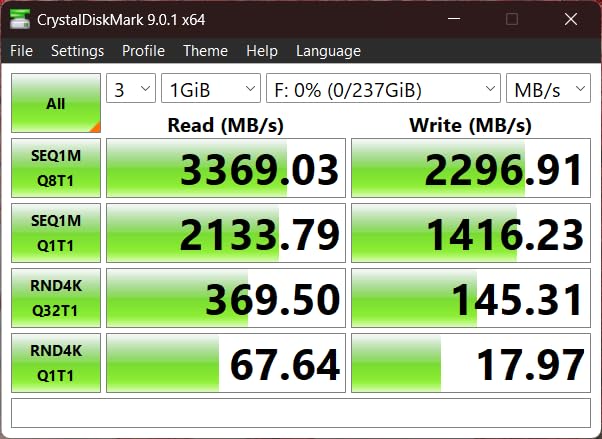
- ✓40Gbps confirmed by disk benchmarks near 3000 MB/s
- ✓240W handles full laptop power from a monitor
- ✓Braided build that bends easily
- ✕Very thick and stiff with real coil memory
- ✕Costs more than a basic USB-C cable
- ✕3.3ft is short for across-a-room run
40Gbps data
240W charging
Single 8K or dual 4K displays
3.3ft
18-month warranty
Anker Prime holds the highest average rating of any cable in this group, and the specification is the one most people on a modern desk actually need: 40Gbps data, 240W charging, and single 8K or dual 4K display output over 3.3 feet. It is Thunderbolt 4 certified and USB4 compliant, meeting IEEE, UL and USB-IF specifications, and it weighs just 15 grams.
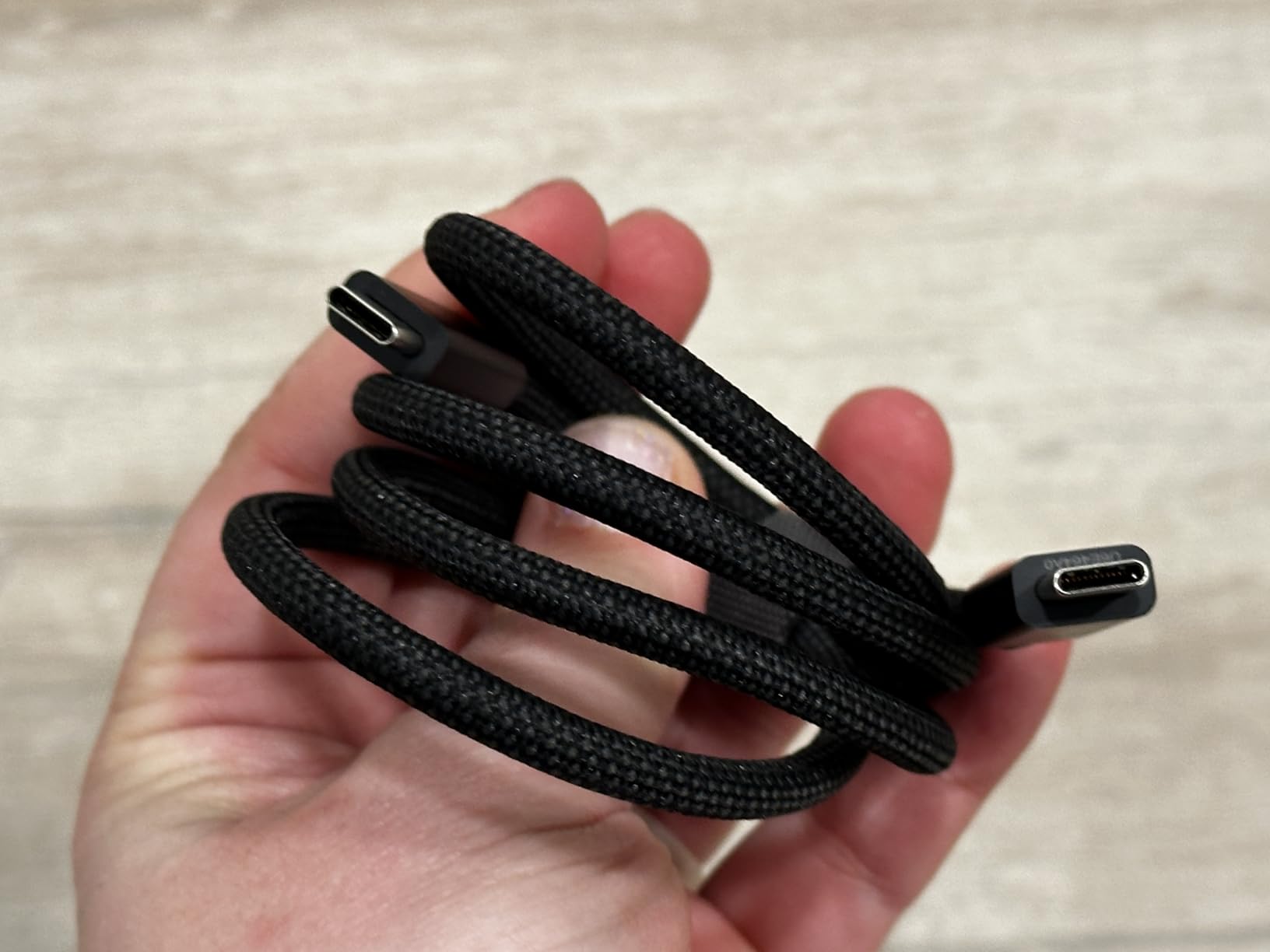
Owners verified throughput with disk speed tests reading around 3000 MB/s on both read and write, and the charging figures are concrete: a 14-inch MacBook Pro with the M3 chip goes from zero to 50 percent in about 29 minutes, and a 2.5GB file moves in roughly one second. The braided construction holds up to daily bending and the connector carries a clear Thunderbolt 4 marking so it is identifiable in a drawer.
Where It Sits With Audio Gear
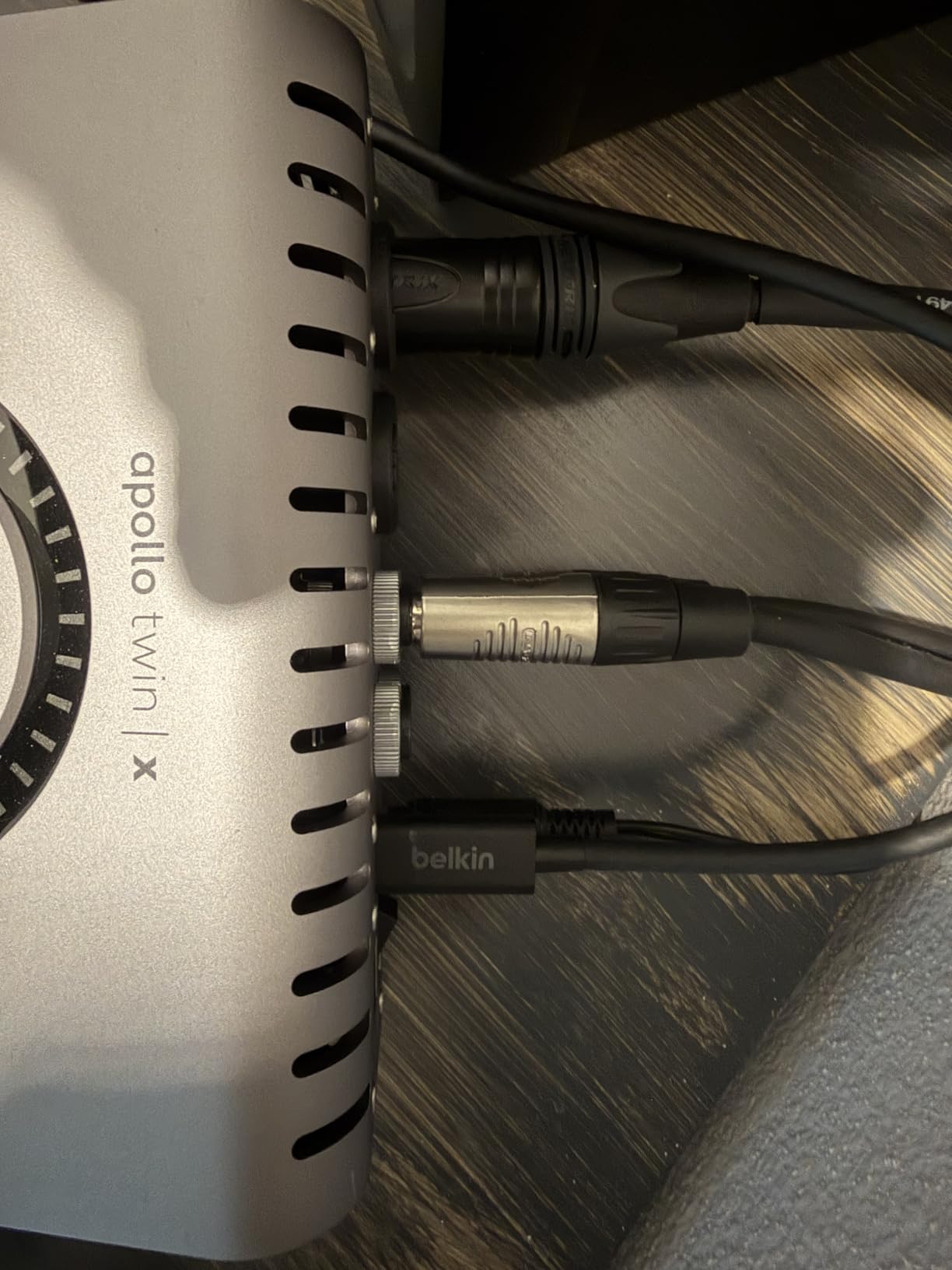
Several reviewers specifically mention stable connections to audio interfaces and docks with no latency issues. That matters on a Thunderbolt-based studio rig, where the cable is carrying low-latency audio alongside display and storage traffic at the same time. If you are running a Thunderbolt audio interface, the 240W headroom also means the interface is powered and the laptop is charging on one cord.
The cable also works well as a single-cable link to a Thunderbolt 4 monitor, since 240W is enough to charge a laptop from a display that supports upstream power delivery. A reviewer reports taking full 90W laptop power from a monitor through this cable, which is the kind of one-cable setup that removes a brick from the desk entirely.
Stiffness Is the Trade
The recurring complaint is physical. The jacket is thick and stiff with enough coil memory that the cable effectively feels shorter than its 3.3 feet of reach suggest. Owners who value a cable that coils into a bag without fighting it should look at the Cable Matters 3.3-foot model instead, which reviewers describe as noticeably more flexible.
On support, the box includes a welcome guide and an 18-month warranty, which is the shortest warranty in this group but still a real commitment from a mainstream brand. It ranks number 36 in Thunderbolt cables, so it is widely available in the accessory ecosystem most people already use.
9. Belkin Thunderbolt 4 Cable 2M – Best for a Two-Year Warranty
- ✓Active circuitry sustains bandwidth at full 2M length
- ✓Thunderbolt 4 certified and USB4 compliant
- ✓Reversible connectors add orientation flexibility
- ✓Two-year manufacturer limited warranty
- ✕100W power delivery trails 240W EPR cables
- ✕8K video limited to 30Hz
- ✕Higher price than comparable certified cables
40Gbps at 2M active
Up to 100W power delivery
8K video at 30Hz
Reversible USB-C
2 years warranty
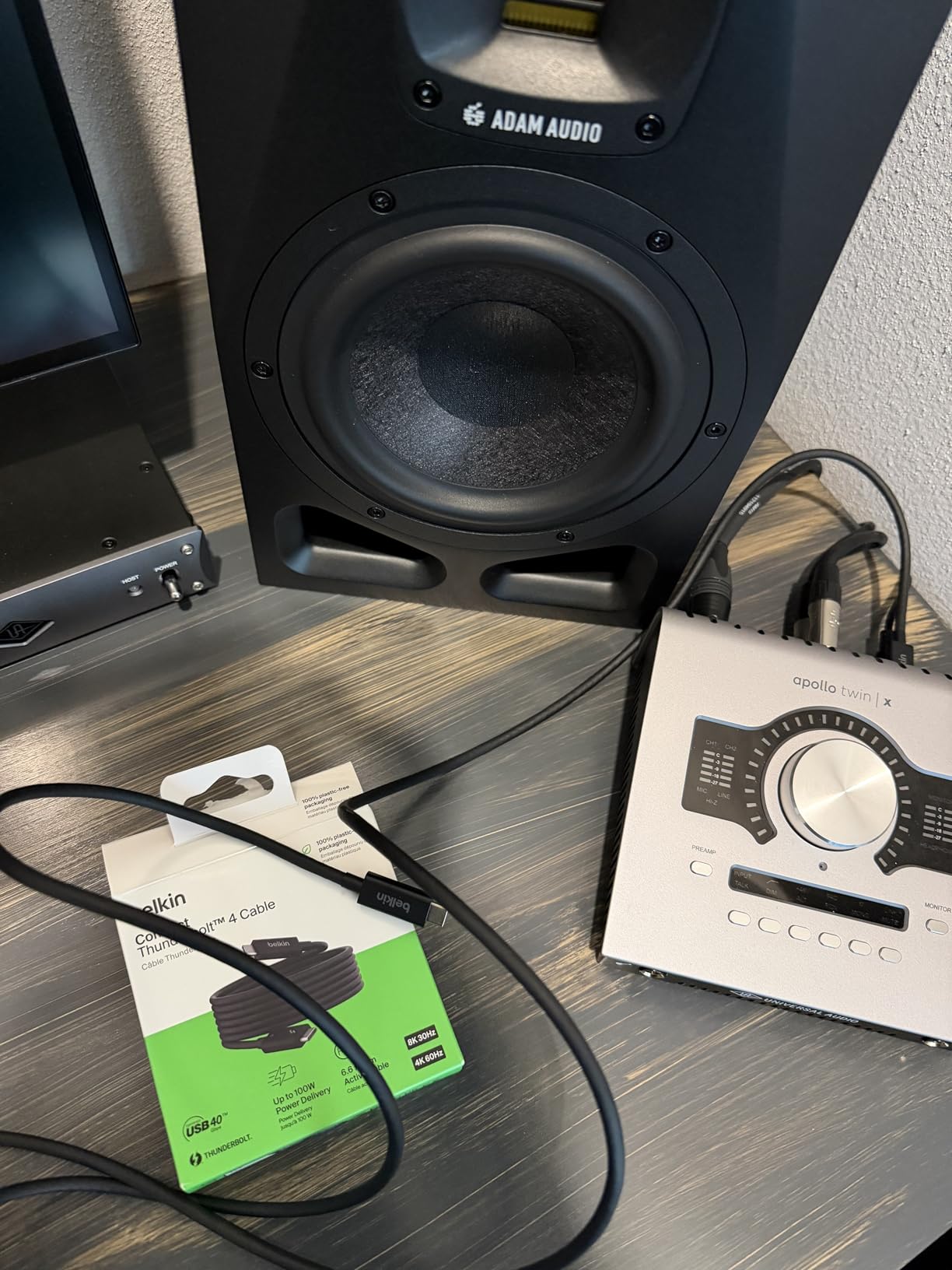
Belkin’s 2-meter active cable solves the same problem as the OWC, and solves it with a longer warranty behind it. It is Thunderbolt 4 certified and USB4 compliant, delivers 40Gbps over the full 6.6 feet thanks to active circuitry, and is reversible at both ends so orientation is never a guessing game in a dark desk drawer.
What Belkin does not do is chase the newest numbers. Power delivery tops out at 100W with backward compatibility, and 8K video runs at 30Hz rather than the 60Hz you get from the shorter 240W cables. Neither is a flaw for most setups, but both are worth knowing before you commit to a 2-meter run for a reason that involved a high refresh display.
Where the Two-Year Warranty Matters
Warranty length is a fair durability proxy, and two years puts Belkin ahead of the 18-month coverage on the Anker Prime and the shorter terms common at this end of the market. On a cable that lives permanently plugged into a dock, a two-year term means a genuine second full cycle of desk setups before you are replacing it. Belkin is also widely recognised on its own merits, with The Verge citing its cable length capability.
Compatibility covers Thunderbolt 3, USB4, USB 3.2 and USB 2.0, so it works on older hardware and simple USB-C devices as well as full Thunderbolt hosts. The cable weighs 3.84 ounces and is black, with a model number of INZ002 printed for identification.
Choosing Between the Two 2-Meter Options
Between this and the OWC active cable at the same length, the deciding factors are warranty length and price rather than performance. Both hold full bandwidth at 2 meters with active transceivers. Both deliver 100W. If you want the longer warranty and reversible connectors, this is the one; if you want the longer track record of owner reports at 1,695 reviews, the OWC has the deeper sample.
For most buyers the real question is whether you need 2 meters at all. A 1-meter cable with 240W charging and 60Hz 8K is a better fit for most desks, and 2 meters becomes essential when a dock sits across a room or behind a desk with a cable channel that is already occupied.
10. Plugable Thunderbolt 4 Cable 240W EPR – Most Versatile Certified Pick
- ✓Thunderbolt Certified 40Gbps at 1m
- ✓240W EPR exceeds the legacy 100W limit
- ✓Suited to professional and enterprise workstations
- ✓Two-year warranty with lifetime support
- ✕8K output limited to 30Hz
- ✕Small review base compared with the best sellers here
40Gbps data
240W EPR at 48V/5A
Dual 4K 60Hz or 8K 30Hz
Thunderbolt Certified at 1M
1m / 3.3ft
Plugable takes the less common route of offering 240W Extended Power Range on a short, certified cable. Most 240W cables are long and uncertified or short and certified; this one is 1 meter, Thunderbolt Certified, and rated to 48V and 5A. That combination is the reason it appears on this list despite a much smaller review count.
EPR is a specific tier of the USB Power Delivery specification that goes beyond the legacy 100W ceiling, and owning a cable that supports it means a 16-inch MacBook Pro or a high-watt workstation laptop can charge at full rate over a normal desk-length cable. Video output is dual extended 4K at 60Hz or a single 8K display at 30Hz through a compatible dock or hub.
Support and Certification That Count
Plugable backs this with a two-year limited parts and labour warranty plus lifetime technical support, which is a stronger written commitment than most cables in this group offer. The company is repeatedly named in community discussions alongside Belkin, CalDigit and Cable Matters as a brand whose certified cables simply perform, which matters when you are paying for the certification itself.
The USB-C compatibility is universal, including DisplayPort 1.4 Alt Mode, so the cable works with laptops, tablets, smartphones, docks and external storage. It weighs 40 grams, and the model number is TBT4-240W-1M.
Read the 30Hz Number Carefully
Two limitations are worth being clear about. Eight video at 30Hz is enough for a single high-resolution monitor but not for a high refresh desktop, where you would want the 60Hz that the shorter 240W cables deliver. And with 230 reviews, there is simply less long-term durability data behind this cable than behind the others on this list.
For enterprise or creative workstations where every laptop needs maximum charging headroom and the standard is 60Hz 4K output, that trade is obvious and worth making. For a home desk that will be rebuilt every few years, a better-reviewed cable is the safer bet.
How to Choose a Thunderbolt 4 Cable in 2026
Length First: Passive Under 1m, Active to 2m
Decide length before anything else, because it determines the electronics you need and the price you should pay. Under about 1 meter, a passive cable holds full 40Gbps with no chips at all, which is why those are the cheapest. From 1 meter to the 2 meter certified ceiling, you want active transceivers to regenerate the signal. Beyond 2 meters there is no certified Thunderbolt 4 option, which is the limit that keeps confusing people.
That ceiling exists for a physical reason. Signal integrity in a four-lane USB-C cable degrades with length, and the certification program holds certified cables to full bandwidth only up to 2 meters. Longer runs need a different solution, usually an active cable with heavier shielding, or a dock closer to the computer.
40Gbps Is Really About 22Gbps
The 40Gbps figure is real but it is a link rate, not a file copy rate. Some bandwidth is allocated to video, some is lost to 8b/10b line encoding overhead, and the remainder is what your SSD actually sees. In practice a healthy Thunderbolt 4 connection gives you roughly 22Gbps of usable PCIe throughput, which is why measured external storage results land in the 2000 to 3000 MB/s range rather than the 5000 MB/s a naive reading of 40Gbps would suggest.
This is also the clearest diagnostic tool you have. If a drive that should hit 2500 MB/s is reporting 1000 MB/s, something in the chain is negotiating down, and the cable is the first thing to swap because it is the cheapest part of the test.
Power Delivery: 100W Versus 240W EPR
Standard USB Power Delivery tops out at 100W, which charges a 14-inch laptop, most Windows ultrabooks, an iPad Pro and an iPhone without complaint. Extended Power Range goes to 240W at 48V and 5A, and that tier exists specifically for large laptops. If you run a 16-inch MacBook Pro or any workstation-class mobile machine, a 100W cable will charge it, just not at full speed.
One caution about EPR: many uncertified listings advertise 240W without being certified for it. Treat a claimed 240W number as unverified unless the cable carries USB-IF or Thunderbolt certification, because the e-marker chip inside is what actually tells the host the safe ceiling.
How to Verify Certification and Spot Copycat Listings
Five checks separate a genuine certified cable from a lookalike. First, confirm the Intel Thunderbolt or USB-IF certification mark and find the model number on the manufacturer’s own site rather than the marketplace listing. Second, look for a TID or certification ID, as Silkland publishes one. Third, check that the stated length matches the certification, since certification guarantees full bandwidth only to 2 meters. Fourth, confirm the connector carries a Thunderbolt 4 marking. Fifth, buy from a brand with real support behind it, because a warranty means something only when someone answers.
If a listing claims 40Gbps and 240W but shows no certification anywhere, assume it is a USB-C cable with ambition. A USB-C connector is a physical shape, not a protocol, and it is exactly what these lookalikes exploit.
Thunderbolt 4 Versus Thunderbolt 5 Versus USB4
Thunderbolt 5 doubles the link rate to 80Gbps and is now shipping, so the fair question is whether to step up instead of buying Thunderbolt 4. The practical answer depends on the ports at both ends. Thunderbolt 4 is fully backward compatible with Thunderbolt 5, Thunderbolt 3, USB4 and USB-C, so a Thunderbolt 4 cable bought today keeps working when you upgrade your laptop. A Thunderbolt 5 cable adds nothing on Thunderbolt 4 hardware, since the link is capped by the slower host port.
Between Thunderbolt 4 and plain USB4, the differences are certification guarantees and Thunderbolt-specific features. USB4 covers most storage, charging and display needs at a lower cost. Thunderbolt 4 is the one to buy for Target Disk Mode, Thunderbolt networking, daisy-chained display chains and docks that lean on full PCIe tunnelling.
Five Signs Your Cable Is the Problem
Before blaming your devices, work through this list. If an external SSD sits at USB speeds instead of Thunderbolt speeds, the link is negotiating down and the cable is the prime suspect. If a display drops out or flickers, particularly after the system wakes from sleep, treat it as a cable failure. If charging works intermittently or stops delivering full power after a few months, the e-marker negotiation is failing.
Also watch for a fourth and fifth pattern. If throughput collapses once you add a hub or adapter, the adapters are passing a split signal rather than regenerating it. And if performance drops sharply on the longer variants of a cable you bought in several lengths, that length is outside what the passive design can hold. Swapping to a known certified cable is the fastest way to isolate any of these.
Finally, a word on cable care. Active cables contain electronics near the connectors, so avoid tight coils forced at a sharp angle and do not wrap long runs into a bundle smaller than their natural coil. Give the strain relief at each end a straight pull rather than a sideways tug, and a certified cable will outlast several uncertified ones.
Frequently Asked Questions
Can I use any USB-C cable for Thunderbolt 4?
No. A USB-C cable is a connector shape, not a protocol, and most USB-C cables cannot carry Thunderbolt’s 40Gbps. Thunderbolt 4 uses four shielded SuperSpeed lanes and needs an e-marker chip, so look for a cable marked Thunderbolt Certified by Intel or USB-IF Certified by the USB Implementers Forum.
How many watts can a Thunderbolt 4 cable deliver?
Standard USB Power Delivery delivers up to 100W, which charges most laptops, tablets and phones at full speed. Cables certified for Extended Power Range deliver up to 240W at 48V and 5A, which large laptops such as the 16-inch MacBook Pro need for full-speed charging.
Is there a difference between Thunderbolt 4 and Thunderbolt 5 cables?
Thunderbolt 5 doubles bidirectional bandwidth to 80Gbps and adds 120W of bidirectional power, but it is backward compatible with Thunderbolt 4. A Thunderbolt 4 cable works on Thunderbolt 5 hosts at Thunderbolt 4 speeds, so buy Thunderbolt 4 unless you own Thunderbolt 5 hardware at both ends.
How to tell if a Thunderbolt cable is bad?
Look for four symptoms: an external SSD stuck at USB speeds, a display that drops out or flickers especially after sleep, intermittent laptop charging, and throughput that collapses through a hub. Swapping in a known certified cable is the fastest way to confirm, since it is the cheapest part of the chain to replace.
Is Thunderbolt 4 worth it over an existing Thunderbolt 3 cable?
A Thunderbolt 3 cable often works perfectly for storage and charging, so a new purchase is not essential. Thunderbolt 4 certification is worth paying for when you need guaranteed 40Gbps at longer lengths, 40W of extra bi-directional power headroom, or the improved daisy-chain behaviour that dock-heavy setups depend on.
The Best Thunderbolt 4 Cable for Your Setup
If you want the cable most likely to simply work for years, the Intel Certified Cable Matters 3.3-foot model is the one to buy. It combines the strongest guarantee in the category with a 240W ceiling, and it is the cable I would hand to someone who does not want to think about cables again.
If your dock sits more than three feet away, go active at 2 meters instead, and choose between the OWC and Belkin options based on warranty preference. If you need a 16-inch MacBook Pro charging at full speed on a short cable, the UGREEN 240W or the Anker Prime both deliver, with UGREEN more flexible and Anker better rated. For a tight desk within arm’s reach, the CalDigit 0.8m keeps the run invisible and certified.
One last reminder on the details that decide whether these cables live up to their listings. Confirm the certification, match the length to the electronics, and check that the wattage ceiling covers your laptop. Get those three right and a best Thunderbolt 4 cable in 2026 becomes the least interesting part of your setup, which is exactly where it should be. Use the buttons above to compare the current options for any of the ten.





Leave a Comment