
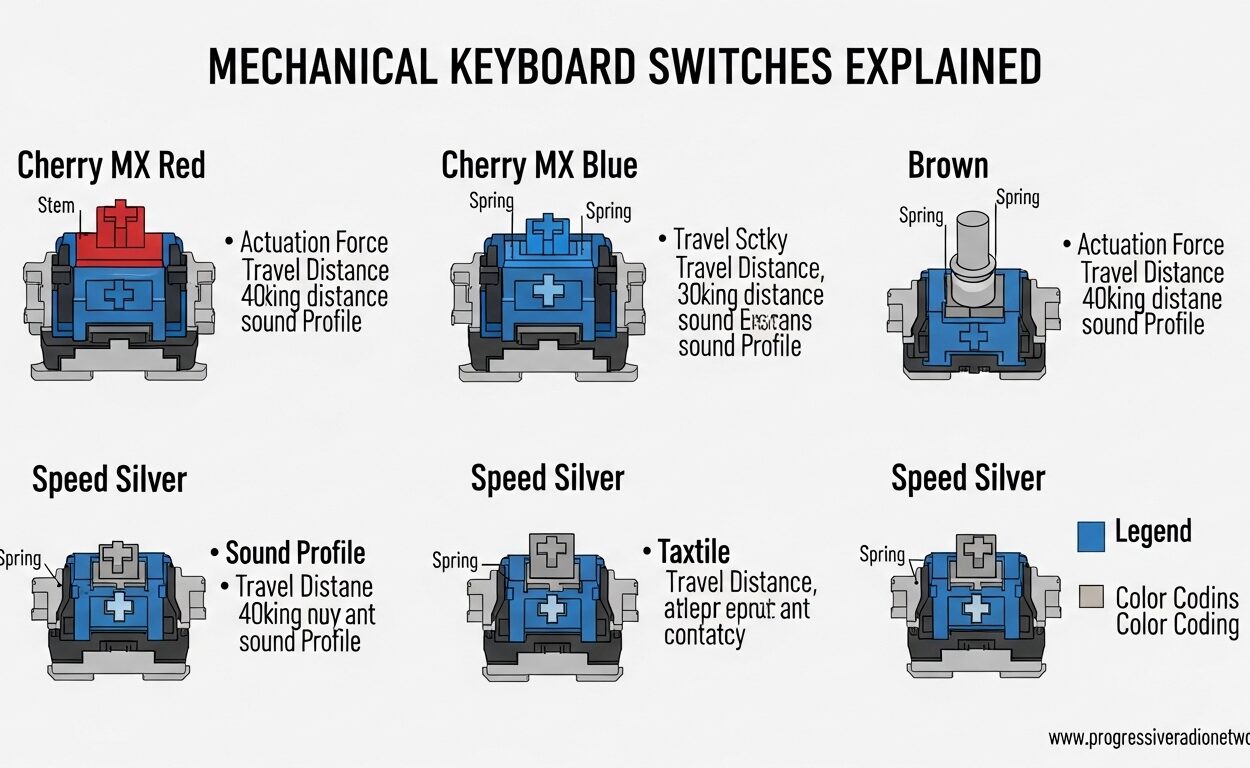
If you have been researching mechanical keyboards, you have probably encountered the confusing rainbow of switch colors. Red, Blue, Brown. What do they actually mean? And more importantly, which one should you pick? We spent weeks testing these switches across different keyboards to bring you this complete mechanical keyboard switches explained guide for 2026.
The truth is, each switch color represents a fundamentally different typing experience. Picking the wrong one can make your daily typing feel tedious or your gaming sessions frustrating. Picking the right one transforms your keyboard from a tool into an extension of your hands. This guide breaks down everything you need to know about linear, tactile, and clicky switches so you can make an informed decision.
We will cover the feel, sound, actuation characteristics, and best use cases for each switch type. Whether you are a gamer seeking lightning-fast response times, a programmer spending hours at the keyboard, or someone working in a shared office space, this article will help you find your perfect match. You might also want to check out our recommendations for the best keyboards for coders once you understand which switches suit your needs.
What Are Mechanical Keyboard Switches?
Mechanical keyboard switches are individual mechanisms located under each keycap that register your keystrokes. Unlike membrane keyboards, where pressing a key pushes a rubber dome down onto a circuit, mechanical switches use a precise spring and stem mechanism. Every keypress compresses a spring inside the switch housing. When the stem travels far enough, the circuit registers the keystroke at a specific point called the actuation point.
The force required to reach that actuation point is measured in grams, typically ranging from 45g to 65g. This is known as the actuation force. After actuation, you can either release the key immediately or continue pressing until you bottom out against the switch housing. Bottoming out is not harmful to the switch, but experienced typists often try to release keys just at the actuation point to reduce finger fatigue.
The color coding system for mechanical switches originated with Cherry MX switches. Each color represents a different feel and sound profile. While other manufacturers like Gateron and Kailh have adopted similar color conventions, the basic categories remain consistent across brands. Understanding these three main types will help you navigate the world of mechanical keyboards with confidence.
Linear Switches (Red) – Smooth and Fast
Red switches are classified as linear switches, meaning the keystroke is completely smooth from top to bottom. There is no bump or resistance at the actuation point. The stem slides directly down the housing with consistent force throughout the entire keypress. This creates a feeling of effortless, fluid motion that many gamers find addictive.
When you press a red switch, you feel only the resistance of the spring. The sound profile is relatively quiet compared to clicky switches. You hear a soft thock when bottoming out, but no click at actuation. Red switches typically have a light actuation force around 45g, which makes rapid key presses and double-tapping much easier. The low spring resistance reduces finger fatigue during extended gaming sessions.
These characteristics make red switches the preferred choice for gaming. The smooth keystroke allows for faster reset times between presses, which matters in competitive games where milliseconds count. Professional esports players consistently favor linear switches for their consistency and speed. If you want to see these switches in action, check out our guide to the best gaming keyboards for CS2, which features many models with red linear switches.
However, red switches are not for everyone. If you primarily type, you might miss the feedback that confirms your keystroke registered. New mechanical keyboard users sometimes find themselves bottoming out repeatedly because they are unsure if they pressed hard enough. Without that tactile confirmation, some typists feel like their keystrokes are disappearing into nothing.
Tactile Switches (Brown) – The Versatile Middle Ground
Brown switches are tactile switches, which means they provide a subtle bump sensation at the actuation point. This bump is caused by the stem’s design, which has a small protrusion that passes over a contact point inside the housing. You feel a gentle resistance right when the switch actuates, giving you confirmation that your keystroke was registered.
The bump in a brown switch is noticeable but not overwhelming. It is much subtler than the clicky bump in blue switches. The sound profile falls between linear and clicky switches. You hear a muted thock, and the bump itself makes a soft sound as it passes over the contact. Brown switches typically require around 55g of force to actuate, slightly heavier than red switches but still comfortable for long typing sessions.
These switches excel for programming and mixed-use scenarios. The tactile feedback helps confirm each keystroke without the distraction of a loud click. This makes brown switches ideal for office environments where you need to type efficiently but also be considerate of colleagues. Data entry workers often prefer brown switches because the feedback helps maintain rhythm during high-volume typing. For spreadsheet work in particular, you might appreciate our roundup of the best keyboards for Excel, many of which feature tactile switches.
Many keyboard enthusiasts recommend brown switches as the best starting point for newcomers to mechanical keyboards. They provide enough feedback to feel distinctly mechanical without being polarizing. Reddit users on the MechanicalKeyboards forum consistently cite brown switches as the most versatile option. If you are unsure which switch type to choose, brown is the safest bet that rarely disappoints.
Clicky Switches (Blue) – Audible Feedback
Blue switches are clicky switches, combining a tactile bump with an audible click mechanism. The bump in a blue switch is much more pronounced than in brown switches. Additionally, a clicky mechanism inside the switch produces a distinct sound at the actuation point. This creates a two-part sensation: you feel the bump and hear the click simultaneously.
The typing experience on blue switches is unlike any other. The sound resembles a vintage typewriter, crisp and satisfying. Each keystroke provides unmistakable confirmation that it registered. The tactile bump is significant enough that you never wonder whether you pressed far enough. Many typists find this feedback deeply satisfying, almost meditative. The heavier spring weight around 60g gives the keys a substantial, premium feel.
Blue switches are beloved by typing enthusiasts who prioritize satisfaction over everything else. Writers often swear by blue switches because the feedback helps maintain rhythm and confidence while typing. The distinct click makes it easy to identify when a keystroke actuates, which can actually improve typing speed for some users. Our comparison of the best keyboards for fast typing highlights several models with clicky switches for those who value that classic feel.
However, blue switches have a significant drawback. The loud click can be extremely disruptive in shared spaces. Office environments typically do not tolerate the constant clicking, and late-night gaming sessions can disturb roommates or family members. Many Reddit users who started with blue switches eventually moved to quieter options after receiving complaints. If you work from home in a quiet environment or simply enjoy the sound, blue switches might be perfect for you.
Switch Comparison Table
| Switch Type | Feel | Sound | Actuation Force | Best For |
|---|---|---|---|---|
| Linear (Red) | Smooth, no bump | Quiet thock | 45g | Gaming, fast typing |
| Tactile (Brown) | Subtle bump | Moderate thock | 55g | Programming, office |
| Clicky (Blue) | Pronounced bump + click | Loud click | 60g | Typing satisfaction |
Switch Recommendations by Use Case
For Gaming
Red linear switches remain the top choice for competitive gaming. The smooth keystroke allows for the fastest possible reset between key presses. In games where you need to rapidly tap the same key or execute complex key combinations, that smoothness matters. Many tournament-grade keyboards ship with red or black linear switches for this reason.
However, brown switches are a viable alternative for gamers who also type extensively. If you spend equal time coding or writing as you do gaming, the tactile feedback can help you transition between activities without switching keyboards. Some gamers actually prefer brown switches for strategy games where keystroke timing is less critical than in shooters.
For Programming and Typing
Brown tactile switches are the clear winner for programming. The subtle bump confirms each keystroke without the auditory distraction that would drive your coworkers insane during a late-night debugging session. Programmers often hold keys longer than gamers do while thinking, and the tactile feedback helps confirm the key is still depressed.
The programming community on Reddit strongly endorses brown switches as a balanced choice. They allow you to maintain typing flow without the fatigue that sometimes comes from bottoming out linear switches repeatedly. The medium actuation force feels substantial without being exhausting.
For Office and Shared Spaces
Working in a shared office requires switches that do not disturb your neighbors. Brown switches should be your baseline choice here. They provide enough feedback to type confidently while remaining office-appropriate. The sound is noticeable but not intrusive in a typical office environment.
If your office has an open floor plan or you share a workspace with especially noise-sensitive colleagues, consider looking into silent linear or silent tactile switches. These specialized variants use rubber dampeners or different stem designs to reduce sound by up to 30%. Several manufacturers including Cherry and Gateron offer silent versions of their popular switches.
For Pure Typing Satisfaction
Blue switches deliver the most satisfying typing experience of the three main types. The combination of tactile bump and audible click creates a feedback loop that many typists find deeply rewarding. Writing on blue switches can feel like a creative act rather than a mechanical task.
The caveat is that blue switches require the right environment. They are inappropriate for shared offices, libraries, or any situation where noise matters. But if you have a private workspace and you type for pleasure rather than just necessity, blue switches might transform your relationship with your keyboard.
For Beginners
If you are new to mechanical keyboards, brown switches offer the best introduction. They provide enough character to understand what makes mechanical keyboards special without being polarizing. You can experience the tactile feedback that distinguishes mechanical from membrane keyboards while still having an acceptable sound profile.
Many Reddit users recommend buying a switch tester kit before committing to a full keyboard. These inexpensive boards let you experience red, brown, and blue switches side by side. Your hands will quickly tell you which type resonates with your preferences. This hands-on testing approach consistently outperforms reading reviews because typing feel is deeply personal.
Switch Brands and Quality Differences
Cherry MX switches established the color coding system and remain the industry standard for quality. Cherry MX Red, Brown, and Blue switches are consistently reliable and widely available. The housing and spring engineering meets high tolerances, ensuring each switch feels nearly identical to every other switch of the same color.
Gateron switches have become extremely popular due to their smoother keystrokes and lower price point. Many users report that Gateron linear switches feel even smoother than Cherry MX equivalents. The build quality has improved dramatically in recent years, and Gateron now matches Cherry in terms of consistency. Budget keyboards frequently feature Gateron switches to reduce costs without sacrificing feel.
Kailh switches occupy the mid-range market between Gateron and Cherry in terms of pricing. They offer decent quality but sometimes exhibit more variance between individual switches. Outemu switches represent the budget tier, offering affordable entry into mechanical keyboards. However, forum users consistently report quality inconsistency with Outemu switches, particularly with blue clones that may not match the click feel of genuine Cherry MX Blues.
How Actuation Force Affects Your Typing
Actuation force directly influences typing comfort and speed. Lighter switches around 45g require less finger pressure, which can reduce fatigue during marathon typing sessions. However, very light switches also increase the risk of accidental key presses. If you rest your fingers on the home row while thinking, light linear switches might register unintended keystrokes.
Heavier switches around 60g provide more resistance, which some typists prefer for the substantial feel. The extra force creates a deliberate sensation where each keystroke feels intentional. Heavier switches also reduce accidental actuations when you are resting your hands on the keyboard. Finding your ideal actuation force often requires experimentation, which is why switch tester kits are so valuable.
FAQ Section
Which is better, blue, red, or brown switches?
It depends on your primary use case. Red linear switches are best for gaming. Brown tactile switches offer the best balance for programming and office work. Blue clicky switches provide the most satisfying typing experience but are too loud for shared spaces. Most beginners should start with brown switches.
Are blue keyboard switches better than red?
Not universally. Blue switches are better for typing satisfaction and auditory feedback. Red switches are better for gaming speed and quiet environments. The question of which is better depends entirely on whether you prioritize gaming performance or typing feel.
What is the difference between a brown switch vs a red switch keyboard?
Brown switches have a tactile bump at the actuation point that red switches lack. This bump provides feedback that your keystroke registered. Red switches are completely smooth throughout the keystroke. Brown switches are slightly louder and require marginally more force to actuate.
Are reds or browns better for typing?
Brown switches are generally better for typing. The tactile bump confirms each keystroke, which helps typists maintain confidence and rhythm. Red switches can cause uncertainty about whether keystrokes registered, leading some users to bottom out repeatedly or press keys multiple times unintentionally.
What is the difference between the colors of mechanical switches?
Switch colors indicate the switch type and characteristics. Red and black indicate linear switches. Brown indicates tactile switches. Blue and green indicate clicky switches. White switches are typically lighter variants. Each color represents a different combination of feel, sound, and actuation force.
Do red or brown switches sound better?
Neither sounds objectively better. Red switches produce a quiet thock when bottoming out. Brown switches produce that same thock plus a subtle bump sound from the tactile mechanism. If you prefer maximum quiet, red switches have a slight advantage. If you want some audio feedback without the loud click of blue switches, brown switches are ideal.
What is the best mechanical keyboard switch color?
Brown switches are considered the best all-around choice because they balance tactile feedback with office-appropriate sound levels. However, the best switch color for you depends on your priorities. Red for gaming, Brown for versatility, Blue for pure typing satisfaction in a private space.
Conclusion
Understanding mechanical keyboard switches explained in this guide should give you confidence in choosing your next keyboard. Red linear switches deliver smooth, fast keystrokes perfect for gaming. Brown tactile switches provide the versatile middle ground that works for programming and office environments. Blue clicky switches satisfy typing enthusiasts who value distinct feedback and work in private spaces.
The right switch for you depends entirely on your priorities and environment. Consider where you will use the keyboard, what activities you primarily do, and whether sound matters in your situation. Brown switches remain the safest recommendation for most people, but serious gamers should not dismiss red switches, and typing purists should not overlook blue switches.
If you are still uncertain after reading this guide, visit a local electronics store or order a switch tester kit online. Feeling these switches in person reveals nuances that descriptions cannot capture. Once you experience the difference between linear, tactile, and clicky switches, you will know exactly which category speaks to you. Your perfect mechanical keyboard is waiting.









Leave a Comment