
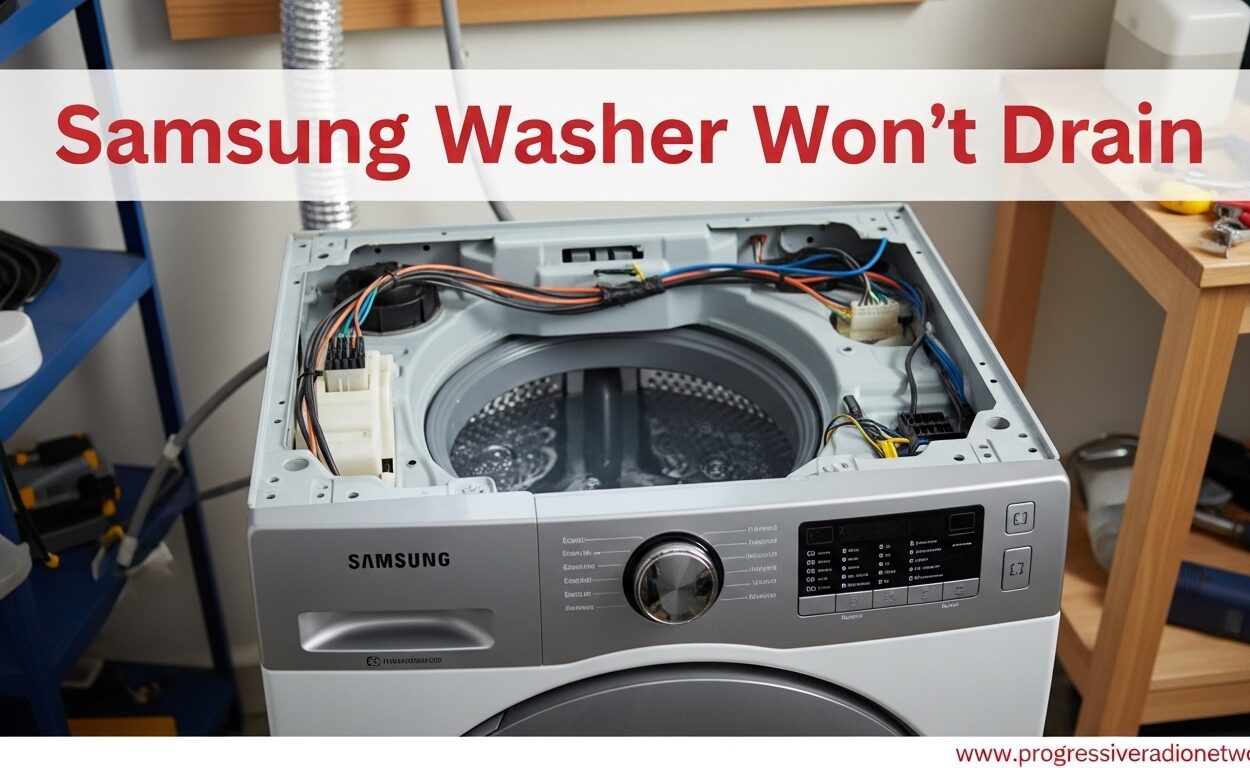
When your Samsung washer won’t drain, it’s more than just an inconvenience. You’re left with soaking wet clothes, standing water in the drum, and often a frustrating error code flashing on the display. I’ve been there, and I know how disruptive it can be to your daily routine.
The good news is that most Samsung washer drainage problems are fixable at home without expensive service calls. After researching hundreds of user experiences and appliance repair forums, I found that approximately 90% of drainage issues are caused by just two problems: a clogged drain pump filter or a blocked drain hose.
This guide will walk you through everything you need to know about Samsung washer drainage problems, from decoding those mysterious error codes to knowing exactly when it’s time to call in a professional. Let’s get your washing machine back up and running.
Samsung Washer Error Code Quick Reference
Before diving into troubleshooting, let’s identify what your washer is trying to tell you. Samsung washers display specific error codes when drainage problems occur:
- 5C or 5E Error: Drain issue detected. This is the most common drainage error code and indicates the washer cannot drain water properly within the expected time frame.
- ND Error: No Drain detected. The washer has attempted to drain but water remains in the drum after multiple attempts.
- SE Error: Drain error specific to certain Samsung models. Similar to 5C/5E but indicates the drain system is not functioning at all.
- SD or SUd Error: Suds detected. Excessive soap suds are preventing proper drainage (common with HE detergent use).
If you’re seeing any of these codes, your Samsung washer won’t drain because something is blocking water flow through the drainage system. The next steps will help you identify and fix the specific cause.
Before You Start: Safety First
I cannot stress this enough: always unplug your Samsung washer before attempting any troubleshooting. Standing water and electricity are a dangerous combination. Take these safety precautions:
- Unplug the washer from the electrical outlet
- Have plenty of towels ready for water cleanup
- Keep a shallow pan or bucket nearby to catch drained water
- Work in a well-lit area with good ventilation
Samsung Washer Won’t Drain: Step-by-Step Troubleshooting
Step 1: Clean the Drain Pump Filter (Most Common Fix)
The drain pump filter is the number one culprit when a Samsung washer won’t drain. This small filter catches coins, buttons, hairpins, and other debris before they can damage the pump. Over time, it becomes clogged and prevents water from draining properly.
For Front-Load Samsung Washers:
- Locate the small access door at the bottom front of the washer
- Open the door and you’ll see a circular drain cap
- Place a shallow pan or towel beneath the cap (water will flow out)
- Slowly twist the cap counter-clockwise to remove it
- Remove any debris caught in the filter
- Check the pump impeller inside the hole for foreign objects
- Replace the cap firmly and close the access door
For Top-Load Samsung Washers:
- Open the washer lid and locate the drain filter tube near the drum’s bottom edge
- Some models have the filter accessible through the top, others require removing the front panel
- If accessing from the top, pull the small drain tube out and remove the plug
- Let water drain into a container, then clean the filter
I’ve personally pulled everything from baby socks to credit cards from these filters. The amount of debris that accumulates is surprising, especially if you have children or wash items with small parts.
Step 2: Check the Drain Hose for Kinks and Blockages
If the filter is clean but your Samsung washer still won’t drain, the drain hose is the next suspect. This hose carries water from the pump to your home’s drainage system.
Inspect for these common issues:
- Kinks or bends: The hose may be pinched behind the washer, restricting water flow
- Blockages: Small items can travel through the pump and get stuck in the hose
- Improper height: The drain hose should not extend more than 96 inches above the floor
- Clogged standpipe: The home drain pipe where the hose empties may be blocked
To check the drain hose, you’ll need to move the washer away from the wall. Disconnect the hose from both the washer and the standpipe, then flush it with water to remove any obstructions. Use a flashlight to look inside for visible blockages.
One thing many people don’t realize: if your drain hose is pushed too far into the standpipe, it can create a siphoning effect that prevents proper drainage. The hose should only extend about 4-6 inches into the pipe.
Step 3: Manually Drain the Washer (Emergency Procedure)
Sometimes your Samsung washer won’t drain AND the door remains locked with a full drum of water. This is frustrating but solvable. Here’s how to manually drain the washer:
- Unplug the washer and wait 5 minutes (this may reset the door lock)
- Locate the emergency drain hose near the bottom filter access panel
- Place a shallow container beneath the small hose
- Pull out the plug from the end of the hose and let water drain
- Empty container as needed until all water is removed
- Once drained, the door should unlock and you can access the main filter
This emergency drain procedure is a lifesaver when you need to rescue clothes from a stuck washer. I’ve used it multiple times, and it’s much better than trying to force the door open.
Step 4: Test the Door Lock or Lid Switch
Your Samsung washer won’t drain if it doesn’t think the door or lid is securely closed. The washer has a safety mechanism that prevents operation when the lock isn’t engaged.
For Front-Load Models:
Listen for the clicking sound when you start a cycle. This is the door lock engaging. If you don’t hear it, or if the door lock light doesn’t illuminate, the lock mechanism may be faulty.
For Top-Load Models:
The lid switch is typically located under the lid near the hinge. You can test it by pressing the switch with your finger (washer unplugged). If it doesn’t click or feels loose, it may need replacement.
A faulty door lock or lid switch often gets misdiagnosed as a drain problem. The washer never initiates the drain cycle because it doesn’t detect the door is closed.
Step 5: Test the Drain Pump Motor
If you’ve checked the filter, drain hose, and door lock, but your Samsung washer still won’t drain, the drain pump motor itself may be faulty. This is less common but does happen, especially on washers 5-7 years old.
Signs of a bad drain pump:
- Loud buzzing or humming noise during drain cycle (but no water movement)
- Burning smell coming from the washer during drain attempts
- Washer fills and washes normally but won’t drain
- Error codes persist after clearing all blockages
To properly test the drain pump, you’ll need a multimeter to check for continuity. If you’re not comfortable with electrical testing, this is where you might want to call a professional. However, if you’re handy, Samsung drain pumps typically cost between $25-80 online and are relatively straightforward to replace.
Step 6: Check Less Common Causes
When the obvious culprits are ruled out, these less common issues can cause a Samsung washer not to drain:
- Pressure Switch Problems: This component tells the washer when water has drained. A faulty switch can give incorrect readings.
- Control Board Issues: The main control board sends signals to the drain pump. Electrical surges can damage these components.
- Excessive Suds: Using too much detergent or non-HE detergent can create suds that trick sensors into thinking there’s still water in the drum.
- Unbalanced Load: Sometimes a severely unbalanced load can prevent the washer from advancing to the drain cycle.
When to Call a Professional vs DIY Repair
After researching countless forum discussions and repair experiences, here’s my honest assessment of when to tackle the repair yourself versus calling a professional:
DIY if:
- It’s a clogged filter or drain hose (90% of cases)
- You’re comfortable with basic tools and following instructions
- The washer is relatively new and under warranty
- You have time to watch tutorials and work carefully
Call a professional if:
- The drain pump needs replacement and you’re not comfortable with electrical work
- The control board needs replacement (expensive and complex)
- The washer is over 10 years old and has multiple issues
- You’ve tried the above steps with no success
Cost comparison: DIY drain pump replacement typically costs $25-80 for parts. Professional repair runs $150-400 depending on your location and the specific problem. If your washer is over 8 years old and needs a control board, you might want to consider replacement instead of repair.
Preventive Maintenance to Avoid Future Drain Issues
After dealing with a Samsung washer that won’t drain, you’ll want to prevent it from happening again. Here are the maintenance habits I recommend:
- Clean the drain filter monthly: Set a reminder on your phone. This single habit prevents 90% of drainage problems.
- Use the correct amount of HE detergent: Most people use too much. Follow the detergent manufacturer’s guidelines, not the cap fill lines.
- Check pockets before washing: Coins, keys, and small items are the leading cause of pump filter clogs.
- Run a monthly cleaning cycle: Use an approved washer cleaner or white vinegar to remove detergent buildup.
- Leave the door ajar between loads: This prevents mold and mildew that can affect pump performance.
- Inspect drain hoses annually: Check for kinks, cracks, or proper positioning.
These simple habits take just minutes but can extend your Samsung washer’s life by years. The filter cleaning alone takes less than 5 minutes once you know where it’s located.
Dealing with a Samsung washer that won’t drain is frustrating, but in most cases, it’s a problem you can solve yourself. Start with the drain pump filter, work through the steps systematically, and you’ll likely have your washer working again within an hour. The key is patience and methodical troubleshooting.
FAQs
What to do when a Samsung washer won’t drain?
Start by unplugging the washer and checking the drain pump filter for debris (90% of cases). For front-load models, open the small access door at the bottom front, twist the drain cap counter-clockwise, and remove any blockages. For top-load models, access the filter through the top or remove the front panel. If the filter is clear, check the drain hose for kinks or blockages, then test the door lock mechanism.
How do I force my washer to drain?
To manually drain a Samsung washer, first unplug it and wait 5 minutes. Locate the emergency drain hose near the bottom filter access panel (front-load) or pull the small drain tube from the drum edge (top-load). Place a shallow container beneath, remove the plug, and let water drain completely. Once drained, the door should unlock allowing you to access and clean the main pump filter.
How do I get my Samsung washer to drain and spin only?
Many Samsung washers have a Drain & Spin cycle on the dial. Turn the knob to this setting and press start. If unavailable, you can usually run a Spin Only cycle by selecting the Spin option and pressing Start. This will activate the drain pump to remove water before spinning. Ensure the door is firmly closed as the washer won’t drain if the door lock isn’t engaged.
Why is my Samsung washer holding water in the bottom?
Standing water in your Samsung washer is typically caused by a clogged drain pump filter (coins, debris, fabric), a kinked or blocked drain hose, or a faulty drain pump motor. The filter catches items before they reach the pump, and over time debris builds up preventing water flow. Check the filter first, then inspect the drain hose for proper positioning and blockages. A loud humming noise during drain cycles usually indicates a failed pump motor.
What does the 5C or 5E error code mean on a Samsung washer?
The 5C and 5E error codes both indicate a drainage problem on Samsung washing machines. 5C stands for ‘drain clogged’ and 5E means ‘drain error’ – they refer to the same issue of the washer being unable to drain water properly. This error appears when the washer cannot complete the drain cycle within the expected time, usually due to a clogged filter, blocked drain hose, or faulty drain pump.
How much does it cost to fix a Samsung washer that won’t drain?
DIY repair for a Samsung washer drainage issue costs $25-80 if you need to replace the drain pump yourself. Professional repair typically runs $150-400 depending on your location and the specific problem. Most cases (90%) are solved by simply cleaning the drain pump filter, which costs nothing but about 5 minutes of your time. If the washer is over 8 years old and needs a control board replacement, consider buying a new washer instead.






Leave a Comment