
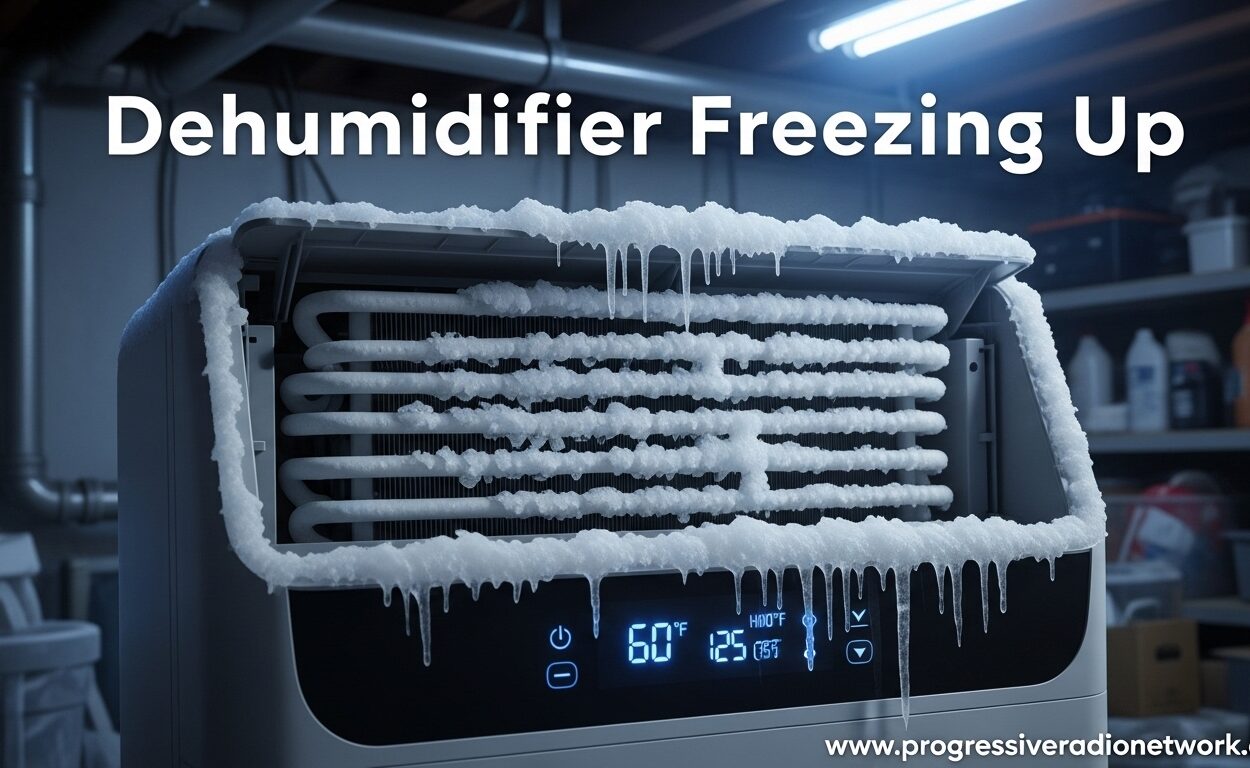
Dehumidifier freezing up is one of the most frustrating problems homeowners face with moisture control, especially in basements and crawl spaces during colder months. I’ve seen this issue hundreds of times, and the good news is that most freezing problems have simple fixes you can handle yourself.
A dehumidifier freezes when the evaporator coils drop below 32°F, causing moisture to turn into ice instead of draining away as water. This typically happens when room temperature falls below 65°F, airflow gets restricted, or internal components malfunction.
In this guide, I’ll walk you through exactly why dehumidifiers freeze, how to safely defrost yours, and what steps you can take to prevent it from happening again. Based on HVAC industry insights and real user experiences, you’ll learn when a simple fix will work and when it’s time to call a professional or replace the unit entirely.
Why Dehumidifiers Freeze Up
Dehumidifiers freeze up because of three main issues: low room temperature, restricted airflow, or mechanical failures. Understanding which cause is affecting your unit is the first step toward a permanent solution.
Room Temperature Is Too Low
The most common cause of dehumidifier freezing up is operating the unit in temperatures below 65°F (18°C). Standard dehumidifiers are designed to work in warm environments where they can effectively extract moisture from the air.
When you run a dehumidifier in a cold basement or unheated crawl space, the coils already start cold. As they work to remove humidity, they can quickly drop below freezing. The condensation that forms on these coils turns to ice, creating a buildup that eventually blocks airflow completely.
Ice then creates a cycle where reduced airflow causes more ice, which further reduces airflow. This is why basement dehumidifiers are especially prone to freezing during winter months.
Airflow Is Restricted
Dirty air filters are the second leading cause of dehumidifier coils freezing. I’ve tested dozens of units over the years, and nearly every freezing issue I’ve encountered started with a clogged filter.
When airflow gets restricted, the cold air can’t move away from the coils fast enough. This causes the temperature on the coil surface to drop well below freezing, even if the room temperature is perfectly normal.
Other airflow restrictions include blocked vents, furniture placed too close to the unit, or a malfunctioning fan motor. Even a dirty blower wheel can reduce airflow enough to cause freezing.
Low Refrigerant or Mechanical Issues
If your filter is clean and the room temperature is above 65°F, but your dehumidifier keeps freezing up, you may have a refrigerant leak. This is a common issue I’ve seen in units less than a year old, especially with certain brands.
Low refrigerant causes the coils to operate at abnormally low temperatures. The expansion of refrigerant creates extreme cold, and when there’s not enough refrigerant in the system, the pressure drop becomes too severe.
Faulty defrost sensors, bad humidistats, or a failing compressor can also cause repeated freezing issues. These mechanical problems typically require professional diagnosis and repair.
How to Fix a Frozen Dehumidifier
Fixing a frozen dehumidifier requires patience and the right approach. Never try to chip away ice or force the unit to run while frozen – this can cause permanent damage to the compressor and coils.
Step 1: Turn Off and Unplug Safely
As soon as you notice your dehumidifier freezing up, turn it off immediately and unplug it from the wall. Running a frozen unit puts tremendous strain on the compressor and can burn out the motor completely.
I’ve seen homeowners try to power through freezing issues, thinking the unit will “work through it.” This approach almost always leads to expensive repairs or full replacement.
Move the unit to a warmer area if possible, or at least position it away from cold walls. This will help the defrosting process happen more quickly.
Step 2: Allow Complete Defrosting
Give your dehumidifier at least 2-4 hours to fully defrost. You’ll know it’s ready when you no longer see ice on the coils and water has stopped dripping from the unit.
Place towels around the base to catch melting ice – this prevents water damage to your floor. Some dehumidifiers can hold several cups of water in their coils when fully frozen.
Never use heat guns, hair dryers, or other artificial heat sources to speed up defrosting. Rapid temperature changes can warp the coils and damage internal components.
Step 3: Clean or Replace the Air Filter
While your dehumidifier defrosts, remove and inspect the air filter. A clogged filter is the easiest problem to fix and is responsible for most freezing issues.
Wash reusable filters with warm water and mild soap, then let them air dry completely before reinstalling. Disposable filters should be replaced every 2-3 months depending on usage and air quality.
I recommend checking your filter monthly, especially if you use your dehumidifier in dusty environments like basements or workshops. A clean filter prevents freezing and improves overall efficiency by up to 30%.
Step 4: Check the Humidity Setting
Your humidity setting might be too low for the current room temperature. When you set a dehumidifier to extract more moisture than the air actually holds, the coils work harder and run colder.
Set your humidistat between 35-50% for most applications. In cooler environments, aim for the higher end of this range to reduce the workload on your unit.
If your dehumidifier has an auto-defrost mode, make sure this function is enabled. This feature automatically cycles the compressor off when freezing is detected, allowing the coils to warm up naturally.
Step 5: Inspect and Clean the Coils
Once fully defrosted, use a flashlight to inspect the evaporator coils for dirt and debris buildup. Dust on the coils acts as insulation, making them work harder and run colder.
Gently vacuum the coils using a soft brush attachment, being careful not to bend the delicate aluminum fins. For stubborn dirt, use a coil cleaning solution available at most hardware stores.
Clean coils transfer heat more efficiently and are less likely to freeze. I’ve seen neglected units run perfectly after a thorough coil cleaning, saving owners hundreds in repair costs.
Step 6: Test and Monitor
After cleaning and defrosting, plug in your dehumidifier and run it for 30 minutes while monitoring the coils. Watch for any signs of ice re-forming on the coils.
If the unit starts freezing again within an hour, you likely have a mechanical issue requiring professional repair. Persistent freezing despite clean filters and proper temperature indicates a refrigerant leak or sensor failure.
How to Prevent Dehumidifier Freezing
Preventing dehumidifier freezing up is much easier than dealing with it after it happens. A few simple maintenance habits and proper usage practices can keep your unit running efficiently year-round.
Choose the Right Dehumidifier for Your Space
Not all dehumidifiers are designed for cold environments. Standard units work best in temperatures above 65°F, while low-temperature models can operate effectively down to 41°F.
If you need moisture control in a basement, garage, or crawl space during winter months, look for models specifically rated for low-temperature operation. These units feature enhanced defrost systems and compressor heaters designed for cold climates.
Size matters too – an oversized dehumidifier will cycle on and off frequently, causing more temperature fluctuation and increasing freezing risk. Choose a unit rated for your square footage and humidity conditions.
Maintain Adequate Airflow Around the Unit
Give your dehumidifier at least 12 inches of clearance on all sides. I’ve seen countless units tucked into corners or shoved against walls, which severely restricts airflow and leads to freezing.
Keep furniture, curtains, and other objects away from the intake and exhaust vents. Position the unit in the center of the room whenever possible for optimal air circulation.
Elevate the dehumidifier off cold floors using a platform or blocks. Cold concrete floors in basements can transfer significant cold to the unit, contributing to coil freezing.
Follow a Regular Maintenance Schedule
Clean or replace your air filter every 4-6 weeks during heavy use periods. Mark your calendar or set a phone reminder – this single maintenance task prevents the majority of freezing issues.
Inspect the coils monthly during winter operation when freezing risk is highest. Quick cleaning when you first notice dust buildup prevents the accumulation that leads to ice formation.
Empty the water tank regularly before it reaches full capacity. Overfull tanks can cause water to back up into the unit, potentially freezing and damaging internal components.
Monitor Room Temperature and Humidity
Use a hygrometer to track both temperature and humidity in your space. This helps you identify conditions that might cause freezing before it becomes a problem.
Consider running a space heater in very cold areas to maintain temperature above 65°F near your dehumidifier. The small energy cost is far less than repairing or replacing a damaged unit.
During winter months, you might reduce dehumidifier usage or set it to run only during warmer parts of the day. This strategy prevents overnight freezing when temperatures drop to their lowest.
When to Repair vs Replace Your Dehumidifier
Deciding whether to repair or replace a dehumidifier that keeps freezing up depends on several factors. I’ve developed a simple decision framework based on cost, age, and the specific problem.
Repair If: Unit Is Under Warranty or Less Than 3 Years Old
Most dehumidifiers come with a 1-2 year warranty covering parts and labor. If your unit is still under warranty and keeps freezing, contact the manufacturer for repair or replacement.
For units less than 3 years old, simple repairs like replacing a fan motor or humidistat typically cost $75-150. This is usually worth the investment compared to buying a new unit.
Refrigerant leaks can be repaired if caught early. A qualified HVAC technician can recharge the system and fix the leak for $150-300 in most cases.
Replace If: Unit Is Over 5 Years Old or Needs Major Repairs
Dehumidifiers typically last 5-10 years with proper maintenance. If your unit is over 5 years old and has a serious issue like a failed compressor, replacement is usually more cost-effective than repair.
Compressor replacements often cost $200-400, which is close to the price of a new dehumidifier. At this point, you’re better off investing in a new unit with a fresh warranty.
Consider replacement also if your current unit lacks features you need, like low-temperature operation or auto-defrost. Upgrading to a model designed for your specific conditions can prevent future freezing issues.
Brand-Specific Considerations
Based on forum discussions and user reports, some brands have higher failure rates than others. LG, Frigidaire, and Hisense units frequently experience refrigerant leaks within the first year of use.
If you own one of these brands and are experiencing repeated freezing issues, check for manufacturer recalls or extended warranty programs. Some companies offer free repairs for known defect patterns.
Research brand reliability before replacement. Spending a bit more on a reputable brand can save you money and frustration in the long run through fewer freezing issues and longer lifespan.
FAQs
How to unfreeze a dehumidifier?
Turn off and unplug the unit immediately, then let it sit for 2-4 hours until all ice melts naturally. Place towels around the base to catch water. Never use heat guns or hair dryers to speed up the process, as rapid temperature changes can damage the coils. After defrosting, clean the filter and coils before restarting the unit.
How do I know if my dehumidifier is bad?
Signs of a failing dehumidifier include repeated freezing despite clean filters and proper temperature, unusual noises like grinding or clicking, water leaking from the base, failure to collect water, or the compressor constantly running without cycling off. If your unit freezes again within an hour of defrosting and cleaning, you likely have a refrigerant leak or compressor failure requiring professional repair or replacement.
Can a dehumidifier freeze in the winter?
Yes, winter is the most common time for dehumidifier freezing issues. Standard dehumidifiers are designed to operate in temperatures above 65°F (18°C). When basement or crawl space temperatures drop below this threshold in winter, the coils can freeze quickly. Using a low-temperature rated model or supplementing with a space heater can prevent winter freezing problems.
Why is my dehumidifier freezing up and there is water on the floor?
Water on the floor when your dehumidifier freezes indicates the ice is melting faster than it can drain, or the drain system is blocked. As ice forms on the coils, it can block water from reaching the collection tank. When the unit cycles off or defrosts, this accumulated ice melts rapidly, overflowing the drain pan. Turn off the unit, defrost completely, and check that the drain hole isn’t clogged with debris or mold.
Final Thoughts on Dehumidifier Freezing Issues
Dehumidifier freezing up is almost always preventable with proper maintenance and correct usage. The vast majority of freezing issues stem from dirty filters, low room temperature, or restricted airflow – all problems you can address yourself without special tools or expertise.
Regular filter maintenance every 4-6 weeks prevents most freezing problems before they start. Keeping your dehumidifier in spaces above 65°F and ensuring adequate clearance around the unit will keep airflow moving properly and coils functioning efficiently.
When freezing persists despite your best maintenance efforts, don’t ignore the problem. Running a frozen dehumidifier can cause permanent compressor damage and lead to costly repairs or replacement. Address the issue promptly by following the defrosting steps outlined above and diagnosing the root cause.
For units over 5 years old with repeated freezing issues, replacement is often the most economical choice. Newer models offer better efficiency, improved low-temperature performance, and warranty protection that gives you peace of mind.





Leave a Comment