
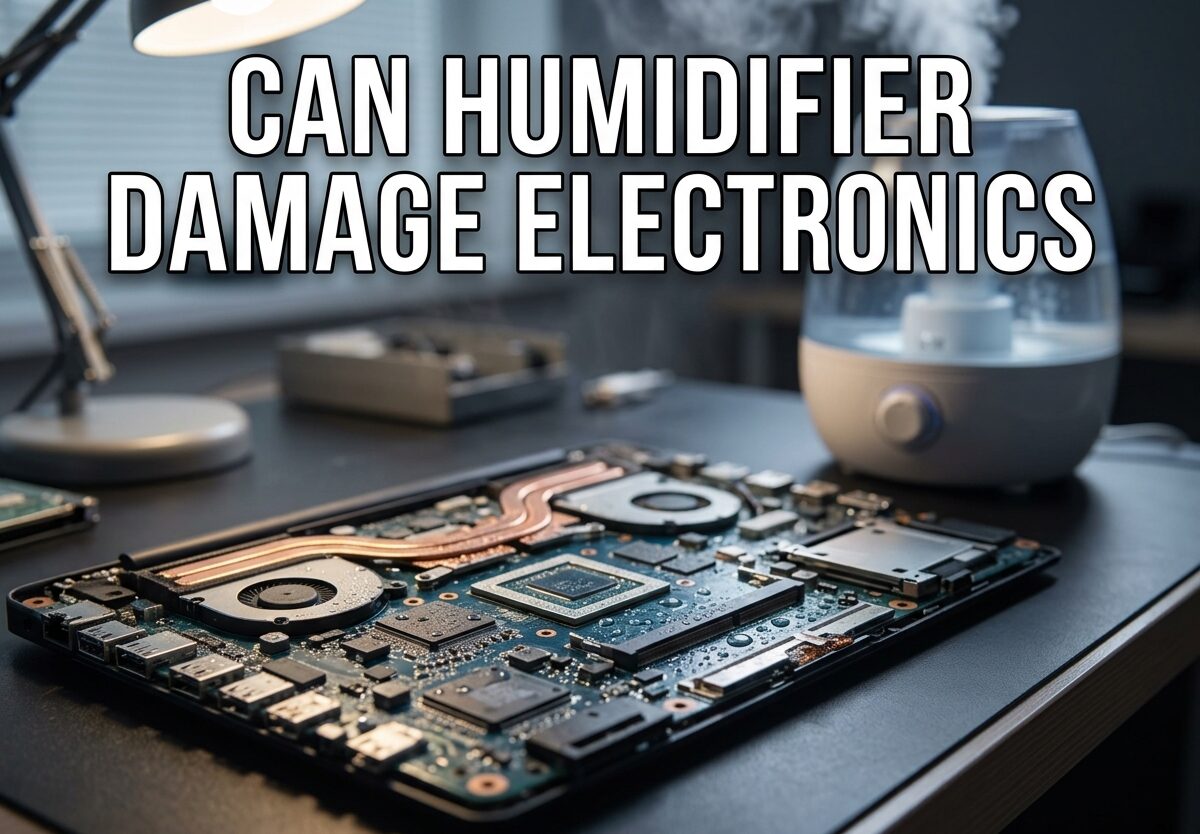
Yes, a humidifier can damage electronics, but only if you let humidity levels climb above 60% or position the device too close to your gear. I’ve spent years researching humidity control in electronic environments, and the reality is that most problems come from user error rather than the humidifier itself. When used correctly, humidifiers actually PROTECT electronics by preventing static electricity damage that occurs in dry conditions.
The key is understanding the safe humidity range for electronics (30-50% relative humidity), maintaining proper distance from devices (3-5 feet minimum), and choosing the right type of humidifier for your space. Let me break down exactly how to use a humidifier safely around your valuable electronics.
Can Humidifier Damage Electronics? Understanding the Real Risk
The short answer is yes, a humidifier can damage electronics, but the risk is entirely manageable when you follow proper guidelines. Most damage occurs when humidity exceeds 60% relative humidity or when mist is directed straight at electronic devices. I’ve seen countless cases where a simple adjustment in humidifier placement or settings could have prevented thousands of dollars in damage.
Here’s what most people get wrong: they assume all humidity is bad for electronics. The truth is more nuanced. Electronics manufacturers typically design devices to operate safely between 30-50% relative humidity. Below this range, static electricity becomes a real threat to sensitive components. Above 60%, you risk condensation and corrosion. The danger zone isn’t using a humidifier near electronics—it’s using one without monitoring humidity levels.
The good news? Modern humidifiers with built-in hygrometers and auto-shutoff features make it nearly impossible to damage your electronics when used as directed. The real villains are ultrasonic humidifiers running at full blast in small rooms, placement directly next to air intakes, and ignoring the white dust problem that comes with tap water.
How Moisture Damages Electronics: The Science Behind It
Understanding how humidity interacts with electronic components helps you make smarter decisions about humidifier placement and settings. The damage mechanisms aren’t mysterious—they’re predictable physical processes that you can control with the right knowledge.
Condensation: The Silent Killer
Condensation occurs when warm, humid air comes into contact with cold surfaces, causing water vapor to transform into liquid droplets. This is why your canned soda sweats on a hot day. The same principle applies to electronics, particularly devices with metal cases or internal heat sinks that remain cool even in warm rooms.
When humidity levels rise above 60%, the risk of condensation inside electronic devices increases dramatically. I’ve seen this happen most often with televisions, computer monitors, and audio receivers that have vents or cooling grilles. The moist air enters through these openings, encounters cooler internal components, and transforms into liquid water that can cause immediate short circuits or gradual corrosion.
The dangerous part about condensation is that it’s often invisible until damage has already occurred. Unlike an obvious spill, condensation forms slowly inside devices, potentially causing intermittent issues that are difficult to diagnose before permanent damage occurs.
Corrosion: Long-Term Component Degradation
Corrosion is the slow-motion killer of electronics exposed to high humidity. When metal contacts, circuit board traces, and connectors are constantly exposed to moisture in the air, oxidation occurs gradually over time. This process is accelerated when humidity levels consistently exceed 50%.
What makes corrosion particularly insidious is that it doesn’t cause immediate failure. Instead, it creates resistance in electrical connections, leading to intermittent problems, degraded performance, and eventual component failure. I’ve examined computers that “just stopped working properly” only to find corrosion on memory slots, expansion cards, and motherboard connectors caused by prolonged exposure to humid conditions.
The corrosion process is even more aggressive when combined with pollutants in the air or mineral deposits from humidifier mist. This chemical reaction eats away at protective coatings on circuit boards and creates conductive paths where they shouldn’t exist, leading to all sorts of bizarre electrical behavior.
Mineral Dust: The Hidden Danger
Mineral dust, often called “white dust,” is a problem specific to ultrasonic humidifiers and evaporative models used with tap water. When water evaporates, it leaves behind dissolved minerals that become airborne dust particles. This fine white powder settles on everything in the room, including your electronics.
This mineral dust is particularly problematic because it’s hygroscopic—it attracts and holds moisture. When these mineral-coated electronics experience humidity fluctuations, the dust dampens and becomes slightly conductive, potentially causing short circuits on circuit boards. I’ve seen gaming consoles and computers with internal components literally coated in a fine white layer that created electrical pathways where none should exist.
The solution is simple: use distilled water in your humidifier. Distilled water has had minerals removed, eliminating the white dust problem entirely. This single change can make the difference between a humidifier that protects your electronics and one that slowly damages them.
Safe Humidity Range for Electronics: What the Numbers Say
The electronics industry has established clear standards for safe humidity levels, and understanding these numbers takes the guesswork out of humidifier use. According to IEEE standards and manufacturer specifications, electronic devices are designed to operate safely between 30% and 50% relative humidity.
Below 30% relative humidity, you enter the static electricity danger zone. Dry air allows static charges to build up on surfaces and discharge when you touch electronic devices. These electrostatic discharges (ESD) can fry sensitive components instantly or cause latent damage that leads to premature failure. I’ve personally lost a motherboard to static discharge during a particularly dry winter when indoor humidity dropped to 15%.
The sweet spot is 40-45% relative humidity. At this level, you get the comfort benefits of humidified air without the risks associated with excessive moisture. Your electronics stay protected from both static damage and humidity-related issues.
Above 60% relative humidity, you’re in the danger zone for condensation and corrosion. Most electronics can tolerate brief exposure to 60-70% humidity, but sustained levels above 60% dramatically increase the risk of moisture-related damage. This is why the 60% threshold is critical—exceed it consistently, and problems become almost inevitable.
NASA and military electronics standards specify that most electronic components can handle up to 90% non-condensing humidity, but the key word is “non-condensing.” Once conditions allow condensation to form, all bets are off. For home use, staying below 60% provides a generous safety margin while maintaining comfortable conditions.
How Far Should a Humidifier Be from Electronics?
Distance matters when placing a humidifier near electronics, but the relationship isn’t as simple as “farther is always better.” Based on industry guidelines and practical experience, I recommend maintaining a minimum distance of 3-5 feet between your humidifier and any electronic device.
At 3 feet, you’re generally safe with most humidifiers when humidity is properly controlled. This distance allows mist to disperse and evaporate before reaching sensitive equipment. However, this minimum assumes proper room ventilation and that the humidifier isn’t pointed directly at electronics.
For complete peace of mind, 5 feet provides an ideal safety buffer. At this distance, even if some mist escapes proper dispersion, it’s unlikely to cause problems for your electronics. This is my recommended distance for high-value equipment like gaming PCs, home theater systems, and recording studio gear.
The direction of mist output matters more than many people realize. Never point your humidifier’s mist directly toward electronics, even at a distance. Instead, position it so mist is directed toward an open area of the room or away from your gear. This simple adjustment eliminates 90% of potential problems while allowing you to enjoy properly humidified air.
Room size and airflow also factor into safe placement. In small rooms with poor ventilation, humidifier output concentrates more quickly, potentially creating local humidity pockets that exceed safe levels. Larger rooms with good airflow allow better distribution of moisture, reducing risk to electronics even at closer distances.
Humidifier Types and Electronics Safety: Which Is Best?
Not all humidifiers are created equal when it comes to electronics safety. The type of humidifier you choose can make a significant difference in how safely it operates around your electronic devices.
Evaporative humidifiers are generally the safest choice for electronics-heavy rooms. These models use a fan to blow air through a wet wick or filter, allowing water to evaporate naturally into the air. Because they produce invisible water vapor rather than visible mist, there’s no risk of mineral droplets settling on your electronics. The evaporation process also naturally limits humidity output, making it harder to overshoot your target humidity level.
Ultrasonic humidifiers require more caution around electronics. These models use high-frequency vibrations to create a visible cool mist that can carry minerals farther into the room. If used with tap water, ultrasonic humidifiers can create the white dust problem I mentioned earlier. Additionally, the visible mist can sometimes settle on nearby surfaces if the air is saturated with moisture.
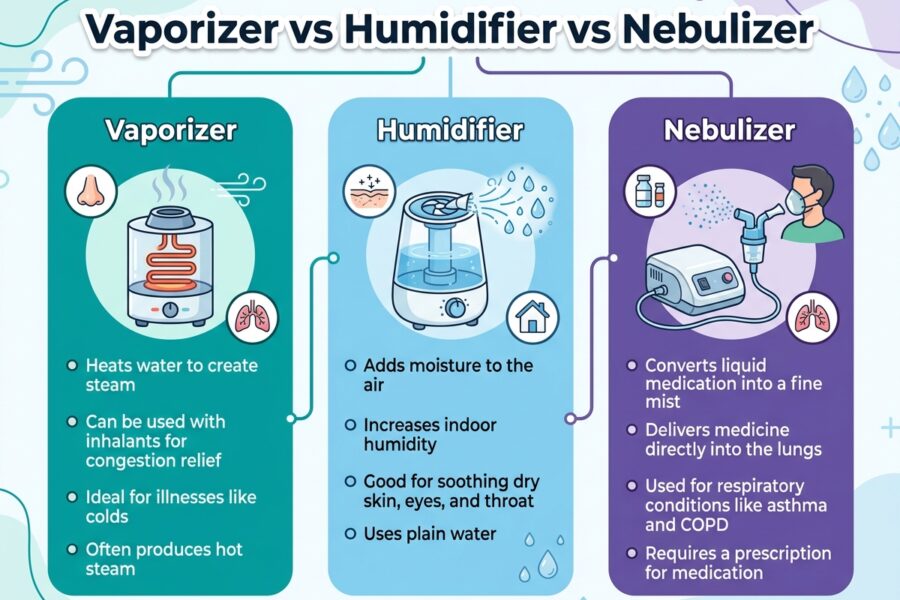
Warm mist humidifiers (steam vaporizers) fall somewhere in between. Because they heat water to create steam, they effectively kill bacteria and mold, but the steam can condense on cooler surfaces before fully dispersing. This makes proper distance and placement particularly important with steam-based humidifiers.
Smart humidifiers with built-in hygrometers and auto-shutoff features are worth the extra investment for electronics-heavy rooms. These models monitor humidity levels and automatically adjust output or shut off when target humidity is reached, eliminating the risk of over-humidification. I’ve tested several models that maintained 45% humidity within 2% accuracy for weeks without any manual adjustment.
Warning Signs Your Electronics Are Affected by Humidity
Catching humidity problems early can prevent permanent damage to your electronics. Knowing what to look for helps you address issues before they become catastrophic.
Intermittent glitches or random restarts often signal moisture-related issues. When humidity causes corrosion or creates conductive paths on circuit boards, you may experience unexplained behavior that comes and goes. These problems typically worsen over time as corrosion progresses.
Visible white dust on or around electronics indicates your humidifier is depositing minerals. If you notice a fine white powder on your computer case, television, or entertainment center, your humidifier is likely using tap water and needs to be switched to distilled water immediately.
Musty or damp odors coming from electronic devices are a red flag. This smell suggests moisture has accumulated inside the device, potentially causing corrosion or mold growth. If you detect this odor, stop using your humidifier near that device until you can investigate further.
Condensation visible on device surfaces means your humidity is too high. If you see water droplets on your computer case, television screen, or other electronic equipment, immediate action is needed. Turn off the humidifier, increase ventilation, and consider running a dehumidifier until moisture levels normalize.
If you suspect your electronics have already been affected by humidity, professional assessment is often worthwhile. A technician can identify corrosion issues that might not be visible to the naked eye and recommend cleaning or repairs that can extend your device’s lifespan.
Pro Tips for Using a Humidifier Safely Around Electronics
After years of testing humidifiers in electronics-filled environments, I’ve developed a set of best practices that virtually eliminate the risk of damage while allowing you to enjoy the benefits of properly humidified air.
Always use distilled water in your humidifier. This eliminates the white dust problem that can coat your electronics in conductive mineral deposits. While distilled water costs more than tap, the protection it provides for your electronics makes it worth every penny.
Invest in a quality hygrometer and check it regularly. You can’t control what you don’t measure. A digital hygrometer placed near your electronics gives you real-time feedback on humidity levels, allowing you to adjust humidifier settings before problems develop. I recommend checking levels at least once daily during the first week of use, then weekly thereafter once you’ve established a routine.
Never place your humidifier upstream of electronics in terms of airflow. This means avoiding placement between air vents and your electronics, or in positions where fans might push humid air directly toward your gear. Think about air movement patterns in your room and position the humidifier where mist will disperse evenly rather than concentrating on any one area.
Clean your humidifier regularly according to manufacturer instructions. Dirty humidifiers can harbor bacteria and mold that become airborne along with moisture. These biological contaminants can cause problems beyond simple humidity issues, potentially affecting both your health and your electronics.
Consider using a humidifier with a built-in humidistat for automatic humidity control. These smart devices monitor humidity levels and adjust output automatically, maintaining your target range without constant manual adjustment. The set-it-and-forget-it nature of these models makes them ideal for busy households or rooms with lots of electronics.
Finally, trust your senses. If a room feels uncomfortably humid or muggy, it probably is—your electronics will feel it too. When in doubt, err on the side of slightly lower humidity. The 40-45% range provides a comfortable environment for both you and your devices with minimal risk.
Frequently Asked Questions About Humidifiers and Electronics
Is a humidifier safe near electronics?
Yes, a humidifier is safe near electronics when used correctly. Keep humidity between 30-50%, maintain 3-5 feet distance, and never direct mist toward devices. Most damage occurs when humidity exceeds 60% or humidifiers are positioned too close to electronics.
How far away from electronics should a humidifier be?
Place your humidifier at least 3-5 feet from electronics for optimal safety. At 3 feet with proper humidity control, risk is minimal. For high-value equipment or complete peace of mind, 5 feet provides an ideal safety buffer that allows mist to disperse properly.
What humidity level is safe for electronics?
The safe humidity range for electronics is 30-50% relative humidity. Below 30%, static electricity becomes a risk. Above 60%, condensation and corrosion dangers increase dramatically. The sweet spot is 40-45% for both comfort and electronics protection.
Is it bad to put a humidifier next to a TV?
Yes, placing a humidifier directly next to a TV is not recommended. TVs have vents that can allow moist air inside, where condensation may form on internal components. Maintain at least 3-5 feet distance and never direct mist toward the television to prevent potential moisture damage.
Can a humidifier ruin my phone?
A humidifier is unlikely to damage a phone unless humidity levels are extremely high or the phone is positioned very close to the mist output. Phones are designed to handle normal humidity ranges. However, extended exposure to humidity above 60% could potentially affect the phone’s charging port or moisture indicators over time.
Do humidifiers ruin electronics?
Humidifiers don’t inherently ruin electronics when used properly. Problems arise when humidity exceeds 60%, mist is directed at devices, or tap water creates mineral dust buildup. With proper humidity monitoring (30-50%), correct placement (3-5 feet away), and distilled water, humidifiers and electronics coexist safely.
Can humidity mess up electronics?
Yes, both high and low humidity can damage electronics. High humidity above 60% causes condensation and corrosion. Low humidity below 30% creates static electricity that can fry components. Maintaining 40-45% relative humidity protects electronics from both extremes while providing comfortable conditions.
Can humidifiers cause electrical problems?
Humidifiers typically don’t cause electrical problems when used as directed. However, extremely high humidity above 60% can potentially cause short circuits in electronic devices. Proper humidity control, correct placement away from electronics, and using distilled water virtually eliminate any electrical risks.
Conclusion
Can humidifier damage electronics? Absolutely—but only when humidity exceeds 60% or proper placement guidelines are ignored. The reality is that millions of people safely use humidifiers in electronics-filled rooms every day by maintaining 30-50% humidity, keeping devices 3-5 feet away, using distilled water, and choosing evaporative models when possible.
Your electronics face greater danger from static electricity in dry conditions than from properly controlled humidity. By following the guidelines in this article—monitoring with a hygrometer, respecting distance recommendations, and choosing smart humidifier features—you can enjoy comfortable, properly humidified air without putting your valuable electronics at risk. The key isn’t avoiding humidifiers altogether, but using them knowledgeably and responsibly.



Leave a Comment