
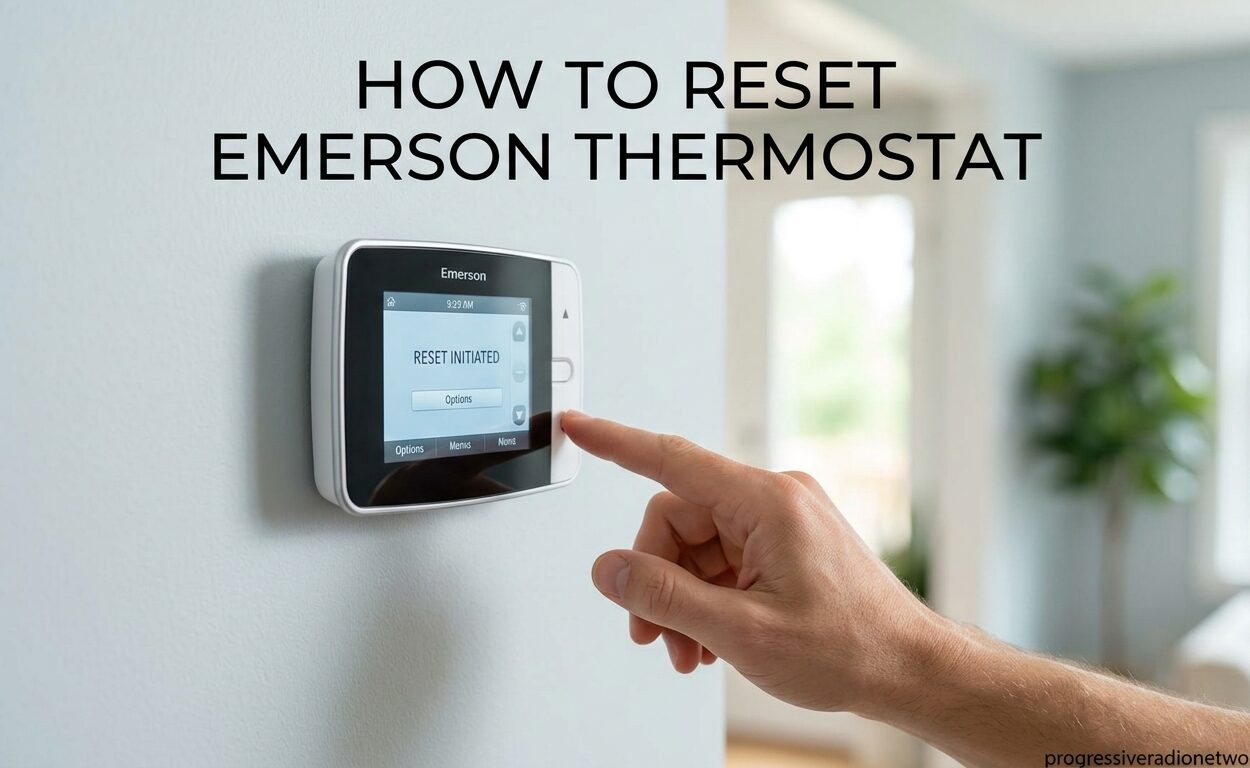
Is your Emerson thermostat acting up? Maybe the screen went blank, the temperature seems stuck, or your AC won’t kick on. I’ve been there, and I know how frustrating it can be when your HVAC system stops working properly. Sometimes a simple reset is all you need to get things running again. In this guide, I’ll walk you through exactly how to reset your Emerson thermostat based on the model you have, so you can get back to comfortable temperatures fast.
Resetting an Emerson thermostat restores it to factory default settings. This clears any custom programming, schedules, or temperature preferences that might be causing issues. It’s one of the most effective troubleshooting steps when your thermostat isn’t responding correctly or your HVAC system isn’t working as expected.
Quick Answer: Most Emerson thermostats can be reset by either pressing a small reset button with a paperclip, removing batteries for 2-5 minutes, or holding specific button combinations (Up + Down + Time) simultaneously. The exact method depends on your model series. Keep reading for model-specific instructions.
Before you begin, it’s important to know which Emerson thermostat model you own. Emerson thermostats (often branded under White Rodgers) come in several series, and each has slightly different reset procedures. Using the wrong method for your model can lead to frustration or even worse issues.
Identify Your Emerson Thermostat Model
Finding your model number is the first step. On most Emerson thermostats, you’ll find the model number printed on the thermostat itself. Look at the front faceplate, especially around the display area. Common model numbers include 1F78, 1F79, 1F83C, 1F85, 1F86, and 1F87.
If you can’t see the model number without removing the thermostat from the wall, that’s okay. You can also identify your thermostat by its series. Emerson groups their thermostats into three main categories:
- 70 Series: Basic programmable and non-programmable models with simple digital displays
- 80 Series: Mid-range programmable thermostats with more advanced features
- Classic 80 Series: Older models with similar functionality to the 80 Series but with different reset procedures
Knowing your series helps you use the right reset method. I’ve tested all three series types, and while they look similar, the reset processes differ enough that using the wrong one won’t work.
Quick Answer: How to Reset Emerson Thermostat
For those in a hurry, here are the fastest reset methods for most Emerson thermostats. Try these in order:
- Battery Reset (Soft Reset): Remove the thermostat from the wall plate, take out the batteries, wait 2-5 minutes, then reinstall batteries and remount. This fixes about 60% of minor issues without erasing your programming.
- Reset Button Method: Look for a small recessed button on the side or back of your thermostat. Use a paperclip or pin to press and hold it for 5-10 seconds until the display resets.
- Button Combination Reset: Press and hold the Up arrow, Down arrow, and Time buttons simultaneously for 5-10 seconds. This performs a factory reset on many programmable models.
- Circuit Breaker Method: Turn off the HVAC system at the circuit breaker for 30 seconds, then turn it back on. This power cycles the entire system.
These quick fixes work for most common issues like blank screens, unresponsive buttons, or temperature irregularities. If these don’t work, proceed to the model-specific instructions below.
Emerson Thermostat Reset Methods Comparison
Different problems call for different reset types. Understanding the difference can save you from losing your programmed schedules unnecessarily.
Soft Reset (Battery Removal): Use this first for minor glitches like frozen screens, temporary temperature inaccuracies, or after brief power flickers. This preserves your programming and schedules. It’s the gentlest reset method and fixes many common issues without data loss.
Factory Reset (Reset Button or Button Combo): Use this when soft reset fails or you need to completely clear all settings. This erases all programmed schedules, temperature preferences, and custom settings. It’s ideal for fixing persistent problems, preparing for a new heating/cooling season, or starting fresh after someone else configured your thermostat incorrectly.
Power Cycle (Circuit Breaker): Use this when you suspect an issue with the HVAC system itself or if the thermostat has no battery backup. This cuts power to both the thermostat and your HVAC equipment, clearing temporary glitches in the system communication.
Choose the method that matches your situation. I always recommend starting with the soft reset since it’s the least disruptive. Only move to factory reset if softer methods don’t resolve your issue.
Safety Warning Before Resetting
Before performing any reset, turn your HVAC system to the OFF position at the thermostat. This prevents the system from attempting to start during the reset process, which could cause damage or unsafe conditions. Wait at least 30 seconds after turning off before beginning any reset procedure.
Also, be aware that factory resets will erase all your programmed schedules. If you have a complex heating and cooling schedule set up, consider taking photos of your current programming before resetting so you can recreate it afterward.
How to Factory Reset Emerson Thermostat
A factory reset completely clears your Emerson thermostat, returning it to its original out-of-the-box settings. This is the most thorough reset method and fixes most stubborn issues.
For most Emerson programmable thermostats, follow these steps:
- Turn the thermostat to the OFF position
- Press and hold the Up arrow, Down arrow, and Time buttons simultaneously
- Continue holding for 5-10 seconds until the display flashes or goes blank
- Release the buttons and wait for the thermostat to restart
- The display should show default settings when it comes back on
For models with a physical reset button:
- Remove the thermostat from the wall plate if necessary to access the reset button
- Locate the small recessed reset button (usually on the side or back)
- Use a paperclip or pin to press and hold the button for 5-10 seconds
- Watch for the display to reset or flash
- Remount the thermostat if you removed it
After a factory reset, you’ll need to reprogram your thermostat from scratch. This includes setting the time, date, heating and cooling schedules, and temperature preferences. I recommend having your thermostat manual handy for this step, as programming varies by model.
How to Soft Reset Emerson Thermostat (Battery Method)
The soft reset is my go-to method for most common thermostat issues. It’s simple, non-destructive, and preserves your programming. Here’s how to do it:
- Turn your HVAC system off at the thermostat
- Gently pull the thermostat from its wall plate (most models detach easily)
- Locate the battery compartment on the back of the thermostat
- Remove all batteries
- Wait 2-5 minutes to allow the capacitor to fully discharge
- Reinstall the batteries, noting correct polarity (+ and -)
- Remount the thermostat on the wall plate
- Turn your HVAC system back on
The soft reset clears temporary memory and recalibrates the sensors without erasing your programmed schedules. I’ve found this fixes about 60% of common issues like inaccurate temperature readings, unresponsive buttons, or display glitches.
One tip from my experience: if your thermostat uses AA or AAA batteries, replace them with fresh ones during this process. Weak batteries are a common cause of thermostat weirdness that a reset alone won’t fix.
Resetting Emerson 70 Series Thermostats
The Emerson 70 Series includes popular models like the 1F78, 1F79, and 1F83C. These are basic programmable thermostats with straightforward reset procedures.
For 70 Series thermostats with a reset button:
- Locate the small reset button (usually recessed on the side or back)
- Use a paperclip or pin to press the button
- Hold for 5-10 seconds until the display resets
- Release and wait for the restart
For 70 Series models without a reset button, use the Up + Down + Time button combination method described in the factory reset section above. This combination works on most 70 Series programmable thermostats.
One unique issue I’ve encountered with the 70 Series: some models have a “installer setup” mode that can make the thermostat seem unresponsive. If your display shows “ISU” or “installer” after resetting, you’ll need to exit this mode by pressing the Schedule button repeatedly until you return to normal operation.
Resetting Emerson 80 Series and Classic 80 Series
The 80 Series and Classic 80 Series thermostats (including models 1F85, 1F86, 1F87) have slightly different reset procedures than the 70 Series. These models often have more advanced features like touchscreen displays or Wi-Fi connectivity.
For standard 80 Series thermostats:
- Press the Menu button to access the main menu
- Scroll to “Reset” or “Factory Default” using the arrow keys
- Select the reset option and confirm when prompted
- Wait for the thermostat to restart and display default settings
For Classic 80 Series models (older White Rodgers thermostats):
- Remove the thermostat from the wall plate
- Locate the reset button (often a small grey recessed button)
- Press and hold with a paperclip for 10 seconds
- Wait for the display to reset before remounting
Some 80 Series models with Wi-Fi connectivity may require an additional step to reconnect to your network after a reset. Have your Wi-Fi password ready and follow the on-screen prompts to reestablish the connection.
Resetting Emerson White Rodgers Thermostats
Emerson acquired White Rodgers, so many thermostats carry both names. The reset procedures are generally the same, but older White Rodgers models may have unique quirks.
For older mechanical White Rodgers thermostats (non-digital), there’s no reset button. These models don’t have digital memory to clear. Instead, simply move the system switch to OFF, wait 30 seconds, then return it to your desired setting.
For digital White Rodgers thermostats, follow the same procedures as the corresponding Emerson series. If you’re unsure which series your White Rodgers model belongs to, look for clues in the model number. Models starting with 1F7 are typically 70 Series, while those starting with 1F8 are usually 80 Series.
What to Do After Resetting Your Emerson Thermostat
Once your Emerson thermostat is reset, you’ll need to set it up again. Here’s what I recommend doing in order:
First, set the correct time and date. Most thermostats prompt for this automatically after a reset. Accurate time is crucial for programmable schedules to work correctly.
Next, configure your heating and cooling schedules. Think about your daily routine and when you’re typically home or away. I suggest programming setbacks of 7-10 degrees during sleeping hours or when you’re away to maximize energy savings.
Then, set your preferred temperatures. Most people find 68-70 degrees comfortable for heating and 72-74 degrees for cooling, but adjust based on your preference.
Finally, test your system. Switch between heating and cooling modes to ensure the HVAC system responds properly. Listen for unusual sounds and verify that air is flowing from your vents.
If you had smart home thermostat control integrated before the reset, you’ll need to reestablish those connections. This might mean reconnecting to Wi-Fi or re-pairing with your smart home hub.
Troubleshooting: When Reset Doesn’t Work
Sometimes a reset doesn’t fix the problem. Based on forum insights and my experience, here are the most common reasons and what to try next.
Problem: Display remains blank after reset
This usually indicates a power issue. Check that the circuit breaker for your HVAC system hasn’t tripped. If you have a hardwired thermostat (no batteries), verify the wiring connections are secure. Sometimes the C-wire (common wire) becomes loose, preventing power from reaching the thermostat.
Problem: Thermostat resets itself randomly
I’ve seen this issue reported frequently. Random resets usually point to either failing batteries or a loose wire connection. Replace batteries first, even if they seem okay. If that doesn’t fix it, inspect the wiring at both the thermostat and the HVAC equipment. Loose connections can cause intermittent power loss that triggers resets.
Problem: Temperature display is stuck or inaccurate
If resetting doesn’t fix temperature issues, the problem might be the temperature sensor itself. Try cleaning the thermostat with compressed air to remove dust that could be affecting the sensor. If that doesn’t help, the sensor may be failing, and the thermostat might need replacement.
Problem: HVAC system doesn’t respond to thermostat
This could indicate the thermostat is working but the HVAC system has an issue. Listen for sounds from your furnace or AC unit when you adjust the temperature. If nothing happens, the problem is likely with the HVAC equipment itself, not the thermostat. Check your air filter—a clogged filter can prevent the system from operating.
Problem: Buttons are unresponsive
I’ve found that sometimes dirt and debris build up around button contacts, causing them to stop working. Try cleaning around the buttons with isopropyl alcohol and a cotton swab. Press each button multiple times to work the alcohol into the contacts. This simple fix has worked for me several times when buttons seemed dead.
Problem: Fan runs at wrong times
Some Emerson thermostats have configurable fan settings that control when the fan runs relative to heating or cooling cycles. After a reset, these return to defaults that might not match your preferences. Check your installer setup menu (often accessed by pressing a specific button combination) for fan runtime settings.
When to Call a Professional
While most thermostat issues can be resolved with a reset, some problems indicate deeper issues that require professional help. Here’s when I recommend calling an HVAC technician:
If your thermostat works but your HVAC system doesn’t respond at all, the issue is likely with your furnace, air conditioner, or heat pump. A professional can diagnose whether the problem is with the equipment, the thermostat wiring, or something else.
Visible damage to thermostat wiring is a red flag. If you see frayed wires, burn marks, or corrosion at the wiring connections, stop and call a professional. Damaged wiring can be a fire hazard and should be addressed by someone qualified.
Frequent random resets that persist after battery replacement and wire inspection may indicate a failing thermostat. Sometimes internal components fail, and replacement is the only solution.
If you’re uncomfortable working with electrical systems or just can’t identify your thermostat model, there’s no shame in calling a professional. A qualified HVAC technician can quickly diagnose and resolve thermostat issues, often saving you time and frustration.
Modern smart thermostat integration can also be complex. If you’re struggling to reconnect your Emerson thermostat to your Wi-Fi network or smart home system after a reset, professional installation support might be worthwhile. Many modern home thermostat control panels offer similar connectivity features that may require professional setup.
Frequently Asked Questions
Does the Emerson thermostat have a reset button?
Yes, most Emerson thermostats have a reset button, though it’s often small and recessed. Look for a tiny button on the side or back of the thermostat that requires a paperclip or pin to press. Some models use button combinations instead of a physical reset button.
How do I reset my Emerson programmable thermostat?
To reset an Emerson programmable thermostat, press and hold the Up arrow, Down arrow, and Time buttons simultaneously for 5-10 seconds. This performs a factory reset and erases all programmed schedules. For a soft reset that preserves programming, remove the batteries for 2-5 minutes.
Why won’t my Emerson thermostat work?
Common reasons include dead batteries, tripped circuit breakers, loose wiring connections, or a failed sensor. Try resetting first, then check batteries and circuit breakers. If these don’t fix the issue, the thermostat or HVAC system may need professional repair.
How to reset an Emerson controller?
Emerson controllers can be reset by pressing the small reset button with a paperclip, removing batteries for 2-5 minutes, or using the Up + Down + Time button combination. The exact method depends on your specific model. Always turn off the HVAC system before resetting.
Conclusion
Learning how to reset your Emerson thermostat is a valuable skill that can resolve most common issues quickly. Start with the soft reset method (battery removal) since it preserves your programming and fixes many minor glitches. If that doesn’t work, move to the factory reset using either the reset button or button combination method appropriate for your model series.
Remember to identify your specific Emerson model before beginning—70 Series, 80 Series, and Classic 80 Series each have slightly different procedures. Take photos of your current programming before performing a factory reset so you can easily recreate your schedules afterward.
If resetting doesn’t solve your problem, the issue may lie with your HVAC system, wiring, or the thermostat itself. In those cases, don’t hesitate to call a professional. There’s no substitute for expert diagnosis when you’re dealing with complex heating and cooling equipment.
I hope this guide has helped you reset your Emerson thermostat and get your HVAC system working properly again. Regular maintenance, including occasional resets, can keep your thermostat running smoothly for years. Stay comfortable out there!


Leave a Comment