
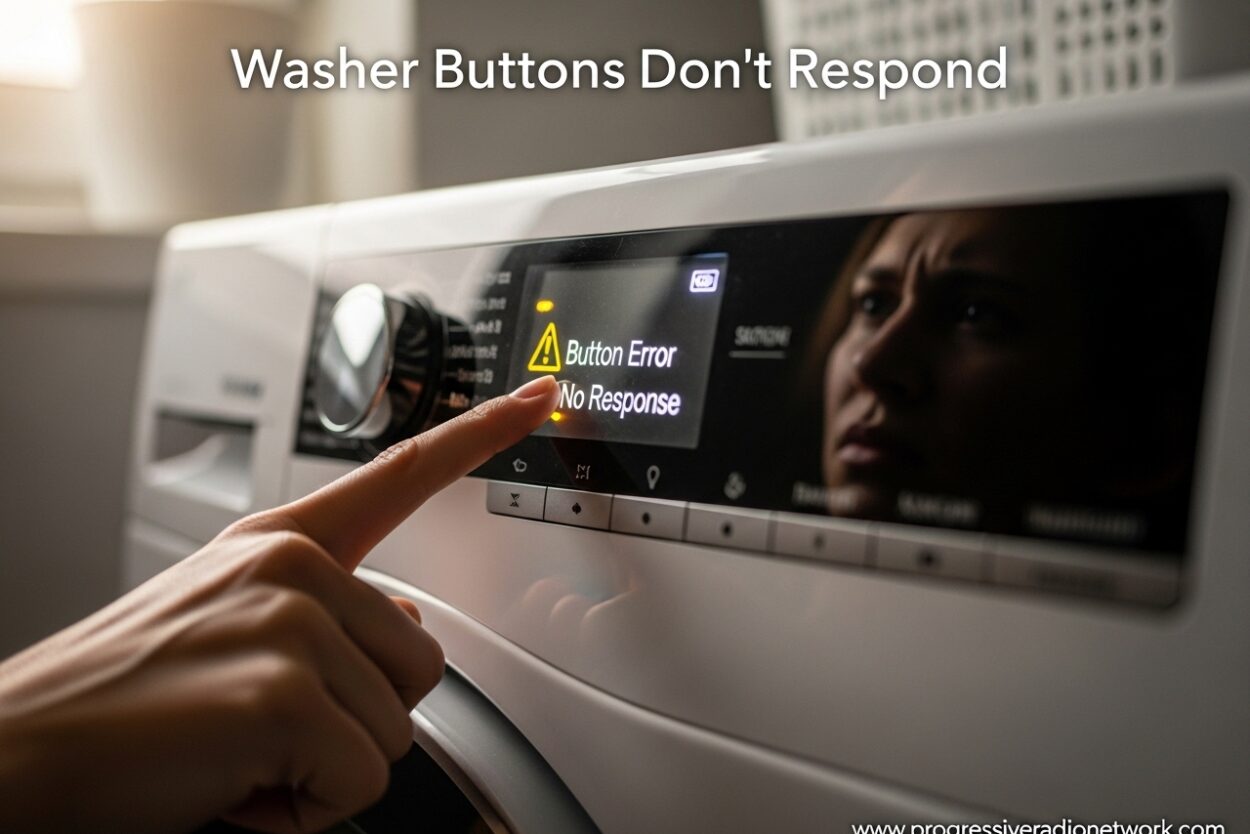
You load your laundry, add detergent, press start, and nothing happens. The buttons light up (or maybe they don’t), but your washer won’t respond. This frustrating problem happens to thousands of homeowners each year, and the good news is that most fixes are simple enough to tackle yourself.
I’ve spent years researching appliance repair issues, and unresponsive washer buttons are one of the most common complaints. In this guide, I’ll walk you through everything you need to know to diagnose and fix the problem, from simple control lock issues to more serious control board failures.
Quick Diagnosis: Check These First
Before diving into complex troubleshooting, run through this 30-second checklist. These quick checks resolve the issue in over 60% of cases.
Power Check: Verify the washer is plugged in and the outlet has power. Test the outlet with another device or plug a lamp into it. Check that your circuit breaker hasn’t tripped.
Control Lock Indicator: Look for a “CL,” “LCL,” or key icon on the display. This means control lock is active and preventing button presses.
Display Status: Is the display completely dark, or does it show error codes? A dark display suggests power issues, while error codes point to specific problems.
Door/Lid Status: Ensure the door or lid is fully closed and latched. Many washers won’t respond if the door isn’t properly secured.
Child Lock Engagement: If you have young children, check if they accidentally activated child lock. This feature disables all buttons for safety.
Why Washer Buttons Don’t Respond: 7 Common Causes
Understanding why your washer buttons aren’t responding helps you fix the problem faster and prevent it from happening again.
1. Control Lock or Child Lock is Activated
This is the most common cause and the easiest to fix. The control lock feature prevents accidental button presses during cycles or by curious children. When activated, the buttons won’t respond but the display typically remains lit.
Look for indicators like “CL,” “LCL,” a padlock icon, or the words “Control Lock” on your display. Some models show a small key symbol near the control panel.
2. Power Supply Issues
Your washer might not be receiving proper power. This could be due to a loose plug, tripped breaker, blown fuse, or faulty outlet. Even if the display lights up partially, insufficient power can prevent buttons from responding.
I’ve seen cases where the outlet works for low-power devices but can’t handle the washer’s startup load. This is especially common in older homes with outdated wiring.
3. Moisture Damage to the Control Panel
Water and electronics don’t mix. Moisture from spills, leaks, or high humidity can damage the touchpad or control board. This is especially common in laundry rooms with poor ventilation or where water splashes onto the control panel during operation.
Users often report that buttons work intermittently before failing completely, which is a classic sign of progressive moisture damage.
4. Faulty Touchpad or Membrane Switch
The touchpad contains the actual buttons you press. Over time, the conductive material underneath the buttons wears out, especially on frequently-used buttons like Start and Power.
Real-world experiences from appliance repair forums show that this issue typically affects specific buttons first while others continue working normally. If some buttons respond but others don’t, the touchpad is likely the culprit.
5. Control Board Failure
The control board is the brain of your washer, processing button presses and controlling all functions. When it fails, buttons may light up but won’t trigger any actions, or the entire panel becomes unresponsive.
Control board failures often happen after power surges or electrical storms. I’ve also seen this issue in washers that are 8-10 years old due to normal component aging.
6. Loose or Damaged Wiring Connections
The wiring harness connects the touchpad to the control board. Vibrations during spin cycles can loosen these connections over time. Rodent damage is another surprising cause I’ve encountered frequently.
Users report that unplugging the washer for a few minutes sometimes temporarily fixes this issue, which suggests a loose connection rather than permanent component failure.
7. Software Glitches or Electronic Lockups
Like any computerized device, washers can experience software bugs. Power interruptions during cycles, error code conflicts, or memory corruption can cause the control panel to lock up.
These glitches often manifest after power outages or when trying to run conflicting cycle options simultaneously.
How to Fix Unresponsive Washer Buttons: Step-by-Step Guide
Follow these troubleshooting steps in order. Most issues are resolved within the first three steps.
Step 1: Disable Control Lock or Child Lock
This fix resolves the majority of cases. The method varies by brand, so try these approaches:
Universal Method: Press and hold the “Control Lock” or “Child Lock” button for 3-5 seconds until you hear a beep or the indicator light turns off.
LG Washers: Press and hold the “Pre-wash” and “Extra Rinse” buttons simultaneously for 3 seconds. Alternatively, hold the “Rinse + Spin” button for 3 seconds on some models.
Samsung Washers: Press and hold the “Temp” and “Delay End” (or “Signal”) buttons together for 3 seconds. On newer models, press and hold “Spin” and “Soil” together.
Whirlpool/Maytag: Hold the “Control Lock” button for 3 seconds, or press “Extra Rinse” and “Control Lock” simultaneously for 3 seconds.
GE Washers: Press and hold the “Lock” or “Control Lock” button for 3-5 seconds until the indicator disappears.
Step 2: Verify Power Supply
Unplug the washer and inspect the power cord for damage. Plug it firmly into a different outlet if possible. Test the outlet with a lamp or phone charger.
Check your electrical panel for tripped breakers. Flip the breaker off and on again to reset it. If your washer uses a fuse box, check for blown fuses and replace if necessary.
For washers in areas with known power issues, consider using a surge protector to prevent future damage to sensitive electronic components.
Step 3: Perform a Factory Reset
A hard reset clears temporary glitches and restores default settings. This works for software lockups and many electronic issues.
Standard Reset Procedure:
- Turn off the washer using the power button
- Unplug the washer from the electrical outlet
- Wait 3-5 minutes for residual power to drain
- While unplugged, press and hold the Start/Pause button for 5 seconds
- Plug the washer back in
- Turn on the washer and test the buttons
Alternative Method for Some Models: Turn off the washer, open and close the door firmly six times within 12 seconds, then try starting the machine again.
Step 4: Inspect for Moisture Damage
Examine the control panel for signs of water exposure. Look for discoloration, corrosion, or water stains around the buttons and display area.
If moisture is present, unplug the washer immediately. Allow the area to dry completely for 24-48 hours before attempting to use it again. For persistent moisture issues, check for leaks in the detergent dispenser or door seal that might be splashing water onto the controls.
Step 5: Check Ribbon Cable Connections (Advanced)
If you’re comfortable with basic appliance repair, you can check the internal connections. Unplug the washer and remove the control panel cover (consult your manual for specific instructions).
Locate the ribbon cable connecting the touchpad to the control board. Gently unplug it and inspect for corrosion or damage. Clean the contacts with electrical contact cleaner if needed, then reconnect firmly.
Brand-Specific Troubleshooting Notes
LG Washers: LG washers commonly develop issues with the “Start” button specifically. If other buttons work but Start doesn’t, the touchpad membrane likely needs replacement.
Samsung Washers: Samsung models often display error codes like “dE,” “dE1,” or “dE2” when the door lock interferes with button functionality. Check the door lock mechanism if these codes appear.
GE Top-Load Washers: GE models have a known issue with the lid switch preventing button response. Test the lid switch by manually activating it with a pen or pencil.
Whirlpool Front-Load Washers: The “Control Lock” light often stays illuminated even when disabled. If holding the lock button doesn’t work, try the hard reset procedure.
Maytag Washers: Maytag Bravos models sometimes experience button response issues after error codes. Clear any displayed error codes before attempting normal operation.
When to Call a Professional
Some issues require professional expertise. Call a technician if you’ve tried all the above steps and your buttons still don’t respond, or if you notice these specific symptoms:
Burnt Smell or Visible Damage: If you smell burning or see scorch marks on the control board, this indicates a serious electrical problem that requires immediate professional attention.
Multiple Component Failures: If buttons don’t work AND the drum won’t spin, water won’t fill, or multiple error codes appear simultaneously, this points to a major control board failure.
Recurring Issues: If buttons work after a reset but fail again within days, there’s an underlying component failure that a temporary reset won’t fix.
Cost Considerations: Control board replacements typically cost $200-$400 including labor. Touchpad replacements run $150-$300. For washers over 8 years old, consider replacement versus repair costs.
Warranty Coverage: Check if your washer is still under warranty. Many manufacturers offer 1-2 year full warranties and 5-10 year limited warranties on major components like the control board.
Preventive Maintenance Tips
Prevent button issues before they start with these simple habits:
Clean the control panel regularly with a dry, soft cloth. Avoid using wet cloths or spraying cleaning products directly on buttons.
Press buttons gently but firmly. Excessive force can damage the membrane switches underneath.
Keep the laundry room well-ventilated to prevent moisture buildup. Use a dehumidifier if your laundry area is naturally damp.
Install a surge protector to shield your washer’s electronics from power surges and lightning strikes.
Address small issues promptly. If one button becomes intermittently unresponsive, don’t ignore it—this is often an early warning sign of impending touchpad failure.
The average washer lasts 10-14 years with proper maintenance. Regular care and prompt attention to button issues can extend your washer’s lifespan significantly.
FAQ
Why are the buttons on my washing machine not working?
How do I reset a washing machine control board?
How do I know if my washing machine control board is bad?
What’s the average lifespan of a washer?
Conclusion
Washer buttons that don’t respond are frustrating, but most issues are fixable without professional help. Start with the simple checks—control lock, power supply, and a hard reset—and you’ll likely resolve the problem within minutes.
If you’ve worked through all these steps and your washer buttons still don’t respond, it’s time to call a professional. Control board and touchpad replacements are straightforward repairs for qualified technicians, and getting your washer working again is usually more economical than replacing the entire machine.
Remember that preventive maintenance goes a long way. Keep your control panel clean and dry, use surge protection, and address small button issues before they become major problems. With proper care, your washer will provide reliable service for years to come.


Leave a Comment