
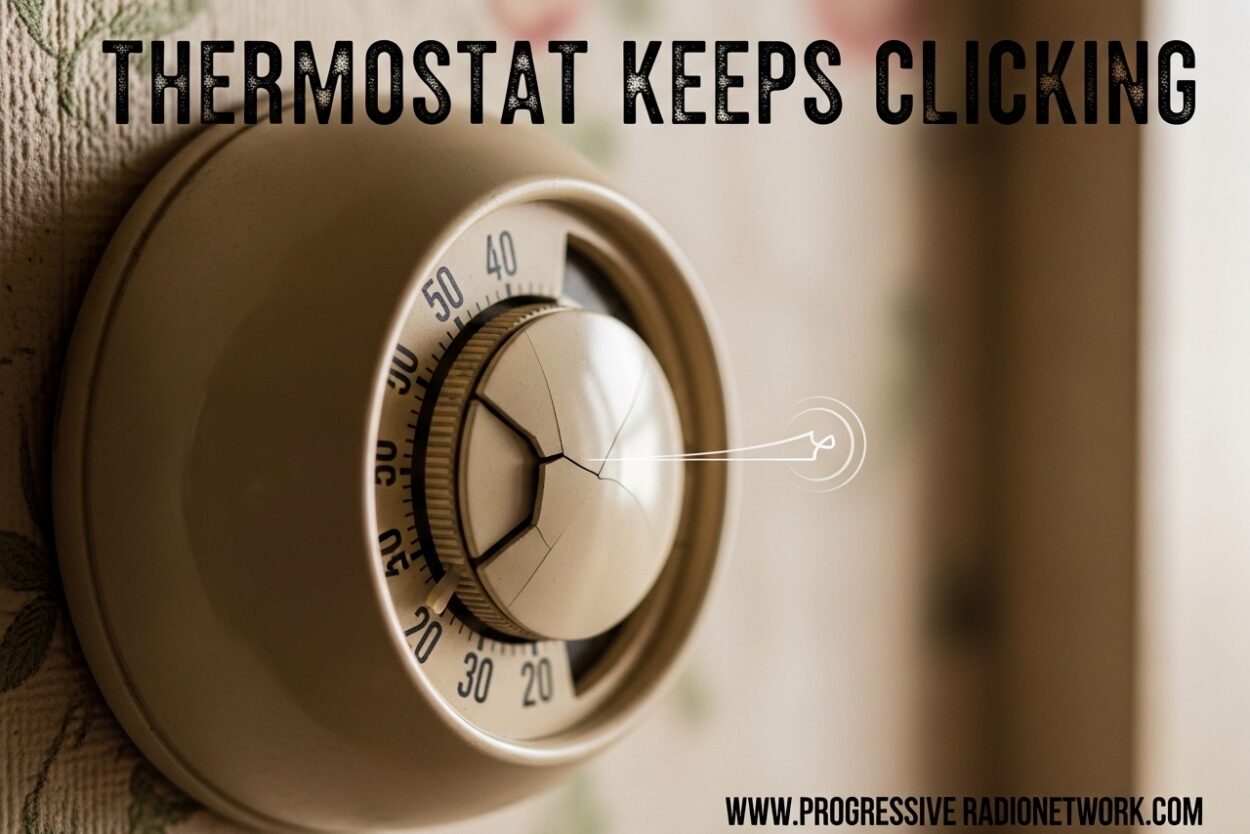
That persistent clicking sound coming from your thermostat can be frustrating and worrying. You’re not alone – thousands of homeowners search for answers about thermostat clicking sounds every month. Whether it’s a single click when your HVAC system turns on or constant rapid clicking that disrupts your peace, understanding what’s happening behind the scenes is the first step to solving the problem.
I’ve researched the most common causes of thermostat clicking and compiled this comprehensive guide to help you diagnose the issue. In this article, you’ll learn why thermostats make clicking sounds, how to tell the difference between normal operation and a problem, and exactly what steps you can take to fix it.
Is Thermostat Clicking Normal?
Yes, thermostat clicking is usually normal. A single click when your heating or cooling system turns on or off is completely expected behavior. This click is the sound of the relay switch inside your thermostat engaging or disengaging to send power to your HVAC system.
Think of it like flipping a light switch – you hear a small click when the connection is made or broken. Your thermostat works the same way, using an electromechanical relay to control the flow of electricity to your furnace or air conditioner. This single, deliberate click is actually a sign that your thermostat is working properly.
What’s not normal is constant, rapid, or repetitive clicking. If your thermostat keeps clicking multiple times in quick succession or clicks continuously without activating your heating or cooling system, something is wrong. These clicking patterns can indicate anything from dead batteries to serious electrical issues that need professional attention.
Why Does My Thermostat Keep Clicking?
Understanding the root cause of excessive clicking helps you determine whether this is a simple DIY fix or time to call an HVAC professional. Let’s break down the most common reasons why your thermostat keeps clicking.
Loose or Faulty Wiring Connections
Loose wiring is one of the most common causes of thermostat clicking issues. Over time, the electrical connections behind your thermostat can become loose due to temperature changes, vibration, or poor initial installation. When wires aren’t making solid contact, the relay tries to connect repeatedly, creating that annoying clicking sound.
This issue is especially common in older homes or thermostats that were installed more than 10 years ago. The back-and-forth expansion and contraction from daily heating and cooling cycles can gradually loosen wire terminals. In some cases, corrosion may have built up on the connections, preventing proper electrical contact.
Low or Failing Batteries
Many digital thermostats rely on batteries for power, and when these batteries start to fail, strange behavior can occur. Low voltage causes the thermostat’s internal electronics to malfunction, often resulting in rapid clicking as the relay attempts to engage but lacks sufficient power.
This is actually one of the easiest problems to fix. If your thermostat has a low battery indicator, replace the batteries immediately. Even without a warning light, changing the batteries should be your first troubleshooting step – it’s a quick, inexpensive fix that solves many clicking issues.
Faulty Relay Switch
The relay switch inside your thermostat is the component responsible for the clicking sound. When this switch begins to fail, it may get stuck in a cycle of attempting to make contact without fully engaging. This creates rapid clicking as the electrical contacts try repeatedly to connect.
Relay failure is more common in older thermostats or units that have cycled on and off thousands of times over their lifespan. Unfortunately, a faulty relay usually means the thermostat itself needs replacement rather than repair.
Short Cycling of the HVAC System
Sometimes the clicking isn’t caused by the thermostat at all – it’s responding to a problem with your heating or cooling equipment. Short cycling occurs when your HVAC system turns on and off repeatedly in rapid succession, causing the thermostat to click each time it attempts to activate the system.
Common causes of short cycling include a dirty air filter restricting airflow, an oversized HVAC system, refrigerant leaks in air conditioners, or a failing compressor. In these cases, fixing the HVAC problem will stop the excessive thermostat clicking.
Improper Thermostat Placement
Where your thermostat is located can significantly affect its behavior. If it’s installed near a heat source, in direct sunlight, or in a drafty area, it may detect inaccurate temperatures. This causes the thermostat to constantly adjust and click as it tries to maintain the set temperature.
For example, a thermostat above a heat register will think the room is warmer than it actually is, causing it to click off prematurely. Similarly, a thermostat in direct sunlight may read temperatures 5-10 degrees higher than the actual room temperature.
Dirt and Debris Buildup
Dust, pet hair, and debris can accumulate inside your thermostat over time, especially if you live in a dusty environment or have pets. This buildup can interfere with the internal components, including the relay switch and temperature sensors, causing erratic clicking behavior.
Older mechanical thermostats with bi-metallic strips are particularly susceptible to dust accumulation. Even a thin layer of dust can prevent these components from moving freely, leading to sticking and repeated clicking.
Common Signs of a Failing Thermostat
Beyond excessive clicking, several other symptoms can indicate your thermostat is nearing the end of its life. Recognizing these signs early can help you address problems before your HVAC system stops working completely.
- Inaccurate temperature readings: Your thermostat displays a temperature that doesn’t match how the room actually feels, or your heating/cooling system runs longer than necessary to reach the set temperature.
- Unresponsive to settings: You adjust the temperature or change modes, but nothing happens. The display may show the new setting, but your HVAC system doesn’t respond.
- Clicking without HVAC activation: The thermostat clicks when it should be activating your heating or cooling, but the system never turns on.
- Display issues or blank screen: The screen is blank, flickering, shows random characters, or the backlight doesn’t work properly.
- Frequent system cycling: Your HVAC system turns on and off more frequently than normal, often running for only a few minutes at a time.
- Loss of programming: Programmable thermostats forget their schedules or settings, requiring you to reprogram them repeatedly.
If you notice multiple symptoms from this list along with excessive clicking, thermostat replacement is likely your best option.
How to Troubleshoot Thermostat Clicking
Before calling a professional, try these DIY troubleshooting steps. Many clicking issues can be resolved with simple fixes that don’t require special tools or technical expertise.
Step 1: Replace the Batteries
This should always be your first step, even if your thermostat doesn’t show a low battery warning. Remove the thermostat from its wall plate, locate the battery compartment, and install fresh batteries. Most digital thermostats use AA or AAA batteries, though some models use specialty lithium batteries.
After replacing the batteries, wait 2-3 minutes to see if the clicking stops. If the problem persists, move to the next troubleshooting step. This simple fix resolves approximately 30% of thermostat clicking issues.
Step 2: Check Thermostat Mounting and Placement
Examine how your thermostat is mounted to the wall. Loose mounting can cause internal components to shift, leading to contact issues and clicking. Gently tighten the mounting screws, being careful not to overtighten and crack the housing.
Also evaluate the thermostat’s location. Is it near a heat source? In direct sunlight? Above an air vent? If placement issues are causing the clicking, you may need to relocate the thermostat to a more central location away from temperature influences. This might require running new wires, but can dramatically improve performance.
Step 3: Clean the Thermostat
Dust buildup is a common culprit behind clicking issues. To clean your thermostat, first remove it from the wall plate. Use compressed air to blow out dust from the interior, then wipe down the exterior and interior components with a soft, dry cloth.
For older mechanical thermostats, you may need to clean the bi-metallic coil with a soft brush or compressed air. Avoid using water or cleaning solutions, as these can damage the sensitive electronic components. Reassemble the thermostat and observe whether the clicking continues.
Step 4: Check Circuit Breaker and Power Supply
Locate your electrical panel and find the breaker controlling your HVAC system. Make sure it hasn’t tripped – a tripped breaker will be in the middle position rather than fully on. Reset it by flipping it off, then back on.
For hardwired thermostats without batteries, verify that power is reaching the unit. You may need to shut off power to the HVAC system and remove the thermostat to inspect the wiring connections behind it.
Step 5: Verify Wiring Connections (With Safety Precautions)
Important safety warning: Before inspecting any wiring, turn off power to your HVAC system at the circuit breaker. Electrical shock can occur if you work on live wires.
With power off, remove the thermostat from its wall plate and examine the wires connected to it. Each wire should be securely fastened to its terminal with no exposed copper. Look for loose connections, corrosion, or signs of burning. Tighten any loose terminal screws and clean any corroded connections with electrical contact cleaner.
Common thermostat wiring issues include:
– Loose red (power) wire causing intermittent power
– Disconnected or loose white (heat) wire preventing heating activation
– Poorly connected yellow (cooling) wire causing AC issues
– Damaged or frayed wire insulation creating shorts
Step 6: Test HVAC System Operation
Sometimes the thermostat is working correctly, but your HVAC system has a problem preventing it from starting. Test your heating and cooling systems directly:
– For furnaces: Check the pilot light, ensure the gas supply is on, and inspect the air filter
– For air conditioners: Check the outdoor unit, clear any debris around the condenser, and verify the refrigerant lines aren’t frozen
– For heat pumps: Ensure the outdoor unit isn’t blocked and check the defrost cycle
If your HVAC system starts but the clicking continues, the issue is with the thermostat itself rather than your heating or cooling equipment.
Safety Warnings: Can a Clicking Thermostat Cause a Fire?
This is one of the most common concerns homeowners have about clicking thermostats, and it’s important to address it directly. While clicking itself is rarely dangerous, the underlying causes can sometimes create safety hazards.
The primary fire risk comes from loose or damaged wiring. When electrical connections are loose, they can create resistance that generates heat. In extreme cases, this can cause wires to overheat, melt insulation, and potentially ignite surrounding materials. Signs of dangerous electrical issues include:
– A burning smell near the thermostat
– Discoloration or scorch marks on the wall plate
– The thermostat feeling hot to the touch
– Frequent breaker trips when HVAC activates
If you notice any of these warning signs, immediately turn off power to your HVAC system at the circuit breaker and contact a licensed electrician or HVAC technician. Do not attempt to repair electrical problems yourself unless you have proper training and experience.
It’s also worth noting that very old thermostats manufactured before the 1990s may contain mercury switches. If you have a mercury thermostat and it breaks, the mercury can be toxic. Handle these units carefully and consider upgrading to a modern digital or programmable thermostat.
Repair and Replacement Costs
Understanding potential costs helps you make informed decisions about whether to repair or replace your thermostat. Here are typical price ranges you can expect:
Thermostat replacement costs:
– Basic non-programmable thermostat: $20-$50
– Programmable digital thermostat: $50-$120
– Smart thermostat with Wi-Fi: $120-$300
– Professional installation: $80-$200 (if you can’t DIY)
HVAC professional service costs:
– Diagnostic service call: $75-$150
– Thermostat replacement including labor: $150-$400
– Wiring repair: $100-$300 depending on complexity
– Complete HVAC system inspection: $200-$400
If your thermostat is more than 10-15 years old, replacement is often more cost-effective than repair. Newer thermostats offer improved energy efficiency, better accuracy, and features like programmable schedules that can save 10-23% on heating and cooling costs over time.
When to Call a Professional
While many thermostat issues can be resolved with DIY troubleshooting, certain situations require professional expertise. Contact an HVAC technician if:
- You’ve tried all troubleshooting steps and clicking persists
- You notice burning smells, see scorch marks, or feel excessive heat
- You’re uncomfortable working with electrical wiring
- Your thermostat is hardwired and requires complex wiring diagnosis
- The clicking started recently after electrical work or storms
- Your HVAC system isn’t responding at all to thermostat commands
- You have a complex zoned heating/cooling system with multiple thermostats
Professional HVAC technicians have specialized tools to diagnose electrical problems, test components, and ensure your system operates safely. The service call fee is a small price to pay for peace of mind and proper repair.
Prevention and Maintenance Tips
Preventing future clicking problems is easier than fixing them. Follow these maintenance tips to keep your thermostat functioning smoothly:
- Replace batteries annually: Even if your thermostat doesn’t show a low battery warning, replace batteries once a year. Schedule this for a memorable date like daylight saving time changes.
- Schedule annual HVAC maintenance: Professional servicing includes inspecting thermostat operation and can catch problems before they cause clicking issues.
- Keep the area clean: Dust around your thermostat regularly and ensure furniture, curtains, or decor aren’t blocking air flow around the unit.
- Avoid direct sunlight: If possible, position thermostats away from windows or use blinds to prevent direct sun from hitting the unit.
- Upgrade outdated equipment: If your thermostat is more than 15 years old, consider upgrading to a modern programmable or smart model with better reliability and features.
FAQ
Is it normal for a thermostat to click?
Yes, a single click when your HVAC system turns on or off is completely normal. This sound is the relay switch engaging to send power to your heating or cooling system. What’s not normal is constant, rapid, or repetitive clicking – these patterns indicate a problem that needs attention.
Why does my thermostat keep kicking on and off?
Short cycling (frequent on-off cycling) is often caused by a dirty air filter, oversized HVAC system, refrigerant leak, or failing compressor. Your thermostat may be clicking repeatedly as it tries to activate the system. Check your air filter first, then contact an HVAC technician if the problem persists.
Can a faulty thermostat cause a fire?
While rare, yes – a faulty thermostat with loose or damaged wiring can create electrical resistance that generates heat. Warning signs include burning smells, scorch marks on the wall plate, a hot thermostat, or tripped breakers. If you notice these signs, turn off power immediately and contact a professional.
What are the signs that your thermostat is going bad?
Common signs include inaccurate temperature readings, unresponsive settings, clicking without HVAC activation, display issues, frequent system cycling, and loss of programming schedules. If you notice multiple symptoms along with excessive clicking, thermostat replacement is likely needed.
How do I stop my actuator from clicking?
First try replacing the batteries in your thermostat. If clicking continues, clean the thermostat interior with compressed air, check that mounting screws are tight, and verify the thermostat isn’t in direct sunlight or near heat sources. If problems persist, the relay may be failing and require thermostat replacement.
How much does it cost to replace a thermostat?
Basic non-programmable thermostats cost $20-$50, programmable models range from $50-$120, and smart thermostats with Wi-Fi cost $120-$300. Professional installation adds $80-$200. Complete service including installation typically runs $150-$400 depending on the thermostat model and wiring complexity.
Why is my thermostat clicking but not turning on?
This usually indicates the thermostat’s relay is clicking but the HVAC system isn’t responding. Causes include loose wiring connections, a tripped breaker, faulty relay, or problems with the HVAC equipment itself. Check your breaker first, then inspect wiring connections with power off, and finally test the HVAC system directly.
How often should thermostats be replaced?
Most thermostats last 10-15 years before needing replacement. If your thermostat is over 15 years old, upgrading to a modern programmable or smart model is recommended. Newer thermostats offer better accuracy, energy efficiency, and features that can reduce heating and cooling costs by 10-23%.
Will changing batteries stop the clicking?
Yes, in approximately 30% of cases. Low or failing batteries cause many digital thermostats to malfunction and click repeatedly. Even without a low battery warning, replacing batteries should be your first troubleshooting step. Use fresh, high-quality batteries and wait 2-3 minutes to see if the clicking stops.
Is rapid clicking a serious problem?
Rapid clicking often indicates a serious issue that needs attention. It can be caused by a failing relay switch, loose wiring creating intermittent contact, or short cycling of your HVAC system. While not always dangerous, rapid clicking should be diagnosed promptly to prevent further damage to your thermostat or HVAC equipment.
Conclusion
Understanding why your thermostat keeps clicking is the first step toward resolving the issue. Remember: a single click when your HVAC system activates is perfectly normal, but constant or rapid clicking signals a problem that needs attention.
Start with simple troubleshooting steps like replacing batteries, cleaning the unit, and checking mounting. If clicking persists, assess whether the issue is with the thermostat itself or your HVAC equipment. Don’t ignore warning signs like burning smells, scorch marks, or excessive heat – these indicate potentially dangerous electrical problems that require professional service.
Most thermostat clicking issues can be resolved quickly and affordably. Whether it’s a simple battery replacement or upgrading to a modern programmable model, fixing the problem will restore your peace of mind and ensure your heating and cooling system operates reliably for years to come.

Leave a Comment