
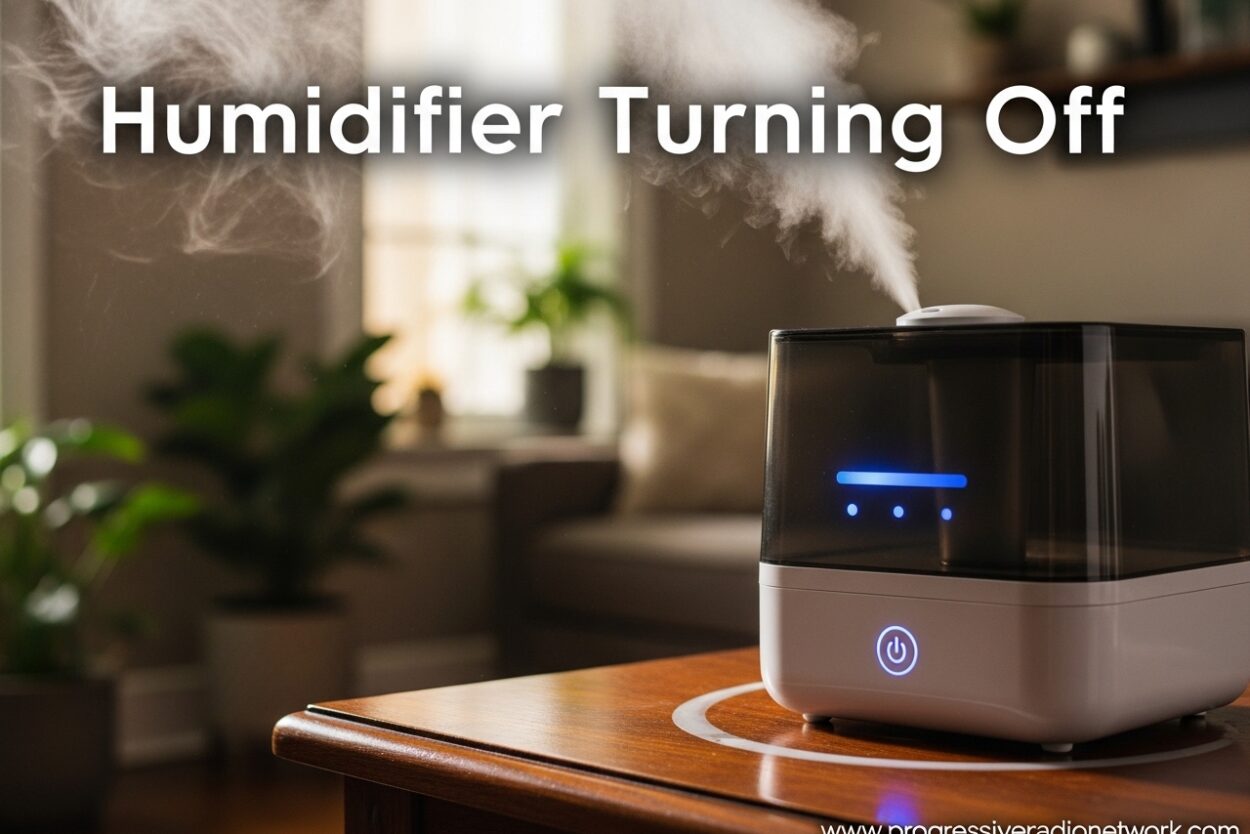
There’s nothing more frustrating than setting up your humidifier for a dry night, only to wake up and find it turned off after running for just a few minutes. I’ve been there – staring at a humidifier that shuts off after 5-10 seconds, wondering why it won’t stay running even with a full tank of water.
Humidifier turning off is one of the most common issues users face, and the causes range from simple fixes to more complex mechanical problems. After researching countless user experiences and consulting with HVAC professionals, I’ve compiled this comprehensive guide to help you diagnose and fix why your humidifier keeps shutting off.
In this guide, you’ll learn the real reasons behind auto shut-off features, step-by-step troubleshooting solutions, and maintenance tips to keep your humidifier running reliably throughout the dry season.
Understanding Auto Shut-Off Features
Modern humidifiers come equipped with auto shut-off features designed to protect both the unit and your home. These safety mechanisms aren’t malfunctions – they’re intentional design elements that prevent damage and maintain healthy humidity levels.
The most common auto shut-off triggers include:
Water level sensors: When the water tank runs low or is removed, the humidifier automatically powers down. This prevents the unit from running dry, which could damage internal components like the ultrasonic plate or heating element.
Humidistat settings: Your humidifier monitors room humidity and shuts off when it reaches your target level (typically between 30-50% relative humidity). This prevents over-humidification, which can cause mold growth and dust mites.
Timer functions: Many models include built-in timers that automatically turn off the unit after a set period, helping conserve energy and preventing excessive humidity.
Safety mechanisms: Overheating protection, tip-over sensors, and overflow protection all trigger automatic shutdown to prevent hazards like fires or water damage.
Humidifier Turning Off: Common Causes and Solutions
When your humidifier keeps turning off unexpectedly, the culprit is usually one of these five common issues. I’ll walk you through each problem and how to fix it.
Water Tank Not Seated Properly
This is the number one cause of humidifiers shutting off with a full tank. The water tank has a specific alignment with the base unit, and even a slight misalignment prevents the water level sensor from detecting water.
Solution: Remove the tank completely and reseat it firmly. Listen for an audible click or check that alignment marks line up. For top-fill models, ensure the tank sits flush against the base without wobbling.
Users on Reddit report this issue frequently, especially after refilling the tank. The temporary fix works, but if the problem returns consistently, check for cracks or debris in the tank seating area that might prevent proper contact.
Mineral Buildup on Sensors
Hard water leaves mineral deposits on water level sensors and the ultrasonic plate, causing false readings that trigger premature shut-off. You might see white dust around the unit or notice reduced mist output before it stops working entirely.
Solution: Descale your humidifier weekly if you use tap water. Use a mixture of white vinegar and water (1:1 ratio) to soak the affected parts for 30 minutes, then scrub gently with a soft brush. Rinse thoroughly before refilling.
For stubborn buildup, use a commercial humidifier descaler following the manufacturer’s instructions. Never use abrasive cleaners or metal tools that could damage delicate sensors.
Target Humidity Reached
If your humidifier turns off after running for several hours, it might simply be doing its job. Once the room reaches your set humidity level, the humidistat triggers shut-off until humidity drops below the target.
Solution: Check your current humidity setting using the built-in hygrometer or a separate room monitor. If humidity is already at 40-50%, your humidifier is working correctly. Lower the target setting if you want more moisture in the air.
Remember, humidity levels above 50% can cause condensation on windows, musty odors, and encourage mold growth. The ideal range for comfort and health is 30-50% relative humidity.
Power Supply Issues
Loose connections, faulty outlets, or damaged power cords can cause intermittent shut-off. The humidifier might run briefly before losing power, then restart when the connection temporarily reestablishes.
Solution: Try a different outlet to rule out electrical issues. Inspect the power cord for fraying, kinks, or damage. Ensure the plug is fully inserted and not in a loose-fitting outlet or power strip with poor contact.
For whole-house humidifiers connected to your HVAC system, check that the humidistat is properly wired and that the furnace is running when the humidifier should be operating.
Filter Problems
Clogged or dirty filters restrict airflow and can cause the humidifier to overheat or shut down as a safety measure. This is especially common in evaporative humidifiers with wick filters.
Solution: Check your filter condition weekly during heavy use. Replace wick filters every 1-2 months or when they show visible discoloration and mineral buildup. For permanent filters, clean according to manufacturer instructions.
A clogged filter not only causes shut-off issues but also reduces efficiency and can harbor bacteria and mold if left unchanged.
Step-by-Step Troubleshooting Guide
Follow these systematic steps to diagnose why your humidifier keeps turning off. I’ve ordered them from the most common to least common causes.
Step 1: Verify water tank placement
Remove the water tank completely from the base. Inspect the seating area for any debris, mineral deposits, or damage. Refill the tank if needed, then reseat it firmly, ensuring proper alignment. Listen for an audible click or check that indicators show the tank is properly detected.
Step 2: Check for red light indicators
Most humidifiers use LED lights to communicate issues. A red or amber light typically indicates a problem that’s causing the shut-off. Common red light meanings include:
– Empty water tank (even when full – indicates sensor issue)
– Filter needs replacement
– Mineral buildup detected
– Humidity target reached
– Unit needs cleaning
Consult your user manual for specific light meanings, but start by cleaning the unit and reseating the tank, as these resolve most red light issues.
Step 3: Clean mineral buildup
Empty the water tank and base completely. For ultrasonic humidifiers, clean the ultrasonic plate with a soft cloth and vinegar solution. For evaporative models, check the wick filter for hardness and mineral deposits. Replace if water no longer passes through easily.
For steam humidifiers, descale the heating element by filling the tank with vinegar and running it until the scale dissolves. Rinse thoroughly before normal use.
Step 4: Test humidistat settings
Check your current humidity level using the unit’s display or a separate hygrometer. If humidity is at or above your set point, the humidifier is working correctly. Lower the target setting by 5-10% to see if the unit runs longer before shutting off.
If the humidistat seems inaccurate, try placing the unit away from walls, furniture, and direct airflow from vents, which can affect readings.
Step 5: Inspect power connection
Ensure the power cord is fully plugged into a working outlet. Test the outlet with another device to confirm it’s functioning. For corded units, check the entire length of the cord for damage. For battery-operated models, replace batteries with fresh ones.
Whole-house humidifier owners should verify the humidistat is properly wired to the HVAC system and that the furnace is calling for heat when the humidifier should operate.
Step 6: Try continuous mode
Many humidifiers have a continuous run mode that bypasses the humidistat and runs until the tank is empty. This helps determine if the shut-off is due to humidity settings or another issue. Check your unit’s control panel or manual for how to enable this feature.
If the humidifier runs normally in continuous mode but shuts off in auto mode, the issue is likely your humidity target setting being too low for current conditions.
Humidifier Types and Their Shut-Off Behaviors
Different humidifier technologies have unique shut-off characteristics. Understanding your unit type helps diagnose issues more accurately.
Ultrasonic Humidifiers: These use high-frequency vibrations to create mist. They’re prone to mineral buildup on the ultrasonic plate, which can cause intermittent shut-off. The plate must be clean for proper operation, and the water level sensor is particularly sensitive to tank placement.
Evaporative Humidifiers: These use a fan to blow air through a wet wick filter. When the filter dries out or becomes clogged with minerals, the humidifier may shut down due to reduced airflow or safety sensors detecting potential overheating.
Steam/Warm Mist Humidifiers: These boil water to create steam. They have the most complex shut-off systems, including overheating protection and low-water shutoffs. Mineral buildup on the heating element is a common cause of premature shut-off.
Whole-House Humidifiers: Connected to your HVAC system, these turn off when the furnace isn’t running or when the humidistat detects target humidity. Issues with the HVAC system, humidistat wiring, or water supply valves can cause unexpected shut-offs.
The ‘After Cleaning’ Issue Explained
A common complaint in humidifier forums is units that worked fine before cleaning but shut off immediately afterward. This frustrating issue has specific causes you might not expect.
Water not fully drained: After cleaning, residual water in the base can trigger the overflow sensor. Ensure all water is drained from both tank and base before reassembling.
Filter not fully dry: Some models, particularly Canopy humidifiers with Smart Persistent Airflow (SPA) technology, run the fan after humidification stops to dry the filter and prevent mold. If the filter is still wet when you restart, the unit may shut off to complete the drying cycle.
Sensor wetness: Water level sensors need to be dry before refilling. Moisture on the sensor during reassembly can cause false readings that trigger immediate shut-off. Allow sensors to air dry completely before reassembly.
Improper reassembly: After deep cleaning, components must be reassembled in the correct order and orientation. Double-check that all parts click into place and that alignment marks match up.
Seasonal Maintenance Guide
Prevent humidifier turning off issues with regular maintenance. I’ve created this schedule based on manufacturer recommendations and user experiences.
Weekly (during active use):
– Empty and refill water tank with fresh water daily
– Wipe down exterior with damp cloth
– Check for mineral deposits on visible parts
– Verify tank is seated properly
Monthly:
– Perform deep clean with vinegar solution
– Inspect and clean ultrasonic plate or heating element
– Check filter condition and replace if needed
– Descale all water-contact surfaces
Seasonal Start-Up (Fall/Winter):
– Inspect entire unit for damage from storage
– Replace old filters with new ones
– Test run before heavy use
– Check seals and gaskets for cracks
Seasonal Shutdown (Spring):
– Clean and dry all components thoroughly
– Remove and discard used filters
– Drain all water from tank and base
– Store in cool, dry place
When to Replace vs Repair
Sometimes humidifier turning off issues signal it’s time for a replacement rather than a repair. Consider these factors when deciding.
Age of unit: Most humidifiers last 3-5 years with proper maintenance. If your unit is older than 5 years and experiencing frequent issues, replacement is usually more cost-effective than repair.
Repair cost: If the repair costs more than 50% of a new unit’s price, replacement makes sense. Common repairs like replacing filters or cleaning sensors are inexpensive, but motor or circuit board repairs can be costly.
Parts availability: Older models may have discontinued parts. If you can’t find replacement filters or components, upgrading to a newer model is your best option.
Efficiency gains: Newer humidifiers often have better energy efficiency, quieter operation, and improved features like automatic humidity sensing. Upgrading can provide long-term savings and better performance.
Health Considerations
Proper humidifier operation is important for health, especially for those with respiratory conditions. Here’s what you need to know about humidifier use with specific health concerns.
COPD and humidifier use: People with COPD can benefit from properly humidified air, as it helps thin mucus and makes breathing easier. However, humidity levels above 50% can promote mold growth, which triggers COPD symptoms. The key is maintaining 30-40% humidity and keeping the humidifier meticulously clean to prevent bacterial growth.
Sleep apnea and humidification: CPAP users often require humidified air to prevent dry throat and congestion. If your CPAP humidifier keeps turning off, check the water chamber seating and ensure the CPAP machine has adequate airflow. Never bypass safety features on medical devices.
Asthma and allergies: Proper humidity (30-50%) reduces asthma triggers and allergy symptoms. However, dirty humidifiers distribute allergens and irritants. Clean your unit more frequently if you have respiratory sensitivities.
Frequently Asked Questions
Why is my humidifier turning off on its own?
Auto shut-off is typically triggered by one of three causes: the water tank is empty or improperly seated, target humidity level has been reached, or the unit has a maintenance need like a clogged filter or mineral buildup. Most humidifiers include safety features that automatically power down the device when these conditions are detected to prevent damage and maintain healthy humidity levels.
Why does my humidifier keep turning off when the tank is full?
This frustrating issue usually indicates a water level sensor problem. The sensor may have mineral buildup preventing proper detection, the tank might not be seated correctly despite appearing in place, or there could be air bubbles trapped near the sensor. Try removing and reseating the tank firmly, cleaning the sensor area with vinegar, or checking for cracks in the tank that affect sensor readings.
What does the red light on my humidifier mean?
A red light typically indicates a problem that’s preventing normal operation. Common causes include an empty water tank, a filter that needs replacement, mineral buildup that requires cleaning, or that target humidity has been reached. Some models use red for refill warnings and amber for maintenance needs. Check your user manual for specific meanings, but start by cleaning the unit and reseating the water tank, which resolves most red light issues.
Should I use a humidifier if I have COPD?
Yes, properly maintained humidifiers can help COPD patients by keeping airways moist and making mucus easier to clear. However, humidity levels must stay between 30-40% to avoid mold growth that can worsen symptoms. Clean your humidifier every 2-3 days with vinegar to prevent bacterial and fungal growth. Use distilled water to minimize mineral deposits and always monitor humidity with a hygrometer.
How often should I clean my humidifier to prevent shut-off issues?
For optimal performance and to prevent shut-off issues, clean your humidifier at least once a week during active use. Daily maintenance should include emptying and refilling the water tank with fresh water. Monthly deep cleaning with vinegar removes mineral buildup that affects sensors and operation. If you use tap water in a hard water area, consider cleaning more frequently or switching to distilled water to reduce maintenance needs.
Why does my humidifier turn off after 5-10 seconds?
This specific issue is almost always caused by the water tank not being properly seated or detected. The sensor doesn’t register water presence, so the safety mechanism immediately shuts down the unit. Remove the tank completely and reseat it firmly, listening for an audible click. Also check for mineral deposits on the sensor contact points and clean with vinegar. If the problem persists, there may be a sensor malfunction requiring professional repair or replacement.
Conclusion
Humidifier turning off issues are frustrating but usually solvable with basic troubleshooting. The most common causes are improper water tank seating, mineral buildup on sensors, and normal operation when target humidity is reached. By following the step-by-step guide above and maintaining a regular cleaning schedule, you can prevent most shut-off problems before they start.
Remember that auto shut-off features are actually protecting your unit and your home. Understanding how these safety mechanisms work helps you distinguish between normal operation and actual problems. When in doubt, start with the basics: reseat the water tank, clean the sensors, and verify your humidity settings.
If you’ve tried all troubleshooting steps and your humidifier still won’t stay running, it may be time to consult the manufacturer or consider a replacement. Most humidifiers last 3-5 years with proper care, so if your unit is older, upgrading to a newer model with better features might be the most cost-effective solution.
Regular maintenance is the key to preventing humidifier turning off issues. Set a weekly reminder to clean your unit during dry seasons, and you’ll enjoy consistent, reliable humidity throughout the year.
Leave a Comment