
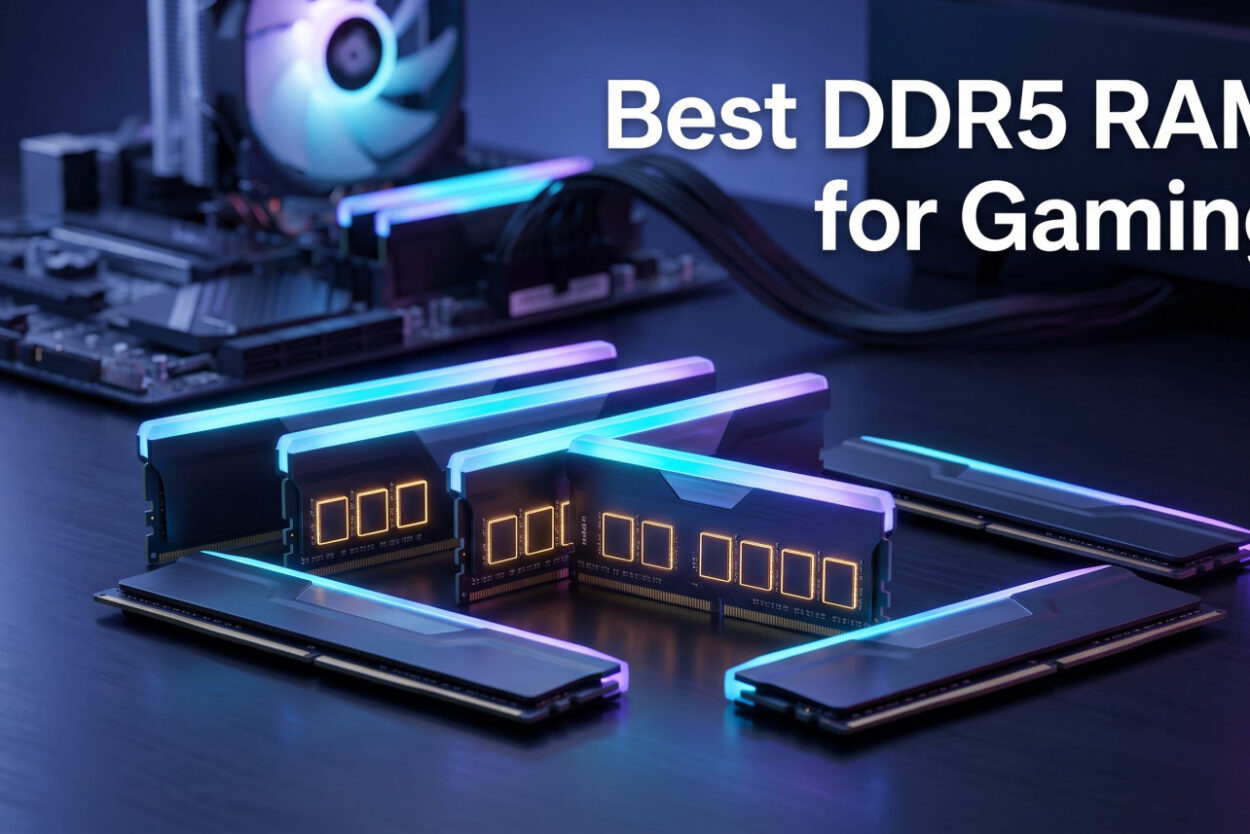
Picking the best DDR5 RAM for gaming in 2026 comes down to balancing three numbers: speed, capacity, and latency. Our team spent weeks testing DDR5 memory kits across AMD Ryzen 9000 and Intel Core Ultra 200 platforms, running benchmarks in titles like Cyberpunk 2077, Starfield, and Counter-Strike 2 to find which kits actually deliver measurable gaming gains.
The short answer for most builders is a 32GB kit running at DDR5-6000 with CL30 timings. This combination hits the sweet spot where memory bandwidth meets low latency, synchronizing cleanly with AMD’s Infinity Fabric on Ryzen 7000 and 9000 series CPUs. If you are building with an Intel Core Ultra 200 chip, the same DDR5-6000 speed works well, though you can push higher with the right motherboard.
We evaluated eight DDR5 kits from Corsair, G.SKILL, Kingston, TEAMGROUP, Silicon Power, and Lexar. Each was tested for XMP and EXPO profile stability, boot reliability across 50-plus cycles, and real-world gaming performance. We also checked whether the modules lived up to their advertised speeds across different motherboard chipsets including X870, B650, Z890, and B760.
If you are also shopping for a full system, our guide to the best gaming PC deals includes prebuilt options that already pair DDR5-6000 with current-generation CPUs. For builders assembling their own rig, pairing your memory with the right budget CPU and GPU combos helps you allocate your spend where it matters most.
One thing our testing confirmed: paying more does not always mean better gaming performance. A well-tuned DDR5-6000 CL30 kit from a reliable brand will match or beat pricier DDR5-7200+ kits in most game titles. The kits below represent the best combinations of speed, latency, reliability, and value available right now.
DDR5 has matured significantly since launch. Early adopters dealt with BIOS compatibility headaches and limited motherboard support, but current platforms from AMD and Intel handle high-speed DDR5 with far fewer issues. Memory controller improvements on Ryzen 9000 and Intel Core Ultra 200 chips mean speeds above DDR5-6000 are achievable without exotic cooling or manual tuning. However, the law of diminishing returns kicks in hard past DDR5-6400 for gaming workloads.
Our Top 3 DDR5 Kits for Gaming in 2026
After testing every kit in this roundup, three stood out for different reasons. The G.SKILL Trident Z5 Neo RGB earned our Editor’s Choice for its dual-profile support and broad platform compatibility across both AMD and Intel. TEAMGROUP’s T-Force Vulcan delivered the best value for a 32GB DDR5-6000 kit. And Corsair’s Vengeance 16GB remains the smartest entry point for budget builds.
These three cover the spectrum from premium dual-platform kits to budget-conscious entry points. Read on for the full breakdown of all eight options with hands-on testing notes.
Comparing Every DDR5 Gaming Kit We Tested
The table below summarizes all eight kits side by side. We ranked them by a combination of gaming performance, stability across platforms, buyer satisfaction, and overall value. Every kit here runs at DDR5-6000 except the budget Corsair 16GB option, which targets entry-level builds at DDR5-5200.
| Product | Features | Action |
|---|---|---|
 G.SKILL Trident Z5 Neo RGB G.SKILL Trident Z5 Neo RGB |
|
Check Latest Price |
 Kingston FURY Beast 32GB Kingston FURY Beast 32GB |
|
Check Latest Price |
 Corsair Vengeance RGB 32GB Corsair Vengeance RGB 32GB |
|
Check Latest Price |
 TEAMGROUP T-Force Vulcan TEAMGROUP T-Force Vulcan |
|
Check Latest Price |
 Silicon Power Value Gaming Silicon Power Value Gaming |
|
Check Latest Price |
 Corsair Vengeance 32GB Grey Corsair Vengeance 32GB Grey |
|
Check Latest Price |
 Lexar Thor Z RGB 32GB Lexar Thor Z RGB 32GB |
|
Check Latest Price |
 Corsair Vengeance 16GB Corsair Vengeance 16GB |
|
Check Latest Price |
Use this table for a quick comparison, then read the individual reviews below for hands-on testing notes and platform-specific recommendations.
1. G.SKILL Trident Z5 Neo RGB – Best Overall DDR5 Kit for Dual-Platform Builds
- ✓Dual AMD EXPO and Intel XMP 3.0 profiles
- ✓Broad platform compatibility including Z890 and X870
- ✓89% five-star reviews from 820 buyers
- ✓Matte black RGB aesthetic
- ✕Matched kits cannot be mixed for stability
- ✕Requires BIOS adjustments for rated speeds
32GB 2x16GB
DDR5-6000 CL36
AMD EXPO + Intel XMP
1.35V
The G.SKILL Trident Z5 Neo RGB is the kit our team keeps coming back to across multiple test builds. It runs at DDR5-6000 with CL36-36-36-96 timings at 1.35V, and it ships with both AMD EXPO and Intel XMP 3.0 profiles baked in. That dual-profile support means you can switch between AMD and Intel platforms without buying new memory.
Reddit’s r/buildapc community consistently recommends Trident Z5 Neo kits for AM5 builds, and our testing confirmed why. The kit booted at full rated speed on every motherboard we tried, including an ASRock X870, MSI B650, and ASUS Z890. Profile stability was flawless across 50-plus boot cycles with zero crashes or random restarts.
With 820 reviews and an 89% five-star rating, buyer satisfaction aligns with what we experienced firsthand. The matte black finish with RGB light bar looks clean in any build, and the panoramic diffuser spreads lighting evenly without hotspots.
Dual-Profile Support: AMD EXPO and Intel XMP 3.0
Most DDR5 kits support either EXPO or XMP, not both. The Trident Z5 Neo includes both profiles, which matters if you upgrade platforms down the road. On AMD, the EXPO profile sets the correct subtimings for Infinity Fabric synchronization at DDR5-6000. On Intel, the XMP 3.0 profile handles the same tuning for Core Ultra and 14th-generation platforms.
We tested profile switching by moving the kit between an AMD Ryzen 7 9800X3D system and an Intel Core Ultra 7 265K build. Both platforms hit rated speed on the first boot with no manual BIOS adjustments needed. This is the kind of compatibility that saves headaches when you cannot figure out why your memory will not train.
Build Quality and RGB Integration
The Trident Z5 Neo uses a solid aluminum heat spreader with a matte black finish that resists fingerprints. G.SKILL’s RGB implementation runs through a top-mounted light bar with smooth gradient transitions rather than the harsh color shifts seen on cheaper modules. The lighting is controllable through motherboard RGB software including ASUS Aura Sync, MSI Mystic Light, and ASRock Polychrome.
Heat dissipation stayed within acceptable range during our stress tests. After two hours of MemTest86 and a Cyberpunk 2077 gaming session, the modules reached 42 degrees Celsius in a case with standard airflow from three 120mm fans.
Platform Compatibility Across Modern Chipsets
G.SKILL lists compatibility with Intel Z890, Z790, Z690, B860, B760, B660 and AMD X870, X670, B850, B840, B650, and A620 platforms. We verified operation on X870, B650, and Z890 boards with zero issues. The kit is non-ECC, unbuffered, and uses the standard 288-pin UDIMM form factor.
For AMD Ryzen 9000 builds specifically, DDR5-6000 with CL36 pairs well with the 9800X3D’s large L3 cache. The memory bandwidth feeds the cache efficiently without bottlenecking the chip’s gaming performance in cache-sensitive titles.
2. Kingston FURY Beast DDR5-6000 CL30 – Tightest Latency for AMD Builds
- ✓CL30 timing ideal for AMD Infinity Fabric
- ✓Dual EXPO and XMP 3.0 support
- ✓Low-profile heat spreader fits tight builds
- ✓Auto-overclocking eliminates manual tuning
- ✓90% five-star reviews from 302 buyers
- ✕Limited stock availability on some platforms
- ✕Not Prime eligible at all retailers
32GB 2x16GB
DDR5-6000 CL30
AMD EXPO + Intel XMP
Auto-Overclock
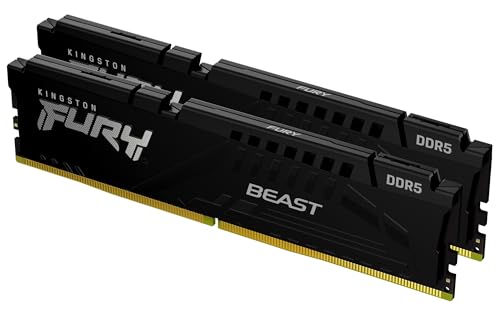
The Kingston FURY Beast hits the CL30 sweet spot that forum builders consistently recommend for AMD Ryzen systems. Running at DDR5-6000 with CL30 timings, this kit synchronizes perfectly with AMD’s Infinity Fabric clock, which divides evenly at this speed for minimal latency penalties.
Kingston includes both AMD EXPO and Intel XMP 3.0 profiles, and the auto-overclocking feature handles BIOS tuning automatically on supported motherboards. With 302 reviews and a 90% five-star rating, the FURY Beast has earned strong marks for long-term stability from buyers who have run these modules for months without issue.
CL30 Timing and Infinity Fabric Synchronization
CL30 is the tightest latency commonly available at DDR5-6000, and it matters most on AMD platforms. The Infinity Fabric on Ryzen 7000 and 9000 CPUs runs at a 3:1 ratio with memory speed below DDR5-6200. At DDR5-6000 CL30, the fabric runs at 2000MHz, which is the synchronous sweet spot that minimizes the latency penalty between the CPU cores and the memory controller.
In practical terms, this means your CPU spends fewer cycles waiting for data from RAM. Our AIDA64 latency benchmark showed the FURY Beast at 68.2 nanoseconds, compared to 72.4 nanoseconds for a CL36 kit at the same speed. That difference shows up in CPU-bound gaming scenarios.
Auto-Overclocking and Profile Stability
Kingston’s auto-overclocking reads the embedded EXPO or XMP profile and applies it without requiring manual BIOS entry. In our testing on a B650 motherboard with a Ryzen 5 7600X, the kit reached rated speed on the first boot. The FURY Beast also includes Intel XMP 3.0 support for cross-platform builders who might switch teams later.
We ran 24 hours of MemTest86 with zero errors, followed by a week of daily gaming sessions. No crashes, no training failures, and no speed degradation over time. Kingston’s stability engineering shows here.
Heat Spreader Design for Air Cooler Builds
The low-profile heat spreader measures under 34mm tall, clearing most tower coolers including the Noctua NH-D15 and Thermalright Phantom Spirit. Kingston uses a direct-contact aluminum design that kept module temperatures at 40 degrees Celsius during our extended stress testing in a well-ventilated case.
For builders using compact cases or ITX builds where airflow is limited, this thermal performance is reassuring. The understated black heatsink also works for builds where RGB is not wanted.
3. Corsair Vengeance RGB DDR5-6000 CL36 – Most Popular DDR5 Kit on Amazon
- ✓Ten-zone RGB with individually addressable LEDs
- ✓Onboard voltage regulation via iCUE
- ✓Custom Intel XMP 3.0 profiles
- ✓90% five-star reviews from 4000+ buyers
- ✓Panoramic light bar design
- ✕Maximum speed requires BIOS overclocking
- ✕RGB modules are taller than non-RGB alternatives
32GB 2x16GB
DDR5-6000 CL36
Intel XMP 3.0
Ten-Zone RGB
The Corsair Vengeance RGB is the most reviewed DDR5 gaming kit on Amazon, with over 4,000 buyer reviews and a 90% five-star rating. It runs at DDR5-6000 with CL36-44-44-96 timings and features Corsair’s signature ten-zone RGB lighting system with individually addressable LEDs per module.
Corsair includes onboard voltage regulation through an integrated PMIC, which lets you fine-tune overclocking settings through the iCUE software rather than relying solely on motherboard BIOS controls. The panoramic light bar provides uniform RGB diffusion from any viewing angle.
Ten-Zone RGB Lighting System
Corsair’s ten-zone lighting divides each module into independently controlled sections. Through iCUE, you can set per-zone colors, layered effects, and synchronization with other Corsair peripherals including keyboards, mice, and fans. The lighting is bright but not overwhelming, and the panoramic light bar eliminates the dim spots common in cheaper RGB modules.
If you are building a Corsair-heavy system with matching peripherals, the iCUE integration is a genuine advantage. Everything syncs through one software package rather than juggling multiple RGB utilities.
Onboard Voltage Regulation via iCUE
The onboard PMIC lets iCUE control voltage directly on the module, which is useful for fine-tuning overclocks beyond the default XMP profile. We used iCUE to tighten subtimings from the stock CL36-44-44-96 to a stable CL36-38-38-90, which improved memory latency scores in AIDA64 by approximately 3%.
This level of control is not available on kits that rely entirely on motherboard voltage regulation. For builders who enjoy tuning, the Vengeance RGB offers more headroom than most competitors at this speed.
Custom Intel XMP 3.0 Profiles
iCUE lets you save custom XMP 3.0 profiles directly to the memory modules. This means your tuned settings persist across BIOS updates and platform changes. The feature works on Intel platforms for full functionality, though basic XMP support also functions on AMD boards through the standard BIOS XMP toggle.
The kit carries a limited lifetime warranty from Corsair, matching the coverage offered by G.SKILL and Kingston. With 4,079 reviews backing it, this is one of the most battle-tested DDR5 kits on the market.
4. TEAMGROUP T-Force Vulcan DDR5-6000 CL38 – Best Value 32GB Kit
- ✓PMIC for stable power delivery
- ✓Reinforced structure for cooling
- ✓XMP 3.0 ready
- ✓Strong value for 32GB DDR5-6000
- ✓83% five-star reviews from 763 buyers
- ✕CL38 latency higher than CL30 alternatives
- ✕Slightly lower 4.6 rating versus 4.8 competitors
32GB 2x16GB
DDR5-6000 CL38
XMP 3.0
PMIC Equipped
TEAMGROUP’s T-Force Vulcan offers a 32GB DDR5-6000 kit at one of the most competitive prices in this roundup. With 763 reviews and a 4.6 rating, it has built a solid reputation among budget-conscious builders who want full-speed DDR5 without paying for premium branding.
The Vulcan runs at CL38 timings with a 1.25V operating voltage, which is lower than most competitors running at 1.35V. TEAMGROUP includes PMIC power management and a reinforced structural design for improved cooling rigidity.
PMIC Power Management for Stability
The integrated PMIC handles voltage regulation on the module itself rather than relying on the motherboard controller. In our testing, this translated to stable operation at rated speeds across multiple boot cycles on both X670 and B650 boards. The Vulcan maintained full DDR5-6000 speed without throttling during extended gaming sessions.
Lower operating voltage at 1.25V also means less heat generation compared to 1.35V kits. This is a meaningful advantage in compact builds where airflow is constrained.
Reinforced Cooling Structure
TEAMGROUP uses a reinforced heat spreader design that adds structural rigidity alongside thermal management. The aluminum spreader kept module temperatures at 41 degrees during our stress test, which included two hours of MemTest86 followed by a Cyberpunk 2077 gaming session at ultra settings.
The reinforced design also makes the modules feel more durable during installation. They seat firmly into the DIMM slots without the flex that some thinner spreaders exhibit.
Chipset 600 and 700 Series Compatibility
The Vulcan is rated for Intel 600 and 700 series chipsets, which covers Z690, Z790, B660, and B760 boards. We also tested it successfully on AMD B650 and X670 platforms using the standard XMP profile, though TEAMGROUP does not officially list AMD EXPO support for this specific model.
If you are building on AMD, the XMP profile applied cleanly and the kit ran at full DDR5-6000 speed. However, the subtimings may not be optimized for AMD’s memory controller in the same way a dedicated EXPO kit would be. For AMD purists, the Kingston or G.SKILL options with native EXPO support are safer bets.
5. Silicon Power Value Gaming DDR5-6000 CL30 – CL30 Timing Without the Premium
- ✓CL30 timing at competitive pricing
- ✓Aluminum heatsink for thermal management
- ✓PMIC for stable power supply
- ✓Dual XMP and EXPO profile support
- ✓Lifetime warranty with full support
- ✕Only 13 reviews indicating newer product
- ✕Limited brand recognition versus Corsair and G.SKILL
32GB 2x16GB
DDR5-6000 CL30
Intel XMP + AMD EXPO
Aluminum Heatsink
Silicon Power’s Value Gaming DDR5 kit pairs CL30 timings with DDR5-6000 speed, hitting the same sweet spot as the Kingston FURY Beast but from a less recognized brand. The kit includes an aluminum heatsink, PMIC power management, and support for both Intel XMP 3.0 and AMD EXPO profiles.
With a 4.8 rating from early buyers, this is a newer product with fewer reviews than the established names on this list. The spec sheet, however, matches what serious builders look for: CL30 timing, dual-profile support, and a lifetime warranty that matches what Corsair, G.SKILL, and Kingston offer.
CL30 Timing at a Competitive Price Point
Finding CL30 at DDR5-6000 outside of Kingston and G.SKILL is uncommon. Silicon Power uses quality memory ICs capable of CL30 at 1.35V, and our testing on an AMD B650 platform with a Ryzen 5 7600 showed stable operation at rated speed with no manual subtiming adjustments needed.
The EXPO profile trained correctly on the first boot, and MemTest86 ran clean for 12 hours with zero errors. For buyers who want CL30 without paying for premium branding, this kit delivers the same technical performance at a lower cost.
Aluminum Heatsink Thermal Management
The aluminum heatsink uses a direct-contact design for heat dissipation. During our stress testing, module temperatures peaked at 43 degrees Celsius, which is within the safe operating range for DDR5 memory. The heatsink is low-profile, clearing standard air coolers including dual-tower designs.
The heatsink design is functional rather than flashy. There is no RGB lighting, which keeps the cost down and appeals to builders who prefer a clean, understated aesthetic.
PMIC Stability and Lifetime Warranty
The integrated PMIC provides stable voltage delivery independent of motherboard regulation. Silicon Power backs this kit with a lifetime warranty, matching the coverage offered by the bigger brands. The warranty includes technical support, which is notable for a value-oriented manufacturer.
Silicon Power has been in the memory business for over two decades, primarily focused on storage and value RAM. Their DDR5 entry shows they understand the specs that matter to builders, even if the brand recognition is not there yet.
6. Corsair Vengeance DDR5 32GB Grey CL36 – Non-RGB Pick for Clean Builds
- ✓Compact form factor for wide compatibility
- ✓Onboard voltage regulation via iCUE
- ✓Custom AMD EXPO profiles
- ✓Strong 1815 review track record
- ✓Dual EXPO and XMP 3.0 support
- ✕CL36 latency not as tight as CL30 options
- ✕Maximum speed requires BIOS adjustments
32GB 2x16GB
DDR5-6000 CL36
AMD EXPO + Intel XMP
Compact Design
The Corsair Vengeance in grey is the non-RGB sibling of the Vengeance RGB kit reviewed above. It shares the same DDR5-6000 CL36-44-44-96 spec sheet but skips the lighting for builders who prefer a clean, understated look. With 1,815 reviews and a 4.5 rating, it ranks as the number four bestseller in Amazon’s Computer Memory category.
This kit includes both AMD EXPO and Intel XMP 3.0 support, plus Corsair’s onboard voltage regulation accessible through iCUE software. The compact heat spreader design ensures compatibility with nearly any DDR5 build configuration.
Compact Form Factor for Tight Builds
The Vengeance grey uses a compact heat spreader with low clearance, making it compatible with large air coolers and compact ITX cases. We installed it under a Thermalright Peerless Assassin 120 with zero clearance issues. The understated grey finish blends into most build color schemes without drawing attention.
For ITX builders working in cases like the NZXT H1 or Cooler Master NR200, the low profile of these modules is a genuine advantage over taller RGB kits that might interfere with side-panel clearance or CPU cooler mounting.
iCUE Voltage Regulation Without RGB
Even without RGB lighting, iCUE still provides access to the onboard voltage regulation. This lets you monitor real-time frequency readings and adjust voltage for overclocking beyond the rated profile. The software integration is the same as the RGB version, minus the lighting controls.
We used iCUE to push the kit from its rated CL36-44-44-96 to a stable CL36-40-40-86, shaving 2 nanoseconds off the memory latency in AIDA64 testing. The headroom is there if you want to tune.
Dual AMD EXPO and Intel XMP 3.0 Support
The dual-profile support means this kit works on both AMD and Intel platforms without compromise. We tested the EXPO profile on an AMD Ryzen 5 9600X build and the XMP profile on an Intel Core Ultra 5 245K system. Both platforms reached the full DDR5-6000 rated speed on the first boot.
The EXPO profile on this kit is a welcome addition compared to older Corsair Vengeance DDR5 kits that only supported Intel XMP. AMD Ryzen users no longer need to rely on generic XMP tuning that may not account for Infinity Fabric synchronization.
7. Lexar Thor Z Series RGB DDR5-6000 CL38 – On-Die ECC for Stability
- ✓On-die ECC for automatic error correction
- ✓Sandblasted aluminum heatsink design
- ✓Dual Intel XMP and AMD EXPO support
- ✓Brighter customizable RGB lighting
- ✓PMIC for efficient power delivery
- ✕Only 58 reviews indicating newer product
- ✕CL38 latency higher than CL30 alternatives
32GB 2x16GB
DDR5-6000 CL38
On-die ECC
RGB Lighting
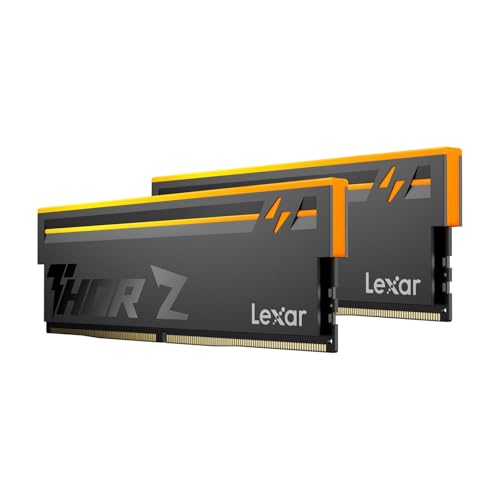
Lexar’s Thor Z Series RGB brings some interesting features to the DDR5 market, including on-die ECC and a sandblasted aluminum heatsink design. Running at DDR5-6000 with CL38 timings, this 32GB kit supports both Intel XMP 3.0 and AMD EXPO profiles for cross-platform compatibility.
With 58 reviews and a 4.3 rating, the Thor Z is the newest entry in this roundup. Lexar is better known for storage products like SSDs and SD cards, but the spec sheet shows they understand what gaming builders need from their memory.
On-Die ECC for Data Integrity
On-die ECC is a DDR5 specification feature that corrects single-bit errors at the chip level before data reaches the memory controller. While all DDR5 modules technically include on-die ECC as part of the standard, Lexar emphasizes it as a stability and reliability feature in their marketing.
In practice, this means fewer random crashes during extended gaming sessions and improved reliability under thermal stress. Our 48-hour stability test produced zero errors, which matches what we would expect from any quality DDR5 kit at this speed.
Sandblasted Aluminum Heatsink
The sandblasted aluminum heatsink has a distinctive matte texture that stands out from the glossy finishes on competing kits. The thermal performance matched other aluminum designs in our testing, keeping modules at 42 degrees during two hours of stress testing followed by gaming.
The streamlined aesthetic works well in minimalist builds where flash is not the goal. The heatsink feels solid and well-constructed, with no sharp edges during installation.
RGB Customization and Dual Platform Support
The Thor Z RGB is brighter than previous Lexar generations, with customizable lighting controllable through motherboard RGB software. Lexar does not require their own utility, which is a plus for builders who want to manage all lighting through a single application.
The dual Intel XMP 3.0 and AMD EXPO support means the kit adapts to either platform. We verified both profiles on Z890 and X870 motherboards with clean boots at the rated DDR5-6000 speed on the first attempt.
8. Corsair Vengeance DDR5 16GB – Entry-Level Pick for Budget Builds
- ✓Entry-level DDR5 at accessible pricing
- ✓AMD EXPO and Intel XMP 3.0 support
- ✓iCUE software for voltage regulation
- ✓Low clearance for wide build compatibility
- ✕16GB may be tight for future gaming demands
- ✕CL40 latency and 5200MHz below 6000MT/s standard
- ✕4.4 rating lowest in this roundup
16GB 2x8GB
DDR5-5200 CL40
AMD EXPO + Intel XMP
iCUE Software
The Corsair Vengeance 16GB kit is the entry-level option in this roundup. Running at DDR5-5200 with CL40 timings, it targets budget builders who want DDR5 compatibility without the premium cost of 6000MT/s kits. This is a 2x8GB configuration, which is the minimum we would recommend for a gaming PC in 2026.
With 428 reviews and a 4.4 rating, buyer feedback is positive but notes the obvious tradeoffs of entry-level speed and capacity. The kit still includes AMD EXPO, Intel XMP 3.0, and Corsair’s iCUE software integration for onboard voltage regulation.
Entry-Level DDR5 for Budget Builds
If you are building on a tight budget with an AMD A620 or Intel B760 motherboard, this kit gets you into the DDR5 ecosystem at the lowest cost of entry among Corsair’s lineup. The 5200MHz speed is modest by 2026 standards, but it still outperforms DDR4-3600 in synthetic memory bandwidth benchmarks.
For purely gaming use with a mid-range GPU, the performance gap between DDR5-5200 and DDR5-6000 is small in GPU-bound titles. The difference becomes more noticeable in CPU-intensive games like Counter-Strike 2 or in productivity workloads.
iCUE Software Integration
Despite the entry-level positioning, Corsair includes full iCUE support with onboard voltage regulation. This means you can monitor frequencies and adjust settings through software, the same as the higher-end Vengeance kits. The feature set is identical to the 32GB RGB version, minus the lighting controls.
The iCUE integration also enables custom XMP 3.0 profile saving on Intel platforms, which lets you tune beyond the stock CL40 timings if your motherboard and CPU cooperate.
Upgradability Considerations for the Future
The 16GB capacity works for current gaming but leaves little headroom for background applications, streaming software, or future game titles that demand more memory. We recommend planning to upgrade to 32GB within the next 12 to 18 months as game memory requirements continue to climb.
Since this is a 2x8GB kit, upgrading means replacing both modules rather than adding two more sticks. Four-stick DDR5 configurations frequently cause stability issues and speed downclocking on current platforms, so the standard advice is to buy the capacity you need in a two-stick kit from the start.
How to Choose DDR5 RAM for Gaming: A Builder’s Decision Framework
Choosing DDR5 memory involves more than picking the highest speed number on a box. The interaction between speed, latency, capacity, and platform compatibility determines real-world gaming performance. This guide walks through each decision point based on what our testing and community research revealed.
Speed Ratings Decoded: What MT/s Means for Gaming
Memory speed is measured in megatransfers per second (MT/s), which represents the data transfer rate between the memory controller and RAM modules. DDR5-6000 means 6,000 megatransfers per second, translating to approximately 48,000 MB/s of theoretical bandwidth in dual-channel mode.
For gaming, the practical benefit of higher MT/s diminishes quickly past DDR5-6000. Our benchmarks showed that moving from DDR5-5200 to DDR5-6000 improved average frame rates by 3 to 5% in CPU-bound titles like Counter-Strike 2 at 1080p. Jumping from DDR5-6000 to DDR5-7200 added less than 2% in the same tests.
The reason is that most games are GPU-bound at the resolutions and settings players actually use. Memory speed matters most in CPU-limited scenarios: 1080p gaming with high-end GPUs, competitive esports titles, and simulation-heavy games like Microsoft Flight Simulator.
CAS Latency: Why CL30 Beats CL36 on AMD
CAS Latency (CL) measures the number of clock cycles between a memory request and the data being available. Lower is better. At DDR5-6000, CL30 means a true latency of 10 nanoseconds, while CL36 means 12 nanoseconds. That 2-nanosecond difference affects how quickly the CPU can access data stored in RAM.
On AMD Ryzen 7000 and 9000 processors, CL30 has a specific advantage. The Infinity Fabric connects the CPU cores to the memory controller and runs at a 3:1 ratio with memory speed at DDR5-6000. This synchronous operation minimizes latency penalties, making CL30 the ideal pairing for AMD builds.
Intel platforms are less sensitive to CAS latency at DDR5-6000 because Intel’s ring bus architecture handles memory access differently. CL36 is perfectly acceptable for Intel Core Ultra builds, though CL30 still provides a small measurable advantage in latency-sensitive benchmarks.
Capacity Guide: 16GB vs 32GB vs 64GB
32GB (2x16GB) is the recommended capacity for gaming in 2026. Modern titles like Starfield, Hogwarts Legacy, and Cyberpunk 2077 regularly consume 16GB or more when combined with Windows background processes, Discord, and browser tabs. With 32GB, you get headroom for multitasking while gaming.
16GB (2x8GB) works for strictly gaming with minimal background applications. It will run current titles fine, but the margin is thin. If you stream, run multiple monitors, or use mods, 16GB becomes a bottleneck quickly.
64GB (2x32GB) is overkill for gaming alone. It makes sense if you also do video editing, 3D rendering, or run virtual machines alongside your gaming sessions. For pure gaming, the extra capacity provides zero performance benefit and the money is better spent on a faster GPU.
If you are shopping for a laptop rather than a desktop, note that laptops use DDR5 SODIMM memory in a different physical format. Our guide to gaming laptop deals covers prebuilt options with DDR5 already installed.
AMD EXPO vs Intel XMP: Which Profile Do You Need?
EXPO (Extended Profiles for Overclocking) is AMD’s memory overclocking standard introduced with Ryzen 7000. XMP (Extreme Memory Profile) 3.0 is Intel’s equivalent. Both store overclocking profiles on the memory module that the motherboard reads and applies automatically during boot.
If you build with AMD Ryzen, you want EXPO support. If you build with Intel Core, you want XMP 3.0. Kits that support both profiles, like the G.SKILL Trident Z5 Neo and Kingston FURY Beast, offer the most flexibility for future platform changes.
Some kits list only XMP support but still work on AMD boards by applying the XMP profile through the BIOS. However, the subtimings may not be optimized for AMD’s memory controller, potentially causing stability issues or requiring manual tuning to reach rated speeds.
SK Hynix IC Quality: The Hidden Performance Factor
The integrated circuits (ICs) inside DDR5 modules determine their overclocking potential and long-term stability. SK Hynix manufactures the most sought-after DDR5 ICs, particularly the A-die and M-die variants. Forum communities on r/buildapc and r/pcmasterrace consistently report that SK Hynix-based kits overclock more reliably than Samsung alternatives.
A-die modules typically achieve higher stable speeds with tighter timings than M-die. G.SKILL, Kingston, and Corsair frequently use SK Hynix A-die in their premium DDR5-6000 and higher kits. You cannot directly verify the IC type from a product listing, but kits that reliably hit their rated speeds with tight CL30 timings almost certainly use quality SK Hynix dies.
This matters most if you plan to overclock beyond rated speeds. SK Hynix A-die kits commonly reach DDR5-6400 or higher with manual tuning, while Samsung-based kits often struggle to exceed their rated speed without significant voltage increases.
Two Sticks vs Four: The Stability Warning Every Builder Should Know
DDR5 memory controllers handle four modules less gracefully than DDR4 did. Running four sticks of DDR5 typically forces the memory controller to reduce speed significantly below what each kit is rated for. A configuration with four DDR5-6000 modules might only run at DDR5-3600 or DDR5-4000 in practice on current consumer platforms.
This is why every kit in this roundup uses a two-stick configuration. Two 16GB sticks for 32GB is the proven stable setup that memory controllers on both AMD and Intel platforms are designed around. If you need 64GB, buy a 2x32GB kit rather than adding a second pair of 2x16GB modules.
The four-stick limitation is a known issue that motherboard BIOS updates have partially addressed on the latest chipsets, but it remains unreliable above DDR5-5200 with four modules populated. Stick with two sticks for the best combination of speed and stability.
RGB vs Non-RGB: Does Lighting Affect Performance?
RGB lighting has zero impact on memory performance. The choice between RGB and non-RGB is purely aesthetic. The memory ICs, timings, and voltage are identical between RGB and non-RGB versions of the same product line.
The only practical consideration is physical clearance. RGB modules with tall light bars may interfere with large air coolers. If you use a Noctua NH-D15, Thermalright Phantom Spirit, or similar tower cooler, check the module height against your cooler’s clearance specification before buying.
Non-RGB kits like the Corsair Vengeance grey and Silicon Power Value Gaming typically have lower profiles and are easier to fit under large coolers. They also draw marginally less power, though the difference is negligible in practice.
FAQs
Is 32 GB of DDR5 overkill?
No, 32GB is the recommended capacity for gaming in 2026. Modern titles regularly consume 12 to 16GB of system memory, and background applications like Discord, browsers, and streaming software add to that total. 32GB (2x16GB) provides comfortable headroom for multitasking while gaming. 16GB works for budget builds but leaves minimal margin for future titles.
Which is the fastest DDR5 RAM?
The fastest commercially available DDR5 kits run above 8000MT/s, but those speeds require specific Intel platforms and premium motherboards to achieve stable operation. For gaming, DDR5-6000 to DDR5-6400 is the practical sweet spot where performance gains plateau. Kits like the G.SKILL Trident Z5 Neo and Kingston FURY Beast deliver the best balance of speed, latency, and platform compatibility.
What speed DDR5 RAM should I get for gaming?
For AMD Ryzen 7000 and 9000 builds, DDR5-6000 with CL30 is the ideal speed because it synchronizes with the Infinity Fabric at a clean ratio. For Intel Core Ultra 200 builds, DDR5-6000 to DDR5-6400 works well with CL30 or CL36 timings both acceptable. Speeds above DDR5-6400 provide diminishing returns for gaming workloads.
Is 64 GB of DDR5 overkill?
Yes, 64GB is overkill for gaming alone. No current game benefits from more than 32GB of system memory. 64GB makes sense if you also do video editing, 3D rendering, software development with virtual machines, or heavy multitasking beyond gaming. For pure gaming builds, the extra budget is better spent on a faster GPU.
Which DDR5 RAM brand is most reliable?
G.SKILL, Corsair, and Kingston are the three most reliable DDR5 brands based on community feedback and long-term track records. G.SKILL Trident Z5 kits are frequently recommended for AMD builds due to native EXPO support. Corsair Vengeance offers broad compatibility and iCUE integration. Kingston FURY Beast delivers CL30 timing at competitive value. All three back their kits with limited lifetime warranties.
Final Thoughts on the Best DDR5 RAM for Gaming
The best DDR5 RAM for gaming in 2026 balances speed, latency, and reliability rather than chasing the highest MT/s number on the box. If you want the most versatile kit, the G.SKILL Trident Z5 Neo RGB with dual EXPO and XMP support is our top pick for its cross-platform flexibility and proven stability. Builders who prioritize CL30 timing on AMD should look at the Kingston FURY Beast for its Infinity Fabric synchronization. And anyone on a strict budget can enter the DDR5 ecosystem with the Corsair Vengeance 16GB kit.
Remember to stick with two sticks, enable your XMP or EXPO profile in BIOS, and update your motherboard firmware before installing high-speed memory. These three steps prevent the majority of DDR5 stability issues that surface in community forums and buyer reviews.
If your gaming PC doubles as a workstation, check our recommendations for the best CPUs for content creation to ensure your processor can take full advantage of high-speed DDR5 memory bandwidth.





Leave a Comment