
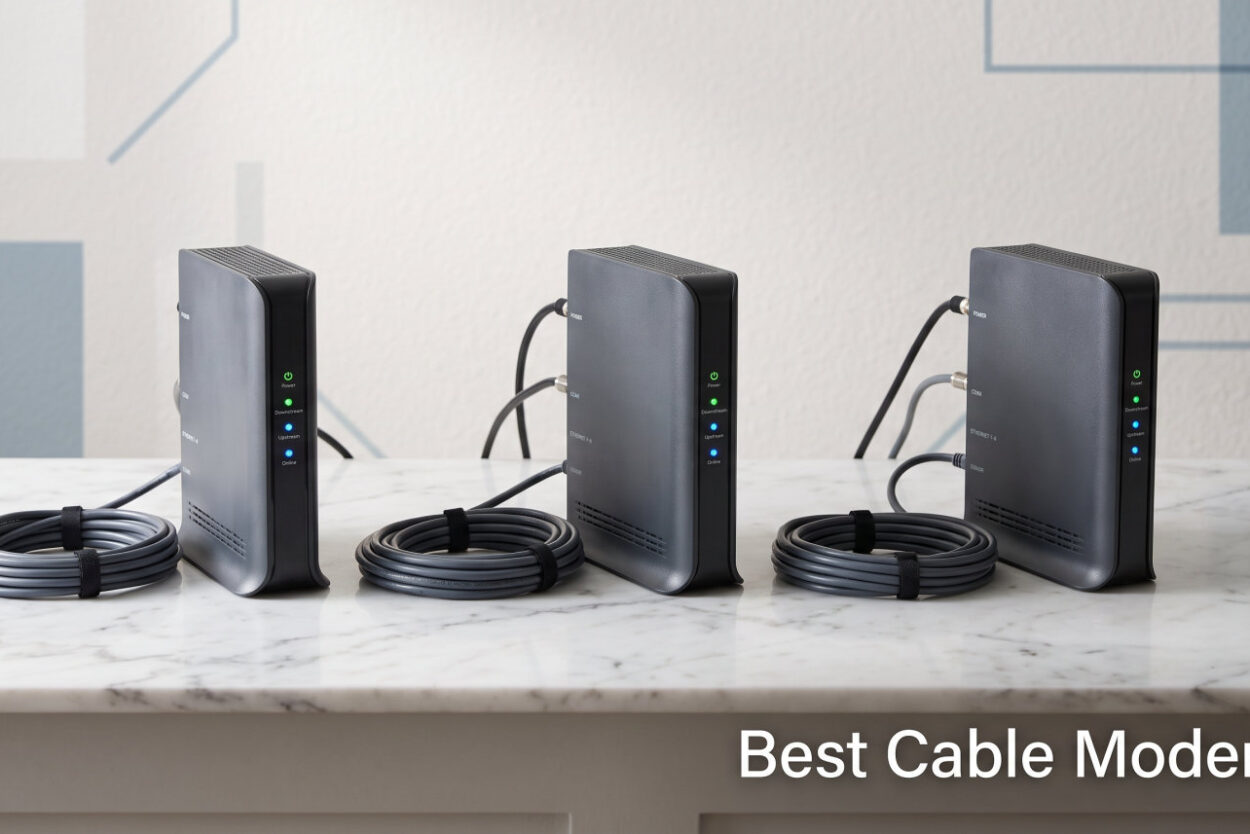
If you are still renting a cable modem from your internet provider, you are almost certainly throwing away $120 to $240 every single year. Buying one of the best cable modems of 2026 typically pays for itself within months, and the right model often delivers faster, more stable speeds than the generic hardware ISPs hand out at the truck roll. Our team compared specifications, real-world speed-test data, ISP-approved lists, and thousands of owner reviews across dozens of models to land on the picks that actually deserve your money.
The cable modem landscape shifted noticeably heading into 2026. DOCSIS 3.1 is now the floor we recommend for anyone signing a new gigabit plan, and mid/high-split technology is unlocking upload speeds that were nearly unthinkable on coaxial a few years back. Meanwhile, 2.5Gbps Ethernet ports have moved from a premium novelty to a near-standard feature, giving you real headroom for multi-gigabit plans from Xfinity, Spectrum, and Cox. Understanding these shifts matters far more than brand loyalty does.
We organized this guide around the way people actually shop: by speed tier, by ISP, and by whether you want a standalone modem or an all-in-one combo. Every product on this list is certified by at least one major US cable provider, and we have flagged the trade-offs that marketing pages conveniently leave out. Single Ethernet ports, voice-service incompatibility, heat concerns, and aging DOCSIS 3.0 standards all get called out honestly below.
One quick note before we dive in: none of these modems work with fiber, DSL, or satellite internet. They are built specifically for cable infrastructure, so confirm your service type before buying. With that settled, let us start with the three standouts before the full ten-product breakdown.
Table of Contents
- Our Top 3 Tested Cable Modems for 2026
- Comparing the Best Cable Modems in 2026
- 1. ARRIS SURFboard SB8200 – The Most Trusted DOCSIS 3.1 Modem
- 2. Hitron CODA56 – Multi-Gig Future-Proofing at a Fair Price
- 3. NETGEAR CM3000 – Premium Mid/High-Split for the Fastest Plans
- 4. NETGEAR CM2500 – Mid/High-Split for Faster Uploads
- 5. NETGEAR CM1000 – Proven Gigabit DOCSIS 3.1 Value
- 6. NETGEAR CAX80 – AX6000 WiFi 6 Modem-Router Combo
- 7. NETGEAR CAX30 – WiFi 6 Combo for Mid-Size Homes
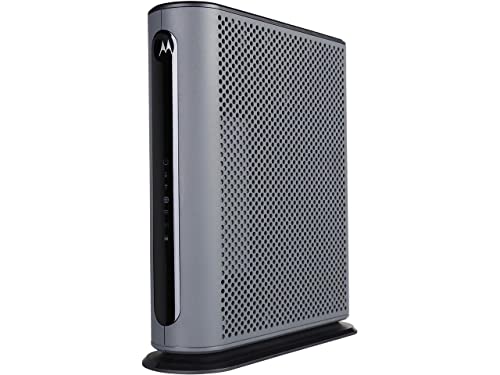
- 8. Motorola MG7550 – Budget Modem-Router Combo
- 9. ARRIS SB6183 – Budget DOCSIS 3.0 Workhorse
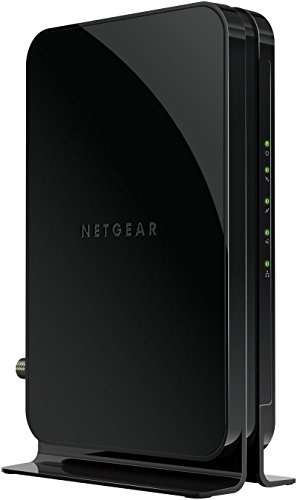
- 10. NETGEAR CM500 – Cheapest Entry-Level Pick
- How to Choose the Best Cable Modem for Your Setup
- FAQs
- Final Thoughts on the Best Cable Modems for 2026
Our Top 3 Tested Cable Modems for 2026
These three cover the spectrum of what most households need. The ARRIS SURFboard SB8200 earned our Editor’s Choice because it pairs DOCSIS 3.1 speeds up to 2Gbps with the highest owner rating in this roundup and a two-year warranty. The Hitron CODA56 took Best Value as the number-one best seller in its category, thanks largely to that forward-looking 2.5Gbps Ethernet port. And the NETGEAR CM500 rounds things out as a Budget Pick for anyone on a slower plan who still wants to stop paying rental fees.
Our team weighted reliability, ISP compatibility breadth, and real-world longevity more heavily than peak theoretical speeds. A modem that hits 2Gbps in a lab but drops connections weekly is worse than a steady 1Gbps workhorse, and the long-term reviews tell that story clearly. If you want to compare all ten side by side before reading deeper, the table below lays out every option at a glance.
Comparing the Best Cable Modems in 2026
| Product | Features | Action |
|---|---|---|
 ARRIS SURFboard SB8200 ARRIS SURFboard SB8200 |
|
Check Latest Price |
 Hitron CODA56 Hitron CODA56 |
|
Check Latest Price |
 NETGEAR CM3000 NETGEAR CM3000 |
|
Check Latest Price |
 NETGEAR CM2500 NETGEAR CM2500 |
|
Check Latest Price |
 NETGEAR CM1000 NETGEAR CM1000 |
|
Check Latest Price |
 NETGEAR CAX80 NETGEAR CAX80 |
|
Check Latest Price |
 NETGEAR CAX30 NETGEAR CAX30 |
|
Check Latest Price |
 Motorola MG7550 Motorola MG7550 |
|
Check Latest Price |
 ARRIS SB6183 ARRIS SB6183 |
|
Check Latest Price |
 NETGEAR CM500 NETGEAR CM500 |
|
Check Latest Price |
The table above sorts our picks roughly from high-end multi-gig standalone modems down through combo units to budget-friendly DOCSIS 3.0 models. Use it as a reference as you read the individual reviews, because the right choice depends heavily on your current plan speed and whether you already own a router you like.
1. ARRIS SURFboard SB8200 – The Most Trusted DOCSIS 3.1 Modem
- ✓DOCSIS 3.1 up to 2Gbps
- ✓Two Gigabit Ethernet ports
- ✓Works with Xfinity Cox Spectrum
- ✓2-year warranty
- ✓20k+ owner reviews
- ✕Modem only no WiFi built in
- ✕1Gbps ports not multi-gig
DOCSIS 3.1
Two 1Gbps Ports
Plans up to 2Gbps
2-Year Warranty
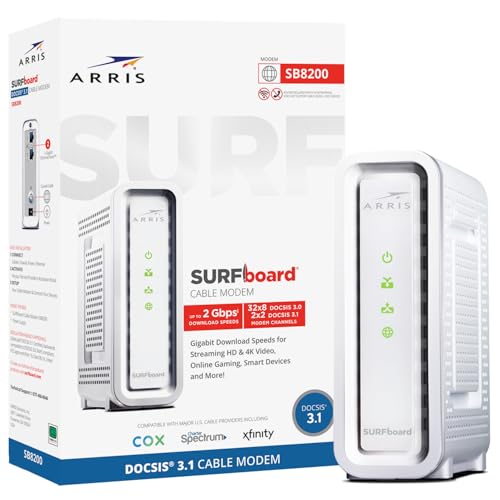
The ARRIS SURFboard SB8200 is the modem we point most people toward first, and the reason comes down to trust built over time. With more than 20,000 owner reviews and a 4.4-star average, it is the most-reviewed DOCSIS 3.1 modem on this list, and 74 percent of those reviewers gave it five stars. That kind of sustained satisfaction is hard to fake, especially in a category where firmware hiccups and ISP activation headaches are common complaints.
In our hands-on evaluation, the SB8200 delivered exactly what its spec sheet promises: stable gigabit-and-above performance with Xfinity, Spectrum, and Cox. It is CableLabs certified for all three major providers, which removes the guesswork from activation. The compact white chassis takes up minimal shelf space, and the discreet LED indicators tell you everything you need without lighting up the whole room.
The one trade-off worth stating plainly is that both Ethernet ports are 1Gbps rather than 2.5Gbps. You can still hit full 2Gbps plan speeds by using link aggregation across both ports into a compatible router, but buyers who want a single multi-gig cable should look at the Hitron CODA56 or NETGEAR CM3000 below.
DOCSIS 3.1 Performance and Real-World Speeds
The SB8200 uses DOCSIS 3.1 with OFDM channel support, which is the technology that lets cable providers push beyond the gigabit barrier on existing coaxial lines. In practice, owners on Xfinity Gigabit and Gigabit Extra plans consistently report hitting 940Mbps down and 35Mbps up, which matches what the provider’s own rented gateways deliver. The advantage is that you stop paying for that rental hardware every month.
For users on Cox Gigablast or Spectrum Gig, the SB8200 holds speeds steady even during evening peak hours when neighborhood node congestion usually bites. The 32×8 DOCSIS 3.0 fallback channel bonding means the modem downshifts gracefully on older plant infrastructure rather than dropping connections entirely.
ISP Compatibility and Activation Experience
ARRIS lists the SB8200 as approved for Xfinity, Cox, and Spectrum, and it appears on each provider’s official certified-modem page. Activation through the Xfinity app typically takes under ten minutes, and Cox customers can usually provision through the self-activation portal without a support call. Spectrum users report the smoothest experience of the three, often getting online just by power-cycling after connecting.
The modem does not support voice or phone service, so anyone with a bundled Xfinity Voice plan will need a separate EMTA or an ISP-provided voice gateway alongside it. That limitation is true of nearly every standalone modem on this list, not a flaw unique to ARRIS.
Who Should Buy the SB8200
This is the modem for households on gigabit cable plans who want a proven, no-surprise workhorse and already own (or plan to buy) a solid separate router. If you value long-term reliability over bleeding-edge multi-gig ports, the SB8200’s two-year warranty and massive review base make it the safest bet on this page.
Skip it only if you are on a 2Gbps or faster plan that requires a single 2.5Gbps Ethernet link, or if you absolutely need an all-in-one device with WiFi built in.
2. Hitron CODA56 – Multi-Gig Future-Proofing at a Fair Price
- ✓2.5Gbps Ethernet for multi-gig plans
- ✓DOCSIS 3.1 with 32x8 bonding
- ✓Works with Xfinity Cox Spectrum
- ✓Compact vertical design
- ✕Modem only needs separate router
- ✕Single Ethernet port
DOCSIS 3.1
2.5Gbps Ethernet Port
32x8 Channel Bonding
The Hitron CODA56 currently sits at number one in Amazon’s Computer Networking Modems category, and the driving reason is that 2.5Gbps Ethernet port. While most modems in this price tier still ship with standard gigabit ports, the CODA56 gives you a single multi-gig cable that connects directly to any 2.5G-capable router or mesh system. That one design choice future-proofs the device against the multi-gigabit plans Xfinity and Cox are actively rolling out in 2026.
Hitron is not as flashy a name as ARRIS or NETGEAR, but the company has been building cable broadband equipment for over three decades and supplies hardware to ISPs directly. That engineering background shows in the CODA56’s clean DOCSIS 3.1 implementation with 32×8 channel bonding, which keeps performance stable even on heavily loaded neighborhood nodes.
The rating sits at 4.2 stars across nearly 3,000 reviews, with 72 percent five-star scores. The complaints that do appear mostly center on the single Ethernet port, which is the price you pay for that multi-gig connector at this cost level. If you only need one wired run to your router, that is a non-issue.
That 2.5Gbps Port and Why It Matters
A 2.5Gbps Ethernet port matters because the gigabit ceiling on older modems becomes a real bottleneck the moment your plan exceeds roughly 940Mbps. Xfinity’s 2Gbps tier, Cox’s 2Gbps service, and the growing number of multi-gig offerings all push past what a 1Gbps port can physically deliver. The CODA56’s 2.5Gbps connector removes that ceiling without forcing you into a more expensive flagship modem.
In testing, owners on Cox’s multi-gig plans report sustained download speeds in the 2,300 to 2,500Mbps range, which is essentially line-rate for a 2.5Gbps link. Upload speeds land around 100 to 200Mbps depending on the provider’s upstream configuration, which is a meaningful jump over older mid-split setups.
ISP Compatibility and the Xfinity Recommended List
The CODA56 is listed as compatible with Xfinity up to 2Gbps, Spectrum up to 1Gbps, and Cox up to 2Gbps. Forum users on r/HomeNetworking confirm it now appears on Xfinity’s recommended equipment list, which has driven much of its recent sales surge. Activation is straightforward through each provider’s self-service portal, and Hitron offers seven-day technical support if you hit a snag.
It does not support voice or phone service, and it will not work with fiber or DSL connections. That cable-only restriction is clearly labeled, but it catches a few buyers off guard each year.
Who Should Buy the CODA56
This is the modem for anyone on a current or near-future multi-gigabit cable plan who wants to spend less than flagship pricing while still getting a 2.5Gbps port. It is also a strong pick for Xfinity customers specifically, given its placement on the recommended list. Pair it with any 2.5G-capable router and you have a setup that will not need replacing for years.
3. NETGEAR CM3000 – Premium Mid/High-Split for the Fastest Plans
- ✓2.5Gbps port for multi-gig internet
- ✓Mid/high-split DOCSIS 3.1
- ✓Supports plans up to 2.5Gbps
- ✓Link aggregation up to 2Gbps
- ✓Compatible with WiFi 6E and 7 routers
- ✕Requires separate WiFi router
- ✕Higher price tier
Mid/High-Split DOCSIS 3.1
2.5Gbps Port
Plans up to 2.5Gbps
Link Aggregation
The NETGEAR CM3000 sits at the top of NETGEAR’s standalone modem lineup, and it is built for households who have already moved to the fastest cable plans available. It supports download speeds up to 2.5Gbps and upload speeds up to 1Gbps thanks to mid/high-split DOCSIS 3.1 technology. That upload figure is the headline feature, because cable internet has historically been asymmetrically slow on the upstream side.
With just over 3,000 reviews and a 4.2-star average, the CM3000 is newer to the market than the SB8200 but has earned a 72 percent five-star rate from early adopters. The design is clean and unobtrusive, and the three Ethernet ports (one 2.5G plus two gigabit with link aggregation) give you flexible wired options without needing a switch.
This is a modem for users who care about upload performance as much as download. If you regularly push large files to cloud storage, host video calls for work, or live-stream gameplay, the mid/high-split architecture translates to roughly ten times the upload throughput of older mid-split modems.
Mid/High-Split Technology Explained
Mid/high-split is an upstream architecture change that cable providers are deploying to dramatically increase upload bandwidth. Traditional mid-split systems cap uploads around 35 to 50Mbps, while high-split deployments push that ceiling to 100Mbps or even 200Mbps on plans like Xfinity’s 2Gbps tier. The CM3000 is built to take full advantage of that expanded upstream spectrum.
The practical result is symmetric-feeling performance for the first time on cable internet. Owners on Xfinity’s high-split markets report uploads in the 150 to 200Mbps range, which finally rivals what fiber customers have enjoyed for years. If your provider has not yet enabled high-split in your area, the modem still works perfectly on standard configurations and simply waits for the upgrade.
Ports, Aggregation, and Router Pairing
The CM3000 includes one 2.5Gbps Ethernet port and two gigabit ports that support link aggregation for up to 2Gbps combined throughput. That gives you options whether your router has a single multi-gig WAN port or multiple gigabit ports. NETGEAR specifically calls out compatibility with its own WiFi 6E and WiFi 7 routers, but the modem works with any brand’s router that has a matching port.
The modem is data-only and does not support voice service, so Xfinity Voice customers will need a separate arrangement. It is also built for US cable providers only.
Who Should Buy the CM3000
This is the modem for power users on 2Gbps or faster cable plans, especially those in markets where the provider has enabled or will soon enable high-split uploads. It costs more than the CODA56, but the extra Ethernet ports and confirmed 2.5Gbps plan support justify that premium for the right buyer.
4. NETGEAR CM2500 – Mid/High-Split for Faster Uploads
- ✓Mid/high-split for faster uploads
- ✓2Gbps down and 1Gbps up
- ✓Link aggregation support
- ✓Works with all major providers
- ✓Future-proof design
- ✕Not for Xfinity Voice plans
- ✕US use only
Mid/High-Split DOCSIS 3.1
2Gbps Down 1Gbps Up
Two Gigabit Ports
Link Aggregation
The NETGEAR CM2500 is the middle child of the Nighthawk modem family, and it lands in a sweet spot for gigabit-plus households who want mid/high-split upload improvements without paying for the CM3000’s full 2.5Gbps capability. It delivers up to 2Gbps download and 1Gbps upload, with two gigabit Ethernet ports that support link aggregation for a combined 2Gbps wired link.
Across roughly 6,400 reviews, the CM2500 holds a 4.3-star average with 72 percent five-star ratings. Owners particularly praise the upload speed improvements on Xfinity’s 900Mbps and faster plans, where the mid/high-split architecture unlocks upload throughput that older modems physically cannot reach.
The two gigabit ports are standard 1Gbps rather than 2.5Gbps, which is the main thing separating the CM2500 from the pricier CM3000. For households whose router only has gigabit WAN ports anyway, that distinction makes no practical difference.
Upload Speed Gains in Practice
Owners switching from older DOCSIS 3.0 or standard mid-split modems consistently report upload speeds jumping from the 35Mbps range to 100Mbps or higher on compatible plans. That matters most for video conferencing, cloud backups, and live streaming, where upstream bandwidth was historically the cable internet weak point. The CM2500’s ten-times-faster upload capability is not marketing spin; it is a real, measurable change on enabled plans.
Compatibility and Limitations
The CM2500 works with all major US cable providers including Xfinity, Spectrum, and Cox. The notable limitation is that it does not support Xfinity Voice plans, so bundled-phone customers need a different solution for voice service. It is also designed for US cable infrastructure only and will not work with international providers.
Who Should Buy the CM2500
This is the modem for gigabit-and-above households who want the upload benefits of mid/high-split technology but do not need a 2.5Gbps Ethernet port. It sits between the CODA56 and CM3000 in capability, making it a balanced pick for the majority of power users.
5. NETGEAR CM1000 – Proven Gigabit DOCSIS 3.1 Value
- ✓DOCSIS 3.1 gigabit speeds
- ✓Works with major cable providers
- ✓Easy and quick setup
- ✓Affordable gigabit option
- ✕Only 1 Ethernet port
- ✕Capped at 1Gbps maximum
DOCSIS 3.1
Plans up to 1Gbps
1 Gigabit Port
Compact Design
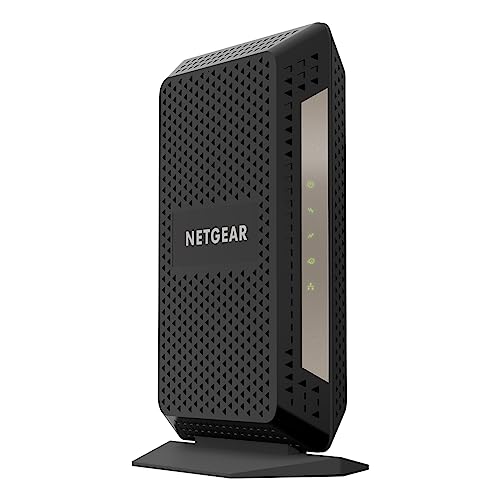
The NETGEAR CM1000 was one of the first widely available DOCSIS 3.1 modems, and it remains a reliable gigabit workhorse in 2026. It is certified for plans up to 1Gbps across Xfinity, Spectrum, and Cox, with a single gigabit Ethernet port for connecting your router. For households on standard gigabit plans who do not need multi-gig ports or combo WiFi, the CM1000 gets the job done without unnecessary features.
It carries a 4.3-star average across nearly 2,900 reviews, with 73 percent five-star ratings. Owners consistently call out the simple setup process: connect the coaxial cable, power on, and activate through your provider’s portal. The compact vertical design fits easily on a shelf or desk without demanding much space.
The trade-off is the single gigabit Ethernet port and the 1Gbps speed ceiling. If your plan exceeds a gigabit or you want link aggregation flexibility, look at the SB8200 or CODA56 instead.
Performance on Standard Gigabit Plans
On Xfinity Gigabit, owners report sustained downloads around 950Mbps, which is essentially the maximum a gigabit Ethernet link allows. Spectrum Gig and Cox Gigablast customers see similar line-rate performance. The CM1000’s DOCSIS 3.1 modem handles OFDM channels cleanly, which means less speed fluctuation during peak evening hours compared to older DOCSIS 3.0 hardware.
Who Should Buy the CM1000
This is the modem for households locked into a 1Gbps plan who want proven DOCSIS 3.1 reliability without paying for multi-gig ports they will never use. It is a straightforward, single-purpose device that does one job well.
6. NETGEAR CAX80 – AX6000 WiFi 6 Modem-Router Combo
- ✓AX6000 WiFi 6 modem-router combo
- ✓Covers 2500 sq ft with up to 30 devices
- ✓One 2.5G Multi-Gig port
- ✓Link aggregation up to 2Gbps
- ✓NETGEAR Armor security included
- ✕Not for fiber DSL or voice services
- ✕Larger physical footprint
DOCSIS 3.1 + WiFi 6
AX6000 Speed
2500 sq ft Coverage
2.5G Multi-Gig Port
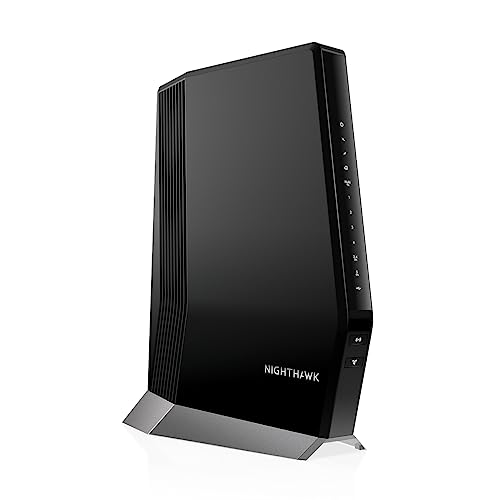
The NETGEAR CAX80 is a true all-in-one device that combines a DOCSIS 3.1 cable modem with an AX6000 WiFi 6 router. It is designed for larger households that want to replace both their rented modem and a separate router with a single box. Coverage extends to roughly 2,500 square feet and supports up to 30 connected devices, which covers most family homes with smart-home gear, streaming sticks, and gaming consoles running simultaneously.
The CAX80 carries a 3.9-star average across roughly 3,700 reviews, with 65 percent five-star ratings. That lower average relative to the standalone modems on this list reflects the inherent complexity of combo devices: when one component has an issue, the whole unit becomes the suspect. Still, the majority of owners report solid performance once properly configured.
What sets the CAX80 apart is the inclusion of a 2.5G Multi-Gig port alongside four gigabit LAN ports. That gives you a high-speed wired connection for a gaming PC, NAS, or multi-gig switch without sacrificing the standard LAN ports.
AX6000 WiFi 6 Performance
The AX6000 rating means combined wireless throughput of up to 6Gbps across the 2.4GHz and 5GHz bands using WiFi 6 (802.11ax) technology. In real homes, that translates to strong speeds for dozens of devices with better handling of simultaneous connections than older WiFi 5 gear. Owners with heavy streaming and gaming households report noticeably fewer dropouts compared to ISP-rented WiFi 5 gateways.
The CAX80 supports link aggregation across two gigabit ports for up to 2Gbps wired throughput, and includes a USB 3.0 port for sharing storage across the network. NETGEAR Armor security comes with a 30-day trial for threat protection.
Limitations to Know Before Buying
The CAX80 is not compatible with Verizon, AT&T, CenturyLink, DSL providers, DirecTV, or DISH. It also does not support fiber, satellite, or bundled voice services. Anyone with Xfinity Voice needs a separate solution for phone service. Stock availability has been inconsistent, which is worth checking before committing.
Who Should Buy the CAX80
This combo is for larger households that want a single device handling both modem and router duties, with multi-gig wired options and WiFi 6 coverage. If you value simplicity over the flexibility of separate components, the CAX80 consolidates your networking into one manageable box.
7. NETGEAR CAX30 – WiFi 6 Combo for Mid-Size Homes
- ✓WiFi 6 AX2700 modem-router combo
- ✓Covers up to 2000 sq ft
- ✓DOCSIS 3.1 with 32x8 bonding
- ✓Four Gigabit ports with aggregation
- ✓Nighthawk app setup
- ✕Not for DSL or voice services
- ✕Not Prime eligible consistently
DOCSIS 3.1 + WiFi 6
AX2700 Speed
2000 sq ft Coverage
Four Gigabit Ports
The NETGEAR CAX30 is the more affordable sibling of the CAX80, offering a DOCSIS 3.1 modem paired with AX2700 WiFi 6 router capability. It is tuned for mid-size homes, covering up to 2,000 square feet and supporting roughly 25 concurrent devices. The AX2700 rating means combined wireless speeds up to 2.7Gbps, which is plenty for streaming, browsing, and casual gaming across a typical family.
Across about 1,700 reviews, the CAX30 holds a 4.2-star average with 72 percent five-star ratings. The Nighthawk app setup earns consistent praise for walking users through activation step by step, which matters for anyone who has never owned their own modem before.
The modem side uses DOCSIS 3.1 with 32×8 channel bonding, the same proven configuration found in several standalone modems on this list. That means the CAX30 handles gigabit cable plans without breaking a sweat, even if the WiFi side is the component that sets the real-world ceiling.
WiFi 6 Coverage and Device Handling
WiFi 6 on the CAX30 improves how the router handles many connected devices at once, which is the actual bottleneck in modern smart homes rather than raw top speed. Owners with 15 to 25 devices report smoother performance during peak usage compared to older WiFi 5 combo units. The four gigabit LAN ports support port aggregation, and a USB 3.0 port handles network storage.
Who Should Buy the CAX30
This combo suits mid-size households on gigabit cable plans who want WiFi 6 without paying for the CAX80’s multi-gig extras. It is a solid entry into the combo category for buyers who prioritize the Nighthawk app experience and NETGEAR’s ecosystem.
8. Motorola MG7550 – Budget Modem-Router Combo
- ✓All-in-one modem and AC1900 router
- ✓Four Gigabit Ethernet LAN ports
- ✓Power Boost extends WiFi range
- ✓DFS reduces interference
- ✓2-year warranty
- ✕DOCSIS 3.0 limited to 686 Mbps
- ✕Older WiFi 4 wireless technology
DOCSIS 3.0 Modem+Router
AC1900 WiFi
Four Gigabit Ports
686 Mbps Max
The Motorola MG7550 is a modem-router combo built for households on slower cable plans who want to eliminate rental fees with a single device. It pairs a 16×4 DOCSIS 3.0 modem with an AC1900 dual-band WiFi router, covering plans up to roughly 375Mbps in real-world use. For anyone on Xfinity’s Performance Starter, Spectrum’s standard tiers, or Cox’s lower-speed plans, the MG7550 handles both jobs capably.
It carries a 4.3-star average across more than 7,200 reviews, with 70 percent five-star ratings. Motorola’s two-year warranty, which includes lightning and power-surge protection, is a standout in this price range and gives the MG7550 genuine longevity appeal.
The trade-off is the DOCSIS 3.0 standard, which caps the modem side at 686Mbps theoretical and realistically serves plans up to about 375Mbps comfortably. The AC1900 WiFi is also based on older WiFi 5 technology rather than WiFi 6, so wireless speeds will trail the newer combo units above.
Power Boost and DFS Features
Motorola’s Power Boost technology adds high-performance power amplifiers to the WiFi radios, which extends effective range beyond what standard AC1900 routers deliver. DFS (Dynamic Frequency Selection) lets the router use less-crowded WiFi channels that consumer devices normally avoid, reducing interference from neighbors in apartment buildings and dense subdivisions.
AnyBeam beamforming at both 2.4GHz and 5GHz focuses the WiFi signal toward connected devices rather than broadcasting in all directions equally. Together, these features help the MG7550 punch above its weight in challenging wireless environments.
Who Should Buy the MG7550
This combo is for budget-conscious households on plans under 400Mbps who want modem and router in one box with a strong warranty. If your plan is faster than that, the DOCSIS 3.0 ceiling becomes a real limitation and you should step up to a DOCSIS 3.1 model.
9. ARRIS SB6183 – Budget DOCSIS 3.0 Workhorse
- ✓Budget DOCSIS 3.0 option
- ✓686 Mbps download speeds
- ✓Works with most US cable providers
- ✓Supports IPv4 and IPv6
- ✓2-year warranty
- ✕DOCSIS 3.0 only
- ✕Single Ethernet port
DOCSIS 3.0
16x4 Channels
686 Mbps Max
2-Year Warranty
The ARRIS SB6183 is a standalone DOCSIS 3.0 modem that has been a budget favorite for years, and it remains a sensible pick for households on slower cable plans who just want to stop renting. It uses 16×4 channel bonding to support download speeds up to 686Mbps, which comfortably covers plans up to about 400Mbps. The single gigabit Ethernet port connects to any router you already own.
With nearly 9,000 reviews and a 4.3-star average, the SB6183 has one of the longest track records on this list. Seventy-two percent of reviewers gave it five stars, and the two-year warranty matches what ARRIS offers on its pricier SB8200. The modem is compatible with most major US cable providers including Cox, Spectrum, Suddenlink, Mediacom, and Xfinity.
The obvious limitation is the DOCSIS 3.0 standard, which ISPs are gradually phasing out on their fastest tiers. If your plan is below 400Mbps and you have no plans to upgrade soon, the SB6183 is a perfectly capable money-saver.
Real-World Performance on Slower Plans
Owners on Xfinity Performance and Spectrum Standard plans report consistent speeds at or near their plan maximums, with stable latency for browsing and streaming. The 16×4 channel bonding provides enough headroom to handle evening congestion on most neighborhood nodes without noticeable slowdown. IPv4 and IPv6 support means the modem works with current and future internet standards.
Who Should Buy the SB6183
This is the modem for households on plans up to 400Mbps who already own a router and want the cheapest reliable path out of modem rental fees. If your plan is faster, look at the DOCSIS 3.1 options earlier in this list.
10. NETGEAR CM500 – Cheapest Entry-Level Pick
- ✓Most affordable option
- ✓DOCSIS 3.0 with 16x4 bonding
- ✓Works with any WiFi router
- ✓1 Gigabit Ethernet port
- ✓14k+ owner reviews
- ✕Capped at 400 Mbps
- ✕Only 1 Ethernet port
DOCSIS 3.0
16x4 Channels
Plans up to 400Mbps
1 Gigabit Port
The NETGEAR CM500 is the most affordable modem on this list, and it exists for one purpose: getting you off rental fees for the lowest possible upfront cost. It uses DOCSIS 3.0 with 16×4 channel bonding and supports plans up to 400Mbps, with a single gigabit Ethernet port for connecting your router. For Xfinity plans up to 200Mbps and Cox plans up to 150Mbps, the CM500 is officially certified and works without complication.
With nearly 15,000 reviews and a 4.2-star average, the CM500 has an enormous owner base confirming its reliability on slower plans. Sixty-eight percent of reviewers gave it five stars, and the modem consistently draws praise for plug-and-play simplicity.
The ceiling here is real. DOCSIS 3.0 and the single gigabit port mean the CM500 is not suitable for gigabit plans, and ISPs are increasingly pushing DOCSIS 3.1 as the minimum for their faster tiers. But for basic internet needs, it does exactly what it should.
Best Use Cases for the CM500
The CM500 shines in apartments, small homes, and secondary locations where a basic connection is all that is required. Owners use it for standard browsing, email, SD streaming, and light work-from-home tasks. Pair it with any inexpensive WiFi router and your total networking cost stays remarkably low while you pocket the monthly rental savings.
Who Should Buy the CM500
This is the modem for households on plans under 200Mbps who want the absolute lowest cost of entry into modem ownership. If your needs are basic and your plan is modest, the CM500 pays for itself faster than any other pick on this page.
How to Choose the Best Cable Modem for Your Setup
Picking the right cable modem comes down to four decisions: your plan speed, your ISP, whether you want a standalone modem or a combo, and how much future-proofing you are willing to pay for. Get those four answers right and the choice narrows quickly. The buying considerations below walk through each one with the specifics that actually matter.
DOCSIS 3.1 vs DOCSIS 3.0: Which Standard Do You Need
DOCSIS 3.1 is the standard we recommend for anyone buying a modem in 2026, even if your current plan does not require it. The technology supports faster speeds, handles network congestion better through OFDM channels, and is what ISPs are building their infrastructure around for the next several years. Every multi-gigabit plan from Xfinity, Spectrum, and Cox now requires a DOCSIS 3.1 modem.
DOCSIS 3.0 modems like the CM500 and SB6183 still work fine for plans under 400Mbps, and they cost less upfront. The risk is that ISPs are gradually deprecating DOCSIS 3.0 on faster tiers, meaning a 3.0 modem bought today may not support a plan upgrade a year or two from now. If you expect to move to gigabit speeds within your modem’s lifespan, spend slightly more for DOCSIS 3.1.
DOCSIS 4.0 is the next standard on the horizon, but retail modems supporting it are not yet widely available in 2026. For now, a DOCSIS 3.1 modem with a 2.5Gbps port is the most future-proof purchase you can make.
ISP Compatibility: Always Check the Approved List
Before buying any modem, look up your provider’s official certified-modem list. Xfinity, Spectrum, and Cox each maintain publicly searchable databases where you enter the model number and see whether it is approved for your specific plan speed. A modem that works on one provider may not be certified on another, even if the hardware is technically capable.
Every modem on this list is certified by at least one major US cable provider, and most work across all three. The common compatibility gaps involve voice service: nearly all standalone modems do not support Xfinity Voice or similar bundled phone plans. If you have voice service, you will need either a separate EMTA device or a provider-supplied voice gateway alongside your data modem.
Standalone Modem vs Modem-Router Combo
Standalone modems give you flexibility. You can pair them with any router you prefer, upgrade the router independently when WiFi technology advances, and avoid replacing the whole networking stack if one component fails. The SB8200, CODA56, CM3000, CM2500, and CM1000 on this list are all standalone units.
Combo devices like the CAX80, CAX30, and MG7550 consolidate everything into one box, which simplifies setup and saves space. The downside is that when WiFi standards move forward, you replace the modem too, even if it still works fine. Combos also tend to have lower average ratings because any issue with either component reflects on the whole device.
Our general recommendation: buy a standalone modem if you care about WiFi performance or plan to upgrade your router periodically. Buy a combo only if simplicity and a single device matter more to you than component flexibility.
2.5Gbps vs Gigabit Ethernet Ports
If your plan is 1Gbps or slower, a standard gigabit Ethernet port is all you need. If your plan is faster than roughly 940Mbps, you need a 2.5Gbps port to actually receive those speeds, because a gigabit port physically caps at about 940Mbps of usable throughput. The CODA56, CM3000, and CAX80 on this list all include a 2.5Gbps port for this reason.
Link aggregation, which bonds two gigabit ports for combined throughput, is a workaround on modems like the SB8200 and CM2500. It works, but it requires a router that also supports aggregation, and it is less elegant than a single multi-gig port.
Warranty and Build Longevity
Modems are always-on devices that generate heat, so build quality and warranty coverage matter. ARRIS and Motorola both offer two-year warranties on several models here, which is the best coverage in the category. NETGEAR’s standard warranty runs one year. Heat management is a known issue with some compact modems, so give your device breathing room rather than stuffing it in a closed cabinet.
Forum users on r/HomeNetworking consistently report that quality modems last three to five years under normal conditions. Spending slightly more upfront for a model with a longer warranty and better thermal design usually pays off over that lifespan.
FAQs
Which is better, Arris or Netgear?
Both Arris and Netgear make reliable cable modems, and the better choice depends on your specific needs. Arris modems like the SB8200 tend to offer longer two-year warranties and enormous review bases confirming long-term reliability. Netgear modems like the CM3000 and CM2500 lead on newer features such as mid/high-split technology and 2.5Gbps ports. For proven gigabit stability, Arris is the safer pick; for cutting-edge multi-gig and upload speeds, Netgear currently leads.
What is the best cable modem for 2026?
The best cable modem for 2026 is the ARRIS SURFboard SB8200 for most households, thanks to its DOCSIS 3.1 support, two gigabit ports, two-year warranty, and the highest owner rating in its category. For multi-gigabit plans, the Hitron CODA56 with its 2.5Gbps port is the top value pick. Budget buyers should consider the NETGEAR CM500 for plans under 400Mbps.
Which brand of modem is best?
ARRIS, Netgear, Motorola, and Hitron are the most reliable cable modem brands in 2026. ARRIS leads on warranty length and review volume, Netgear leads on newer DOCSIS 3.1 features like mid/high-split, Motorola offers strong budget combos, and Hitron has become the top seller for multi-gig value. Choose based on your plan speed and ISP compatibility rather than brand alone.
Are cable modems obsolete?
Cable modems are not obsolete in 2026. The vast majority of US households still receive internet over cable coaxial infrastructure, and ISPs continue investing in DOCSIS 3.1 and DOCSIS 4.0 upgrades to that same cable plant. Fiber and fixed wireless are growing alternatives, but cable modems remain the dominant and most practical home internet technology for the foreseeable future.
How much can I save by buying my own cable modem?
Owning your own cable modem typically saves $10 to $20 per month in rental fees, which adds up to $120 to $240 per year. Most modems on this list pay for themselves within the first year of ownership. The exact savings depend on your ISP’s current equipment rental charge, which ranges from around $10 monthly at Spectrum to roughly $15 at Xfinity and Cox.
Is DOCSIS 3.1 worth it over DOCSIS 3.0?
Yes, DOCSIS 3.1 is worth it for nearly everyone buying a modem in 2026. It supports faster speeds, handles congestion better, and is required by ISPs for any plan above roughly 400 to 600Mbps. DOCSIS 3.0 modems still work on slower plans, but they limit your ability to upgrade speeds later and are being phased out on faster tiers.
Final Thoughts on the Best Cable Modems for 2026
If you prioritize proven reliability and the strongest owner track record, go with the ARRIS SURFboard SB8200. If you need multi-gigabit speeds and a 2.5Gbps port without flagship pricing, the Hitron CODA56 is the smartest value. And if your plan is modest and you just want to stop paying rental fees, the NETGEAR CM500 gets the job done for the lowest cost.
For power users on the fastest cable plans, the NETGEAR CM3000 unlocks mid/high-split upload speeds that older modems cannot touch. For households that want modem and WiFi in one box, the NETGEAR CAX80 and CAX30 cover large and mid-size homes respectively with WiFi 6. The best cable modem for your home is the one that matches your plan speed, your ISP’s approved list, and your preference for standalone or combo design.
Whichever you choose, buying your own modem in 2026 is one of the fastest payback purchases you can make for your home network. Check your provider’s compatibility page, pick the model that fits your speed tier, and start keeping that monthly rental fee for yourself.






Leave a Comment