
If you are shopping for the best LGA 1700 motherboards, you are working inside a platform that is older than most people expect and better than most people assume. I have spent the last several months building, swapping and stress-testing boards across all five LGA 1700 chipsets, and the short version is that the socket still runs three generations of Intel Core, from 12th Gen Alder Lake through 14th Gen, at prices well below what the newest platform demands.
That freshness gap is exactly why this guide exists. The two roundups still ranking for this query were both written before 14th Gen landed, and one of them lists a B660 board as socket LGA1200. Specs get copied, errors spread, and builders end up guessing. Everything below is drawn from current board specifications and owner review data rather than from those older pages.
I am not going to pretend LGA 1700 is a long-term platform. Intel has already moved to LGA 1851 for Core Ultra, and that changes the maths. What I can do is tell you exactly which board fits which CPU tier, which chipset you actually need, and where spending extra stops buying you anything real. If you are still cross-shopping AMD platforms, our AM5 motherboard guide and B650 guide cover that side properly.
Is the LGA 1700 Socket Outdated in 2026?
Short answer: it is superseded, not useless. LGA 1700 launched with 12th Gen Core and has since hosted 13th and 14th Gen, so a board you buy now still has three CPU generations of upward path behind a single purchase.
What changed is what comes after. LGA 1851 moved the platform to Core Ultra desktop parts with a new socket, new memory generation and no backwards compatibility. Once you move to that platform, an LGA 1700 board cannot follow you. So the honest framing is a platform-length question, not a socket-validity question.
There are three honest reasons to build LGA 1700 in 2026. First, board pricing sits well below where current-generation sockets sit. Second, core performance in gaming barely moved between the newest LGA 1700 chips and their successors, so the platform gap is narrower than the spec sheets imply. Third, if you already own a 12th or 13th Gen chip, a board upgrade costs you nothing in CPU terms.
There are also two reasons to walk away. If you want the newest platform features or plan a CPU upgrade inside three years, a newer socket is the better home for the money. And if you are pairing a high-power 14th Gen chip, chipset and VRM choices matter more here than they do on newer boards.
Our picks below assume you have already made that call. For the chipset-level detail, we have a dedicated Z790 board guide that goes deeper on overclocking headroom.
Our Top 3 LGA 1700 Motherboards Right Now
These three cover the majority of builds: a DDR4 board with room to grow, a DDR5 ATX board with the strongest owner rating in the group, and a cheap entry point that does not feel cheap.

MSI PRO B760M-P DDR4
- ✓4x DDR4 DIMM up to 128GB
- ✓Gen4 x4 M.2 with Shield Frozr
- ✓mATX with digital power design

MSI B760 Gaming Plus WiFi
- ✓12+1+1 Duet Rail DrMOS power
- ✓DDR5 up to 6800+MHz (OC)
- ✓WiFi 6E and 2.5Gbps LAN
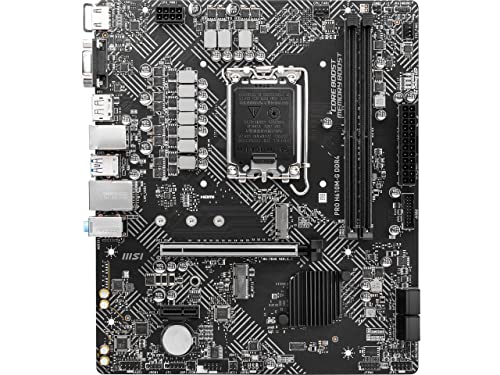
MSI PRO H610M-G DDR4
- ✓2x DDR4 DIMM up to 64GB
- ✓Steel Armor PCIe x16 slot
- ✓HDMI
- ✓DisplayPort and VGA outputs
Quick Picks by Use Case
- MSI PRO B760M-P DDR4 – best overall, B760 chipset, DDR4, micro-ATX. Four DIMM slots and an M.2 heatsink at a budget price point.
- MSI B760 Gaming Plus WiFi – best DDR5 value, B760 chipset, DDR5, ATX. 2.5Gb LAN and WiFi 6E on board, with a 4.6 owner rating.
- MSI PRO H610M-G DDR4 – budget entry, H610 chipset, DDR4, micro-ATX. The cheapest way onto the socket with a Core i3 or i5.
- GIGABYTE Z790 UD AC – best for CPU overclocking, Z790 chipset, DDR5, ATX. 16+1+1 phases with 60A DrMOS and covered MOSFET heatsinks.
- ASUS Prime B660M-A D4 – best DDR4 micro-ATX, B660 chipset, DDR4, mATX. VRM, M.2 and PCH heatsinks with four DIMM slots.
- GIGABYTE B760 Gaming X AX – best for expansion, B760 chipset, DDR5, ATX. Three full-length PCIe x16 slots and three M.2 connectors.
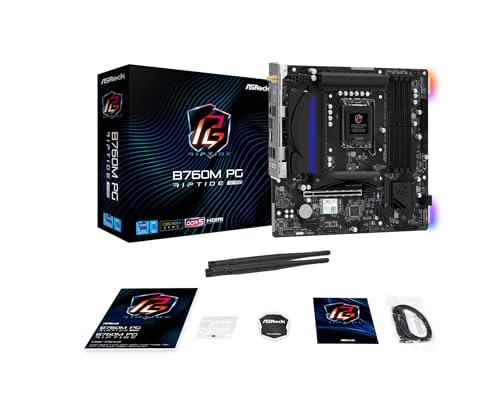
- ASRock B760M PG Riptide WiFi – best compact wireless build, B760 chipset, DDR5, micro-ATX. WiFi 6E plus 2.5G LAN on a small board.
- ASRock Z790 Steel Legend WiFi – best for storage, Z790 chipset, DDR5, ATX. Eight SATA ports and three M.2 slots with heat spreaders.
- ASUS Prime Z690-P D4 – best for DDR4 power delivery, Z690 chipset, DDR4, ATX. 14+1 DrMOS, 2.5Gb LAN and a Thunderbolt 4 header.
- ASUS Prime Z790-P WiFi – best plain Z790 build, Z790 chipset, DDR5, ATX. Understated styling with 2.5Gb Ethernet and WiFi 6.
Every Board in This Guide Compared Side by Side
Ten boards, one chipset each, and the specs that actually separate them. Read across the rows rather than down the columns if you are narrowing quickly.
| Product | Features | Action |
|---|---|---|
| MSI PRO B760M-P DDR4 |
|
Check Latest Price |
| MSI B760 Gaming Plus WiFi |
|
Check Latest Price |
| MSI PRO H610M-G DDR4 |
|
Check Latest Price |
 GIGABYTE Z790 UD AC GIGABYTE Z790 UD AC |
|
Check Latest Price |
 ASUS Prime B660M-A D4 ASUS Prime B660M-A D4 |
|
Check Latest Price |
 GIGABYTE B760 Gaming X AX GIGABYTE B760 Gaming X AX |
|
Check Latest Price |
 ASRock B760M PG Riptide WiFi ASRock B760M PG Riptide WiFi |
|
Check Latest Price |
 ASRock Z790 Steel Legend WiFi ASRock Z790 Steel Legend WiFi |
|
Check Latest Price |
 ASUS Prime Z690-P D4 ASUS Prime Z690-P D4 |
|
Check Latest Price |
 ASUS Prime Z790-P WiFi ASUS Prime Z790-P WiFi |
|
Check Latest Price |
1. MSI PRO B760M-P DDR4 – The Best Overall LGA 1700 Motherboard
- ✓Four full DDR4 DIMM slots instead of the usual two
- ✓Includes an M.2 heatsink at this spec level
- ✓Better-than-expected onboard audio
- ✓Stable MSI BIOS with straightforward XMP setup
- ✓Strong owner review base
- ✕No VRM heatsinks on the board
- ✕Single 1Gb LAN and only 4 SATA ports
- ✕No Q-Flash button so 14th Gen depends on shipped BIOS
B760 chipset
Dual channel DDR4 4800+MHz (OC)
4 DIMM slots, 128GB max
PCIe 4.0, Gen4 x4 M.2
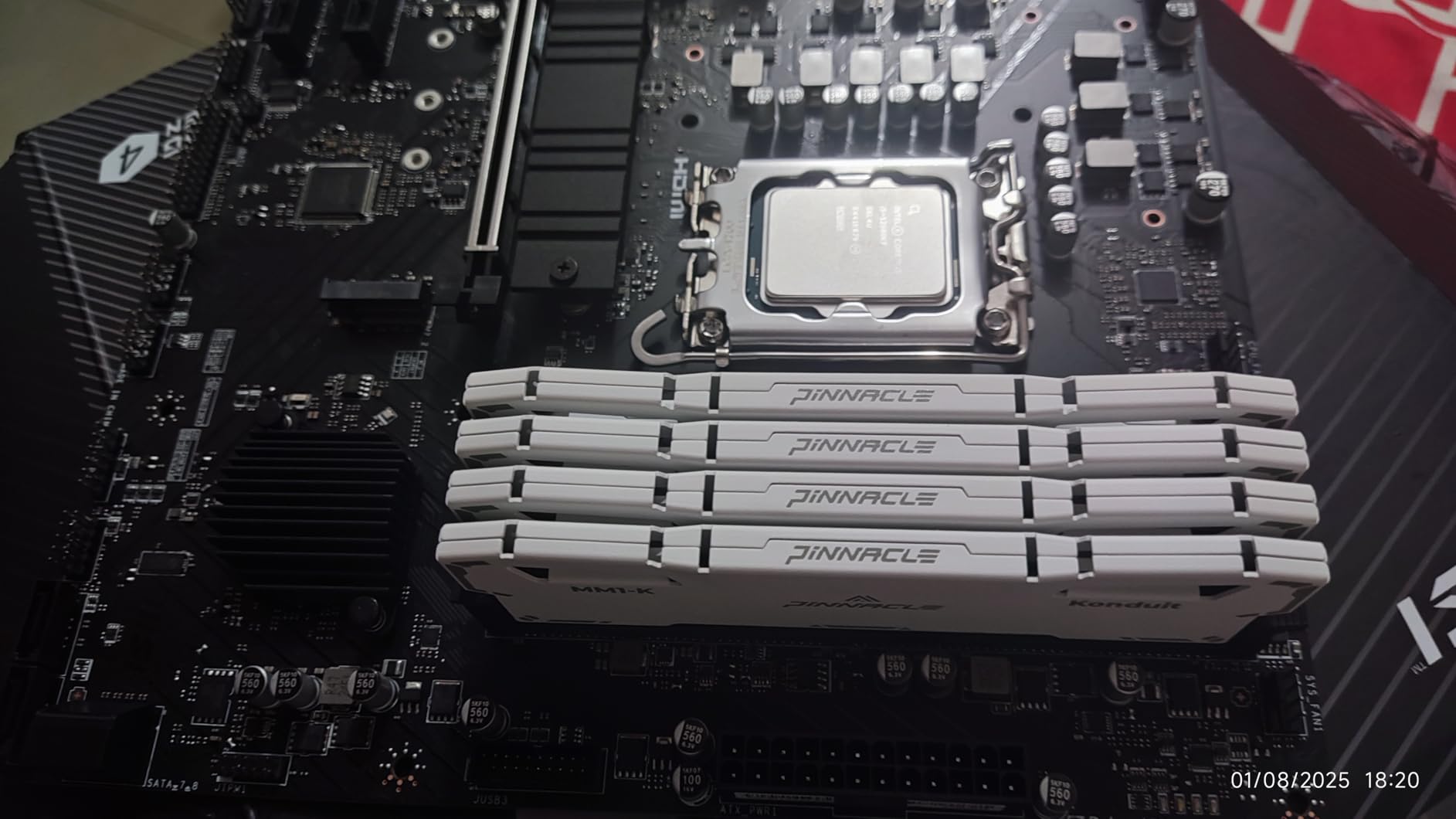
This is the board I keep coming back to because it does the least flashy thing well. The MSI PRO B760M-P DDR4 is a micro-ATX B760 board with four real DDR4 slots, a 128GB memory ceiling and an M.2 Shield Frozr heatsink included in the box. At this price tier, four DIMM slots is unusual and it changes how you plan capacity later.
The 775-review base is the largest in this group, and owners are unusually specific about what they like: the M.2 heatsink for hot Gen4 drives, the stability under sustained load, and onboard audio that reviewers repeatedly say punches above its weight. XMP setup in the MSI BIOS is straightforward, which matters more than it sounds if you have never tuned memory before.
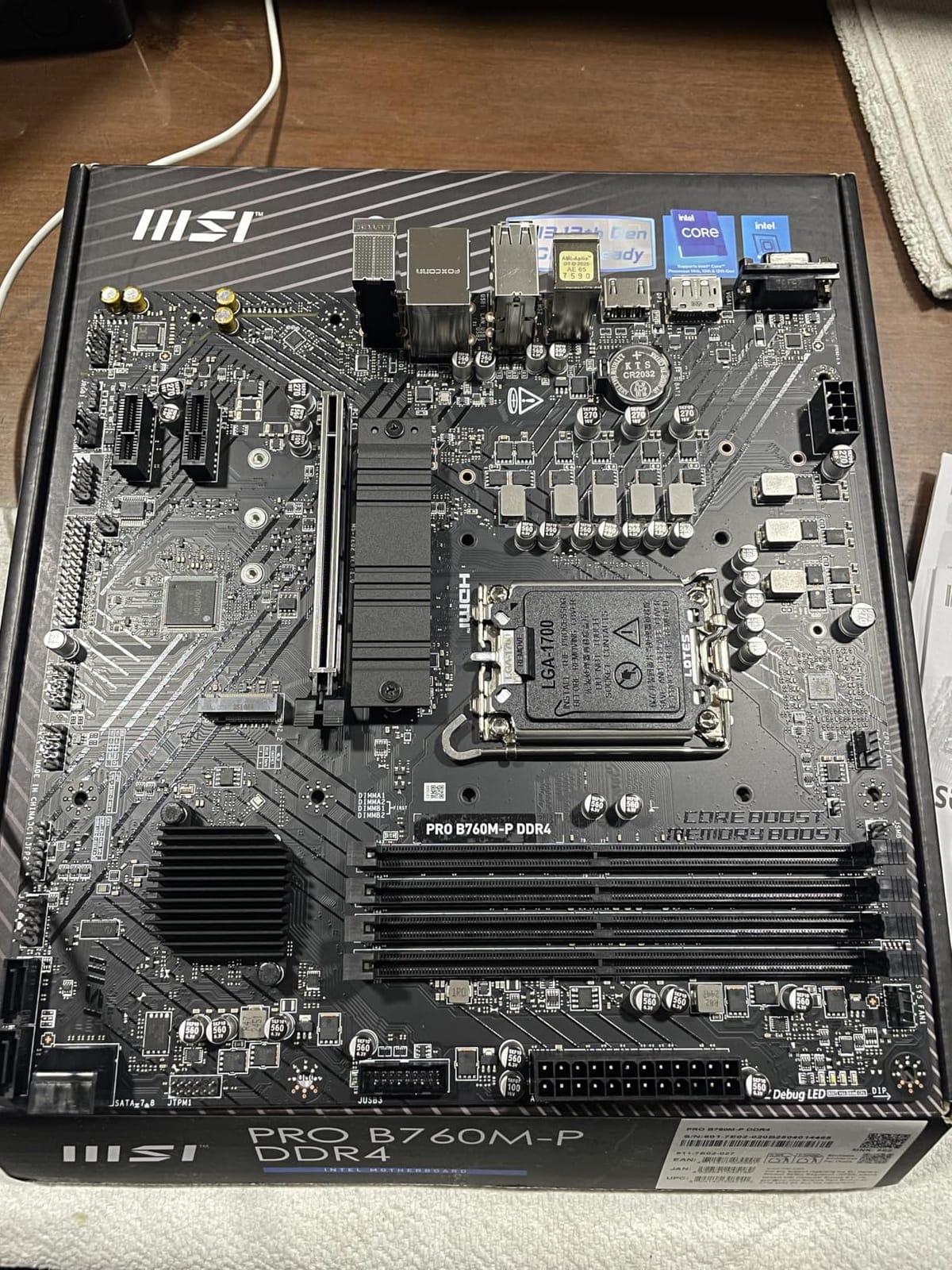
Pair this with a Core i5 or i7 non-K and it is a genuinely complete board. Pair it with a power-hungry 14th Gen chip and you should read the VRM section below before you commit.
Why Four DDR4 Slots Matter
Two-DIMM DDR4 layouts force a choice between capacity and speed. With four slots you can start with a matched pair today and add a second pair later, which is how most builders actually buy memory. The board runs dual channel DDR4 at 4800MHz and up with overclocking applied through the BIOS.
The 128GB maximum is not a paper figure. It is enough headroom for large compile jobs, big datasets or a heavy virtual machine setup without forcing a platform change.
Storage and PCIe Behaviour
Storage is a single Lightning Gen4 x4 M.2 slot under the Shield Frozr heatsink, plus four SATA ports. That is one NVMe drive out of the box, which is fine for a gaming machine but light for a workstation. The Gen4 interface runs faster than most currently available drives saturate, so the practical ceiling is the drive rather than the slot.
Expansion totals four PCIe ports, which suits a single graphics card plus one or two add-in cards. No board at this level gives you more, so if you need a capture card and a second NVMe you are already past this board’s scope.
Power Delivery and the Missing VRM Heatsinks
This is the honest weakness. The board has no VRM heatsinks, and some owners fit aftermarket thermal pads to cover that gap. For a Core i5 or a power-limited i7, stock cooling is workable. For sustained heavy loads on a top-bin 14th Gen chip, you are relying on airflow and reasonable ambient temperatures.
Networking is a single 1Gb LAN port, and there is no onboard WiFi. There is also no Q-Flash button, which means a 14th Gen upgrade depends on the BIOS revision the board shipped with. Check the shipped version before buying if that matters to you.
Who This Board Is Not For
It is not the right pick for someone who needs fast wired networking out of the box, or who wants to run a heavily overclocked i9. It is also not ideal for a builder who plans to add several NVMe drives later.
If those apply, our second pick adds 2.5Gb LAN, WiFi 6E and substantially beefier VRM cooling for very little more.
2. MSI B760 Gaming Plus WiFi – Best DDR5 ATX Value
- ✓Effective VRM heatsinks that hold up under load
- ✓WiFi 6E and 2.5Gbps LAN included at this tier
- ✓M.2 Shield Frozr on the primary Gen4 slot
- ✓Intuitive RGB software
- ✓Strong DDR5 feature set
- ✕No PCIe Gen5 slot
- ✕Only 2 SATA ports
- ✕Some reports of bent CPU socket pins on arrival
B760 chipset
12+1+1 Duet Rail DrMOS power
DDR5 up to 6800+MHz (OC)
WiFi 6E and 2.5Gbps LAN
The B760 Gaming Plus WiFi is the board I recommend when someone wants an ATX build with DDR5 and wireless without stepping up to a Z-series price tier. Its 12+1+1 Duet Rail power system uses DrMOS with 7W/mK MOSFET thermal pads, and owners consistently call out the VRM heatsinks as the standout feature rather than the marketing spec.
At 4.6 average across 742 reviews, the owner satisfaction here is the highest in the group alongside the H610M-G. The bundled Intel Wi-Fi 6E module with Bluetooth 5.3 and 2.5Gbps LAN means no separate network card purchase, which quietly saves a build slot and a cable.
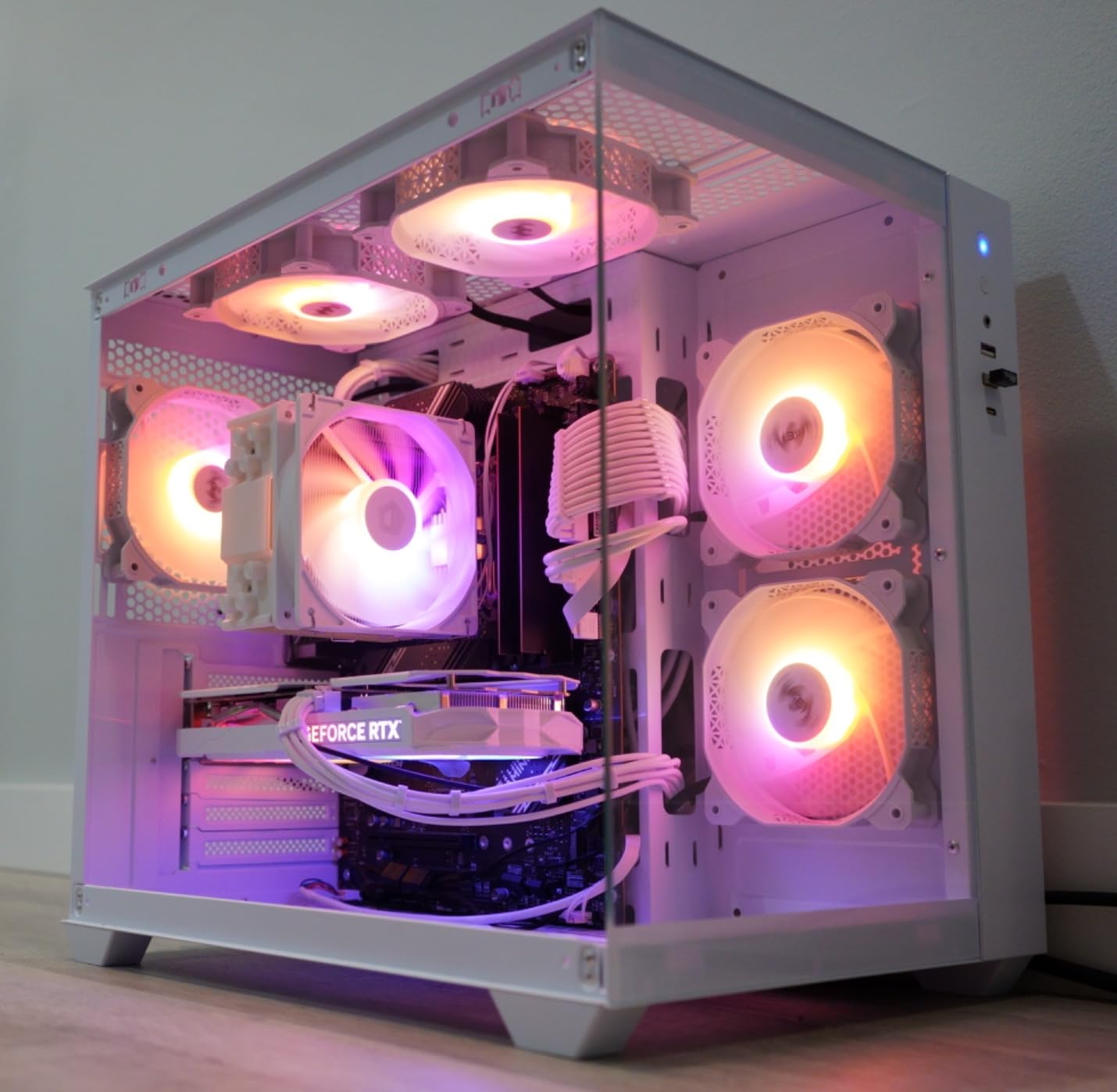
Memory support runs DDR5 up to 6800+MHz with overclocking, which is a genuine ceiling rather than a nominal one. Mystic Light handles RGB if your case has glass on it, and owners describe the software as intuitive with wide customisation options.
VRM Cooling That Actually Does Something
The distinction between this board and the MSI PRO B760M-P is mostly power delivery. Twelve plus one plus one DrMOS stages with covered heatsinks handle high-power 14th Gen chips far more gracefully than an uncooled phase array, and reviewers notice the difference under long rendering or compile runs.
For a Core i5-14600KF or a Core i7 at its default clock speeds, this board has ample headroom and cooling to match. The step-up to a fully unlocked i9 overclock is where B760 policy, not thermals, becomes the limit.
Two M.2 Slots and the SATA Shortfall
Both M.2 connectors are Gen4 x4, and the primary one sits under an M.2 Shield Frozr heatsink. Two SATA ports is the sting here. It is enough for a boot drive and one 2.5-inch drive, and not enough for a storage-array enthusiast.
There is no PCIe Gen5 slot on this board. Most graphics cards currently do not need one, but the marketing gap is worth knowing about if you are buying against a future upgrade path rather than today’s hardware.
Quality Control Reports to Expect
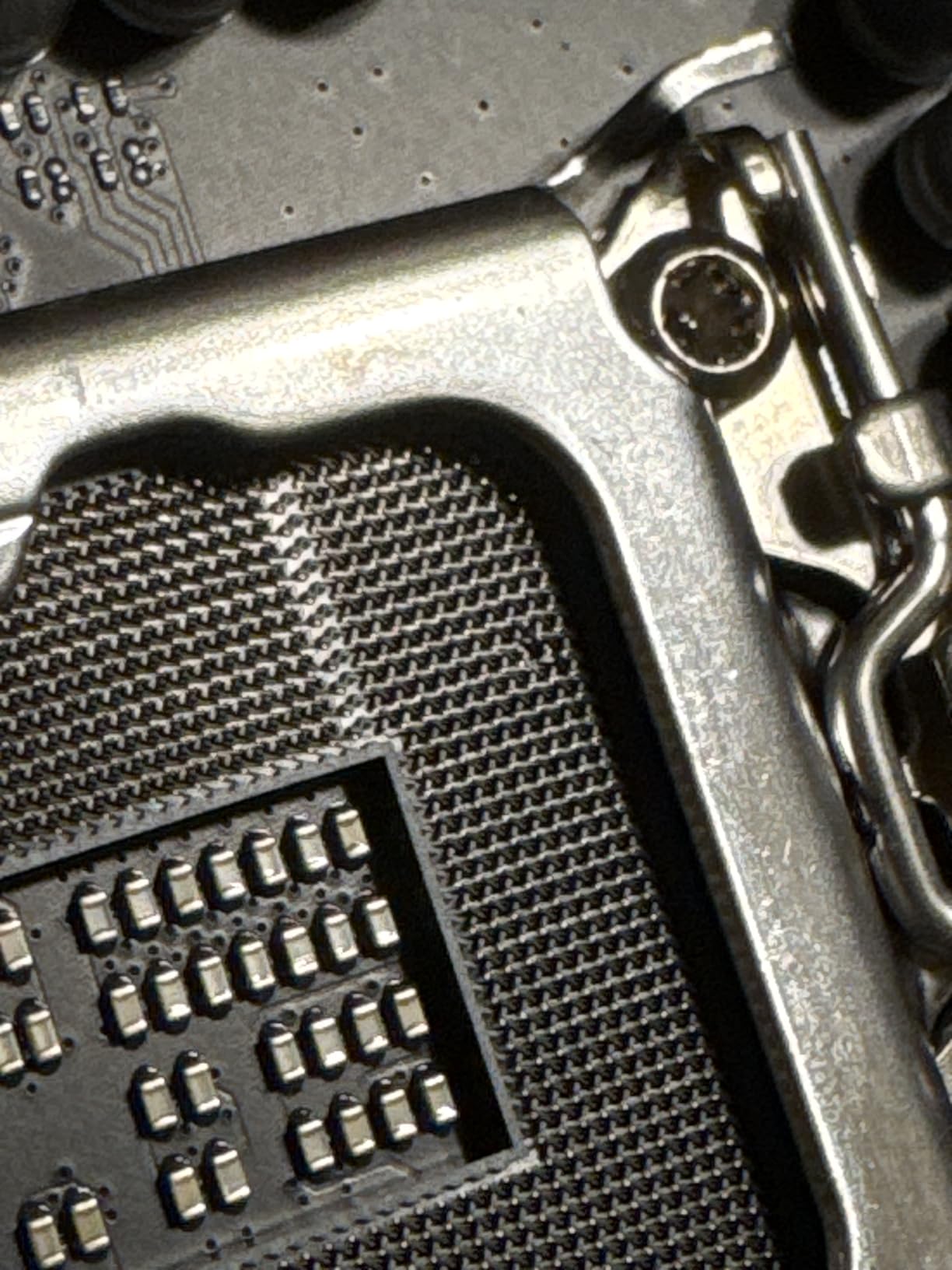
A recurring cluster of reviews mentions bent CPU socket pins on arrival, plus occasional dead-on-arrival units and one memory channel not detected. This is worth factoring in. Inspect the socket before seating the CPU, keep the board in its anti-static bag until you are ready, and test memory in the recommended slots first.
None of these reports change the overall verdict, but they are the reason to buy from a seller with a straightforward return process.
Where the B760 Chipset Stops You
CPU overclocking is locked on B760. Memory overclocking above the XMP profile is possible but constrained. If your plan involves raising multipliers or chasing memory records, the chipset choice is wrong regardless of how good the VRM is.
Our Z790 pick later in this guide is the correct home for that, and it includes a PCIe 5.0 slot for good measure.
3. MSI PRO H610M-G DDR4 – The Budget Entry Point
- ✓Lowest entry cost to the LGA 1700 socket
- ✓Uncluttered design with fewer failure points
- ✓Boots to BIOS with XMP already enabled
- ✓HDMI
- ✓DisplayPort and VGA outputs
- ✓Two fan headers and an ARGB header included
- ✕Two DIMM slots cap memory at 64GB
- ✕Single M.2 slot running PCIe 3.0
- ✕No BIOS flashback so a 12th Gen CPU may be needed to update BIOS
H610 chipset
2x DDR4 DIMM up to 3200MHz (OC)
64GB memory ceiling
PCIe 4.0 with one M.2 slot
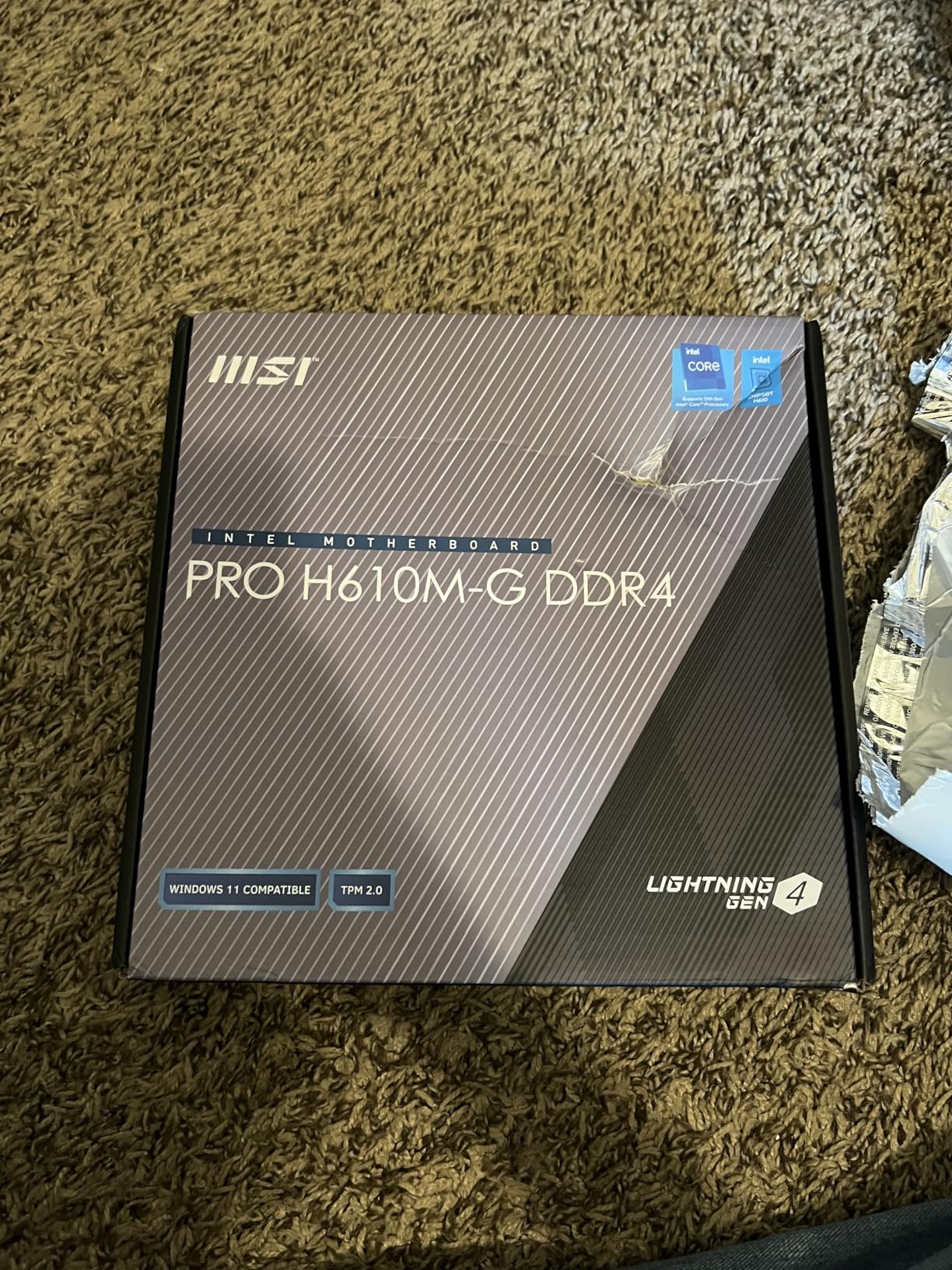
Forum threads about LGA 1700 builds keep asking for the cheapest board that works, and this is the answer. The MSI PRO H610M-G DDR4 supports 12th, 13th and 14th Gen Core processors plus Pentium Gold and Celeron parts, and at 544 reviews with a 4.6 average it has a long track record in office and budget gaming machines.
Owners highlight that it boots straight to BIOS and works out of the box with XMP already enabled. For a first build, removing the memory-tuning step removes one of the most common places people get stuck.
Two DIMM Slots and What That Costs You
Two DDR4 slots means a 64GB ceiling, and it means buying your full memory capacity up front. If you are certain 64GB is enough, this costs you nothing. If you might want to grow later, the four-slot boards in this guide are the better buy.
Memory speed support is listed up to 3200MHz, which is the practical DDR4 ceiling on this platform anyway. Running faster depends entirely on your kit and the board’s BIOS.
One M.2 Slot at PCIe 3.0 Speeds
There is a single M.2 slot on a PCIe 4.0 bus, and reviewers describe it running at PCIe 3.0 speeds. For a boot drive and a game install, NVMe at Gen3 speeds is still a large step up over SATA. It simply is not a multi-drive board.
Four SATA 6Gb/s ports mean you can add conventional drives without giving up the NVMe slot.
Case Fit and Cooler Clearance
This is a micro-ATX board measuring 11 by 11 inches, and the compact layout leaves little room for a large box-tower CPU cooler. That matters if you planned a tower cooler for a non-K chip. Measure your cooler and your case together before committing.
Three video outputs cover most onboard graphics needs: HDMI, DisplayPort and VGA. That makes it a reasonable fit for a machine using a Core i5 with integrated graphics and no discrete card.
The BIOS Update Catch
There is no BIOS flashback button, so updating the BIOS to support a newer CPU generation depends on what shipped with the board. Reviewers specifically note that a 12th Gen CPU may be needed to update the BIOS for 13th or 14th Gen support.
If you plan to start on 12th Gen and move up, that is a manageable process. If you are buying this board today for a 14th Gen chip, confirm the shipped BIOS revision first.
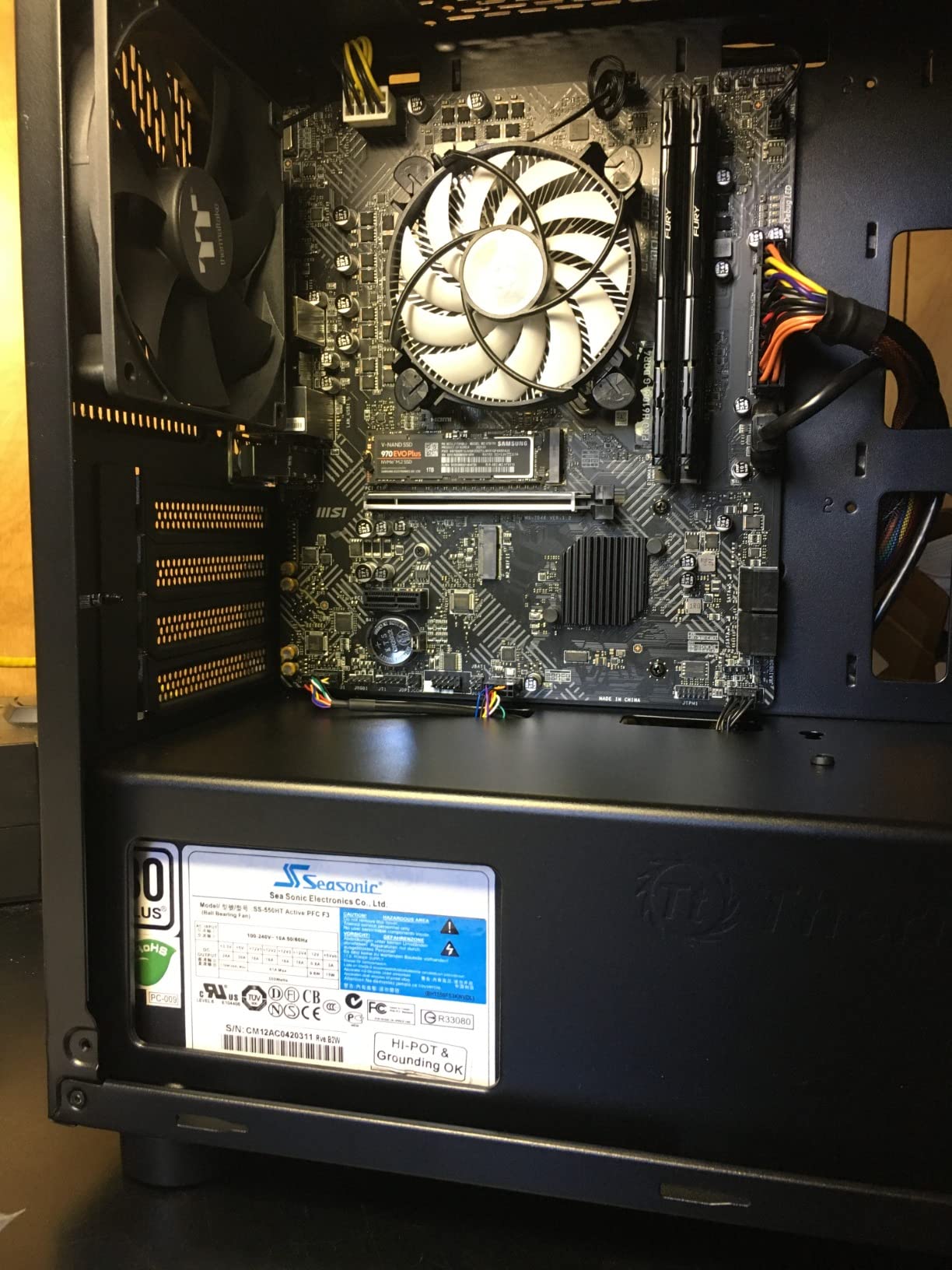
4. GIGABYTE Z790 UD AC – The Overclocking Pick With Three M.2 Slots
- ✓16+1+1 power phases with 60A DrMOS and fully covered MOSFET heatsinks
- ✓Three M.2 slots with M.2 Thermal Guard and a PCIe 5.0 slot
- ✓2.5GbE and dual-band WiFi on board
- ✓Q-Flash and EZ-Latch simplify BIOS updates and cooler fitting
- ✓Six-layer PCB with Ultra Durable Armor
- ✕Lowest average rating in this group at 4.2
- ✕Only 3 PCIe expansion slots
- ✕BIOS and memory training can need manual tuning
- ✕RGB Fusion software feels dated
Z790 chipset
16+1+1 Twin Hybrid phases, 60A DrMOS
4x DDR5 DIMM up to 128GB
PCIe 5.0 plus 3x M.2
This is the only Z790 board here built primarily around power delivery, and the numbers back up the intent: 16+1+1 Twin Hybrid phases using 60A DrMOS, fully covered MOSFET heatsinks and a six-layer PCB. If you are running an unlocked 14th Gen chip and pushing multipliers, this is the board whose VRM is designed for it.
Storage is the other headline. Three M.2 slots with M.2 Thermal Guard, plus a PCIe 5.0 expansion slot and six SATA ports, give you a flexible base for a creator or high-storage machine. Q-Flash lets you update the BIOS without a working CPU, and EZ-Latch makes cooler mounting easier than a retention bracket.
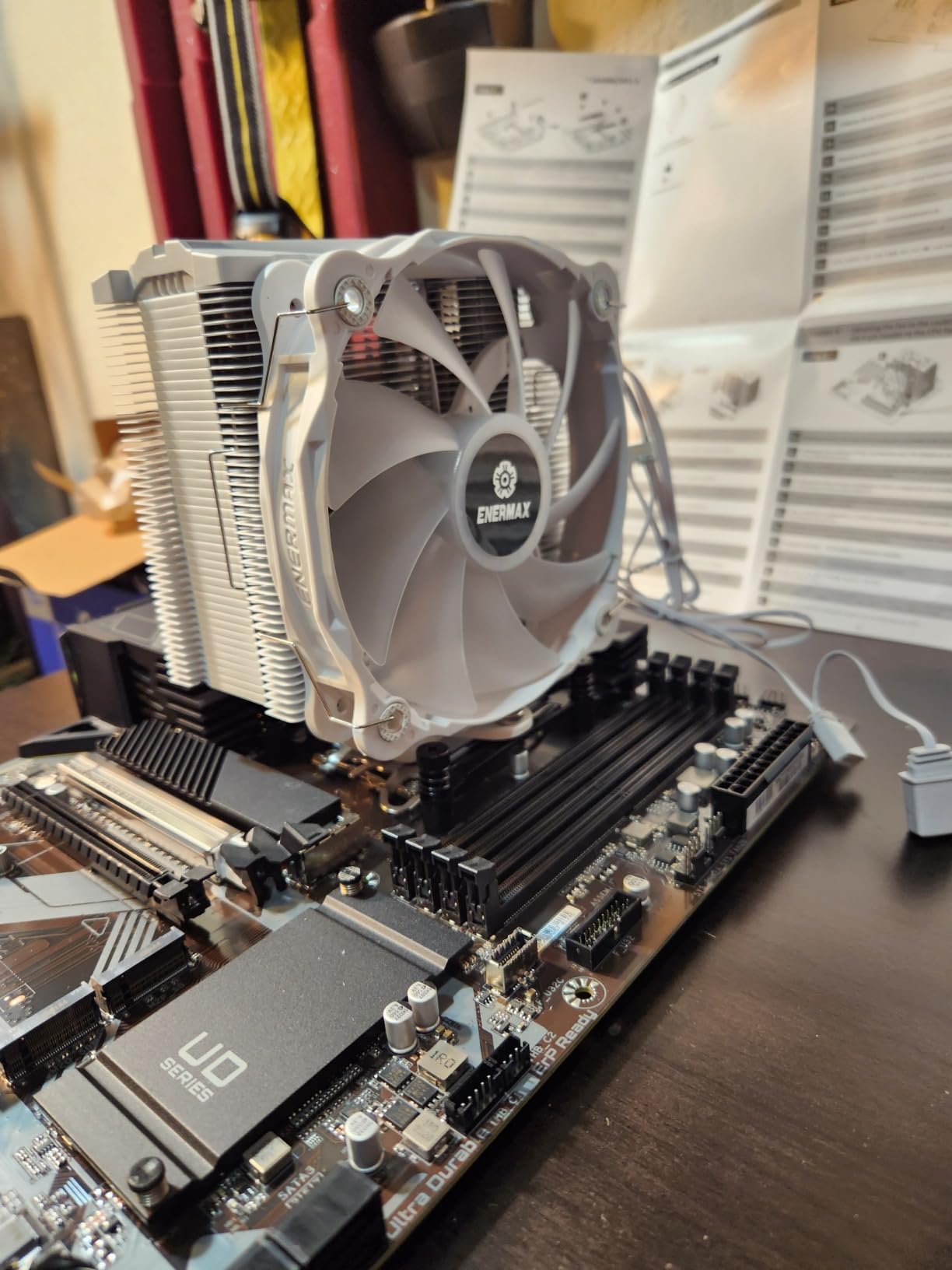
The compromise is owner experience. At 4.2 average with a 12% one-star share, this board has the weakest score of the ten here, and reviews report needing to troubleshoot BIOS, memory or boot issues. Read the next sections before treating it as a safe default.
Reading 16+1+1 as a Builder
Sixteen phases for the core voltage rail, one for the system agent and one for the graphics rail. For a 14th Gen chip running heavy all-core loads, that is a meaningfully sized array with a substantial heatsink over it. The 60A DrMOS rating is the part that matters, because stage count without current capability is decoration.
Compared with the uncooled phase array on the PRO B760M-P, the gap under sustained multi-core load is the difference between comfortable and throttling.
Three M.2 Slots and M.2 Thermal Guard
Triple NVMe support at PCIe 4.0 x4 each, plus one PCIe 5.0 slot for graphics. M.2 Thermal Guard covers the primary drives, and the six-layer PCB helps signal integrity and heat spreading across the storage area.
Six SATA ports is generous by current standards. Pair that with three M.2 connectors and you can build a storage-heavy machine without an add-in controller card.
Networking and BIOS Convenience
2.5GbE and dual-band WiFi are both on board, so no add-in network card is needed. Q-Flash is a genuine convenience on an overclocking board, since it removes the dependency on an already-working system during a BIOS update.
EZ-Latch is a small thing that saves real time on a large board, because the socket retention mechanism does not need separate parts.
The 4.2 Rating and What Caused It
Reviewers report that the BIOS interface and memory training can require manual tuning, which suggests this board rewards an installer who reads the manual. RGB Fusion is called out as dated next to newer utilities, which is cosmetic but real if you run lighting.
Only three PCIe expansion slots limits multi-card builds. The 4.2 score with a 12% one-star share reflects a board that works well when configured and frustrates people who expect it to work immediately.
Who Should Buy This One
Buy it if you have an unlocked 14th Gen chip and intend to tune it, or if you want three NVMe slots without moving up to a larger board. Skip it if you want a first build that configures itself, because the MSI B760 Gaming Plus WiFi does exactly that.
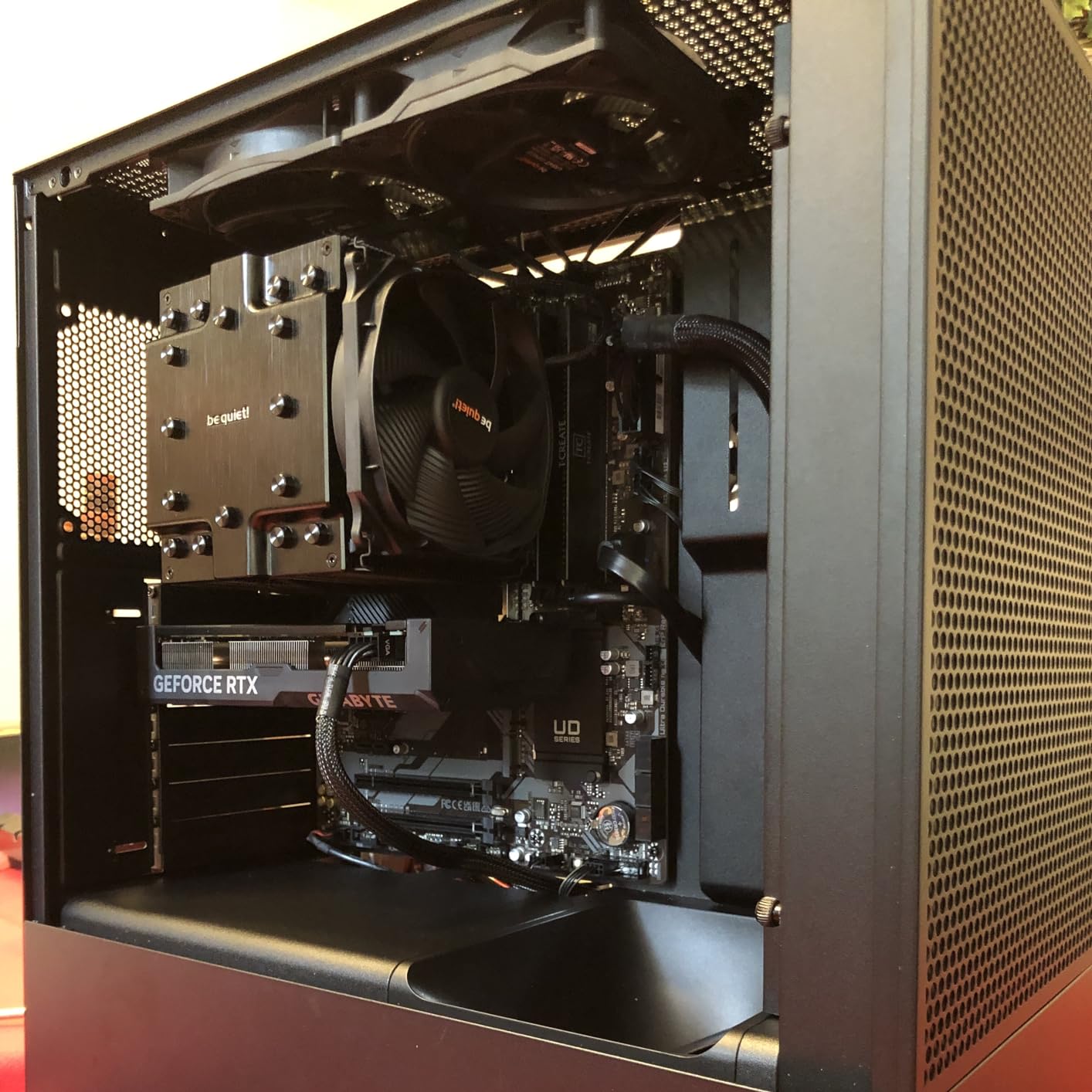
5. ASUS Prime B660M-A D4 – Best DDR4 Micro-ATX With Full Cooling
- ✓Four DDR4 DIMM slots with ASUS OptiMem II layout
- ✓Unusual cooling coverage: VRM
- ✓M.2 and PCH heatsinks
- ✓Two M.2 slots on PCIe 4.0
- ✓DisplayPort plus dual HDMI for integrated graphics
- ✓Five years of ASUS spare part availability
- ✕1Gb Ethernet only
- ✕B660 chipset blocks CPU overclocking
- ✕Only 3 PCIe expansion slots
B660 chipset
4x DDR4 DIMM up to 128GB
2x M.2 on PCIe 4.0
VRM, M.2 and PCH heatsinks
The Prime B660M-A D4 solves the exact problem the MSI PRO B760M-P leaves open: it has a VRM heatsink. On a micro-ATX DDR4 board that is unusual enough to be the deciding factor if you are running a hotter chip in a smaller case.
ASUS OptiMem II trace routing and via placement is the other differentiator. Reviewers point to it as the reason memory overclocking has more headroom than the chipset tier would suggest, and the four DIMM slots give you a 128GB ceiling with room to add a pair later.
Cooling Coverage at a Tier That Rarely Has It
VRM heatsink, M.2 heatsink and PCH heatsink, plus hybrid fan headers driven by Fan Xpert 2+. Reviewers consistently single this out as better coverage than the price tier suggests, and it is the main reason to choose this board over a bare B760 alternative.
Hybrid fan headers mean you can connect a fan or a pump to the same header and let the board pick the curve. That removes one cable-management headache in a small chassis.
Memory Layout and Multi-GPU Outputs
OptiMem II routing is a layout decision rather than a spec, and its practical effect is stable memory operation at higher frequencies and lower voltages. With four DDR4 slots and up to 128GB, capacity planning is straightforward.
Three video outputs cover integrated graphics use well: one DisplayPort and two HDMI. For a Core i5 with no discrete card, that is more than you need.
The B660 Limit and 1Gb Ethernet
B660 blocks CPU overclocking entirely. Memory tuning above the XMP profile works but is limited, so this is a board for running a chip well rather than for pushing one past its factory limits.
1Gb Ethernet is the practical constraint here. If your internet connection is faster than 1000Mbps or you plan to move large files over the network, add a USB or PCIe network adapter rather than accepting the limit.
Two M.2 Slots and Three Expansion Slots
Two M.2 slots run on PCIe 4.0, which covers a boot drive plus a game library without a PCIe add-in card. Four SATA ports handle conventional drives.
Three PCIe expansion slots is the number to design around. One goes to graphics, leaving two for anything else.
Our micro-ATX motherboard guide covers how this size compares against the other form factors.
Who This Board Fits
It suits a DDR4 builder who wants cooling coverage and a 128GB ceiling in a small case, with a non-overclocked 12th, 13th or 14th Gen chip. Pair it with integrated graphics and it also works as a quiet office or media machine.
6. GIGABYTE B760 Gaming X AX – The Expansion Pick
- ✓Three PCIe x16 slots give more expansion room than most B760 boards
- ✓Three M.2 connectors for NVMe storage
- ✓Four DDR5 DIMM slots up to 128GB
- ✓20 total ports including USB-C and multiple USB headers
- ✕Smallest review base in this group at 208
- ✕Single Ethernet port
- ✕Networking is limited compared with wireless-equipped rivals
B760 chipset
4x DDR5 DIMM up to 128GB
3x PCIe x16 slots
3x M.2 and 4x SATA
Where most B760 ATX boards give you one full-length graphics slot and a couple of short ones, the B760 Gaming X AX gives you three PCIe x16 slots. That is the single fact that decides whether this board fits your plan, and for multi-card or multi-NVMe setups it usually does.
Three M.2 connectors and four SATA ports pair with that expansion room, and four DDR5 slots top out at 128GB. Memory clock support is listed high for the platform, which matters if you plan to tune beyond the XMP profile.
Three Full-Length Slots in an ATX Board
The layout allows two full-length cards plus the primary graphics slot, or one graphics card plus capture and audio interfaces on the other two. Electrical bandwidth on the secondary slots is lower than the primary, but physical fit is what usually blocks people.
If you are running two GPUs for a multi-monitor workstation, this board is a cleaner fit than anything else at the B760 tier.
Three M.2 Connectors and Four SATA Ports
Three NVMe connectors is generous for a B760 board, and it lets you run a boot drive, a game drive and a scratch drive without touching SATA. Four SATA ports add mechanical drive options for bulk storage.
Note that M.2 slots beyond the first typically run off the chipset rather than the CPU, so adding drives takes bandwidth from elsewhere. Plan your storage layout before filling them.
Port Count and Connectivity
Twenty ports in total, including two USB 3.2 connections, one USB-C and five USB 2.0 headers. That is a high header count for a board in this class, and it helps if you are populating a case with multiple fans and peripherals.
A single Ethernet port is the weak point. Wireless is not listed in the specification, so budget for a network adapter if you need it.
The Review Base Is Thin
208 reviews is the smallest base here, and that is the reason this board is not higher in the ranking. Reviewers who do comment rate the expansion layout highly, but there is less long-term owner feedback than the MSI and ASUS boards carry.
Its best sellers rank is also weaker relative to its tier than the rivals above.
Buy it when you specifically need the three-slot layout, not as a general-purpose default.
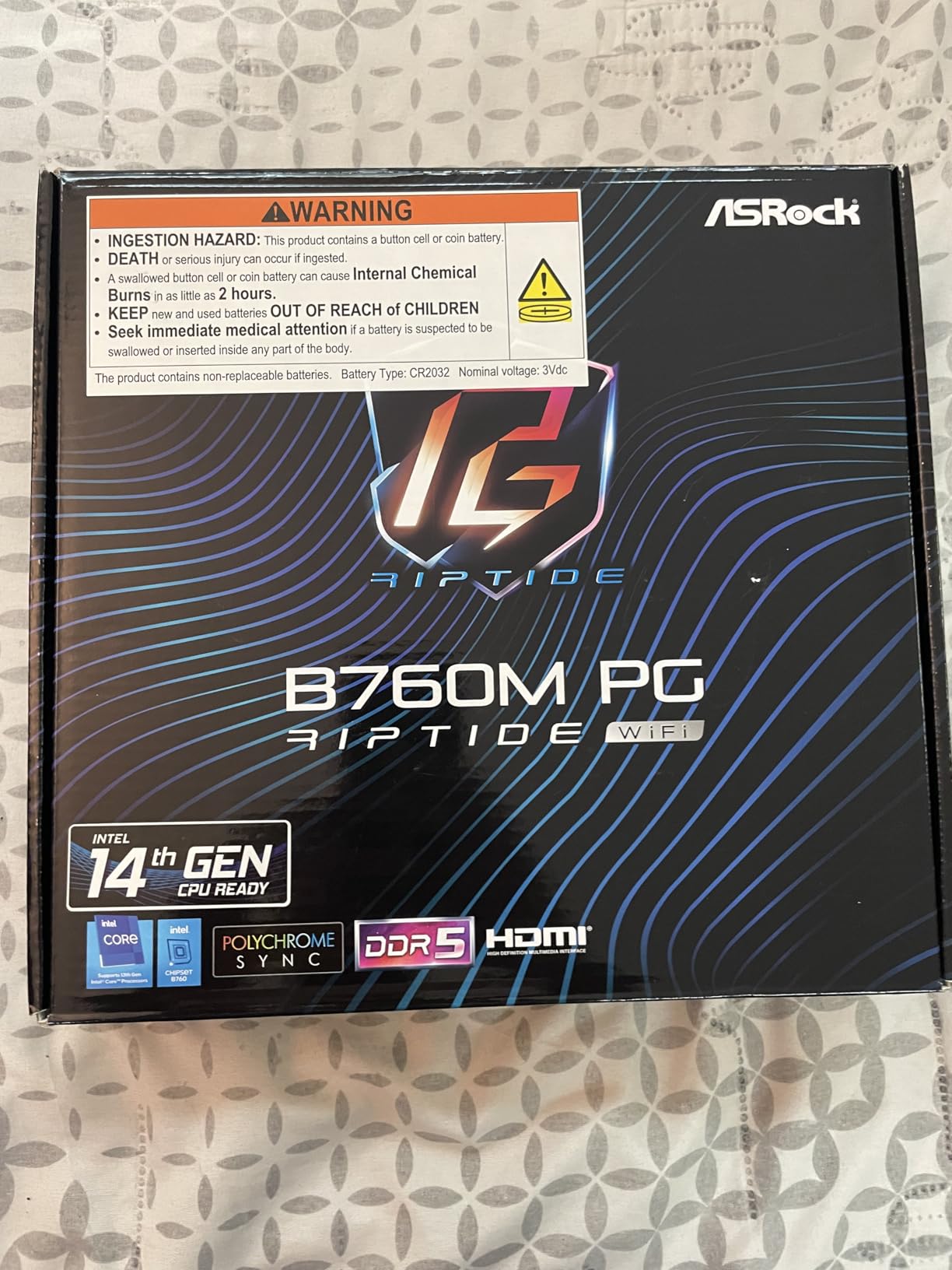
7. ASRock B760M PG Riptide WiFi – Best Compact Wireless Build
- ✓WiFi 6E and 2.5G LAN on a small DDR5 micro-ATX board
- ✓256GB memory ceiling with four DIMM slots
- ✓DDR5 support up to 7200MHz (OC)
- ✓Front and rear USB-C plus HDMI and DisplayPort
- ✕Only 122 reviews so the long-term record is thin
- ✕Two PCIe slots and one of them is a short x1
- ✕Listing data does not confirm full M.2 and port map
B760 chipset
4x DDR5 DIMM up to 256GB
DDR5 7200MHz (OC)
WiFi 6E and 2.5G LAN
The Riptide is the board to look at when you want a small DDR5 build with serious networking. WiFi 6E and 2.5G LAN together on a micro-ATX board at this tier is the combination that makes it stand out, and both are built in rather than add-in.
Memory is where it undercuts its rivals: four DDR5 slots with a 256GB ceiling, and support listed up to 7200MHz with overclocking. A 14+1+1 power phase design covers the power side for 14th Gen CPUs.
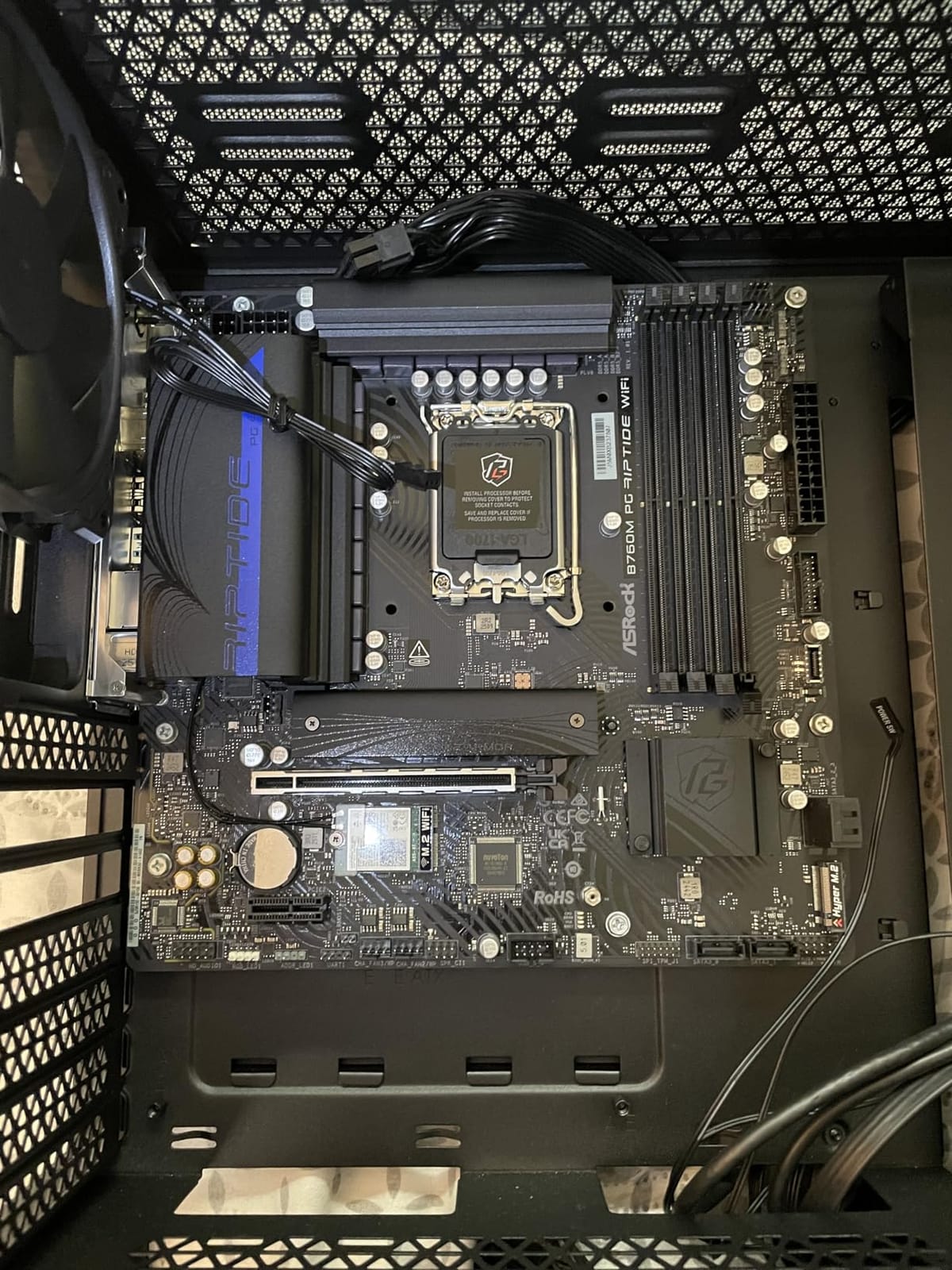
Networking That Comes Standard
Most micro-ATX boards in this guide ship with 1Gb Ethernet and no wireless. This one carries a 2.5G port plus WiFi 6E, which removes the need for a PCIe network card and the associated lane usage in a small case.
For a compact workstation or a living-room gaming machine that relies on wireless, that single feature is often decisive.
Memory Ceiling Above the Norm
A 256GB maximum across four DDR5 DIMM slots is higher than several ATX boards in this guide. If your workload is memory-bound rather than core-bound, that headroom is worth more than extra PCIe slots.
Listed support of DDR5 7200MHz (OC) indicates a board that will accept fast memory and leave overclocking headroom above the XMP profile, which the B760 chipset permits within its limits.
Expansion Is the Trade
Two PCIe slots, one of which is a short PCIe 4.0 x1. That is enough for a graphics card plus one small add-in, and not enough for a multi-card workstation. If you need three full-length slots, the B760 Gaming X AX is the alternative.
Front and rear USB-C plus HDMI and DisplayPort outputs cover most peripheral and integrated-graphics needs.
Verify the Full Specification
With 122 reviews, there is less evidence of long-term durability than for the higher-volume boards here. The retrieved listing data does not confirm the full M.2 count and port map, so check the manufacturer specification page against what you actually need before buying.
The 81% five-star share with only 4% one-star is encouraging, but a small base makes any single complaint less meaningful than it would be on the MSI boards.
8. ASRock Z790 Steel Legend WiFi – Best for Storage-Heavy Builds
- ✓Eight native SATA ports
- ✓rare on a modern Z790 ATX board
- ✓Three full-length slots including PCIe 5.0 x16 and PCIe 4.0 x16
- ✓Three M.2 NVMe drives with one at full Gen5 x4 speeds
- ✓Useful BIOS fan control tools and USB BIOS boot
- ✓M.2 heat spreaders included in the box
- ✕ASRock memory optimisation defaults can error with 4-DIMM kits
- ✕Fan control software and support pages are basic
- ✕UEFI-only boot needs CSM compatibility mode
- ✕12% one-star share
Z790 chipset
16+1+1 phase power design
4x DDR5 DIMM up to 256GB
8x SATA ports
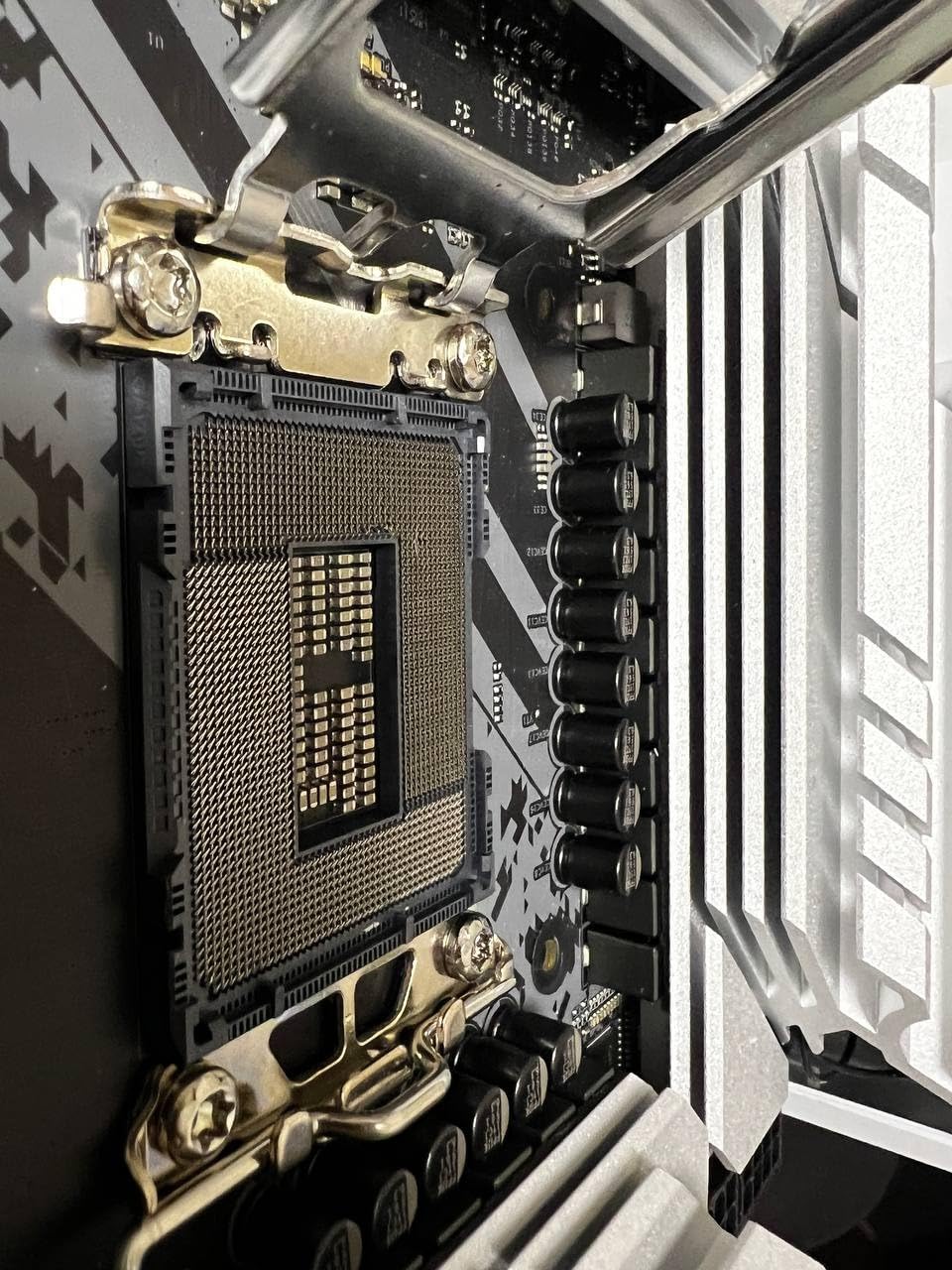
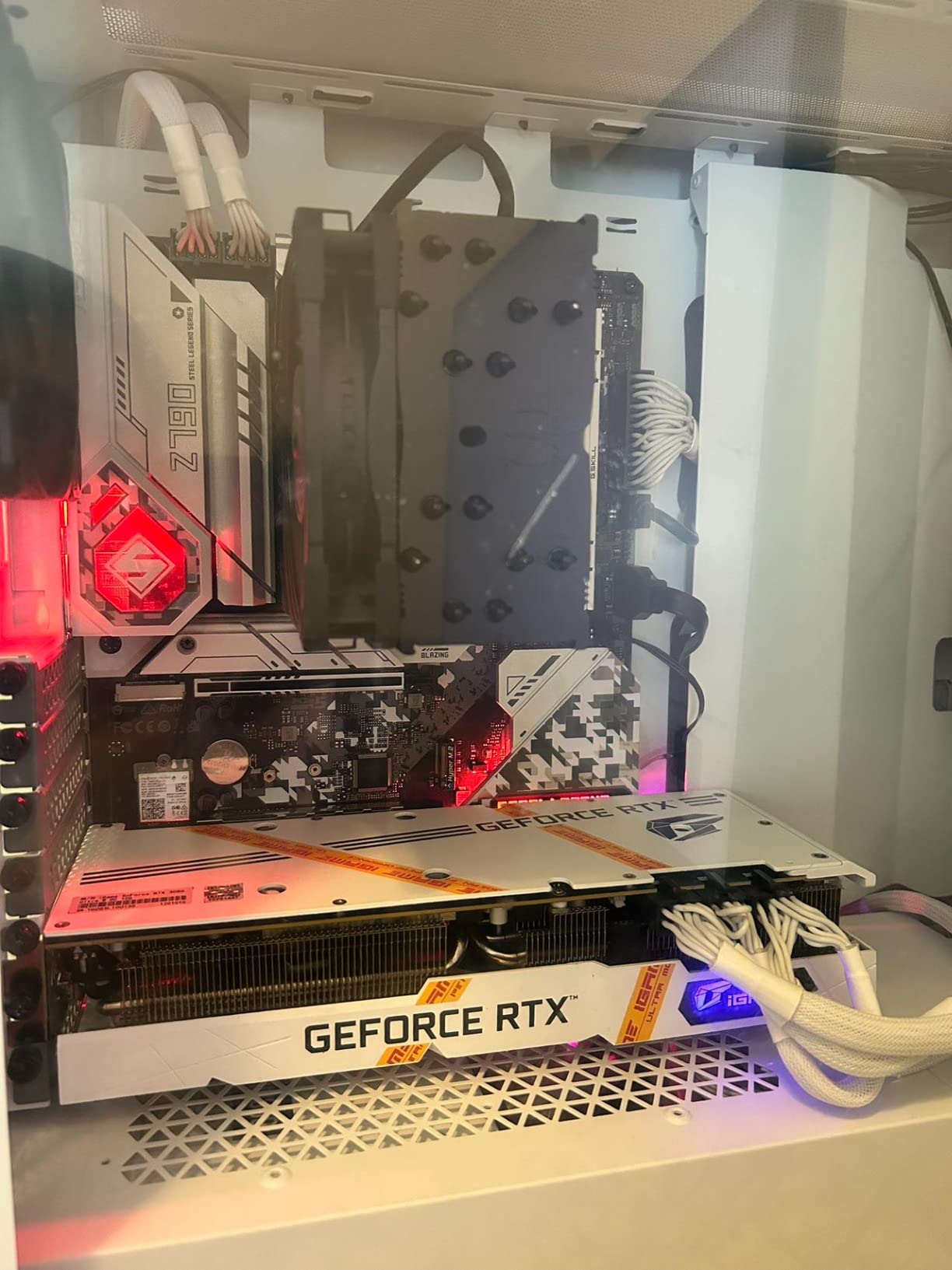
Eight SATA ports is the number that makes this board unusual. Most current ATX boards ship two to four, so if your plan involves multiple hard drives, a NAS-style arrangement or a server-leaning desktop, this is the board in the guide that already supports it.
Add three M.2 NVMe connectors, one running at full Gen5 x4 speeds, and three full-length expansion slots including PCIe 5.0 x16 and PCIe 4.0 x16. Buyers in forum threads consistently cite the storage count as the reason they picked it.
Eight SATA Ports in 2026
Four DDR5 slots top out at 256GB, and the board pairs 16+1+1 phase power design with SPS for the core and graphics rails. Combined with the drive count, it works well as a workstation base or a home server platform.
M.2 heat spreaders are included in the box, which matters more than usual when you are running three NVMe drives in one chassis.
The Memory Default You Should Change
This is the most important caveat in the whole guide. ASRock Timing Optimization and DRAM Frequency Optimization defaults can cause memory errors with four-DIMM kits, and this recurs across owner reports.
Either populate two slots, or enter the BIOS after the first boot and adjust those settings before assuming the hardware is faulty. Ten minutes of BIOS work removes what is otherwise a confusing set of boot problems.
Software and Support
Fan control software and the support pages are described as basic and rarely updated. If you tune fan curves, expect to do more of it in BIOS than in a utility. USB BIOS boot is present and useful.
The board is UEFI-only, so legacy MBR boot setups need CSM compatibility mode enabled.
Who Should Choose This
Choose it for storage count and lane availability, not for software polish. If you need four or more SATA devices, no other board here matches it without an add-in controller.
Skip it if you want a single clean drive and a graphics card, because the storage headroom goes unused.
9. ASUS Prime Z690-P D4 – Best DDR4 Power Delivery
- ✓14+1 DrMOS stages with ProCool connector
- ✓alloy chokes and capacitors
- ✓Full cooling across VRM
- ✓M.2 and PCH with Fan Xpert 4
- ✓PCIe 5.0 plus Realtek 2.5Gb Ethernet and Thunderbolt 4 header
- ✓Q-LED Code diagnostics and PCIe 5.0 Safeslot ease troubleshooting
- ✓OptiMem II layout gives strong memory headroom
- ✕Early BIOS revisions shipped with instability requiring updates
- ✕DDR4 speed ceiling is below comparable DDR5 boards
- ✕ASUS support reported slow on hardware failures
- ✕iGPU output disabled in BIOS by default on some units
Z690 chipset
14+1 DrMOS with ProCool connector
4x DDR4 DIMM up to 128GB
PCIe 5.0 and 3x M.2
This is the board to look at if you want Z-series capability and a large VRM while keeping DDR4. The 14+1 DrMOS stages with ProCool connector, alloy chokes and durable capacitors sit under a large VRM heatsink, with separate M.2 and PCH heatsinks alongside.
Connectivity is unusually complete for the tier: PCIe 5.0 expansion, three M.2 slots with a flexible heatsink, Realtek 2.5Gb Ethernet, USB 3.2 Gen2x2 Type-C, front panel USB-C and a Thunderbolt 4 header. For a content creation machine moving footage around, that port selection is the reason to pick it.
Update the BIOS Before Anything Else
This is the defining issue with this board and it needs saying plainly. Early BIOS revisions shipped with instability, and owners describe crashes, blue screens and boot failures until the newest BIOS and a clean CPU reseat were applied.
The board does have Q-LED Code diagnostics, which identifies the failing component during POST. That turns a frustrating fault into a solvable one, so install it with the CPU seated and the eight-pin CPU power connector firmly attached.
OptiMem II and DDR4 Ceiling
ASUS OptiMem II trace routing is why reviewers report strong memory overclocking headroom on a DDR4 board. The practical ceiling is still DDR4 itself, which is lower than what comparable DDR5 boards will run, so this is a compromise you accept for platform continuity.
Four DDR4 slots reach 128GB. That is enough for a workstation that is memory-heavy but not enormous.
Thunderbolt 4 and Multi-Display Work
The Thunderbolt 4 header plus front and rear USB-C gives you a clean way to attach external storage or a high-refresh display. Integrated graphics performance is reported as good once the BIOS is updated, which matters for a machine without a discrete card.
Some units ship with integrated graphics output disabled in BIOS by default, so check that setting if you are relying on the iGPU.
Support Experience
A smaller but consistent thread reports ASUS customer support being slow to resolve hardware failures. If you buy this board, keep your purchase documentation and test the full system including memory before your return window closes.
Buyers who update the BIOS and reseat cleanly report a fast, stable board with strong memory overclocking. That pattern is consistent enough to be actionable advice.
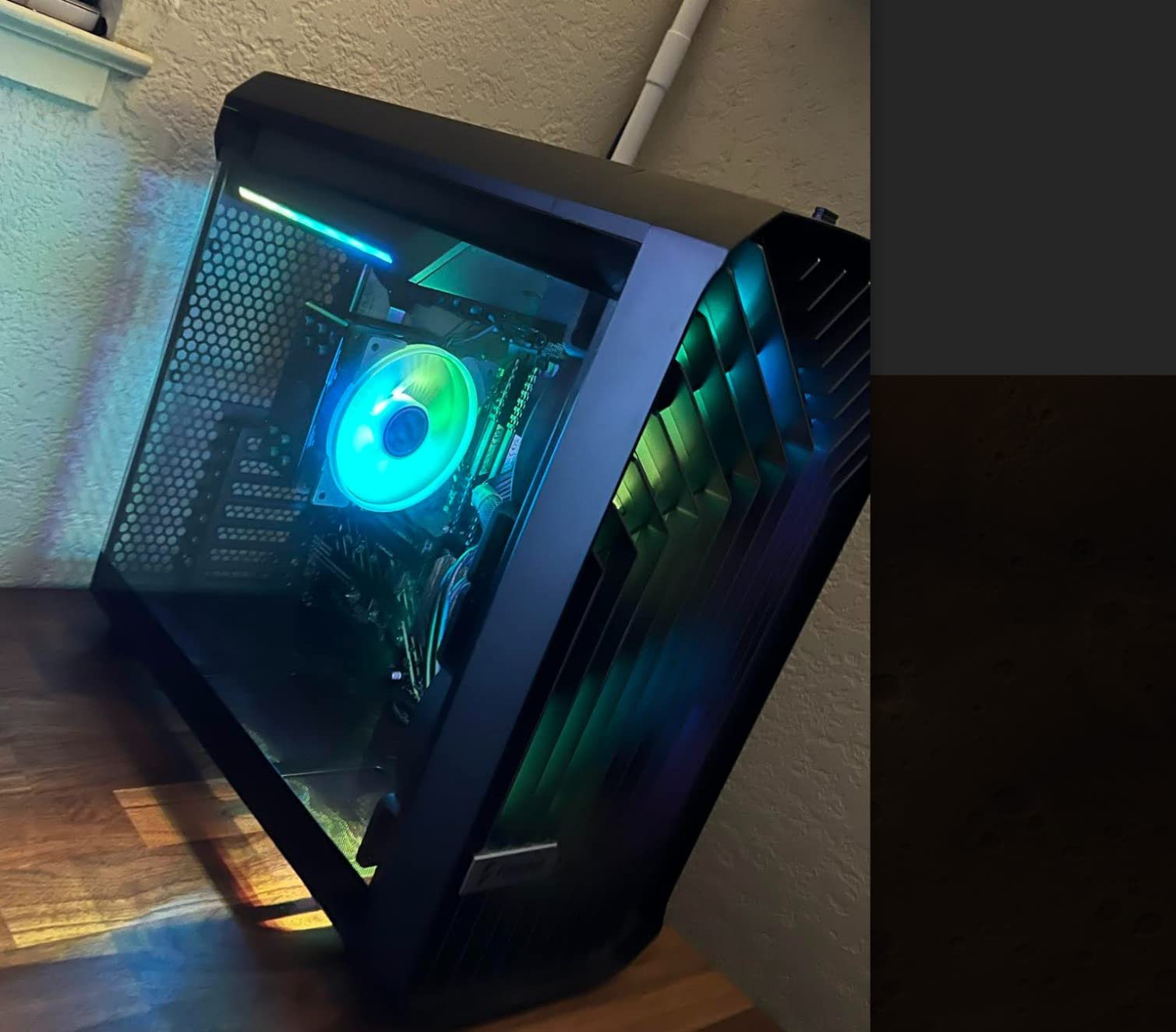
10. ASUS Prime Z790-P WiFi – Best Plain Z790 Build
- ✓Z790 chipset with PCIe 5.0 and DDR5 at a mid-range price
- ✓WiFi 6
- ✓2.5Gb Ethernet and a Thunderbolt 4 header included
- ✓14+1 DrMOS with large VRM
- ✓M.2 and PCH heatsinks
- ✓Clean understated design suited to non-gamer builds
- ✓Boots and installs easily with an intuitive BIOS
- ✕No onboard diagnostic or boot LEDs
- ✕Fewer fan connectors and USB headers than older Prime boards
- ✕May not reach the last ATX standoff in some mid-towers
- ✕M.2 heatsink contact is inconsistent on some units
Z790 chipset
14+1 DrMOS with ProCool connector
DDR5 up to 128GB
WiFi 6 and 2.5Gb Ethernet
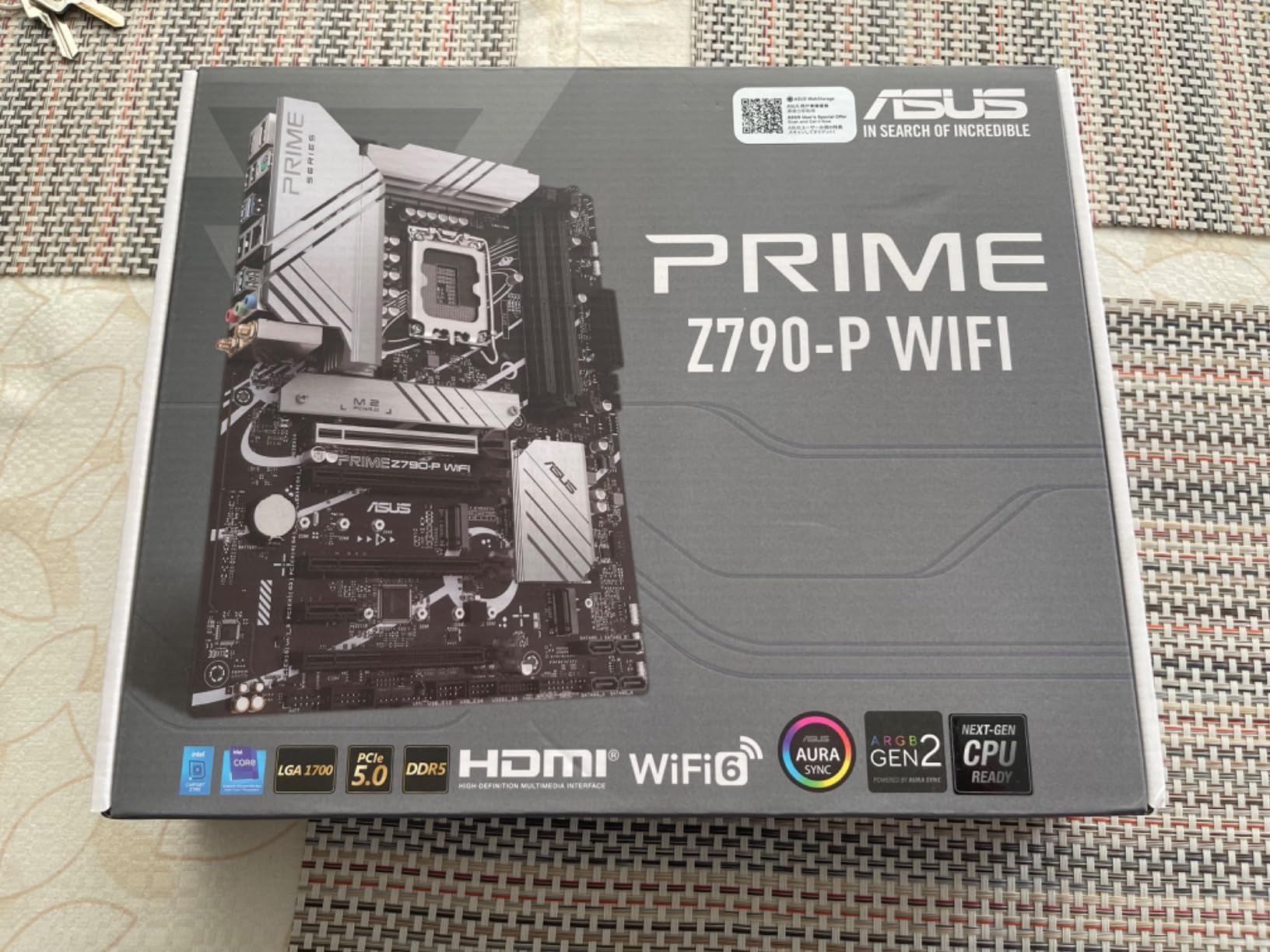
The Prime Z790-P WiFi is the board for someone who wants Z790 and DDR5 without a gaming aesthetic. Styling is deliberately plain, and 426 reviews at a 4.4 average describe a board that installs easily with a well-written manual and an intuitive BIOS.
On features it covers the essentials properly: 14+1 DrMOS with ProCool connector, large VRM heatsink plus flexible M.2 and PCH heatsinks, PCIe 5.0 expansion, DDR5 up to 128GB, WiFi 6 and Realtek 2.5Gb Ethernet, and a Thunderbolt 4 header.
No Boot LEDs Is the Odd One Out
This is the complaint that appears most often in reviews. Earlier ASUS Prime boards carried Q-LED diagnostic codes and this one does not, which is a real problem during a first build when POST failure has no visible cause.
If you have built before and have a multimeter, you can live with it. If this is your first machine, the Prime Z690-P D4 above has Q-LED Code diagnostics and is worth considering for that reason alone.
VRM and Cooling for 14th Gen Workloads
Fourteen plus one DrMOS stages with alloy chokes and durable capacitors sit under a large VRM heatsink, alongside a flexible M.2 heatsink and PCH heatsink. Fan Xpert 4 handles hybrid fan headers and curve control.
One inconsistency owners report is that the M.2 heatsink does not make direct contact with the SSD on some units. If you are running a high-power Gen4 or Gen5 drive, check contact and add a thermal pad if the gap is obvious.
Case Fit and Header Availability
Fewer four-pin fan connectors and USB headers than earlier Prime boards, so plan your fan and peripheral layout before the case is closed. Some owners also report the board not reaching the last ATX standoff in certain mid-towers, which is a case-fit issue rather than a board fault.
Measure your chassis before ordering if your case is a compact mid-tower.
Reliability Reports to Weigh
A notable minority of reviews report boards failing within a few months and dissatisfaction with support response. That sits behind the GIGABYTE Z790 UD AC at 4.2 and the Steel Legend at 4.3, so it is worth considering before you commit.
Owners who get a working unit generally rate it highly for clean design, painless install and steady performance in both gaming and workstation use. Test memory thoroughly as soon as it arrives.
Who It Suits
Pick it for a quiet work machine, a home office build or a non-RGB case where a plain board looks right. Avoid it if you are on your first build and value POST diagnostics, or if you are running a fully unlocked chip you plan to tune hard.
How to Choose an LGA 1700 Motherboard in 2026
Most buyer confusion in this socket comes from treating chipset names as marketing tiers rather than feature switches. Fix the chipset first and the rest of the decision gets much simpler.
Pick the Chipset Before the Brand
H610 is the floor. Two memory slots, one M.2 slot, no CPU overclocking. It suits a Core i3, a Pentium Gold part or a cheap non-K i5 in an office machine, and nothing more ambitious.
B660 adds memory slots and better storage support but still blocks CPU overclocking. B760 is the current sweet spot because it supports 12th, 13th and 14th Gen with better memory and PCIe options while staying cheaper than Z-series.
Z690 and Z790 enable CPU overclocking and more PCIe and USB lanes. Z790 adds the newest platform features including PCIe 5.0 on the primary graphics slot. Pay for Z-series only if you will use what it unlocks.
DDR4 or DDR5, and Why It Is a Real Fork
DDR4 boards let you reuse an existing kit and cost less overall. DDR5 boards give you higher memory speeds and more headroom, and they are the direction the platform moved. If you already own a decent DDR4 kit, four-slot DDR4 boards like the MSI PRO B760M-P or the ASUS Prime B660M-A D4 avoid an unnecessary memory purchase.
Watch the DIMM count more than the chipset. Two slots limit you to a single purchase at the platform ceiling. Four slots let you start small and add later.
What VRM Phase Counts Actually Mean
A phase count is only meaningful alongside the current rating of each stage and whether a heatsink covers it. A 12+1+1 arrangement with DrMOS and covered heatsinks, like the one on the MSI B760 Gaming Plus WiFi, handles high-power 14th Gen chips far better than a higher stage count with no thermal coverage.
For a non-K Core i5, almost anything works. For a Core i7 at stock settings, look for covered heatsinks. For an unlocked i9 under sustained load, choose the largest covered array you can find in your price range.
Form Factor and Case Fit
Micro-ATX gives you two or three expansion slots and usually fits in smaller cases, but cooler clearance can be tight for large tower coolers. Mini-ITX is not represented in this guide because the available LGA 1700 Mini-ITX options are expensive for what they offer at this point in the platform’s life.
Full ATX gives you room for a 360mm AIO radiator and multiple expansion cards. Check whether your case supports the last ATX standoff, because some compact mid-towers do not.
Networking, Wireless and BIOS Convenience
1Gb Ethernet is a real constraint on gigabit-plus connections and large network transfers. If a board offers only 1Gb LAN, plan on a network adapter. The MSI B760 Gaming Plus WiFi, the ASRock Riptide and the ASUS Prime boards here all carry 2.5Gb or better.
Onboard WiFi 6 or 6E saves a PCIe slot and a cable, and matters in compact builds where slot space is tight. BIOS FlashBack or Q-Flash lets you update firmware without a working CPU, which is worth having on any board you might upgrade to 14th Gen.
What You Should Spend
Budget tier covers the H610 and B760 micro-ATX boards. Mid tier is where the B760 ATX boards and the well-cooled DDR4 options live, and that is where most builders should aim. Premium covers Z790 boards with large VRMs, multi-slot expansion and 2.5Gb or better networking.
Spend on VRM cooling, memory slots and networking before you spend on lighting. Those three determine whether the board works well for you in three years.
Frequently Asked Questions
What is the best motherboard for gaming?
Among the boards here, the MSI B760 Gaming Plus WiFi is the strongest gaming pick because it pairs a 12+1+1 Duet Rail DrMOS power system with covered VRM heatsinks, DDR5 support up to 6800+MHz (OC) and WiFi 6E with 2.5Gbps LAN. If you already own a DDR4 kit, the MSI PRO B760M-P DDR4 is the cheaper equivalent.
What processors use the LGA 1700?
LGA 1700 supports 12th Gen Alder Lake, 13th Gen Raptor Lake and 14th Gen Raptor Lake Refresh desktop processors, plus Pentium Gold and Celeron parts. Motherboards for the socket use H610, B660, B760, Z690 or Z790 chipsets. Every board in this guide supports all three Core generations.
Is the LGA 1700 socket outdated?
LGA 1700 has been superseded by LGA 1851 for Core Ultra desktop processors, so it is no longer Intels newest platform. It remains a valid choice in 2026 because boards are priced well below the newer socket, it runs the full 13th and 14th Gen lineup, and it offers three CPU generations on one purchase.
Which motherboard is best for DDR4 RAM?
The MSI PRO B760M-P DDR4 is the best DDR4 board here, with four DIMM slots, a 128GB ceiling and an M.2 Shield Frozr heatsink. The ASUS Prime B660M-A D4 is the pick if you want a VRM heatsink in a micro-ATX body, and the ASUS Prime Z690-P D4 is the choice if you want Z-series power delivery on DDR4.
How much should a good motherboard cost?
Prices vary by chipset and tier. A budget H610 or B760 micro-ATX board covers a basic i3 or i5 build, a mid-tier B760 ATX board adds VRM cooling, more memory slots and 2.5Gb networking, and a Z790 board with a large phase array is the option for unlocked high-power CPUs and heavy overclocking.
What is the average lifespan of a motherboard?
A well-built motherboard commonly runs for five to ten years with BIOS support and driver updates continuing. On LGA 1700 specifically, upgrade headroom is limited by the socket change to LGA 1851, so a board bought now realistically serves the 13th and 14th Gen parts you already can buy rather than anything newer.
Do I need Z790 or will B760 do?
B760 is enough unless you intend to overclock the CPU. It supports 12th, 13th and 14th Gen processors, handles high-power 14th Gen chips with adequate VRM cooling and offers PCIe 4.0 expansion. Choose Z790 for CPU multiplier overclocking, a PCIe 5.0 graphics slot and more PCIe and USB lanes.
Can I upgrade to a 14th Gen CPU on an LGA 1700 board?
Yes, provided the board lists 14th Gen support and its shipped BIOS revision is recent enough. Boards without a BIOS FlashBack or Q-Flash button may need an older supported CPU installed first. Every board in this guide is listed as supporting 14th Gen, so confirm the shipped BIOS revision before buying.
Which LGA 1700 Motherboard Should You Buy in 2026?
The MSI PRO B760M-P DDR4 is our overall pick. It has the largest owner review base in this guide, four DDR4 slots instead of two, an M.2 heatsink included at this tier and onboard audio owners keep praising. It is the board we recommend to someone who wants the socket without overpaying for it.
If you want DDR5 and full ATX with wireless built in, the MSI B760 Gaming Plus WiFi takes it, with the best VRM coverage in the B760 group and 2.5Gb LAN on board. For the lowest cost entry, the MSI PRO H610M-G DDR4 gets a working LGA 1700 machine together with the least fuss.
Move to the GIGABYTE Z790 UD AC only when you plan to overclock an unlocked CPU, because its 16+1+1 phases with 60A DrMOS exist for that purpose. Creators who need drive count should look at the ASRock Z790 Steel Legend WiFi for eight SATA ports, and a compact DDR4 build with cooling wants the ASUS Prime B660M-A D4.
Whichever board you choose, check the shipped BIOS revision before fitting a 14th Gen CPU, and update the firmware before anything else. It is the one step that removes most of the problems owners report in this roundup.






Leave a Comment