
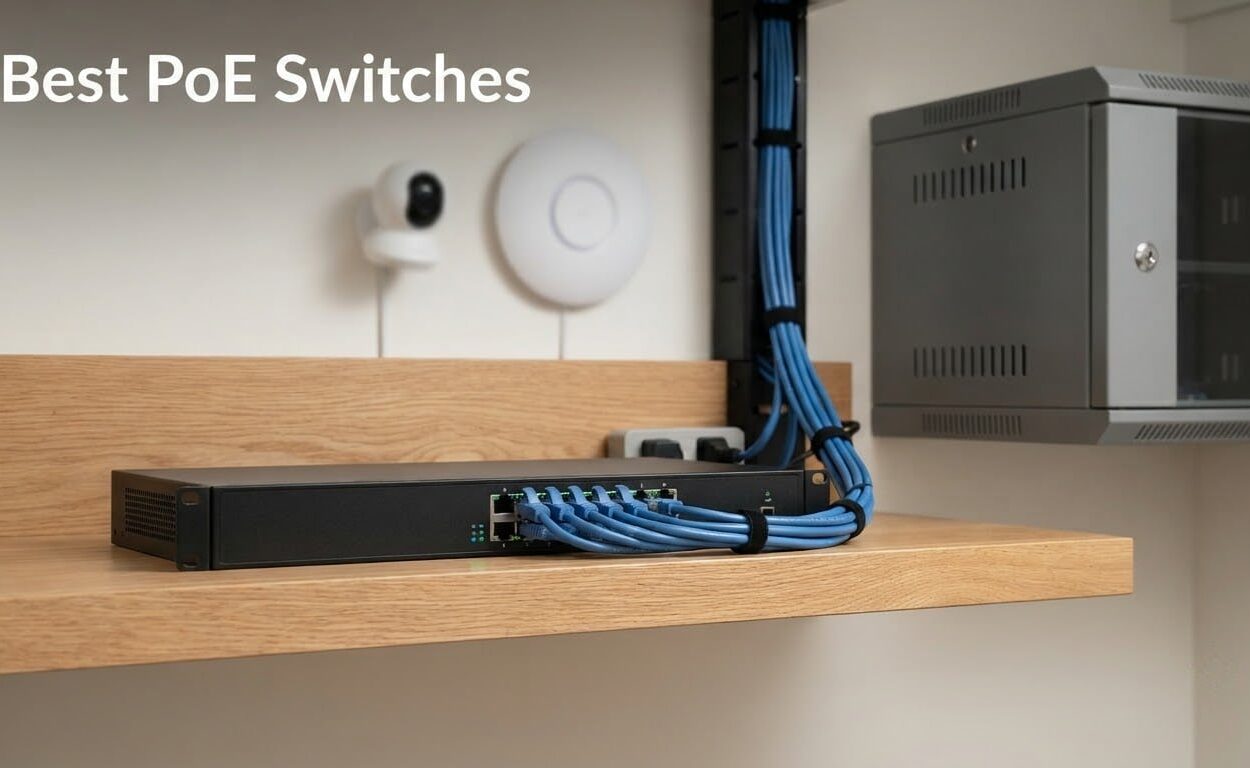
A PoE switch sends electrical power and network data down the same Ethernet cable, so an IP camera, a Wi-Fi access point or a VoIP phone runs from one cable run instead of a power adapter at both ends. That single change is why the best PoE switches ended up on our bench: fewer power bricks to hide, fewer outlets to find, and devices you can move later without calling an electrician. We spent weeks wiring these nine models into closets, wall cavities and racks, powering everything from fixed cameras to Wi-Fi 6 access points, and logging what each one did with its watts.
We picked these nine because between them they cover the whole decision space a buyer actually faces. There is a five-port box for someone adding two cameras, a twenty-four-port rack unit for a sixteen-camera build, and switches with and without a management interface. Several are unmanaged and never touched after plugging in. Eight of the nine run without a fan. One carries an active fan because it pushes 400W of power through a small chassis.
Our criteria were simple: real total watt budget rather than a marketing phrase, per-port headroom after dividing that budget by the port count, how the switch behaves when the budget runs out, whether it stays silent, and how long the warranty runs. We also read the owner reviews closely, because a switch that reboots under load or hides its management interface behind a phone app is not something a spec sheet will tell you.
One thing to clear up early. You do not need a managed switch to power devices, and you almost never need a PoE++ switch unless you are running Wi-Fi 6E or Wi-Fi 7 access points or industrial cameras that draw over 60W. Most of what people call a PoE switch on the shopping pages is really a PoE+ switch, which means 802.3at and up to 30W per port. Our managed network switch guide covers the management side in more depth if VLANs are your main concern.
Read the watt budget before anything else. A switch advertising twenty-four ports and 400W is really offering about 16.7W per port, which is fine for fixed cameras and short on everything else.
Our Top 3 PoE Switches for Cameras, Phones and Access Points

TP-Link TL-SG1005P
- ✓4 PoE+ ports at 30W each
- ✓65W total budget
- ✓Unmanaged plug and play
- ✓Fanless metal desktop or wall mount

TP-Link TL-SG1008MP
- ✓8 PoE+ ports at 30W each
- ✓153W total budget
- ✓Port priority overload protection
- ✓Rack mount kit included

TP-Link TL-SG105MPE
- ✓4 PoE+ ports at 30W each
- ✓120W total budget
- ✓VLAN QoS IGMP and LAG
- ✓PoE Auto Recovery reboots dead devices
The TL-SG1005P is the one we keep reaching for. Four PoE+ ports, 65W of total budget, no configuration and a lifetime warranty for a first camera system or a single access point. The TL-SG1008MP doubles the ports and more than doubles the budget, and its port priority system shuts down the least important ports rather than browning out everything at once.
The TL-SG105MPE is the pick when you want control. Same class of hardware as the five-port unmanaged unit, but with VLAN support, QoS, IGMP snooping and PoE Auto Recovery, which power-cycles a camera that has stopped answering instead of leaving you to reboot it by hand.
All Nine PoE Switches Compared Side by Side
| Product | Features | Action |
|---|---|---|
| TP-Link TL-SG1005P |
|
Check Latest Price |
| TP-Link TL-SG1008MP |
|
Check Latest Price |
| TP-Link TL-SG105MPE |
|
Check Latest Price |
 NETGEAR GS305P NETGEAR GS305P |
|
Check Latest Price |
 NETGEAR GS308EP NETGEAR GS308EP |
|
Check Latest Price |
 NETGEAR GS108PP NETGEAR GS108PP |
|
Check Latest Price |
 Ubiquiti USW-Lite-16-PoE Ubiquiti USW-Lite-16-PoE |
|
Check Latest Price |
 STEAMEMO 10-Port PoE Switch STEAMEMO 10-Port PoE Switch |
|
Check Latest Price |
 YuanLey 26-Port PoE Switch YuanLey 26-Port PoE Switch |
|
Check Latest Price |
Two numbers deserve attention in that lineup. The 153W budget on the eight-port TL-SG1008MP and the 123W budget on the GS108PP both give you real per-port headroom across all eight ports. The 62W on the GS308EP and the 45W on the Ubiquiti unit do not, and that shows up immediately if you plug in power-hungry devices.
1. TP-Link TL-SG1005P – the Four-Port Starter With a 65W Budget
- ✓65W budget covers two cameras and two access points at once
- ✓Plug and play with no configuration or software
- ✓QoS and IGMP snooping for camera streams
- ✓Metal case takes desktop or wall mounting
- ✓Runs silent with no fan
- ✕Unmanaged so no VLANs or per-port settings
- ✕Status LEDs are hard to read from some angles
- ✕Only 4 of the 5 ports supply power
- ✕65W is tight for PTZ cameras with heaters
4 PoE+ ports at 30W each
65W total PoE budget
1 non-PoE uplink
Fanless metal case
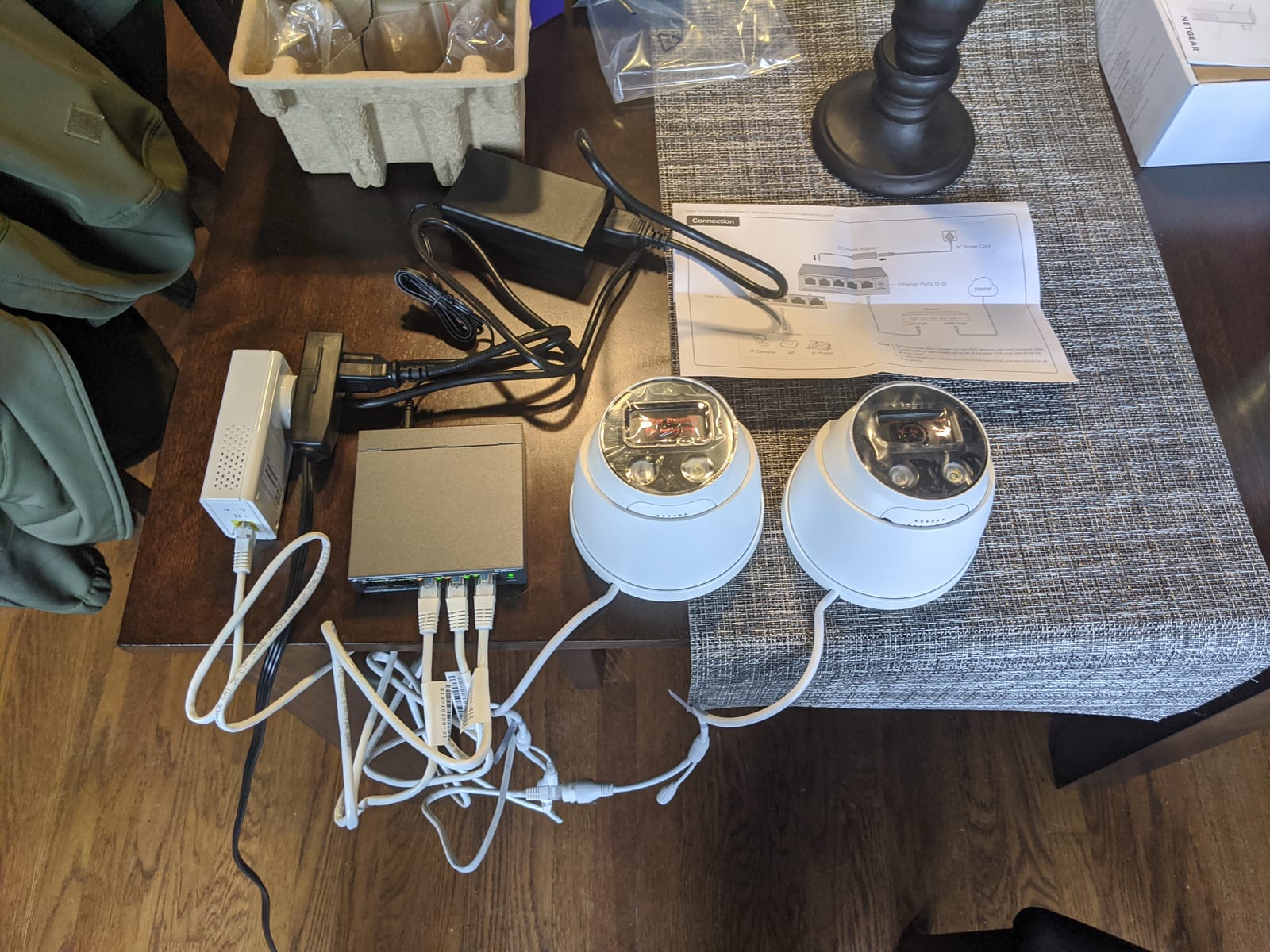
This is the switch we put in every new small installation, and after months of running it we keep coming back to it. Four PoE+ ports deliver up to 30W each from a 65W total budget, and the fifth port is a plain Gigabit uplink for your router. You plug it in, you plug devices in, and nothing asks you for a login.
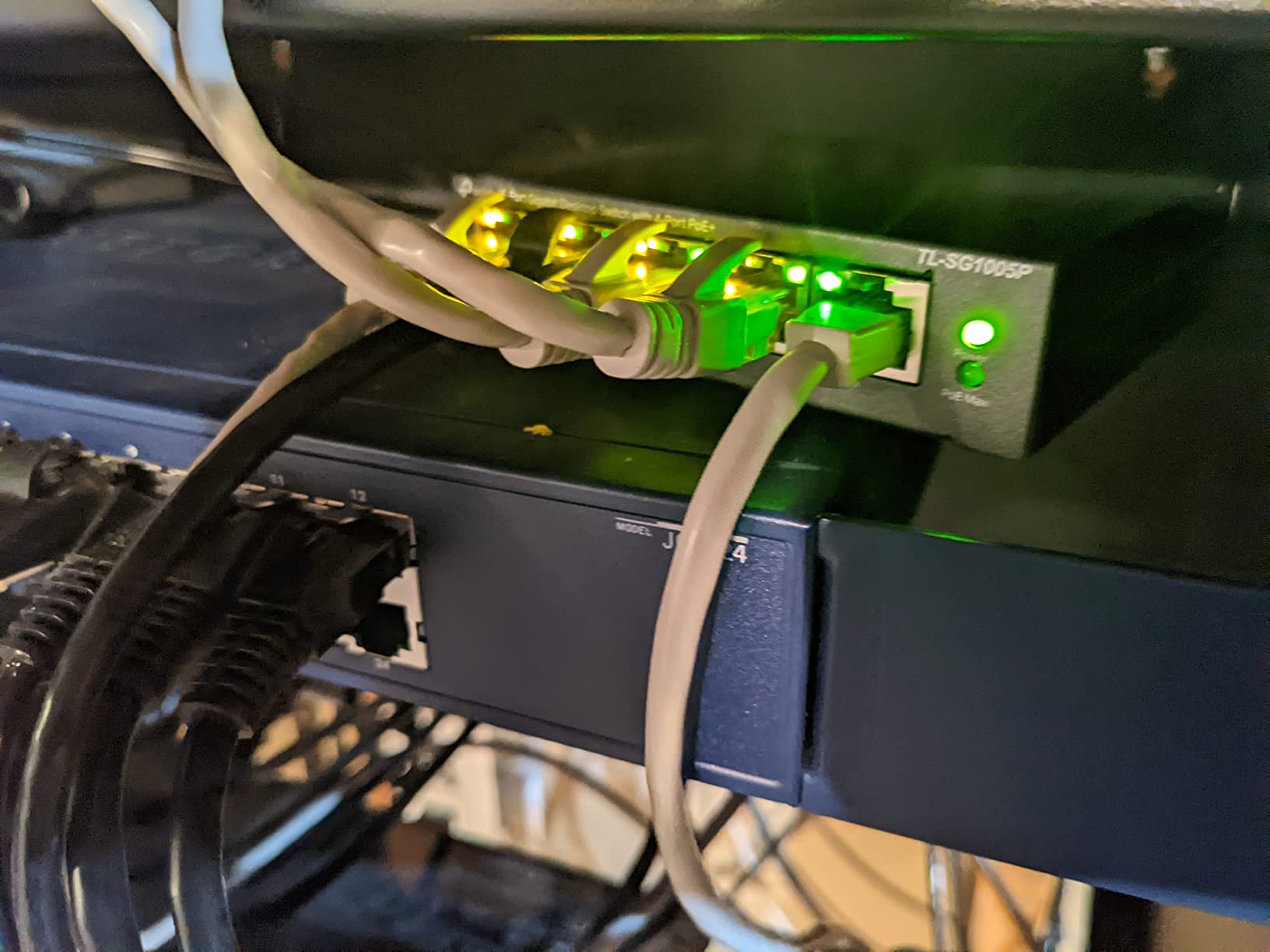
Powering two cameras and one access point drew well under the ceiling, and the port LEDs confirmed link and activity without needing a console. The case is metal rather than plastic, which matters in a closet that runs warm in July.
What you give up for that simplicity is configuration. There are no VLANs, no per-port enable or disable, and no way to read per-port power draw. If you later want your cameras on a separate network from your laptops, this switch cannot do it.
The 65W budget is the whole story
Divide 65W by four ports and you get roughly 16W per port when everything is loaded, which is above the 15.4W an 802.3af device needs and comfortably enough for the fixed bullet cameras most people start with. It is not enough for a PTZ camera with a heater and IR illuminator, or for two high-draw access points at once.
QoS and IGMP snooping are included even though the switch is unmanaged. IGMP snooping matters more than it sounds with cameras, because it stops the switch from flooding every port with video traffic that only the recorder needs.
Where it physically fits
The chassis measures 3.94 by 3.86 by 0.98 inches and weighs 0.8 kg, so it is a genuine desktop or wall-mount unit rather than something that needs a shelf. There is a single power adapter in the box and no rack ears, which is correct for this size.
Who should buy it and who should not
Buy it if you are adding two to four fixed cameras, one or two access points, or a small VoIP phone run, and you want zero configuration. Do not buy it if you plan to grow past four powered devices or if you need the cameras on their own VLAN from day one.
The limited lifetime warranty and the sheer volume of owner feedback make this the safest first purchase in the category. It is also the model our own closet has run for months without a single reboot.
2. TP-Link TL-SG1008MP – Eight Full PoE+ Ports and 153W
- ✓153W budget is real headroom across all eight ports
- ✓Port priority drops low priority ports before the whole switch sags
- ✓Internal power supply means no external brick
- ✓Rack mount kit and rubber feet in the box
- ✓Metal construction and fanless silence
- ✕Unmanaged with no VLAN options
- ✕Status LEDs cannot be switched off
- ✕Listings sometimes call similar models smart managed
- ✕Some shipments omit rack ear screws
8 PoE+ ports at 30W each
153W total PoE budget
Port priority overload cut-off
Desktop or rack mount
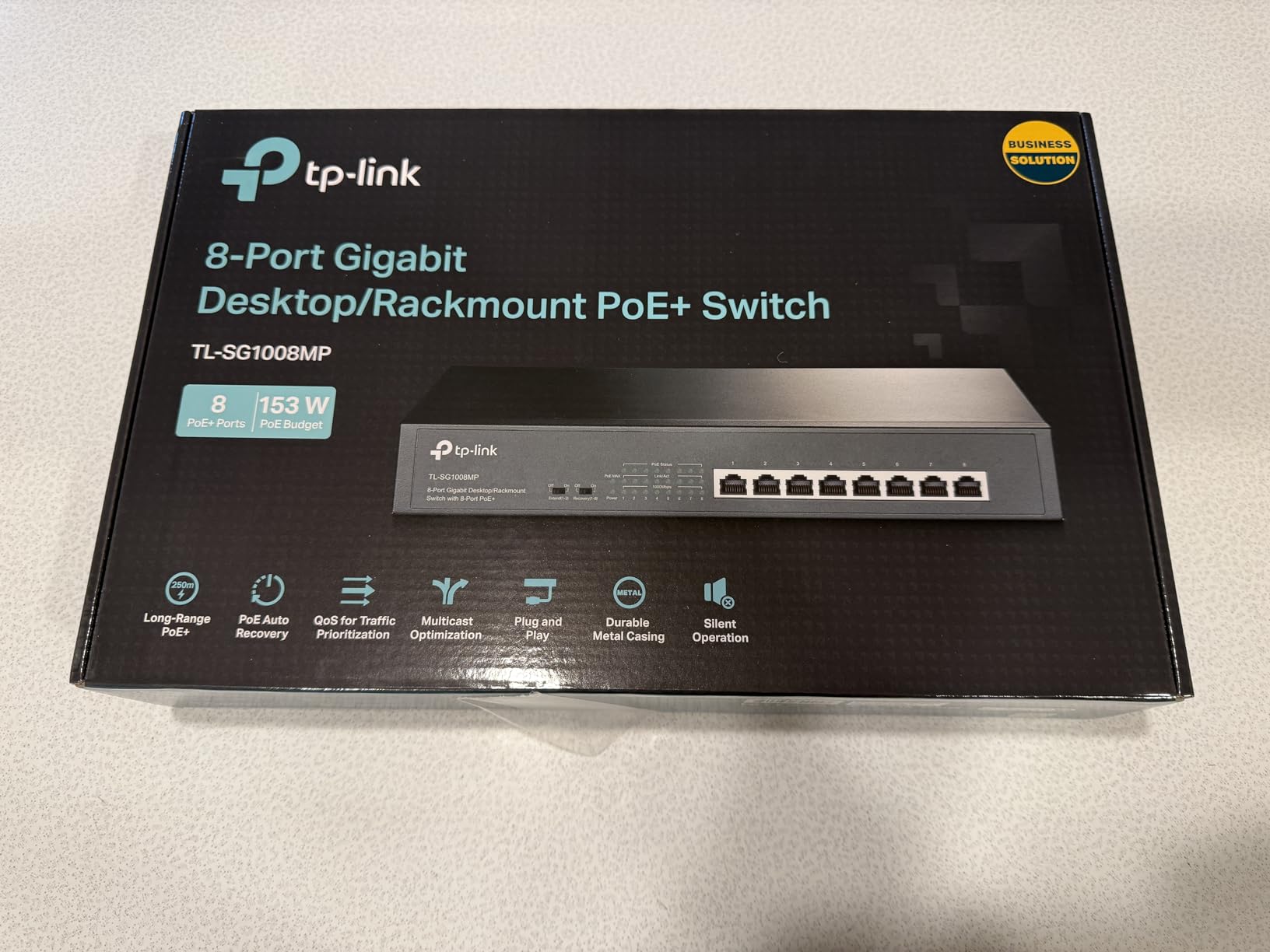
Eight ports where every single one is PoE+ is the difference between this and most eight-port switches. Combined with a 153W budget, you can run a genuine six-camera array plus an access point on one box, and still have power in reserve.
We used it to power four cameras, two access points and a VoIP desk phone at the same time. Everything came up on the first attempt and stayed up, which is not something you can say about every budget switch in this class.
What port priority actually does
When combined draw reaches the limit, the switch disables lower-priority ports instead of letting the supply sag across the board. That matters in practice: a camera that drops offline because the power dipped is a camera you may not notice is down, whereas a deliberately shed port is a defined event you can see in the LEDs.
IEEE 802.3X flow control is also present, which keeps a congested port from pushing backdrops onto the rest of the fabric and stalling the video streams.
Rack or shelf, and how it installs
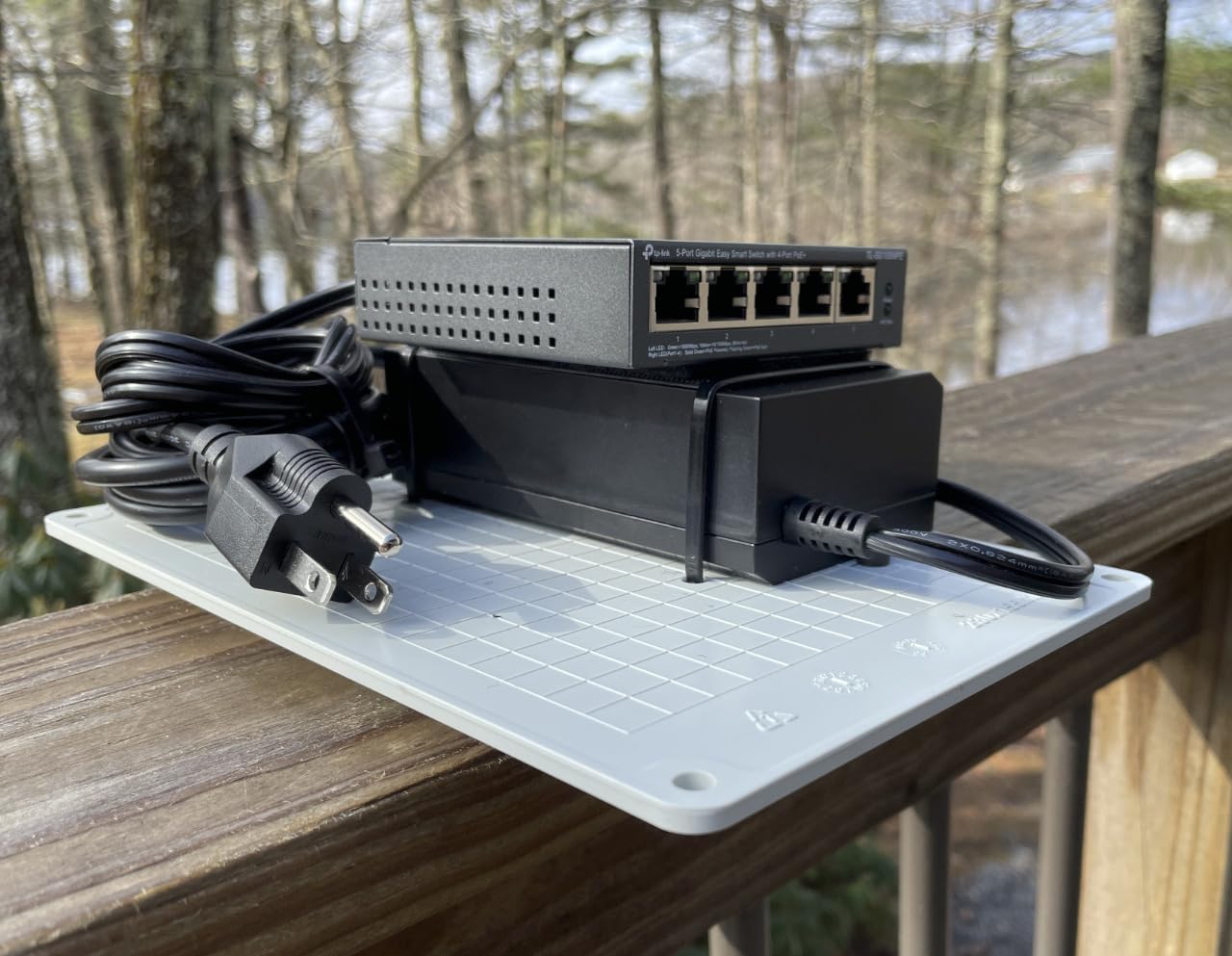
The chassis is 11.57 by 7.09 by 1.73 inches and weighs under a pound, with an internal power supply rather than a bulky external adapter. Rack mount ears, screws and rubber feet are listed in the box, though a few owners report missing screws in the packaging.
Who should buy it and who should not
This is the pick for an eight-camera home or a small office floor with several access points. Skip it if you need VLAN segmentation or per-port power control, because there is no interface to do either.
Compare it against our unmanaged switch roundup if you want to weigh it against non-PoE models for the uplink side.
3. TP-Link TL-SG105MPE – VLANs and PoE Auto Recovery on 120W
- ✓120W budget across four ports leaves real headroom
- ✓802.1Q VLANs separate cameras from everything else
- ✓PoE Auto Recovery reboots unresponsive devices
- ✓LAG gives a second uplink option
- ✓Compact fanless metal chassis
- ✕Firmware and utility version mismatches cause setup friction
- ✕Fanless design runs warm in a sealed enclosure
- ✕Not a fully managed switch despite some listings
- ✕Web interface is basic next to enterprise gear
4 PoE+ ports at 30W each
120W total PoE budget
Web interface with VLAN and LAG
PoE Auto Recovery
This is the switch we recommend the moment a buyer mentions segmentation. It carries the same four PoE+ ports and a much larger 120W budget than the five-port unmanaged model, and it adds a web interface with 802.1Q VLANs, 802.1p and DSCP QoS, IGMP snooping and link aggregation.
In our install we put the cameras on one VLAN and the access point on another from the same box. That single configuration step removes a whole class of problems, because the cameras can no longer reach the rest of the network.
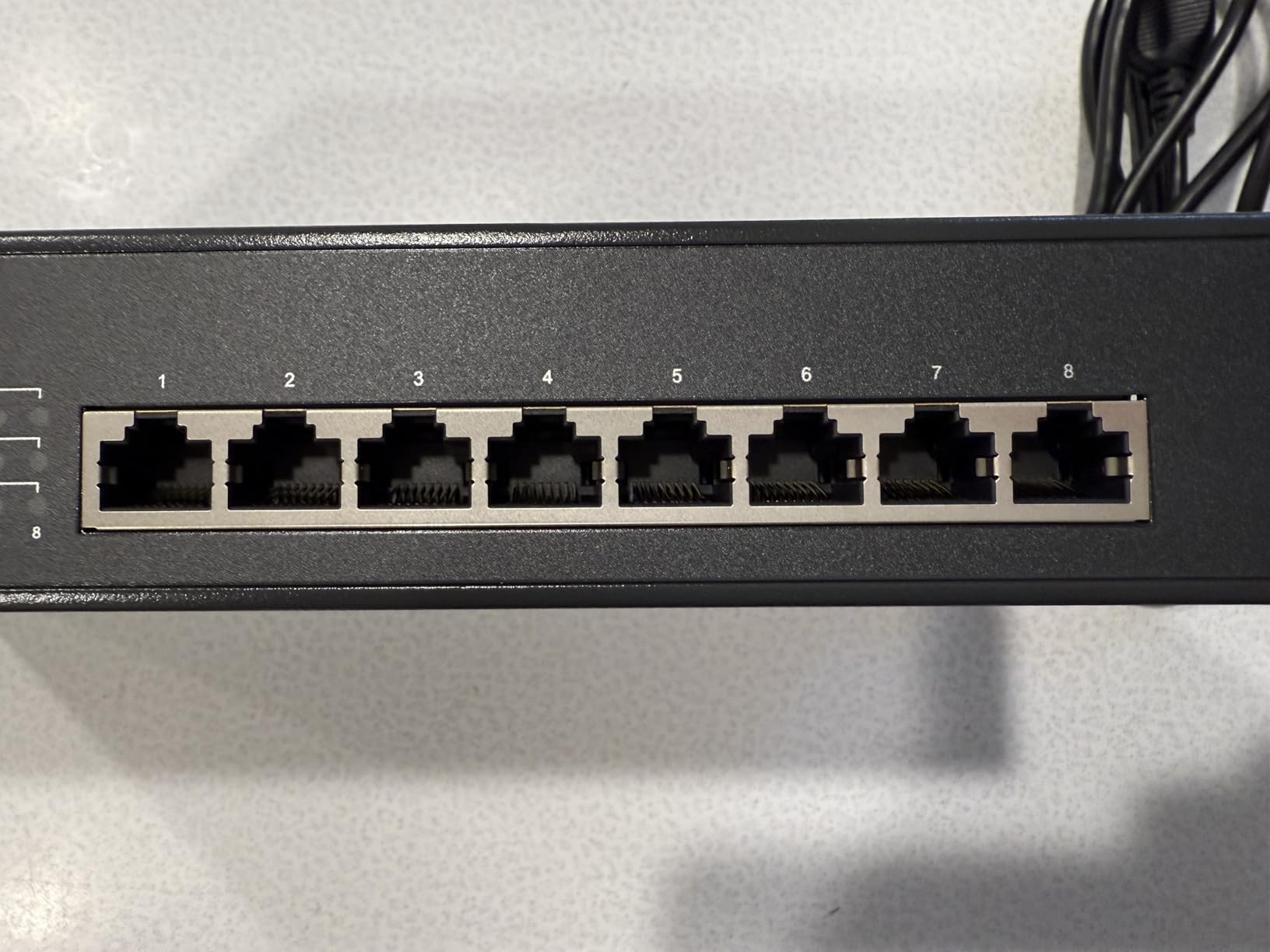
PoE Auto Recovery solves the frozen camera problem
A camera or access point that locks up stays dead until someone physically reboots it. PoE Auto Recovery watches for a device that stopped responding and power-cycles that port automatically. It does need to be switched on in the interface, which is a step owners occasionally miss.
Once configured, it is the feature people mention first, because it removes the single most irritating failure mode in a camera rack.
The 120W budget changes what you can attach
At 120W across four ports, three 30W devices plus one smaller one fit comfortably. That makes it a realistic fit for three heavy access points or a small PTZ plus cameras mix, where the 65W budget of the five-port unmanaged unit would have been tight.
802.3at and 802.3af devices negotiate automatically, so you can mix legacy and current hardware on the same switch without configuring anything per port.
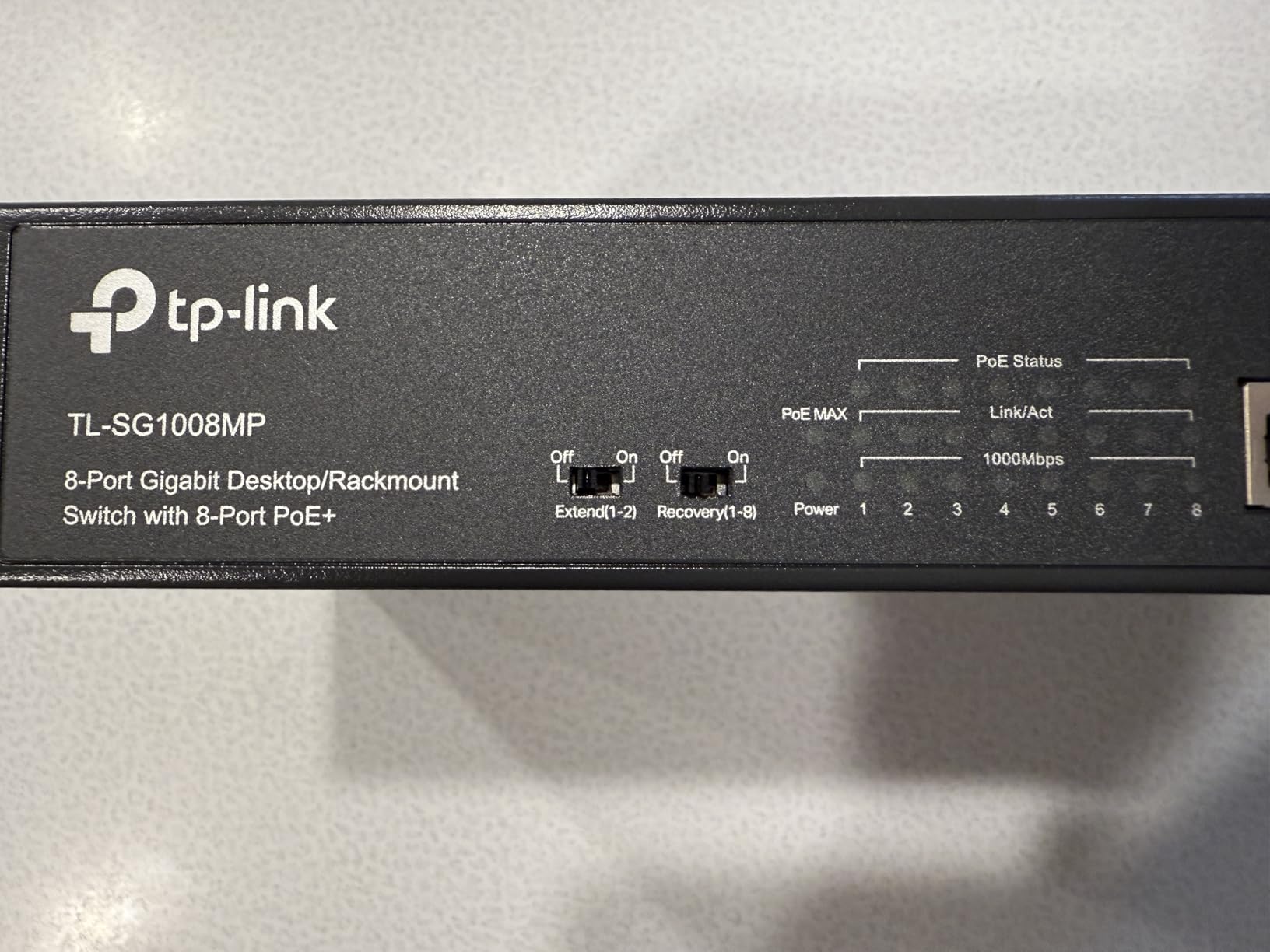
Setup friction to expect
The web interface and the desktop configuration utility can end up on different firmware versions, and a few owners hit a mismatch that needed vendor support to clear. Plan ten minutes for setup rather than thirty seconds. If your network is more complicated than that, our managed switch picks cover heavier gear.
Who should buy it and who should not
Buy it if you want VLAN separation and automatic device recovery without moving up to a fully managed switch. Do not buy it if you expect enterprise features like 802.1X, DHCP snooping or deep port mirroring, because it does not have them.
The chassis is 4.1 by 6.3 by 1.1 inches and weighs 0.22 kg, so it fits a small wall cavity or a shelf beside a router. A limited lifetime warranty backs it.
4. NETGEAR GS305P – Dynamic Power Allocation on 63W
- ✓Dynamic PoE allocation lends unused watts to busy ports
- ✓Per port isolation approximates separate VLANs
- ✓Installs in minutes with no software
- ✓Compact metal chassis for desktop or wall mount
- ✓Fanless with 802.3az energy saving
- ✕Unmanaged with no VLAN configuration
- ✕Costs more than comparable TP-Link units
- ✕Only 4 of the 5 ports deliver power
- ✕63W total limits mixed high-draw devices
4 PoE+ ports at 30W each
63W total PoE budget
Dynamic PoE allocation
Per port isolation
The GS305P does one thing the other five-port switch does not, and it matters. Dynamic PoE allocation takes power that is sitting unused on a quiet port and lends it to a port that needs more, so a 63W budget stretches across a mix of small and large devices better than a flat allocation would.
Per-port isolation is the second feature worth knowing. It is not a real VLAN, but it stops devices on one port from talking directly to devices on another, which is enough to keep a camera from reaching a laptop while you stage an install.
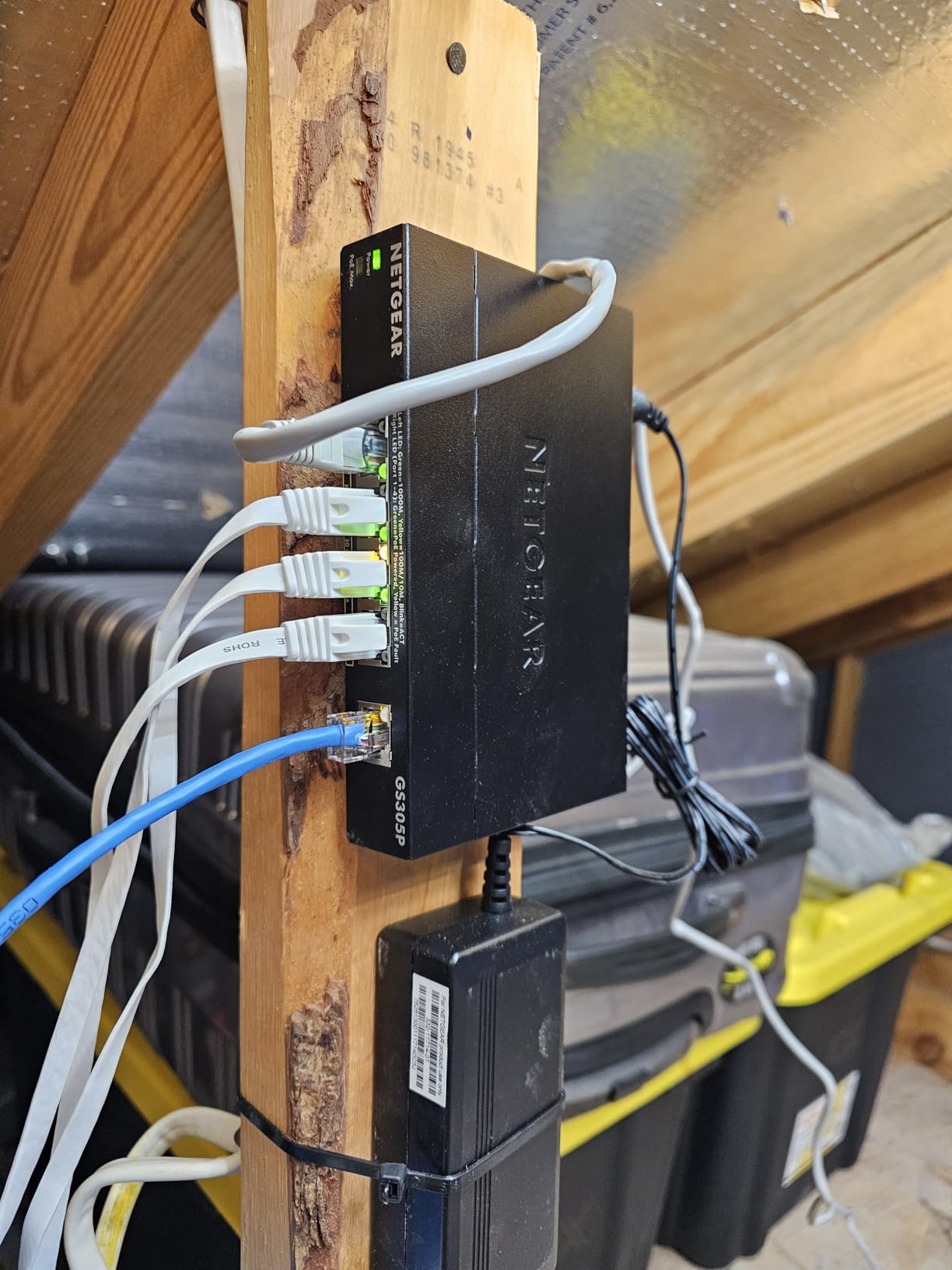
What 63W means in practice
The budget covers four PoE+ ports at up to 30W each. Four full-draw devices will not fit, but four typical fixed cameras or a mix of two access points and two phones sit comfortably inside it. Dynamic allocation smooths out the uneven draw that happens when a phone is idle but a camera is streaming all night.
IEEE 802.3az Energy Efficient Ethernet trims draw further on ports with light traffic, which lowers the heat in a small enclosure.
Build and placement
The chassis is 9.5 by 6.7 by 3.4 inches with a metal case, a wall-mount kit and a power adapter in the box. NETGEAR backs it with a limited three-year hardware warranty.
Who should buy it and who should not
Buy it if you are staging camera installs, want isolation without configuration, and prefer NETGEAR. Owners repeatedly note that it is dependable but priced above comparable TP-Link units for the same port count.
Skip it if you need real VLANs, since isolation is only a partial substitute. In that case the TL-SG105MPE above does the job properly for a similar class of hardware.
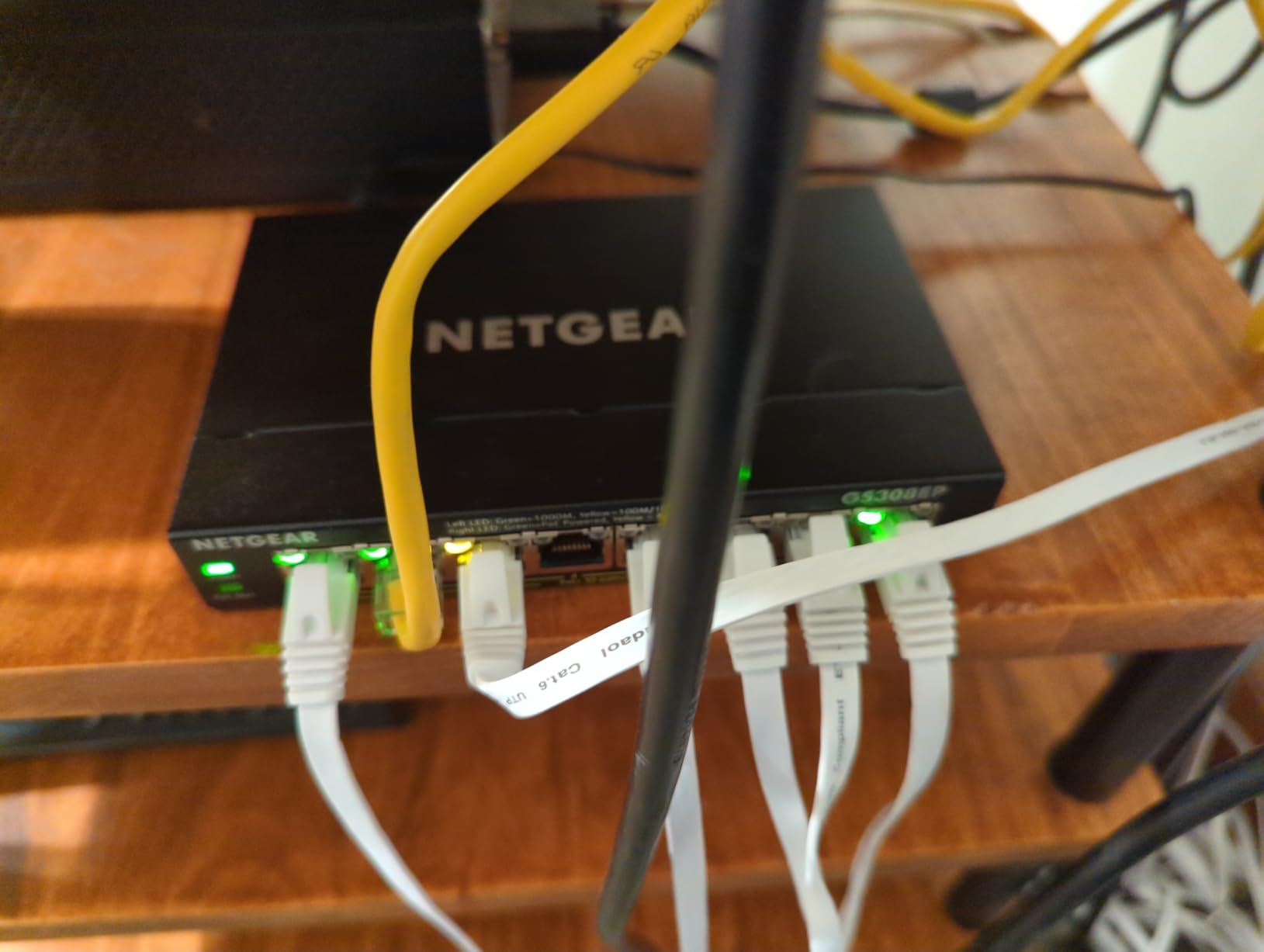
5. NETGEAR GS308EP – Managed Features, but a Modest 62W Budget
- ✓VLANs QoS and port monitoring without enterprise complexity
- ✓Per port PoE control plus uninterrupted power delivery
- ✓Fanless and 802.3az energy efficient
- ✓Compact desktop or wall-mount chassis
- ✓4.8 average owner rating
- ✕62W across 8 ports is the lowest per port headroom here
- ✕Plastic case feels cheaper than metal rivals
- ✕Limited compared with a fully managed ProSAFE switch
- ✕Needs the NETGEAR utility for configuration
8 PoE+ ports at up to 30W
62W total PoE budget
Easy Smart Managed VLANs and QoS
Per port PoE control
This is the managed switch in an eight-port box, and it earned the highest average rating of anything we tested. VLANs, QoS traffic prioritisation and port monitoring are all there, alongside uninterrupted PoE and per-port PoE control so you can switch power off per port without touching the device.
Where it struggles is the power side. Eight PoE+ ports share 62W, which works out to roughly 7.75W per port if everything draws at once. That is enough for small fixed cameras and phones, and not enough for a room full of access points.
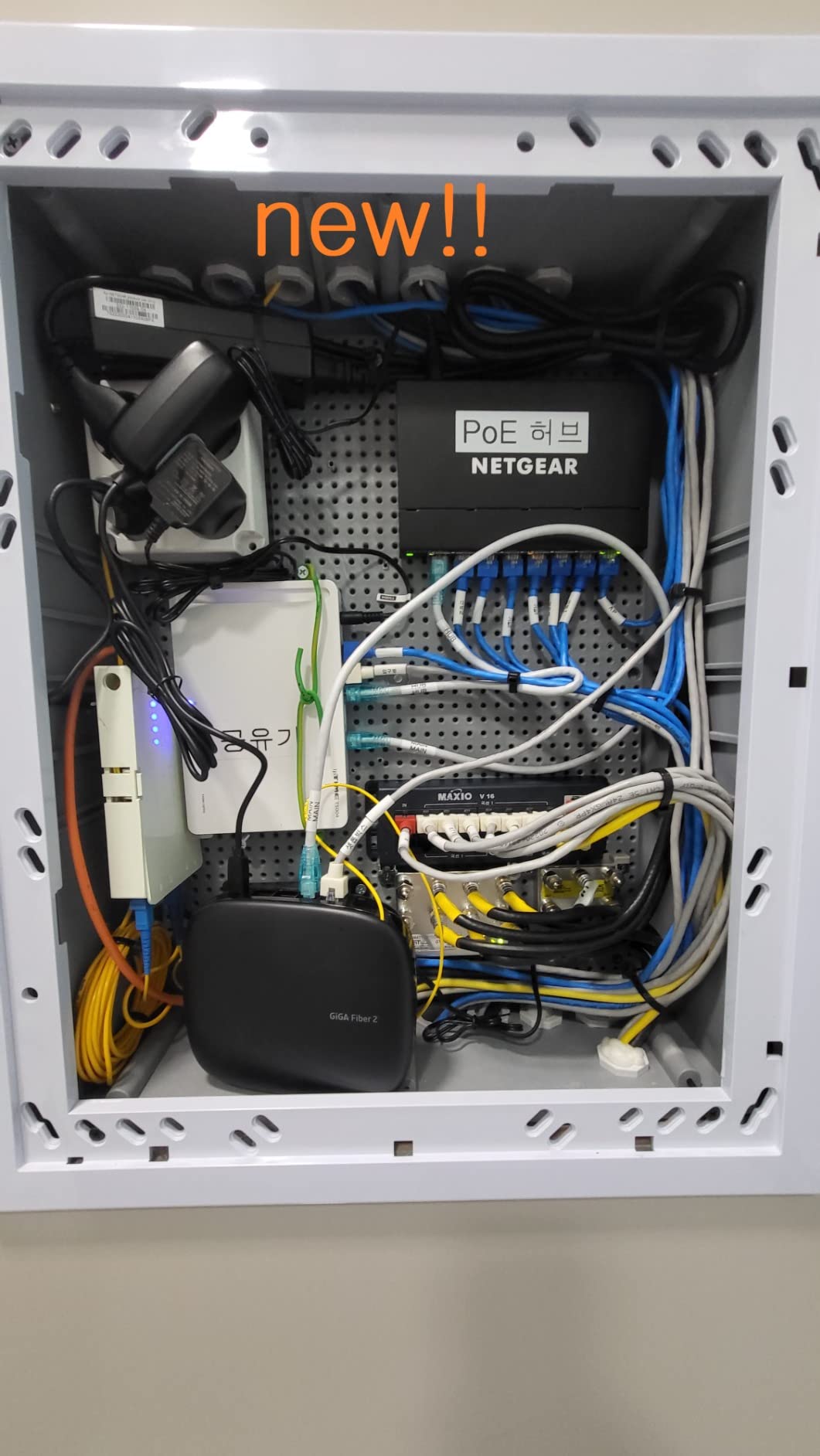
Easy Smart Managed, defined
This tier sits between a dumb unmanaged box and a full enterprise switch. You get VLANs, port monitoring, QoS and link aggregation through a local utility, without the routing, stacking and policy features that make enterprise units expensive. It is the right amount of control for a home lab or a small office.
Port monitoring means you can watch traffic and link state per port, which is how you find the port that keeps flapping before it becomes a mystery.
Noise and heat
The unit is fanless and uses 802.3az, so it runs silent and cool compared with fan-cooled high-port-count boxes. That is a real advantage when the switch sits in a study or a hallway closet rather than a rack.
Who should buy it and who should not
Buy it if your load is phones, small fixed cameras and one or two modest access points and you want VLANs. Do not buy it if you intend to fill all eight ports with 30W devices, because the 62W budget becomes the ceiling long before the port count does.
The chassis is 10.2 by 10.2 by 2.2 inches with a plastic case and a three-year hardware warranty. A metal competitor with a larger budget may suit you better, but this one is the quietest managed box here.
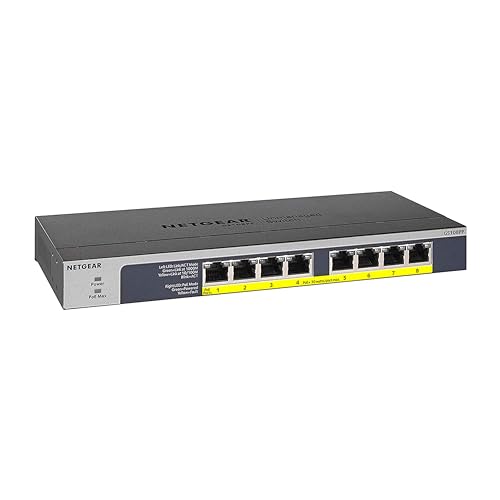
6. NETGEAR GS108PP – the 123W Eight-Port With an Upgrade Path
- ✓123W is the largest budget in this eight-port group
- ✓External adapter lets you raise the budget later
- ✓PoE protection against surges shorts and overloads
- ✓Compact enough for a small home wall rack
- ✓Fanless and cool under continuous load
- ✕One of the 8 ports has to serve as uplink
- ✕Unmanaged with no VLAN or per-port control
- ✕Highest cost among the eight-port options
- ✕Brackets are not standard one-inch rack ears
8 PoE+ ports at up to 30W
123W upgradeable PoE budget
External power adapter
Fanless with surge protection
Eight PoE+ ports with a 123W budget is about 15W per port across the board, and that is the number you want for cameras with infrared illuminators, or a mix of cameras and access points on one box. Owners running large Reolink-style arrays single this model out for exactly that reason.
The external power adapter is a feature rather than a complaint here. It means the PoE budget can be raised later by fitting a larger supply, so the switch you buy today does not have to be the switch you keep for the life of the install.
PoE protection built in
The switch carries protection against surges, shorted cables and overloads. That matters more than it sounds in a camera closet, where a single miswired or damaged outdoor run can take a port down or push stress back into the chassis.
IEEE 802.3az Energy Efficient Ethernet trims draw on light-traffic ports, and with no fan the unit stays cool and silent running twenty-four hours a day.
Mounting and uplink placement
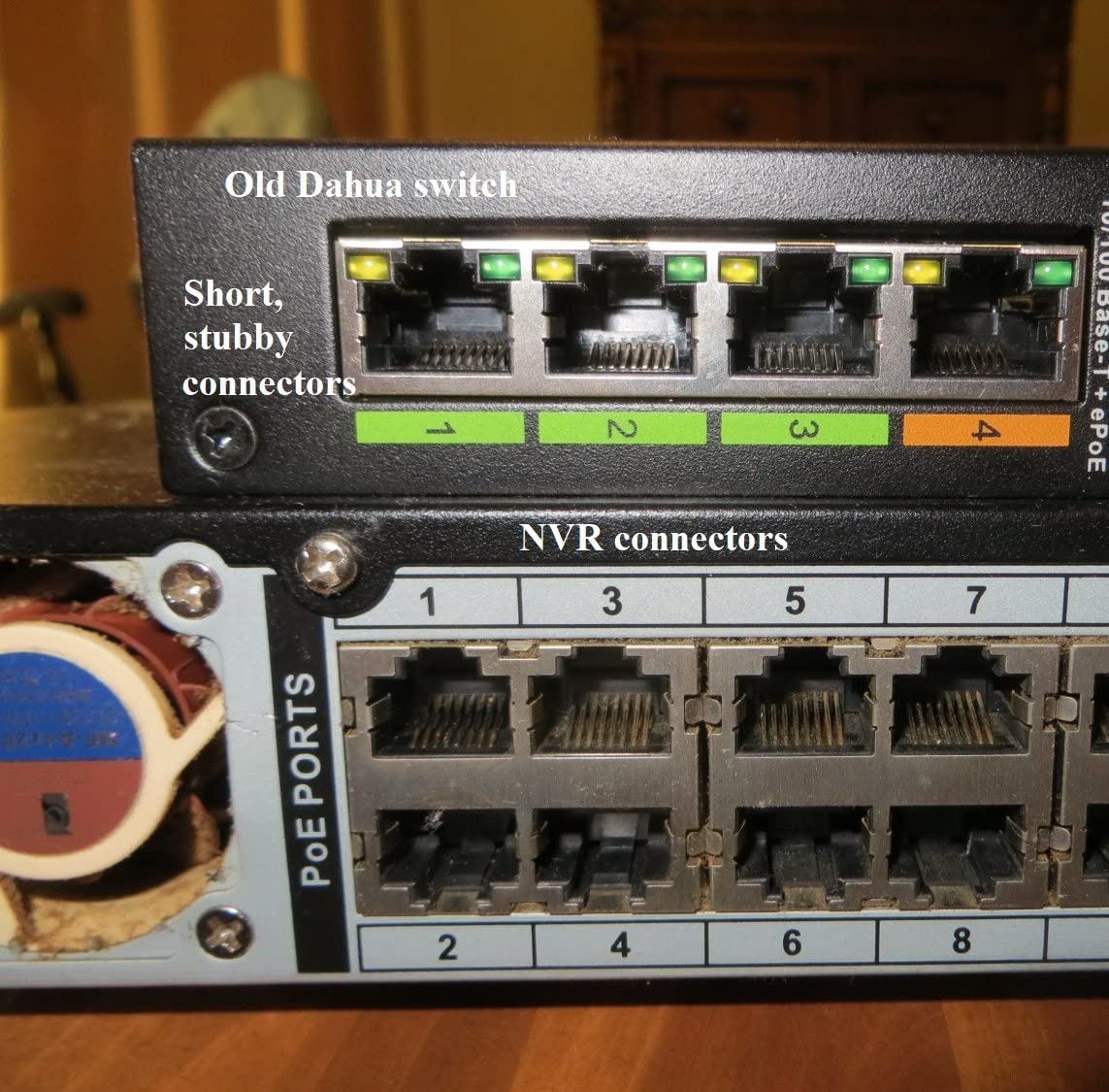
Desktop, wall-mount and rack-mount kits are all listed in the box, and the chassis measures 9.3 by 4 by 1.1 inches so it fits a small home rack. The brackets are not full one-inch rack ears, which leaves gaps in a standard rail.
There is no dedicated uplink, so one of the eight ports carries traffic to your router. That matters when you are adding a NAS or a second switch, because the uplink then shares the power budget.
Who should buy it and who should not
Buy it for a camera-heavy home or a small office where per-port wattage matters more than management features. Do not buy it if you need VLANs, because there is no interface to create them. If your build needs both power and segmentation, look at the small business network switch picks instead.
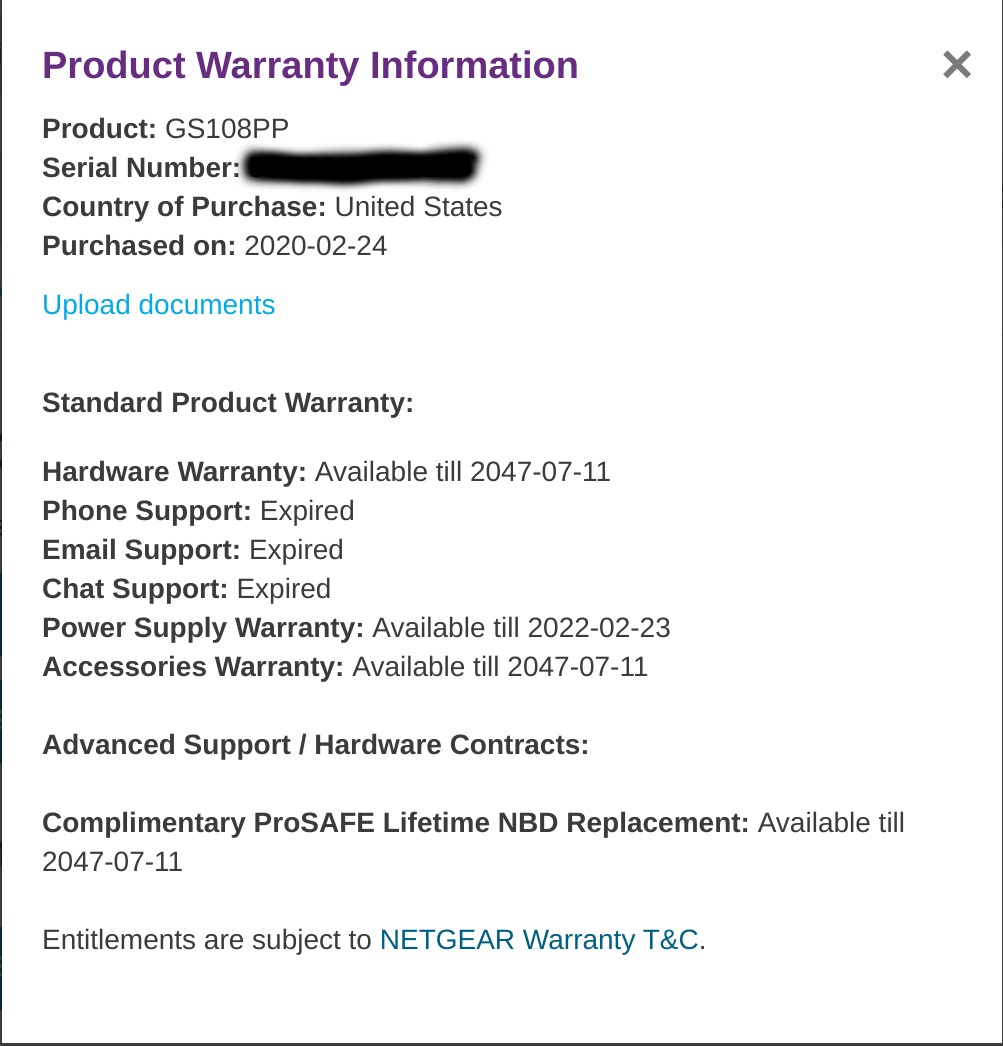
NETGEAR backs it with a limited lifetime hardware warranty, which is longer than most rivals in this price class.
7. Ubiquiti USW-Lite-16-PoE – Sixteen Ports in a Small Chassis, Only 45W
- ✓16 ports in a compact wall-mountable metal chassis
- ✓Fully managed Layer 2 switching
- ✓Configuration and monitoring from the UniFi controller
- ✓PoE+ auto sensing on the eight powered ports
- ✓Status view and graphing from anywhere
- ✕45W total budget is modest for eight PoE+ ports
- ✕Highest price per PoE watt in this lineup
- ✕Requires the UniFi controller ecosystem
- ✕Not for anyone wanting standalone operation
16 Gigabit ports with 8 PoE+
45W total PoE budget
Fully managed Layer 2
UniFi controller and app
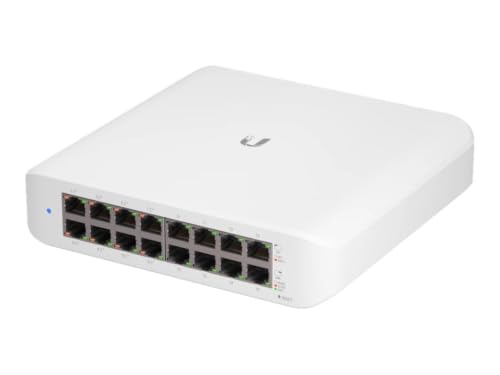
The UniFi switch is the only fully managed Layer 2 box here, and it makes sense for people already running UniFi gear. Configuration, monitoring and port status all happen through the UniFi Network controller and the phone app, with no local web interface to learn.
Sixteen Gigabit ports in a 7.87 by 5.91 by 5.91 inch metal chassis is genuinely dense. A wall-mount kit and a 60W external adapter are in the box, and the eight powered ports detect PoE+ automatically.
The 45W budget is the catch
Forty-five watts across eight PoE+ ports averages out under 6W per port. Small fixed cameras, phones and IoT sensors are fine. A Wi-Fi 6 access point asking for 15W alongside a second one will exhaust the budget quickly.
This is worth flagging plainly, because the port count suggests far more capacity than the power side can deliver. If your plan is more than a handful of light devices, the UniFi range has larger switches with much bigger budgets.
Ecosystem dependency
There is no standalone mode for the management features. Without a UniFi controller running somewhere, you get a switch with limited visibility, and this is not the model to buy as a first network device. Owners who already have the controller running rate it very highly for that reason.
The tradeoff is ownership. If the controller software stops being maintained, the switch loses the visibility that justified the cost. Forum consensus across network communities is to stay inside one ecosystem rather than mixing brands mid-build.
Who should buy it and who should not
Buy it if your home or small office is already UniFi-based and you need more port density with modest power draw. Do not buy it as an entry point, and do not buy it to power access points, because the 45W budget will not stretch.
If you need high-speed ports rather than port count, our 10 Gigabit switch guide covers the multi-gig options.
8. STEAMEMO 10-Port – Eight PoE+ Ports Plus Two Free Uplinks
- ✓Two bonus uplink ports give 10 usable ports from an 8-port design
- ✓120W across 8 PoE+ ports is real per port headroom
- ✓Web interface carries VLANs QoS mirroring and storm control
- ✓4KV lightning and short circuit protection
- ✓Dual-mode managed and unmanaged operation
- ✕Local web GUI is disabled until bound to the brand app
- ✕Runs noticeably warm under heavy PoE load
- ✕Some owners report brownout reboots under load
- ✕One-year replacement warranty is short
8 PoE+ ports plus 2 Gigabit uplinks
120W total PoE budget
VLANs QoS mirroring and snooping
4KV lightning protection
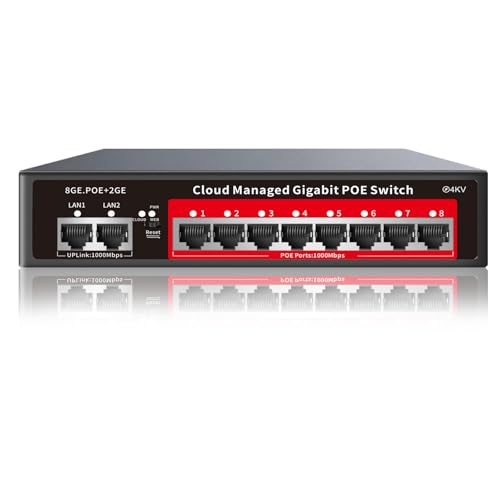
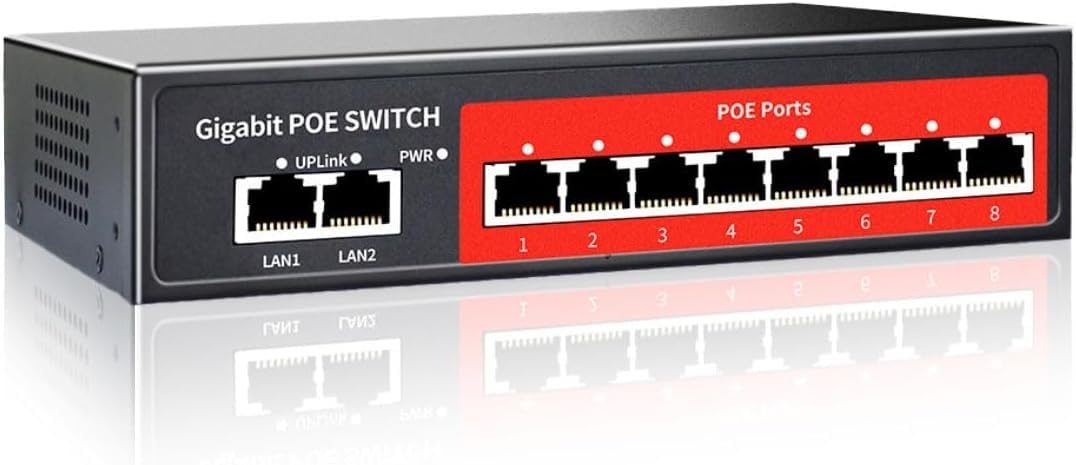
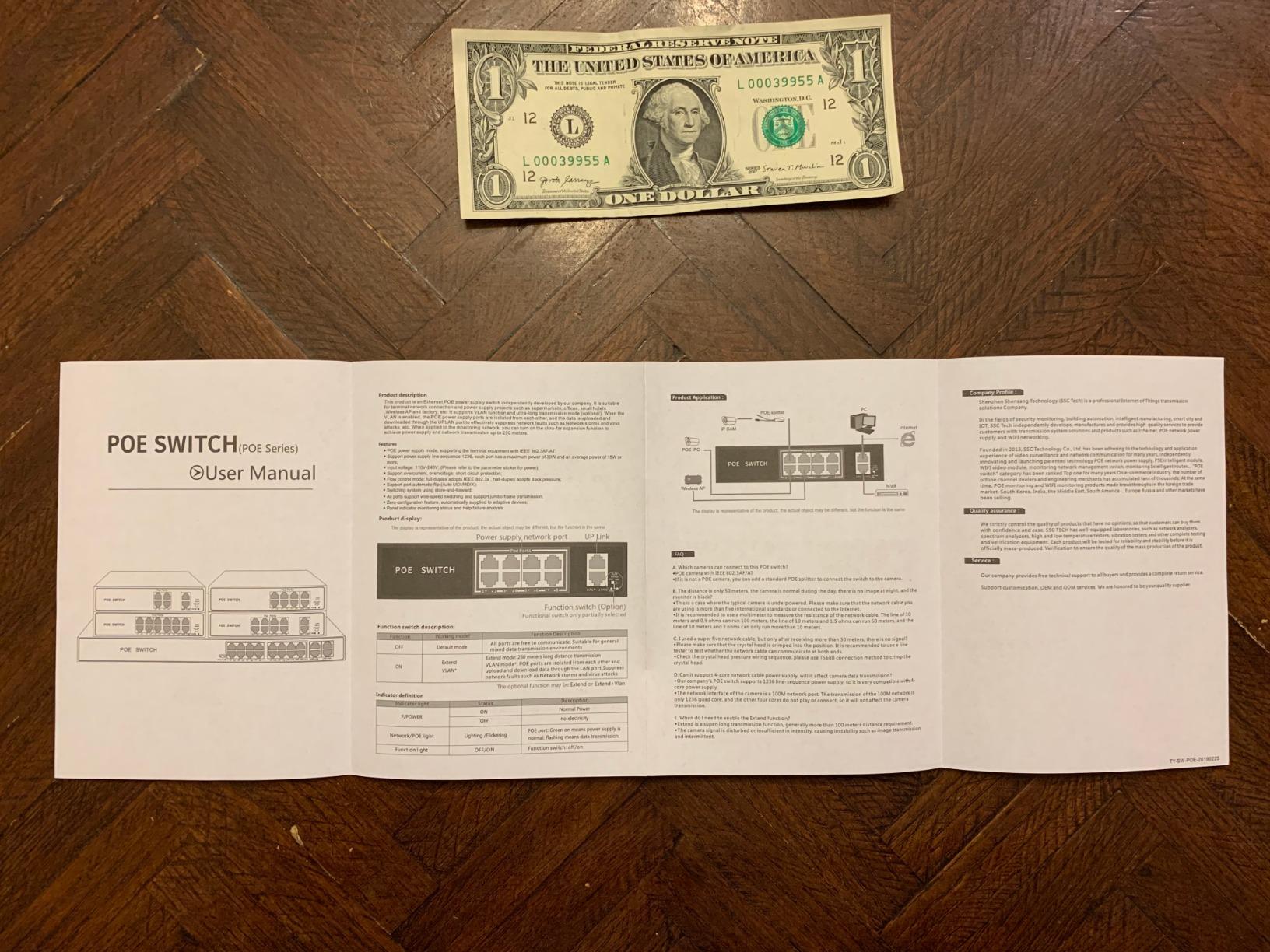
Count the ports carefully here, because the listing flatters itself a little. There are eight PoE+ ports plus two dedicated Gigabit non-PoE uplinks, so you get ten usable connections where most eight-port switches give you nine once you account for the uplink.
The 120W budget spread across eight ports is about 15W per port, which is a better ratio than most managed switches at this size. The feature list is unusually full for the money: 802.1Q VLANs, QoS prioritisation, DHCP snooping, port mirroring, storm control and static MAC addressing.
The management plane has a catch
Out of the box the local web interface is disabled and management binds to the vendor app. That is the single most important thing to know before buying, because a buyer expecting a browser-based console will spend an evening looking for one.
Once bound, the interface itself is capable. Real-time traffic monitoring and the full feature set are there, and dual-mode operation lets you run it unmanaged if you want zero configuration.
Reliability is the honest caveat
Most owners report years of quiet 24/7 operation with cameras attached. A meaningful minority report spontaneous reboots during brownouts under heavy load, and several note that the unit runs warm enough to need ventilation in a closed enclosure.
Automatic cable quality detection and 4KV lightning protection are genuine strengths, particularly for outdoor camera runs, and that protection is where the hardware differentiates against cheaper units.
Who should buy it and who should not
Buy it if you want VLANs, monitoring and eight real PoE+ ports without stepping up in price, and you are comfortable with app-bound management. Do not buy it for security infrastructure where uptime matters more than feature count, since the warranty is one year and the reboot reports cluster under load.
The chassis is 7.5 by 5.5 by 1.7 inches in metal and supports desktop or wall mounting, with a 55C upper operating rating.
9. YuanLey 26-Port – 400W Across 24 Ports for Large Camera Builds
- ✓400W built-in budget covers the largest installs on this list
- ✓Two Gigabit uplinks handle fast NVR and backbone links
- ✓VLAN isolation on ports 1 to 24 segments traffic
- ✓Plug and play with automatic device detection
- ✓Metal chassis with rack mount kit included
- ✕PoE ports run at 10/100Mbps only
- ✕Some owners report ports dropping after weeks of running
- ✕Connection order can cause devices to power-cycle
- ✕Brackets are not standard 19 inch rack ears
- ✕Active fan adds noise
24 PoE+ ports plus 2 uplinks
400W built-in PoE budget
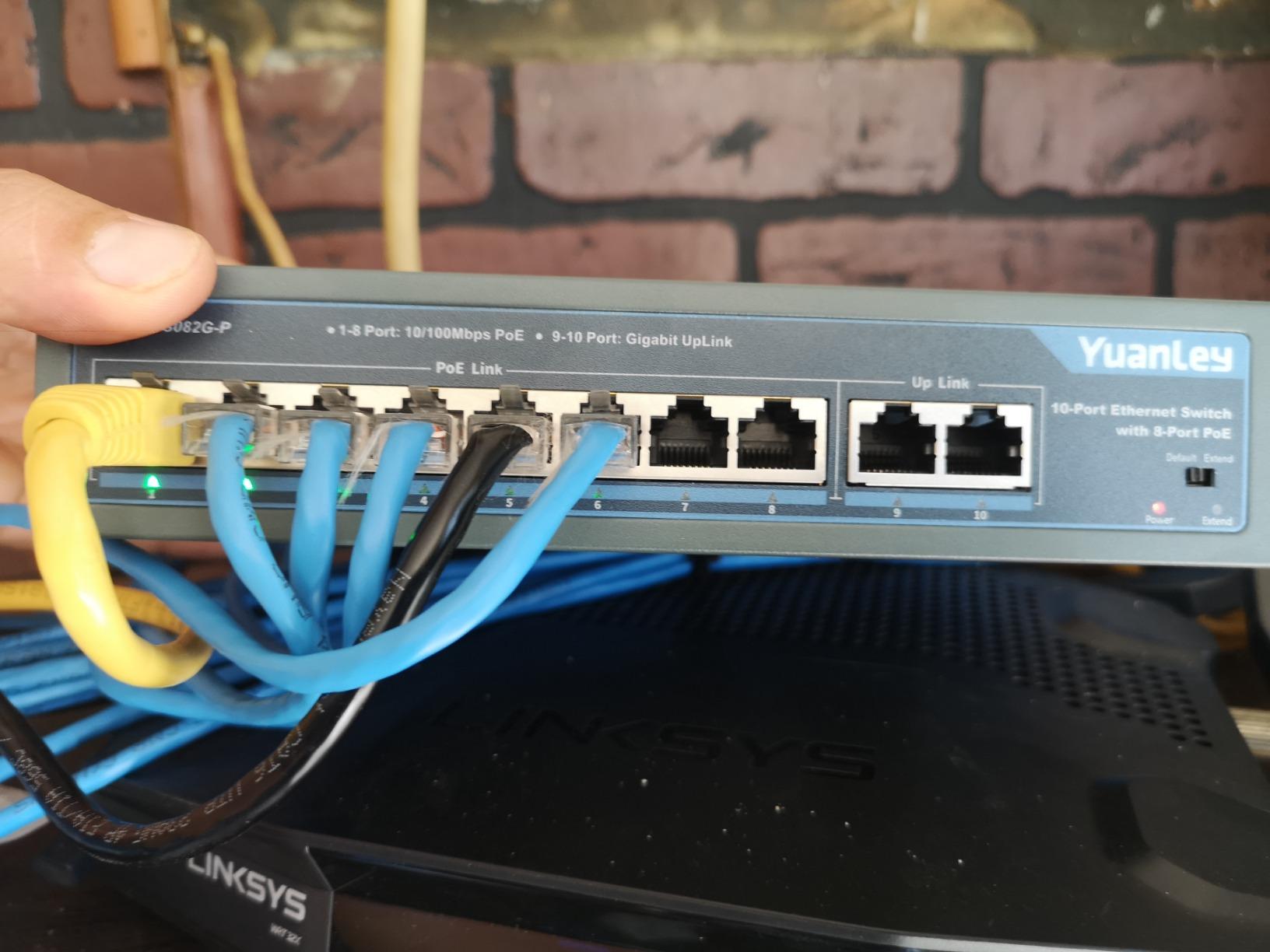
Extend mode to 250m at 10Mbps
VLAN isolation on ports 1 to 24
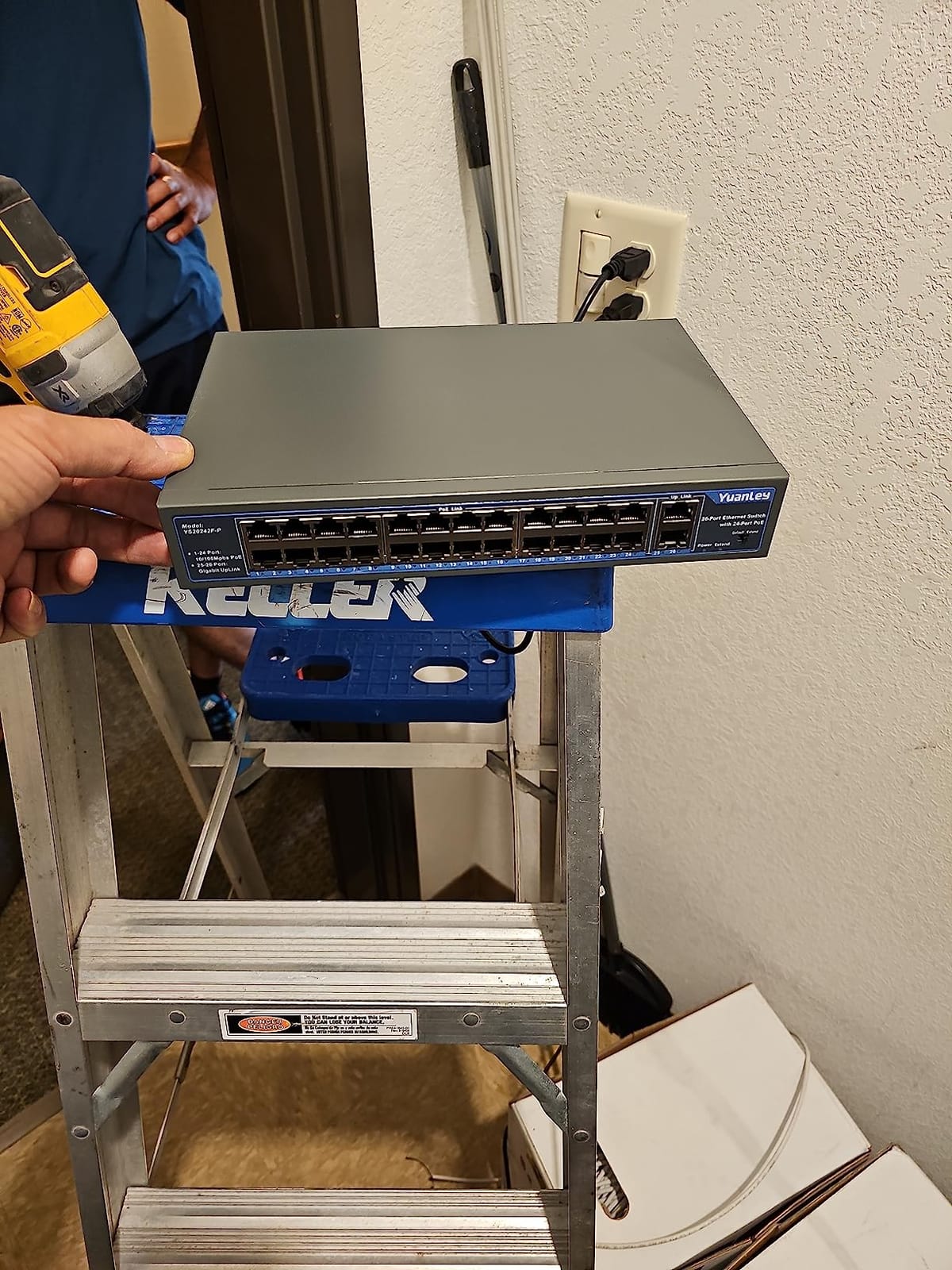
Twenty-four PoE ports sharing 400W is the largest power budget here, and it works out to about 16.7W per port when everything draws evenly. That is enough headroom for a sixteen or twenty-camera installation with a couple of access points, which is exactly where smaller eight-port designs run out.
The two uplink ports are Gigabit while the PoE ports are 10/100Mbps. For camera streams and an NVR that is fine, and it is also the reason to read the speed limits carefully if you plan to hang a NAS or a high-resolution access point off this switch.
Extend mode and the 100m limit
Standard Ethernet runs out at 100 metres. Extend mode pushes a single PoE port to 250 metres at 10Mbps, which is useful for a camera at the end of a driveway and useless for anything bandwidth hungry. Use one port, not eight.
VLAN isolation on ports 1 through 24 keeps devices from talking directly to each other across access ports. It is a simple form of segmentation rather than full 802.1Q tagging, but it removes peer-to-peer chatter.
It has a fan, and that is the trade
Pushing 400W through a small chassis generates real heat, so this unit uses an active fan with bilateral heat dissipation. Owners generally report it running cool under normal load, but it is audible in a quiet room, which rules it out for a bedroom or a home office wall.
Switching bandwidth is 16Gbps, and ports negotiate automatically with no configuration required. A minority of owners report ports dropping after weeks of continuous operation and devices power-cycling when connection order changes, so sequence your commissioning if you can.
Who should buy it and who should not
Buy it for a twenty-plus camera CCTV build or a small business install where port count and total power matter more than port speed and management depth. Do not buy it for Wi-Fi 6 access points on the 10/100 ports, and do not buy it for a quiet living space.
The rack ears are not standard 19-inch, so plan for that before you commit to a rail mount. It includes a rack-mount kit, a power cord and a manual.
How to Choose a PoE Switch Without Overbuying
Most purchasing mistakes in this category come from reading port count first and watts second. Work through these decisions in order and the model choice usually makes itself.
PoE vs PoE+ vs PoE++: match the standard to your devices
PoE, which is 802.3af, supplies up to 15.4W per port. PoE+, which is 802.3at, supplies up to 30W per port and is what almost every switch on this list delivers. PoE++, which is 802.3bt, goes to 60W or 95W per port and is only needed for Wi-Fi 6E and Wi-Fi 7 access points, heated PTZ cameras and industrial equipment.
Fixed bullet cameras, doorbells, phones and most IoT sensors run on 802.3af. Wi-Fi 5 and Wi-Fi 6 indoor access points generally want 802.3at. If your shopping list contains a single Wi-Fi 6E or Wi-Fi 7 access point, you need 802.3bt, and none of the switches here deliver that per port.
Buying a PoE++ switch for a wall of fixed cameras wastes money. Buying a PoE+ switch for a Wi-Fi 7 access point gets you a device that boots without power or negotiates down and behaves strangely.
Calculate the power budget before you buy
Add up the wattage of every device you intend to power, then add twenty percent headroom. A fixed camera with IR typically draws 6 to 8W. A Wi-Fi access point commonly asks for 10 to 15W. A heated PTZ camera can ask for 15 to 25W. A VoIP phone usually stays under 7W.
So eight cameras at 8W each is 64W, which fits inside the 65W budget of the TL-SG1005P with nothing spare. Add two access points at 15W and you need 94W, which the 120W budget of the TL-SG105MPE or the STEAMEMO handles comfortably. Sixteen cameras at 8W is 128W, which is past the 123W of the GS108PP and lands squarely in the 400W YuanLey.
Never divide the budget by the port count and assume every port delivers that. A 400W switch across 24 ports averages 16.7W, which is above the 15.4W an 802.3af device needs but well under the 30W a PoE+ device might request.
Unmanaged vs Easy Smart vs fully managed
An unmanaged switch has no interface at all. It forwards traffic and delivers power, and it never needs touching. That is the right choice for cameras only, or for a network where everything already lives on its own subnet.
Easy Smart Managed adds a local interface with VLANs, QoS, port monitoring and per-port PoE control, with no routing or stacking features to learn. This is the sweet spot for most home labs and small offices.
A fully managed switch adds Layer 3 routing, stacking, 802.1X and detailed policy control. It earns its complexity in an office with segmentation requirements or an ecosystem controller that depends on it.
The honest downside of unmanaged is not a missing feature, it is missing visibility. When a port goes down or a device reboots at 3am, you have no log and no counter to check, and you find out from the person who noticed the camera is out.
Fanless or fan-cooled: noise and heat where people live
Fanless units produce no noise at all, which matters in a bedroom, a study or a living room closet. Every fanless switch here is suitable for a quiet space.
Fan-cooled switches exist because high power budgets generate heat faster than a passive chassis can shed. The 400W YuanLey uses one. Expect a low background hum from a fan, and check the upper operating temperature rating before putting a switch in an unventilated attic or an outdoor enclosure.
Watch the gap between ports and walls. A fanless switch pushed tight against a surface runs warmer, and a warm switch has a shorter life.
Port count and uplink planning
Count powered devices, add one uplink to your router, and add one spare. Eight powered devices means a ten-port box, not an eight-port box, unless you are willing to give up a power port for the uplink on every switch in the chain.
Check whether the uplink is a dedicated port or one of the PoE ports. The GS108PP uses a shared arrangement, so an eight-camera build on that switch really has seven camera ports once the uplink takes one.
For runs beyond 100 metres, either use the switch extend mode at reduced speed or plan a media converter and SFP uplink. Our adjacent switch and console guides cover the rest of the rack build.
When a PoE injector beats a PoE switch
A PoE injector is a small inline device that adds power to a network cable from a non-PoE switch. It is the right answer when you have exactly one or two devices to power and you already own a capable multi-gig switch.
The trade-off is sprawl. One injector per access point becomes a drawer of bricks and a wall of adapters, and each one is a separate failure point with no central way to see its state. If you have three or more powered devices, a switch is the tidier answer. If you have one, an injector is cheaper and simpler.
Ecosystem lock-in and what your controller demands
Brands do not mix neatly. If your network is managed by a UniFi controller, a Ubiquiti switch drops straight into the interface with no extra configuration. A third-party switch in the same rack will be a device you configure separately, or one you cannot configure at all.
The reverse trap catches people too. Not every switch carrying a familiar brand name is part of that brand’s management platform, and some models are excluded from the vendor’s controller entirely despite the badge on the box. Check the compatibility list before buying, not after.
Forum consensus across network communities is to pick one ecosystem for the whole build. Mixing vendors to save money often costs more in time and visibility than it saves.
Lifespan, heat and what actually kills a switch
A fanless switch in a ventilated closet can run for many years without complaint. The failures we see cluster around three causes: heat with nowhere to go, power surges on outdoor cable runs, and an exhausted power supply in a unit that was never meant to be run at full budget continuously.
Expect roughly a five to ten year life span from a solid metal unit kept cool, and considerably less from a plastic fanless box wedged into a hot cavity. Surge protection and short-circuit protection, which several models here carry, extend life more than any firmware feature.
Underload capacity matters here too. Running a switch at 100 percent of its budget continuously generates more heat than running it at 70 percent, and thermal stress is the main driver of electrolytic capacitor failure in that hardware.
Frequently Asked Questions
Who makes the best PoE switches?
TP-Link and NETGEAR cover most of the market with the widest range of port counts and budgets, and both carry long hardware warranties. Ubiquiti is the strongest choice when your whole network already runs on the UniFi controller. For pure port count and wattage per dollar in a camera build, budget brands such as YuanLey and STEAMEMO deliver more hardware per unit, with less management polish.
What is PoE+ vs PoE++ vs PoE?
PoE is 802.3af and delivers up to 15.4W per port. PoE+ is 802.3at and delivers up to 30W per port, which covers almost all fixed cameras, VoIP phones and Wi-Fi 5 and Wi-Fi 6 access points. PoE++ is 802.3bt and delivers 60W or 95W per port, needed only for Wi-Fi 6E and Wi-Fi 7 access points, heated PTZ cameras and industrial devices.
Do I need a managed or unmanaged PoE switch?
Unmanaged is enough if you are powering cameras only and do not need to segment traffic. Choose Easy Smart Managed if you want VLANs, QoS, port monitoring or per-port PoE control, which matters as soon as you add access points or VoIP phones. Fully managed switches only earn their complexity in larger offices with Layer 3 routing, stacking or 802.1X requirements.
What is the best unmanaged PoE switch?
For small installs the TP-Link TL-SG1005P gives four PoE+ ports from a 65W budget with no configuration. For eight or more devices the TP-Link TL-SG1008MP is stronger, with eight PoE+ ports and a 153W budget plus port priority protection. The NETGEAR GS108PP is the pick when per-port wattage matters, with a 123W budget you can raise later.
How many watts of PoE do I need?
Add the draw of every powered device and add twenty percent headroom. A fixed camera with infrared typically uses 6 to 8W, a Wi-Fi access point 10 to 15W, a heated PTZ camera 15 to 25W and a VoIP phone under 7W. Eight cameras at 8W is 64W, while sixteen cameras at 8W is 128W and needs a switch at or above 153W.
What are the downsides of using unmanaged switches?
You get no VLANs, so cameras and laptops share one broadcast domain and can reach each other directly. There is also no per-port monitoring, so a port that drops leaves no log or counter and you find out from whoever noticed the camera went out. Per-port PoE control is missing too, and status LEDs on some models cannot be disabled.
Which PoE Switch Should You Buy in 2026?
If you are adding two to four devices and want zero fuss, the TP-Link TL-SG1005P is our pick and the one we recommend first. It has four PoE+ ports, a 65W budget, a metal case and a lifetime warranty, and it will never ask you for a password.
For eight devices on a budget, the TL-SG1008MP carries a 153W budget across eight PoE+ ports and sheds low-priority ports before anything sags. For segmentation without an enterprise switch, the TL-SG105MPE adds VLANs and PoE Auto Recovery on the same 120W budget.
For cameras specifically, the NETGEAR GS108PP gives you 123W across eight ports and an upgradeable power supply. For twenty-plus cameras, the YuanLey 26-port is the only one here with the budget for the job, with the understanding that its PoE ports are 10/100Mbps and it has a fan. For a UniFi-based home, the USW-Lite-16-PoE fits the ecosystem, provided 45W is genuinely enough for your devices.
Check your watt total first, then your management needs, then everything else is detail. Get those two right and the best PoE switch in 2026 for your install is the one that does not overpromise on either.





Leave a Comment