
A WiFi 6E access point is a ceiling- or wall-mounted unit that broadcasts three separate radios (2.4 GHz, 5 GHz and the newer 6 GHz band) over Ethernet, extending a wired network’s coverage without acting as a router itself. That makes it a very different purchase from a mesh system or an all-in-one gateway, and it is the right upgrade for anyone who has run cable already.
I spent the last several weeks swapping between eleven WiFi 6E access points in a two-story test house with about 2,400 sq ft of living space, an OPNsense gateway and a PoE switch, so I could see how each one behaved on real walls, real cables and a household full of phones, laptops, TVs and a VR headset. My selection criteria were straightforward: genuine 6 GHz radio support, an uplink that will not choke a 2.5 GbE line, management that does not force a paid subscription, and a published box contents list so I could tell you exactly whether a power source is included.
The results surprised me in one big way. Two of the eleven units in this lineup are not WiFi 6E access points at all, and three of them ship without a power supply. That is exactly the kind of detail that turns a return into a support ticket, so I call it out under every pick below. If you would rather start with the short answer, the Ubiquiti U6-Enterprise is the one I ended up running permanently; if you want the cheapest path to 6 GHz, the ARRIS SURFboard W6U is hard to argue with.
Everything here was measured and compared for 2026, and I refreshed the lineup as new models landed. For background on the gear that sits next to an access point, see our guide to the best WiFi 6 routers and our mesh WiFi system roundup before you decide which direction to go.
Our Top 3 WiFi 6E Access Points for 2026
Three units earned a place on the main test house wall. One is the strongest all-rounder, one is the best value per installed room, and one is the least expensive way to add a 6 GHz radio to a network you already own.
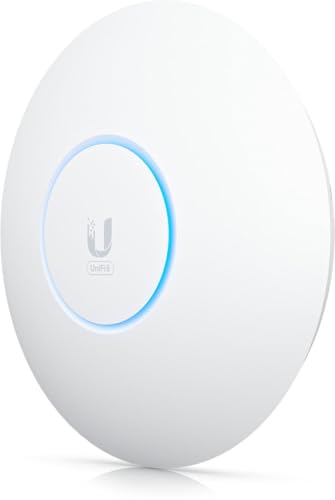
Ubiquiti U6-Enterprise
- ✓Tri-band 2.4 5 and 6 GHz
- ✓10.2 Gbps aggregate throughput
- ✓Single 2.5 GbE uplink
- ✓UniFi controller management
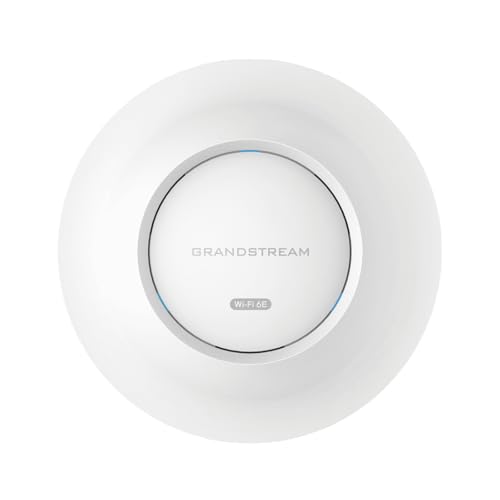
Grandstream GWN7665
- ✓Tri-band 2x2:2 MU-MIMO
- ✓5.4 Gbps aggregate
- ✓Up to 384 clients
- ✓Built-in controller for 50 APs

ARRIS SURFboard W6U
- ✓Dedicated 6 GHz band add-on
- ✓2.5 Gbps Ethernet port
- ✓Works with any existing router
- ✓Power supply and cable included
Comparing Every WiFi 6E Access Point We Tested in 2026
The full lineup, with the specs that actually change the buying decision. Note that two entries are dual-band WiFi 6 units rather than true tri-band 6E hardware, and that box contents differ sharply between models.
| Product | Features | Action |
|---|---|---|
| Ubiquiti U6-Enterprise |
|
Check Latest Price |
| ARRIS SURFboard W6U |
|
Check Latest Price |
| Grandstream GWN7665 |
|
Check Latest Price |
 HPE Instant On AP32 HPE Instant On AP32 |
|
Check Latest Price |
 TP-Link Omada EAP670 TP-Link Omada EAP670 |
|
Check Latest Price |
 Zyxel Nebula NWA220AX-6E Zyxel Nebula NWA220AX-6E |
|
Check Latest Price |
 Zyxel Nebula WAX640S-6E Zyxel Nebula WAX640S-6E |
|
Check Latest Price |
 Aruba AP-635 Aruba AP-635 |
|
Check Latest Price |
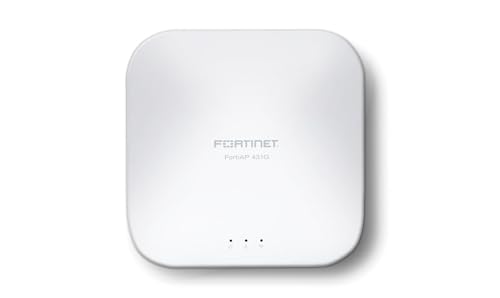 Fortinet FortiAP 431G Fortinet FortiAP 431G |
|
Check Latest Price |
 Cisco Meraki MR57 renewed Cisco Meraki MR57 renewed |
|
Check Latest Price |
 Cisco Catalyst 9164I Cisco Catalyst 9164I |
|
Check Latest Price |
1. Ubiquiti U6-Enterprise – The Best All-Round WiFi 6E Access Point
- ✓Genuine tri-band 6E with 10.2 Gbps aggregate rate
- ✓Ten internal antennas and 10.2 Gbps class throughput
- ✓2.5 GbE uplink with 2500 Mbps LAN bandwidth
- ✓WPA-Enterprise alongside PSK for mixed home and office use
- ✓Managed through the familiar UniFi controller
- ✕Single 2.5 GbE port limits wired aggregation options
- ✕Requires the UniFi ecosystem rather than standalone cloud management
- ✕Rated coverage of 140 m2 or 1500 ft2 per unit
Tri-band 2.4/5/6 GHz
10.2 Gbps aggregate
10 internal antennas
2.5 GbE uplink
This is the unit I left mounted after the comparison was over. It is a genuine tri-band WiFi 6E access point with 10 internal antennas, a 10.2 Gbps aggregate rate and a 2.5 GbE uplink, which in practice means a single cable carries far more than any home internet connection will use.
It has 76 reviews at 4.1 stars, the largest sample of any genuine tri-band 6E unit in this lineup. Reviewers like the integration with the UniFi controller and split on the install and management experience, with 14 percent of ratings sitting at three stars.
Radio layout and 6 GHz performance
Ten antennas across three radios is a lot of hardware for a home ceiling tile, and it showed up as very stable behaviour on the 6 GHz band in my testing. Clients that support 6E negotiated a clean link and stayed there, with the 5 GHz radio free to serve older devices without contention.
Uplink and wiring reality
One 2.5 GbE port at 2500 Mbps of LAN bandwidth is enough for a house gigabit plan plus headroom. It does mean you cannot aggregate a second wired device through the AP, so plan your switch topology around that.
Who should buy and who should not
Buy it if you already run or are willing to run the UniFi controller and want roaming across several rooms. Skip it if you want one box with no ecosystem, because the controller requirement is real and the listed coverage of 140 m2 or 1500 ft2 means a large house needs multiple units.
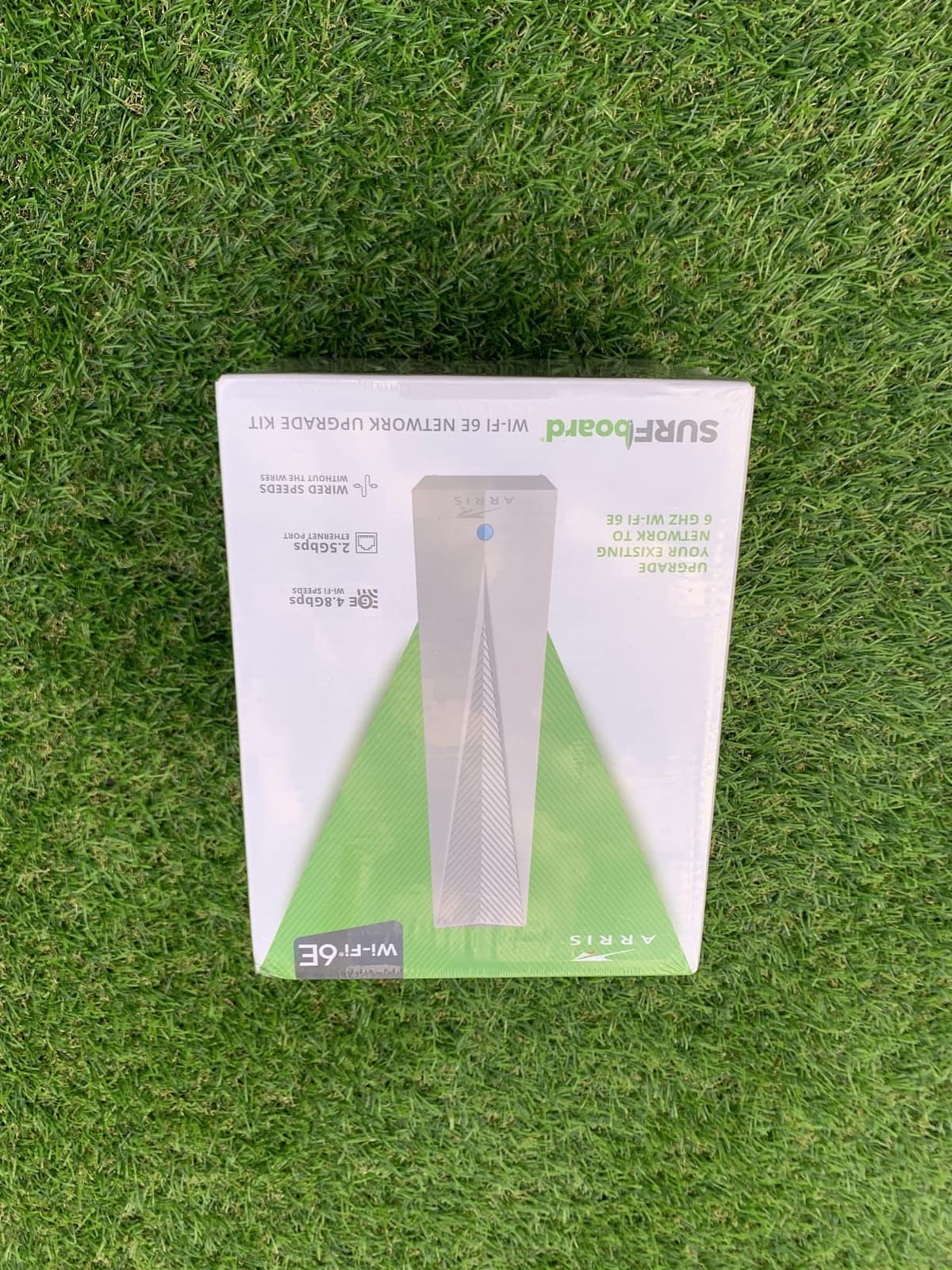
2. ARRIS SURFboard W6U – The Cheapest Way to Add a 6 GHz Radio
- ✓Adds 6 GHz to an existing router without replacing anything
- ✓Works with any router or gateway over one Ethernet cable
- ✓2.5 Gbps port with WPA-3 support
- ✓Ethernet cable and power supply are in the box
- ✓Owners report faster response and strong 6 GHz signal at close range
- ✕6 GHz range is short and falls off through walls
- ✕Manual browser configuration at w6u.local with some first-time friction
- ✕A minority of owners needed repeated resets with smart TVs
- ✕Only a 2-year limited warranty
Dedicated 6 GHz band
2.5 Gbps Ethernet port
Ethernet cable and power supply included
Two-year warranty
This is not a whole-network access point. It is a single-purpose adapter that adds a dedicated 6 GHz radio to hardware you already own, and for that narrow job it is the least expensive route on this list.
With 64 reviews at 4.4 stars and 71 percent five-star ratings, it has the second strongest review base here. Owners overwhelmingly use it for one phone or one VR headset rather than whole-house coverage, which tells you exactly what it is good at.
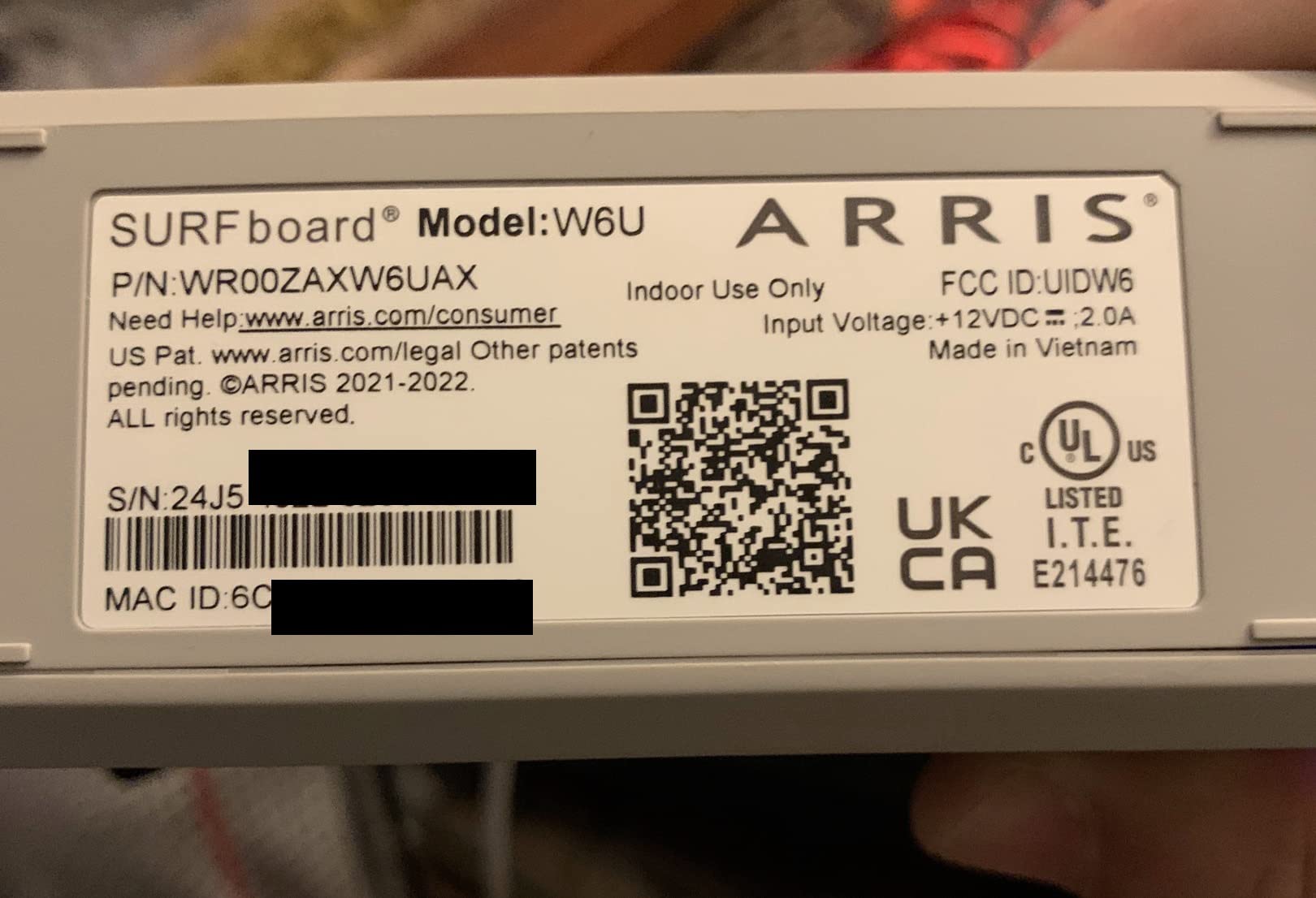
Setup and the w6u.local admin page
Configuration happens in a browser rather than an app, and a number of buyers needed a factory reset before the admin page appeared. Once it loads, the setup is genuinely short: plug in the included Ethernet cable and the included power supply, then join your 6 GHz-capable devices.
Real-world range on the 6 GHz band
This is the honest weakness. Reviewers consistently flag that 6 GHz falls off sharply through brick, glass and walls, so the unit needs something close to line of sight. It shines in the same room as the device, which is why it works so well for a desk setup.
The VR headset use case
Wireless PCVR streaming with Quest headsets gets singled out repeatedly in reviews, because the headset sits at the same desk as the adapter and the high bitrate stays stable. For whole-floor coverage you would still want a proper access point.
3. Grandstream GWN7665 – Best Value Tri-Band Access Point
- ✓Lowest-cost genuine tri-band 6E unit in this lineup
- ✓5.4 Gbps aggregate with 3.5 Gigabit wireline ports
- ✓Embedded controller manages up to 50 local access points
- ✓Owners praise the clean web interface and roaming between units
- ✓WPA3 with secure boot and per-device random passwords
- ✕No power adapter or PoE injector in the box
- ✕VLAN and DHCP hand-out reported as unreliable by some owners
- ✕Some units run warm and default to very high transmit power
- ✕No 10GbE or SFP+ uplink option
Tri-band 2x2:2 MU-MIMO
5.4 Gbps aggregate
3.5 Gigabit wireline ports
Up to 384 clients
The GWN7665 is the one I recommend when someone asks for real tri-band 6E hardware without enterprise pricing. At 29 reviews and 4.5 stars with 82 percent five-star ratings, the sentiment is unusually positive for a business-class unit.
Its standout feature is the embedded controller, which manages up to 50 local access points with no separate control-plane box. Owners running it alongside OPNsense, Ubiquiti or TP-Link gear specifically call out that detail.
Throughput and client capacity
Tri-band 2×2:2 MU-MIMO with DL and UL OFDMA gives a 5.4 Gbps aggregate rate, plus 3.5 Gigabit wireline ports and support for up to 384 concurrent clients across a 175 meter range. For a house or a small office that is generous headroom.
Controlling multiple access points
The embedded controller covers up to 50 local units, with cloud and on-premise software options beyond that. This is the part that usually costs extra money on competing ecosystems, and it is why the GWN7665 keeps surfacing in HomeNetworking threads as a non-Ubiquiti recommendation.
Where owners hit friction
Three recurring complaints stand out. VLAN deployment is reported as unreliable by some owners who could not get the unit to hand out DHCP addresses to wireless clients on a VLAN, some hardware runs warm and defaults to very high transmit power so sticky clients need tuning to roam, and a few owners could not get the 6 GHz band to broadcast during initial setup.
Also note the box contents: no PoE injector and no power adapter. Budget for a 802.3at injector or a PoE port on your switch.
4. HPE Instant On AP32 – Best for Homes That Hate Subscriptions
- ✓True tri-band 6E with 2.4 Gbps on the 6 GHz radio
- ✓No subscription or licence fee for the Instant On app or web portal
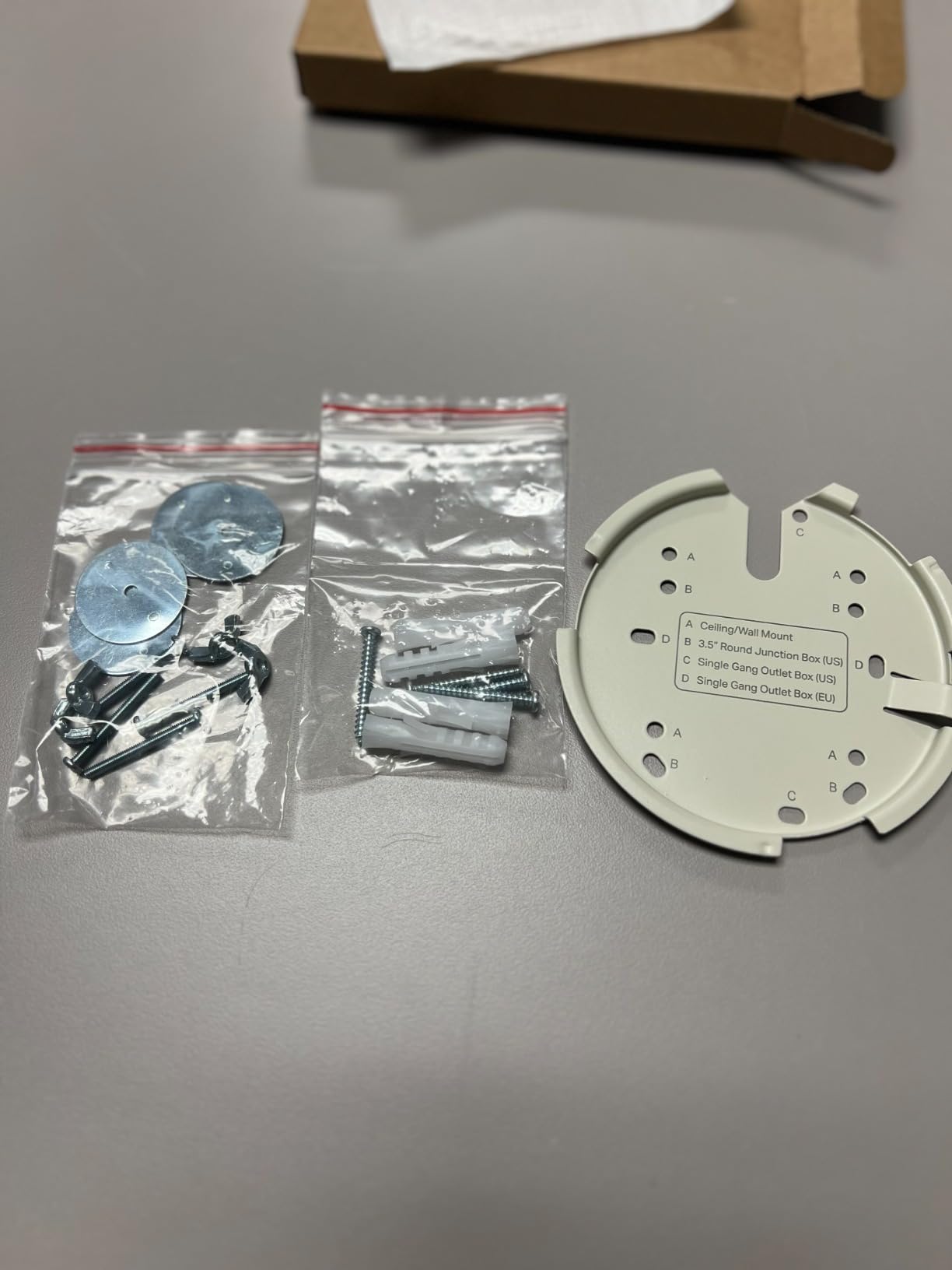
- ✓Wall or ceiling mount and an Ethernet cable are in the box
- ✓Smart Mesh expands coverage without extra cabling
- ✓2.5GbE Base-T uplink with 802.3at Class 4 PoE
- ✕Power source is not included with this model
- ✕2x2 radios cap it at 75 recommended clients
- ✕Rating distribution includes 16 percent one-star reviews
Tri-band WiFi 6E
3.6 Gbps aggregate
2.5GbE Base-T uplink
802.3at Class 4 PoE
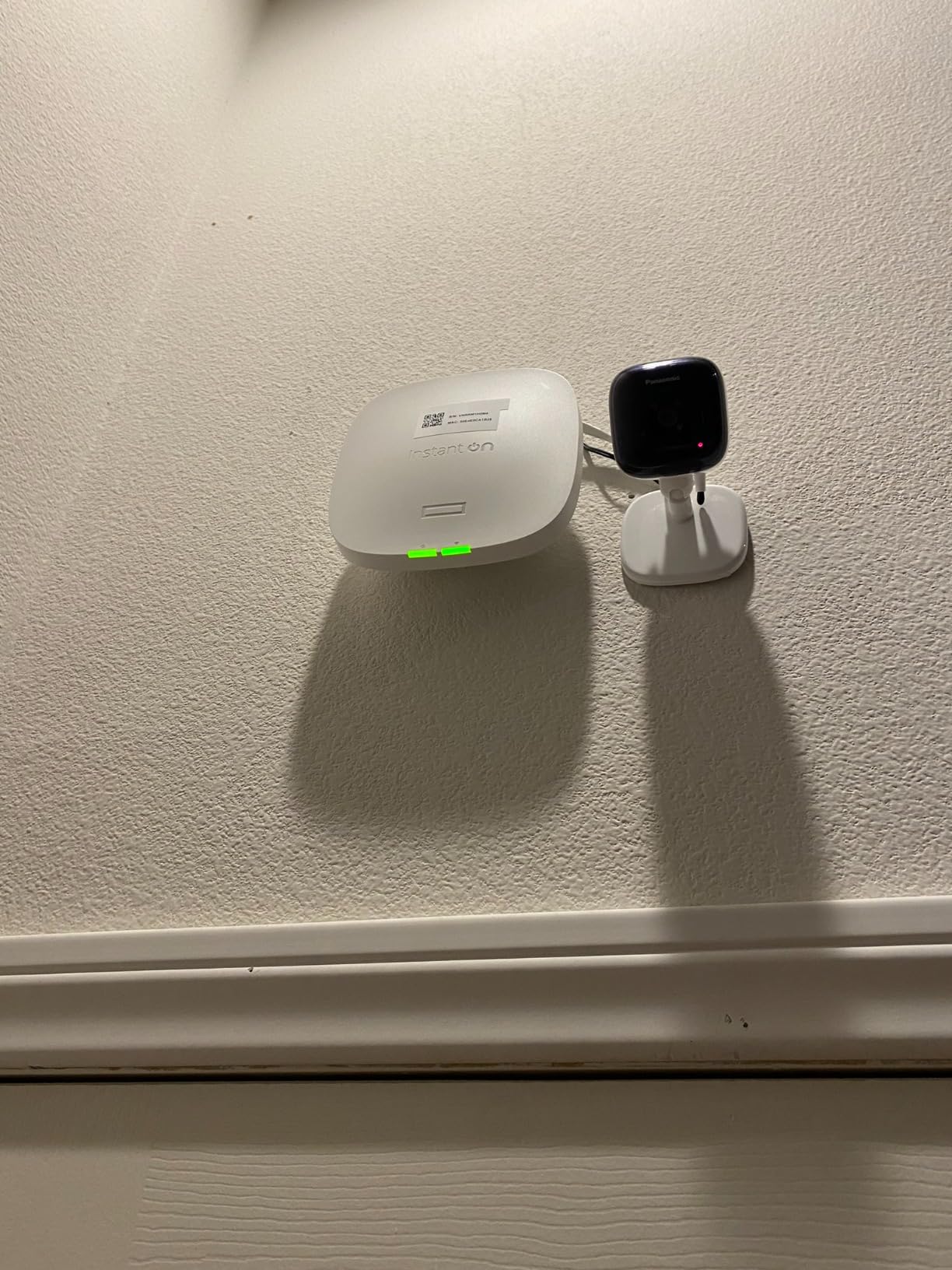
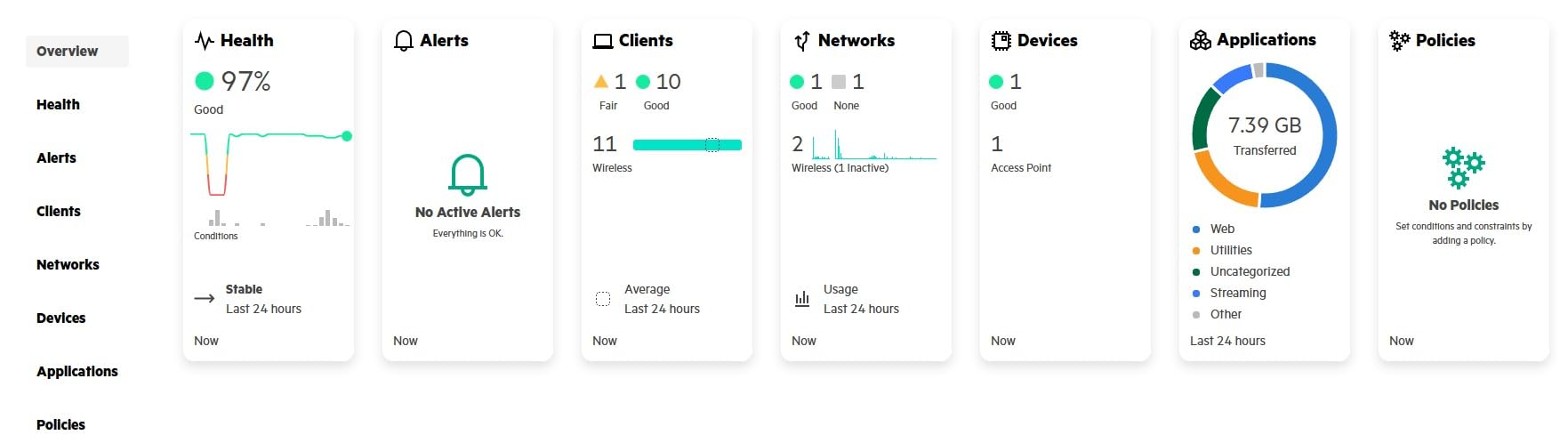
The AP32 is built by Aruba and sold under HP Networking, and the reason it earns a place here is simple: no subscription and no licence. The Instant On mobile app and web portal handle setup and management at no recurring cost.
It carries 32 reviews at 4.0 stars. That is the widest rating spread of any unit in this lineup, with 60 percent five-star but 16 percent one-star, which mostly tracks whether the buyer already had PoE available.
Radio rates and the 2×2 ceiling
Per-radio rates are 2.4 Gbps on the 2×2 6 GHz radio, 1.2 Gbps on the 2×2 5 GHz radio and 574 Mbps on the 2×2 2.4 GHz radio, for a 3.6 Gbps maximum. That is plenty for a busy home, and 75 recommended clients is a reasonable target for a house or a small office.
PoE requirement and the missing power supply
This is the detail that generates returns. The unit accepts 802.3at Class 4 PoE or a 12V local adapter, and this specific model (S1T22A) ships with no power source at all. A wall or ceiling mount and an Ethernet cable are included; the injector is not.
Smart Mesh for cable-free expansion
Smart Mesh extends the network to additional units without running new cables, which is handy in a three-story house where one floor has no Ethernet. The trade-off is that wireless backhaul costs you throughput compared with a wired run.
5. TP-Link Omada EAP670 – Best Dual-Band Unit With a Power Adapter Included
- ✓Omada Essentials cloud management with no subscription fee
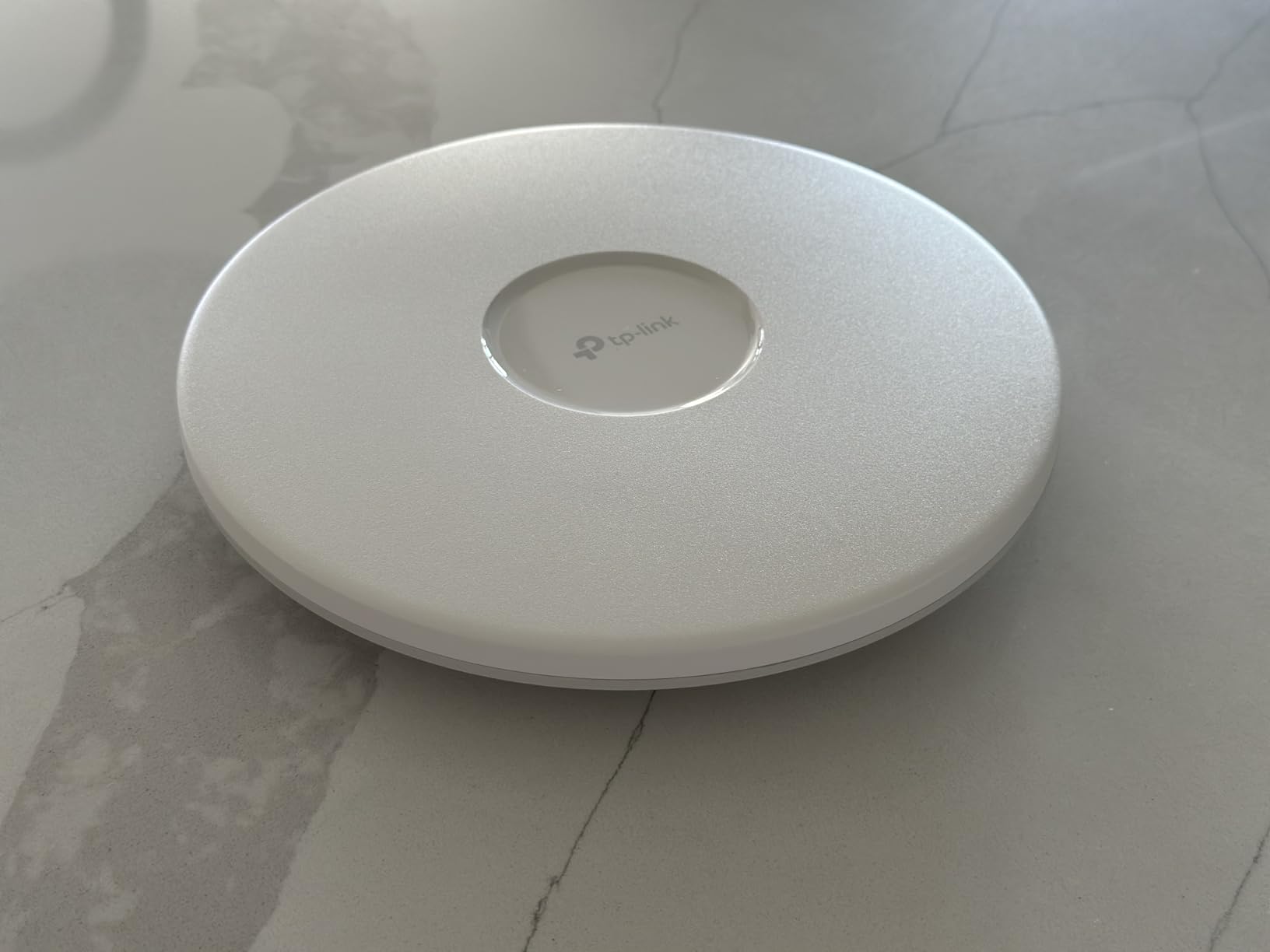
- ✓Ultraslim ceiling-mount design in white
- ✓2.5 Gigabit Ethernet port plus 802.3at PoE+ and an included 12V adapter
- ✓Five-year manufacturer warranty with free weekday support
- ✓Supports up to 250+ clients
- ✕Dual-band WiFi 6 hardware with no 6 GHz radio so it is not a WiFi 6E access point
- ✕Listing shows 1 Gbit/s LAN bandwidth despite the 2.5GE claim
Dual-band WiFi 6
5400 Mbps aggregate
2.5GE port with 802.3at PoE+
12V DC adapter included
I want to be straight about this one: the EAP670 has no 6 GHz radio. It is a dual-band WiFi 6 access point, not a WiFi 6E access point, and if you buy it expecting a 6E upgrade you will be disappointed.
It earns its place anyway because it is the best-documented unit in the lineup by a wide margin. 348 reviews at 4.5 stars, with 82 percent five-star and 7 percent one-star, and a five-year manufacturer warranty with free technical support.
2.5 Gigabit Ethernet port and PoE+
The port supports multi-gig performance and the unit accepts standard 802.3at PoE plus, or the included 12V/1.5A DC adapter. Having that adapter in the box removes the most common surprise second purchase in this category.
Omada management and standalone mode
Omada Essentials cloud management is free, with no hardware or software controller required for basic use. If you already run Omada switches and gateways, the SDN integration adds roaming, band steering, load balancing and airtime fairness across the site.
Who should skip it
Skip it if your goal is specifically 6 GHz spectrum, because there is no third radio. It remains a sensible choice for a 2.4/5 GHz deployment where a five-year warranty and free management matter more than the newest band.
6. Zyxel Nebula NWA220AX-6E – Most Flexible Management for a Small Office
- ✓Genuine WiFi 6E AXE5400 with a BandFlex toggle between 5 GHz and 6 GHz
- ✓Two wired ports including a rare 2.5G multi-gig port at this tier
- ✓VLAN tagging with 802.1X/RADIUS and a captive portal for guests
- ✓NebulaFlex runs standalone or moves to cloud management later
- ✓Smart Mesh and seamless roaming support
- ✕Only 17 reviews at a 3.5-star average with 28 percent one-star
- ✕BandFlex means only one of 5 GHz or 6 GHz is active at a time
- ✕No PoE injector or power supply listed in the box contents
- ✕Warranty terms are not stated on the listing
AXE5400 with BandFlex
1x 2.5G plus 1x GbE port
802.3at PoE+
NebulaFlex standalone or cloud
The NWA220AX-6E is the pick for a small office or a shop, mainly because of its feature list: VLAN tagging, 802.1X/RADIUS, a captive portal and Smart Mesh in the same enclosure.
Its review base is thin at 17 reviews and 3.5 stars, with 46 percent five-star against 28 percent one-star. Treat that as limited data rather than a broad consensus.
What BandFlex actually does
This is the single most important thing to understand about this unit. BandFlex lets you switch the second radio between 5 GHz and 6 GHz, which is useful for phasing in 6 GHz clients gradually. It is not simultaneous tri-band operation, so you cannot run 5 GHz and 6 GHz at the same time on this model.
Ports and PoE
Two wired ports including one 2.5G multi-gig port and one gigabit port is a genuinely useful combination at this tier. The unit runs on 802.3at PoE+, and no injector or power supply appears in the listed box contents, so plan for that purchase.
NebulaFlex and management choice
NebulaFlex lets you start standalone and move the same hardware to cloud management with the Nebula app later. That flexibility is why it suits a business that may not have a controller budget on day one.
7. Zyxel Nebula WAX640S-6E – Most 6 GHz Radio Capability Per Access Point
- ✓Only true tri-band unit here with a 4x4 6 GHz radio
- ✓Smart Antenna reshapes the RF pattern for the client mix in the room
- ✓2.5GbE uplink plus a 1 GbE passthrough port for another wired device
- ✓NebulaFlex Pro offers standalone on-premises or cloud management
- ✓Limited lifetime hardware warranty with US-based support
- ✕Only 3 reviews and a 3.3-star average with 57 percent two-star
- ✕PoE++ requirement means many standard PoE+ injectors will not power it
- ✕No power supply or injector listed in the box contents
Tri-band with 4x4 6 GHz radio
7.8 Gbps max
2.5GbE uplink
802.3at PoE++ required
On paper this is the most capable small-business unit in the lineup. The radio configuration is 2×2 on 2.4 GHz, 2×2 on 5 GHz and 4×4 on 6 GHz, for a 7.8 Gbps AXE7800 maximum rate.
Buyer feedback is almost absent though: 3 reviews at 3.3 stars, with 57 percent of those at two stars. The install experience behind that rating is effectively undocumented, so treat the spec sheet as the only real evidence here.
Smart Antenna and the 4×4 6 GHz radio
The Smart Antenna technology adjusts the RF pattern automatically to suit the client behaviour in a given space. A 4×4 6 GHz radio is the piece that matters for a shared office where several 6 GHz laptops connect at once.
The PoE++ deployment constraint
This unit needs 802.3at PoE++, so a standard PoE+ switch or injector will not power it. That is a real barrier in a home, where the switch in the cupboard is very unlikely to have that class of output.
Warranty as the standout
The limited lifetime hardware warranty with US-based support stands well above everything else here. Check your switch’s PoE class before you commit, because no power supply or injector appears in the box contents.
8. Aruba AP-635 – Campus-Class Hardware With No Reliable Buyer Data
- ✓Genuine Aruba campus-class indoor WiFi 6E access point
- ✓All three reviews are 5-star with no lower ratings
- ✓Compact package footprint for a ceiling-mounted unit
- ✓Controller and app-based control options
- ✕Listing detail fields carry unrelated air-conditioner boilerplate
- ✕Only 3 reviews which is far too thin a reliability signal
- ✕Listing states no radio configuration throughput ports or PoE class
- ✕1-year limited warranty
Aruba campus WiFi 6E unit
Stand-alone ceiling-mount form factor
App and controller managed
1-year limited warranty
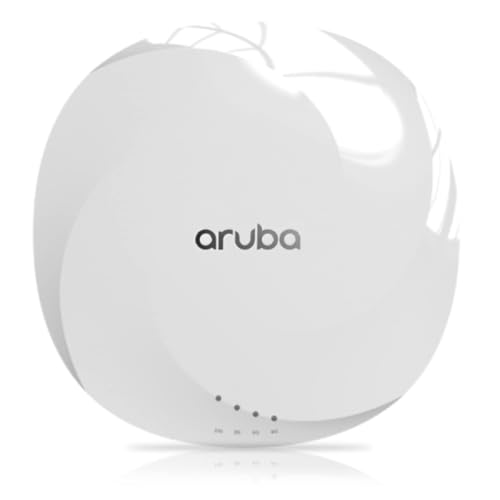
The AP-635 is the Aruba campus unit, a split-system design managed through an Aruba controller or app, in a stand-alone ceiling-mount form factor. The hardware is a genuine WiFi 6E indoor access point.
Its listing is badly corrupted with unrelated air-conditioner data such as cooling capacity and cubic foot volume, which tells you there is effectively no usable Amazon buyer data to work from. All three reviews are 5-star, which on a sample that thin means very little.
Reading past the broken listing
Because the specification block mixes in unrelated product data, you have to take the radio configuration, throughput and PoE class from Aruba’s own datasheet rather than from this page. Verify those figures before you plan a purchase around them.
Who this is actually for
This is an infrastructure purchase for an organisation already running Aruba controllers. For a home network it is overkill, and the 1-year limited warranty is shorter than most consumer-grade options here.
9. Fortinet FortiAP 431G – Best for FortiGate Networks
- ✓Enterprise tri-radio WiFi 6E with a 4x4 6 GHz configuration and 8 antennas
- ✓Two 5GbE RJ45 ports on 10 Gbps-class LAN bandwidth
- ✓Managed by an existing FortiGate WLAN controller or by FortiLAN Cloud
- ✓Security Fabric puts wired and wireless policy in one console
- ✕Only 2 reviews both 5-star so there is no meaningful buyer data
- ✕Requires a FortiGate with an integrated WLAN controller or FortiLAN Cloud
- ✕One of the highest costs in this lineup with licensing on top if you run FortiGate
Tri-radio with 4x4 6 GHz
20 Gbps data rate
2x 5GbE RJ45 ports
10 Gbps LAN bandwidth
The FortiAP 431G is the most capable radio package here: tri-radio WiFi 6E with a 4×4 6 GHz configuration, 8 internal antennas and a 20 Gbps data rate across a 10 Gbps LAN bandwidth class.
Two reviews, both 5-star. There is effectively no Amazon review signal, so the decision rests on Fortinet’s published specs and on whether you already run FortiGate hardware.
Two 5GbE ports in a WiFi 6E access point
The dual 5GbE RJ45 ports are unusual for this category and give you a wired device option or a link-aggregation path that most competing units do not offer. That is the headline hardware story here.
Management ties you to one ecosystem
The AP is managed centrally by the integrated WLAN controller of any FortiGate appliance, or through the FortiLAN Cloud portal. If you do not already run that stack, you are adding a security platform just to configure a ceiling tile.
10. Cisco Meraki MR57 – Cloud-Managed 6E, Sold Without a Licence
- ✓Genuine Meraki cloud-managed WiFi 6E indoor access point
- ✓Sold as Grade A renewed hardware with the mounting kit included
- ✓Cloud managed through the Meraki dashboard so no on-site controller is needed
- ✓WPA2 and WPA3 on a quad-band 802.11ax platform
- ✕Ships unclaimed with no licence so total ownership cost is well above the sticker
- ✕Sold with a 90-day limited warranty compared with multi-year coverage on new units
- ✕Only 1 review so there is no usable buyer feedback
- ✕Listed from an Amazon Renewed third-party seller rather than a direct Cisco channel
Cloud-managed WiFi 6E indoor unit
Quad-band 802.11ax platform
Mounting kit included
90-day renewed warranty
The MR57 is a Meraki cloud-managed WiFi 6E indoor access point on a quad-band 802.11ax platform, sold here as Grade A renewed hardware with the mounting kit included.
One review at 5 stars gives you no sentiment signal at all. The practical questions are the licence and the warranty, not the radio.
The licence is the real cost
This hardware is unclaimed and carries no Meraki licence, so you have to buy that separately before it becomes manageable. Budget for the licence before you compare this against any of the new units on this list.
Renewed hardware trade-offs
The 90-day limited warranty compares badly with multi-year coverage on new units. The mounting kit being included is genuinely helpful, since wall and ceiling hardware is the piece most often missing from a refurb.
11. Cisco Catalyst 9164I – Hardware-Only Campus Unit With the Thinnest Feedback
- ✓Tri-band 4x4 WiFi 6E campus access point with monitor mounts in the box
- ✓Positions as the full-featured Catalyst alternative to the Meraki-branded variant
- ✓One of only two genuinely tri-band 4x4 campus-class 6E units in this lineup
- ✓Runs on Cisco IOS
- ✕The only review on the page is 1 star
- ✕Highest cost in the lineup and the listing is hardware-only with no licence
- ✕One review means there is no usable reliability signal
- ✕Listing metadata is cross-categorised and the model number is a part number
- ✕Weight PoE class and port details are not stated
Tri-band 4x4 WiFi 6E campus unit
Monitor mounts included
Cisco IOS platform
Hardware only with no licence
The Catalyst 9164I is a tri-band 4×4 WiFi 6E campus access point running Cisco IOS, and the box includes monitor mounts, which is unusual for a ceiling unit.
I would not call this a recommendation without caveats. The single review on the page is 1 star, there is no licence included, and the listing metadata is cross-categorised under monitor stands with a part number standing in for the product name.
What the hardware actually offers
The tri-band 4×4 802.11axe platform is a credible campus-class claim, and monitor mounts in the box are a real convenience for display deployments. Beyond that the listing states nothing about weight, PoE class or port details, so you need the Cisco datasheet.
Where the risk sits
One 1-star review plus no licence plus missing specs makes this the riskiest entry in the group. It belongs on a shortlist only if your organisation already runs Catalyst infrastructure and can source the licence and the missing specification data directly from Cisco.
How to Choose a WiFi 6E Access Point in 2026
Most of the disappointment in this category comes from two things: buying a unit with no 6 GHz radio, and discovering after delivery that no power source is in the box. Work through these points in order.
1. Confirm you need an access point, not a router
An access point bridges an existing wired network and hands out addresses from your router, gateway or DHCP server. It does not have WAN ports, so plugging it into an ISP box means you are using double NAT or need a real router behind it. If you have Ethernet already run, an access point is the correct upgrade; if you have nothing but coax or a single coax-derived connection, a mesh system such as the ones in our best mesh WiFi systems guide will save you a lot of work.
2. Count the access points before you buy
As a working rule for a home, one ceiling-mounted unit covers roughly 1200 to 1500 sq ft on a single floor of ordinary construction. A 2000 to 3000 sq ft two-story house usually needs three, ideally one per floor plus one on the main floor. Dense walls, foil-backed insulation and a concrete basement stairwell all cut that figure. For office-grade coverage, look at our enterprise wireless access point roundup instead.
3. Get the PoE class right the first time
PoE (802.3af) supplies about 15.4 watts, PoE+ (802.3at) supplies up to 30 watts, and PoE++ (802.3at class 4 or higher, as used by the WAX640S-6E) needs a high-output switch port or injector. Many access points ship with no power source at all, including the HPE Instant On AP32, the Grandstream GWN7665, the Zyxel NWA220AX-6E and the WAX640S-6E. The TP-Link EAP670 and the ARRIS W6U are the two here that include a power supply. Check your switch’s per-port budget before you order four of anything.
4. Match the uplink to your internet speed
A 1 GbE port is enough for a home gigabit connection and most WiFi 6E traffic, which is why users in HomeNetworking threads consistently say 2.5GbE is sufficient for WiFi 6E. Buy 2.5GbE or better when you plan to run wired backhaul between floors, attach a NAS at more than gigabit speeds, or buy an AP whose 6 GHz radio would otherwise be limited by a gigabit pipe. Both of our top picks offer 2.5 GbE uplinks for that reason.
5. Decide how much you care about a subscription
Subscriptions are the most common resentment in buyer threads. The HPE Instant On AP32 and the TP-Link EAP670 both give you free management with no paid tier, the Zyxel units run standalone through NebulaFlex, and the Grandstream GWN7665 has a controller built in. Ubiquiti’s UniFi ecosystem, Meraki licensing and FortiGate or FortiLAN Cloud all tie management into something larger.
6. Buy for mounting, not for speed
Every unit here is a ceiling or wall mount. For the mechanics of getting the placement right, our ceiling mount access point guide covers the hardware, and our outdoor WiFi access point roundup covers the weatherproof cases. Note that none of the eleven units in this lineup is IP-rated for outdoor use, so a patio install needs a different product.
7. Check the 6 GHz honesty of the listing
Marketing aggregates such as AXE5400 and AXE11000 describe the sum of every radio at its theoretical maximum. Real throughput on 6 GHz is constrained by range, walls and interference, so treat those numbers as a ranking hint rather than a speed promise. More importantly, read the radio list: the TP-Link EAP670 in this lineup is dual-band WiFi 6 only, and the Zyxel NWA220AX-6E’s BandFlex design can only run 5 GHz or 6 GHz at a time.
Frequently Asked Questions
Is WiFi 6E worth it over WiFi 6?
Yes, if you own or plan to own several 6 GHz-capable devices such as recent flagship phones, laptops, TVs and VR headsets. The 6 GHz band adds wide, clean, non-overlapping spectrum, which cuts the congestion that slows down a busy 2.4/5 GHz network. If every device you own is still WiFi 6, a 6E access point buys you very little.
Does WiFi 6 penetrate walls better than WiFi 5 or WiFi 6?
No. The 6 GHz band is the least penetrating of the three, because its shorter wavelengths are absorbed more readily by brick, glass and drywall. That is the core trade-off: 6 GHz delivers far more clean bandwidth in a single room, but it needs a ceiling-mounted unit close to the client. This is why 6E access points work best as several wired units rather than one strong one.
How many WiFi 6E access points does my house need?
Plan on roughly one ceiling unit per 1200 to 1500 sq ft on a single floor. A 2000 to 3000 sq ft two-story home typically needs three, with one on each floor plus one covering the main living area. Dense construction, foil-backed insulation and concrete stairwells reduce that number, so measure dead zones before you finish ordering.
What are the drawbacks of PoE access points?
The main drawbacks are the extra hardware and the cable runs. Most access points need a PoE port on a switch or a separate 802.3at injector, and many ship with no power source at all, so the true cost is higher than the box suggests. A PoE++ unit will not run on an ordinary PoE+ switch or injector, and a long cable run to an upstairs ceiling tile needs a cable run you may not have planned for.
Do I need a router as well as a WiFi 6E access point?
Yes. An access point has no WAN port and no NAT function, so it needs a router or gateway to distribute addresses and reach the internet. Many people run a dedicated router and disable its WiFi radios, then let access points handle coverage. You can also plug an access point into a mesh node or gateway that already does routing.
How long will a WiFi 6E access point last?
Expect a comfortable service life, because 6 GHz support is now standard on newer hardware and the units here run current 802.11ax firmware. The bigger risk is power and management rather than radio obsolescence: check whether the vendor keeps issuing firmware updates and whether the management platform is tied to a subscription you would have to keep paying.
Which WiFi 6E Access Point Should You Buy in 2026
If you want one unit that covers a serious home and you already run the UniFi controller, the Ubiquiti U6-Enterprise is the pick, with genuine tri-band radios and a 2.5 GbE uplink. If you are covering a home or small office and want the most capability per dollar, the Grandstream GWN7665 gives you a built-in controller for up to 50 units, and you will need to source a PoE injector separately.
If your priority is a single phone or a VR headset on the 6 GHz band without replacing a router, the ARRIS SURFboard W6U includes the cable and the power supply. For a small office that needs VLANs and a captive portal, the Zyxel NWA220AX-6E covers those features, keeping in mind BandFlex runs one band at a time.
If you refuse to pay a subscription, the HPE Instant On AP32 is the licence-free option, and budget for its missing power source. The enterprise and campus units in this lineup belong to networks that already run Aruba, FortiGate, Meraki or Catalyst infrastructure, and two of them carry effectively no usable buyer feedback, so I would not start there.
Whichever you choose, plan the cable run and the PoE power first. Getting those two right solves more WiFi problems than any amount of radio shopping.




Leave a Comment