
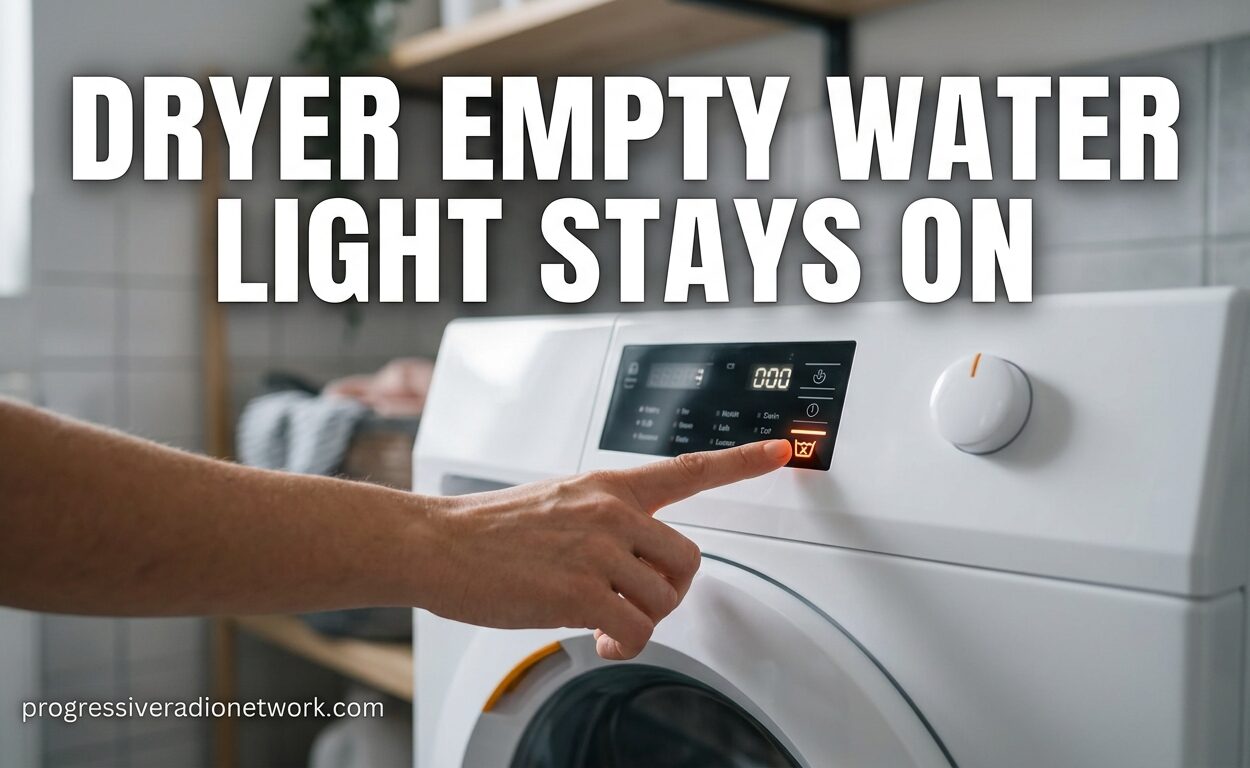
There’s nothing more frustrating than pulling damp clothes out of your dryer, only to realize the machine stopped mid-cycle because of a stubborn “empty water” light that refuses to turn off. I’ve been there, and I know how annoying it is when you’ve already emptied the water tank multiple times, but that warning light just keeps staring back at you.
The dryer empty water light stays on problem affects thousands of condenser and heat pump dryer owners across all major brands. This issue typically happens when your dryer’s water level detection system incorrectly believes the condensate container is full, even when you’ve just emptied it. The good news is that most of the time, this is a simple fix you can handle yourself without calling a technician.
In this guide, I’ll walk you through exactly why this happens and show you the proven methods to fix it. We’ve compiled solutions from real users on iFixit, expert technicians from JustAnswer, and manufacturer support pages to give you the most comprehensive troubleshooting resource available.
Dryer Empty Water Light Stays On: What’s Really Happening
The empty water light stays on because your dryer’s water level sensor is giving a false reading. In most condenser and heat pump dryers, there’s a sensor located near the pump assembly that uses two metal strips or electrodes to detect water levels. When these metal strips become coated with residue from lint, detergent, or minerals, they can’t accurately read whether the tank is empty or full.
Think of it like this: those two metal strips need to make proper contact with the water to signal “full” and break contact to signal “empty.” When gunk builds up between them, it creates a false bridge that tricks the sensor into thinking water is always present. This is why the light stays on even when your water tank is bone dry.
The secondary culprit is often a jammed pump. Lint and debris can accumulate in the pump housing, preventing it from properly draining water into the tank. When the pump can’t move water efficiently, the sensor detects standing water and triggers the warning light.
Understanding Condenser vs Heat Pump Dryers
Before diving into fixes, it helps to know which type of dryer you have. Condenser dryers use a heating element to warm air, which absorbs moisture from wet clothes. This moist air then passes through a condenser unit where it cools and the water drips into a collection tank. These models are more common and typically have the water level sensor located near the bottom of the machine.
Heat pump dryers work differently. They use a heat exchanger to recycle heat, making them more energy efficient. The water extraction process is similar, but the components are arranged differently. Heat pump models often have the water level sensor and pump in a rear access compartment. The fixes in this guide work for both types, but the access locations may vary slightly.
If you’re unsure which type you have, check your manual or look for a “heat pump” label on the machine. Heat pump models typically run at lower temperatures and take longer to dry, but use significantly less energy.
Quick Checks Before You Start
Before grabbing any tools, run through these basic checks. I’ve seen many cases where one of these simple steps solved the problem immediately:
First, verify the water tank is actually empty and properly seated. Remove the tank completely, empty it, and reinstall it with a firm push. You should hear or feel it click into place. Many dryers have a safety switch that won’t engage unless the tank is positioned correctly.
Next, check your lint filter. A clogged filter can cause all sorts of strange errors. Clean it thoroughly under running water and let it dry completely before reinstalling. While you’re at it, check if your dryer has a secondary filter near the condenser unit.
Finally, try a simple reset. Unplug your dryer from the wall outlet, wait 30 seconds, then plug it back in. This can sometimes clear temporary electronic glitches that might be causing the error.
How to Clean the Water Level Sensor (Most Common Fix)
This is the fix that works for over 80% of cases. The water level sensor with its two metal strips is located near the pump assembly, usually at the bottom or back of your dryer. Here’s how to clean it properly:
Step 1: Unplug your dryer from the power source. Safety first – never work on appliances while they’re connected to power.
Step 2: Locate the pump access panel. On Bosch dryers, this is typically at the bottom front behind a small kick panel. On LG models, it’s often through a rear access panel. Consult your manual if you’re having trouble finding it.
Step 3: Remove the access panel. You might need a Torx screwdriver or Phillips head, depending on your model. Set the screws aside safely.
Step 4: Locate the pump housing. You’ll see a plastic chamber with wires coming out of it. The water level sensor is right beside it – look for two small metal strips or prongs about half an inch apart.
Step 5: Clean the metal strips. Use a clean cloth or cotton swab dampened with warm water to gently wipe away any residue between the strips. For stubborn buildup, a mixture of equal parts white vinegar and water works well. Avoid using abrasive materials that could scratch the metal.
Step 6: While you’re there, check the pump area for accumulated water or debris. Wipe up any standing water and remove any lint clumps you can see.
Step 7: Reassemble everything and test. Plug your dryer back in and run a short cycle. The empty water light should now turn off properly when the tank is empty.
Users on iFixit report this fix working immediately for Bosch Serie 6, Ecologixx 7, and similar models. One user commented that after two years of frustration, cleaning those two metal strips solved the problem in five minutes.
How to Check and Clean the Pump
If cleaning the sensor didn’t solve the problem, your pump might be jammed. Lint, fabric fibers, and even small items like coins can accumulate in the pump, preventing proper water drainage. A jammed pump causes water to back up, triggering the sensor.
Step 1: Follow steps 1-3 from the sensor cleaning procedure to access the pump compartment.
Step 2: Look for the pump cover or impeller access. Some models have a twist-off cap, while others require removing the entire pump housing.
Step 3: Check for visible blockages. You might see a mass of lint or debris wrapped around the pump impeller. Carefully remove any obstructions using tweezers or needle-nose pliers.
Step 4: Some pumps have a small drain hole or filter. Clean this thoroughly with running water if removable.
Step 5: Manually spin the pump impeller to ensure it moves freely. If it’s stiff or stuck, there may be deeper damage requiring professional service.
Step 6: Reassemble and test. The pump should now drain water properly into the tank, preventing false sensor readings.
JustAnswer technicians report finding everything from lint balls the size of tennis balls to children’s socks jammed in dryer pumps. One technician noted that Indesit dryers are particularly prone to pump blockages due to their design.
Testing the Float Switch
Some dryer models use a float switch instead of, or in addition to, the metal strip sensor. The float is a small plastic device that rises with water level and triggers the switch when the tank is full. If the float gets stuck in the “up” position, it will signal full even when empty.
Locate the float mechanism in the water tank chamber or pump housing. Gently move it up and down to ensure it moves freely. If it’s sticky or stuck, clean around it with warm soapy water. Mineral deposits can cause the float to stick in place.
On some models, you can test the float switch with a multimeter. With the dryer unplugged, disconnect the switch wires and check for continuity when the float is in the down position. No continuity means the switch has failed and needs replacement.
Cleaning the Condenser Unit
A dirty condenser can cause water extraction problems that lead to sensor errors. The condenser is responsible for cooling moist air and extracting water. When it’s clogged with lint, water doesn’t drain properly and can pool where it triggers the sensor.
Most condenser dryers have a removable condenser unit, usually located behind a panel at the bottom front of the machine. Remove it according to your manual’s instructions – it typically slides or lifts out.
Rinse the condenser thoroughly under running water. Use a soft brush to remove lint from between the fins. Let it dry completely before reinstalling. LG recommends cleaning the condenser at least monthly for optimal performance.
Some newer models have self-cleaning condensers. If yours has this feature, run a cleaning cycle according to the manufacturer’s instructions. These aren’t perfect, though – manual cleaning every few months is still beneficial.
Brand-Specific Troubleshooting Notes
Different brands have unique quirks when it comes to the empty water light issue:
Bosch: Bosch dryers, including the Serie 6 and Serie 8 lines, are particularly prone to the metal strip sensor issue. The sensor is located in the pump compartment at the bottom front. Many users report success simply by cleaning those two metal strips with vinegar solution.
LG: LG dryers often display an “Empty Water” message along with a “Clean Filter” reminder. LG recommends checking the condenser unit first, as clogged condensers are a common cause on their models. The water level sensor on LG units is typically accessed through the rear panel.
Whirlpool: Whirlpool heat pump dryers may show error codes like “H2O” or “E:01” alongside the empty water light. These models often have the sensor integrated with the pump assembly, making access slightly more difficult. Consult your manual for the exact procedure.
Samsung: Samsung condenser dryers typically have easy access through a bottom kick plate. The water level sensor on Samsung units is known to be sensitive, so regular cleaning is more important than with some other brands.
Beko & Siemens: These brands use similar designs to Bosch. The sensor location and cleaning procedure are nearly identical. Beko owners report that the problem often returns if preventive maintenance isn’t followed.
AEG: AEG dryers often feature more sophisticated sensor systems. If basic cleaning doesn’t work, there may be an electronic issue requiring professional diagnosis.
When to Call a Professional
While most empty water light issues are DIY-fixable, there are times when professional service is necessary. Call a technician if:
The pump impeller is damaged or won’t spin freely after cleaning. Continuing to run a dryer with a faulty pump can cause more extensive damage.
You’ve cleaned everything thoroughly but the error persists. This could indicate a failed sensor, faulty control board, or wiring issue that requires specialized diagnostic equipment.
Your dryer is still under warranty. DIY repairs could void your warranty coverage. Check your warranty terms before attempting any repairs.
You’re uncomfortable working with appliances. There’s no shame in calling a professional – appliance repair technicians have the training and tools to diagnose and fix issues safely.
Expect to pay between $80-150 for a service call, plus parts if needed. A new water level sensor typically costs $20-40, while a pump assembly runs $50-100.
Preventive Maintenance Tips
Preventing the empty water light issue is much easier than fixing it. Follow this maintenance schedule to keep your dryer running smoothly:
Weekly: Empty the water tank after every cycle or two. Don’t wait until it’s completely full. Clean the lint filter after every use – this takes seconds but prevents most airflow issues.
Monthly: Deep clean the lint filter under running water. Check the condenser unit and clean if necessary. Inspect the water tank for any residue or mineral buildup.
Every 3-6 months: Clean the water level sensor proactively, even if no error has appeared. This takes just a few minutes and prevents the gunk buildup that causes false readings. Vacuum around the pump access area to remove dust and lint.
Annually: Schedule a professional maintenance check if your dryer is heavily used. A technician can clean internal components you can’t reach and identify potential problems before they become serious.
Using distilled water in any applicable maintenance (not for the tank itself, but for cleaning) can help reduce mineral deposits in areas with hard water. Also, ensure your laundry room has adequate ventilation – excessive humidity can accelerate component corrosion.
Frequently Asked Questions
Why does my dryer keep saying empty water when it’s empty?
Your dryer’s water level sensor, which uses two metal strips near the pump to detect water levels, has likely accumulated residue. This buildup creates a false reading that tricks the sensor into thinking water is present even when the tank is empty. Cleaning those metal strips with a vinegar solution typically solves the problem immediately.
Why is my dryer saying the water tank is full when it’s empty?
The water tank full message when empty is caused by the same sensor issue. The water level sensor uses electrodes to detect water presence, and when lint, detergent residue, or mineral deposits coat these electrodes, they can’t accurately read the tank level. The secondary cause is often a jammed pump that’s holding water in the system, triggering the sensor.
Why is my dryer light not turning off?
The empty water light stays on because the sensor continues detecting water or residue. After you’ve cleaned the sensor metal strips and cleared any pump blockages, try unplugging the dryer for 30 seconds to reset the electronics. If the light still won’t turn off after these steps, the sensor itself may have failed and need replacement.
How to do a hard reset on a dryer?
To perform a hard reset on your dryer, first unplug it from the wall outlet. If it’s a hardwired model, turn off the circuit breaker. Wait at least 30 seconds to one minute to allow all capacitors to discharge. For added effectiveness, press and hold the start/pause button while the power is disconnected. Then restore power and test if the error has cleared.
Why does my dryer say H20 full?
The H20 full or similar water-related error codes indicate the water level sensor has triggered. On some brands like Whirlpool and Beko, this appears as a specific error code rather than just a warning light. This means the sensor has detected water in the system or is giving a false reading due to contamination on the sensor electrodes.
Where is the dryer’s reset button?
Most modern dryers don’t have a physical reset button. Instead, resetting is done by unplugging the unit for 30 seconds or turning off the circuit breaker. Some models may have a reset combination on the control panel, such as holding specific buttons simultaneously. Check your manual for model-specific reset procedures, though the power cycle method works for 95% of cases.
How to tell if a dryer moisture sensor is bad?
A bad moisture sensor will cause inconsistent drying cycles – clothes may come out damp or overdried. To test, locate the sensor bars inside the drum and clean them with alcohol. If problems persist after cleaning, the sensor may have failed. For water level sensors specifically, if cleaning the metal strips doesn’t resolve the empty water light issue, the sensor has likely failed electrically.
How do I reset my dryer sensor?
Resetting dryer sensors is done through a power cycle. Unplug the unit for 30-60 seconds, then restore power. For more thorough resets, some models require holding specific button combinations – common ones are Start + Signal, or Dry Level + Timer simultaneously for 3-5 seconds. Check your owner’s manual for the exact reset procedure for your model.
Conclusion
The dryer empty water light stays on problem is frustrating but usually solvable without professional help. By understanding that two small metal strips near your pump are likely coated with residue, you now have the knowledge to fix the most common cause yourself. Remember to clean those sensor strips thoroughly, check for pump blockages, and verify the float switch moves freely.
Regular maintenance is the key to preventing this issue from returning. Set a reminder to clean the water level sensor every few months, even before problems appear. This simple habit, combined with routine filter and condenser cleaning, will keep your condenser or heat pump dryer running efficiently for years.
If you’ve tried all the troubleshooting steps and the empty water light persists, it may be time to call a professional technician. There’s no shame in recognizing when a repair is beyond your comfort level or when specialized diagnostic equipment is needed. Your dryer will thank you with years of reliable service.



Leave a Comment