
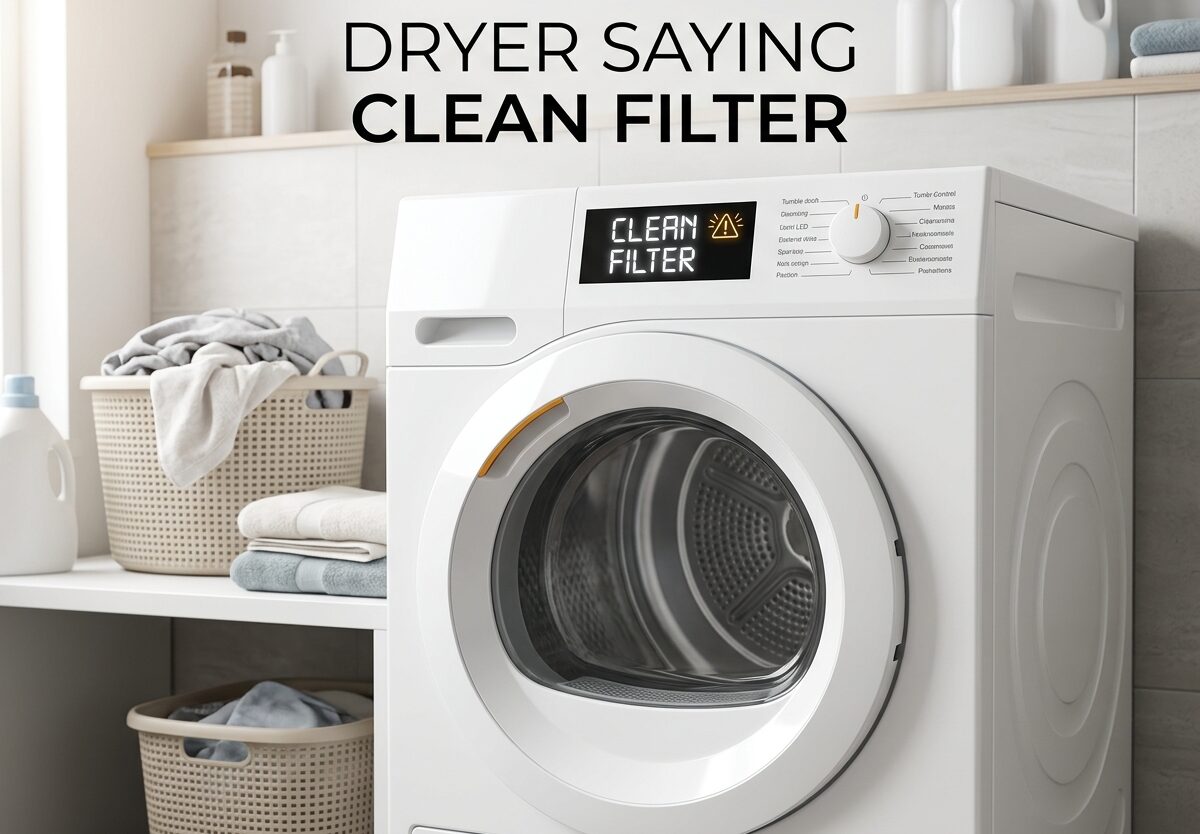
That persistent “Clean Filter” message on your dryer can be frustrating, especially when you’ve already cleaned the lint trap. I’ve dealt with this issue myself, and I understand how annoying it is when your dryer stops mid-cycle or won’t start because of a filter warning that won’t go away.
In this guide, I’ll walk you through everything you need to know about why your dryer is saying “clean filter,” how to fix it, and what to do when the alert keeps appearing even after you’ve cleaned it thoroughly. We’ll also cover brand-specific reset instructions for LG, Samsung, GE, and other popular dryer manufacturers.
Proper filter maintenance is crucial for dryer performance and safety. As someone who has researched maintaining clean filters across various home appliances, I can tell you that a well-maintained dryer not only works better but also lasts longer.
What Does ‘Clean Filter’ Mean on Your Dryer
The “Clean Filter” or “Check Filter” message on your dryer is an important safety and performance indicator. Modern dryers are equipped with sensors that monitor airflow through the lint filter and exhaust system. When these sensors detect restricted airflow, they trigger the clean filter warning to alert you that maintenance is needed.
Your dryer’s lint filter serves as the first line of defense against lint buildup in your dryer’s internal components and exhaust vent. Every load of laundry produces lint, and even with regular cleaning, some lint can accumulate in places you can’t see. The clean filter indicator is designed to prevent the fire hazards and reduced efficiency that come with clogged dryer systems.
The alert typically appears for several reasons: actual lint accumulation on the filter screen, lint buildup in the filter housing area, restricted exhaust vent, or sensor malfunction. Understanding which of these is causing your specific issue is the key to resolving it effectively.
Quick Fixes to Try First
Before diving into more complex troubleshooting, try these quick fixes that resolve most filter alert issues:
1. Remove and clean the lint filter manually
Take the lint filter completely out of the dryer. Use your fingers to remove visible lint, then use a vacuum cleaner with a narrow attachment to clean both sides of the filter screen thoroughly. Many people only clean one side, but lint accumulates on both surfaces.
2. Check for hidden lint in the filter housing
After removing the filter, shine a flashlight into the filter housing slot. You’ll often find accumulated lint around the edges and in the corners that the sensor can detect but you can’t see easily. Use a vacuum hose or a flexible brush to remove this buildup.
3. Inspect the filter for damage
Hold your lint filter up to a light source. If you can see through the mesh easily, it’s in good condition. If the mesh appears coated with residue or has tears, the filter may need replacement or deep cleaning.
4. Reset the dryer if needed
Some dryer models require a manual reset after cleaning the filter. Try unplugging the dryer for 1-2 minutes, then plugging it back in. This can reset the sensor system and clear false alerts.
5. Run a test cycle
After cleaning, run the dryer on a timed dry setting (not sensor dry) for 10-15 minutes with no laundry. This can help reset the moisture sensors and clear persistent alerts.
How to Deep Clean Your Dryer Filter and Housing
Sometimes a basic lint removal isn’t enough, especially if you use dryer sheets or have buildup from fabric softeners. Here’s how to perform a thorough deep clean:
Step 1: Remove the filter completely
Pull the lint filter straight out of its slot. Most filters slide out easily, but some may require releasing a latch or lifting slightly before pulling.
Step 2: Vacuum loose debris
Use a vacuum cleaner with a crevice tool to remove loose lint from both sides of the filter. Pay special attention to the frame edges where lint tends to collect.
Step 3: Wash the filter with warm water
Take the filter to your sink and rinse it with warm water. If you see waxy residue from dryer sheets, use a mild dish soap and a soft brush to gently scrub the mesh. This residue can coat the filter screen and restrict airflow even when no visible lint is present.
Step 4: Dry thoroughly before reinstalling
Never put a wet filter back in your dryer. Use a clean towel to pat it dry, then allow it to air dry completely for at least 15-20 minutes. A wet filter can cause mold growth and may trigger false moisture sensor readings.
Step 5: Clean the filter housing
While the filter is drying, clean the filter housing slot thoroughly. Use your vacuum’s crevice tool to reach deep into the housing. For stubborn buildup, use a dryer vent brush or a flexible cleaning tool designed for this purpose.
Step 6: Clean moisture sensor bars
Locate the moisture sensor bars inside the dryer drum, usually found just below the door opening on the front bulkhead. These metal bars detect moisture levels and can become coated with residue. Clean them with a damp cloth and mild detergent, then dry thoroughly.
Step 7: Reinstall and test
Once everything is clean and dry, reinstall the filter and run a test cycle to see if the alert has cleared.
Why Your Dryer Says Clean Filter When It’s Already Clean
One of the most frustrating experiences is cleaning your filter thoroughly, only to have the alert persist. This happens more often than you might think, and there are several specific causes:
Sensor malfunction or contamination
The moisture sensor bars inside your dryer drum can become coated with fabric softener residue, detergent buildup, or even minerals from hard water. When this happens, they can’t accurately detect moisture levels and may trigger false alerts. The thermistor (temperature sensor) can also fail, causing incorrect readings that trigger filter warnings.
Exhaust vent restriction
Your dryer’s sensors monitor overall airflow, not just the lint filter. If your exhaust vent is partially or completely blocked, the sensors will detect reduced airflow and trigger the clean filter alert even with a perfectly clean lint filter. This is actually a safety feature designed to prevent overheating and potential fire hazards.
Lint buildup in internal components
Lint can accumulate inside the dryer cabinet, around the blower wheel, and in the exhaust duct inside the dryer. This internal buildup restricts airflow and can trigger sensor alerts that appear to be about the lint filter but are actually about overall system airflow.
Electrical or control board issues
In some cases, the issue is electrical rather than mechanical. Faulty wiring, a failing control board, or a defective sensor can cause persistent false alerts that won’t resolve with cleaning.
Checking Your Dryer Exhaust Vent
If your filter is clean but the alert persists, the exhaust vent is the next most likely culprit. A blocked exhaust vent is also a serious fire hazard, so this check is important for safety as well as resolving the alert.
Step 1: Check the exterior vent opening
Go outside and locate where your dryer vents out. Check for visible obstructions like bird nests, debris buildup, or damaged vent covers. The vent flap should open freely when the dryer is running.
Step 2: Disconnect and inspect the vent hose
Move your dryer away from the wall carefully so you can access the back. Disconnect the vent hose from both the dryer and the wall vent. Inspect it for crushed sections, excessive lint buildup, or damage.
Step 3: Clean the vent hose
Use a dryer vent cleaning kit with flexible rods and brushes to clean the entire length of the vent hose. For best results, clean from both ends toward the middle.
Step 4: Clean the internal dryer duct
Where the vent hose connects to your dryer, use your vacuum or a vent brush to clean the internal duct as far as you can reach. Lint accumulates here over time and can significantly restrict airflow.
Step 5: Consider professional cleaning
If you have a long vent run (over 20 feet), multiple elbows, or suspect significant buildup, it’s worth hiring a professional dryer vent cleaning service. They have specialized equipment to thoroughly clean the entire vent system.
Brand-Specific Reset Instructions
Different dryer brands have varying procedures for resetting the clean filter alert. Here are instructions for the most common manufacturers:
LG Dryers
LG dryers typically have a “Check Filter” indicator light rather than a message that stops operation. After cleaning the filter, the light should reset automatically after starting a new cycle. For persistent alerts on LG models, try holding the START/PAUSE button for 5 seconds after cleaning. Some newer LG models with TouchQ displays require navigating to the filter reminder in settings and manually resetting it.
Samsung Dryers
Samsung dryers display a “Filter” alert on the control panel. After cleaning the lint filter, simply press and hold the START button for 3-5 seconds to reset the indicator. If the alert returns immediately, check that the filter is properly seated in its housing – Samsung models have a sensor that detects proper filter installation.
GE Dryers
GE dryers may display “Clean Lint Filter” or stop mid-cycle with a filter alert. After cleaning, try pressing and holding the START/PAUSE button for 5 seconds. Some GE models require turning the cycle knob to select a new cycle to reset the alert. If your GE dryer has a dedicated “Reset” button near the filter area, press that after cleaning.
Whirlpool Dryers
Whirlpool models typically have a “Check Vent” or “Clean Lint Screen” indicator. After cleaning the filter, the alert usually clears automatically when you start a new cycle. For persistent alerts on Whirlpool dryers, unplug the unit for 1 minute, then plug it back in and try starting a new cycle.
Maytag Dryers
Maytag dryers often display a “Check Lint Screen” code. After cleaning, press and hold the START button for 3 seconds to clear the code. If the code returns immediately, verify that the filter is fully inserted and seated properly in the housing.
Electrolux and Frigidaire
These brands (which share many components) may show “Clean Lint” and stop the dryer after 10-15 minutes. After thorough cleaning of both the filter and housing, unplug the dryer for 2 minutes to reset the control board. If the problem persists, these brands are known for thermistor issues that may require professional service.
Preventing Future Filter Alerts
Once you’ve resolved the current alert, these prevention tips can help minimize future occurrences:
Clean the lint filter before every load
This might seem obvious, but many people forget this simple step. Develop the habit of removing lint from the filter every single time you use the dryer, even if it doesn’t look like much has accumulated.
Deep clean monthly
Once a month, perform a deep clean of your lint filter as described above. This removes the buildup that regular cleaning can miss and helps prevent the waxy coating that comes from dryer sheets.
Inspect the vent annually
Check your exterior vent opening regularly and have your entire vent system professionally cleaned at least once a year, or more often if you do lots of laundry.
Limit dryer sheet use
Dryer sheets can leave a residue on your filter and sensors over time. Consider using wool dryer balls instead, or alternate between sheets and balls to reduce buildup.
Replace damaged filters
If your filter has tears, warping, or persistent buildup that won’t clean off, replace it. A damaged filter can’t properly trap lint and may allow debris to reach sensitive components.
Regular proper filter cleaning and maintenance across all your appliances will extend their lifespan and improve performance.
When to Call for Professional Service
While most filter alert issues can be resolved with the steps above, there are times when professional service is necessary:
If you’ve cleaned the filter thoroughly, cleaned the filter housing, checked the exhaust vent, and the alert still persists, you may have a failing thermistor, moisture sensor, or control board issue that requires professional diagnosis.
If your dryer stops consistently at the same point in every cycle (often 10-15 minutes) and shows the filter alert, this could indicate a more serious electrical or sensor problem.
If you notice burning smells, unusual noises, or the dryer feels excessively hot to the touch, stop using it immediately and call a professional. These could be signs of vent blockage or electrical problems that pose fire hazards.
If you’re uncomfortable performing any of the troubleshooting steps, especially those involving moving the dryer or accessing internal components, it’s better to call a professional than risk injury or further damage to your appliance.
FAQs
Why does my dryer keep saying to clean the filter when it’s clean?
False filter alerts usually occur when moisture sensors are coated with residue, the exhaust vent is blocked, or there’s internal lint buildup. Try cleaning the sensor bars inside the drum, checking your exterior vent for obstructions, and deep cleaning the filter housing area.
Why does my LG dryer keep telling me to clean the filter?
LG dryers monitor airflow through the entire system, not just the lint filter. Persistent alerts often indicate exhaust vent blockage, dirty moisture sensor bars, or a faulty thermistor. Clean the sensor bars near the door opening and check that your exterior vent opens freely when the dryer runs.
Why does my GE dryer keep saying clean lint filter?
GE dryers may stop mid-cycle with a filter alert if the thermistor is failing or the exhaust system is restricted. After cleaning the filter, try resetting by holding the START/PAUSE button for 5 seconds. If the problem continues, check your vent system and consider professional service.
How do I clean out my dryer filter?
Remove the lint filter and vacuum both sides thoroughly. Rinse with warm water and mild dish soap to remove dryer sheet residue. Let it air dry completely before reinstalling. While the filter dries, vacuum the filter housing and clean the moisture sensor bars located inside the drum near the door opening.
How often should I clean my dryer lint filter?
Clean your dryer lint filter before every single load for optimal performance and safety. Additionally, perform a deep cleaning of the filter and housing once a month to remove buildup that regular cleaning misses. Have your entire exhaust vent system professionally cleaned at least once a year.
Is it safe to use my dryer when it keeps saying clean filter?
You can safely run your dryer for short periods to troubleshoot, but persistent filter alerts indicate restricted airflow that can cause overheating and create fire hazards. Clean the filter and check the vent system before continuing regular use. If the alert persists despite thorough cleaning, discontinue use until the issue is resolved.
Where is the reset button on my dryer?
Most dryers don’t have a dedicated reset button. To reset the filter alert, clean the filter thoroughly, then press and hold the START button for 3-5 seconds. For persistent issues, unplug the dryer for 1-2 minutes to reset the control board. LG models may require accessing the filter reminder in the TouchQ settings menu.
Conclusion
Dealing with a dryer saying “Clean Filter” when you’ve already cleaned it thoroughly is frustrating, but most cases can be resolved with systematic troubleshooting. Start with the basics: clean the lint filter properly on both sides, deep clean the filter housing, and check the moisture sensors for residue buildup.
If the alert persists, move on to checking your exhaust vent system – this is a commonly overlooked cause that affects overall airflow and triggers false filter warnings. Brand-specific reset procedures can also help clear persistent alerts after proper cleaning.
Remember that these alerts exist for your safety. A properly maintained dryer not only works more efficiently but also significantly reduces the risk of fire hazards. Regular filter cleaning, monthly deep cleaning, and annual vent inspections should keep your dryer running smoothly and those annoying alerts to a minimum.




Leave a Comment