
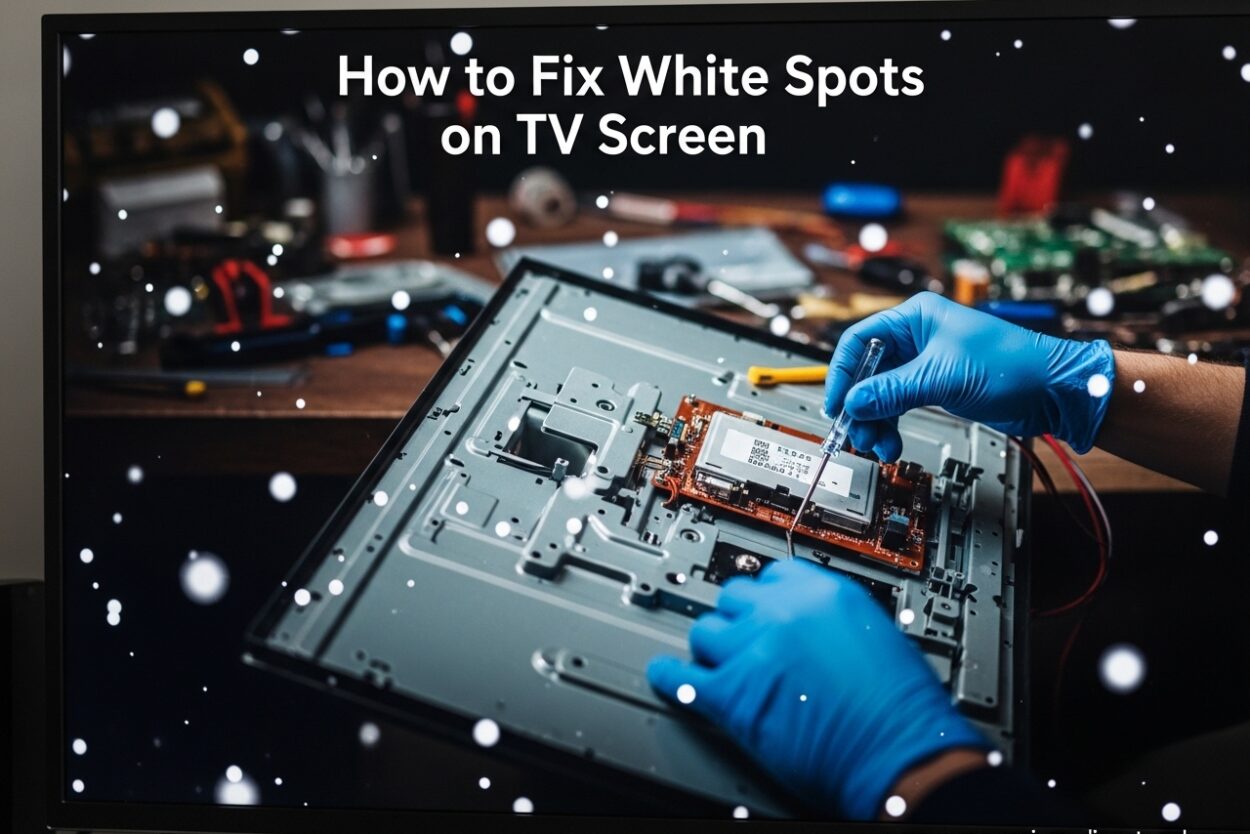
Finding white spots on your TV screen can be frustrating. Those bright, concentrated patches seem to appear overnight, disrupting your viewing experience when you settle in for movie night or your favorite show. The good news is that most white spots on TV screens are fixable, and you may not even need to call a repair technician. After researching community solutions from places like Reddit and iFixit, our team has compiled the most effective methods to help you restore your TV’s display quality.
In this comprehensive guide, you’ll learn exactly how to fix white spots on TV displays, understand what causes them, and know when it’s better to seek professional help. Whether you own a Samsung, LG, TCL, Vizio, or another brand, these troubleshooting steps work across most LCD and LED television models currently available.
What Are White Spots on TV Screens?
White spots on TV screens are bright, localized areas where light concentrates unnaturally through the display panel. Unlike dead pixels, which appear as tiny static dots and indicate a failure in the actual LCD panel, white spots typically cover larger areas and are caused by backlight irregularities rather than panel defects. Understanding this distinction helps you avoid unnecessary panel replacements when the actual issue lies in the backlight system.
The technical explanation involves the way LCD and LED TVs produce light. Your television uses a backlight system behind the LCD panel to illuminate the image you see. This backlight consists of multiple LED lights arranged in strips or arrays, with diffuser components that spread the light evenly across the entire screen surface. When components in this backlight system become misaligned, damaged, or detached, they create uneven light distribution that appears as bright patches on your screen.
According to community repair forums where experienced technicians and DIY enthusiasts share their findings, the most common culprit is the diffuser lens or cap that sits over individual LED backlight elements. When one of these small lenses falls off or shifts out of position, the LED beneath it creates a concentrated beam of light instead of spreading it evenly across the panel. This creates that distinctive white spot that many TV owners experience, particularly in Samsung and LG models that use similar backlight designs.
Common Causes of White Spots on TVs
Understanding what causes white spots on your TV screen helps you determine the best repair approach and decide whether professional service is warranted. Here are the most frequent reasons these spots appear in LCD and LED televisions:
Backlight Diffuser Issues
The LED backlight diffuser sheet sits between the backlight LEDs and the LCD panel. Its job is to spread light evenly across the entire screen, ensuring uniform brightness regardless of which LEDs are producing light. Over time, this sheet can become misaligned, especially in TVs that have been moved, transported, or subjected to vibrations. The adhesive holding the diffuser in place can degrade due to heat exposure, causing sections to shift or buckle. When sections of the diffuser move out of position, light no longer distributes properly, creating bright spots in certain areas where light concentration increases.
Detached LED Lens or Diffuser Cap
Each individual LED in a backlight array has a small lens or diffuser cap that helps spread its light output across a wider angle. These components are sometimes attached with adhesive that degrades over time, particularly in TVs that run hot or experience temperature fluctuations. When one of these lenses detaches, it falls against the panel from the inside and creates a concentrated bright spot directly above that specific LED. Forum members on Reddit’s TVRepair community consistently report this as the most common cause of white spots, with many users successfully fixing the issue by re-gluing the detached lens back into position.
LED Array Damage
LEDs themselves can fail or degrade over time like any electronic component. A failing LED may burn brighter than normal, creating a hot spot on your screen where excessive light passes through the panel. This type of failure often starts in one area and may spread to neighboring LEDs as the component deteriorates further. Heat damage from extended use, poor ventilation, or power surges can accelerate this process. Some users report that their white spots appeared after a power outage or voltage spike, suggesting that electrical stress contributed to LED failure.
Reflector Damage Inside the Screen
Inside your TV, small reflective surfaces help direct light from the backlight LEDs toward the screen surface, maximizing efficiency and brightness uniformity. If these reflectors become damaged, bent, or dislodged from their positions, they can create irregular light patterns that appear as white spots on the displayed image. Some users have discovered that foreign objects or debris inside the screen housing also cause this problem, with small metal fragments or dust particles creating localized bright spots where they intercept and reflect light incorrectly.
Power Supply or PCB Issues
The driver IC (Integrated Circuit) and PCB (Printed Circuit Board) that control backlight power distribution can develop faults over time. These components regulate voltage to different sections of the backlight array, ensuring each LED receives the correct amount of power for uniform brightness. When these components fail or develop cold solder joints, they may send uneven power to different sections of the backlight array, causing some LEDs to receive too much current and create bright spots while others may dim or fail entirely.
How to Fix White Spots on TV: DIY Methods
Before attempting any DIY repair, consider whether your TV is still under warranty. Opening your television may void the warranty, so check with your manufacturer first by reviewing your purchase documentation or contacting their support line. If your warranty has expired or you’re comfortable proceeding with the understanding of the risks involved, these methods can help resolve white spot issues at varying levels of complexity.
Method 1: Soft Reset Your TV
Sometimes white spots appear due to temporary software glitches rather than hardware problems. A soft reset clears the television’s memory and can resolve various display anomalies including image retention and temporary bright spots caused by signal processing errors. This method takes only a few minutes and carries no risk of damage to your television.
- Turn off your TV completely using the power button on the unit or remote control
- Unplug the power cord from the wall outlet or power strip
- Wait for exactly 60 seconds to allow capacitors to discharge fully
- Plug the TV back in securely, ensuring a firm connection
- Turn the TV on and allow it to fully boot up
- Check if the white spot persists by displaying a white or bright solid color
If the white spot remains after this reset, you’re dealing with a hardware issue that requires further investigation. The soft reset rules out software causes and confirms that physical component failure is responsible for the display problem.
Method 2: External Inspection and Care
Before opening your TV or attempting any internal repairs, perform a careful external inspection that might reveal the source of the problem without requiring disassembly. Many white spots turn out to be surface issues rather than backlight failures.
- Check the screen surface for scratches, pressure marks, or debris that might be on the outside of the panel
- Ensure no objects are pressing against the screen, including TV decorations, remote controls, or pet toys
- Clean the screen gently with a microfiber cloth and appropriate screen cleaner to remove fingerprints and dust
- Verify the TV has adequate ventilation around it and is not placed in an enclosed cabinet
- Examine the TV’s position relative to windows where sunlight might create apparent bright spots
Pressure marks from objects leaning against the screen can sometimes create temporary white spots that fade over time as the panel recovers. Removing the source of pressure is often the only fix needed in these cases. Additionally, dust or smudges on the outer screen surface can sometimes create visual artifacts that appear similar to white spots.
Method 3: Open Back Panel Repair (Advanced)
This method addresses the most common cause of white spots: detached LED diffuser lenses. Our team strongly recommends professional repair for this procedure due to the risks involved with handling high-voltage components and the delicate nature of LCD panels. However, if you have electronics experience and understand the dangers, here’s what the repair process involves.
Tools typically needed for backlight repair:
- Microfiber cloth for handling components without leaving residue
- Compressed air or soft brush for removing dust and debris
- Silicone adhesive specifically rated safe for electronics and backlight use
- Small screwdriver set with various Phillips and Torx heads
- Anti-static wrist strap to prevent electrostatic discharge damage
- Work surface with adequate lighting and organization for removed screws
Critical safety warnings before proceeding:
- Always unplug the TV before opening any panels and never work on a powered television
- Wait at least 2 hours after unplugging before opening back panels because capacitors can hold dangerous electrical charge even when disconnected
- Wear an anti-static wrist strap grounded to prevent damage to sensitive electronic components from static electricity
- Never touch the LCD panel directly with your fingers as oils and pressure can cause permanent damage
- Keep track of all screws removed, noting their original positions as sizes vary throughout the chassis
- If you’re uncomfortable at any point during disassembly, stop immediately and contact a professional
Step-by-step repair process:
Remove the back panel of your TV carefully, using the appropriate screwdriver for each screw type. Note where all screws came from since they may be different sizes and threading types throughout the chassis. Once the back panel is removed, locate the backlight array, which typically appears as multiple parallel strips of small LED lights arranged either along the edges (edge-lit) or across the entire back surface (direct-lit).
Systematically examine each LED to find one with a missing or misaligned diffuser lens. The problematic LED often appears brighter than its neighbors when the TV is powered on, making identification easier. Apply a tiny amount of silicone adhesive specifically formulated for electronics to the detached lens, then carefully reposition it directly over the LED it serves. The key is using minimal adhesive to avoid overflow that could affect other components.
Allow the adhesive to cure according to product instructions, typically 24-48 hours, before reassembling the television. Rushing this process often results in the lens detaching again, requiring a second repair attempt. According to community members who have performed this repair successfully, the difference between permanent fixes and recurring issues almost always comes down to adhesive quality and cure time.
Troubleshooting White Spots by TV Brand
Different TV manufacturers use similar underlying backlight technology, but there are subtle differences in how they construct and service these components that can affect repair approaches. Understanding your specific brand helps you diagnose issues more accurately and communicate effectively with repair technicians if needed.
Samsung TV White Spot Repair
Samsung TVs commonly use edge-lit backlight designs with multiple LED strips positioned along the top, bottom, and sides of the screen. This design distributes light from the edges toward the center using light guide plates and diffuser sheets. White spots on Samsung TVs often indicate a problem with specific LED modules or their individual diffuser components rather than a widespread backlight failure.
Samsung’s service documentation notes that their backlight arrays use individual LED caps that can detach over time, especially in models manufactured before 2026 when adhesive specifications changed. If you have a Samsung TV experiencing white spots, check their support website for model-specific documentation and any available service manuals. Some Samsung models have user-serviceable backlight access panels that allow inspection without complete disassembly, while others require full television teardown to reach the affected components.
LG TV White Spot Repair
LG typically uses direct-lit backlight arrays in many of their television models, meaning LEDs are distributed across the entire back surface of the screen rather than concentrated along the edges. This design generally provides more uniform lighting but can make identifying the specific problematic LED more challenging since you may need to access the entire backlight array to find the source of the white spot.
LG community forums report that white spots on LG TVs are frequently caused by the same LED lens detachment issue found in other brands, with the diffuser caps on individual LEDs being the primary culprit. The repair approach is fundamentally similar to other brands, but accessing the affected LED may require more extensive disassembly work due to the direct-lit design. LG also offers professional repair services for many models, which may be worth considering if your television is still within its serviceable lifespan.
Other Brands (TCL, Vizio, Hisense, Sony)
TCL, Vizio, Hisense, Sony, and other television brands follow similar backlight designs with variations based on their specific engineering approaches. The fundamental repair principles remain the same regardless of brand: identify the problematic LED or diffuser component and either reposition or replace it. Many of these brands source backlight components from the same manufacturers, so the underlying issues and solutions often translate across brands.
Brand-specific service manuals can be found through online repair communities like iFixit, through manufacturer support channels, or from third-party repair documentation services. When seeking professional repair, look for technicians experienced with your specific brand, as they will be more familiar with common failure points and optimal repair approaches.
When to Seek Professional TV Repair
Not all white spot repairs are suitable for DIY attempts, and recognizing when to call a professional can save you from causing additional damage or voiding warranties. Professional technicians have specialized tools, replacement parts, and experience that make them better equipped for complex repairs.
Signs You Need a Professional
- Multiple white spots appearing across different areas of the screen simultaneously
- White spots that continue spreading or getting larger over days or weeks
- Your television is still under manufacturer warranty that would cover the repair
- You’re not comfortable working with electronics or lack experience with delicate repairs
- The repair would require replacing entire LED strips or backlight modules
- You lack the necessary tools, workspace, or time to perform the repair properly
- The television shows signs of other damage including unusual sounds, smells, or image distortion
Cost Expectations for Professional Repair
Professional TV repair costs for white spot issues vary based on your location, TV brand, screen size, and the specific repair needed. Here are general cost ranges that community members have reported from their repair experiences, which can help you budget for professional service.
- Diagnostic fee: $50-$100 (typically applied toward final repair cost if you proceed with service)
- Individual LED or lens repair: $100-$250 depending on labor complexity
- Full backlight strip replacement: $150-$400 including parts and labor
- Backlight diffuser sheet replacement: $100-$300 depending on television size
- Driver IC or PCB repair: $150-$300 for component-level repair
These estimates are based on community reports from 2026. Actual costs in your area may differ significantly based on local market rates and the availability of qualified repair technicians. Get quotes from at least three different repair shops before committing to service, and always ask what warranty they provide on their repair work.
Repair vs. Replace Decision
Sometimes repairing your television makes less financial sense than replacing it entirely. Consider replacing your TV instead of repairing in these situations:
- Your TV is older than 8 years and may have other components nearing failure
- Repair costs exceed 50% of the cost to purchase a comparable new television
- The screen has other existing issues such as cracks, severe image degradation, or color problems
- You were already planning to upgrade to a newer model with better features
- The television has significant cosmetic damage that affects your enjoyment of it
For newer televisions under warranty, always pursue manufacturer repair or replacement first, as this typically costs nothing and maintains your warranty coverage for future issues.
How to Prevent White Spots on Your TV
Prevention strategies help extend your television’s lifespan and maintain optimal picture quality throughout its usable life. These practical tips address the root causes of white spots and help you avoid the frustration of dealing with display problems.
- Maintain proper ventilation: Keep your TV away from enclosed spaces where heat can build up, and ensure at least several inches of clearance around all ventilation openings. Excessive heat accelerates adhesive degradation that causes LED lenses to detach from their positions over time.
- Handle with care during moves: Use original packaging with appropriate foam inserts when possible, and protect the screen surface from pressure or impact during transport. Even gentle vibrations during moving can loosen components that were previously secure.
- Avoid prolonged static images: Displaying the same channel logo, video game HUD, or static image for extended periods can create uneven wear on backlight components. Use screensavers or alternate between different content periodically.
- Use a quality surge protector: Power fluctuations from storms, grid issues, or electrical problems can damage LED drivers and cause irregular backlight behavior. A good surge protector provides essential defense against voltage spikes.
- Keep the environment dust-free: Dust accumulation inside your television can affect component performance, heat dissipation, and optical clarity. Periodic gentle cleaning of ventilation areas with compressed air can help maintain proper operation.
- Allow warm-up time: When turning on your TV after it has been off for an extended period, consider letting it warm up for a minute before demanding peak performance, similar to how you might warm up a car engine in cold weather.
Frequently Asked Questions
Can white spots on TV be repaired?
Conclusion
Learning how to fix white spots on your TV screen is achievable with the right approach and understanding of the underlying causes. Most white spots stem from detached LED diffuser lenses or backlight misalignment, issues that can often be resolved through careful repair or professional service. Start with simple troubleshooting like the soft reset method before attempting more advanced repairs that require opening your television.
If you’re not comfortable opening your television or if the problem involves multiple components or spreading white spots, professional repair services offer reliable solutions backed by experience and proper tools. Always remember to weigh repair costs against replacement prices when making your decision, particularly for older televisions that may be approaching other failure points.
Preventive care including proper ventilation, careful handling during moves, and power protection can help you avoid white spot issues in the future. By understanding what causes these spots and how to address them, you can extend your television’s lifespan significantly while maintaining optimal viewing quality for years of entertainment.



Leave a Comment