
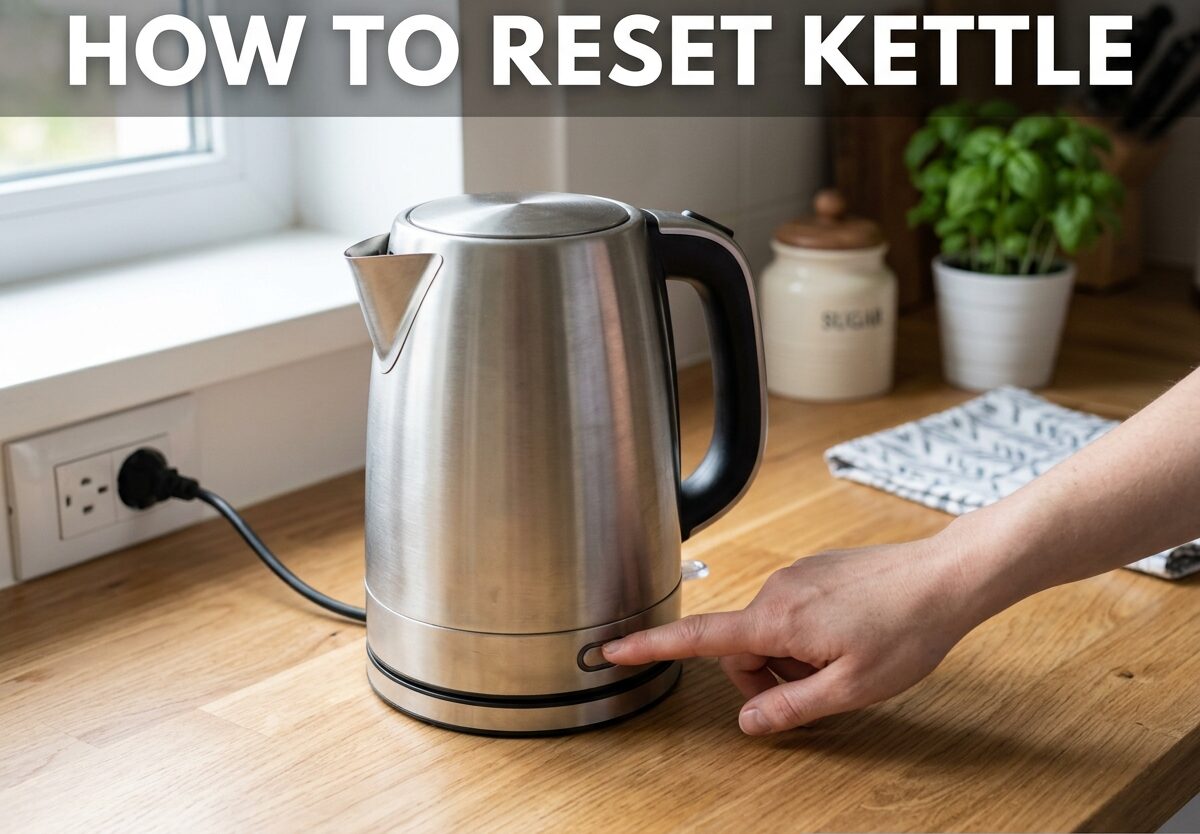
If your electric kettle suddenly stopped working, don’t rush to replace it just yet. Learning how to reset kettle issues can save you money and extend your appliance’s lifespan. Most kettle problems stem from simple safety features or minor connection issues that you can fix at home in minutes.
What Does Resetting a Kettle Mean?
Resetting a kettle typically refers to clearing the dry-boil protection safety feature. This is a built-in mechanism that prevents the heating element from operating when there’s no water inside, which could cause permanent damage or create a fire hazard.
When your kettle activates this protection, it won’t heat water even if everything looks fine. The kettle essentially “locks” itself until you perform the correct reset procedure. Think of it as a circuit breaker for your kettle’s heating system.
Dry-boil protection triggers when you accidentally turn on the kettle without water, or when the water level drops below the minimum during boiling. Some kettles also activate this feature after extended use or when scale buildup interferes with proper operation.
How to Reset Dry-Boil Protection
The dry-boil protection reset is the most common procedure you’ll need. Follow these steps exactly to get your kettle working again:
Step 1: Unplug the kettle from the power outlet completely. Never attempt any reset procedure while the kettle is connected to power.
Step 2: Lift the kettle off its power base and set it aside. Let it cool down for at least 15-20 minutes if it was recently in use.
Step 3: Fill the kettle with cold water above the minimum fill line but below the maximum. Most kettles need at least 0.5 liters of water to properly reset.
Step 4: Place the kettle back on the power base, ensuring it sits flat and makes proper contact.
Step 5: Plug the kettle back into the outlet. The reset is now complete.
Step 6: Turn on the kettle. It should heat normally. If it still doesn’t work, proceed to the next troubleshooting section.
This simple reset procedure works for most electric kettle brands including Russell Hobbs, Chefman, Breville, Cuisinart, and standard models from major manufacturers. The key is allowing adequate cooling time and ensuring proper water level before attempting to power on again.
Power Base and Connection Issues
If the dry-boil reset didn’t solve your problem, the issue likely lies with the power base or electrical connections. These problems are equally common and often easier to fix than you might expect.
Check Your Outlet First
Before assuming your kettle is broken, verify the outlet works. Plug in another device like a phone charger to confirm power is flowing. If the outlet has a GFCI (Ground Fault Circuit Interrupter) button, check if it has tripped. Press the reset button on the outlet itself and try your kettle again.
Clean the Contact Points
The metal contact points on both the kettle base and the power base can accumulate oxidation, scale, or debris over time. This prevents proper electrical connection even when everything looks fine.
Unplug the power base and inspect the metal plate or contact points. Clean them gently with a dry cloth or cotton swab. For stubborn buildup, use a small amount of rubbing alcohol on a cotton swab, then let it dry completely before plugging back in.
The Wiggle Test
Some kettles have sensitive placement requirements. Place the kettle on the base and gently wiggle it to ensure proper seating. The kettle should sit flat without wobbling. Listen for a clicking sound, which indicates the safety switch has engaged properly.
Some power bases have alignment marks or specific orientation requirements. Check if your kettle only works when positioned in a certain direction.
Descaling Your Kettle for Better Performance
Limescale buildup is a silent killer of electric kettles. Mineral deposits from hard water accumulate on the heating element and can interfere with proper operation, causing intermittent heating issues or premature shut-off.
Vinegar Descaling Method
Mix equal parts white vinegar and water, filling the kettle about halfway. Bring the solution to a boil, then unplug and let it sit for 30 minutes to an hour. Pour out the solution and rinse thoroughly with fresh water at least three times.
For stubborn scale, you can boil the vinegar solution multiple times before letting it sit. The acidity breaks down mineral deposits that might be triggering safety features or preventing efficient heat transfer.
Maintenance Frequency
Descaling frequency depends on your water hardness and usage. In hard water areas, descale monthly. With soft water or moderate use, every 2-3 months is sufficient. Regular descaling prevents many issues that mimic more serious problems.
Alternative Descaling Solutions
If you dislike the vinegar smell, commercial descaling solutions work effectively. Lemon juice also works as a natural alternative, though it’s slightly less effective than vinegar for heavy buildup.
Resetting Smart and WiFi Kettles
Smart kettles like the Fellow Stagg EKG, Cosori, or WiFi-enabled models require additional reset procedures beyond the basic dry-boil protection reset. These advanced appliances have digital components that sometimes need special attention.
WiFi Connectivity Reset
If your smart kettle connects to an app but isn’t responding, start with a simple WiFi reset. Most models have a reset button near the power base or on the bottom of the kettle. Hold this button for 5-10 seconds until indicator lights flash, indicating the WiFi connection has cleared.
You’ll need to reconnect the kettle to your network through the manufacturer’s app after this procedure. Keep your kettle close to your router during setup to ensure stable connection.
Factory Reset for Smart Kettles
A complete factory reset resolves most software glitches. The procedure varies by brand, but typically involves holding a combination of buttons while plugging in the kettle. Check your manufacturer’s instructions for the specific button combination.
After a factory reset, you’ll lose all custom settings like temperature presets or scheduling. Write down your preferred settings before performing this procedure so you can easily reconfigure afterward.
App Troubleshooting
Sometimes the kettle works fine but the app loses connection. Try these steps before attempting a full reset: force close and reopen the app, ensure your phone’s WiFi is working, check that the kettle firmware is updated, and verify the kettle is within range of your router.
When to Consider Replacement Instead of Repair
Not every kettle issue can be fixed with a reset. Recognizing when replacement makes more sense saves time, money, and potential safety risks. Here are the signs that your kettle has reached the end of its useful life.
Heating Element Failure
If the heating element itself is damaged, no reset procedure will help. Signs of element failure include visible damage, corrosion, or the kettle drawing power (you hear it or the outlet works) but producing absolutely no heat even after multiple reset attempts.
Persistent Electrical Issues
Does your kettle trip your circuit breaker every time you use it? This indicates a serious electrical problem that poses a safety hazard. Similarly, if you notice sparking, burning smells, or the power cord becomes hot during use, replace the kettle immediately rather than attempting repair.
Lid and Switch Problems
Many kettles won’t operate if the lid isn’t properly closed. If the lid latch is broken or the switch mechanism is damaged, some models can be repaired, but replacement often makes more economic sense for budget kettles.
Age and Warranty Considerations
Most electric kettles last 3-5 years with proper care. If your kettle is older than this and experiencing issues, replacement is likely more cost-effective than repair. Check if your kettle is still under warranty, as many manufacturers offer 1-2 year coverage that might cover replacement.
Frequently Asked Questions
How do I reset an electric kettle?
To reset an electric kettle, first unplug it from the power source. Lift the kettle off its base and let it cool for 15-20 minutes. Fill the kettle with cold water above the minimum line, place it back on the base, then plug it in and turn it on. This procedure resets the dry-boil protection feature that prevents operation when the kettle is empty.
How do I reset a smart kettle?
Smart kettles require two types of resets. For the heating function, perform the standard dry-boil reset by unplugging, cooling, and refilling with water. For WiFi or connectivity issues, locate and hold the reset button (usually near the power base) for 5-10 seconds until lights flash, then reconnect through the manufacturer’s app.
Why did my electric kettle suddenly stop working?
The most common cause is activation of the dry-boil protection safety feature. This happens when the kettle operates without sufficient water. Other causes include tripped GFCI outlets, dirty contact points on the power base, limescale buildup interfering with heating, or electrical issues like a blown fuse or faulty outlet.
Why is my kettle turning on but not boiling?
This typically indicates limescale buildup on the heating element preventing efficient heat transfer. Descaling with vinegar usually resolves the issue. Other causes include a failing heating element, insufficient water level triggering safety features, or internal thermostat problems in older kettles.
How to reset Chefman electric kettle?
Chefman kettles follow the standard reset procedure. Unplug the kettle, remove it from the base, and allow it to cool for 15 minutes. Fill with cold water to at least the minimum fill line, return to the base, plug in, and power on. For Chefman smart models, additional WiFi reset steps may be needed through the Chefman app.
How to fix a kettle that won’t turn on?
Start by checking the outlet with another device to confirm power supply. Inspect the power base contact points for dirt or corrosion and clean if needed. Ensure the kettle is properly seated on the base. If these steps don’t work, perform the dry-boil reset procedure. If problems persist, the heating element or internal switch may have failed.
Final Thoughts
Learning how to reset kettle issues is a valuable skill that extends the life of your appliance and saves money. Most problems stem from the dry-boil protection feature, minor connection issues, or limescale buildup, all of which are easily resolved at home.
Regular maintenance, including proper descaling and careful operation, prevents many common issues from developing in the first place. When problems do arise, work through these troubleshooting steps systematically before considering replacement.
Remember that safety comes first. If your kettle shows signs of electrical problems like sparking, burning smells, or tripped circuit breakers, discontinue use immediately. For issues beyond simple resets, consulting the manufacturer or replacing the kettle is often the safest choice.


Leave a Comment