
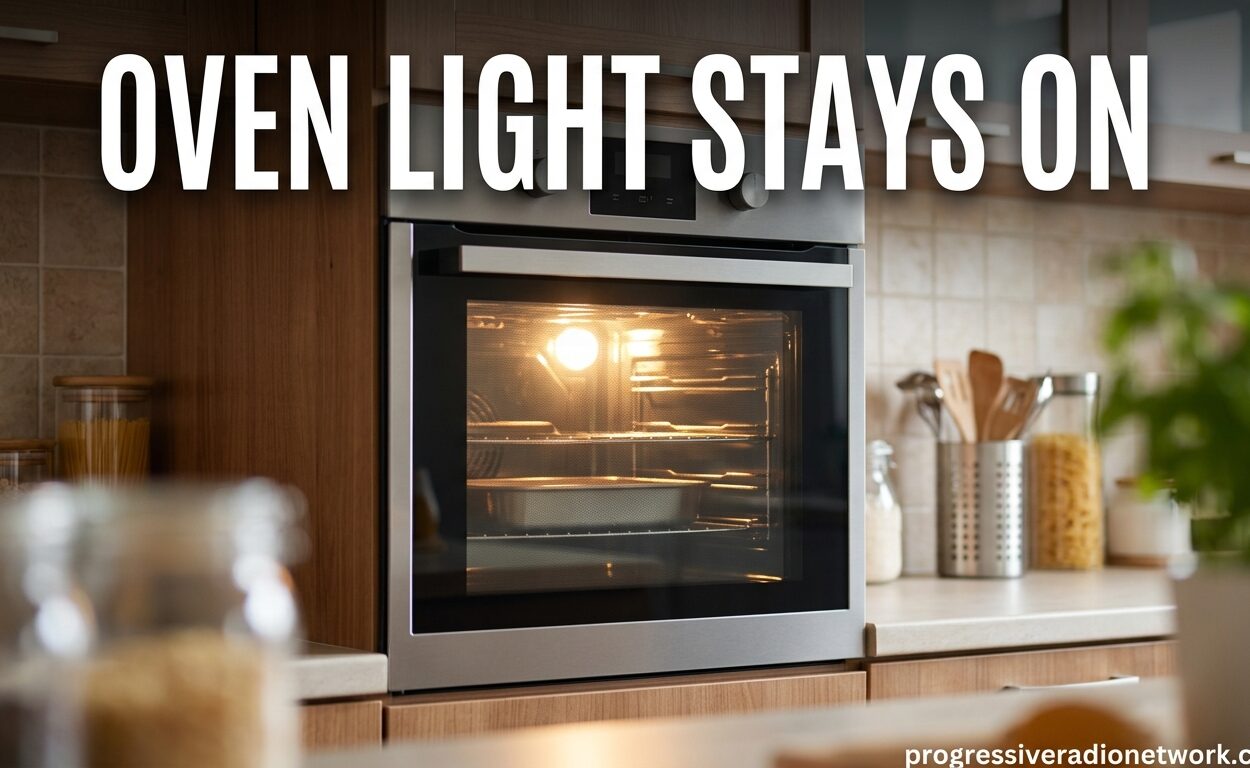
If your oven light stays on when the door is closed, you’re dealing with one of three common issues: a faulty door switch, a stuck relay on your oven’s control board, or a malfunctioning light switch. The door switch is the culprit in about 70% of cases, as it’s designed to detect when the door closes and turn off the light automatically.
While a constantly lit oven light might seem like a minor annoyance, it can indicate an underlying electrical problem that needs attention. I’ve seen this issue hundreds of times, and in most cases, it’s a simple fix you can handle yourself without calling a technician.
Quick Fixes to Try First
Before diving into detailed troubleshooting, try these three quick fixes that resolve the issue in about 30% of cases:
1. Power Reset Your Oven – Turn off your oven at the circuit breaker for 5 minutes, then restore power. This resets the control board and can clear stuck relays or electronic glitches causing the light to stay on.
2. Check Your Control Lock – Some ovens have a control lock feature that can affect lighting. Look for a padlock icon on your display and hold the corresponding button for 3-5 seconds to toggle it off.
3. Inspect the Door – Make sure the door is fully closed and latched. Sometimes debris on the door gasket or misaligned hinges can prevent proper door switch activation.
What Causes an Oven Light to Stay On?
Understanding the root cause helps you fix the problem faster. Here are the four main reasons your oven light won’t turn off, ranked from most to least common:
Faulty Door Switch (Most Common Cause)
The door switch is a small mechanical component located in the door frame, usually near the top or side opening. When you close the oven door, a plunger on the switch gets depressed, signaling the oven that the door is closed and triggering the light to turn off.
Over time, this switch can fail in several ways. The spring mechanism might weaken, the electrical contacts can weld together, or debris from cooking can accumulate and prevent the plunger from fully depressing. When the door switch fails, it sends a constant “door open” signal to your oven’s control board, keeping the light on continuously.
Door switches typically cost between $15-40 and are relatively easy to replace if you’re comfortable with basic DIY repairs. They’re also the most likely culprit if your oven light stays on regardless of whether the oven is in use or not.
Stuck Control Board Relay
Your oven’s control board contains relays that control various functions, including the oven light. A relay is essentially an electrically operated switch that can become stuck in the “on” position due to electrical surges, power outages, or normal wear and tear.
When the light relay sticks closed, it continuously sends power to the light bulb regardless of what the door switch is doing. This is why you might notice the light stays on even when you can hear the door switch clicking properly.
Control board relay issues are more serious than door switch problems. While sometimes a firm tap on the control panel can temporarily free a stuck relay (I’ve seen this work surprisingly often), permanent fixes usually require professional control board repair or replacement, which typically costs $200-500.
Manual Light Switch Malfunction
Some oven models feature a manual light switch or button on the control panel that allows you to turn the oven light on and off independently of the door. This switch can become stuck, debris can accumulate behind it, or the internal mechanism can fail.
If your oven has a dedicated light button, try pressing it multiple times to see if the light responds. Sometimes the switch just needs to be cycled through its positions to free up a stuck mechanism.
Wiring and Electrical Issues
Less commonly, wiring problems can cause the oven light to stay on. Loose connections, damaged insulation, or short circuits in the wiring harness can bypass the normal control mechanisms and send continuous power to the light.
These issues are more likely in older ovens or those that have experienced recent electrical work. Wiring problems should always be addressed by a qualified technician due to the risk of electrical shock and potential fire hazards.
Oven Light Stays On: Step-by-Step Troubleshooting
Follow these steps in order to diagnose and fix your oven light issue. Most problems can be resolved in the first three steps, so don’t skip ahead!
Step 1: Perform a Hard Power Reset
A hard reset clears the oven’s electronic memory and can resolve stuck relays or software glitches. Turn off your oven at the circuit breaker or unplug it completely for at least 5 minutes. While waiting, check that the breaker hasn’t tripped and that the outlet is functioning properly.
After 5 minutes, restore power and test if the light now turns off when you close the door. If this fixes the issue, monitor it for a few days to ensure the problem doesn’t return. Recurring issues usually indicate a hardware problem that needs more extensive repair.
Step 2: Check Oven Settings and Controls
Some modern ovens have settings that affect the oven light behavior. Check your owner’s manual for specific features, but common culprits include:
- Control Lock – Can affect various functions including lighting
- Demo Mode – May keep lights on for display purposes
- Sabbath Mode – Some models modify light behavior in this mode
- Delayed Start Settings – Can cause unusual lighting patterns
Navigate through your oven’s settings menu and ensure all special modes are disabled. Also check for any error codes on the display that might indicate a specific problem.
Step 3: Inspect Door Alignment and Hinges
Misaligned doors can prevent the door switch from being properly activated. Close your oven door slowly and observe it. Does it close smoothly and evenly? Does it latch securely without gaps?
Check the hinges for any visible damage, rust, or debris buildup. Tighten any loose hinge screws and clean the door gasket thoroughly. Sometimes accumulated grease and food particles can prevent the door from closing completely enough to trigger the switch.
Test the door by pressing gently on it when closed. If the light turns off with pressure, your door may need hinge adjustment or the gasket may need replacement.
Step 4: Test the Door Switch with a Multimeter
If you’re comfortable with basic electrical testing, this step will definitively identify a faulty door switch. You’ll need a multimeter (available at hardware stores for $15-30).
Safety First: Before testing, turn off power to your oven at the circuit breaker. Never test electrical components with power connected.
Locate the door switch by looking inside the door frame where the door closes when shut. You’ll see a small button or plunger mechanism. Remove the switch by unscrewing the mounting screws or gently prying it from its housing.
Set your multimeter to the continuity setting (usually represented by a sound wave symbol). Touch one probe to each terminal on the switch. When the button is NOT pressed (simulating an open door), you should hear a tone indicating continuity. When the button IS pressed (simulating a closed door), the tone should stop.
If you don’t hear a tone in either position, or if the tone sounds in both positions, your door switch is faulty and needs replacement.
Step 5: Check for Stuck Light Buttons or Switches
If your oven has a manual light button on the control panel, test it thoroughly. Press it multiple times in quick succession to see if it’s stuck. Listen for clicking sounds that indicate the mechanism is working.
Clean around the button with compressed air to remove any debris that might be preventing proper operation. If the button feels loose, wiggly, or unresponsive, the switch mechanism may need replacement.
Step 6: Inspect the Control Board for Visible Damage
For advanced DIYers, a visual inspection of the control board can reveal obvious problems. Unplug the oven and remove the back panel to access the control board.
Look for:
- Burnt or discolored areas on the circuit board
- Bulging or leaking capacitors
- Loose wire connections or corrosion
- Visible damage to relay components
If you spot any of these issues, the control board likely needs professional repair or replacement. Control board work requires specialized soldering skills and is not recommended for beginners.
Brand-Specific Troubleshooting Tips
Different oven brands have unique characteristics when it comes to oven light issues. Here are brand-specific tips that can save you time:
Whirlpool Oven Light Won’t Turn Off
Whirlpool ovens commonly experience door switch failure around the 5-7 year mark. The door switch is typically located at the top right of the door frame. Whirlpool also uses a specific reset procedure: turn off the oven at the breaker, wait 3 minutes, then turn it back on while simultaneously holding the “Cancel/Off” button for 10 seconds.
Some Whirlpool models have a known issue with the control board light relay solder connections failing. If your oven is under warranty, contact Whirlpool as this may be covered.
Samsung Oven Light Stays On
Samsung ovens often feature a “Light” button on the control panel that can become stuck. Try rapidly pressing this button 10-15 times to free it. Samsung also recommends a specific reset: unplug the oven for 10 minutes, then plug it back in while holding the “Kitchen Timer” button for 5 seconds.
Samsung’s smart ovens may experience software glitches that affect lighting. Check for and install any available firmware updates through the SmartThings app if your model connects.
GE Oven Light Issues
GE ovens commonly have the door switch located at the upper left door frame. GE also uses a “Control Lockout” feature that can affect lighting – hold the “Lock Controls” button for 3 seconds to toggle this feature.
Older GE models (pre-2010) may have issues with the infinite switch affecting the light circuit. These usually require professional diagnosis due to the complex wiring involved.
Frigidaire Oven Light Troubleshooting
Frigidaire ovens often have a light switch located near the upper center of the door frame. A common Frigidaire issue is the door switch plunger getting stuck due to grease buildup. Cleaning this area thoroughly with degreaser often resolves the problem.
Frigidaire also recommends checking the oven light bulb itself – a bulb with a broken filament can sometimes short circuit and stay illuminated even when power should be cut.
Is It Safe to Use an Oven With the Light Always On?
The short answer is yes, it’s generally safe to use your oven with the light staying on, but with some important caveats. The oven light itself doesn’t pose a fire risk, but it can indicate an underlying problem that might become more serious over time.
Here’s what you need to know about safety:
Immediate Danger: Low. An oven light draws very little power (typically 15-40 watts) and generates minimal heat. The light bulb itself won’t cause a fire or explosion.
Underlying Risks: Moderate. A stuck light could signal a failing door switch, stuck relay, or wiring issue. These problems can worsen and potentially affect more critical oven functions like temperature regulation or automatic shut-off features.
Energy Impact: Minimal. Leaving an oven light on continuously costs approximately $3-7 per year in electricity, depending on your local rates and the bulb wattage.
When to Stop Using: If you notice burning smells, sparking sounds, or if the light issue is accompanied by other malfunctions like temperature problems or error codes, stop using the oven until it’s professionally inspected.
What Happens If the Oven Light Stays On?
Aside from the minor energy cost and reduced bulb lifespan, a constantly on oven light has few direct consequences. The main concern is what it indicates about your oven’s condition.
The oven light bulb will burn out faster than normal – typically within 6-12 months of continuous use rather than the usual 2-3 years. Replacement bulbs cost $5-15 depending on your oven model.
More importantly, a stuck light often means your oven isn’t receiving accurate door position information. This can affect self-cleaning cycles, cooking timers, and safety features that depend on knowing whether the door is open or closed.
When to Call a Professional
While many oven light issues are DIY-friendly, certain situations require professional expertise. Call a technician if:
- You’ve tried all troubleshooting steps without success
- The control board shows visible damage or burnt components
- You’re uncomfortable working with electrical components
- Your oven is still under warranty (DIY repairs can void coverage)
- The problem is accompanied by other malfunctions
- Your oven is over 15 years old and needs significant repairs
Professional repair typically costs $150-400 including parts and labor, with control board replacements running $300-600. For ovens over 10-12 years old, replacement may be more cost-effective than repair, especially if multiple components are failing.
Frequently Asked Questions
What causes the oven light to stay on?
The most common cause is a faulty door switch that fails to signal when the door is closed. Other causes include a stuck relay on the control board, a malfunctioning manual light switch, or wiring issues. The door switch accounts for approximately 70% of cases.
What to do if the oven light won’t turn off?
First try a hard reset by turning off the oven at the circuit breaker for 5 minutes. Check for stuck light buttons on the control panel and ensure the door is fully closed and latched. If these quick fixes don’t work, test the door switch with a multimeter or contact a professional technician.
Is it safe to use an oven with the light always on?
Yes, it’s generally safe for short-term use. The oven light draws minimal power and doesn’t pose a fire risk. However, the issue should be addressed as it can indicate underlying electrical problems that may worsen over time and affect other oven functions.
What happens if the oven light stays on?
The light bulb will burn out faster (6-12 months vs. 2-3 years normally) and you’ll waste a small amount of electricity ($3-7 annually). More importantly, it indicates your oven may not be receiving accurate door position information, which can affect safety features and automatic functions.
How much does it cost to fix an oven light that won’t turn off?
DIY door switch replacement costs $15-40 for the part. If you hire a professional, expect to pay $150-400 including parts and labor. Control board repairs run $300-600. For ovens over 10-12 years old, replacement may be more cost-effective than repair.
Can a faulty oven light cause a fire?
The oven light itself poses minimal fire risk as it draws very little power (15-40 watts). However, the underlying issue causing the light to stay on (such as wiring problems or control board failure) could potentially create fire hazards if left unaddressed for extended periods.
Why is my oven on light staying on?
The oven on light (indicator light) staying on usually indicates the oven thinks it’s still in use or heating. This can be caused by a stuck relay on the control board, a malfunctioning temperature sensor, or software glitches. Try a hard reset first, then contact a technician if the problem persists.
Is it worth fixing a 7 year old oven?
Generally yes, a 7-year-old oven is worth repairing. Ovens typically last 13-15 years, so yours has about half its expected lifespan remaining. If repair costs exceed 50% of a new oven’s price, or if multiple components are failing, replacement may be the better option.
Conclusion
An oven light that stays on is most commonly caused by a faulty door switch, which accounts for about 70% of cases. The good news is that door switches are inexpensive ($15-40) and relatively easy to replace for DIY-inclined homeowners.
Start with the simple fixes: perform a hard reset at the circuit breaker, check for stuck buttons, and inspect your door alignment. If these don’t resolve the issue, test the door switch with a multimeter or call a professional for more complex control board or wiring problems.
While not immediately dangerous, a stuck oven light shouldn’t be ignored indefinitely. It’s your oven’s way of telling you something needs attention, and addressing it promptly can prevent more expensive repairs down the road.


Leave a Comment