
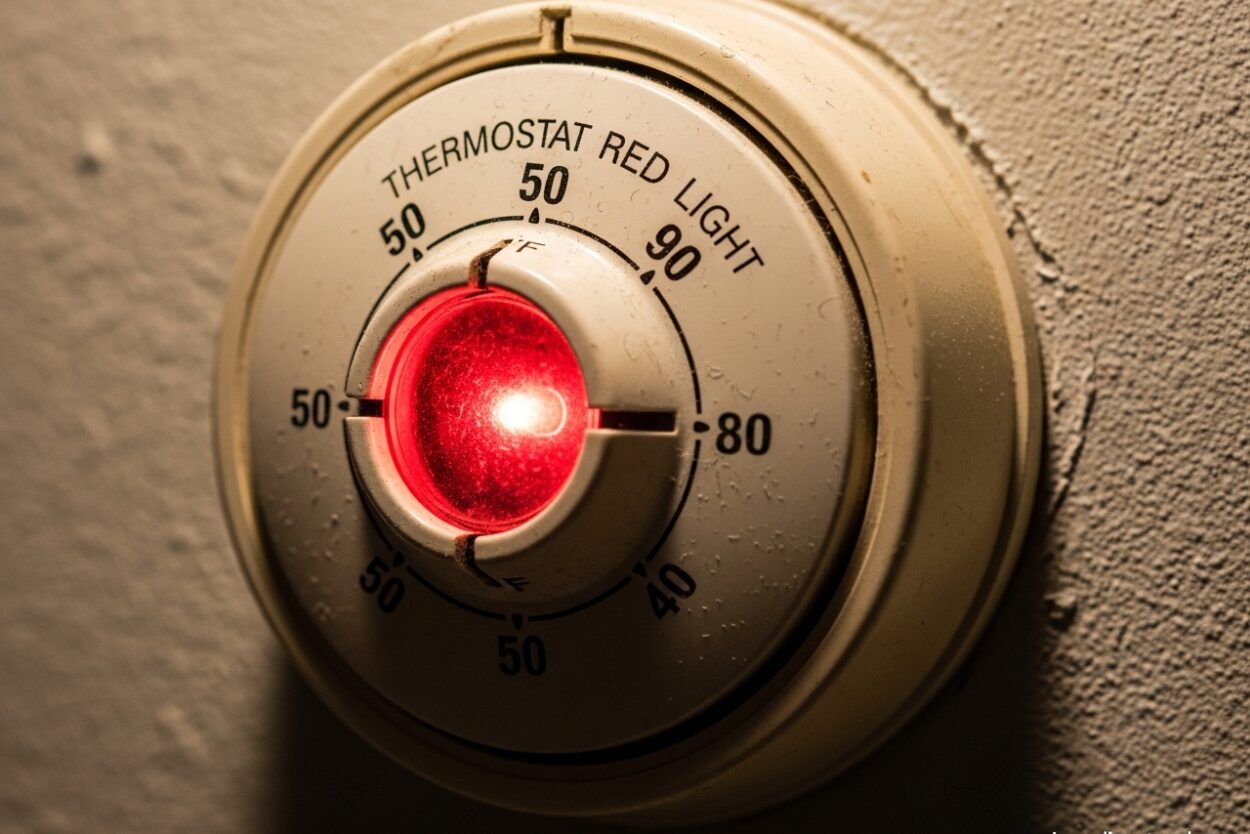
Seeing a thermostat red light on your display can be unsettling, especially when you’re not sure what it means or if your heating system is working properly. This indicator light is your HVAC system’s way of communicating important information about its operation. In most cases, a red light on a thermostat typically indicates that auxiliary heat is running or the system has detected an issue requiring attention.
The meaning varies depending on whether the light is solid or flashing, and understanding the difference can save you from unnecessary service calls or help you identify a real problem early. I’ve seen countless homeowners panic over this indicator, only to discover their system was operating exactly as designed. Let me walk you through what every red light scenario means so you can respond appropriately.
What Does a Thermostat Red Light Mean?
A thermostat red light serves as a visual indicator for specific operating conditions in your HVAC system. The most common meaning is that your heat pump’s auxiliary or backup heating is actively working. This happens when outdoor temperatures drop too low for your heat pump to operate efficiently, usually below 40°F.
When the red light appears solid and your home is heating normally, this is typically a normal operating condition. Your system has automatically engaged supplemental heat to maintain your desired temperature. However, a flashing red light usually signals a problem—most commonly a lockout condition where the outdoor unit has shut down due to a detected issue.
Understanding which type of red light you’re seeing is the first step in determining whether you need to take action or simply wait for conditions to change. Heat pump systems are designed to use backup heat when necessary, and the red light is there to inform you this more expensive heating method is active.
Normal Operation: Auxiliary Heat Indicator
When outdoor temperatures fall below approximately 40°F, your heat pump loses efficiency and can’t extract enough heat from the outside air to warm your home effectively. At this point, your thermostat automatically activates auxiliary heat—electric resistance heating elements or a gas furnace backup—to meet your heating demands.
This solid red light indicator is telling you that backup heat is running, which is completely normal during cold weather. You might notice this light turning on during the coldest parts of winter, especially in the early morning or late evening when temperatures are at their lowest. The light should turn off once outdoor temperatures rise enough for your heat pump to handle the heating load alone.
Energy costs are higher when auxiliary heat is running, which is why the red light serves as a helpful reminder. If you see this light frequently, it might be worth evaluating your home’s insulation or considering a more efficient heating system for your climate. However, seeing it occasionally during cold snaps is exactly what your system is designed to do.
Warning States: When the Red Light Indicates a Problem
A flashing red light on your thermostat is never normal operation and always indicates a system issue. The most common cause is a lockout condition, where your heat pump’s outdoor unit has shut itself down due to a detected problem. This safety feature prevents damage to your system by stopping operation when something is wrong.
Common reasons for lockout include high pressure in the refrigerant lines, low pressure indicating a refrigerant leak, or issues with the defrost cycle. Your system may also enter lockout mode if the outdoor unit ices up severely or if there’s an electrical problem. When this happens, the flashing red light is your system’s way of saying it needs professional attention.
In some cases, a flashing red light might indicate that the system has attempted to restart multiple times without success. This repeated failure could point to compressor issues, capacitor problems, or electrical faults. Unlike the solid red light that appears during normal auxiliary heat operation, a flashing light means something has gone wrong that you cannot safely fix yourself.
Solid vs Flashing Red Light: Quick Reference
Understanding the difference between solid and flashing red lights can help you quickly assess your situation:
Solid Red Light: Your auxiliary or backup heat is running. This is normal during cold weather (typically below 40°F). Your system is working as designed, though energy costs will be higher. No action needed unless your home isn’t heating properly.
Flashing Red Light: Your system is in lockout mode or has detected an error. The outdoor unit has shut down to prevent damage. Professional service is typically required. Try resetting your thermostat first, but call a technician if the problem persists.
The key distinction is continuity. A steady glow means active heating, while a blinking pattern signals a system error. This simple difference can help you decide whether to wait it out or make a service call.
How to Reset Your Thermostat
Resetting your thermostat is often the first troubleshooting step when you see a warning light. Here’s how to do it properly:
Step 1: Turn off your thermostat at the control panel. Most digital thermostats have an obvious off switch or button. If yours doesn’t, switch it to the “off” position on the temperature dial.
Step 2: Locate your HVAC system’s power switch or breaker. This is usually found near your indoor unit or in your home’s main electrical panel. Flip the breaker to the off position.
Step 3: Wait at least 30 seconds before turning power back on. This allows the system’s electronics to fully discharge and reset.
Step 4: Restore power at the breaker first, then turn your thermostat back on. Set it to your desired temperature and observe whether the red light behavior changes.
Step 5: Wait 5-10 minutes for the system to complete its startup sequence. If the flashing red light returns, the problem hasn’t been resolved and you’ll likely need professional service.
This reset procedure clears temporary errors and allows your system to attempt a fresh start. Many homeowners find this simple step resolves their issue, especially after minor power fluctuations or weather-related glitches.
Troubleshooting Steps
Before calling a professional, there are a few quick checks you can perform yourself:
Check your air filter: A severely clogged filter can cause pressure problems that trigger lockout mode. Replace your filter if it’s visibly dirty and you haven’t changed it in the past 1-3 months.
Inspect your outdoor unit: Look for ice buildup, debris blocking the unit, or visible damage. Clear away any leaves, sticks, or snow that might be restricting airflow. If the unit is iced over, turn off the system and let it thaw completely.
Verify your thermostat settings: Make sure you haven’t accidentally switched to emergency heat mode, which can cause the red light to stay on. Check that your programming is correct and that the thermostat is set to “heat” rather than “cool” or “off.”
Check your circuit breakers: Both the indoor and outdoor units have dedicated breakers. Make sure neither has tripped, as this can cause unusual light behavior on your thermostat.
Replace thermostat batteries: Low batteries can cause erratic behavior. Most thermostats will display a low battery warning, but it’s worth checking if your thermostat is battery-powered.
These simple troubleshooting steps resolve many common issues without requiring a service call. However, if none of these steps help and the red light continues to flash, it’s time to call in a professional.
When to Call a Professional
Some red light scenarios definitely require professional expertise. Call an HVAC technician if: the flashing red light persists after a reset, you hear unusual noises from your outdoor unit, your system repeatedly cycles on and off without reaching temperature, you notice refrigerant leaks (hissing sounds or ice on refrigerant lines), or the red light is accompanied by error codes on your thermostat display.
A qualified technician can diagnose the specific cause of your lockout condition, whether it’s a faulty component, refrigerant issue, or electrical problem. While service calls aren’t inexpensive, addressing problems early can prevent more costly repairs down the road and ensure your heating system operates safely and efficiently throughout the winter.
FAQ
What does a solid red light on my thermostat mean?
A solid red light on your thermostat typically indicates that auxiliary or backup heat is actively running. This is normal operation during cold weather (usually below 40°F) when your heat pump needs supplemental heating to maintain your desired temperature. The light should turn off once outdoor temperatures rise enough for your heat pump to operate efficiently on its own.
How to fix red light on thermostat?
First determine if the light is solid or flashing. A solid light usually means normal auxiliary heat operation—no fix needed. For a flashing light, try resetting your thermostat by turning it off, switching off the HVAC breaker for 30 seconds, then restoring power. If the flashing persists after reset, check your air filter and outdoor unit for ice or debris. If these steps don’t resolve the issue, contact an HVAC professional as the system may have a lockout condition requiring service.
What happens if the thermostat battery dies?
When thermostat batteries die completely, your thermostat display will go blank and your HVAC system won’t respond to temperature commands. The system typically remains in its last state (heating or off) until batteries are replaced. Most digital thermostats display a low battery warning before this happens, giving you time to replace them. Replace batteries with fresh ones of the correct type, usually AA or AAA alkaline batteries.
How do I reboot my thermostat?
To reboot your thermostat, turn it off at the control panel, then locate your HVAC system’s breaker (usually near your indoor unit or in your main electrical panel) and flip it off. Wait at least 30 seconds for the electronics to fully discharge, then restore power at the breaker first before turning your thermostat back on. Set your desired temperature and wait 5-10 minutes for the system to complete its startup sequence.
Is it normal for the red light to stay on during heating?
Yes, it’s normal for the red light to stay on during heating if you have a heat pump system and outdoor temperatures are cold (typically below 40°F). The solid red light indicates your auxiliary heat is running, which is exactly what your system is designed to do when the heat pump can’t keep up with demand. However, if the light is flashing rather than solid, or if it stays on during mild weather when auxiliary heat shouldn’t be needed, there may be an issue requiring attention.
Conclusion
Understanding what a thermostat red light means can save you money, reduce energy costs, and help you identify real problems early. Remember that a solid red light during cold weather is normal—it just means your auxiliary heat is working to keep you warm. A flashing red light, however, always signals a problem that needs attention, whether through simple troubleshooting or professional service.
By following the reset procedures and troubleshooting steps I’ve outlined, you can resolve many common issues yourself and only call a technician when truly necessary. Keep an eye on that red light indicator this winter, and you’ll stay comfortable while avoiding unnecessary service calls and expensive repairs.

Leave a Comment