
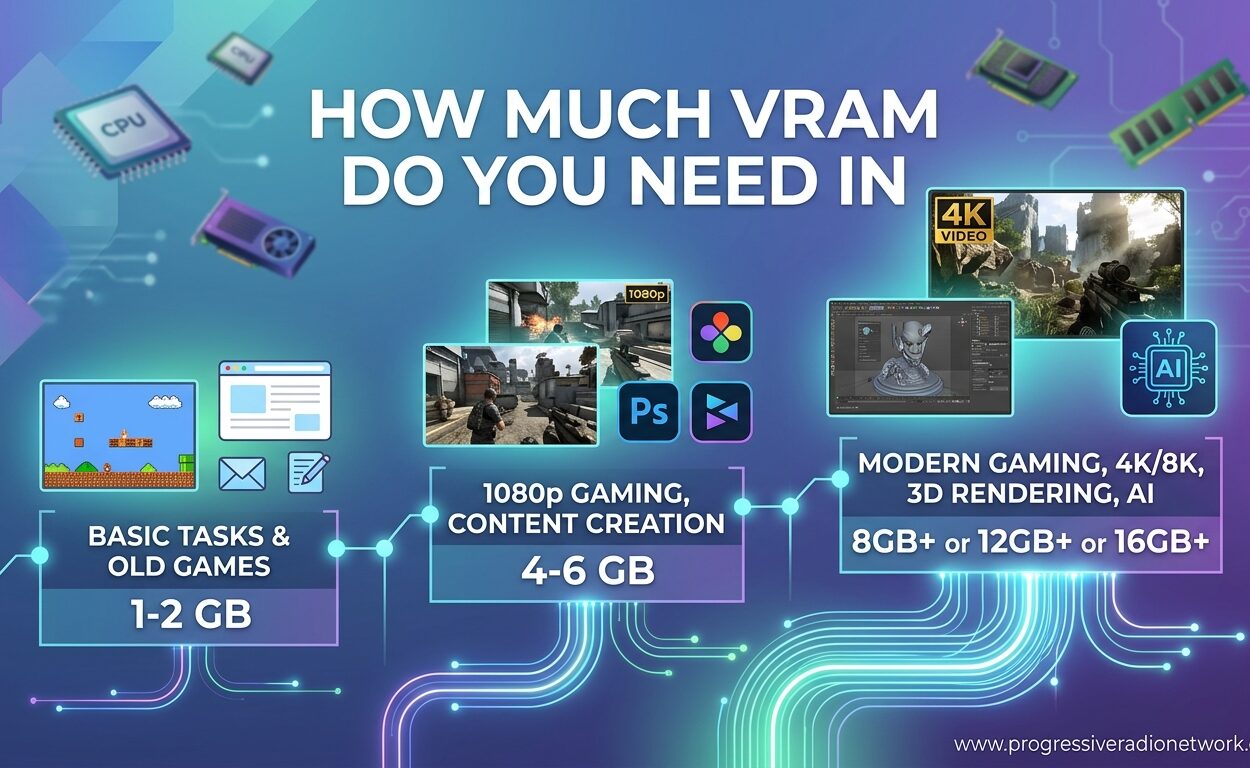
The VRAM debate has reached fever pitch in 2026. Every week, a new AAA game launches that pushes past 12GB at 1440p, and the comment sections fill with frustrated gamers asking the same question: why did I buy an 8GB card in 2026? I have tested dozens of GPUs across every resolution tier, and the answer is not as simple as “more is always better.” Let me break down exactly how much VRAM you actually need based on real testing data, not marketing speak.
Understanding VRAM requirements matters because graphics cards are not cheap. Buy too little, and you will face stuttering and texture pop-in within a year. Buy too much, and you are wasting money that could go toward a faster GPU core. The sweet spot shifts every year as game engines evolve and console ports raise the baseline. This guide will give you resolution-specific answers, real game usage data, and practical tips for checking your own VRAM consumption.
What Is VRAM and Why Does It Matter?
VRAM stands for Video Random Access Memory. Think of it as the dedicated workspace your graphics card uses to store textures, 3D models, framebuffers, and rendering data. Unlike your system RAM, VRAM sits directly on the GPU board and connects through ultra-fast memory buses designed for massive data throughput. When you launch a game, assets stream from your storage drive into VRAM, where the GPU can access them instantly.
Three main things consume VRAM capacity. First, texture quality settings directly scale VRAM usage. Ultra textures in open-world games can consume 6-8GB alone. Second, your resolution determines framebuffer size. A 4K frame requires four times the memory of a 1080p frame. Third, modern features like ray tracing and path tracing need extra VRAM for acceleration structures and bounce lighting data.
Running out of VRAM triggers a cascading performance disaster. Your GPU must spill over to system RAM through the PCIe bus, which is orders of magnitude slower. The result is visible stuttering, texture pop-in during camera movements, and forced quality downgrades. Some games simply crash when VRAM is exhausted. I have seen 2026 releases that refuse to launch on 6GB cards entirely.
How to Check Your Current VRAM Usage
Before upgrading, you should verify how much VRAM your current games actually use. Windows Task Manager provides the simplest method. Press Ctrl+Shift+Esc to open Task Manager, click the Performance tab, then select GPU from the left sidebar. The Dedicated GPU memory graph shows real-time VRAM consumption. Launch your most demanding game, play for ten minutes, then Alt+Tab back to check peak usage.
For more detailed monitoring, MSI Afterburner with RivaTuner Statistics Server offers in-game overlays. Download both tools, open Afterburner settings, go to the Monitoring tab, and check “GPU memory usage” under the graph properties. Set it to show in On-Screen Display. Now you will see live VRAM consumption while gaming without needing to Alt+Tab out.
Many modern games include built-in VRAM meters in their graphics settings menus. Look for bars or warnings near texture quality settings. These meters often show both current usage and projected usage if you change settings. Pay attention to the “peak” numbers during fast camera movements or area transitions, not just idle standing in small spaces.
How Much VRAM Do You Actually Need by Resolution?
Resolution is the primary factor determining VRAM requirements. Each step up multiplies the framebuffer memory needed, while higher resolutions also push users toward higher texture quality settings. Let me break down the realistic requirements for each common resolution tier based on 2026 game testing data.
1080p Gaming: The Entry Point
At 1920×1080, 8GB VRAM remains viable for the majority of games in 2026. Esports titles like Counter-Strike 2, Valorant, and Rocket League barely touch 3-4GB even at maximum settings. Competitive gamers playing at high refresh rates do not need more than 8GB currently. The same holds for Fortnite, Minecraft, and most indie titles.
However, the situation shifts with AAA open-world games. Titles like Star Wars Jedi: Survivor, The Last of Us Part I, and Hogwarts Legacy can consume 7-9GB at 1080p Ultra settings with ray tracing enabled. You will need to drop texture quality to High or Medium on an 8GB card to avoid stuttering. If you exclusively play single-player AAA adventures, consider 12GB the practical minimum for 1080p in 2026.
1440p Gaming: The Sweet Spot
2560×1440 has become the most popular resolution for serious PC gamers, and it is where VRAM requirements jump significantly. The raw math is simple: 1440p has 1.78 times the pixels of 1080p, meaning framebuffers consume nearly double the memory. Combined with the tendency of 1440p gamers to max out texture settings, 12GB is the practical minimum for this resolution in 2026.
My testing shows Cyberpunk 2077 with ray tracing and Psycho textures uses 11-12GB at 1440p. Marvel Rivals, a free-to-play title, consumes over 10GB at Epic settings. Monster Hunter Wilds regularly pushes past 12GB with its detailed environments. Flight Simulator 2024, the current VRAM king, will saturate 12GB cards at 1440p High settings. For 1440p gaming without compromise, 16GB VRAM is the recommended standard in 2026.
4K Gaming: Go Big or Go Home
3840×2160 represents four times the pixel count of 1080p, and VRAM requirements scale accordingly. The 16GB unified memory pool in PlayStation 5 and Xbox Series X has set the baseline expectation for console ports. PC versions often need even more due to higher texture quality settings and mod support. For 4K gaming in 2026, 16GB is the absolute minimum, with 24GB+ being ideal for future-proofing.
Unreal Engine 5 titles are particularly demanding. Nanite virtualized geometry and Lumen global illumination consume substantial VRAM. Games like Black Myth: Wukong and upcoming UE5 releases will push 16GB cards to their limits. If you are building a 4K gaming rig today, consider cards with 24GB VRAM if your budget allows. The RTX 4090 and 5090 series offer this headroom for extreme enthusiasts.
Real Game VRAM Usage in 2026
Theory is useful, but real game data tells the complete story. I compiled VRAM consumption figures from community testing, hardware review sites like Hardware Unboxed, and forum reports from actual players. These numbers represent High or Ultra settings with ray tracing enabled where available.
| Game Title | 1080p VRAM | 1440p VRAM | 4K VRAM |
|---|---|---|---|
| Cyberpunk 2077 (RT On) | 8-10GB | 11-14GB | 16-20GB |
| Hogwarts Legacy | 7-9GB | 10-12GB | 14-18GB |
| Star Wars Jedi: Survivor | 8-10GB | 12-14GB | 16-20GB |
| The Last of Us Part I | 6-8GB | 10-12GB | 14-16GB |
| Flight Simulator 2024 | 8-10GB | 12-16GB | 20-24GB |
| Monster Hunter Wilds | 8-10GB | 12-14GB | 16-20GB |
| Marvel Rivals | 6-8GB | 10-12GB | 14-16GB |
| Valorant | 2-3GB | 3-4GB | 4-5GB |
| Counter-Strike 2 | 3-4GB | 4-6GB | 6-8GB |
| Black Myth: Wukong | 8-10GB | 12-14GB | 16-20GB |
The data reveals clear patterns. Esports titles remain lightweight, consuming under 6GB even at 4K. AAA open-world games with ray tracing consistently push past 12GB at 1440p and approach or exceed 16GB at 4K. Unreal Engine 5 titles show elevated consumption across all resolutions. This table explains why forum users report stuttering issues on 8GB cards when playing newer releases.
VRAM Needs by Gamer Type
Beyond resolution, your gaming preferences determine VRAM requirements. Not everyone needs the same configuration. Here is how different player profiles should approach VRAM capacity in 2026.
Competitive and esports gamers can comfortably use 8GB VRAM. If your primary titles are Counter-Strike 2, Valorant, League of Legends, Rocket League, or Apex Legends, you are not pushing high texture loads. These games prioritize frame rate over visual fidelity. Even at 1440p 240Hz, 8GB suffices for competitive gaming. Save your money for a faster GPU core or better CPU.
AAA single-player enthusiasts need 16GB VRAM for 2026 and beyond. If you play open-world adventures, cinematic action games, or immersive sims at 1440p or 4K, 8GB cards will force compromises. Texture pop-in breaks immersion in story-driven games. Future console ports will target 16GB as the standard. Consider this the new baseline for serious gaming.
Content creators and streamers face unique demands. Video editing software like DaVinci Resolve and Adobe Premiere uses VRAM for timeline playback and effects rendering. 3D applications like Blender consume VRAM for viewport performance. AI image generation with Stable Diffusion requires 8GB minimum, with 12-16GB enabling higher resolutions and larger models. Streamers running OBS alongside games also see elevated usage.
What Happens When You Run Out of VRAM?
VRAM saturation creates distinct symptoms that differentiate it from general performance issues. Understanding these signs helps diagnose whether you need a GPU upgrade or just settings adjustments.
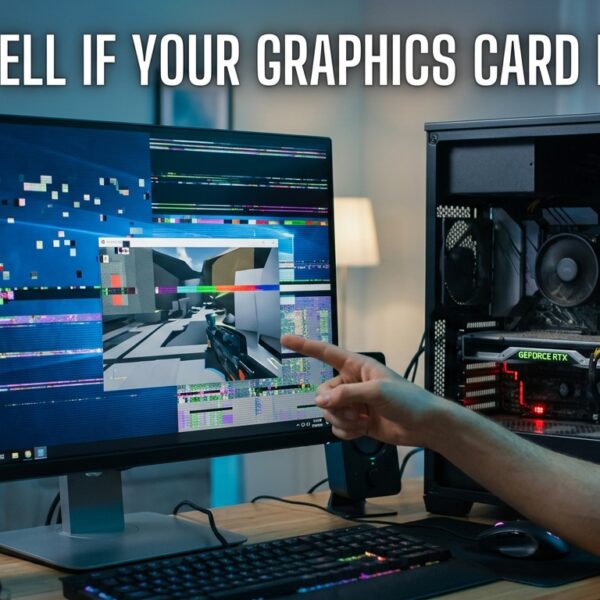
The most obvious symptom is stuttering during camera movement or area transitions. When VRAM fills completely, the GPU must purge old textures and stream new ones from system RAM. This creates hitches that show up as frame time spikes. You will notice smooth 60fps gameplay interrupted by quarter-second freezes when rotating the camera quickly in open worlds.
Texture pop-in and quality degradation are telltale signs. Distant objects may render in low resolution before snapping to high quality seconds later. Some games dynamically reduce texture quality when VRAM is constrained, creating a blurry, muddy appearance on surfaces that should be sharp. Check your VRAM meter during these moments; you will see it pegged at 100% capacity.
Some modern games refuse to launch entirely if minimum VRAM is not detected. Star Wars Jedi: Survivor famously would not start on 6GB cards at launch. Windows itself can become sluggish if VRAM is exhausted, as the GPU struggles to compose the desktop while the game runs. These hard failures are becoming more common as developers target console hardware with 16GB unified memory.
Future-Proofing Your GPU Purchase
Buying a GPU is a multi-year investment. The VRAM standard in 2026 will not be the standard in 2027. Understanding trajectory helps avoid premature obsolescence.
Unreal Engine 5 adoption is the biggest driver of VRAM growth. Nanite virtualized geometry allows film-quality assets but consumes substantial memory. Lumen global illumination requires storage for ray-traced lighting data. As more studios license UE5 for their upcoming titles, VRAM requirements will trend upward. The 16GB baseline established by current consoles will become the PC minimum.
Console port optimization patterns matter. PlayStation 5 and Xbox Series X share 16GB of unified memory between CPU and GPU. PC ports typically need similar or greater VRAM due to higher texture quality options and less aggressive streaming optimization. When buying a GPU today, matching or exceeding console memory capacity ensures compatibility with the multi-year lifecycle of upcoming releases.
For 2026 purchases, my recommendation is simple. At 1080p, buy 12GB if possible but accept 8GB for budget builds. At 1440p, 16GB is the safe choice for a card that will last three to four years. At 4K, do not consider less than 16GB, and aim for 24GB if your budget stretches that far. These capacities align with the graphics cards with optimal VRAM configurations currently available.
Frequently Asked Questions
How many GB of VRAM do I need in 2026?
For 1080p gaming: 8GB minimum, 12GB recommended. For 1440p gaming: 12GB minimum, 16GB recommended. For 4K gaming: 16GB minimum, 24GB+ ideal. Esports titles work fine with 8GB, while AAA open-world games with ray tracing benefit from 16GB even at 1440p.
Is 12GB of VRAM still good in 2026?
Yes, 12GB VRAM remains viable for 1440p gaming in 2026, though it is becoming the minimum rather than the comfortable standard. Most current AAA titles will run well at 1440p High settings with 12GB. However, some demanding games like Flight Simulator 2024 and Unreal Engine 5 releases may require texture quality reductions. For future-proofing, 16GB is increasingly recommended.
Is 16GB VRAM enough in 2026?
Yes, 16GB VRAM is considered the current sweet spot for 1440p and entry-level 4K gaming in 2026. Community consensus from forums and hardware testing confirms it handles virtually all current AAA titles at maximum settings. It matches the console standard set by PlayStation 5 and Xbox Series X, ensuring compatibility with future ports. For pure gaming at 1440p, 16GB is the safest recommendation for new purchases.
Is 32GB of VRAM overkill?
For pure gaming in 2026, 32GB VRAM is overkill. No current game utilizes this capacity, and even 4K Ultra with ray tracing rarely exceeds 20GB. However, 32GB serves specific professional workloads: AI training and large language models, 8K video editing, complex 3D rendering, and extreme game modding with texture overhaul packs. Unless you perform these specialized tasks, invest in GPU core performance rather than excess VRAM.
Is 10GB of VRAM enough for 1440p in 2026?
10GB VRAM is adequate for most 1440p games at high settings, but newer AAA titles with ray tracing may exceed this capacity. Games like Cyberpunk 2077 and Hogwarts Legacy can push past 10GB at 1440p Ultra with RT enabled. You will need to drop texture quality to High on some releases. While functional, 10GB offers less headroom than ideal for the 1440p resolution tier.
Is 8GB VRAM enough for 1080p in 2026?
Yes, 8GB VRAM is sufficient for 1080p gaming in most scenarios. Esports titles run perfectly, and many AAA games work fine at High settings. However, some demanding releases like Star Wars Jedi: Survivor and Flight Simulator 2024 may require texture quality reductions to Medium. For a pure 1080p esports setup, 8GB works well. For AAA gaming at 1080p, 12GB provides more comfortable headroom.
Can I upgrade VRAM on my existing GPU?
No, VRAM is permanently soldered to your graphics card and cannot be upgraded. The memory chips, memory controller, and bus width are all fixed at manufacturing. If your current GPU lacks sufficient VRAM, your only option is replacing the entire graphics card with a model that has more memory capacity.
Does DLSS or FSR reduce VRAM usage?
DLSS and FSR primarily improve frame rates by rendering at lower internal resolutions and upscaling, which can slightly reduce VRAM usage. However, the savings are modest because texture assets still load at full resolution. Frame generation features in DLSS 3 and FSR 3 do not significantly impact VRAM consumption. The best way to reduce VRAM usage is lowering texture quality settings.
The Bottom Line: How Much VRAM Do You Actually Need?
After analyzing dozens of games, forum reports, and hardware testing data, the answer is clear. For 1080p gaming, 8GB works for esports and many AAA titles, but 12GB provides breathing room. For 1440p, the current sweet spot resolution, 16GB is the recommended standard for 2026 and beyond. For 4K enthusiasts, accept no less than 16GB, with 24GB+ being ideal for future Unreal Engine 5 releases.
The key insight is that VRAM requirements grow predictably with resolution and game complexity. Esports gamers can save money with 8GB cards. Everyone else should view 16GB as the new baseline for a GPU purchase that will last three to four years. Console hardware with 16GB unified memory has set the standard, and PC ports will follow. When shopping for your next upgrade, check out our guides to the best GPUs under $500 and workstation GPUs for professional workloads to find cards matching these VRAM recommendations.
Remember that GPU core performance matters alongside VRAM capacity. A faster GPU with 12GB often outperforms a slower GPU with 16GB at 1080p and 1440p. However, when cards are otherwise equal, more VRAM extends useful lifespan and prevents the stuttering that ruins immersion. Check your current VRAM usage today, compare it to the game requirements table above, and make your next purchase with confidence.





Leave a Comment