
When I first started testing wireless headphones seriously about three years ago, I assumed all Bluetooth sounded basically the same. I was wrong. The codec your phone and headphones use to communicate determines whether you hear every detail in a hi-res track or a compressed, flattened version of your music.
If you care about audio quality and use Android, you have probably encountered the LDAC codec. Sony developed this technology to push more musical data through a Bluetooth connection than any standard codec allows. Understanding how LDAC works helps you decide whether it is worth seeking out and if your current setup can even take advantage of it.
Bluetooth codecs are the invisible translators between your music files and your ears. Standard codecs like SBC were designed years ago when bandwidth was limited and audio files were small. They prioritize stable connections over sound quality.
The LDAC codec takes the opposite approach, trading some connection stability for dramatically higher bitrates that preserve more of your music’s original detail. In this guide, I will explain exactly what LDAC is, how its three quality modes work, how it compares to other codecs like aptX HD and AAC, and whether you should actually use it.
aptX HD is another high-quality Bluetooth codec option worth comparing, though it works quite differently from LDAC.
What Is the LDAC Codec?
The LDAC codec is a proprietary Bluetooth audio transmission technology developed by Sony that enables wireless streaming of high-resolution audio at bitrates up to 990 kbps. That is roughly three times the data rate of standard SBC Bluetooth audio, which maxes out at about 328 kbps in real-world use.
Sony introduced LDAC in 2026 as part of its push toward high-resolution wireless audio. The codec supports sampling rates up to 96 kHz and bit depths up to 24-bit, which covers most hi-res audio formats. In practical terms, this means LDAC can transmit more audio information per second than any other widely available Bluetooth codec.
The Japan Audio Society has certified LDAC with its Hi-Res Audio Wireless logo, a label you will see on compatible headphones and earbuds. This certification indicates the codec meets specific standards for reproducing high-frequency content and maintaining low noise floors.
Importantly, LDAC remains a lossy compression format despite its high bitrate. Even at 990 kbps, some audio data gets discarded to fit the signal through a Bluetooth connection. Sony later contributed the encoder to the Android Open Source Project, making LDAC available on virtually all modern Android devices. However, iPhones and iPads do not support LDAC at all, a limitation we will explore later.
How Does the LDAC Codec Work?
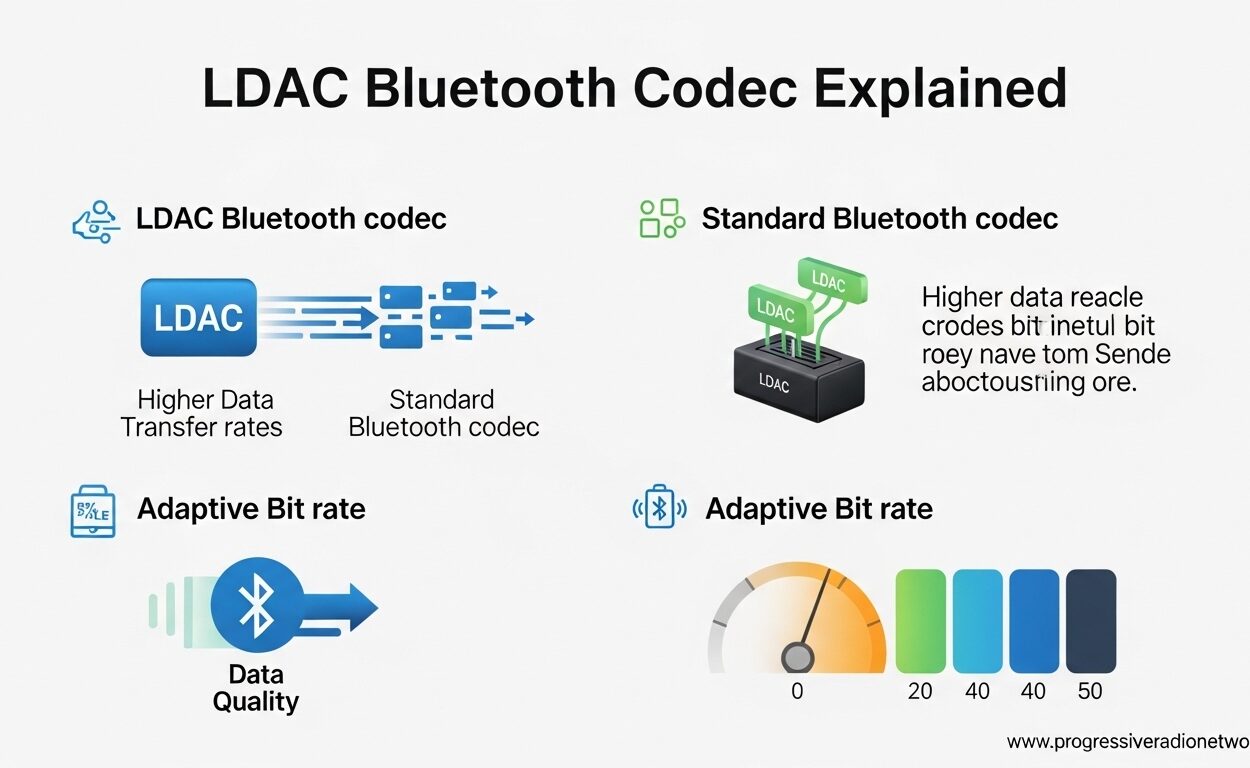
LDAC uses an adaptive bitrate system with three distinct transmission modes: 330 kbps, 660 kbps, and 990 kbps. Your phone and headphones automatically negotiate which mode to use based on wireless connection strength.
The technology behind LDAC relies on modified discrete cosine transform (DCT) compression. Without getting too technical, DCT algorithms analyze audio frequencies and allocate more data to the parts of the signal where human hearing is most sensitive. LDAC specifically uses a hybrid encoding scheme that adjusts its compression strategy depending on which bitrate mode is active.
The Three LDAC Bitrate Modes Explained
Connection Priority Mode (330 kbps): This mode uses the lowest bitrate and prioritizes stable connections over audio quality. LDAC switches to this mode automatically when you move away from your phone or when wireless interference is high. At 330 kbps, LDAC sounds roughly comparable to high-quality AAC, though still technically superior to basic SBC.
Balanced Mode (660 kbps): This is the default mode on many Android phones. It strikes a compromise between sound quality and connection stability. Most users find 660 kbps delivers noticeably better detail than standard Bluetooth without the dropout issues that plague the highest setting. I find this mode works well for commuting and general listening.
Quality Priority Mode (990 kbps): This is LDAC’s headline feature and the mode audiophiles chase. At nearly 1 Mbps of audio data, 990 kbps approaches the limits of what Bluetooth can reliably transmit. In this mode, LDAC preserves significantly more high-frequency detail and dynamic range. However, this mode is also the most demanding on your wireless connection.
Bluetooth codecs also affect latency for video watching, though LDAC prioritizes quality over low latency.
Connection Stability Trade-offs
Forum discussions reveal the most common complaint about LDAC: connection dropouts at 990 kbps. Users on Reddit and Audio Science Review report stuttering, brief audio cuts, and complete disconnections when using the highest quality mode in crowded WiFi environments or while walking outdoors.
The physics is straightforward. Bluetooth operates in the crowded 2.4 GHz spectrum alongside WiFi, microwave ovens, and wireless peripherals. Higher bitrates mean more data packets flying through that congested space. When interference causes packet loss, LDAC has less redundancy to work with than lower-bitrate codecs.
Several users report that LDAC 990 kbps works reliably only in static listening situations: sitting at a desk, relaxing on a couch, or working at a stationary computer. Walking, commuting, or using LDAC in busy urban environments often forces the codec down to 660 kbps or 330 kbps anyway.
LDAC Codec vs Other Bluetooth Codecs: Complete Comparison
Understanding where LDAC fits requires comparing it to the other major Bluetooth codecs available today. Each codec makes different trade-offs between sound quality, connection stability, and device compatibility.
Sony’s WH-1000XM series supports LDAC for high-resolution wireless audio, making these headphones popular among Android audiophiles.
Codec Specifications Comparison
| Codec | Max Bitrate | Max Sample Rate | Bit Depth | Primary Platform |
|---|---|---|---|---|
| LDAC | 990 kbps | 96 kHz | 24-bit | Android |
| aptX HD | 576 kbps | 48 kHz | 24-bit | Android |
| aptX Adaptive | 420 kbps | 48 kHz | 24-bit | Android |
| aptX Classic | 352 kbps | 48 kHz | 16-bit | Android |
| AAC | 250 kbps | 44.1 kHz | 16-bit | iPhone/Android |
| SBC | 328 kbps | 48 kHz | 16-bit | Universal |
LDAC vs SBC
SBC is the default Bluetooth codec that every device must support. It is required by the Bluetooth specification. SBC was designed for voice calls and basic audio streaming, not high-quality music reproduction.
LDAC transmits up to three times more data than SBC at maximum quality. The difference is audible on good headphones with well-recorded material. SBC tends to sound compressed and lacks the air and space that LDAC preserves. However, SBC maintains connections more reliably in challenging wireless environments. If you walk through a crowded subway station, SBC will keep playing while LDAC might stutter.
LDAC vs AAC
AAC is the preferred codec for Apple devices and the default for most music streaming services. It uses sophisticated psychoacoustic modeling to deliver good sound quality at lower bitrates than SBC.
At 990 kbps, LDAC clearly outperforms AAC’s typical 250 kbps implementation. However, the gap narrows significantly when comparing LDAC at 330 kbps to AAC at its highest quality settings. AAC actually sounds quite good on iPhones because Apple’s implementation is optimized and consistent.
The bigger issue is availability. iPhones do not support LDAC at all, so iOS users cannot access the codec regardless of their headphones. Android users can use either AAC or LDAC, with LDAC offering higher ceiling quality when conditions permit.
LDAC vs aptX and aptX HD
Qualcomm’s aptX family represents LDAC’s main competition among Android users. aptX Classic offers 352 kbps with fixed 4:1 compression. aptX HD increases that to 576 kbps while supporting 24-bit depth.
LDAC’s 990 kbps mode theoretically transmits more data than aptX HD, but the real-world difference is subtler than the numbers suggest. aptX HD uses different compression algorithms that some listeners prefer. The two codecs have different sonic signatures rather than one being objectively “better.”
aptX Adaptive dynamically adjusts bitrate between 279-420 kbps based on connection conditions, similar to LDAC’s adaptive approach. However, aptX Adaptive tops out well below LDAC’s maximum. If absolute audio quality is your priority, LDAC wins. If you want the best balance of quality and reliability, aptX Adaptive or LDAC 660 kbps are both excellent choices.
Benefits and Limitations of Using LDAC
After testing LDAC extensively across multiple headphones and phones, I have formed a realistic assessment of when this codec shines and when it frustrates.
What LDAC Does Well
At 990 kbps, LDAC delivers the best wireless Bluetooth audio quality currently available. Complex orchestral pieces, jazz recordings with subtle room ambiance, and acoustic tracks with extended high-frequency content all benefit from the extra data. The codec preserves micro-details that disappear under heavier compression.
LDAC is now universally available on Android. Since Google incorporated Sony’s encoder into Android, virtually every modern Android phone supports LDAC out of the box. You do not need a specific brand or model.
The three bitrate modes give users control over their quality-versus-stability trade-off. You can force maximum quality for critical listening at home or let the system adapt when you are mobile.
LDAC Limitations and Drawbacks
Connection instability at 990 kbps is the most significant limitation. Forum posts consistently describe this issue. One Audio Science Review member noted that LDAC 990 “cuts out constantly” while walking in their neighborhood, forcing a drop to 660 kbps.
Battery consumption increases at higher bitrates. LDAC 990 kbps demands more processing power for encoding and decoding, plus the radio maintains a more aggressive transmission profile. Users report 10-15% faster battery drain compared to AAC or SBC.
iPhone users are completely excluded from LDAC. Apple has not licensed the technology, and there is no indication this will change. If you use iOS devices, LDAC is not an option regardless of how expensive your headphones are.
Hi-res source material is required to benefit from LDAC. Streaming Spotify at 320 kbps through LDAC 990 kbps makes no sense. You need lossless or hi-res files from sources like Tidal Masters, Qobuz, or local FLAC collections to hear LDAC’s advantages.
Finally, LDAC disables multipoint connections on many headphones. You cannot maintain simultaneous connections to your laptop and phone while using LDAC. The codec requires exclusive access to the Bluetooth link.
How to Use LDAC: Device Compatibility and Settings
Getting the most from LDAC requires understanding where to find the settings and how to verify the codec is actually active.
Android Developer Settings Walkthrough
Android hides its Bluetooth codec settings in the Developer Options menu. To access LDAC settings, first enable Developer Options by tapping your build number seven times in Settings > About Phone.
Once enabled, navigate to Settings > System > Developer Options > Bluetooth Audio Codec. Select LDAC from the list. This menu also shows which codecs your connected headphones support.
Below the codec selection, you will find “LDAC Codec: Playback Quality.” This is where you choose between Quality (990 kbps), Balanced (660 kbps), and Connection (330 kbps). Some phones label these differently, but the three modes are standard.
How to Force 990 kbps Mode
To force maximum quality, select “Quality” in the LDAC playback quality menu. Be aware that your phone may still drop to lower bitrates if the connection degrades. The forced setting is a preference, not a guarantee.
Pixel phones have a reputation for defaulting to 330 kbps regardless of settings. Users report needing to manually select 990 kbps after every reconnection. This appears to be a power-saving decision by Google.
How to Verify LDAC Is Active
Android displays the active codec in Developer Options under “Bluetooth Audio Codec” when headphones are connected. The selected option should show LDAC rather than AAC, SBC, or aptX.
Some Sony headphones announce the active codec with voice prompts or companion app notifications. The Sony Headphones Connect app shows connection quality and current bitrate when using compatible models.
To test whether you are actually receiving hi-res audio, play a track with known high-frequency content and listen for detail in cymbals, acoustic guitar string plucks, and vocal breathiness. The difference between LDAC and SBC is most audible on these elements.
Troubleshooting Connection Issues
If LDAC 990 kbps causes frequent dropouts, first check for WiFi interference. Disable WiFi temporarily to test if Bluetooth stabilizes. The 2.4 GHz WiFi band overlaps with Bluetooth, causing conflicts in crowded environments.
Physical positioning matters. Keep your phone on the same side of your body as the headphone’s Bluetooth antenna. Most headphones have antennas on the right earcup, so keeping your phone in a right pocket often helps.
If dropouts persist, manually select 660 kbps mode. The quality difference is subtle compared to 990 kbps, while connection stability improves dramatically.
Affordable headphones with LDAC support are increasingly common, making the codec accessible without flagship prices.
Frequently Asked Questions About the LDAC Codec
Does LDAC really make a difference?
Yes, LDAC makes an audible difference when listening to high-quality source material on capable headphones. At 990 kbps, LDAC preserves more detail than standard Bluetooth codecs, particularly in high-frequency content and dynamic range. However, the difference is subtle and requires both hi-res audio files and quality headphones to appreciate. For casual listening with Spotify or basic earbuds, you may not notice significant improvements.
Is LDAC truly lossless?
No, LDAC is not lossless. Even at its maximum 990 kbps bitrate, LDAC uses lossy compression to fit audio data through Bluetooth bandwidth limitations. While it transmits significantly more data than standard codecs, some audio information is still discarded. True lossless transmission requires wired connections or technologies like WiFi streaming that offer much higher bandwidth than Bluetooth provides.
Is LDAC better than aptX?
LDAC offers higher maximum bitrate (990 kbps) compared to aptX Classic (352 kbps) and aptX HD (576 kbps). However, better depends on your priorities. LDAC excels at maximum audio quality in ideal conditions. aptX Adaptive offers more reliable connections with automatic bitrate adjustment. aptX HD provides consistent 24-bit quality without LDAC’s connection instability issues. Both are excellent codecs for Android users.
Does LDAC drain battery faster?
Yes, LDAC consumes more battery than SBC or AAC, particularly at 990 kbps mode. The higher bitrate requires more processing power for encoding and decoding, plus increased radio transmission activity. Users typically report 10-15% faster battery drain on both their phone and headphones when using LDAC compared to more efficient codecs. Switching to 660 kbps mode reduces this impact while maintaining good audio quality.
Can iPhone use LDAC?
No, iPhones and iPads do not support LDAC. Apple has not licensed the technology, and iOS devices are limited to AAC and SBC Bluetooth codecs. iPhone users seeking high-quality wireless audio should look for headphones with AAC optimization, which Apple has refined extensively. Android users have access to LDAC, aptX HD, and other advanced codecs that iOS currently excludes.
What are the disadvantages of using LDAC?
The main disadvantages include connection instability at 990 kbps mode, increased battery consumption, lack of iPhone support, and incompatibility with multipoint connections on many headphones. LDAC also requires hi-res source material to show benefits, making it pointless for standard streaming quality. Users in crowded wireless environments often experience audio dropouts that force the codec to lower quality modes anyway.
Final Thoughts on the LDAC Codec in 2026
The LDAC codec represents the current pinnacle of Bluetooth audio quality for Android users who prioritize sound over convenience. At 990 kbps, it transmits more musical information than any competing codec, preserving the detail and dynamics that make high-resolution audio worthwhile.
However, LDAC is not a magic bullet. The connection instability at maximum quality, increased battery drain, and iPhone exclusion limit its audience. Real-world testing shows that 660 kbps often provides the best balance, delivering audible improvements over standard Bluetooth without the frustrating dropouts that plague 990 kbps mode.
If you own quality headphones, subscribe to Tidal or Qobuz, and primarily listen in controlled environments, LDAC is absolutely worth using. The codec genuinely elevates wireless audio to levels that approach wired connections. For everyone else, aptX Adaptive or even well-implemented AAC may provide a more reliable daily experience. Understanding these trade-offs helps you make informed decisions about your wireless audio setup in 2026.




Leave a Comment