
Your garbage disposal just stopped working. You flip the switch, but nothing happens. No sound, no grinding, just silence. Before you call a plumber or start shopping for a replacement, there’s one simple thing you should check first: the garbage disposal reset button. This small safety feature can save you time, money, and frustration. In this comprehensive guide, I’ll walk you through everything you need to know about finding and using your garbage disposal reset button, troubleshooting common issues, and preventing future problems. Whether you’re dealing with an InSinkErator, Moen, Waste King, or another brand, understanding how to properly reset your garbage disposal is an essential homeowner skill.
Quick Answer: How to Reset Your Garbage Disposal
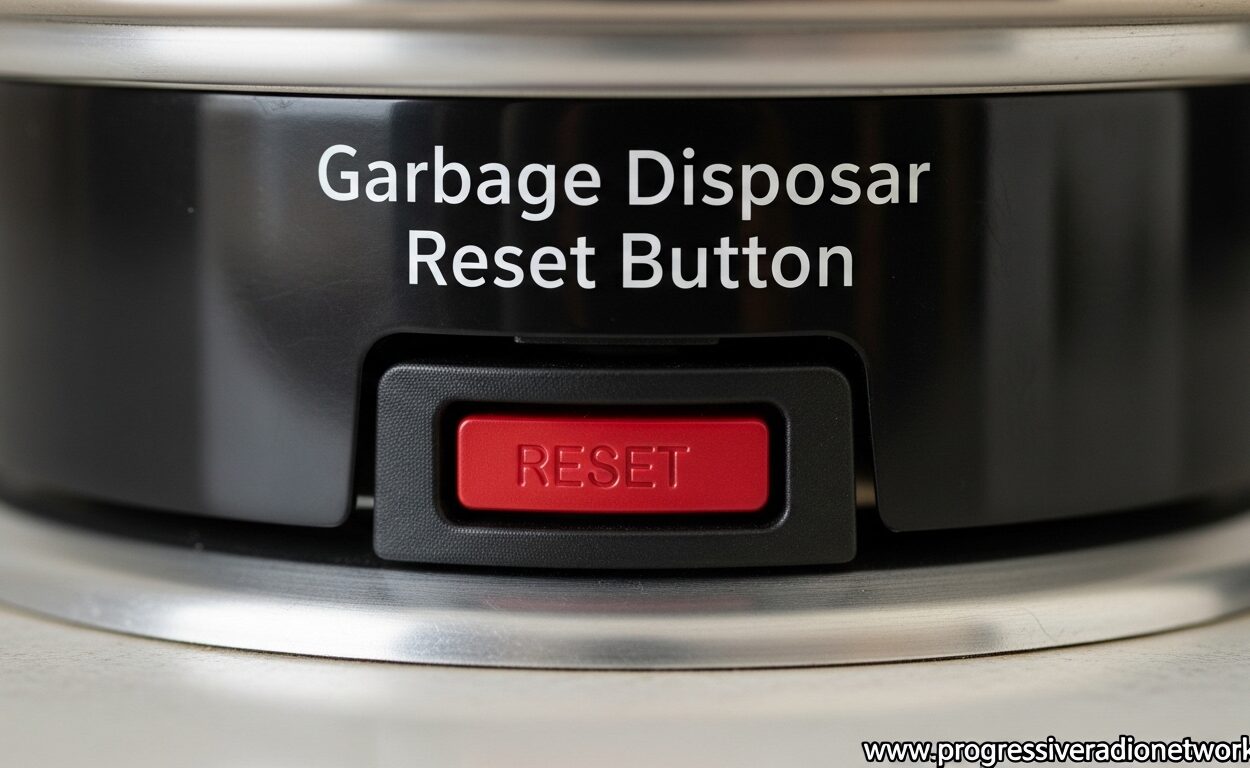
The garbage disposal reset button is a small red or black safety switch located on the bottom or side of your disposal unit. It pops out when the motor overheats or jams to prevent damage. To reset it, first turn off power to the disposal at the wall switch or circuit breaker. Wait about 15 minutes for the motor to cool down. Then locate the reset button (usually red, about the size of a pencil eraser), press it firmly until you feel or hear it click. If it won’t stay pressed in, the disposal may still be jammed or overheated. Restore power and test the disposal with water running through it.
Garbage Disposal Reset Button
The garbage disposal reset button, also known as the overload protector or thermal overload switch, is essentially a built-in circuit breaker for your disposal unit. This safety mechanism is designed to protect the motor from burning out when the disposal experiences an overload, jam, or overheating situation. Without this protection, a stalled motor could quickly overheat and cause permanent damage or even create a fire hazard.
When your garbage disposal encounters something it can’t grind through, the motor stalls and draws excessive current. The overload protector detects this surge and trips, cutting power to the motor and causing the reset button to pop out. This is actually a good thing—it means the safety feature is working as intended to protect your investment. Most garbage disposals have a lifespan of 8-12 years, and a properly functioning reset button can help extend that life by preventing catastrophic motor failure.
Garbage Disposal Reset Button: Step-by-Step Reset Guide
Before you begin, gather these tools: a flashlight, an Allen wrench (hex key) that came with your disposal, and tongs or pliers for reaching into the disposal if needed. Most importantly, make sure you have clear access to the area under your sink. Here’s the complete process to safely reset your garbage disposal:
Step 1: Turn Off All Power
Safety first. Locate your garbage disposal’s power source and turn it completely off. This might be a wall switch near your sink, or you may need to flip the circuit breaker in your electrical panel. If your disposal is plugged into an outlet under the sink (rather than hardwired), simply unplug it. I always recommend double-checking that power is off by trying to run the disposal—it shouldn’t make any sound or hum. Never, ever put your hands inside a garbage disposal, even when power is off. This is the most critical safety step in the entire process.
Step 2: Locate the Reset Button
Use your flashlight to look at the bottom of your garbage disposal unit. The reset button is typically a small red button, about the size of a pencil eraser, usually centered on the bottom of the unit. On some models, it might be located on the side instead. If you don’t see it on the bottom, check the sides of the unit, especially near where the power cord enters the disposal. The button is usually recessed slightly in a small plastic housing or metal casing.
If you’re having trouble finding it, try cleaning off any grime or debris from the bottom of the unit with a damp cloth. Sometimes years of kitchen buildup can hide the reset button. On some models, especially older ones, the button might be black instead of red. Look for any small circular button-like protrusion on the unit’s exterior.
Step 3: Check for and Clear Any Jams
Before pressing the reset button, it’s important to make sure the disposal isn’t jammed. Shine your flashlight into the grinding chamber (from above) and look for any obvious obstructions. You might see food waste, utensils, or other objects that could be causing the jam. Use tongs or pliers—not your hands—to remove any visible debris.
If the disposal appears clear but the flywheel still won’t turn freely, you’ll need to use the Allen wrench. Most garbage disposals have a hex-shaped hole in the center of the bottom. Insert your Allen wrench into this hole and work it back and forth several times. This manually rotates the flywheel and can help dislodge any hidden jams. You should feel resistance at first, then it should start moving more freely as the jam clears.
Step 4: Press the Reset Button
Once you’ve verified that the disposal is clear and any jams have been removed, it’s time to press the reset button. There’s some debate about whether you should press it quickly or hold it for a few seconds. In my experience, most modern disposals respond to a firm, quick press. However, if the button doesn’t seem to engage, try pressing and holding for 2-3 seconds. You should feel or hear a distinct click when the button engages.
The button should stay pressed in. If it immediately pops back out, this indicates that the disposal is still detecting an overload condition—either it’s still jammed, or the motor hasn’t had enough time to cool down. In this case, wait another 10-15 minutes and try again. If the button still won’t stay in after multiple attempts and waiting periods, there may be a more serious issue requiring professional attention.
Step 5: Restore Power and Test
After successfully resetting the button, restore power to the disposal. If you unplugged it, plug it back in. If you flipped a circuit breaker, switch it back on. Turn on the cold water tap at full blast, then flip the disposal switch. You should hear the motor start up and the grinding begin. Let the disposal run for about 30 seconds with water flowing to ensure it’s working properly and to flush out any remaining debris.
If the disposal starts but makes unusual noises, vibrates excessively, or smells like burning electrical components, turn it off immediately and call a professional. These could be signs of damaged internal components or a failing motor. Otherwise, your disposal should be back to normal operation, ready to handle your kitchen waste safely and efficiently.
Garbage Disposal Reset Button Locations by Brand
Different garbage disposal brands position their reset buttons in slightly different locations. Knowing where to look for your specific brand can save time and frustration. Here’s what you need to know about the most common brands:
InSinkErator
InSinkErator, the most popular garbage disposal brand, typically places the reset button on the bottom of the unit, centered and easily accessible. It’s almost always a red button. However, some newer InSinkErator models with the EZ Connect power supply don’t have a manual reset button at all—these models reset automatically after approximately 20 minutes of cooling time. If you have an InSinkErator and can’t find the reset button, check your manual to see if you have an auto-reset model.
Moen
Moen garbage disposals usually feature the reset button on the bottom of the unit, though it may be positioned slightly off-center rather than dead center. The button is typically red but may be black on some models. Moen disposals are known for their quiet operation, so if you’ve been using one for years without issues, the reset button might not be in an obvious location simply because you’ve never needed it before.
Waste King
Waste King disposals often place the reset button on the side of the unit rather than the bottom. This can make it slightly more challenging to locate, especially in tight cabinet spaces. Look for a small red or black button on the lower side of the unit. Some Waste King models have a small plastic door or cover protecting the reset button—gently open this to access the button.
Whirlpool
Whirlpool garbage disposals typically follow the standard pattern with the reset button centered on the bottom of the unit. The button is usually red and clearly visible. Whirlpool disposals are commonly found in newer homes and are often installed by builders, so you might not have the original manual handy if you need to locate the reset button.
Other Brands
For other brands like KitchenAid, GE, or Frigidaire, the reset button is most commonly found on the bottom of the unit. However, there can be variations. If you can’t locate the button on the bottom, check both sides carefully. When in doubt, search online for your specific model number along with “reset button location” to find diagrams or manuals showing the exact position.
What to Do When the Garbage Disposal Reset Button Doesn’t Work
Sometimes pressing the reset button doesn’t solve the problem. If you’ve tried the steps above and your garbage disposal still won’t work, don’t panic. There are several troubleshooting steps you can take before calling a professional.
Garbage Disposal Humming But Not Working
If you flip the switch and hear a humming sound but the grinding chamber doesn’t move, this typically indicates a jammed flywheel or impeller. The motor is trying to run but can’t because something is physically blocking movement. Turn off power immediately—this situation can cause the motor to overheat quickly. Use your Allen wrench in the hex hole on the bottom of the unit to manually rotate the flywheel back and forth. This often dislodges whatever is causing the jam. Once the flywheel moves freely, press the reset button and test again.
Reset Button Won’t Stay In
If the reset button immediately pops back out after you press it, this indicates that the disposal is still detecting an overload condition. The most common causes are a persistent jam or a motor that hasn’t cooled down enough. First, try clearing any jams with the Allen wrench method described above. Then wait at least 30 minutes for the motor to cool completely before trying to reset again. If the button still won’t stay in after clearing jams and waiting for cooling, there may be an internal electrical issue or the overload protector itself may be faulty.
Reset Button Is Missing or Broken
In some cases, the reset button may be physically missing, broken off, or the internal mechanism may be damaged. This can happen with older disposals or if too much force was applied during previous reset attempts. Unfortunately, if the reset button itself is broken or missing, the disposal typically needs to be replaced. The overload protector is integrated into the unit’s electrical system and isn’t designed to be replaced separately.
Garbage Disposal Completely Silent
If you flip the switch and hear absolutely nothing—no humming, no clicking, no sound at all—the problem may not be with the disposal itself. Check your electrical system: Is the outlet working? (Plug in a lamp or phone charger to test.) Has the circuit breaker tripped? Is the wall switch functioning properly? Some homes have the garbage disposal wired to a GFCI outlet under the sink—make sure this hasn’t tripped either. If all electrical components check out but the disposal still won’t respond, the unit’s internal electrical components may have failed, requiring professional repair or replacement.
Garbage Disposal Keeps Tripping Repeatedly
If your disposal runs for a while but then trips the reset button repeatedly, this suggests a chronic problem. Common causes include overloading the disposal with too much food at once, grinding inappropriate items, or an aging motor that’s struggling under normal loads. Try running smaller amounts of food at a time and avoid problematic items like bones, fibrous vegetables, or grease. If the problem persists despite careful usage, the disposal’s motor may be failing and nearing the end of its lifespan.
What Causes the Garbage Disposal Reset Button to Trip?
Understanding what causes your garbage disposal to trip in the first place can help prevent future occurrences. The overload protector trips when the motor draws too much current, which happens in several common scenarios. For those exploring other home appliances, understanding these principles applies broadly across many household devices.
Overloading
Putting too much food waste into the disposal at once is the most common cause of tripping. When you stuff the disposal full and turn it on, the motor struggles to grind everything simultaneously. This draws excessive current and causes the overload protector to trip. The solution is simple: feed food waste gradually while the disposal is running, rather than filling it up and then turning it on.
Inappropriate Items
Certain items should never go into a garbage disposal because they’re likely to cause jams or overwork the motor. Fibrous vegetables like celery, asparagus, and corn husks can wrap around the grinding mechanism. Hard items like bones, fruit pits, and shells can damage the impellers. Expandable foods like pasta and rice can swell inside the disposal. Grease and oil solidify in the pipes and create clogs. Avoid these items entirely, and your reset button will trip much less frequently.
Sharp Objects
Sometimes utensils, glass, or other foreign objects accidentally fall into the disposal. These can jam the flywheel or damage the grinding components, causing the motor to stall and trip the reset button. Always use the drain cover when the disposal isn’t in use, and never let silverware or other small items near the drain opening. If something does fall in, use tongs or pliers to retrieve it—never reach in with your hands, even if the power is off.
Aging Equipment
As garbage disposals age, their motors naturally become less efficient. A disposal that’s 10+ years old may trip more easily simply because the motor is weaker and can’t handle loads it once managed easily. Internal components can also wear or corrode over time, making the unit more prone to overheating. If your disposal is older and tripping frequently, it may be nearing the end of its useful life and might need replacement soon.
GFCI Outlet vs. Garbage Disposal Reset Button: Clearing Up the Confusion
Many homeowners confuse the GFCI outlet reset button with their garbage disposal’s reset button. These are two completely different things, and it’s important to understand the difference. The GFCI (Ground Fault Circuit Interrupter) outlet is a safety device designed to protect against electrical shock, typically located in the wall outlet under your sink. It has “Test” and “Reset” buttons and can trip if it detects a ground fault or electrical imbalance. This has nothing to do with the garbage disposal’s internal overload protection.
Your garbage disposal’s reset button is located on the disposal unit itself, not on the wall. It protects the disposal’s motor from overheating and overloading, not from electrical shocks. Both buttons can trip, but for different reasons. If your garbage disposal won’t work, check both—reset the GFCI outlet first, then locate and press the disposal’s reset button if needed. Understanding this distinction can save you time troubleshooting and help you identify the actual problem more quickly.
Models Without Reset Buttons: Auto-Reset Feature Explained
Some modern garbage disposals, particularly certain InSinkErator models with the EZ Connect power supply, don’t have a manual reset button at all. These models feature an auto-reset function that automatically restores power after the motor has cooled down (typically about 20 minutes). If you have one of these models and the disposal stops working, simply turn it off and wait. The unit will reset itself without any intervention from you.
To determine if you have an auto-reset model, check your owner’s manual or look up your model number online. Auto-reset models typically have a smooth bottom without any visible buttons or switches. The advantage of this design is simplicity—there’s no button to find, press, or potentially break. The disadvantage is that you can’t manually reset the unit, so you simply have to wait if it trips.
Garbage Disposal Maintenance: Preventing Future Reset Trips
Proper maintenance and usage can significantly reduce how often your garbage disposal trips. Here are some proven strategies to keep your disposal running smoothly:
Run Cold Water
Always run cold water when operating your disposal and for at least 30 seconds after grinding is complete. Cold water solidifies any grease or oil in the waste, allowing the disposal to grind it into small pieces that can pass through the plumbing. Hot water melts grease, which can then solidify further down the line and create clogs.
Clean Regularly
Monthly cleaning can prevent buildup that leads to jams and overheating. Grind ice cubes to clean the grinding chamber and sharpen the impellers. Follow with citrus peels to freshen the unit and remove odors. You can also use a specialized garbage disposal cleaner following the manufacturer’s instructions. This maintenance approach is similar to caring for other kitchen appliances that require regular attention.
Grind Thoroughly
Don’t turn off the disposal until all grinding sounds have stopped. Incomplete grinding leaves larger pieces that can cause problems downstream. Let the disposal run for 10-15 seconds after you no longer hear any grinding noises to ensure everything has been processed completely.
Feed Gradually
Never stuff the disposal full and then turn it on. Instead, feed food waste gradually while the disposal is running. This prevents overloading and gives the motor a steady, manageable workload. Think of it like chewing—small bites are easier to process than trying to swallow everything at once.
What NOT to Put in Your Garbage Disposal
Avoiding problematic items is the best way to prevent your garbage disposal reset button from tripping. Here’s a comprehensive list of items that should never go down your disposal:
Fibrous Vegetables: Celery, asparagus, corn husks, artichokes, onion skins. The fibrous strings can wrap around the grinding mechanism and cause jams.
Hard Items: Bones, fruit pits, shells, coffee grounds. These can damage the impellers and are difficult to grind.
Expandable Foods: Pasta, rice, bread, oatmeal. These absorb water and expand inside the disposal and pipes, creating clogs.
Grease and Oil: Bacon grease, cooking oil, butter, mayonnaise. These solidify in pipes and create stubborn clogs.
Starchy Foods: Potato peels, banana peels. These create a starchy paste that can clog the disposal and pipes.
Non-Food Items: This should go without saying, but never put paper towels, cotton swabs, cigarette butts, or other non-food items in the disposal.
When to Call a Professional
While many garbage disposal issues can be resolved DIY-style, some situations require professional help. Call a plumber or appliance repair technician if you experience any of the following: the disposal is leaking from the bottom (this often indicates a seal failure or cracked housing), there’s a burning electrical smell that doesn’t dissipate, the unit makes grinding metal noises even after clearing jams, the disposal won’t reset after multiple attempts over several hours, or you’re uncomfortable performing any of the troubleshooting steps.
Professional repair typically costs $75-150 for most issues, while replacement ranges from $150-400 including installation. A professional can accurately diagnose whether repair or replacement is the more cost-effective option. Given that most disposals last 8-12 years, if yours is approaching this age and experiencing frequent problems, replacement might be the smarter long-term investment. This is similar to other kitchen appliance reviews that weigh repair versus replacement costs.
Frequently Asked Questions
How long do you hold the reset button on the garbage disposal?
Most modern garbage disposals respond to a firm, quick press of the reset button—no holding required. You should feel or hear a distinct click when the button engages. However, some older models or specific brands may require holding the button for 2-3 seconds. If a quick press doesn’t work, try pressing and holding briefly. The button should stay pressed in after you release it. If it immediately pops back out, wait 15-30 minutes for the motor to cool and try again.
How to fix a garbage disposal that just hums?
A humming garbage disposal indicates a jammed flywheel—the motor is trying to run but can’t. First, turn off power immediately to prevent motor damage. Use an Allen wrench (hex key) in the hole at the bottom of the disposal to manually rotate the flywheel back and forth. This dislodges whatever is causing the jam. Once the flywheel moves freely, remove any obstructions from the grinding chamber using tongs. Press the reset button, restore power, and test with cold water running.
How do I manually reset my garbage disposal?
To manually reset your garbage disposal: 1) Turn off power at the wall switch or circuit breaker. 2) Wait 15-30 minutes for the motor to cool. 3) Locate the reset button (usually red, on the bottom or side of the unit). 4) Press firmly until you feel it click. 5) If it won’t stay in, check for jams using an Allen wrench in the bottom hex hole. 6) Once the button stays pressed, restore power and test with cold water running through the disposal.
Will unplugging a garbage disposal reset it?
No, unplugging a garbage disposal does not reset the overload protector. Unplugging cuts power to the unit but doesn’t engage the reset button or clear the thermal overload condition. You must physically press the reset button on the disposal unit itself to reset the overload protector. However, unplugging (or turning off the circuit breaker) is an important safety step before attempting to press the reset button or perform any troubleshooting.
Why does my garbage disposal keep tripping?
Frequent tripping typically indicates an underlying problem. Common causes include chronic overloading (putting too much food in at once), grinding inappropriate items (bones, fibrous vegetables, grease), a jam that wasn’t fully cleared, or an aging motor that’s struggling under normal loads. Try running smaller amounts of food at a time and avoiding problematic items. If tripping continues despite careful usage, the disposal’s motor may be failing and the unit might need replacement.
What do I do if my garbage disposal reset button doesn’t work?
If pressing the reset button doesn’t solve the problem, try these steps: 1) Verify power is actually reaching the disposal (check the outlet with a lamp). 2) Check for and clear any jams using an Allen wrench. 3) Wait longer for the motor to cool (up to an hour). 4) Check if your circuit breaker has tripped. 5) For units with GFCI outlets, try resetting the GFCI. If none of these steps work and the disposal is completely silent or leaking from the bottom, it’s time to call a professional.
Conclusion
Understanding how to locate and use your garbage disposal reset button is an essential homeowner skill that can save you time, money, and frustration. Most disposal issues are easily resolved with a simple reset, and knowing how to troubleshoot common problems like humming sounds or buttons that won’t stay in can help you avoid unnecessary service calls. Remember that the reset button is a safety feature designed to protect your disposal’s motor from damage—when it trips, it’s doing its job.
Regular maintenance and proper usage are the keys to preventing frequent trips. Feed food waste gradually, always run cold water, avoid problematic items, and clean your disposal monthly. If your disposal is older and experiencing frequent issues, it may be nearing the end of its 8-12 year lifespan and replacement might be the most cost-effective long-term solution.
For more information on kitchen appliances and other home maintenance tips, explore our related articles. And remember, while many garbage disposal issues can be resolved DIY-style, there’s no shame in calling a professional when you’re unsure or dealing with complex electrical or plumbing problems. Your safety is always worth the investment.

Leave a Comment