
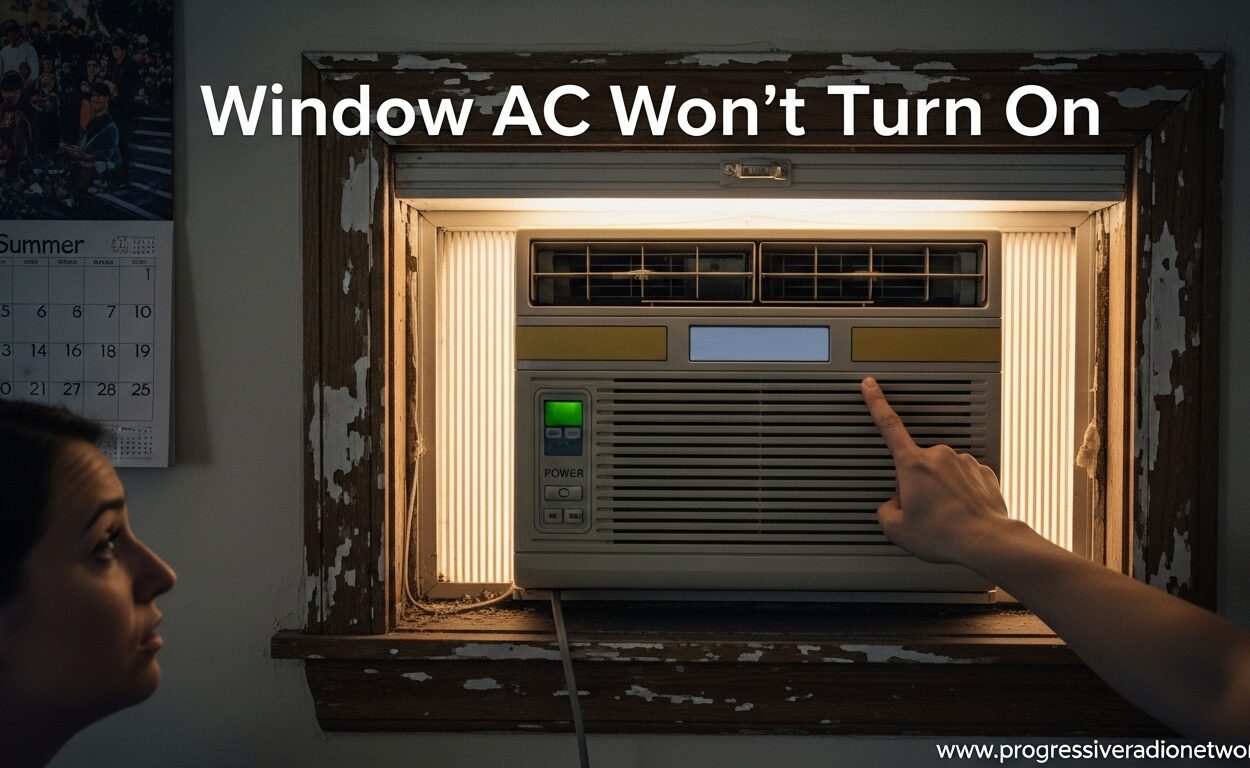
It’s a scorching summer afternoon. You walk into your room, expecting relief from your trusty window AC unit. You press the power button. Nothing happens. No fan whir, no compressor hum, just silence. Your window AC won’t turn on, and the temperature inside keeps climbing.
I’ve been there. Last summer, my 5-year-old window unit refused to start after sitting idle all winter. The panic was real. But here’s the good news: most window AC startup problems have simple fixes you can handle yourself.
In this guide, I’ll walk you through every possible reason your window AC won’t turn on, from the obvious to the obscure. We’ll cover quick checks you can do right now, component failures, when to call a professional, and how to prevent these issues in the future. Most of these fixes take less than 15 minutes and require zero tools.
Quick Troubleshooting Checklist: Window AC Won’t Turn On
Before we dive deep, try these quick fixes. I’ve organized them from easiest to most involved. These solve 80% of startup issues.
- Check your circuit breaker – A tripped breaker is the #1 cause. Look for a breaker in the “off” or middle position and flip it fully off, then back on.
- Test the wall outlet – Plug a lamp or phone charger into the same outlet. If it doesn’t work, the outlet is dead, not your AC.
- Inspect the LCDI plug – That plug on your AC cord has a test/reset button. Press reset if it’s popped out.
- Verify thermostat settings – Make sure it’s set to “cool” mode and the temperature is below the current room temperature.
- Wait 5 minutes – If you just unplugged it, some units have a time-delay feature. Give it a few minutes.
- Check for blown fuses – Some older units have an in-line fuse in the power cord that can fail.
- Examine the power cord – Look for cuts, burns, or damage. A damaged cord is a fire hazard and prevents power flow.
- Clean the air filter – A severely clogged filter can trigger safety switches that prevent startup.
Window AC Won’t Turn On: Power Issues
Power problems are the most common reason your window AC won’t turn on. Let me break down each scenario and how to fix it.
Tripped Circuit Breaker: The #1 Culprit
Window AC units draw significant power, especially at startup. This surge can trip your circuit breaker, especially if other devices share the circuit. I see this constantly after summer storms when power fluctuations occur.
Go to your electrical panel and look for the breaker labeled “AC” or “bedroom.” If it’s in the middle position or flipped to “off,” that’s your problem. Flip it fully to “off,” wait 30 seconds, then flip it to “on.”
If the breaker trips again immediately, don’t keep resetting it. This indicates a serious electrical issue—either a short in your AC or an overloaded circuit. At this point, you need an electrician.
Faulty Wall Outlet: Silent AC Killer
Sometimes the breaker is fine, but the outlet itself has failed. This happened to me in my old apartment. The outlet looked fine but delivered zero power.
Test the outlet with a known-good device like a lamp or phone charger. If the test device doesn’t work, your outlet is dead. Try resetting any GFCI outlets in the room (those with test/reset buttons). If that doesn’t fix it, you’ll need an electrician to replace the outlet.
The LCDI Safety Plug: What It Is and Why It Matters
Modern window AC units come with an LCDI (Leakage Current Detection and Interruption) plug. This is a safety feature required since 2005 that cuts power if it detects cord damage, preventing fires. The plug has two buttons: “test” and “reset.”
If your window AC won’t turn on, check this plug first. If the reset button is popped out, press it firmly. If it pops back out immediately or won’t stay in, the plug has detected a problem. This usually means cord damage or a moisture issue. Don’t bypass this safety feature—replace the cord or the unit.
Power Cord Damage: More Common Than You Think
Window AC cords take abuse. They get pinched in windows, chewed by pets, and degraded by UV light. Even minor damage can prevent your window AC from turning on.
Inspect the entire cord length carefully. Look for cuts, burns, kinks, or exposed wire. If you see any damage, stop using the unit immediately. A damaged cord is a serious fire hazard. You can replace the cord on most units, but if you’re not comfortable with electrical work, this is a job for a pro.
Window AC Won’t Turn On: Thermostat and Control Issues
Sometimes power reaches the unit, but the control system prevents startup. These issues can be frustrating because your AC might have lights or displays but still won’t run.
Incorrect Thermostat Settings: Simple but Common
I know this sounds obvious, but wrong thermostat settings cause countless service calls. Your window AC won’t turn on if:
- The mode is set to “fan” only instead of “cool”
- The temperature setting is higher than the current room temperature
- The unit is in “timer” mode and waiting for a scheduled time
- The remote control batteries are dead and the unit can’t receive commands
Check your thermostat first. Set it to “cool” mode and lower the temperature several degrees below the current room temperature. If your unit uses a remote, replace the batteries and try again.
Control Board Failure: The Electronic Brain Problem
Modern window AC units rely on electronic control boards. When these fail, your window AC might have a green light or display but won’t respond to any commands. You might press the power button and hear a single beep, but nothing happens.
Control board failures are common after power surges or storms. They’re also more likely in units over 5 years old. Unfortunately, this is usually a repair for a professional. The good news? If your unit is under warranty, this should be covered.
Remote Control and Sensor Problems
Some window AC units rely on infrared remote signals. If the remote sensor on the unit is blocked, dirty, or damaged, your AC won’t respond. Clean the sensor area with a soft cloth and ensure nothing is blocking it.
Test the remote by pointing it directly at the unit from close range. If it still doesn’t work, replace the remote batteries. If that fails, you might need a replacement remote.
Window AC Won’t Turn On: Component Failures
When power and controls check out, the problem might be internal. These are the mechanical and electrical components that make your AC work.
Bad Capacitor: The Most Common Component Failure
The capacitor is a small cylindrical component that stores electricity and helps start the compressor and fan motors. When it fails, your window AC won’t turn on, or it might hum briefly then shut off.
Capacitors fail for several reasons: age, heat, power surges, and manufacturing defects. They typically last 5-10 years. A bad capacitor is one of the most affordable AC repairs—usually $20-50 for the part if you’re comfortable replacing it yourself.
Warning: Capacitors can hold a lethal charge even when unplugged. If you’re not experienced with electrical work, leave this to a professional.
Compressor Failure: The Expensive Problem
The compressor is the heart of your AC system. When it fails, your window AC won’t cool, and often won’t turn on at all. Compressor failure symptoms include:
- The fan runs but the compressor doesn’t engage
- Loud clicking or buzzing when trying to start
- Burning smell when the unit attempts to run
- The unit trips the breaker immediately when turned on
Compressor replacement is expensive—often $300-600 plus labor. If your unit is over 8-10 years old, replacing the entire AC is usually more cost-effective.
Fan Motor Issues: When Air Can’t Circulate
Your window AC won’t turn on if the fan motor is seized or failed. Most units have a safety switch that prevents startup if the fan can’t spin. This protects the compressor from overheating.
Fan motors fail due to bearing wear, water damage, or electrical issues. Sometimes a stuck fan just needs cleaning. Other times, the motor needs replacement. If you hear a hum but the fan doesn’t spin, the motor might be trying but failing to start.
The Time-Delay Restart Feature: Not a Failure
Many modern window AC units have a time-delay feature that prevents immediate restart after being unplugged. This protects the compressor from damage. If you unplugged your unit while it was running, it might not restart for 3-5 minutes.
This isn’t a malfunction—it’s a feature. If your window AC won’t turn on immediately after being unplugged, wait 5 minutes and try again. This is especially common after power outages.
Window AC Won’t Turn On: Maintenance Issues
Sometimes your AC refuses to start as a protective measure. These maintenance-related issues trigger safety switches that prevent operation until the problem is fixed.
Dirty Air Filter: The Silent AC Killer
A clogged air filter is one of the most overlooked causes of startup problems. When airflow is restricted, the evaporator coils can freeze. Many units have a freeze sensor that shuts down the system to prevent damage.
Check your air filter. If it’s gray and clogged with dust, clean or replace it. Most window AC filters are washable—just rinse with warm water and let dry completely. I recommend checking filters monthly during cooling season.
Frozen Coils: When Ice Is the Problem
If your window AC was running but stopped cooling, ice might have formed on the coils. This can happen due to dirty filters, low refrigerant, or running the unit when it’s too cold outside.
Turn off the AC and let it thaw completely—this usually takes several hours. After it’s thawed, check the filters and ensure proper airflow. If the coils freeze again after running, you might have a refrigerant leak or other issue requiring professional service.
Full Drain Pan: The Water Safety Switch
Window AC units remove moisture from the air, collecting it in a drain pan. Many units have a float switch that shuts down the system if the pan gets too full, preventing water damage.
If your window AC won’t turn on, check the drain pan (usually accessible from the outside). Empty it if full, and clean the drain holes with a small brush or compressed air. This is especially common in humid climates.
Dirty Condenser Coils: Overheating Protection
The condenser coils on the back of your AC release heat outdoors. When they’re clogged with dirt, leaves, or debris, the compressor can overheat. Many units have a thermal overload switch that shuts down the system to prevent damage.
Clean the condenser coils with a garden hose (gentle spray) or coil cleaner. Do this at the start of every cooling season. Ensure the unit is completely dry before running it again.
How to Reset Your Window AC: Step-by-Step
Sometimes your window AC just needs a fresh start. Here are the reset procedures that work for most units.
Basic Power Reset
- Turn off the AC using the control panel or remote
- Unplug the unit from the wall outlet
- Wait at least 5 minutes (this clears any residual charge)
- Plug the unit back in
- Turn on the AC and test operation
LCDI Plug Reset
- Unplug the AC unit from the wall
- Locate the LCDI plug on the power cord (usually near the AC)
- Press the “test” button—you should hear a click
- Press the “reset” button firmly until it stays in
- Plug the unit back in and test
If the reset button won’t stay in, the plug has detected a fault. Don’t force it—this indicates a problem that needs professional attention.
Hard Reset for Unresponsive Units
- Unplug the unit and wait 15 minutes
- While unplugged, press and hold the power button for 30 seconds
- Keep the unit unplugged overnight if possible
- Plug back in and test operation
This hard reset can clear electronic glitches in the control board. I’ve seen this fix unresponsive units multiple times.
When to Call a Professional: Signs You Need Expert Help
While many window AC issues are DIY-friendly, some problems require professional expertise. Here’s when to call in the pros.
Electrical Issues Beyond the Breaker
If you’ve checked the breaker and outlet but still have no power, you might have a wiring issue. Signs you need an electrician:
- Burning smell from the outlet or cord
- Scorch marks on the outlet
- The breaker trips immediately when reset
- You’re not comfortable working with electricity
Electrical problems can be dangerous. Don’t risk fire or injury—call a licensed electrician.
Refrigerant Leaks: The Environmental Hazard
If your AC runs but doesn’t cool well and you hear hissing or see oily residue, you might have a refrigerant leak. Refrigerant is a regulated substance—only EPA-certified technicians can legally handle it.
Signs of refrigerant problems:
- Ice forming on the refrigerant lines
- The unit runs continuously but cools poorly
- Hissing sounds from the unit
- Bubbles in the sight glass (if your unit has one)
Compressor or Major Component Failure
Replacing a compressor or major components requires specialized tools and knowledge. If you’ve diagnosed a bad compressor, get quotes for both repair and replacement. For units over 8 years old, replacement is usually the better choice.
The $5,000 Rule: When to Replace Instead of Repair
Industry professionals use the $5,000 rule: multiply the repair cost by the age of the unit. If the result exceeds $5,000, replace instead of repair. For example:
- 3-year-old unit with $400 repair = $1,200 → Repair it
- 10-year-old unit with $400 repair = $4,000 → Borderline, consider repair
- 10-year-old unit with $600 repair = $6,000 → Replace it
Also consider energy efficiency. Newer units use significantly less electricity, which can offset replacement costs over time.
Preventing Future Startup Problems
Once your window AC is running again, these maintenance habits prevent most future issues.
Clean filters monthly during cooling season. This is the single most important maintenance task. Clogged filters cause freezing, inefficiency, and can trigger safety switches.
Clean coils annually before the cooling season. Use a garden hose or coil cleaner on the condenser coils outside. Dirty coils cause overheating and compressor strain.
Check the cord and plug regularly for damage. Catching cord problems early prevents safety hazards and startup issues.
Use a surge protector rated for your AC’s power requirements. This protects the control board and electronics from storm damage.
Proper winter storage matters. If you remove your unit for winter, store it indoors. If it stays in the window, cover it properly and check for damage before startup.
Professional maintenance every 2-3 years can catch small problems before they become big ones. A technician can check refrigerant levels, electrical connections, and component health.
Frequently Asked Questions
What would cause a window AC unit to not turn on?
The most common causes are: tripped circuit breaker, faulty wall outlet, tripped LCDI safety plug, incorrect thermostat settings, bad capacitor, failed control board, or a blown fuse. Power issues account for 80% of cases, so always check your breaker, outlet, and safety plug first.
How do you reset your window AC?
Unplug the unit and wait 5-15 minutes. For units with LCDI plugs, press the reset button on the plug. Some models require holding the power button while unplugged for 30 seconds. Always ensure the unit is completely powered down before attempting a reset. If the reset doesn’t work after 2-3 attempts, the problem may be more serious.
What is the $5000 rule for AC?
The $5000 rule helps decide between repair and replacement. Multiply the repair cost by the AC’s age in years. If the result exceeds $5000, replace the unit instead of repairing it. For example: a 10-year-old unit needing a $600 repair equals $6000, so replacement makes more sense. This rule accounts for declining efficiency and increasing failure rates in older units.
Where is the reset button on an AC compressor?
Window AC units typically don’t have a reset button on the compressor itself. Instead, they have an LCDI (Leakage Current Detection and Interruption) plug with a reset button, located on the power cord near where it plugs into the wall. Some units also have a small reset button on the control board behind the front grille, but this requires removing the front panel to access.
Why is my window air conditioner not kicking on?
“Not kicking on” usually means the compressor isn’t starting. Common causes include: a bad start capacitor (the most common culprit), low refrigerant preventing the compressor from engaging, a failed compressor, or a frozen coil triggering the safety switch. If the fan runs but the compressor doesn’t, it’s likely a capacitor problem—typically a $20-50 repair.
How do I reset my window air conditioner?
Start with the basics: unplug the unit for 5-15 minutes, then plug it back in. Check the LCDI plug on the power cord and press the reset button if needed. For a hard reset, unplug the unit, hold the power button for 30 seconds, then wait overnight before plugging back in. If these steps don’t work, the issue may require professional diagnosis.
Where is the AC reset button located?
On window AC units, the reset button is on the LCDI safety plug located on the power cord, usually within 3 feet of where it plugs into the wall outlet. It’s a small rectangular button labeled “reset.” Some older units may have a reset button on the control panel or behind the front grille, but modern units primarily use the LCDI plug reset.
Is there a fuse in a window unit?
Many older window AC units have an in-line fuse in the power cord or a fuse on the control board. Modern units typically use circuit breakers and electronic protection instead of fuses. If you suspect a blown fuse, look for a small cylindrical component in the power cord or on the control board. Testing and replacing fuses requires electrical knowledge—if you’re not comfortable, call a professional.
Conclusion
When your window AC won’t turn on, it feels like an emergency. But as we’ve covered, most problems have simple solutions. Start with the basics: check your breaker, test the outlet, inspect the LCDI plug, and verify thermostat settings. These quick checks solve the majority of startup issues.
For more persistent problems, work through the troubleshooting steps systematically. Power issues are most common, followed by control problems and component failures. Remember that capacitors are the most frequent component failure—they’re affordable to replace but require caution due to stored electrical charge.
Know when to call a professional. Electrical problems beyond simple breaker checks, refrigerant leaks, and major component failures require expert help. Use the $5000 rule to decide between repair and replacement, especially for units over 8 years old.
Prevent future issues with regular maintenance. Clean filters monthly, clear coils annually, inspect cords regularly, and consider professional maintenance every few years. These simple habits extend your AC’s life and prevent those frustrating no-start situations.
Most window AC problems are fixable. With this guide, you have the knowledge to diagnose and resolve most issues yourself, saving time and money while keeping your cool all summer long.




Leave a Comment