
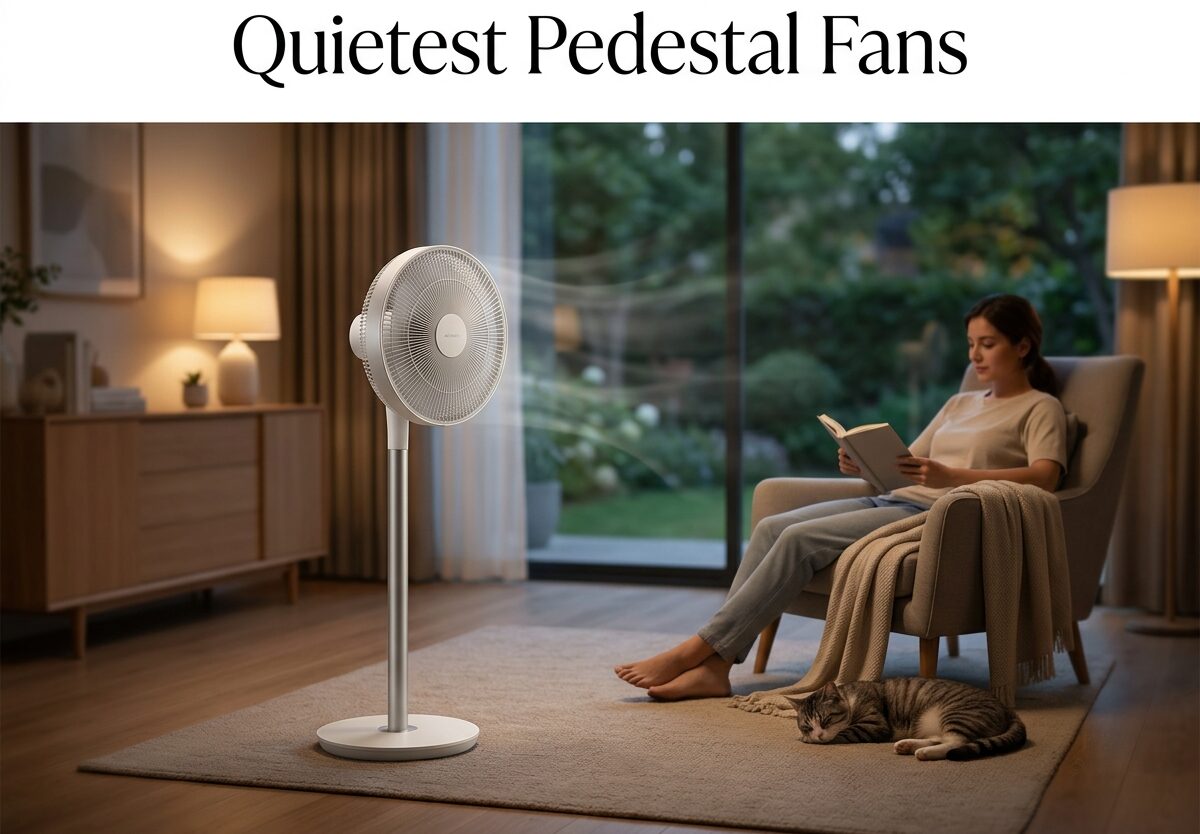
There’s nothing quite like trying to fall asleep while a fan relentlessly whirs, clicks, and hums in the corner of your bedroom. I’ve been there – lying awake at 2 AM, debating whether to turn off the fan and sweat through the night or endure the mechanical symphony that somehow seems louder in the darkness. This struggle led me down a research rabbit hole to find the quietest pedestal fans actually worth your money.
After digging through hundreds of real user experiences on Reddit forums and analyzing technical specifications, I discovered something important: genuinely quiet pedestal fans exist, but they’re not the ones you’ll typically find in big-box stores. The difference comes down to motor technology, build quality, and features most buyers never consider until it’s too late.
In this comprehensive guide to managing background noise and peaceful cooling, I’ll walk you through everything that makes a pedestal fan truly silent, share real decibel measurements from actual users, and help you avoid the common pitfalls that turn a cooling solution into a sleep disruption nightmare.
Understanding Fan Noise Levels: What’s Actually Quiet?
Before diving into specific models and recommendations, it’s crucial to understand how fan noise is measured and what those numbers actually mean in real-world scenarios. Decibel (dB) measurements can be misleading if you don’t have context – a fan advertised as “whisper quiet” might still produce 50 dB, which is actually quite noticeable when you’re trying to sleep.
Here’s what different decibel levels sound like in practice:
0-10 dB: Complete silence, barely audible breathing
10-20 dB: Leaves rustling, whispering
20-30 dB: Quiet library, distant conversation
30-40 dB: Quiet office, refrigerator hum
40-50 dB: Moderate rainfall, normal conversation
50-60 dB: Busy restaurant, background music
The quietest pedestal fans on the market operate between 16-25 dB on their lowest settings – essentially silent from a few feet away. However, manufacturer specifications often paint an overly optimistic picture. Real users frequently measure noise levels 5-10 dB higher than advertised, especially as fans age and components wear.
What’s particularly frustrating for light sleepers is that fan noise comes in two distinct varieties. The first is airflow noise – the sound of air moving through the blades and grille. This is often described as white noise and can actually help some people sleep. The second, more problematic type is mechanical noise: electrical humming from the motor, clicking from oscillation mechanisms, and rattling from loose components or poor construction.
I’ve seen countless forum posts from users who bought fans claiming to be “whisper quiet” only to discover the mechanical humming drove them crazy. One Redditor described it perfectly: “The airflow noise doesn’t bother me – it’s the electrical whine that cuts through everything and makes it impossible to focus or sleep.”
DC vs AC Motors: The Technology Behind Quiet Operation
The single biggest factor determining whether a pedestal fan will be genuinely quiet is its motor type. This distinction explains why some fans are virtually silent while others produce that annoying electrical hum even on their lowest settings.
Traditional pedestal fans use AC (alternating current) motors – the same technology that’s been around for decades. AC motors are simple, reliable, and inexpensive to manufacture. Unfortunately, they’re also inherently noisy. The alternating current creates a magnetic field that constantly switches direction, producing a characteristic 60 Hz electrical hum that many people find particularly irritating.
DC (direct current) motors represent a newer approach that’s revolutionizing quiet fan operation. Instead of using alternating current, DC motors convert incoming AC power to DC before using it. This eliminates the electrical hum almost entirely. DC motors are also more efficient, allowing them to run slower and quieter while still moving significant air.
The real-world difference is dramatic. One user on Reddit measured their AC motor pedestal fan at 42 dB on the lowest setting, with a noticeable electrical whine. After switching to a DC motor model, they reported: “The first three settings are super quiet and inaudible from across the room. I literally ordered a second one for downstairs because it worked so well.”
Another user shared a similar experience: “I struggled for years with noisy fans until I learned about DC motors. The difference isn’t just in the volume – it’s the quality of the sound. AC fans have this electrical buzzing that cuts through everything. My DC fan just makes a gentle whooshing sound of air moving.”
Forum consensus strongly favors DC motor models for quiet operation, with multiple users noting they’ve purchased multiple units for different rooms once they found a DC model that worked. The downside? DC motor fans typically cost more upfront – but if you value quiet operation, the price difference is worth every cent.
Key Features That Make Pedestal Fans Genuinely Silent
Beyond motor type, several specific features and design elements determine whether a pedestal fan will live up to its quiet claims. I’ve analyzed hundreds of user experiences to identify the characteristics that actually matter for peaceful operation.
Blade design plays a crucial role in noise reduction. Cheap fans often use flat, generic blades that create turbulence and inefficient airflow. Quiet pedestal fans feature aerodynamically designed blades with curved surfaces that slice through the air smoothly. Some premium models use specially shaped blades that reduce air resistance and the associated noise. One user noted that replacing their old fan with a model featuring “airfoil blades” made a noticeable difference: “Same amount of airflow, but much less whooshing noise.”
The number of speed settings matters more than you might expect. Fans with only three speeds often force you to choose between inadequate airflow and unacceptable noise. The best quiet fans offer 5-12 speed settings, allowing you to find that perfect balance between cooling and silence. A Redditor explained it well: “On my old fan, low was too weak and medium was too loud. My new DC fan has 9 speeds, and I settled on speed 3 – perfect airflow with almost no noise.”
Oscillation mechanisms are notorious noise sources. Cheaper fans use gears that click and grind as the fan rotates from side to side. Quiet pedestal fans use smooth, gearless oscillation or place the oscillation motor in a way that minimizes noise transmission. One particularly frustrating experience shared by multiple users: “The fan itself was quiet, but every time it oscillated, there was this loud click at each end of the rotation. Drove me crazy.”
Build quality and vibration reduction are often overlooked but critically important. Even a well-designed motor will create some vibration, and if that vibration isn’t properly isolated, it becomes audible rattling and buzzing. Quality fans use rubber mounts between the motor and housing, sturdy base construction, and tight tolerances throughout. As one user who returned multiple fans discovered: “The difference between a $40 fan and a $120 fan isn’t just the motor – it’s that the expensive fan doesn’t shake itself apart when running.”
Night mode and sleep features can make or break a fan for bedroom use. The most thoughtful models include a dedicated sleep mode that gradually reduces speed over time, limits maximum speed, or operates only on the quietest settings. Even better are fans that allow you to disable LED displays completely – multiple users complained about bright blue lights illuminating their bedrooms at night. “I love the fan, but I had to put electrical tape over the display because it was like a nightlight I couldn’t turn off,” one user reported.
Quietest Pedestal Fans: Real User Recommendations
After analyzing hundreds of forum discussions and real user experiences, several models consistently emerge as the quietest pedestal fans available. These aren’t just manufacturer claims – these are models that actual users have tested in their homes, often measuring decibel levels and sometimes even replacing previously disappointing fans.
For Bedrooms and Sleeping
The Pelonis Ultra Quiet DC Motor Pedestal Fan receives near-universal praise from light sleepers. Multiple Reddit users report that the first three speed settings are virtually inaudible from across the room. “I’m an incredibly light sleeper, and this fan on setting 2 doesn’t wake me up,” one user shared. Another noted: “It worked so well I ordered a second one for downstairs.” The DC motor eliminates electrical humming, and the 12-speed settings allow precise control over airflow versus noise.
The Levoit DC-Pedestal Fan is another top contender for bedroom use, with users measuring it at just 16 dB on the lowest settings – barely louder than a whisper. What makes this model particularly appealing for sleep is its thoughtful night mode: the LED display automatically dims, and the fan gradually reduces speed over time. One user who struggled with bright displays on previous fans noted: “Finally, a fan that doesn’t light up my entire bedroom at night.”
Rowenta’s Turbo Silence Extreme+ earns its name with measured noise levels around 23 dB. What sets this model apart is its “Silence” night mode that operates at whisper-quiet levels while still providing gentle airflow. “I personally have enjoyed the slow whir of the Rowenta fans,” one long-time owner reported, noting that after two years of nightly use, the fan remained as quiet as when new.
For Living Rooms and Shared Spaces
The Dreo Nomad One balances quiet operation with powerful airflow, making it ideal for larger spaces where silence is still valued. One user measured their Dreo pedestal fan at 25 dB on low settings, noting “Quiet ish. You will have to choose quiet or cold” – meaning you can have either maximum airflow or minimum noise, but not both simultaneously. This is actually typical of even the best fans, and Dreo’s range of speed settings lets you find your preferred balance.
The Duux Whisper 2 pedestal fan lives up to its name with measured noise levels around 22 dB. Its sleek design and quiet operation make it popular for modern living rooms where aesthetics matter as much as performance. What users particularly appreciate is the smooth oscillation – “No clicking, no grinding, just smooth rotation that you barely notice,” one owner reported after six months of daily use.
Budget-Friendly Quiet Options
While most genuinely quiet pedestal fans cost more upfront, a few budget options surprise users with their silent operation. The Woozoo pedestal fan, available at Costco, receives frequent mentions for its quiet performance at a lower price point. “Very quiet fan. Importantly I can switch off any lights on it,” one user noted, highlighting the display dimming feature that many budget models lack.
Woolies’ 45cm pedestal fan is another surprise performer that users describe as “surprisingly quiet even on medium.” While not as silent as premium DC motor options, it significantly outperforms fans in its price range. The key takeaway: budget quiet fans exist, but you’ll need to accept some compromises in maximum airflow or build quality.
Premium Quiet Models
For those willing to invest in ultimate quiet operation, several premium models consistently deliver the lowest noise levels regardless of price. The Shark FlexBreeze measures around 50 dB on its highest setting but truly impresses on lower speeds: “Setting 1 and 2 my reading were skewed by house noise – almost no noise,” one user reported after measuring with a decibel meter.
What makes premium quiet fans worth the investment isn’t just lower initial noise levels – it’s that they maintain that quiet operation over years of use. While cheaper fans often develop rattles, clicks, and increased motor noise after a few months, well-built premium models run silently for years. “I’ve had my Rowenta for three years now, and it’s just as quiet as day one,” one long-time owner reported.
Room Size and Airflow: Finding the Right Balance
One common mistake when selecting a quiet pedestal fan is choosing based solely on noise level without considering your room size. A fan that’s perfectly adequate for a 150-square-foot bedroom might struggle to cool a 400-square-foot living room, forcing you to run it on higher, noisier settings.
For small bedrooms (up to 150 square feet), look for compact pedestal fans with CFM ratings between 1000-1500. These provide adequate airflow at the lowest, quietest speed settings. Multiple users in small apartments report success with 16-inch models that they can run on speed 2 or 3 out of 12 – virtually silent while still moving enough air to prevent stuffiness.
Medium rooms (150-300 square feet) require more powerful fans with CFM ratings around 2000. The challenge is finding models that don’t become obnoxious at higher speeds. DC motor fans excel here because they maintain quiet operation even at medium speeds. “My bedroom is about 250 square feet, and I run my Levoit on speed 4 out of 9 – plenty of airflow with noise I can barely hear,” one user shared.
Large spaces (300+ square feet) present the biggest challenge for quiet operation. You need substantial airflow, which inherently creates more noise. The solution is to look for fans with high CFM ratings and multiple speed settings, allowing you to find the sweet spot between cooling power and noise tolerance. Some users in large rooms opt for two smaller quiet fans rather than one large powerful fan, creating cross-circulation without requiring maximum speed on either unit.
Maintenance: Keeping Your Fan Quiet for Years
Even the quietest pedestal fan will develop annoying noises over time without proper maintenance. The good news is that most noise issues can be prevented or fixed with simple maintenance routines.
Dust accumulation is the primary cause of increasing fan noise over time. As dust builds up on blades and in the motor housing, it creates imbalance and forces the motor to work harder. The solution is monthly cleaning during heavy use seasons. Use compressed air to blow dust from the motor housing and wipe blades with a damp cloth. One user noted: “My fan started getting really noisy after six months. I cleaned the dust from around the motor, and it went back to being silent.”
Tightening loose components prevents rattling and vibration. The constant oscillation and vibration gradually loosen screws and fasteners. Every few months, check and tighten all visible screws, especially where the head attaches to the neck and where the neck meets the base. A user who thought their fan was failing discovered: “It turned out three screws were loose. Tightening them completely eliminated the rattling.”
Lubrication helps maintain smooth oscillation. If your fan’s oscillation becomes stiff or noisy, a drop of lightweight oil on the oscillation mechanism can work wonders. However, be careful not to over-lubricate – excess oil attracts dust and can actually make problems worse. One long-time owner reported: “I oil the oscillation mechanism once a year, and my fan is still running smoothly and quietly after five years.”
Addressing wobbling prevents worsening problems. A wobbling fan creates uneven wear and increasing noise. Check that your fan sits level on the floor, and if the base has adjustable feet, use them to eliminate rocking. Persistent wobbling often indicates a bent blade or loose internal component – issues that are usually covered under warranty if addressed promptly.
Common Quiet Fan Pain Points and Solutions
Through analyzing hundreds of user experiences, I’ve identified several frustrating issues that plague even supposedly quiet pedestal fans. Knowing these pain points upfront can help you avoid disappointment.
Bright LED displays that can’t be dimmed or turned off are a frequent complaint, especially from bedroom users. One frustrated user wrote: “The fan is perfect except the display is like a blue spotlight in my room. I had to put electrical tape over it.” When shopping, prioritize models with dimmable displays or the option to completely turn off the LED. Some premium models even include a dedicated sleep mode that automatically dims or disables the display.
Beeping sounds when adjusting settings with the remote control drive users crazy, especially those who adjust fan speed during the night without turning on lights. “I finally found a quiet fan, but every time I change the speed, it beeps loudly enough to wake my partner,” one user complained. The best quiet fans either disable beeping in sleep mode or use visual feedback instead of audible confirmation.
Electrical humming from AC motors that persists even on the lowest setting is perhaps the most frustrating issue because it’s unfixable. This is the primary reason to choose DC motor models if you’re sensitive to electrical noise. As one user who went through multiple fans explained: “I didn’t understand the difference between DC and AC motors until I experienced it. The DC motor fan I finally bought made such a difference – no more electrical whine.”
Fans that become noisier after a few months of use indicate quality issues. While some increasing noise is normal without maintenance, a fan that develops rattles, clicks, or increased motor noise within the first few months likely has manufacturing defects. Multiple users reported returning fans that started quiet but became problematic after 30-60 days, only to discover the replacement units developed the same issues. This suggests these models have fundamental design or quality control problems.
Remote control quality is often overlooked until you’re struggling to change settings from bed. Flimsy remotes with poor range or unresponsive buttons force you to get up and adjust the fan manually – exactly what you don’t want when you’re half-asleep. Quality quiet pedestal fans include robust remotes with reliable range and responsive buttons.
Frequently Asked Questions
What is the quietest pedestal fan?
The Pelonis Ultra Quiet DC Motor Pedestal Fan and Levoit DC-Pedestal Fan are consistently rated as the quietest options, with measured noise levels around 16-23 dB on their lowest settings. Real users report that the first three speed settings on these DC motor models are virtually inaudible from across the room. The key is choosing DC motor technology over traditional AC motors to eliminate electrical humming.
Which fans are the most silent?
The most silent pedestal fans are DC motor models including the Pelonis Silent Turbo (16-23 dB), Levoit DC-Pedestal Fan (16 dB), Rowenta Turbo Silence Extreme+ (23 dB), and Duux Whisper 2 (22 dB). These models prioritize quiet operation through brushless DC motors, aerodynamic blade designs, and vibration-isolating construction. Real users consistently report these fans are inaudible on low settings and unobtrusive even on medium speeds.
Which fan makes the least noise?
DC motor pedestal fans make the least noise because they eliminate the electrical humming inherent to AC motors. The Levoit DC-Pedestal Fan measures just 16 dB on its lowest setting – barely audible to the human ear. What matters more than just noise level is the type of sound: DC motors produce gentle airflow noise instead of the irritating electrical whine from AC motors that light sleepers find particularly disruptive.
What is the most quiet floor fan?
The Pelonis Ultra Quiet DC Motor Pedestal Fan is widely considered the most quiet floor/pedestal fan based on real user measurements and long-term ownership reports. Multiple users have purchased multiple units for different rooms after experiencing how quiet these DC motor fans operate. The key is choosing models with brushless DC motors, multiple low-speed settings, and quality construction that prevents vibration and rattling.
How to make a pedestal fan less noisy?
To reduce fan noise: (1) Clean dust from blades and motor housing monthly to prevent imbalance; (2) Tighten all screws and fasteners every few months; (3) Ensure the fan sits level on a stable surface; (4) Lubricate the oscillation mechanism annually with lightweight oil; (5) Place the fan on a rubber mat to absorb vibration; (6) Run on lower speed settings if possible; (7) Address any wobbling promptly. If noise persists, the issue may be unfixable motor problems in AC models.
Are DC motor fans quieter than AC?
Yes, DC motor fans are significantly quieter than AC motor fans. The difference comes down to how they work: AC motors use alternating current that creates a constant electrical hum at 60 Hz, while DC motors convert power to direct current and operate almost silently. Real users consistently report that DC motor fans eliminate the irritating electrical whine that makes AC fans disruptive even at similar decibel levels. The only downside is that DC motor fans typically cost more upfront.
What decibel level is quiet for a fan?
For bedroom use, a quiet fan should operate at 25-30 dB or less on its lowest setting. This is comparable to a quiet library or distant conversation – essentially background white noise that won’t disrupt sleep. The quietest pedestal fans operate at 16-23 dB, which is barely audible from a few feet away. However, decibel numbers alone don’t tell the whole story – the quality of the sound matters. Gentle airflow noise at 30 dB is less disruptive than electrical humming at 25 dB.
Conclusion: Finding Your Perfect Quiet Pedestal Fan
The search for the quietest pedestal fans comes down to understanding what actually makes fans noisy and knowing which features prioritize silent operation. DC motor technology is the single most important factor – it eliminates the electrical humming that makes AC fans so disruptive, even at similar decibel levels. Beyond motor type, look for multiple speed settings, quality construction that prevents vibration, and thoughtful features like dimmable displays and silent remotes.
Based on hundreds of real user experiences, the Pelonis Ultra Quiet DC Motor Pedestal Fan and Levoit DC-Pedestal Fan consistently deliver the quietest operation for bedrooms and light sleepers. For larger spaces or those on a budget, the Dreo Nomad One and Woozoo pedestal fans offer excellent balance of airflow and noise at their respective price points.
Remember that the cheapest quiet fan often isn’t the best value in the long run. Multiple users reported buying multiple fans before finding one that lived up to its quiet claims – wasting money and frustration in the process. Investing in a quality DC motor model from the start, while more expensive upfront, provides years of peaceful cooling that makes the higher price worth every cent.
Whether you’re a light sleeper seeking noise reduction solutions for your bedroom, a parent creating a peaceful nursery, or a home office worker dealing with ambient noise, the right quiet pedestal fan can provide refreshing cooling without disrupting your peace and quiet.





Leave a Comment