
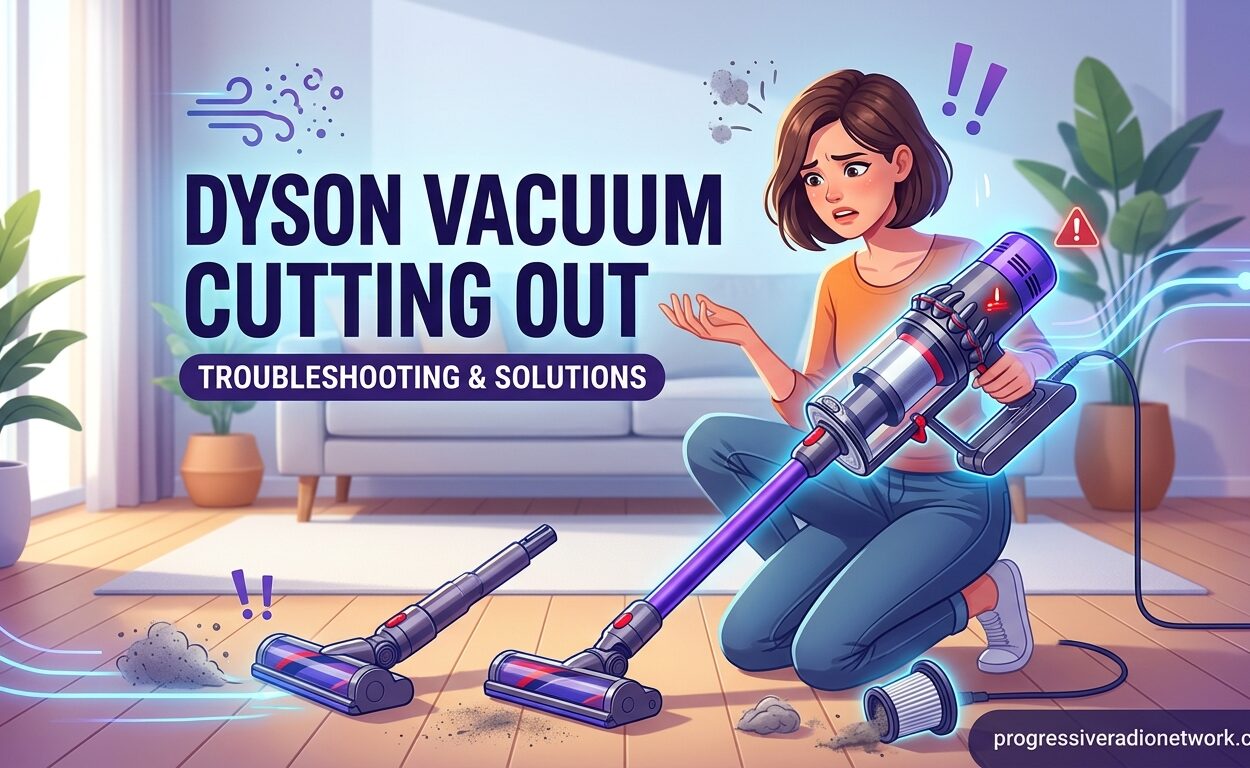
Your Dyson vacuum was working fine, then suddenly it just shuts off. Maybe it happens after 30 seconds, maybe after a few minutes. You press the trigger again, it starts up, then dies again. This frustrating issue affects thousands of Dyson owners across all cordless models, from the V7 through the latest V15.
I’ve researched hundreds of user reports from Dyson communities, repair forums, and official support channels. The cutting out problem almost always stems from one of five specific causes. The good news is that most fixes take less than 10 minutes and cost nothing.
This guide walks you through every potential cause, with step-by-step solutions that real Dyson owners have used to get their vacuums running again. Whether you’re dealing with a V7, V8, V10, or V11, these troubleshooting steps apply to your specific model.
Why Does My Dyson Vacuum Keep Cutting Out?
Dyson vacuums cut out due to five main causes: blocked airflow, dirty filters, battery degradation, overheating in Max mode, or faulty trigger contacts. The vacuum’s protection circuit shuts down the motor when it detects excessive power draw or overheating to prevent permanent damage.
Here are the five causes ranked from most common to least common:
1. Blocked Airflow (70% of cases) – Dust, hair, or debris blocking the wand, hose, or brush bar causes the motor to work harder and draw more power. The protection circuit detects this increased load and shuts off the vacuum.
2. Dirty or Clogged Filter (15% of cases) – A clogged filter restricts airflow, causing the same power draw issue as a physical blockage. Dyson recommends washing filters monthly, but most owners go much longer between cleanings.
3. Battery Degradation (8% of cases) – Lithium-ion batteries lose capacity over 2-3 years of regular use. An aging battery can’t supply consistent voltage, triggering the protection circuit to shut down unexpectedly.
4. Max Mode Overheating (5% of cases) – Max and Boost modes draw maximum power. Using these modes for extended periods causes overheating, especially in older models with worn thermal paste.
5. Trigger Button or Contact Issues (2% of cases) – The trigger mechanism can develop corroded contacts where the battery connects. This interrupts power delivery and causes intermittent shutdowns.
Blocked Airflow: The #1 Cause
Blocked airflow is by far the most common reason your Dyson keeps cutting out. I’ve seen countless forum posts where users spent money on new batteries only to discover a simple blockage was the culprit all along.
Your Dyson has multiple points where blockages can occur. The motor protection circuit monitors power draw constantly. When airflow is restricted, the motor works harder and pulls more amps. Once this exceeds safe limits, the vacuum cuts out within seconds.
Check these locations in order:
1. The Brush Bar – Turn your vacuum over and look at the rotating brush. Hair wrapped tightly around the ends is the most common blockage point. Use scissors to cut through wrapped hair, then pull it free with needle-nose pliers. Pay special attention to the bearings at each end of the brush bar.
2. The Wand and Hose – Detach the wand from the main body. Look through both ends for obstructions. A common culprit is a large debris chunk stuck halfway through. Push it through with a broom handle or coat hanger (be gentle not to damage the interior).
3. The Bin Inlet – Remove the dust bin and look at the entry point where debris enters. Large items can get wedged here. Clear any obstruction with your fingers or a soft brush.
4. The Cyclone Assembly – On some models, debris can get stuck in the cyclone cones above the bin. Shine a flashlight into the cyclone openings and look for blockages. This requires more disassembly but is sometimes necessary.
One iFixit user discovered that hair wrapped around their brush bar was causing cutouts despite the brush appearing clean at first glance. After cutting away the hair, their V6 worked perfectly again.
Filter Problems and How to Fix Them
Dyson filters are designed to be washable, but they need regular attention. A clogged filter causes the same symptoms as a blockage because it restricts airflow through the motor.
Your Dyson has either one or two filters depending on the model. V7 and earlier have a single filter located behind the dust bin. V8 and newer typically have two filters – one pre-motor filter behind the bin and one post-motor filter near the exhaust.
Here’s the proper cleaning method:
Remove the filter(s) according to your model’s design. Rinse under cold water only – no soap, no hot water. Squeeze gently to remove dirt, but don’t wring or twist the filter material. Continue rinsing until the water runs clear.
Shake off excess water and let the filter air dry for at least 24 hours. Do not use heat to speed drying – this can damage the filter material. I recommend having a spare filter so you can keep using your vacuum while one dries.
How often should you clean your Dyson filter? Dyson officially recommends monthly cleaning. Realistically, every 2-3 months works for most users. If you have pets or vacuum daily, clean monthly. If you vacuum occasionally, every 3-4 months is fine.
A filter that has developed holes, tears, or won’t come clean after washing needs replacement. Genuine Dyson filters cost $15-25, while third-party options run $10-15.
Battery Issues and the Protection Circuit
This is where things get technical. Your Dyson’s battery management system constantly monitors voltage and current. When battery voltage drops below a threshold under load, the protection circuit cuts power to prevent damage.
Here’s why this matters: as lithium-ion batteries age, their internal resistance increases. This means voltage drops more dramatically when the motor draws power. A fresh battery might maintain 22V under load, but an aged battery could drop to 18V – triggering the protection circuit.
The age of your battery matters. Most Dyson batteries show noticeable degradation after 2-3 years of regular use. If your vacuum is older and cuts out immediately on Max mode but runs longer in standard mode, battery aging is likely the cause.
The famous “10-second recharge trick” provides a clue. If your vacuum cuts out, you plug it in for just 10 seconds, and it runs again briefly, this indicates the battery can’t maintain voltage under load. That brief recharge provides a surface voltage boost that quickly drops again.
Another battery-related issue: corroded contacts. Over time, the metal contacts where the battery connects to the main body can develop oxidation. This increases resistance and causes voltage drops. Several iFixit users fixed cutting out issues simply by cleaning these contacts with fine sandpaper.
To test your battery: charge it fully, then run your vacuum on standard mode (not Max). Time how long it runs. If it’s less than 10 minutes on a cordless model, the battery needs replacement. If you’re looking for alternative cordless vacuum cleaners with better battery life, our guide covers top-rated options. Genuine Dyson batteries cost $70-100, while third-party options run $40-60.
Max Mode Overheating Problems
Max mode draws maximum power from your Dyson’s battery and motor. This creates more heat and triggers thermal protection faster than standard mode. If your vacuum cuts out only when using Max mode but runs fine otherwise, overheating is the cause.
Dyson’s Max and Boost modes are designed for short bursts – typically 5-10 minutes at most. The motor generates significant heat at maximum power, and the thermal protection system shuts things down before damage occurs.
The thermal paste between the motor and heat sink can dry out over 3+ years of use. This reduces heat transfer and causes faster overheating. This is most common in V7 and V8 models that have seen heavy use.
Try this test: run your vacuum in standard mode for 15 minutes. Does it cut out? If not, run it in Max mode and time how long before it shuts off. If Max mode causes cutouts within 5 minutes but standard mode runs indefinitely, you’ve confirmed thermal protection is the issue.
The solution is simple: use Max mode sparingly. Reserve it for deep cleaning sessions where you need maximum suction for short periods. For everyday cleaning, standard mode provides plenty of power while avoiding thermal shutdown.
Trigger Button and Contact Issues
The least common but most frustrating cause of cutting out is a failing trigger mechanism. The trigger button on your Dyson handles thousands of presses over its lifetime. Eventually, the internal contacts can wear out or corrode.
Symptoms of trigger issues include: the vacuum only runs when you press the trigger at a specific angle, intermittent cutouts that don’t seem related to battery level, or the vacuum starting and stopping rapidly when you hold the trigger steady.
A related issue involves the battery contacts. The metal spring contacts inside the battery compartment can become compressed or corroded over time. This prevents proper electrical connection even with a fully charged battery.
The sandpaper fix from iFixit: remove the battery and locate the gold-colored metal contacts inside the vacuum’s battery compartment. Gently rub them with fine-grit sandpaper (600+ grit) to remove oxidation. This restores proper electrical contact and has fixed cutting out issues for many users.
If trigger replacement is necessary, parts cost $20-40 and the repair takes about 30 minutes. YouTube has excellent tutorials for trigger replacement on every Dyson model. If you’re not comfortable with disassembly, this is a repair worth paying a professional to handle.
Model-Specific Issues (V7, V8, V10, V11)
Different Dyson models have their own quirks when it comes to cutting out issues. Understanding your specific model’s common problems can speed up diagnosis.
V7 Models – The V7 is prone to battery contact issues. The battery design leaves slightly more room for movement, which can cause intermittent connections. Try cleaning the battery contacts first before replacing the battery.
V8 Models – V8s are known for filter access issues. The filter door mechanism can become clogged with debris, preventing proper filter seating. Remove the filter and clean the filter compartment thoroughly with a soft brush.
V10 Models – Reddit reports indicate V10s are more likely to experience main body circuit board issues. If you’ve tried all other fixes without success, the problem may be internal electronics rather than battery or blockage.
V11 Models – V11s have a sophisticated power management system that can sometimes be overly sensitive. Try a full reset: remove the battery, hold the trigger for 30 seconds, reinsert the battery, and charge fully. This recalibrates the power management system.
If you’re considering upgrading to a newer model, check out our guide on Dyson vacuum models to compare features across different generations. For additional Dyson vacuum recommendations, our comprehensive review covers the latest options.
Step-by-Step Troubleshooting Guide
Follow this diagnostic order to identify your specific issue quickly. Each step takes 5 minutes or less, and most users find their problem within the first three steps.
Step 1: The 60-Second Blockage Check (5 minutes) – Remove the dust bin, detach the wand, and inspect the brush bar. Clear any visible obstructions. Test the vacuum. If it still cuts out, proceed to Step 2.
Step 2: The Filter Test (30 minutes) – Remove and inspect your filter(s). If they’re discolored or clogged, wash them according to Dyson’s instructions. Let dry 24 hours or use a spare filter. Test with clean filter. If cutting out persists, go to Step 3.
Step 3: The Max Mode Test (10 minutes) – Run vacuum in standard mode for 5 minutes. Then switch to Max mode. If it cuts out quickly in Max but not standard, you have a thermal or battery capacity issue. If it cuts out in both modes equally, proceed to Step 4.
Step 4: The Battery Contact Clean (5 minutes) – Remove battery and inspect contacts. Clean with fine sandpaper if corroded. Reinstall battery firmly. Test again. If no improvement, proceed to Step 5.
Step 5: The Battery Swap Test (requires spare battery) – If you have access to another Dyson with the same battery, try swapping batteries. If your vacuum works with a different battery, your battery needs replacement. If cutting out persists with a known-good battery, the issue is in the main body or motor.
Step 6: Professional Assessment – If you’ve worked through all five steps without resolution, the issue likely involves internal electronics or motor failure. Contact Dyson support at 1-866-693-9766 or visit a Dyson service center. Repairs typically cost $80-150 depending on the issue.
When to Repair vs Replace
Your decision should be based on vacuum age, repair cost, and which component has failed. Here’s a simple framework:
Repair if: Your vacuum is less than 3 years old, the issue is a simple fix (filter, blockage, contacts), or repair cost is less than $100.
Replace if: Your vacuum is 5+ years old, the motor has failed, or repair cost exceeds $150. A new Dyson V8 costs around $350 and comes with a fresh battery and 2-year warranty.
Dyson vacuums typically last 7-10 years with proper filter maintenance and battery replacement. If you’re on your second battery and the motor is failing, replacement makes more economic sense than repair.
FAQ
What is the average lifespan of a Dyson?
Dyson vacuums typically last 7-10 years with proper maintenance. Cordless models need battery replacement every 2-3 years, which costs $70-100. The motor itself can run for a decade or more if filters are cleaned regularly. Many V6 and V7 models from 2015 are still in daily use with original motors and replacement batteries.
What is the common problem with Dyson vacuums?
The most common Dyson vacuum problem is cutting out due to blocked airflow. This accounts for approximately 70% of shutdown issues. The motor protection circuit detects excessive power draw from blockages in the brush bar, wand, or hose, then shuts off to prevent damage. Simple clearing of obstructions typically resolves the issue.
How do I know if my Dyson motor is burnt out?
A burnt-out Dyson motor shows these symptoms: complete failure to start even with a charged battery, burning smell when attempting to run, or unusual grinding noises before shutdown. If your vacuum starts briefly then cuts out immediately, this is likely NOT a motor issue but rather battery or protection circuit activation. Motor failure is relatively rare and usually requires professional replacement.
Why does my Dyson stop working after a few minutes?
Your Dyson stops after a few minutes due to thermal protection or battery voltage drop. Max mode causes overheating within 5-10 minutes on most models. If it cuts out in standard mode, the battery likely can’t maintain voltage under load due to age or degradation. The protection circuit prevents damage by shutting down before voltage drops to damaging levels.
Why does my Dyson keep cutting out on max mode?
Max mode draws maximum power and generates significant heat. The thermal protection system shuts down the motor when temperatures exceed safe limits, typically after 5-10 minutes of continuous Max mode use. This is normal behavior. Max mode is designed for short bursts of power, not extended cleaning sessions. Use standard mode for regular vacuuming to avoid thermal shutdown.
How often should I clean my Dyson filter?
Dyson officially recommends monthly filter cleaning. Realistically, every 2-3 months works for most users. Clean monthly if you have pets or vacuum daily. Every 3-4 months is sufficient for light use. Always wash with cold water only, no soap, and air dry for 24 hours before reinstalling. Consider buying a spare filter to use while one dries.
Conclusion
The cutting out issue is frustrating but almost always fixable. Start with the blockage check and filter cleaning – these solve 70% of cases. If your vacuum is older and you’ve tried everything, a new battery might be all you need.
If your Dyson is beyond repair or you’re ready for an upgrade, check out our guide to the best upright vacuum cleaners for alternatives. Sometimes switching to a different vacuum type makes more sense than replacing an aging cordless model.
For most Dyson owners, regular filter maintenance and prompt blockage clearing prevent cutting out issues entirely. Set a calendar reminder for filter cleaning every two months, and your Dyson should provide years of reliable service.


Leave a Comment