
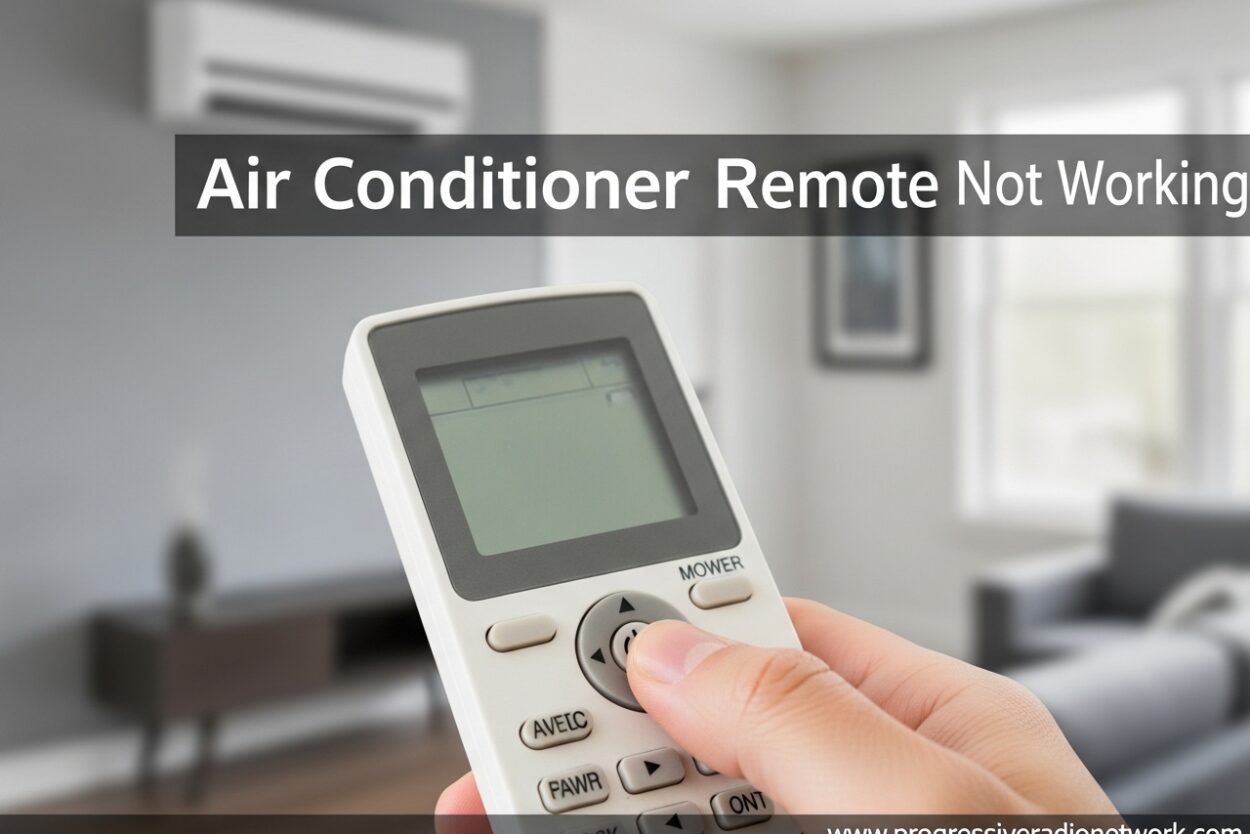
You point your AC remote at the unit, press the button, and nothing happens. The frustration is real, especially when temperatures are soaring outside. An air conditioner remote not working is one of the most common HVAC issues homeowners face, but the good news is that most problems have simple fixes you can handle yourself.
I’ve spent years troubleshooting HVAC systems, and I’ve found that 80% of remote issues stem from three basic causes: dead batteries, blocked sensors, or signal interference. This guide will walk you through every diagnostic step and solution, from the quickest fixes to more advanced troubleshooting methods.
By the end of this article, you’ll know exactly whether your remote needs a simple battery change, a thorough cleaning, or if it’s time to call in a professional. Let’s get your AC responding again.
Understanding How AC Remotes Work
Before diving into fixes, it helps to understand what’s happening when you press a button. AC remotes use infrared (IR) technology to communicate with your air conditioner. When you press any button, the remote sends an invisible light signal to a receiver on your AC unit.
This IR signal contains coded instructions telling the AC what to do: adjust temperature, change fan speed, switch modes, or set timers. The receiver on your indoor unit picks up this signal and relays it to the main control board, which executes the command.
The entire process happens in milliseconds, which is why your AC responds almost instantly. When this communication breaks down, you get an air conditioner remote not working situation. The problem can be on the sending end (remote), the receiving end (AC unit), or somewhere in between.
Quick Diagnosis: Remote or AC Unit Problem?
The first step in troubleshooting is figuring out whether your remote or your AC unit is the culprit. This simple test can save you hours of frustration and unnecessary part replacements.
Test Your Remote with a Smartphone Camera
This is the quickest way to check if your remote is sending signals. Your smartphone camera can detect infrared light that’s invisible to the naked eye.
Here’s how to do it:
Step 1: Open your smartphone camera app
Step 2: Point your AC remote at the camera lens (about 2-3 inches away)
Step 3: Press any button on the remote while looking at your phone screen
Step 4: Watch for a purple or pinkish light flashing from the remote’s LED
If you see the light flashing, your remote is working and sending signals. The problem is likely with your AC unit’s receiver or settings. If you see no light at all, your remote isn’t transmitting, and you’ll need to focus on remote-specific fixes.
Manual AC Unit Test
Most AC units have manual controls on the unit itself. Locate the control panel on your indoor unit and try operating the AC directly.
If the AC responds to manual controls but not the remote, you’ve confirmed the remote is the issue. If the AC doesn’t respond to either the remote or manual controls, the problem is with the unit itself, not the remote.
Air Conditioner Remote Not Working: Battery Issues
Dead or weak batteries are the number one cause of remote failure. I’ve seen countless cases where homeowners thought their remote was broken, only to find a simple battery swap solved everything.
Check Battery Power
Start by removing the batteries and inspecting them. Look for any signs of corrosion, leakage, or expiration dates that have passed. Even batteries that aren’t completely dead can be too weak to send a strong enough IR signal.
Replace the batteries with fresh ones, paying attention to the polarity markings. Most remotes use AAA batteries, but some use AA or even coin cell batteries. Use the correct type specified in your remote’s battery compartment.
Battery Corrosion Problems
If you see white or blue-green crusty deposits in the battery compartment, you have battery corrosion. This can eat through the metal contacts and prevent proper power flow.
Clean the contacts carefully using a cotton swab dipped in vinegar or lemon juice. Gently scrub the corrosion away, then wipe clean with a dry cloth. For severe corrosion, you may need to use a small piece of fine sandpaper to clean the metal contacts.
Try a Battery Reset
Sometimes the remote’s electronics just need a hard reset. Remove all batteries, press every button on the remote several times, then wait 5 minutes before reinserting fresh batteries.
This simple reset can clear any temporary glitches in the remote’s circuitry. I’ve seen this work in situations where the remote was completely unresponsive.
Cleaning the Remote Sensor
Your remote has an infrared LED (usually at the top) that sends signals to the AC. If this LED is dirty or blocked, the signal won’t transmit properly.
Inspect the top of your remote for the small LED bulb. It’s usually a dark reddish window. Clean it gently with a soft, slightly damp cloth. Avoid using harsh chemicals or excessive moisture, as this can damage the remote’s electronics.
For stubborn dirt or grime, use a cotton swab slightly dampened with rubbing alcohol. Gently clean around the LED opening, being careful not to push any debris further inside.
Check for Physical Damage
Look for cracks, loose parts, or signs that the remote has been dropped. Physical damage can dislodge internal components or break the connection between the buttons and the circuit board.
If you recently dropped your remote and it stopped working immediately, internal damage is likely. In this case, professional repair or replacement may be necessary.
Signal Obstruction and Interference
Even a perfectly working remote won’t communicate if something blocks or interferes with its IR signal. I’ve seen many cases where the remote works fine but environmental factors prevent proper communication.
Check Line of Sight
IR remotes require a direct line of sight to the AC unit’s receiver. Make sure nothing is blocking the path between your remote and the AC.
Common obstructions include furniture, curtains, plants, or even other electronics. The receiver on your AC unit is usually located on the bottom right or left of the indoor unit, often marked with a small icon that looks like waves.
LED Lighting Interference
This is a surprising but real issue. Some LED lights, especially older or lower-quality models, can emit infrared light that interferes with your remote’s signals.
If you recently installed new LED bulbs and started having remote issues, try turning off the lights temporarily. If the remote works with the lights off, you’ve found your culprit. Consider switching to different bulbs or repositioning your AC unit.
Distance and Angle Issues
IR remotes typically work within 15-25 feet, but this range decreases with weak batteries or bright ambient light. Try standing closer to the unit and pointing the remote directly at the receiver rather than at an angle.
How to Reset Your AC Remote
Sometimes your remote just needs a fresh start. Different brands have different reset procedures, but these general methods work for most models.
Basic Remote Reset
Step 1: Remove batteries from the remote
Step 2: Press and hold the power button for 30 seconds
Step 3: Release the button and wait 1 minute
Step 4: Reinsert fresh batteries
Step 5: Test the remote with your AC unit
This basic reset clears the remote’s memory and can resolve minor software glitches. I recommend this as a second step after battery replacement.
Brand-Specific Reset Procedures
Some brands require specific reset sequences:
Daikin remotes: Remove batteries, press the temperature down button while reinserting batteries, then release after 5 seconds.
Mitsubishi remotes: Hold the reset button (small hole on back) with a paperclip for 5 seconds while batteries are removed.
LG remotes: Remove batteries, press and hold both the temp up and temp down buttons simultaneously for 10 seconds.
Samsung remotes: Remove batteries, press the mode button 5 times quickly, then reinsert batteries.
Check your specific remote’s manual for exact reset instructions if these general methods don’t work.
AC Unit Reset Procedures
If your remote is working but the AC isn’t responding, the issue might be with your AC unit’s receiver or control board. A simple reset can often resolve these problems.
Power Reset Your AC Unit
Step 1: Turn off your AC unit using the main power switch or the unit’s control panel
Step 2: Locate your circuit breaker panel
Step 3: Find the breaker controlling your AC unit and flip it to the OFF position
Step 4: Wait at least 5 minutes (this allows the unit’s capacitors to fully discharge)
Step 5: Flip the breaker back to ON
Step 6: Turn the AC back on using the main power switch
Step 7: Wait 3 minutes for the unit to initialize
Step 8: Test your remote again
This power reset can clear temporary faults in the AC’s control system and restore proper communication with the remote.
Emergency Switch Reset
Some AC units have an emergency switch or reset button on the indoor unit. This is typically a small red button located behind a flip cover or near the power terminal.
Press this button once (don’t hold it) and wait 2 minutes before testing your remote again. This reset specifically targets the communication system between the remote and the unit.
Remote Works But AC Doesn’t Respond
If you’ve confirmed your remote is sending signals (using the camera test) but the AC still won’t respond, the issue is with your AC unit’s receiver system.
IR Receiver Problems
The IR receiver on your AC unit may be dirty, blocked, or malfunctioning. Locate the receiver (usually a small dark window on the unit) and clean it gently with a soft cloth.
Make sure the receiver isn’t blocked by anything. Some units have a small door or flap covering the receiver, so check that it’s fully open.
Control Board Issues
The receiver connects to your AC’s main control board, which processes the remote’s commands. If the control board has failed or has a loose connection, the remote won’t work even if it’s sending perfect signals.
Symptoms of control board issues include: the AC works with manual controls but not the remote, the unit displays error codes, or the receiver is physically damaged.
Control board problems typically require professional repair or replacement. This is not a DIY fix unless you have experience with HVAC electronics.
Control Board and Receiver Problems
When you’ve ruled out everything else, the issue may be a hardware failure in your AC unit’s control system. These problems are more serious and usually require professional attention.
Signs of Receiver Failure
A failed IR receiver won’t detect any signals from your remote. Even with fresh batteries and a working remote, nothing will happen when you point it at the unit.
Sometimes receivers fail partially, working only at very close range or at specific angles. If you need to be within 2 feet of the unit for the remote to work, your receiver is likely failing.
Main Control Board Failure
The main control board (PCB) is the brain of your AC unit. If it fails, the remote’s signals won’t be processed into actions. Other symptoms include the unit not responding to any controls, strange error codes, or complete failure to operate.
Control board replacement is a significant repair. I recommend getting a professional diagnosis to confirm the board is actually at fault before investing in replacement parts.
When to Call a Professional
If you’ve tried all the above fixes and your air conditioner remote still isn’t working, it’s time to call in a professional HVAC technician. Specifically, seek professional help if:
The AC unit displays error codes you can’t clear
The receiver on the unit appears physically damaged
The unit doesn’t respond to manual controls either
You suspect control board or major component failure
The unit is still under warranty (DIY repairs can void coverage)
Professional technicians have specialized diagnostic tools that can pinpoint exact problems with your remote system or AC unit. They can also safely handle electrical components that shouldn’t be serviced by untrained individuals.
Alternative Solutions When Remote Can’t Be Fixed
Sometimes a remote is beyond repair, or you need a temporary solution while waiting for repairs. Here are practical alternatives I’ve recommended to clients over the years.
Smartphone App Control
Many modern AC units are compatible with smartphone apps that replace remote functionality. Check if your AC brand has a dedicated app that connects via Wi-Fi.
Popular options include:
Brand apps: Daikin, Mitsubishi, LG, Samsung, and others offer apps that control their AC units
Universal apps: Apps like Sensibo, Tado, or Mysa work with multiple AC brands
IR blaster apps: If your phone has an IR blaster, you can download apps that turn it into a universal remote
Smartphone control often offers additional features like scheduling, energy monitoring, and remote access from anywhere.
Universal Remote Options
Universal AC remotes are widely available and can be programmed to work with almost any AC brand. These are especially useful if your original remote is lost or damaged beyond repair.
Look for a universal remote that lists your AC brand as compatible. Programming usually involves entering a code or using an auto-search function.
Manual Operation
Most AC units have manual controls on the indoor unit itself. While less convenient than remote operation, these controls allow you to use your AC while waiting for remote repair or replacement.
Familiarize yourself with your unit’s manual control panel. It typically includes basic functions like power, temperature adjustment, and mode selection.
Preventive Maintenance Tips
Once you’ve fixed your remote issues, a little preventive maintenance can prevent future problems. Here are habits I recommend to all my clients.
Use high-quality batteries and replace them annually, even if they still work
Keep the remote clean and store it in a designated spot when not in use
Avoid exposing the remote to extreme temperatures or direct sunlight
Clean the AC unit’s IR receiver during regular maintenance
Don’t mix old and new batteries in the remote
Remove batteries if you won’t be using the AC for extended periods
These simple habits can significantly extend your remote’s lifespan and prevent common issues before they start.
Frequently Asked Questions
Why is my AC not responding to remote control?
The most common reasons are dead batteries, blocked remote sensor, signal obstruction, or a faulty IR receiver on the AC unit. Start by replacing batteries and checking that nothing blocks the path between remote and AC. If these don’t work, test your remote with a smartphone camera to see if it’s sending signals.
How do I reset my AC remote?
Remove batteries, press and hold the power button for 30 seconds, wait 1 minute, then reinsert fresh batteries. For brand-specific resets, try removing batteries and pressing temperature down (Daikin), using a paperclip on the reset button (Mitsubishi), or holding temp up and down buttons (LG) while reinserting batteries.
Why is my remote not working even with new batteries?
If new batteries don’t fix the issue, check for battery corrosion on contacts, clean the remote’s IR LED, test the remote with a smartphone camera to confirm it sends signals, or try a hard reset by removing batteries and pressing all buttons. The issue may also be with the AC unit’s receiver rather than the remote itself.
How do I reset the AC control?
Turn off the AC unit, flip the circuit breaker to OFF, wait 5 minutes for capacitors to discharge, flip breaker back to ON, turn on the AC, wait 3 minutes for initialization, then test the remote. Some units also have an emergency reset button near the power terminal that can be pressed once to reset the communication system.
Can I use my phone as an AC remote?
Yes, many modern AC units support smartphone apps for control. Check if your AC brand offers a dedicated app, or consider universal apps like Sensibo or Tado. If your phone has an IR blaster, you can download IR blaster apps that work as universal remotes for most AC units.
How do I know if my remote sensor is broken?
Test your remote using a smartphone camera: point the remote at your phone’s camera and press buttons. If you see a purple light flashing on screen, the remote works and the problem is likely your AC’s receiver. If no light appears, your remote’s IR sensor or LED is broken and needs repair or replacement.
Conclusion
Dealing with an air conditioner remote not working is frustrating, but most issues have simple solutions you can handle yourself. Start with the basics: replace batteries, clean the remote sensor, check for signal obstructions, and try a reset. Use the smartphone camera test to quickly determine if your remote is actually sending signals.
If these steps don’t resolve the issue, you may be facing a more serious problem with your AC unit’s receiver or control board. That’s when it’s time to call in a professional HVAC technician who can properly diagnose and repair the issue.
Remember that preventive maintenance goes a long way. Use quality batteries, keep your remote clean, and address small issues before they become big problems. With proper care, your AC remote should provide reliable service for years to come.
Now that you have a complete troubleshooting guide, you can quickly identify and fix most remote issues yourself. Stay cool and comfortable, and don’t let a malfunctioning remote ruin your day.


Leave a Comment