
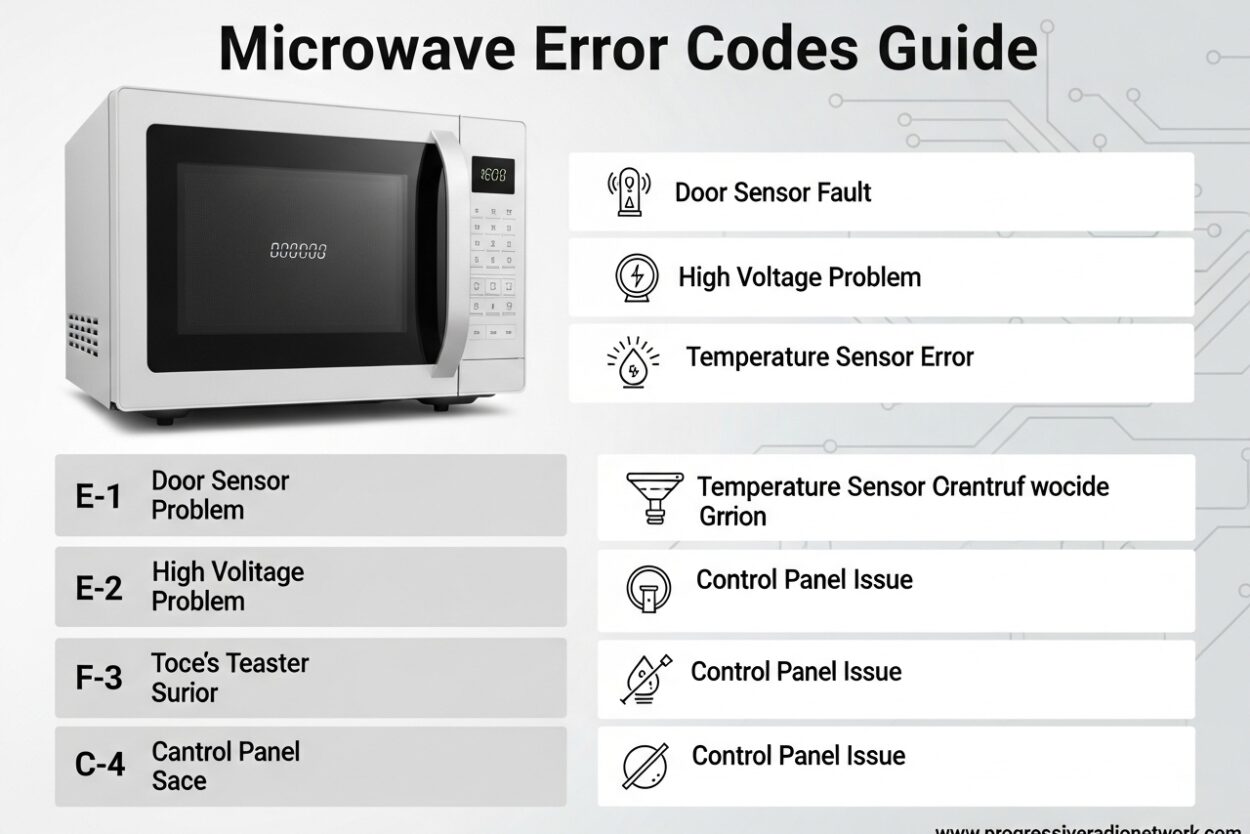
Your microwave just flashed a cryptic code and stopped working. That error message isn’t random – it’s your appliance’s built-in diagnostic system telling you exactly what went wrong. Microwave error codes appear when sensors detect problems ranging from simple door latch issues to serious component failures. Understanding these codes saves you time, money, and potentially prevents dangerous situations. After researching diagnostic patterns across major brands, I’ve compiled this comprehensive guide to help you decode what your microwave is trying to tell you.
What Are Microwave Error Codes?
Microwave error codes are alphanumeric messages displayed on your appliance’s control panel when the internal computer detects a malfunction. These codes connect to sensors throughout your microwave that monitor critical systems like the thermal sensor, humidity sensor, door latch mechanism, and power supply. When something falls outside normal operating parameters, the control board triggers a specific code to help identify the problem area quickly.
Modern microwaves use self-diagnostic technology that continuously checks for abnormalities. If the thermal sensor detects overheating or the door switch fails to engage properly, the system displays a corresponding error code. This diagnostic approach helps technicians pinpoint issues faster, but it also means homeowners can understand basic problems without immediately calling for service. Some errors require nothing more than a simple reset, while others indicate component failures needing professional repair.
Universal Microwave Error Codes
Certain error patterns appear across multiple microwave brands regardless of manufacturer. These universal microwave error codes typically indicate fundamental problems common to all microwave designs. The most frequent universal codes relate to power issues, door latch malfunctions, and sensor failures.
PF or Power Failure codes appear after electrical interruptions or when the microwave is first plugged in. This isn’t actually an error – it’s your microwave’s way of saying it experienced power loss and needs you to set the clock. Simply pressing clear or setting the time resolves this immediately. Door-related errors like F1, E-01, or DOOR indicate the microwave isn’t detecting that the door is properly closed or latched. Check for obstructions and ensure the door closes completely before attempting more complex troubleshooting.
Sensor errors typically display as SE, E-11, or F3 codes depending on brand. These messages indicate problems with the humidity sensor, thermal sensor, or temperature probe. Sometimes food debris accumulates on sensor components, causing false readings. Cleaning the interior thoroughly can resolve sensor errors in many cases. Universal error codes give you a starting point for diagnosis regardless of your microwave’s brand.
GE Microwave Error Codes
GE microwaves display specific fault codes that help identify issues within their particular systems. F1 through F9 are the most common GE microwave error codes, each corresponding to different component failures. The F1 code typically indicates a failed thermal sensor or thermistor, while F2 points to problems with the touch pad panel or membrane switch.
When your GE microwave shows F3, it usually means the humidity sensor has malfunctioned or needs cleaning. This sensor detects steam during cooking and adjusts heating time accordingly. F4 and F5 codes relate to temperature probe issues, often appearing when using the probe feature incorrectly or when the probe itself is damaged. The F6 code indicates a communication error between the control board and other components, which sometimes resolves with a simple reset but may require professional service if persistent.
GE’s F7 and F8 codes point to more serious problems with the microwave’s main control board or power supply. These issues typically require professional diagnosis and repair. The F9 code indicates a door latch switch failure – check for obstructions and ensure proper door closure before considering service. For any GE error code that doesn’t resolve with basic troubleshooting, their professional service technicians have specialized diagnostic tools to pinpoint the exact failure.
Samsung Microwave Error Codes
Samsung microwaves use specific information codes that identify particular problems within their systems. The SE error code ranks among the most common Samsung microwave issues, typically indicating a key stuck on the touch pad or moisture intrusion in the control panel. This often happens after spills or cleaning when moisture enters the button membrane. Unplugging the microwave for 5-10 minutes often clears SE codes as the internal components dry out.
The C-d0 code appears on Samsung models when the damper switch malfunctions or becomes obstructed. This component regulates ventilation during cooking cycles. Check for debris around vents and ensure proper airflow around the microwave. The E-01 error code indicates a door latch issue – verify that the door closes completely and nothing blocks the latch mechanism.
Samsung’s E-02 and E-03 codes relate to temperature sensor problems. The thermal sensor monitors internal heat levels and may fail if the microwave overheats or if the sensor itself becomes defective. The E-11 error code often accompanies circuit breaker trips, indicating an electrical short or power supply problem. Samsung recommends professional service for E-11 codes as they may involve the inverter board or magnetron – components that require specialized training to service safely.
LG Microwave Error Codes
LG microwaves display specific error codes that help diagnose issues within their unique systems. The F3 error code is one of the most common LG microwave messages, indicating a problem with the humidity sensor or temperature sensing circuit. This sensor monitors moisture levels during cooking and adjusts power levels automatically. Food splatter or grease accumulation can cause false readings – thorough cleaning often resolves F3 codes without requiring service.
LG’s F5 and F6 error codes point to inverter board problems. The inverter controls power delivery to the magnetron and is a critical component. These codes sometimes appear after power surges or electrical storms. A hard reset by unplugging for 10 minutes may clear temporary faults, but persistent F5/F6 codes typically require professional service to replace the inverter board.
The F9 code on LG microwaves indicates a door latch switch failure. This safety feature prevents operation when the door isn’t properly secured. Check for food debris or obstruction around the door edges and latch mechanism. The F2 code relates to mainboard communication errors between control components. LG’s error code system makes it relatively easy to identify whether issues are DIY-fixable or require professional service technician expertise.
Whirlpool Microwave Error Codes
Whirlpool microwaves utilize specific fault codes to identify system malfunctions. The F01 error code is among the most common, indicating a communication failure between the control board and other microwave components. This sometimes resolves with a simple reset but may indicate loose wiring or control board problems if it persists.
Whirlpool’s F02 and F03 codes relate to temperature sensor issues. The thermal sensor monitors internal heat levels and prevents overheating. These errors can occur if the microwave’s ventilation becomes blocked or if the sensor itself fails. Ensure adequate clearance around vents and never run the microwave empty – both practices can trigger temperature-related error codes.
The F04 code indicates a door latch switch problem on Whirlpool models. This safety mechanism prevents operation when the door isn’t properly secured. F05 through F10 codes cover various component failures including humidity sensor issues, damper switch malfunctions, and control board problems. Whirlpool recommends professional service for codes that don’t resolve with basic troubleshooting, as their technicians have specific diagnostic tools for accurate repair assessment.
Panasonic Microwave Error Codes
Panasonic microwaves display specific diagnostic codes related to their unique inverter technology and power systems. The H98 error code is one of the most serious Panasonic messages, indicating a problem with the magnetron or inverter circuit. These critical components generate the microwave energy and require professional service when faulty.
The F99 code on Panasonic models points to power supply issues or main board failures. This often occurs after electrical surges or power fluctuations. The F61 and F63 codes relate to cooling fan problems and may appear if ventilation is blocked or the fan motor fails. Ensure proper airflow around your Panasonic microwave to prevent overheating issues that can trigger these codes.
Panasonic’s H97 error indicates a door latch switch failure, while various sensor-related codes point to humidity or temperature sensor malfunctions. Many Panasonic error codes relate to their proprietary inverter technology, which provides variable power control rather than simple on/off cycling. This advanced system requires specialized diagnostic tools when problems occur, making professional service the recommended option for most Panasonic error codes beyond basic resets.
How to Reset Your Microwave Error Codes
Many microwave error codes clear with simple reset procedures before requiring professional service. The soft reset method involves pressing the Clear or Off button for 3-5 seconds, which resets the microwave’s control board without cutting power. This works for temporary glitches and minor sensor errors that don’t indicate actual component failures.
For persistent codes, perform a hard reset by unplugging the microwave from the electrical outlet for 10-15 minutes. This complete power cycle allows all capacitors to discharge and resets the microwave’s computer system completely. After plugging back in, you’ll typically need to reset the clock before normal operation resumes. Hard resets often clear stubborn error codes that soft resets cannot address.
Some microwaves require a specific reset sequence involving button combinations. Check your owner’s manual for model-specific reset procedures, as some units use special command sequences to enter diagnostic mode or clear persistent errors. After any reset, test the microwave with a simple heating function before returning to normal use. If the error code returns immediately after reset, this indicates an actual hardware problem requiring professional diagnosis rather than a temporary glitch.
Is It Safe to Use a Microwave with Error Codes?
Safety depends entirely on which error code your microwave displays. Some codes indicate minor issues that don’t pose safety risks, while others signal potentially dangerous problems requiring immediate cessation of use. Door-related error codes typically present minimal danger – they’re safety features preventing operation when the door isn’t properly secured. However, never bypass door safety mechanisms to force operation.
Error codes related to overheating, thermal sensors, or power supply issues present genuine safety concerns and should be addressed before using the microwave again. Continued operation with these codes can create fire hazards or electrical dangers. Codes like E-11 on Samsung models or H98 on Panasonic units involve critical power components that may fail catastrophically if ignored.
When in doubt, unplug the microwave and avoid using it until you’ve identified the specific problem. Many communities have appliance repair services that offer free initial assessments, allowing you to determine whether repair or replacement makes more sense. Never attempt to repair microwave components involving the high-voltage system unless you have proper training – microwaves store lethal electrical charges even when unplugged.
When to Call a Professional vs DIY Fix
Certain microwave error codes indicate DIY-fixable problems while others require professional service. Door latch issues, sensor cleaning needs, and simple reset situations typically fall within DIY capabilities. If basic troubleshooting like cleaning, resetting, and checking for obstructions doesn’t resolve the error, professional service becomes necessary.
Codes involving the magnetron, inverter board, or high-voltage components always require professional repair. These parts operate at dangerous voltage levels and require specialized diagnostic equipment. Professional service typically costs between $100-200 for microwave repairs, depending on parts and labor. Compare this to replacement costs – basic countertop microwaves start around $100, while built-in units can cost $400-800 or more.
Consider your microwave’s age when deciding between repair and replacement. Units over 8-10 years old often make more financial sense to replace rather than repair, especially if the repair cost exceeds half the price of a new unit. Modern microwaves also offer improved efficiency and features that may justify upgrading an older unit requiring significant repairs.
Preventing Future Microwave Error Codes
Regular maintenance prevents many common microwave error codes from appearing. Clean spills and food splatter immediately after they occur – accumulated debris can interfere with sensor operation and trigger false error readings. Pay particular attention to the door edges and gasket area, where buildup can prevent proper latch engagement.
Avoid running your microwave empty, as this causes the magnetron to overheat and can trigger thermal error codes. Always place a microwave-safe container with water inside when testing or running for extended periods. Ensure adequate ventilation around the unit – never cover vents or install the microwave in enclosed spaces without proper airflow.
Use surge protectors to protect your microwave’s sensitive electronics from power fluctuations that can cause control board errors. Regularly check door seals for damage and replace if worn – proper door operation prevents many common error codes. Following manufacturer guidelines for operation and maintenance extends your microwave’s lifespan and reduces error code occurrences significantly.
Frequently Asked Questions
How to fix error code on microwave?
Start with a simple reset by unplugging for 10 minutes. Clean the interior thoroughly, especially around sensors and door edges. Check door latch for obstructions. If the code returns after reset, consult your brand-specific error code guide to determine if professional service is needed.
What is the most common microwave failure?
Door latch switch failures rank as the most common microwave issue, causing error codes like F1, E-01, or DOOR across brands. Thermal sensor failures and touch pad issues follow closely. Many door problems resolve with cleaning and adjustment, while sensor issues often require professional replacement.
Is it safe to use a microwave with error codes?
Safety depends on the specific code. Door-related errors generally indicate minimal danger but prevent operation for safety. Codes involving overheating, power supply, or magnetron issues present genuine safety risks and require immediate service. When uncertain, unplug the unit and avoid use until diagnosed.
How do you do a hard reset on a microwave?
Unplug the microwave from the electrical outlet and wait 10-15 minutes for all capacitors to fully discharge. This complete power cycle resets the control board entirely. Plug back in and reset the clock before testing normal operation. Hard resets clear persistent codes that soft resets cannot address.
What does err 1 mean on a microwave?
ERR 1 typically indicates a general control board or sensor malfunction, depending on brand. On many models, it points to thermal sensor issues or temperature monitoring problems. Try the reset procedure first, then consult your specific brand’s error code guide if the message persists.
What is the average lifespan of a microwave?
Microwaves typically last 9-10 years with proper use and maintenance. Countertop models average 7-8 years, while built-in units often reach 10-12 years due to better ventilation and construction. Regular cleaning and avoiding empty operation extend lifespan significantly. Consider replacement if repair costs exceed half the price of a new unit.
Conclusion
Microwave error codes don’t have to mean expensive service calls or appliance replacement. Understanding these diagnostic messages helps you identify simple fixes you can handle yourself while recognizing when professional service becomes necessary. Start with basic troubleshooting – reset procedures, thorough cleaning, and checking door latch mechanisms solve many common problems. When error codes persist or involve critical components like the magnetron and inverter, professional service ensures safe and accurate repairs.
This guide covers the most common error codes across major microwave brands, but always consult your owner’s manual for model-specific information. Prevention through regular maintenance and proper use remains the best strategy for avoiding error codes altogether. Keep your microwave clean, ensure proper ventilation, and avoid practices that stress components like empty operation. Your microwave will provide reliable service for years when you understand and respond appropriately to the error messages it displays.
Leave a Comment