
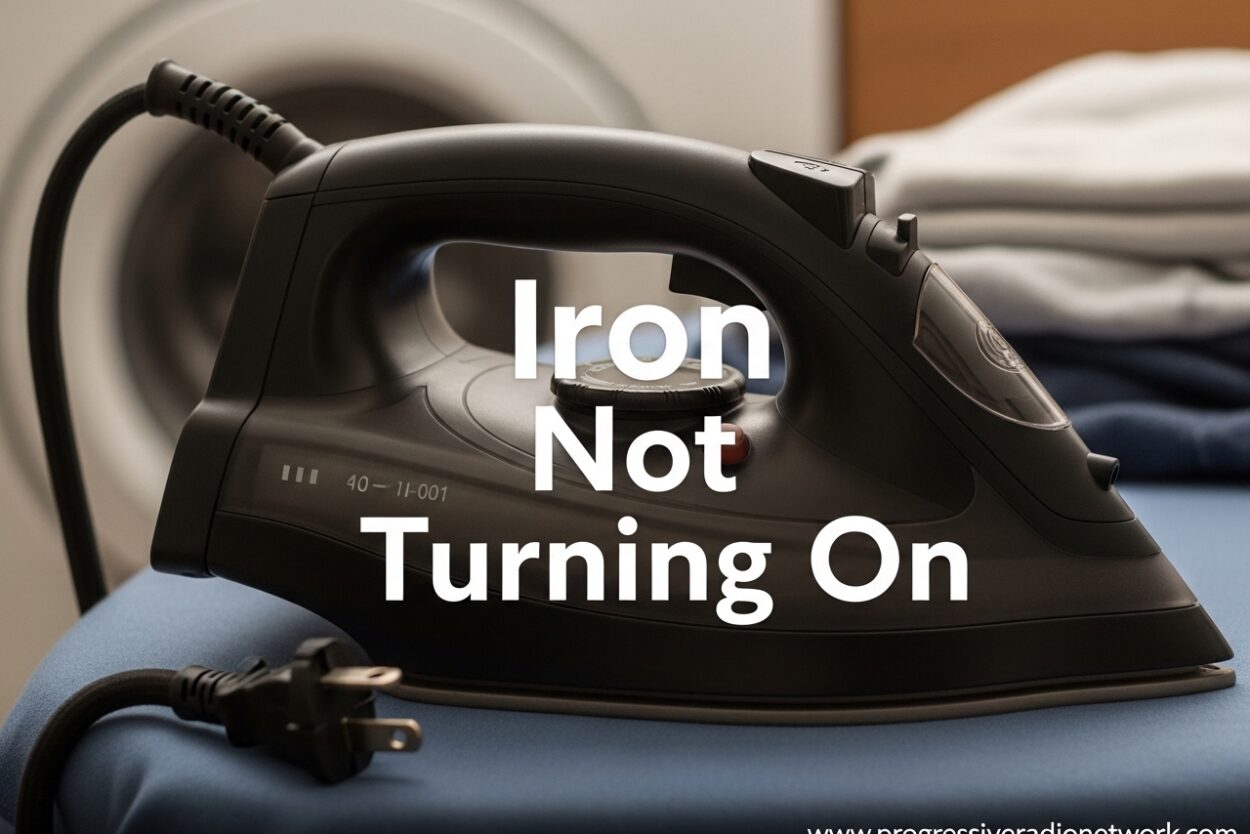
You’re in the middle of ironing a shirt for an important meeting, and suddenly your iron won’t turn on. The indicator light stays dark, the soleplate remains cold, and you’re wondering what went wrong. Iron not turning on is one of the most frustrating appliance issues, but the good news is that most causes are either simple fixes or clearly point to when you need professional repair.
After researching hundreds of iron failure reports from repair forums and manufacturer support pages, I’ve found that about 70% of iron power issues stem from just three problems: power cord damage, a blown thermal fuse, or a tripped auto-shutoff safety feature. In this guide, I’ll walk you through each diagnostic step so you can identify the problem and decide your next move.
Safety First Before Troubleshooting
Before you inspect any part of your iron, unplug it from the electrical outlet. This might seem obvious, but I’ve seen too many people try to wiggle cords or check connections while the iron is still plugged in. Wait at least 30 minutes after use before opening any panels—the internal components can stay hot long after the indicator light turns off.
If you’re not comfortable working with electrical components or if your iron is still under warranty, skip the DIY steps and contact the manufacturer’s service center directly. Opening your iron typically voids the warranty, so check your purchase date before proceeding.
Quick Diagnosis: Where to Start
When your iron is not turning on, work through these checks in order from easiest to most complex. Each step eliminates a potential cause:
- Step 1: Verify the outlet works by plugging in another device
- Step 2: Check your home’s circuit breaker hasn’t tripped
- Step 3: Inspect the entire power cord for visible damage
- Step 4: Reset the iron by unplugging for 5 minutes
- Step 5: Test the thermal fuse (requires multimeter)
Iron Not Turning On – Check the Power Source First
The most common cause of an iron not turning on is also the simplest—a problem with the power source. Before assuming your iron is broken, eliminate these easy possibilities first.
Test the electrical outlet by plugging in a lamp or phone charger. I can’t tell you how many times people have spent hours troubleshooting their iron only to discover the outlet itself was dead. If the outlet doesn’t work, check your home’s circuit breaker panel for a tripped breaker.
Some irons have a GFCI plug on the power cord. Look for a reset button on the plug itself and press it if it has popped out. This safety feature can trip during power surges or if moisture gets near the electrical connection.
Verify the Iron Settings
Some modern irons won’t power on if certain settings aren’t configured correctly. Make sure the temperature dial isn’t in the “off” or minimum position. On certain Panasonic and Black+Decker models, the iron requires a minimum temperature setting before the heating element activates.
If your iron has a steam function, ensure the water tank is properly seated. Some models have a safety switch that prevents operation if the tank isn’t locked into place correctly.
Inspect the Power Cord for Damage
Power cord damage is the single most common reason why an iron won’t turn on. The constant back-and-forth motion during ironing causes stress on the cord, especially near where it connects to the plug and where it enters the iron body.
Examine the entire length of the cord carefully. Look for:
- Frayed or exposed wires
- Kinks or sharp bends that damage internal wiring
- Loose connection at the plug base
- Damage where the cord enters the iron handle
The most common failure point is within 1-2 inches of the plug. The repeated flexing in this area causes the internal copper wires to break over time. You might notice the cord feels stiffer or the rubber coating is cracked in this section.
If you find damage near the plug, some DIY enthusiasts successfully repair this by cutting off the damaged section and wiring a replacement plug. However, this requires proper electrical knowledge and risks creating a fire hazard if done incorrectly. For most people, cord damage means it’s time for professional repair or replacement.
Reset the Auto-Shutoff Feature
Modern irons include an auto-shutoff safety feature that turns off the iron if left unattended for too long. While this prevents fires, sometimes the shutoff mechanism malfunctions or gets “stuck” in the off position.
Try resetting your iron by following these steps:
- Unplug the iron completely from the outlet
- Wait at least 5 minutes to allow any residual power to drain
- Check that the temperature dial is set to a mid-range setting
- Plug the iron back into a working outlet
- Look for the indicator light to illuminate
Some CHI and Russell Hobbs models require you to hold down the power button for 3-5 seconds to reset after auto-shutoff. Consult your user manual for model-specific reset procedures.
If the iron has an auto-shutoff light that’s blinking or staying on continuously, this typically indicates the safety feature has activated and needs to be reset according to the manufacturer’s instructions.
Understanding and Testing the Thermal Fuse
A thermal fuse is a safety device designed to cut power if the iron overheats. Unlike a regular fuse, a thermal fuse is a one-time use component—it blows when exposed to excessive temperature and must be replaced.
Most irons have the thermal fuse located near the heating element or on the internal circuit board. When this fuse blows, the iron will have no power at all—no indicator light, no heat, nothing.
How to Test a Thermal Fuse
Testing a thermal fuse requires a multimeter, which is an inexpensive tool available at hardware stores. Here’s the process:
- Unplug the iron and open the casing (refer to your manual)
- Locate the thermal fuse—it’s typically a small cylindrical or rectangular component
- Set your multimeter to continuity mode or the lowest ohm setting
- Touch one probe to each end of the fuse
- If the multimeter beeps or shows near-zero resistance, the fuse is good
- If there’s no beep or infinite resistance, the fuse is blown and needs replacement
Replacing a thermal fuse requires soldering skills in many models. The replacement part typically costs $5-15 online, but if you’re not comfortable with electronics repair, this is a job for a professional.
Brand-Specific Troubleshooting Tips
Different iron brands have unique quirks and common failure points. If you’re experiencing iron not turning on issues, check if your brand has known problems:
Black+Decker Iron Not Turning On
Black+Decker irons commonly experience cord failure near the strain relief where the cord enters the handle. The F67E, D2030, and ICR2020 models are particularly prone to this issue. Before assuming the worst, try pressing firmly on the cord where it enters the handle while the iron is plugged in—if it flickers on, you’ve found a loose connection.
Some Black+Decker models also have a resettable thermal switch on the soleplate. Look for a small button on the bottom or side of the iron that can be pressed with a paperclip.
Russell Hobbs Iron Not Turning On
Russell Hobbs irons, especially the Steam Glide and Power Steam series, sometimes have issues with the temperature dial becoming disconnected internally. If the dial spins freely without resistance, this may be your problem.
The brand’s cordless models are prone to battery failure after 2-3 years of use. If your cordless Russell Hobbs iron won’t turn on even when placed on the charging base, the battery may need replacement.
CHI Iron Not Turning On
CHI steam irons are known for their sleek design, but the electronic controls can be sensitive. Try a hard reset by unplugging the iron, holding down the power button for 30 seconds, then plugging it back in.
CHI irons also have a distinctive beeping pattern when there’s an error. If your iron beeps but doesn’t heat, count the beeps and consult your manual—different patterns indicate different problems.
Panasonic Iron Not Turning On
Panasonic irons often have a separate power switch from the temperature control. Make sure you’ve turned on both the main power button AND set a temperature above the minimum.
Panasonic’s cordless models use a charging base that can fail. Test the base by plugging it in and checking if the charging indicator illuminates. If the base shows no signs of power, the issue may be with the charger rather than the iron itself.
Cordless Iron Battery Troubleshooting
Cordless irons add another layer of complexity to troubleshooting because they rely on rechargeable batteries. If your cordless iron is not turning on:
- Verify the charging base is plugged in and receiving power
- Check that the iron is making proper contact with the charging contacts
- Clean the charging contacts with rubbing alcohol if they appear corroded
- Allow the iron to charge for at least 30 minutes before attempting use
- Test the charging base with another cordless device if possible
Cordless iron batteries typically last 2-4 years before losing significant capacity. If your iron holds less charge than before or won’t turn on even after charging, battery replacement may be necessary. Some brands offer replacement batteries, while others require professional service.
Should You Repair or Replace Your Iron?
The average lifespan of a quality steam iron is 3-5 years with regular use. Budget models may last 2 years, while premium brands like Oliso can reach 7-10 years. When deciding whether to repair or replace, consider these factors:
Repair if:
- Your iron is less than 2 years old and under warranty
- The issue is a simple cord repair costing under $20
- You own a premium model ($100+) where repair makes financial sense
- The thermal fuse needs replacement on an otherwise perfect iron
Replace if:
- Your iron is over 3 years old and shows signs of general wear
- The heating element itself has failed (expensive repair)
- Multiple components are failing simultaneously
- Repair costs exceed 50% of a new iron’s price
- Your iron is a budget model that would cost more to fix than replace
I’ve personally repaired several irons over the years, and my rule of thumb is this: if the fix takes more than an hour or requires specialized tools beyond a screwdriver and multimeter, most people are better off replacing. However, simple cord repairs or thermal fuse replacements can extend an iron’s life by years.
Frequently Asked Questions
How do you fix an iron that won’t turn on?
Start by checking the power outlet with another device. Inspect the power cord for damage, especially near the plug. Reset the iron by unplugging for 5 minutes. If these don’t work, test the thermal fuse with a multimeter or contact the manufacturer for service.
What to do if your iron won’t turn on?
First, verify the outlet works and the circuit breaker hasn’t tripped. Check for cord damage and ensure the temperature dial is set correctly. Try a hard reset by unplugging for 5 minutes. If it still won’t turn on, the thermal fuse may be blown requiring professional repair.
Does an iron have a fuse?
Yes, most irons have a thermal fuse that cuts power if the iron overheats. This is a safety device located near the heating element. Unlike old-style fuses, thermal fuses are one-time use components that must be replaced when they blow.
Is it worth repairing an iron?
Repair makes sense if the iron is under 2 years old, is a premium model, or needs a simple cord repair. Replace if it’s over 3 years old, has multiple failing components, or repair costs exceed 50% of a new iron’s price. The average iron lasts 3-5 years.
What causes the iron to just stop working?
The most common causes are power cord damage from repeated flexing, a blown thermal fuse from overheating, a tripped auto-shutoff safety feature, or internal thermostat failure. In rare cases, the heating element itself can fail.
What is the lifespan of an electric iron?
The average electric iron lasts 3-5 years with regular use. Budget models typically last 2 years, while premium brands can reach 7-10 years. Proper care like using distilled water and storing the cord properly can extend lifespan.
Why did my iron randomly stop working?
Random iron failure is usually caused by an internal wire breaking in the power cord, a thermal fuse blowing due to a temporary overheating event, or the auto-shutoff mechanism activating and not resetting. Power surges can also damage sensitive electronic components.
Iron not heating up but light on – what’s wrong?
If the indicator light works but there’s no heat, the issue is likely the heating element or thermostat, not power delivery. The heating element may have burned out, or the thermostat that controls temperature has failed. This typically requires professional repair or replacement.
Conclusion
Dealing with an iron not turning on is frustrating, but most issues have clear causes that you can diagnose yourself. Start with the simple checks—outlet, cord, reset—and work your way toward more complex components like the thermal fuse. About half of all iron power issues are resolved with these basic troubleshooting steps.
If your iron is relatively new or a premium model, professional repair may be worth pursuing. For older budget models, replacement often makes more financial sense. Either way, understanding what went wrong can help you choose your next iron more wisely and potentially extend its lifespan through better care.
Have you successfully repaired an iron, or did you decide to replace it? Share your experience in the comments below—it might help someone else facing the same problem.
Leave a Comment