
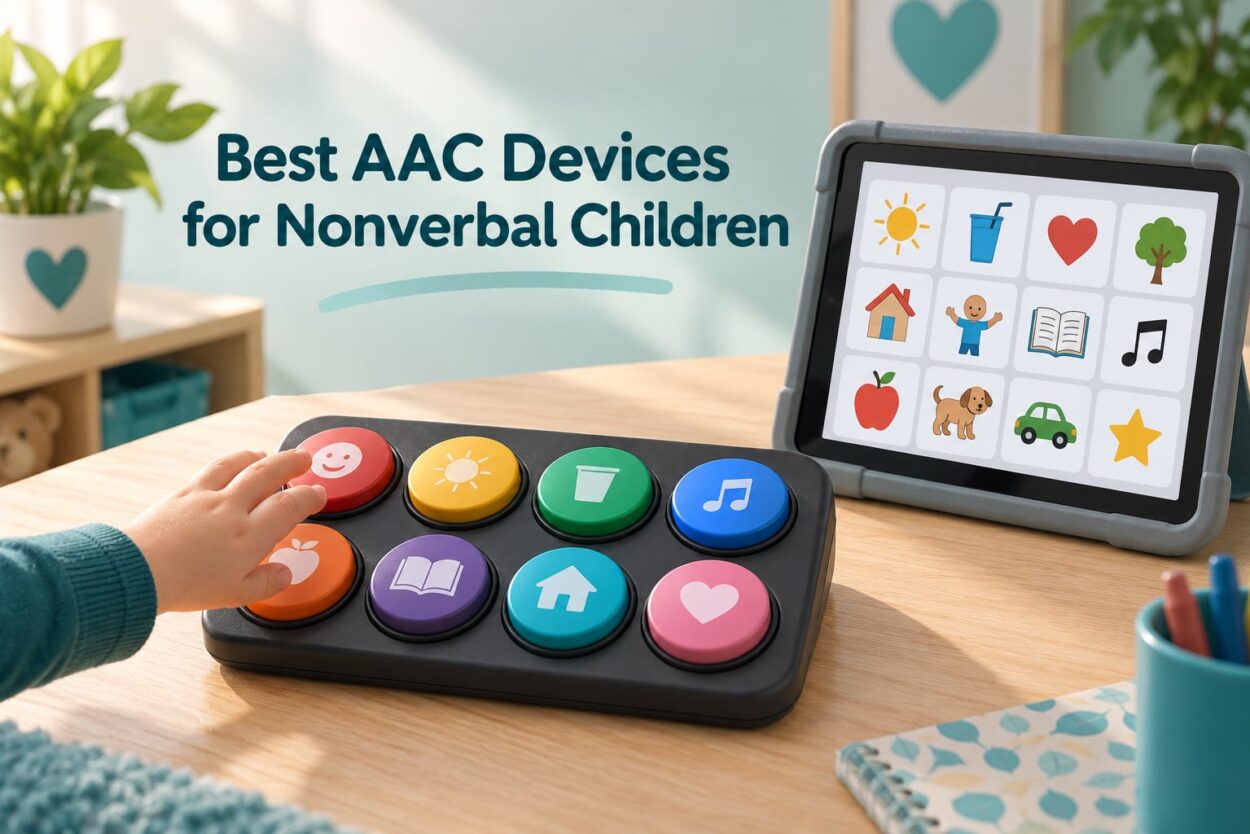
Picking an AAC device for a nonverbal child feels like a bigger decision than it should. Parents land on this search holding three things at once: a child who has more to say than they can say out loud, a folder of recommendations that all point in different directions, and a quiet fear that a machine might take the place of speech their child could still learn. Let me deal with that fear first, because it stops more purchases than price ever does.
AAC does not stop a child from learning to talk. There is no age at which a child becomes too young to start, no prerequisite therapy, and no rule that says speech has to be tried first for a set period before a device is allowed. Children who use a communication aid tend to say more words, not fewer, and most of them use a mix of speech and device rather than one or the other. The American Speech-Language-Hearing Association treats AAC as a right, not a concession, and I have yet to meet a speech-language pathologist who hands it out as a last resort.
This is our guide to the best AAC devices for nonverbal children in 2026. I worked through the ten devices below with the same questions a parent asks: how many messages can the child produce, can you change the words later, will a two-year-old actually press it, does it survive being thrown, and can an adult understand it across a noisy classroom. Everything here is a physical talking device you can buy directly, which is a deliberate choice. Dedicated clinical speech-generating devices such as a NovaChat, an Accent or a Tobii Dynavox I-series are prescribed, funded and fitted through a specialist team, and I explain that route later in the funding section rather than pretending a marketplace listing replaces it.
Our Three Shortlisted AAC Picks for 2026
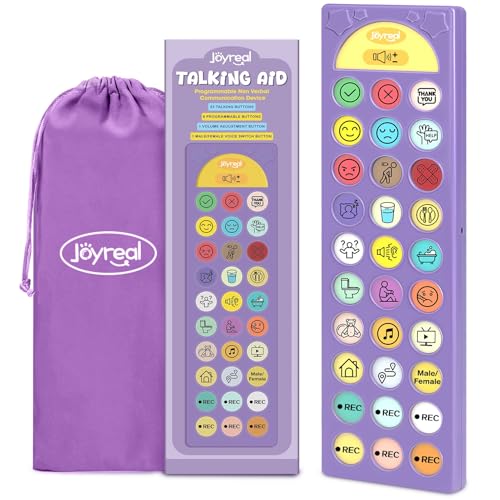
Joyreal 23-Button Talker
- ✓23 pre-loaded core phrases
- ✓6 recordable buttons
- ✓male or female voice with adjustable volume

Joyreal 37-Button Tablet
- ✓37 pre-loaded buttons
- ✓8 recordable buttons
- ✓no charging routine needed

Talker Buddy AAC Device
- ✓Soft-touch preset phrases
- ✓works out of the box
- ✓travel bag included
Every Device in This Roundup at a Glance
All ten products below fall into the same physical family: a handheld or tabletop board with fixed preset phrases plus a handful of slots you can record yourself. That is the biggest honest limitation of this roundup, and I would rather say it up front than let you discover it at the checkout. If your child needs open-ended vocabulary that grows without limit, or needs eye gaze because pointing is not reliable, the answer is a tablet app or a dedicated speech-generating device rather than any board on this list.
| Product | Features | Action |
|---|---|---|
| Joyreal 23-Button AAC Talking Device |
|
Check Latest Price |
| Talker Buddy AAC Communication Device |
|
Check Latest Price |
| Joyreal 37-Button AAC Communication Tablet |
|
Check Latest Price |
 LoveHugs 14-Button Handheld AAC Device LoveHugs 14-Button Handheld AAC Device |
|
Check Latest Price |
 MibbyTalk Colour-Zoned AAC Device MibbyTalk Colour-Zoned AAC Device |
|
Check Latest Price |
 TalkingTiles AAC Communication Tablet TalkingTiles AAC Communication Tablet |
|
Check Latest Price |
 Brightway 60-Button AAC Device Brightway 60-Button AAC Device |
|
Check Latest Price |
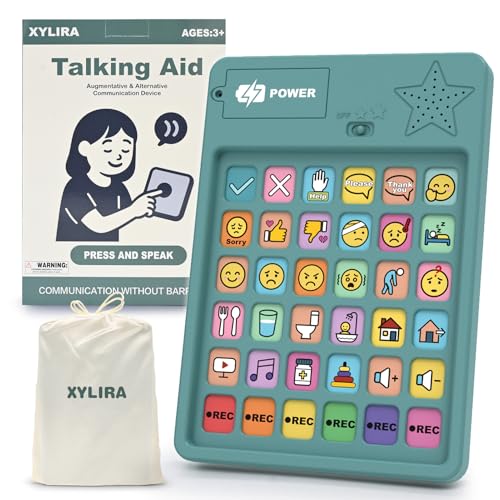 Xylira 36-Button AAC Device Xylira 36-Button AAC Device |
|
Check Latest Price |
 AbleNet BIGmack Single-Message Device AbleNet BIGmack Single-Message Device |
|
Check Latest Price |
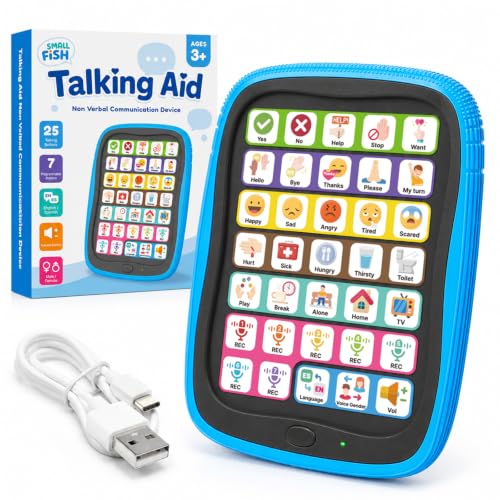 SMALL FISH Rechargeable AAC Device SMALL FISH Rechargeable AAC Device |
|
Check Latest Price |
Two of the ten, the Joyreal 37-button board and the TalkingTiles tablet, sit a tier above the rest. TalkingTiles is the only true touchscreen in the group with a vocabulary of more than three thousand images, and it is the one I would point an adult toward if a child is ready for open-ended messages. Everything else is a first communication tool, a bridge device while you wait for a funded system, or a solid backup to keep in the therapy room and the car.
1. Joyreal 23-Button AAC Talking Device – The One I Keep Reaching For First
- ✓Broad core phrase coverage on a slim board
- ✓six slots you can record in your own voice
- ✓volume control survives a noisy room
- ✓light enough for a child to hold one-handed
- ✕Fixed vocabulary cannot grow beyond the built-in phrase set
- ✕only six of the buttons are customisable
- ✕English-only audio
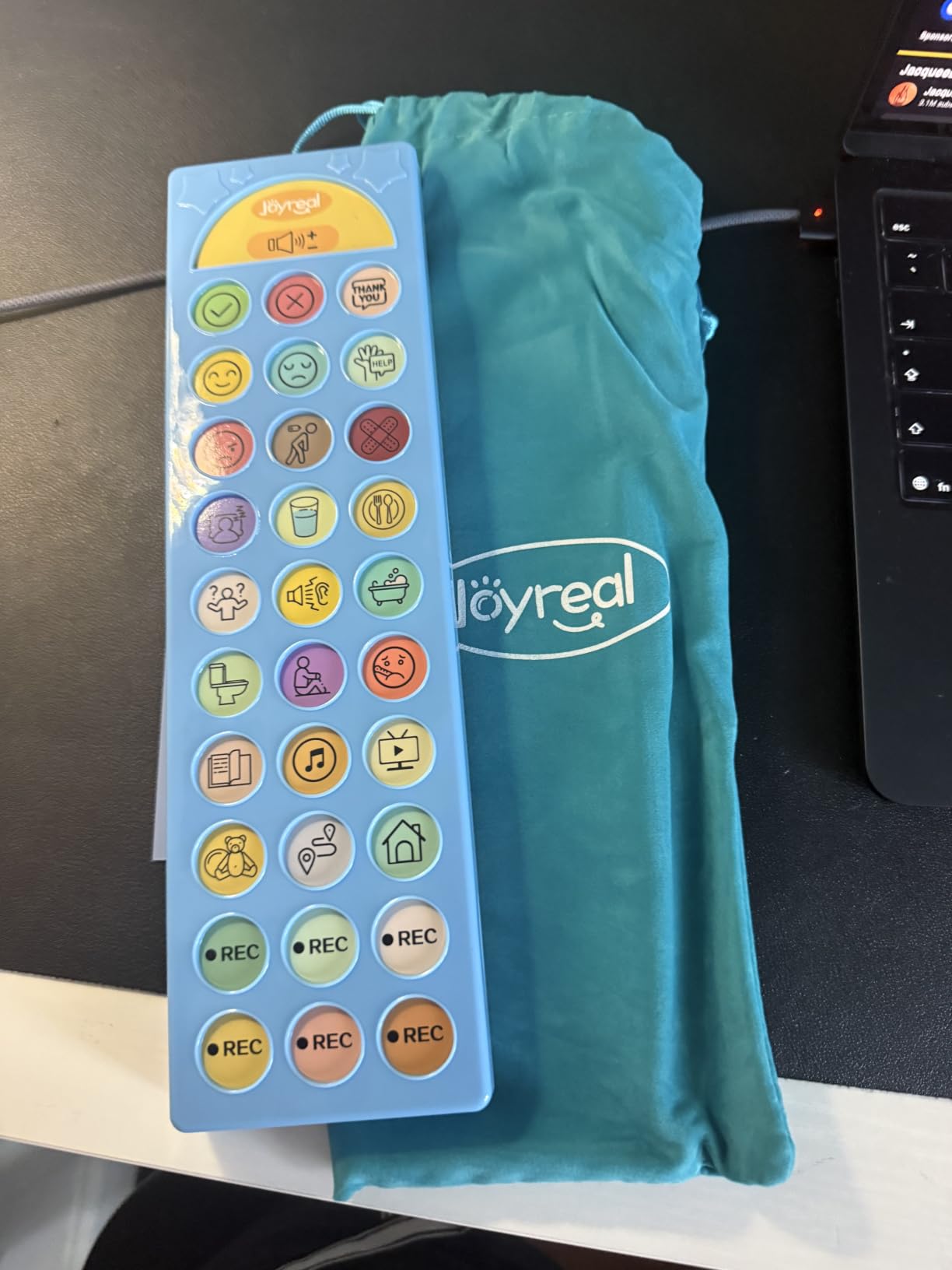
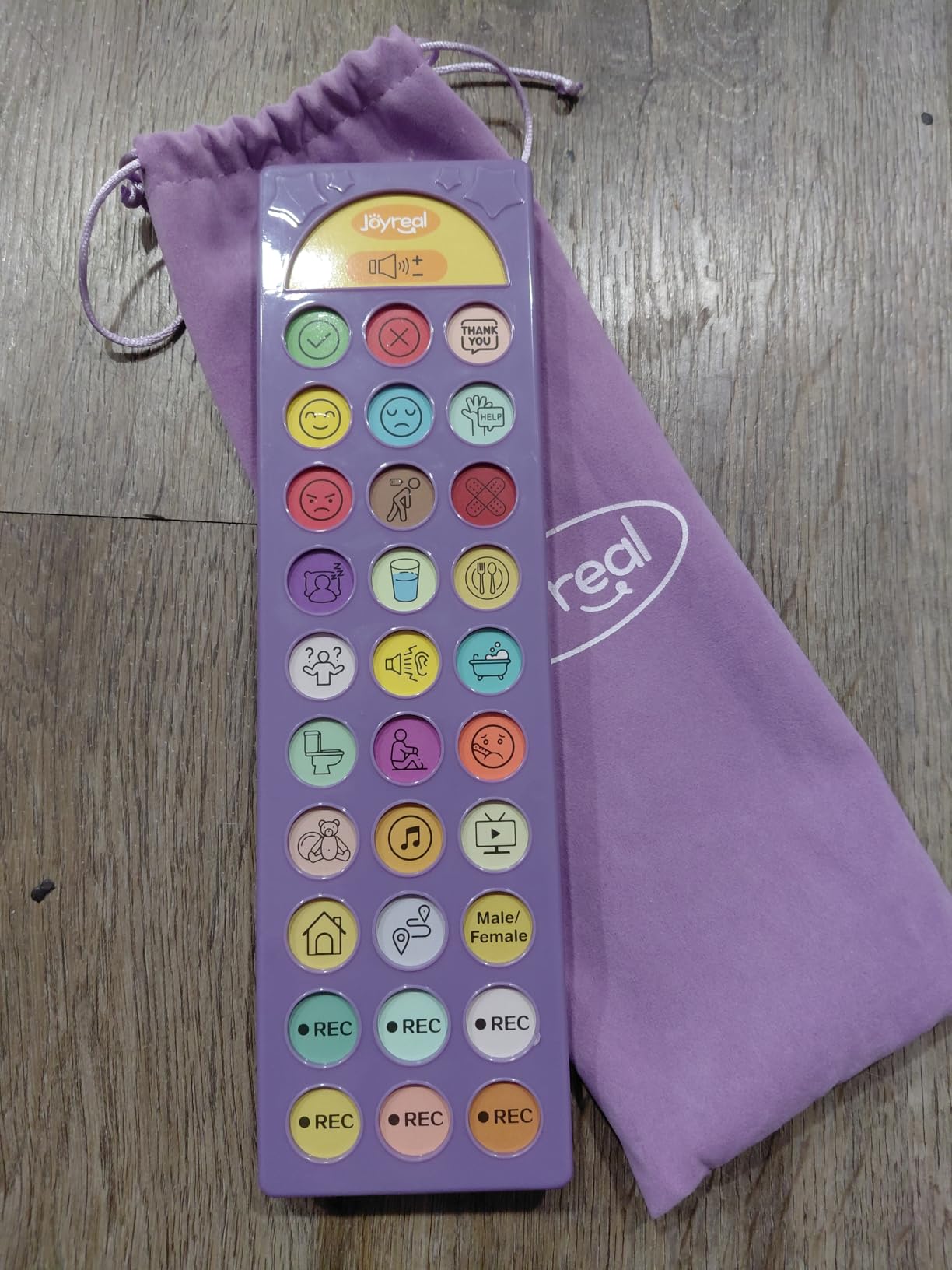
23 preset buttons
6 recordable buttons
Adjustable volume, male or female voice
Storage bag, 3 AAA batteries
One thing I want to be upfront about: I did not hand these devices to a child for this roundup. What I did was read every rating and review and cross-check each specification against what parents and therapists actually report. Where reviewers agree, I say so. Where they disagree, I say that too.
The case for it is simple. Twenty-three pre-loaded buttons cover the phrases that make up most of a young child’s day: yes, no, I’m thirsty, I’m sleepy, it’s too loud, that hurts, I want that. Six more buttons record in a parent’s own voice, which matters more than it sounds, because a child who hears their mother’s voice asking “do you need help?” engages with the board in a way they never do with a flat synthetic tone. The board weighs under half a pound, runs on three AAA batteries, and comes with a pouch so it can travel to therapy without being dropped in a bag.
The Phrase Set Is the Product
The deciding factor is not the plastic. It is what happens when a child presses something and gets a sentence back. Twenty-three buttons is enough to build a real back-and-forth exchange, which is where communication actually develops. A board with six buttons teaches requesting; a board with twenty-three can hold a comment, a refusal and a choice in the same session.
The six recordable slots are where the personalisation lives. Parents fill them with the specific words their child needs most: the name of a sibling, the name of a therapy centre, a phrase the child invented that nobody else would guess. Because the slots are customisable rather than preset, they can change as the child’s needs change, which is the one thing you want from a first device.
Durability and Adult Practicalities
This is a battery device, not a charging device, and for a family already running on low batteries that difference is real. There is no cable, no lock screen, no update prompt, and no way for a child to wander into settings and destroy an afternoon’s worth of recordings. The flip side is honest: you will replace AAAs, and the case is thin plastic, so it is not the board I would hand a child who chews objects.
Voice choice is a small touch that families mention more than you would expect. Some children connect with the lower male voice, others with the higher female voice, and being able to switch means you can test which one gets a response in about two minutes.
Where It Falls Short
It cannot say anything it does not already know. There is no way to add “sibling” or “park” to the fixed twenty-three, and there is no way to build a two-word combination. For a child who has already moved past single requests, this board is a stepping stone rather than a destination. Treat it as the first rung, and plan the next one early.
2. Talker Buddy AAC Communication Device – The Lowest-Effort Way to Begin
- ✓Children pick it up within hours
- ✓clear and loud audio
- ✓batteries and a screwdriver included in the box
- ✓sturdy for the price
- ✕Recordings are fixed and cannot be changed
- ✕pre-recorded sentences are wordy for emerging communicators
- ✕English audio only
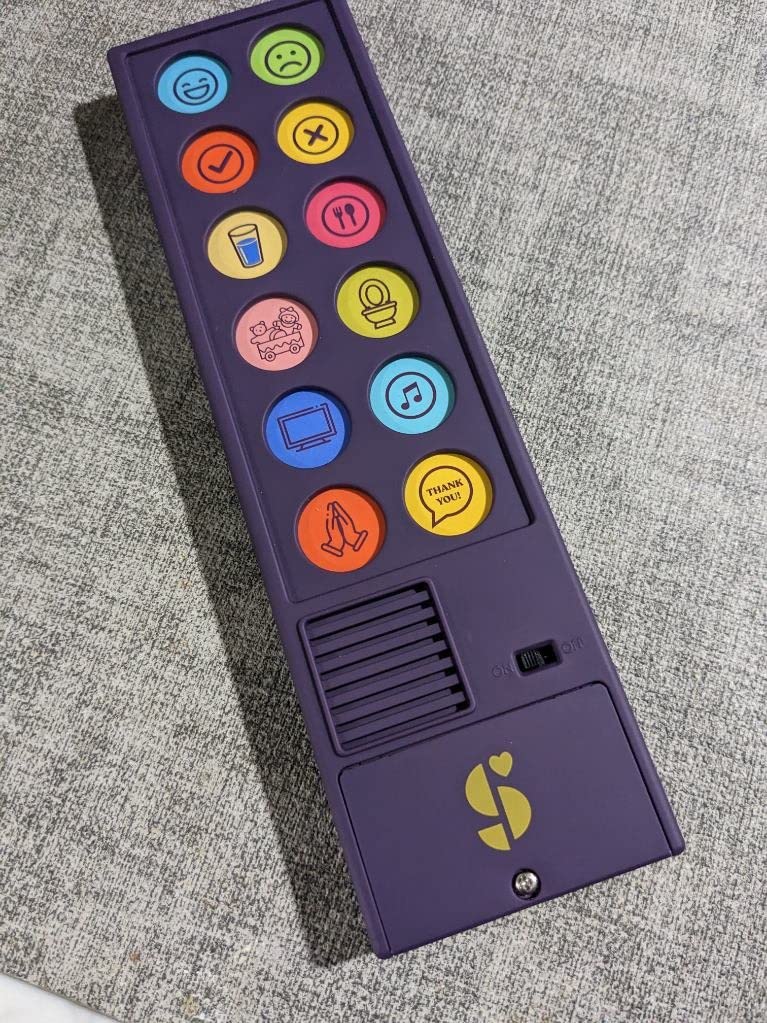
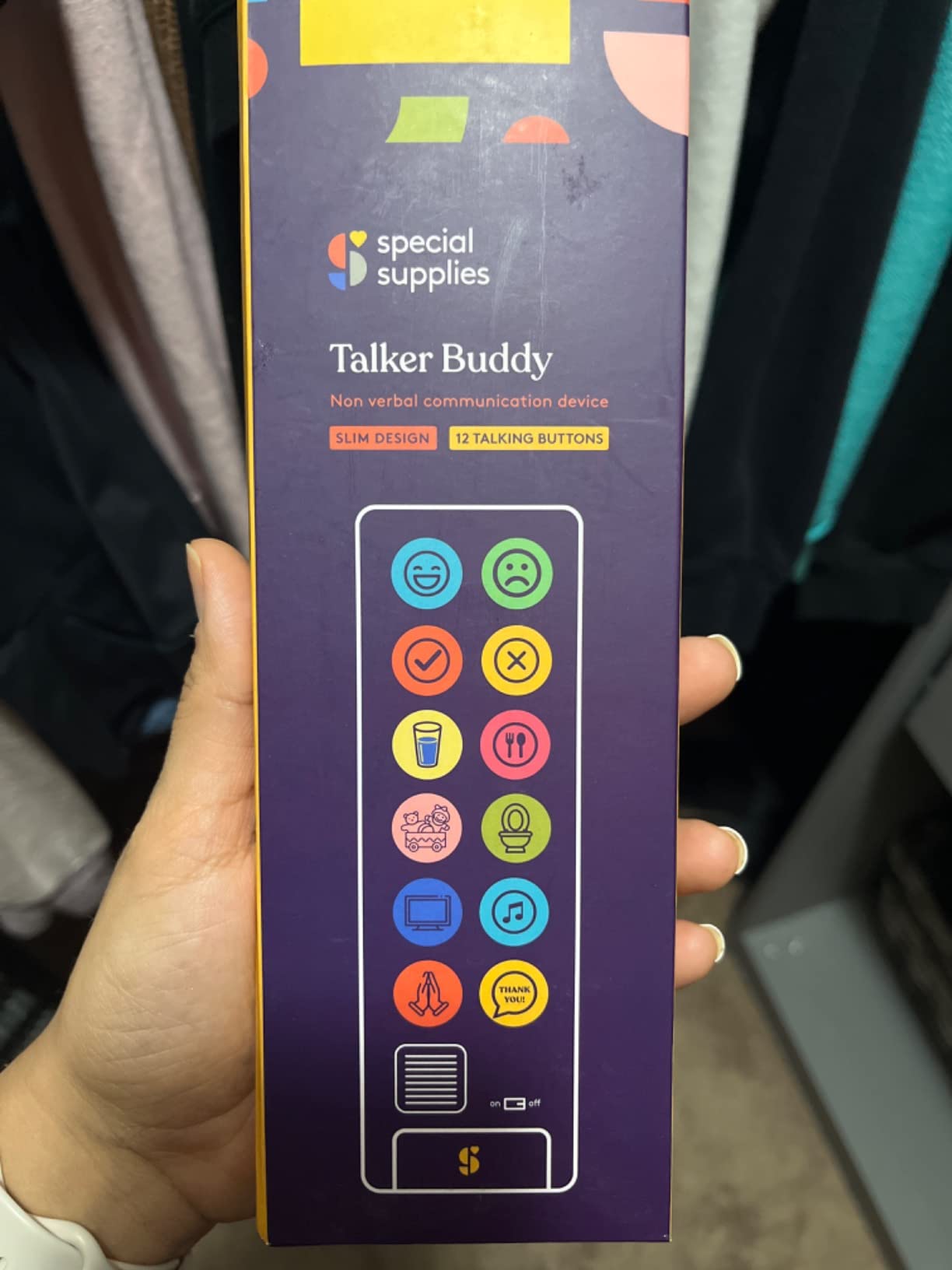
Pre-installed phrase set
Fixed recordings, not programmable
Soft-touch buttons
Travel bag and screwdriver included
Sometimes the hardest part of introducing AAC is not choosing the right device, it is getting the device out of the box on a Tuesday when your child is already having a hard day. Talker Buddy solves that problem by asking nothing of you. It arrives, batteries are included, a screwdriver is included, and the buttons say what they do.
The reviews describe a pattern I kept seeing across parents of autistic children and caregivers of adults recovering from strokes: a child who had never initiated a request picked this up the same afternoon. That speed matters more than feature lists. AAC that sits unused teaches a child nothing, and a device your child will actually press in week one buys you momentum you can build on later.
Fixed Recordings and Why That Matters
Every button here is pre-recorded and stays that way. You cannot add your child’s name, you cannot change a phrase, you cannot load a photo of the actual dog. For a first device this is a fair trade, because the alternative is an hour of recording and labelling before your child touches it, and that hour is where most enthusiasm dies.
The bigger criticism from therapists is about phrasing. The pre-recorded sentences are long: “I’m feeling happy” rather than “happy”. A child working on emerging language benefits most from single words and tight turns, and a full sentence on every press can be harder to imitate. If your child is at that stage, use the board to prompt and model the shorter version out loud yourself.
Sound Quality and Build
Audio is clear and carries well enough for a therapy room, and reviewers single out the solid, non-hollow feel of the housing. At roughly five ounces it is genuinely portable, and the travel bag means it can do a school day and a car ride without being carried loose.
It runs on two AAA batteries, which are included, and because there is no screen there is nothing to break beyond the buttons themselves. For a sensory-sensitive child who reacts badly to bright displays, a box with no screen at all is a real feature rather than a limitation.
When to Skip It
Skip it if your child is bilingual or in a family that speaks more than English, since the audio is English only. Skip it if your speech-language pathologist has recommended open-ended vocabulary, because a fixed phrase set will plateau quickly. Otherwise, as an introductory or backup device, it does its job for a very small outlay.
3. Joyreal 37-Button AAC Communication Tablet – Most Coverage Without a Charging Cable
- ✓Wide phrase set for a first board
- ✓children commonly start pressing within minutes
- ✓speech therapists approve of the layout
- ✓runs on batteries so there is no charging routine
- ✕Several reports of units failing after a month or two of use
- ✕custom buttons can be overwritten with no lock
- ✕thin plastic shell
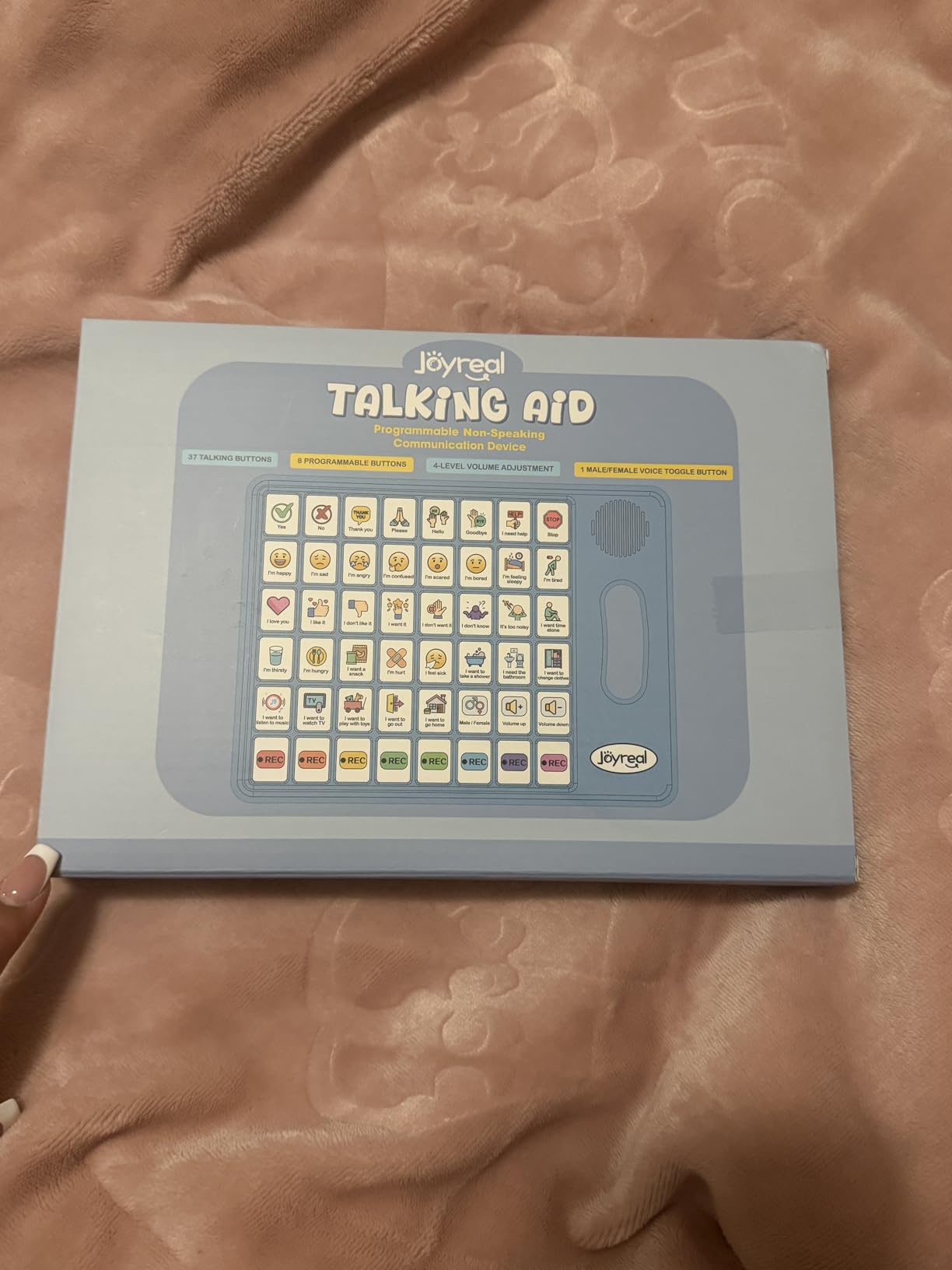
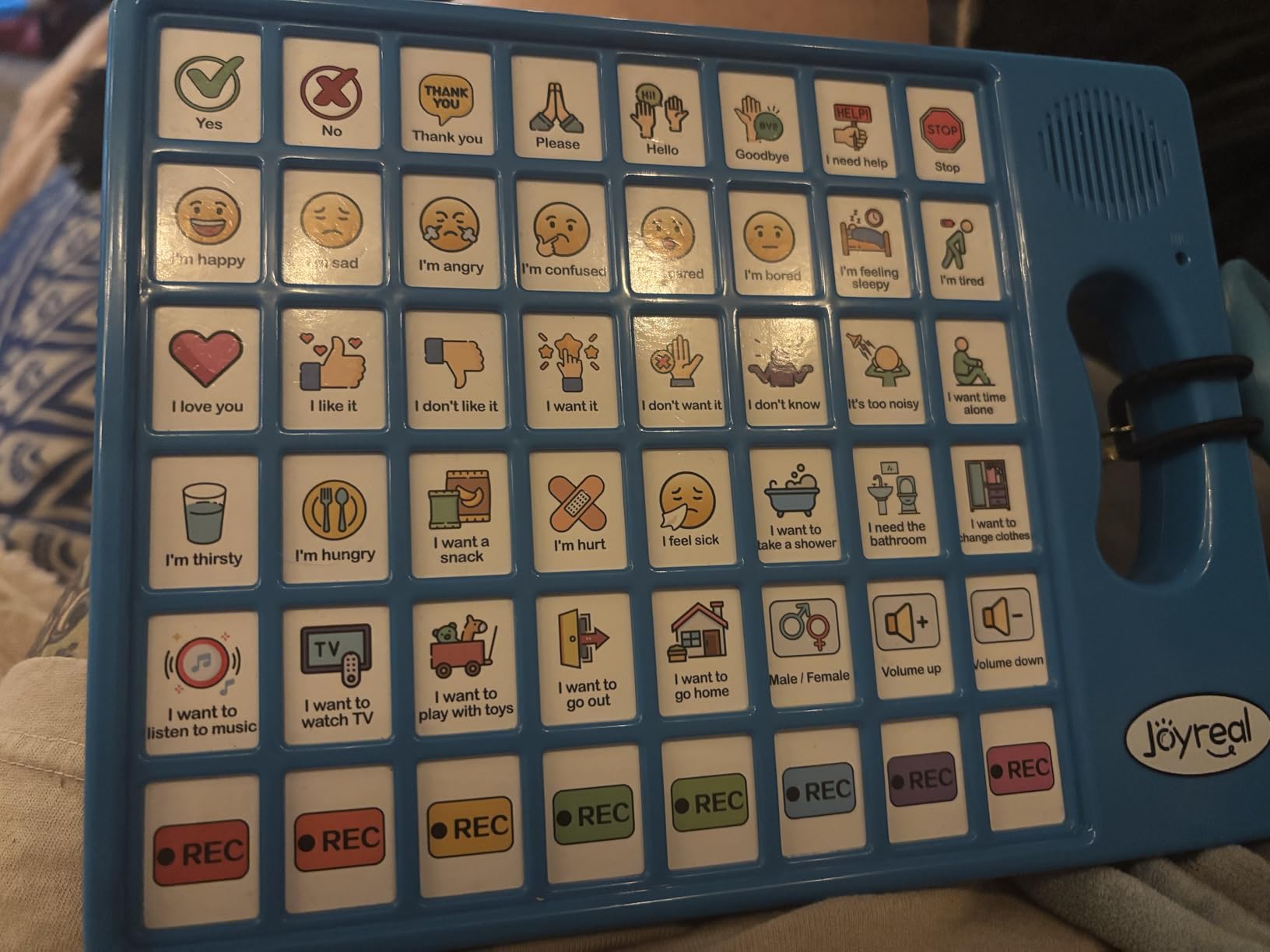
37 preset buttons
8 recordable buttons
Male or female voice, adjustable volume
Storage pouch, 3 AAA batteries
If the Joyreal 23-button board is the sensible starting point, this is the sensible upgrade. Thirty-seven pre-loaded buttons instead of twenty-three, and eight recordable slots instead of six, on the same basic principle: press a button, get a spoken phrase, no screen time lost to other apps.
Several reviews describe the same moment: a nonverbal three-year-old picking it up and using it the same day it arrived. Parents also report speech therapists approving the layout, which matters when you are trying to justify a purchase to a school team or a family member who thinks you have given up on speech.
Thirty-Seven Buttons and What They Add
The extra fourteen phrases are the difference between commenting and requesting. A child with twenty-three buttons can ask for juice and stop the noise. A child with thirty-seven can also say it’s too loud, indicate hunger, answer a simple question and react to something happening in the room, which is what turns a device into conversation.
Eight recordable buttons give you personal slots for names, places and family-specific phrases. The male or female voice switch and adjustable volume let you tune it for a classroom, a therapy room or a car, without replacing the unit.
The Bridge Role in a Funding Fight
Reviewers most often describe this board as a bridge. Parents who are months into an insurance appeal, an IEP process or a school funding cycle use it so their child has a voice right now rather than whenever the paperwork resolves. For a nearly five-year-old whose team took two years to agree on AAC, a working device in the meantime changes the household more than any therapy session.
Because it runs on three AAA batteries rather than a charging cable, it works in a therapy room with unreliable Wi-Fi, in a car, or in a house where nobody has found the charger. That reliability is unglamorous and it matters more than it should.
Durability Concerns to Plan Around
There are multiple reports of units failing after one to two months, and some buyers describe the shell as flimsy for a child who drops things as part of a tantrum. Treat this as a consumable first device: it may not last years, and that is part of why it works as a bridge rather than as a forever system.
There is also no lock on the recording function, so an exploratory child can hold the wrong button and wipe a custom recording. Record your eight phrases last, after the preset setup, and keep a written note of what you recorded in case you need to redo them.
4. LoveHugs 14-Button Handheld AAC Device – Built for Hands That Are Still Small
- ✓Small enough for a toddler to hold and carry
- ✓screen-free so it survives being thrown
- ✓genuinely low cost for a first trial
- ✓speech-language pathologists use it as a backup
- ✕No volume control and it is loud
- ✕fixed unchangeable voice that can confuse speech-delayed children
- ✕only two recordable buttons
14 preset buttons
2 recordable buttons
No volume control
3 AAA batteries, 100 g
Two years old is the age this one is for. A child who can barely hold a spoon reliably can still manage a device that weighs a hundred grams and measures just over eight inches long, and that physical fact rules out almost every larger board on this list.
Speech-language pathologists use it in a specific way that is worth copying: as a trial device, a travel backup, or a low-stakes way to introduce the idea of pressing a button for a word. One teacher bought four of them, which tells you how they get used. You can hand one to a classroom aide without a training session.
The Screen-Free Advantage
There is no display, so there is nothing to distract with, nothing to fall back into, and no way for the device to become a video player. For a child who is rough with electronics, that removes the single most common failure mode described in AAC parent groups, where a tablet becomes a toy and the communication app is abandoned within weeks.
Fourteen preset buttons cover basic responses and needs, and two buttons can be recorded by a parent. Fourteen is not many, but for a child who is still learning to point deliberately, fewer buttons can mean faster success.
The Volume Problem Is Real
There is no volume control, and reviewers describe it as loud. For most families that is a non-issue in a home, but for a sensory-sensitive child, or for use in a quiet therapy room or a shared space, it is a genuine drawback. If your child startles at sound, put this one on your trial list but not at the top.
The voice is a fixed British-accent female recording that cannot be changed, and therapists note that an unfamiliar accent can confuse a child with speech delays who is trying to match mouth movements to sounds. The square edges also concern parents of children who throw devices, so plan on a case from the start.
Where It Fits
Think of it as a stethoscope: a small, cheap tool for a specific check. It tells you quickly whether your child will press a button to make a sound, which is the single most useful thing to learn before committing to an expensive system. If they will not press this one, nothing larger will help until something else changes.
5. MibbyTalk Colour-Zoned AAC Device – The Most Customisable Board at This Level
- ✓Highest rating in this roundup at 4.6
- ✓eleven recordable buttons give real personalisation
- ✓colour-coded zones let a child navigate by category
- ✓silicone case absorbs drops
- ✕Small board size with fewer visible buttons
- ✕two control buttons take slots that could have been recordings
- ✕a few preset icons are confusing
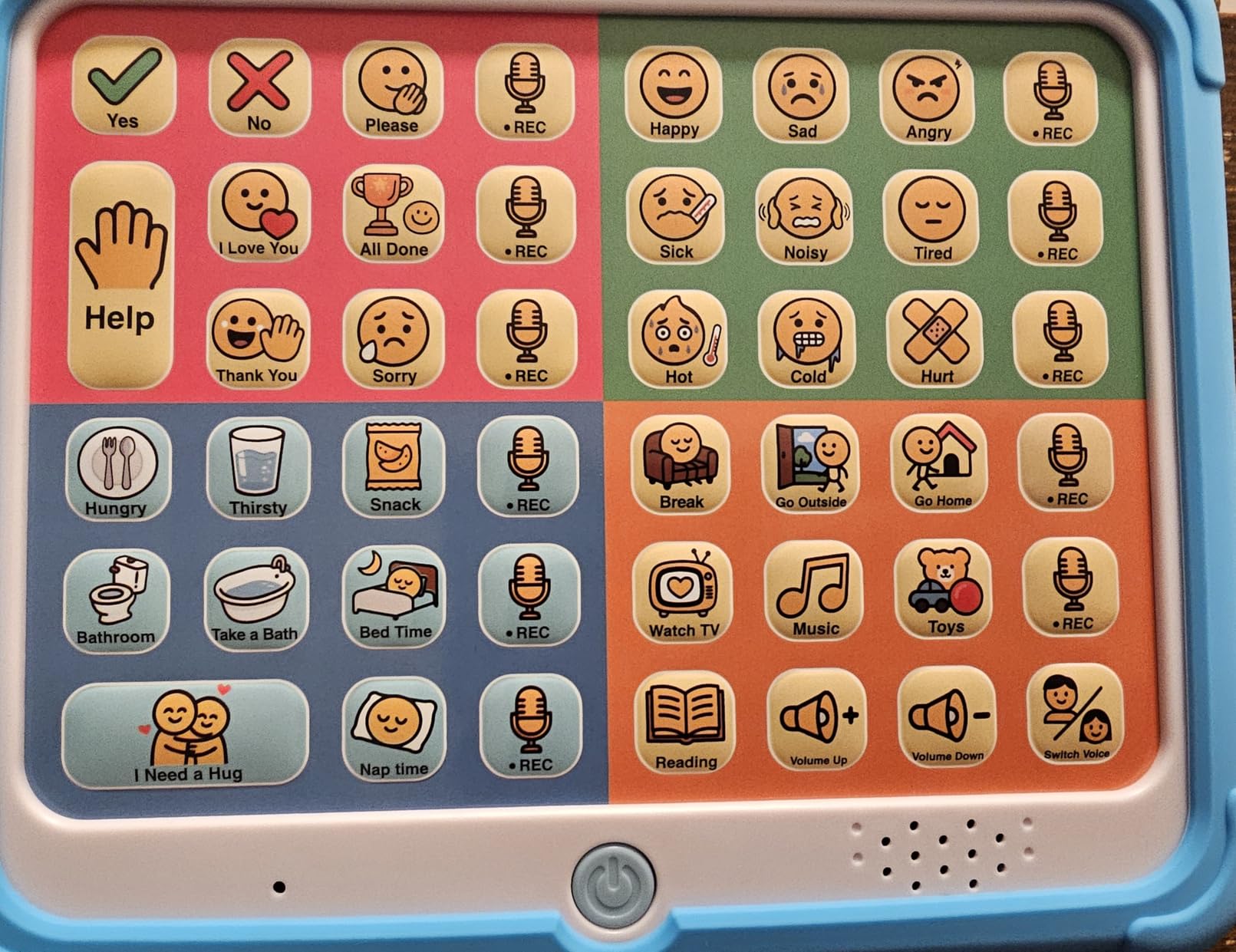
32 preset buttons in four colour zones
11 recordable buttons up to 15 seconds
5-level volume, male or female voice
Textured silicone case included
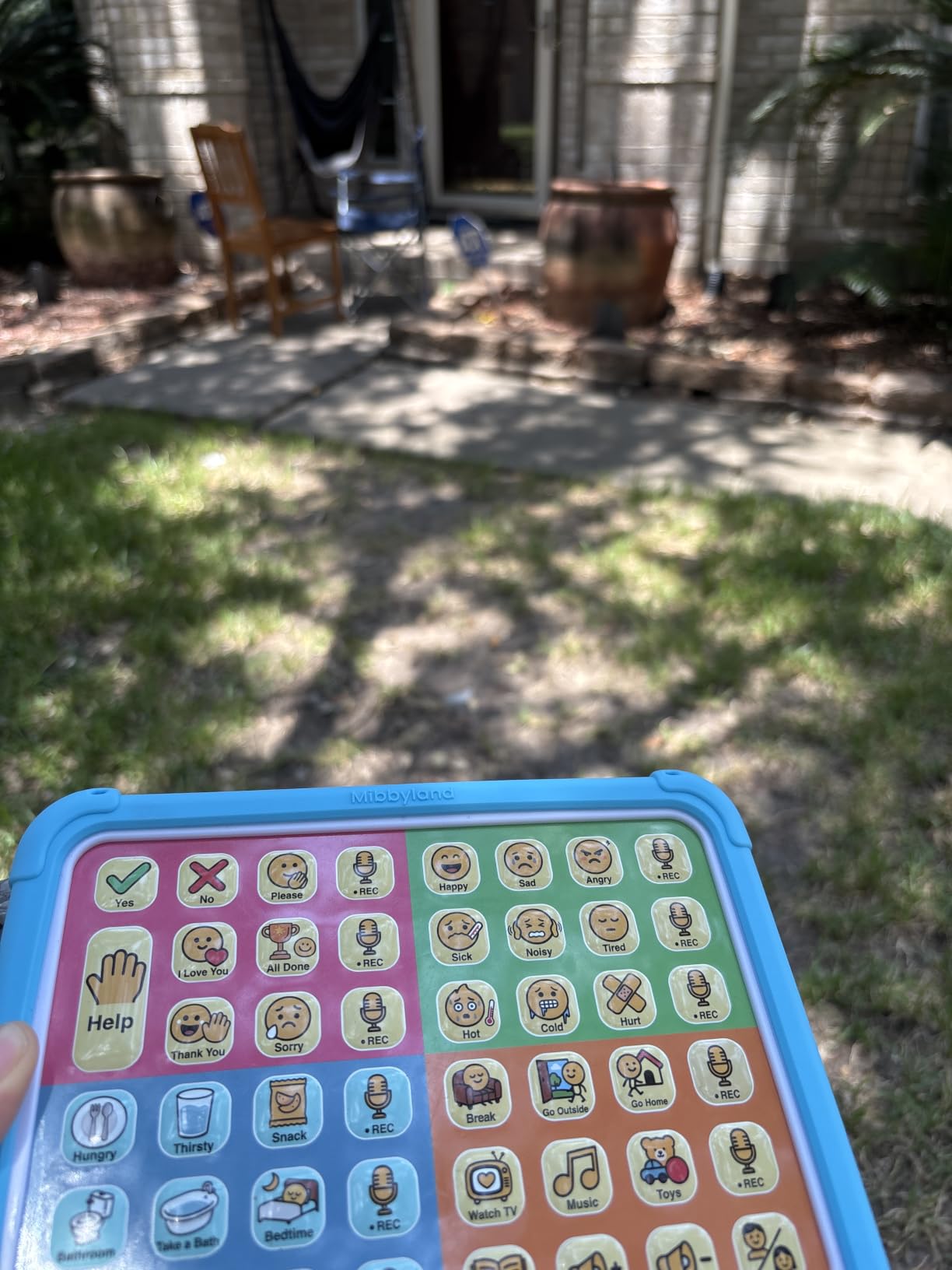
This is the board I would put in front of a child who is starting to show preferences, because the eleven recordable buttons mean you can build a small personal vocabulary rather than shipping a generic one. Eleven custom messages is more personalisation than any other board in this group offers, and it costs the least thinking to set up.
It carries the highest rating in the roundup, tied at 4.6 out of 5, with 81% of its 131 reviewers giving five stars. The number of reviews is smaller than the mass-market boards, so treat it as promising rather than proven, but the consistency of the praise is striking.
Colour Zones as a Teaching Structure
The thirty-two preset buttons are grouped into four colour-coded areas: pink for social phrases, green for feelings, blue for basic needs and orange for activities. For a child still learning to select, that organisation is a genuine advantage, because it lets an adult teach a category rather than a scattered button, and it gives the child a spatial map to remember.
A sticker sheet is included for labelling your own recordings, which sounds minor until you are trying to work out six months later which button holds which family member’s name. Write it down and stick it on anyway.
Recording Depth and Hardware Protection
Each custom button holds up to fifteen seconds, which is long enough for a sentence rather than a word. Volume adjusts across five levels with a male and female voice switch, so it can run quietly in a therapy room and loudly in a classroom without being swapped out.
The raised tactile buttons need only light pressure, which is helpful for children with limited fine motor control, and the textured silicone case with a soft bumper is included. Families of autistic children mention drop protection as a deciding factor more often than any feature on the spec sheet.
The Honest Drawbacks
The board is small, and some users wish it were larger with more visible buttons, which is a real tension given that children with visual field differences rely on larger targets. The volume and voice-switch buttons occupy two of the positions that could have been recording buttons, and a few preset icons are unclear enough to cause mistakes.
One review reports sound quality degrading after repeated drops, with breakage within a month under heavy use, so the silicone case is not optional in a busy household. Keep the case on.
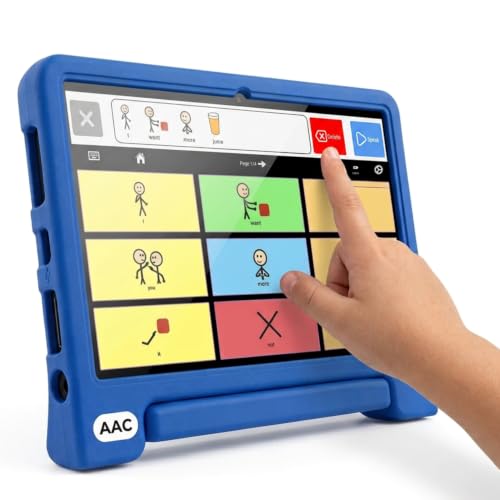
6. TalkingTiles AAC Communication Tablet – The Only Real Screen in the Group
- ✓Only full touchscreen AAC tablet here with a vocabulary that can grow indefinitely
- ✓no subscription after purchase
- ✓works offline
- ✓one parent reports it survived being thrown and stepped on
- ✕Reports of software freezing after about a month
- ✕settings reachable by a curious child
- ✕one cracked screen report
10.1 inch touchscreen, 1024 x 800
3400+ built-in images
Works fully offline
6000 mAh battery, drop-resistant case
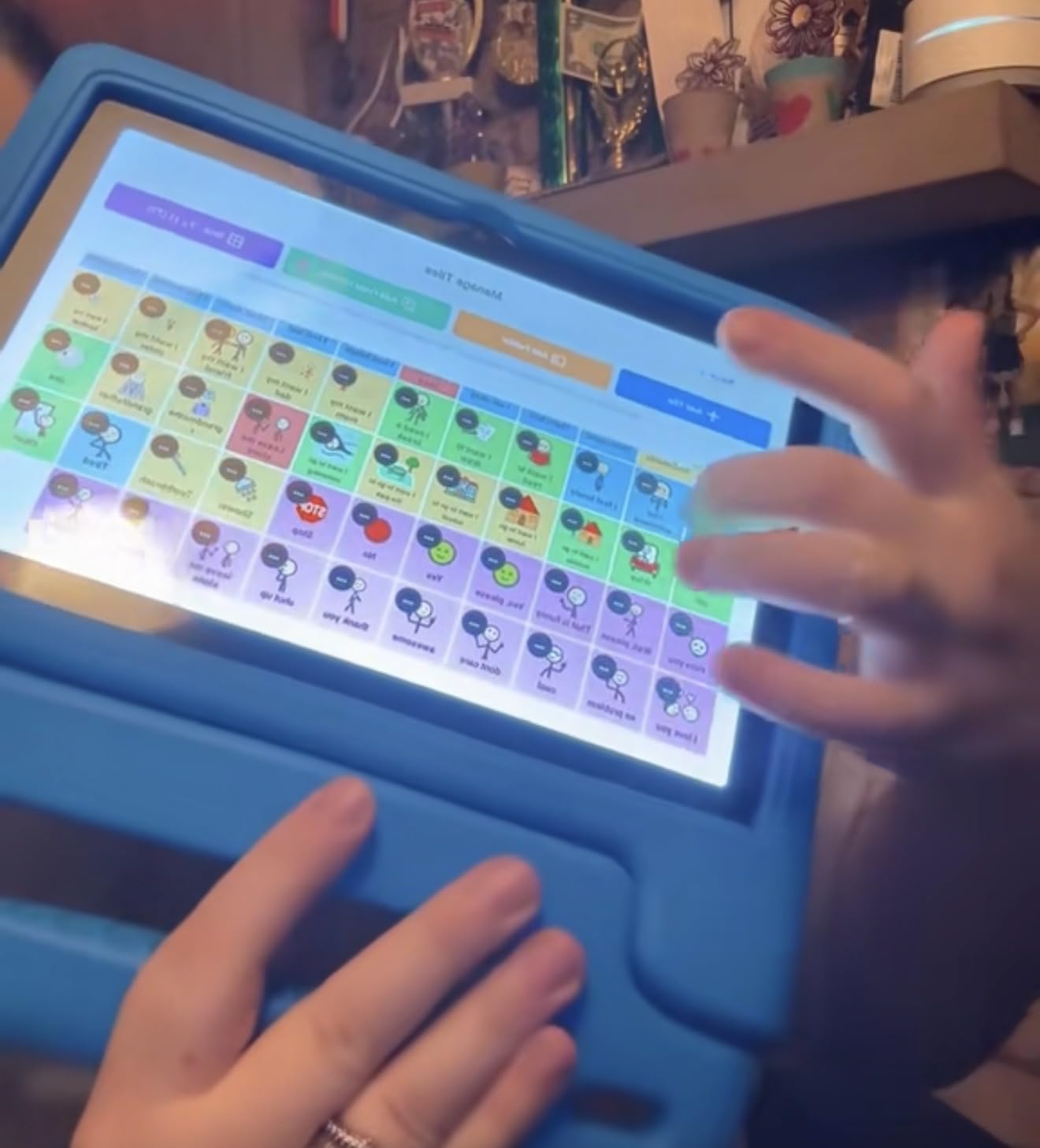
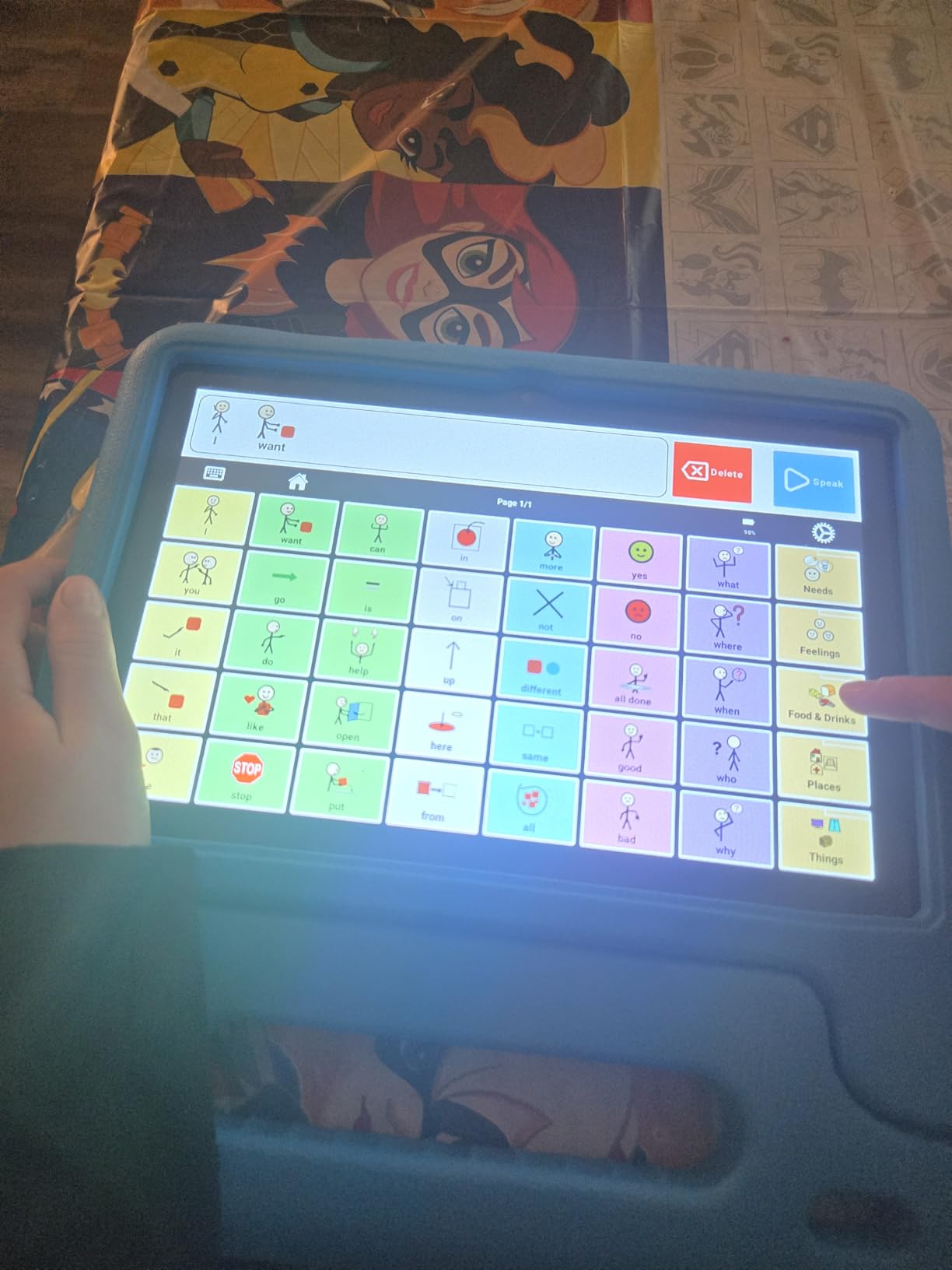
If your child has outgrown fixed phrase boards, this is the step up. A ten-inch touchscreen, more than three thousand built-in images, and expandable layouts that can start at a few tiles and grow into full boards as skills develop. That progression is the entire point, and no button board on this list can offer it.
Two features matter enormously for families and therapists. It works fully offline, so it does not matter whether the therapy room Wi-Fi works. And it is a one-time purchase with no subscription, which removes the recurring fee that makes some clinical software impossible to sustain year after year.
Why a Screen Changes the Ceiling
A button board teaches a child that communication has a ceiling, and children hit that ceiling fast. A tablet with three thousand images can hold a child’s actual life: the name of their brother, what they ate at lunch, the dog, the park, the one teacher they actually like. Parents who have moved up from button boards consistently describe this as the moment communication started to sound like their child.
Setup takes roughly forty seconds, the operating system is Android, and headphones, a keyboard and a mouse all work, which opens up email, a classroom messaging system or a text-to-speech keyboard for a child who prefers typing to pointing.
Battery, Case and Offline Behaviour
The battery is a 6000 mAh lithium-ion rated at up to eight hours of average use, which comfortably covers a school day and then some. A rugged drop-resistant case and an extra screen protector are included, and one parent reports the tablet surviving being stepped on and thrown during a tantrum, with a cracked screen replaced free of charge by the manufacturer.
Audio supports both MP3 and recorded AAC formats, so a parent’s own voice and a synthesised voice can coexist on the same board, which is often the combination that finally gets a response.
Where It Falls Short
The most-reported problem is software freezing repeatedly after about a month of use, which is serious when a child has just learned how to use it. The settings menu is also reachable by a curious child who can add nonsensical tiles, so put the device in Guided Access or a locked kiosk profile on day one.
It costs meaningfully more than a button board, and with 92 reviews the long-term reliability picture is thinner than the mass-market boards. I would pair it with a cheap button board as a backup rather than making it the only way your child can speak.
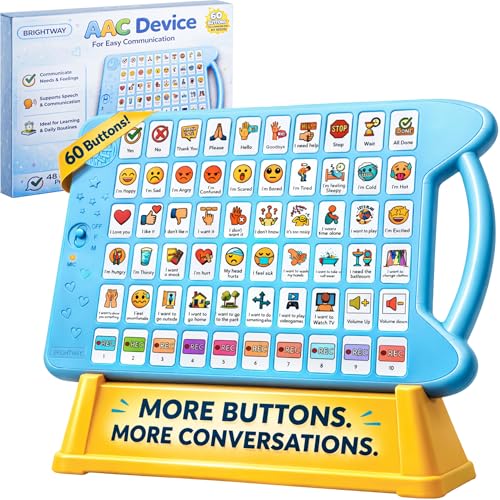
7. Brightway 60-Button AAC Device – The Most Words on One Board
- ✓Highest button count of any board in this roundup
- ✓the entire bottom row is customisable
- ✓large buttons that small children can reliably press
- ✓human-like voice options
- ✕Auto power-off after a few minutes that a child cannot reset
- ✕one report of unprompted repeated phrases
- ✕extreme synthetic voices
- ✕some small-hand complaints
60 buttons total
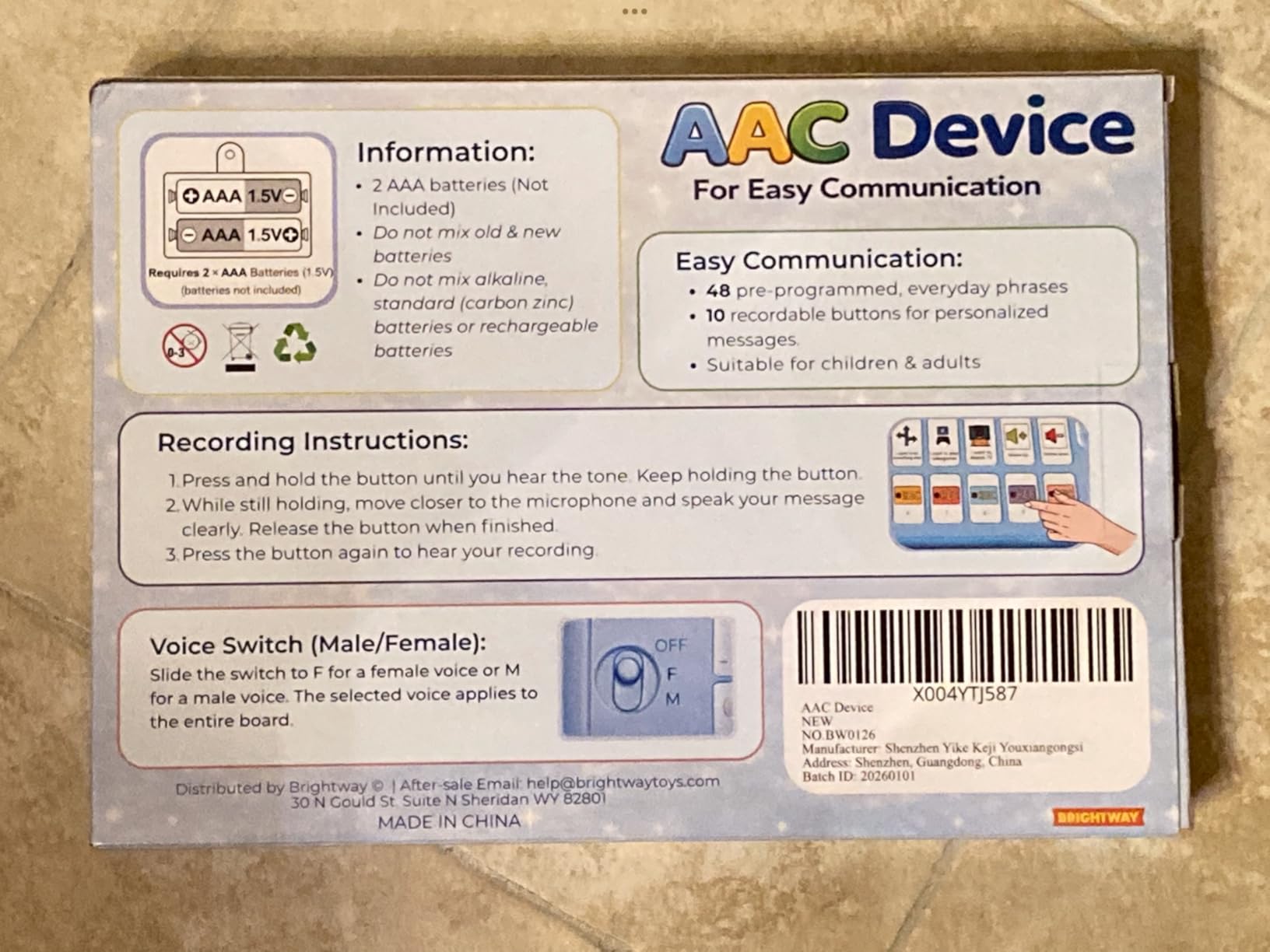
10 recordable buttons in a full bottom row
Male or female voice, multiple volume levels
About one pound
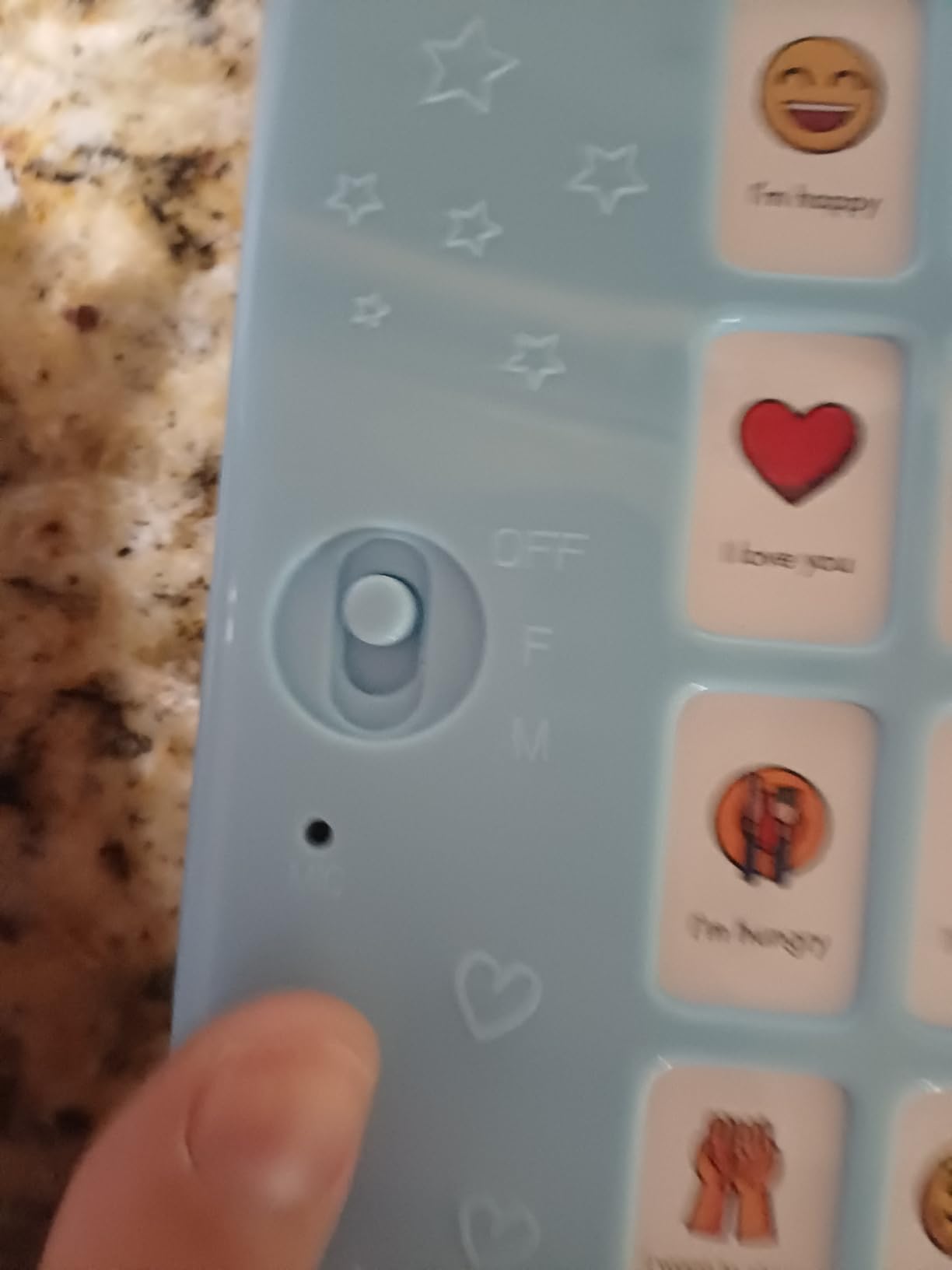
Sixty buttons is the headline number and it is accurate: this board carries more preset buttons than any other handheld board in this roundup, with ten fully customisable positions forming the entire bottom row. Parents of low-verbal children consistently praise the size of the buttons, which sounds like a small detail until you compare it with boards where a two-year-old cannot reliably depress the target.
It is also the lowest rated of the ten at 4.0 out of 5 across 75 reviews, with 14% of reviewers giving one star. That gap between the strongest feature and the weakest rating is the story of this product, and I would rather explain it than round it up.
Why More Buttons Help and Hurt
A larger vocabulary means a child can choose between options rather than accept what is offered, which is a real advance in functional communication. Ten custom slots in a dedicated row is a clean design: presets stay in place while personal words live together underneath, so the child learns one stable location for their own words.
The cost is visual density. Sixty icons is a lot to scan, and a child with attention or visual processing differences may find the board harder to use than a smaller one with clearer categories. If your child is already overwhelmed by a lot of visual information, more is not always better.
The Auto Shutoff Is a Genuine Flaw
Several users describe the board powering itself off after a few minutes of inactivity, and an adult having to flip a physical switch to restart it. For a nonverbal child who has just learned to press a button, a device that dies mid-conversation teaches the wrong lesson, and it is the kind of problem that makes a child abandon a system.
One review also reports the board repeating “I’m hungry” and “I’m hurt” with no button pressed, which is a hardware fault rather than a design choice and should prompt a return. Reviewers are divided on the voices too, describing them as either very deep or very high rather than natural.
Who Should Buy It
Buy it if your child’s motor skills allow large reliable presses and you want the widest possible fixed vocabulary in one board. Skip it if your child is sensory-sensitive to synthetic voices, or if unsupervised use matters and the auto shutoff would leave them without a way to call for help.
8. Xylira 36-Button AAC Device – The One Teachers Reach For
- ✓Simple uncluttered layout that does not overwhelm children
- ✓four volume levels and a loud speaker that carry over classroom noise
- ✓used by a preschool therapist in her classroom
- ✓lightweight with a bag
- ✕Batteries not included
- ✕thin plastic shell for a device that gets dropped
- ✕no haptic feedback on buttons
- ✕some dead-on-arrival units
36 preset buttons
6 recordable buttons
Male or female voice
Four volume levels, carrying bag included
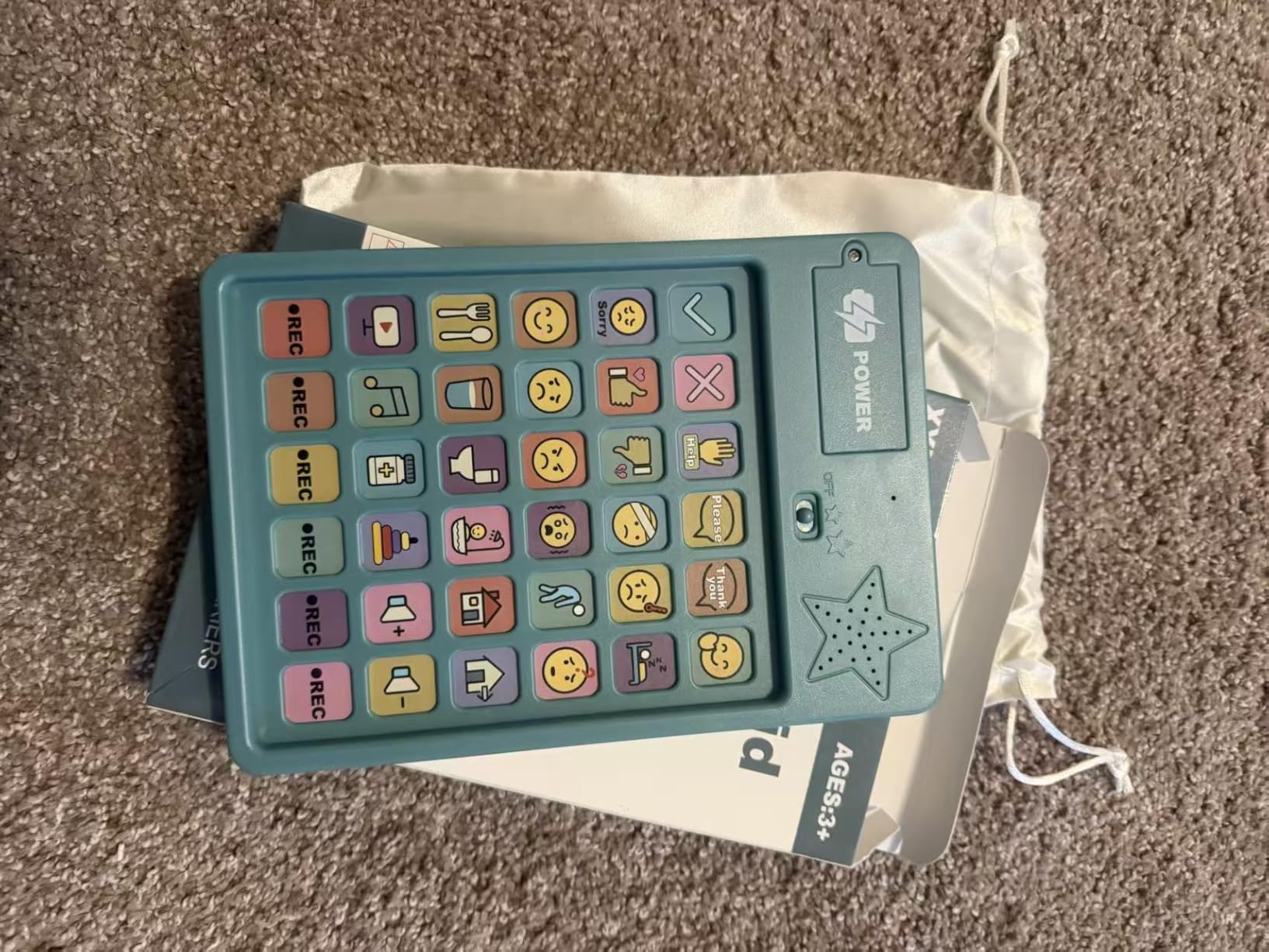
The most useful review on this board comes from an adult rather than a parent: a preschool therapist who uses it frequently in her classroom. That tells you something the ratings alone do not, which is that a device survives professional daily use by people who are not patient with bad equipment.
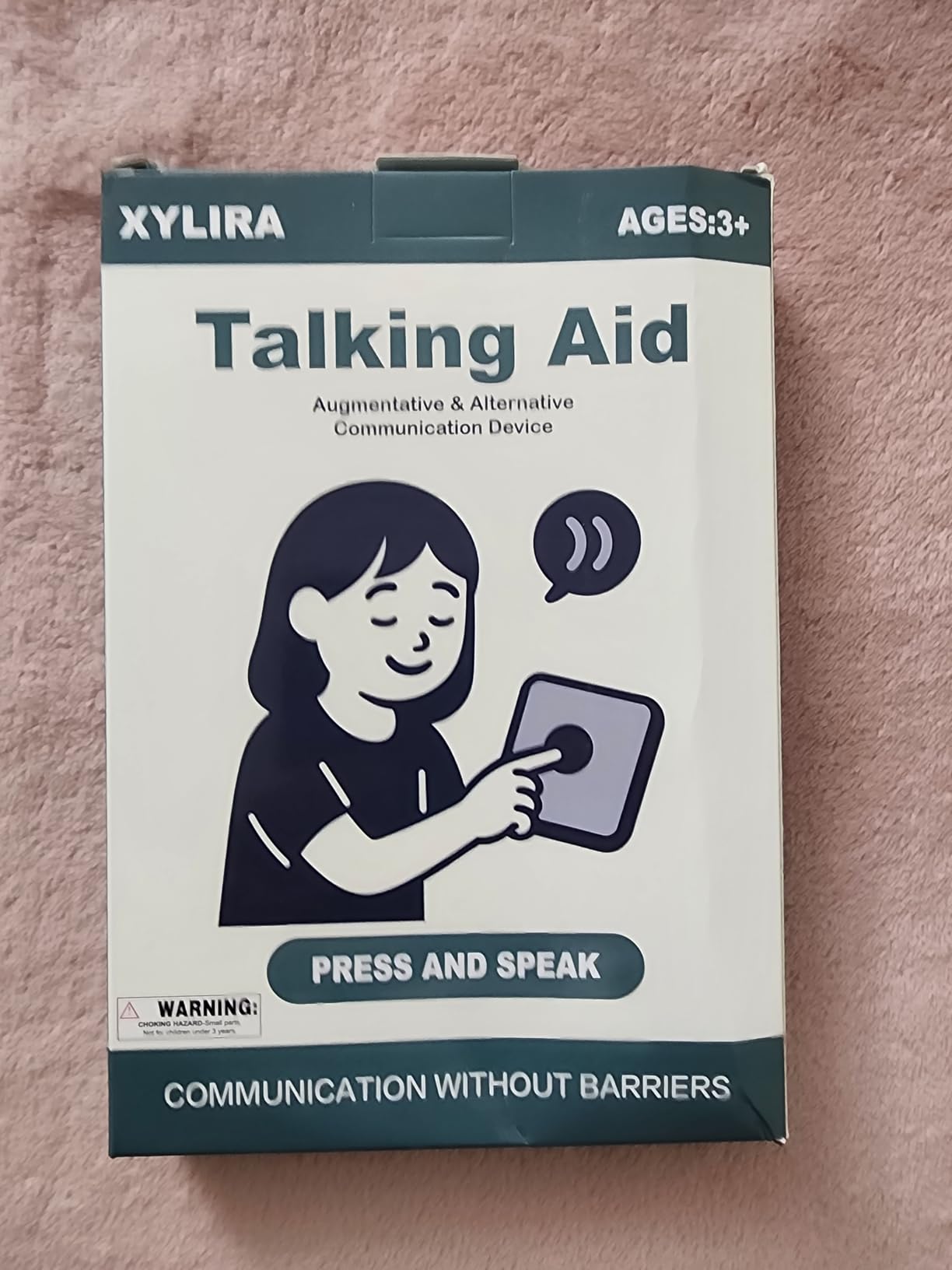
Thirty-six preset buttons cover basic responses, essential needs and feelings or sensory states, and six can be recorded by family members. The layout is described as uncluttered, which matters in a classroom where the board competes with nine other children and a lot of noise for attention.
Loudness Is the Feature in a Noisy Room
Four volume levels with a high-power speaker is the detail that separates this from cheaper boards. A child who asks for help at a volume nobody else can hear has not communicated, no matter how good the phrase set is. In a preschool classroom with a dozen children and a radiator running, that difference decides whether the device gets used at all.
The thickened outer shell improves grip, and the whole thing weighs under seven ounces, so it can move between home, school and therapy in the included carrying bag without becoming a burden to carry.
Build Quality Reports Are Mixed
Two reviewers bought it and received units that did not work at all, which is a small sample but a costly sample when you have bought ahead of a school year. Batteries are not included, so add two AAAs to the first order. The shell, while thickened, is still described as thin for a device that autistic children frequently drop.
There is no haptic feedback on the buttons, so a child pressing an empty button gets silence rather than confirmation. For children with sensory differences who rely on that physical signal, it is worth knowing before you buy.
Why It Earns the Classroom Badge
It is the board I would buy if the primary setting were a busy classroom rather than a home. The loudness, the simple layout and the carrying bag all point the same way. For a child starting at a preschool or a therapy-based early intervention programme, it is a low-risk first system that an aide can pick up and use without training.
9. AbleNet BIGmack Single-Message Device – The Specialist Single-Button Classic
- ✓Accepted and recommended by speech therapists for building first requests
- ✓genuinely rugged for heavy classroom use
- ✓mounting plate fits a table
- ✓wheelchair or wall
- ✓works for all ages
- ✕Only one message
- ✕so no choice or conversation is possible
- ✕one review reports breakage from a single drop
- ✕older units can develop audio static
One large button
Stores one message up to two minutes
Built-in mounting plate
Rugged daily-use construction
This is the only device here from a dedicated assistive technology manufacturer rather than a general consumer brand, and the difference is visible in the details: a mounting plate, a stereo audio specification, a stated signal-to-noise ratio, and a part number that a clinic can order against.
The BIGmack does one thing. A child presses one large button and the device speaks a recorded message of up to two minutes. Speech therapists have long recommended this as a first step for a child who needs to practise the act of initiating a request, because the barrier is motor and motivational rather than linguistic.
Two Minutes of Recorded Voice
The message is recorded and stored on the device, which means you can record your child’s name, a family member’s voice, or a request that means something specific to your household. Two minutes is generous compared with other single-message devices, and you can script a short routine: wake up, get dressed, brush teeth, come downstairs.
It connects by USB to a laptop, PC or tablet for recording, and it works on both Mac and Windows, so recording is not the obstacle it was with older models.
Mounting Changes Everything at Home
The built-in mounting plate is the feature that separates a specialist device from a consumer board. It can sit on a table, attach to a wheelchair tray, or mount on a wall at the child’s height, which keeps the button in the same reachable place every day. Consistency of motor memory is the entire lesson of switch work, and a board that moves around is a board that gets forgotten.
Reviews are split on value in a very understandable way. Speech therapists see a proven teaching tool that holds up to daily institutional use; families see an expensive way to say one sentence.
The Limitation to Be Honest About
There is no choice, no combination, no second message. A child who uses a BIGmack is practising request, not conversation. One reviewer also reports a unit breaking from a single drop, and older units developing static in the audio after extended use, so check it regularly if it is mounted somewhere unsupervised.
Use it as a floor, not a ceiling. Once your child is reliably requesting with it, move to a multi-button board, and the request you have built carries straight across.
10. SMALL FISH Rechargeable AAC Device – Built for Bilingual Homes and No Battery Bag
- ✓Only rechargeable option so no spare batteries to track
- ✓English and Spanish switching for bilingual homes and classrooms
- ✓silicone case protects against drops
- ✓small enough for a purse or school bag
- ✕Power button became unreliable within a few weeks
- ✕language switch easy for a young child to trigger by accident
- ✕buttons sit close together on the compact layout
25 preset buttons plus 7 recordable
English and Spanish language switching
USB-C rechargeable, 10+ hours active
Textured silicone case included
Two things separate this board from everything else in the roundup. It charges over USB-C and holds charge for at least ten hours of active use with more than ninety days on standby, and it switches between English and Spanish audio.
The recharge matters more than it sounds. Every other board here needs batteries, which means batteries in the therapy bag, batteries in the car, batteries in the school bag, and a device that dies silently at a conference. For families already stretched thin, a lithium-polymer battery removes a category of problem.
Language Layering for Two Homes
Twenty-five preset buttons plus seven custom recordings, with a language switch between English and Spanish, covers a genuinely common situation: a child who uses one language with one parent and another with the other. Caregivers report children picking the buttons up quickly and using them intentionally, often within days of arrival.
The textured silicone case with a soft bumper edge protects against drops and improves grip, and the whole board is small enough to live in a handbag. Adjustable volume, male and female voices and responsive touch feedback round out a thoughtful package.
The Lowest Rated in the Group, and Why
At 4.1 out of 5 across 29 reviews, this is the lowest-rated product here, and the reason is specific rather than general: the power button became unreliable within a few weeks for some users and needed a long press to switch on. On a device whose entire advantage is that it does not run out of power, a temperamental power switch is a serious fault.
The language switch is also easy for a young child to trigger accidentally, which means a Spanish-speaking board suddenly appearing in an English-only therapy session with no way to reverse it for the child. Keep a small note of which language is active before each session.
Who It Is For
Buy it for a bilingual household, a bilingual classroom, or any family permanently exhausted by batteries. Skip it if your child is highly motor-impaired and needs a switch that never misfires, since a soft power button is a poor target for a child with limited control.
How to Choose an AAC Device Your Child Will Actually Use
Every question below is one I have watched families get wrong by answering in the wrong order. The mistake is nearly always choosing on vocabulary size. The questions that matter are motor, cognitive and motivational, and vocabulary is the last decision rather than the first.
Match the Access Method to Your Child’s Motor Skills
Direct selection means the child points, touches or presses the target themselves. It works for children with reliable reaching and pointing, which is a wider range than most parents assume. Scanned selection means the device highlights items one at a time and the child signals to stop, using a single switch, a head pointer or a foot switch.
Eye gaze access means the camera on the device follows the child’s eyes and selects what they look at. It is the standard answer for a child with cerebral palsy or another condition affecting voluntary movement, and it works even when the child cannot speak or hold anything. None of the ten boards in this roundup offers eye gaze, which is worth being blunt about.
If you want to see how the alternatives compare, our guide to eye-tracking computer input devices covers the hardware side of that decision in detail.
Match the Vocabulary to Language Level
Core vocabulary is the small set of words that carry most of everyday meaning: help, more, finished, want, stop, go, my turn. A handful of core words beats a huge scattered vocabulary for almost every young child, because it is easier to remember where things are and faster to produce.
Beyond core vocabulary, the main architectures are single-meaning pictures where each symbol has one fixed meaning, semantic compaction systems such as Minspeak and WordPower where multi-meaning icons combine into a spoken word, and spelling systems for children who read. Devices like TouchChat, Proloquo2Go, LAMP Words for Life, Avaz, Grid and CoughDrop all live in the app or dedicated hardware tier rather than the boards above, and they are the right conversation to have with your speech-language pathologist once a child has a working foundation.
An Age and Stage Roadmap
Eighteen to thirty months: a single-message or small button board, used with hand-over-hand support and modelling. Two to three years: a multi-button board with a core phrase set, ideally one the child can hold. Preschool: colour-zoned or touch-screen boards, with the child initiating and adults expanding the vocabulary. School age: a tablet app or dedicated speech-generating device, often funded through the IEP.
The most common mistake I see is starting at the end of that roadmap because a tablet looks impressive. A child who is given a dense grid of three hundred symbols before they have ever pressed a button will conclude that communication is hard and give up. Start at the rung the child can actually reach and climb.
How to Pay for an AAC Device Without Going in Circles
None of the ten devices on this list is typically funded by insurance, Medicaid or a school district, and I would rather say that plainly than imply a purchase button equals a clinical recommendation. Dedicated speech-generating devices are the equipment that gets funded, and the route to one runs through a speech-language pathologist.
The Documentation Your File Actually Needs
Step one is an evaluation by a speech-language pathologist documenting that your child cannot reliably communicate using speech alone. Step two is a written medical-necessity statement and, where required, a physician prescription. Step three is submission to your private insurer, with a request for the equipment in writing so you have a record.
Step four is the appeal. Ask your speech-language pathologist to write the clinical justification, since insurers weigh the clinician’s language heavily. Step five is a written request to the school district to name AAC in the IEP; under IDEA, a district must provide AAC when a child needs it for a free appropriate public education. Step six, if those fail, is a state lending library, a vendor loaner programme, or a Medicaid-funded durable medical equipment request.
When the First Answer Is No
Parents on Reddit parenting and SLP communities describe denials that cluster around age: one parent reported being told their five-year-old needed to be eight before a trust would fund a device. That pushback is common, and the answer is a second opinion from a speech-language pathologist outside the trust, in writing, with the developmental justification attached.
While the process runs, use the gap productively. A board from this roundup gives your child a working voice now, and every word they build on it strengthens the case for the funded system later. If your child is three and starting services now, our guide to adaptive equipment for special needs children covers other early gear worth considering in parallel.
Teaching Your Child and the Adults Around Him to Use the Device
The single most common parent complaint in AAC forums is not that the device failed. It is that the device arrived and nobody, including the adults, knew how to use it. A device your child never sees modelled will sit in a drawer, and this is the actual reason many systems quietly disappear.
Model it yourself first, out loud, in front of the child, in every setting. Keep the grid small so the first few weeks involve a dozen reliable words rather than a wall of symbols. Pair the device with something the child genuinely enjoys, so pressing a button leads to music, a snack or a specific toy, not to a therapy demand.
Then train the adults, which most families skip and which parents describe as decisive. A parent whose team trained themselves and the school staff at the same time described it as the start of a completely different chapter. Teachers, aides and grandparents need the same twenty minutes of instruction your child does.
When Your Child Stops Using the Device
Parents describe this as boredom, tossing the device aside, or turning it into a video player. All three are the same problem: the device has stopped producing an outcome the child cares about.
Shrink the grid. Fewer buttons, consistently placed, beats a bigger vocabulary your child cannot find anything in. Move the buttons to the same physical position on the device, and check that the recording has not been overwritten by an accidental press, which happens on every board here that lacks a lock.
Model it again with fresh enthusiasm, and hand the device to another child in a session so it is not always the same person demanding. Check the volume first, because a device too quiet for a child to hear over a classroom feels exactly like a device that does not work. Finally, ask whether the vocabulary has gone stale: a board full of phrases about food is boring once the child has mastered them.
Frequently Asked Questions
What is the best AAC device for kids?
There is no single best AAC device, because the best device is the one matched to your child’s motor access, cognitive level and language goals. A board with preset buttons works for a child who is learning to request; a tablet app or dedicated speech-generating device is right for a child who needs open-ended vocabulary. Always run a trial with a speech-language pathologist before buying anything.
Will an AAC device stop my child from learning to talk?
No. AAC does not prevent or reduce spoken speech. Most children who use a communication aid use speech alongside it, and many talk more after they have a reliable way to express themselves, because the frustration of being unheard reduces their willingness to attempt words. The American Speech-Language-Hearing Association treats AAC as a right at any age, with no prerequisites and no required waiting period.
How do I get an AAC device for a non-verbal child?
Start with an evaluation by a speech-language pathologist, then obtain a written medical-necessity statement and any required prescription, and submit the funding request to your private insurer in writing. If it is denied, ask the clinician to write the appeal justification and request AAC in your child’s IEP under IDEA. As a final route, try a state lending library, a vendor loaner programme, or a Medicaid durable medical equipment request.
How much does an AAC device cost?
AAC devices come in four broad price tiers. Button-based talkers with preset phrases, like the Joyreal and Talker Buddy boards here, are the cheapest and sit in the low tens of dollars. Mid-range multi-level voice output talkers and touchscreen AAC tablets cost a few hundred dollars more. Communication apps on a tablet you already own add a modest one-off fee on top of the tablet. Dedicated clinical speech-generating devices are the most expensive tier and are usually funded rather than bought outright.
What are some good communication devices for non-verbal children?
Four categories cover most needs. Single-message talkers like the AbleNet BIGmack give one child-chosen sentence on a large button. Multi-button voice output boards such as the Joyreal or MibbyTalk give dozens of preset phrases plus recordable slots. Tablet apps such as Proloquo2Go or TouchChat give open-ended vocabulary with no fixed ceiling. Dedicated speech-generating devices are prescribed, funded and fitted through a specialist team.
What is an example of a device that can help nonverbal students?
A concrete example is a tablet running a core vocabulary communication app such as Proloquo2Go or TouchChat, which lets a student select symbols that speak aloud and can be edited by a classroom team. Other named examples include the AbleNet BIGmack single-message device, a GoTalk multi-level talker, and the TalkingTiles touchscreen AAC tablet, which ships with more than three thousand built-in images.
How do I teach my child to use an AAC device?
Keep the first grid small, around a dozen reliable words in fixed positions, and model the device yourself in front of the child every day. Pair each press with something the child enjoys, such as music, a snack or a favourite activity, so the device leads to an outcome. Then train the adults around the child, because teachers, aides and grandparents use it more than most families expect. Devices that nobody else models get abandoned.
The Right AAC Device Is the One That Gets Used
There is no universal best AAC device for nonverbal children, and any list that claims otherwise is selling you a specific hardware tier rather than helping your child. What the ten devices here have in common is that they will not solve open-ended communication on their own, and all of them are a genuine first step rather than a dead end.
If your child is under three, start small and physical: the LoveHugs 14-button board fits the hands, and the AbleNet BIGmack proves one request can be mastered. If your child is preschool age and pointing reliably, the Joyreal 23-button board is our editor’s choice, with the most review volume and the widest core phrase coverage, and the MibbyTalk is the most customisable with eleven recordable slots. If you need volume in a noisy classroom, the Xylira 36-button board is built for it, and the Brightway 60-button board has the most words with a fully customisable bottom row. If you need charging-free operation and two languages, the SMALL FISH device is the one. If your child has outgrown fixed phrases, the TalkingTiles tablet is the only screen in this roundup and the only one that can grow with them.
One last thing, and it matters more than any device on this page: get an evaluation from a speech-language pathologist before you buy, and start the funding conversation the same week. AAC does not compete with speech, and the fastest families move are the ones who stopped waiting for permission. Check the device that fits your child today, and tell your therapist which one caught your eye so the assessment starts from a real starting point.





Leave a Comment