
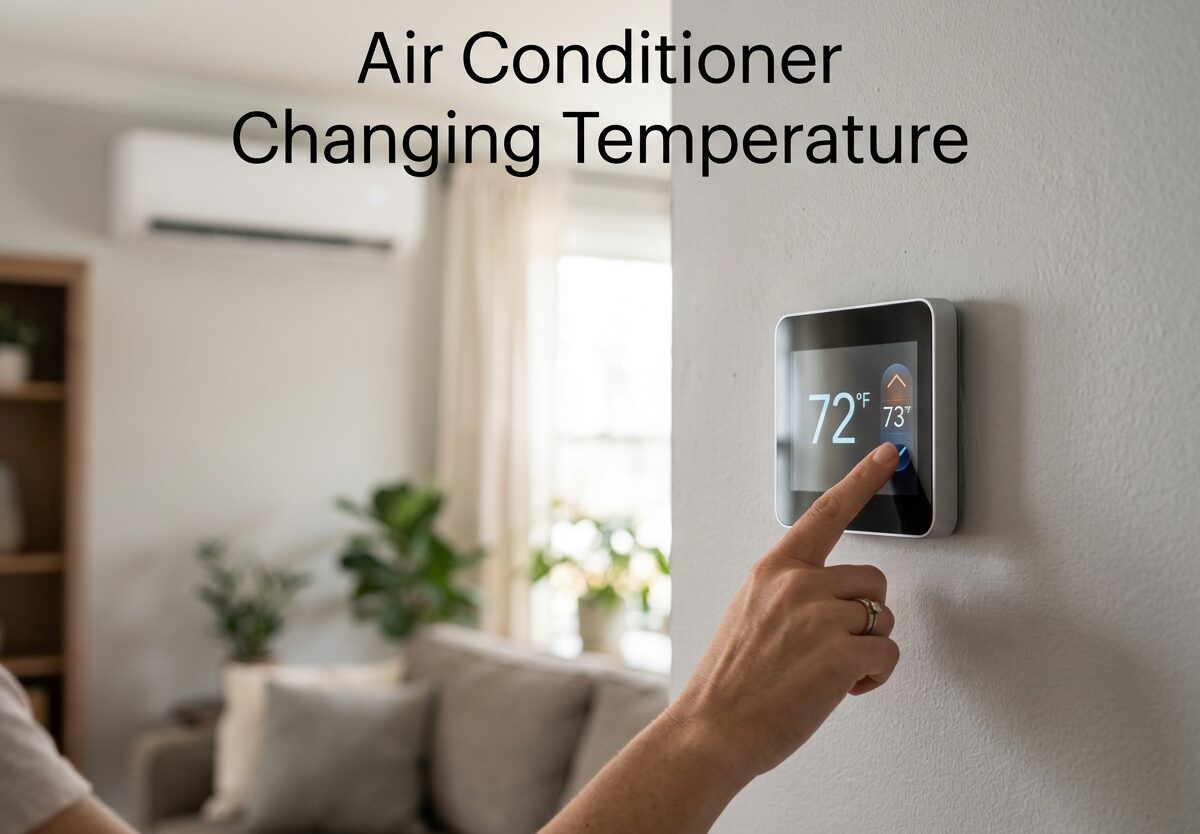
Understanding air conditioner changing temperature is essential for staying comfortable while keeping energy bills in check. The 20-degree rule states that your air conditioner can only cool indoor air about 20 degrees cooler than the outdoor temperature. Setting your thermostat lower than this won’t cool your home faster and will waste energy.
Most homeowners struggle with finding the right balance between comfort and efficiency. I’ve researched thermostat settings, energy savings, and common AC issues to help you optimize your cooling system.
This guide covers everything from optimal temperature settings to troubleshooting why your AC might change temperature on its own. Let’s dive into the science of how your air conditioner maintains indoor comfort.
Understanding Air Conditioner Temperature Basics
Understanding how your air conditioner manages temperature changes helps you set realistic expectations and avoid common mistakes that drive up energy bills.
How Your AC Cools Your Home
Your air conditioner works by removing heat and humidity from indoor air. Warm air passes over cold evaporator coils, where heat transfers to refrigerant. The cooled air circulates back into your home while the refrigerant carries heat outside.
This continuous cycle maintains your desired temperature until the thermostat senses the setpoint and signals the compressor to cycle off. Modern AC units can remove 5-7 gallons of water from indoor air daily in humid climates.
The cooling process depends on proper refrigerant pressure, clean coils, and adequate airflow. Any restriction in these systems affects temperature control and efficiency.
The 20-Degree Rule Explained
The 20-degree rule is a fundamental principle of air conditioner operation. Your AC system is designed to cool indoor air approximately 15-20 degrees cooler than the outdoor temperature. This limitation exists because of physics and compressor capacity.
For example, if it’s 95 degrees outside, your air conditioner can effectively cool your home to around 75-80 degrees. Setting your thermostat to 65 degrees won’t achieve faster cooling and will cause the system to run continuously without reaching that temperature.
This rule explains why your AC struggles during extreme heat waves. When outdoor temperatures exceed design specifications, the temperature differential decreases and your system works harder with diminishing results.
Department of Energy guidelines recommend setting your thermostat based on this realistic cooling capacity rather than pushing your system beyond its limits.
Temperature Differential and Cooling Capacity
Temperature differential refers to the difference between your thermostat setting and the actual temperature your AC can maintain. When outdoor temperatures rise above 90 degrees, this differential narrows significantly.
Your AC’s cooling capacity is measured in BTUs (British Thermal Units). A properly sized unit should maintain a 20-degree differential under normal conditions. However, factors like dirty filters, refrigerant leaks, or poor insulation reduce this capacity.
Understanding your system’s limitations helps you set appropriate temperature expectations. During extreme heat, supplementing with fans and managing indoor heat sources becomes necessary for comfort.
The 3-Minute Rule for AC Operation
The 3-minute rule protects your air conditioner’s compressor from damage. After your AC cycles off, the refrigerant pressure needs time to equalize before the compressor can safely restart. This typically takes 3-5 minutes.
Modern thermostats include this delay built into their programming. If you’re manually adjusting temperatures rapidly, you might notice the system won’t respond immediately to changes.
This protective feature prevents compressor lockout and extends equipment lifespan. Rapidly cycling your AC causes excessive wear and can lead to premature failure.
Optimal Temperature Settings for Every Situation
Finding the right temperature for each scenario balances comfort, energy efficiency, and equipment health. These recommended settings are based on Department of Energy guidelines and HVAC industry standards.
Daytime Settings When You’re Home
When you’re awake and at home during summer months, set your thermostat to 78 degrees Fahrenheit. This temperature provides comfortable cooling while maintaining reasonable energy consumption.
Every degree below 78 increases your energy consumption by approximately 3-4%. Setting your AC to 72 degrees instead of 78 can increase your cooling costs by 18-24%.
If 78 degrees feels too warm initially, try adjusting gradually over a few days. Your body acclimates to higher temperatures, and using ceiling fans can make 78 degrees feel several degrees cooler through the wind chill effect.
Nighttime Settings for Better Sleep
The National Sleep Foundation recommends bedroom temperatures between 65-67 degrees for optimal sleep. Your body temperature naturally decreases during sleep, and a cooler environment supports this process.
Set your AC to 82 degrees at night and use a ceiling fan or bed fan to create local cooling. This approach saves energy while maintaining sleep comfort through targeted airflow.
Programmable thermostats can automatically adjust temperatures based on your sleep schedule, ensuring comfort without manual adjustments.
Away From Home Settings
When you’re away for work or extended periods, set your thermostat to 85 degrees. This setting prevents heat damage to your belongings while minimizing energy waste.
The goal isn’t to cool your home while you’re away, but to prevent excessive heat buildup. Your AC will run less frequently, and you can cool the space quickly when you return.
Smart thermostats with geofencing can detect when you’re approaching home and begin cooling automatically, arriving to a comfortable temperature without keeping the house cool all day.
Extreme Heat Adjustments
During extreme heat waves above 95 degrees, accept that your AC may not maintain your usual setpoint. Following the 20-degree rule, if it’s 100 degrees outside, aim for 80-82 degrees indoors rather than straining your system.
Supplement with fans, close blinds during peak sun hours, and minimize indoor heat generation from appliances. These strategies reduce the cooling load on your system during challenging conditions.
| Scenario | Recommended Temperature | Energy Impact |
|---|---|---|
| Home (Daytime) | 78°F | Baseline |
| Sleeping | 82°F with fans | 15% savings vs 78°F |
| Away From Home | 85°F | 25-30% savings vs 78°F |
| Extreme Heat (95°F+ outside) | 80-82°F | Prevents system strain |
Why Cranking Your AC Too Low Is Counterproductive
Lowering your thermostat drastically won’t cool your home faster and causes several problems that increase costs and reduce comfort.
Exceeding Cooling Capacity
Your air conditioner cools at a fixed rate determined by its size and design. Setting the thermostat to 65 degrees when it’s 95 outside doesn’t increase cooling speed. The system runs at maximum capacity regardless of the setpoint.
Instead of reaching 65 degrees, your AC will run continuously trying to achieve an impossible temperature. This wastes energy while failing to provide additional comfort.
The system will eventually reach its maximum cooling capacity around 75-78 degrees and won’t cool further, no matter how low you set the thermostat.
Compressor Strain and Equipment Damage
Extended run times due to excessively low thermostat settings strain your compressor. This component is the most expensive part of your AC system and typically costs $2,000-4,000 to replace.
Continuous operation increases wear and reduces equipment lifespan. A properly sized AC should cycle on and off, not run continuously for hours. This cycling allows pressure equalization and prevents overheating.
HVAC professionals report that systems set to unrealistic temperatures experience significantly more compressor failures and shorter overall lifespans.
Energy Waste Without Faster Cooling
Every degree below 78 increases energy consumption by 3-4%. Setting your AC to 72 instead of 78 costs 18-24% more while providing no faster cooling.
This wasted energy accumulates quickly. A typical home cooling bill of $200 becomes $244-248 just by lowering the thermostat 6 degrees. For many households, this adds hundreds of dollars to annual cooling costs.
The Department of Energy estimates proper thermostat settings can reduce cooling costs by 10-15% annually compared to typical usage patterns.
The Power Grid Impact
During peak summer afternoons, air conditioning creates massive demand on electrical grids. Everyone lowering thermostats simultaneously strains infrastructure and can lead to brownouts or blackouts.
Energy experts recommend setting thermostats higher during peak hours (typically 3-7 PM) to reduce grid stress. This simple adjustment helps prevent power failures while saving money through time-of-use pricing.
Energy Savings by Degree
Understanding the financial impact of temperature settings helps you make informed decisions about comfort versus cost.
The 3% Per Degree Rule
The Department of Energy confirms that raising your thermostat by 1 degree saves approximately 3% on cooling costs. This rule applies to temperatures above 72 degrees, with diminishing returns below that point.
Conversely, lowering your thermostat increases costs by the same percentage. This mathematical relationship makes it easy to calculate the financial impact of temperature decisions.
Annual Savings Calculations
Let’s break down potential savings based on average cooling costs. If you spend $200 monthly on cooling for 5 months ($1,000 annually), here’s what temperature adjustments save:
- Raising from 72 to 78 degrees: Saves $180-216 annually (18-21% reduction)
- Raising from 74 to 78 degrees: Saves $120-144 annually (12-14% reduction)
- Raising from 76 to 78 degrees: Saves $60-72 annually (6-7% reduction)
These savings multiply in larger homes or regions with longer cooling seasons. Many homeowners can save $300-500 annually just through proper thermostat management.
Programming Your Thermostat for Maximum Efficiency
Programmable thermostats automate temperature adjustments so you don’t have to remember. Set schedules based on your routine, and the thermostat maintains optimal temperatures automatically.
For example: 78 degrees from 7 AM-10 PM when you’re home and active, 82 degrees from 10 PM-6 AM for sleeping, and 85 degrees from 6 AM-7 PM when you’re away at work.
Smart thermostats learn your patterns and can detect when you’re home or away through geofencing, automatically adjusting temperatures based on occupancy. These devices typically save 10-23% on heating and cooling costs according to multiple studies.
Working With Ceiling Fans for Better Cooling
Ceiling fans enhance air conditioner efficiency through the wind chill effect, making you feel cooler without lowering the thermostat.
Wind Chill Effect Explained
Ceiling fans don’t actually lower air temperature. Instead, they create air movement that evaporates moisture from your skin, making you feel 4-6 degrees cooler than the actual room temperature.
This effect allows you to set your thermostat 4 degrees higher while maintaining the same comfort level. Since ceiling fans use approximately 75% less energy than air conditioners, this combination significantly reduces overall cooling costs.
The wind chill effect only works when you’re in the room. Fans cool people, not spaces, so turn them off when leaving to avoid wasting energy.
Fan Direction Settings
In summer months, set ceiling fans to rotate counterclockwise at high speed. This direction creates a downdraft that produces the cooling wind chill effect you feel on your skin.
Most ceiling fans have a small switch on the motor housing to change direction. Stand beneath the fan and verify you feel air moving downward. If you don’t feel air movement, the fan is likely set to winter (clockwise) rotation.
Temperature Adjustment With Fans
Using ceiling fans throughout your home allows you to raise the thermostat by 4 degrees while maintaining comfort. This adjustment saves approximately 12% on cooling costs while the fans add only $5-10 monthly to electricity bills.
Install fans in frequently used rooms, especially bedrooms and living areas. Ensure the fan size matches the room—50-54 inch fans for rooms up to 225 square feet, and larger fans for bigger spaces.
Humidity Management for True Comfort
Temperature alone doesn’t determine comfort. Humidity levels significantly affect how warm or cool you feel, making moisture control an essential part of air conditioner performance.
EPA Guidelines for Indoor Humidity
The Environmental Protection Agency recommends maintaining indoor humidity between 30-50%. Below 30%, air feels dry and causes respiratory irritation. Above 50%, air feels muggy and sticky even at lower temperatures.
High humidity makes warm temperatures feel significantly warmer through the heat index effect. At 80 degrees with 60% humidity, it feels like 82 degrees. Your air conditioner must remove both heat and moisture for true comfort.
How AC Removes Humidity
Your air conditioner dehumidifies as a natural part of the cooling process. Warm, humid air passes over cold evaporator coils, causing moisture to condense on the coils like water on a cold drink.
This water drips into a drain pan and exits through a condensate line. A properly functioning AC removes 5-7 gallons of water daily in humid climates, significantly improving comfort.
However, oversized AC units may cool quickly without running long enough to dehumidify effectively. This explains why some homes feel cool but clammy.
Signs Your AC Isn’t Controlling Humidity
If your home feels cool but sticky, your AC may have humidity control issues. Signs include condensation on windows, musty odors, or visible mold growth.
Address humidity problems by checking that your AC runs for longer cycles (not short cycling), ensuring proper drainage, and using supplemental dehumidification in very humid climates.
Troubleshooting Air Conditioner Temperature Issues
When your air conditioner changing temperature doesn’t match your expectations or behaves unexpectedly, several common issues may be the cause.
Why Does My AC Change Temperature On Its Own?
If you notice your thermostat setting changing without your input, you’re not alone. This is one of the most common complaints among AC users, and several explanations exist.
Smart thermostats with scheduling features may automatically adjust temperatures based on programmed schedules. If someone set up a schedule you’re unaware of, the thermostat will follow it faithfully. Check your thermostat’s programming menu to review and modify scheduled temperature changes.
Geofencing features detect when your smartphone leaves or returns home, automatically adjusting temperatures for energy savings. Disable this feature if you prefer manual control, or ensure all household devices are properly connected.
Some utilities offer demand response programs that briefly adjust thermostats during peak demand periods. These programs typically require opt-in, so check your utility account if you suspect this is happening.
For basic thermostats, weak batteries can cause erratic behavior including random temperature changes. Replace batteries annually and check them first if you notice unexplained adjustments.
Common Thermostat Problems
Thermostat display showing room temperature instead of target temperature confuses many users. Most programmable thermostats alternate between displaying setpoint and current room temperature. Look for a small indicator showing which temperature is displayed.
Some units require pressing a button to switch between displays. If you’ve been adjusting what you thought was your target temperature but was actually the room temperature reading, this explains why your actual setting hasn’t changed.
Weak batteries in thermostats or remote controls cause inconsistent operation. Symptoms include unresponsive buttons, blank displays, or random temperature changes. Replace batteries with fresh ones annually, preferably before peak cooling season begins.
Sensor placement affects thermostat accuracy. Locate thermostats away from heat sources like direct sunlight, lamps, or electronics. Wall-mounted thermostats should be positioned on interior walls rather than exterior walls that conduct outdoor temperature.
Smart vs Programmable Thermostats
Programmable thermostats offer scheduling features that automatically adjust temperatures based on time of day. You set specific temperatures for specific times, and the thermostat follows this schedule reliably.
Smart thermostats include all programmable features plus WiFi connectivity, learning algorithms, and advanced features like geofencing, humidity sensing, and energy usage reports. These devices typically cost $150-300 but can save 10-23% on energy costs according to multiple studies.
Upgrade considerations include your household’s routine consistency, technical comfort level, and whether you’d benefit from remote control via smartphone apps. For most homeowners, smart thermostats pay for themselves within 2-3 years through energy savings.
DIY Maintenance Tips
Regular maintenance prevents temperature control issues and extends equipment life. Replace air filters every 30-90 days depending on filter type, household pets, and allergies. Clogged filters restrict airflow, reducing cooling capacity and increasing energy consumption.
Clear outdoor condensing units of debris like leaves, grass clippings, and vegetation. Maintain at least two feet of clearance around the unit for proper airflow. Gently spray the unit with a garden hose annually to remove dirt buildup from the coils.
Check that your condensate drain line flows freely. Clogged lines cause water damage and can trigger safety shut-off switches. Pour a cup of white vinegar through the drain line annually to prevent algae growth.
Schedule professional maintenance every 1-2 years. HVAC technicians check refrigerant levels, test electrical components, clean coils thoroughly, and identify potential problems before they cause failures.
Frequently Asked Questions About Air Conditioner Temperature
Why does my air conditioner change temperature on its own?
Your AC may change temperature automatically due to smart thermostat scheduling, geofencing features that detect when you leave or return, utility demand response programs during peak periods, or weak batteries causing erratic behavior. Check your thermostat’s programming menu and replace batteries annually.
What is the 20-degree rule for air conditioners?
The 20-degree rule states your AC can only cool indoor air about 20 degrees cooler than the outdoor temperature. Setting your thermostat lower than this difference won’t cool your home faster and will waste energy while straining your system.
How cool should my house be if it’s 92 outside?
Following the 20-degree rule, if it’s 92 degrees outside, your AC can effectively cool your home to approximately 72-74 degrees. Setting your thermostat to 68 degrees won’t achieve faster cooling and will cause your system to run continuously without reaching that temperature.
What is the 3 minute rule for air conditioners?
The 3-minute rule protects your AC’s compressor by preventing immediate restart after shutdown. When your AC cycles off, refrigerant pressure needs 3-5 minutes to equalize before the compressor can safely restart. Modern thermostats include this delay automatically.
How much can I save by raising my AC temperature?
The Department of Energy estimates you save approximately 3% on cooling costs for every degree you raise your thermostat above 72 degrees. Raising from 72 to 78 degrees saves 18-21% on cooling costs, which equals $180-216 annually for a typical $1,000 cooling budget.
Should I run my AC on auto or on?
Auto setting allows the fan to run only when cooling, which saves energy and removes humidity effectively. On setting runs the fan continuously, which can improve air circulation and temperature consistency but uses more energy and may increase humidity. Most experts recommend auto for efficiency.
Can AC cause sinus issues?
Air conditioners can contribute to sinus problems if humidity drops too low below 30%, causing dry nasal passages. Poorly maintained AC units may also circulate allergens, dust, and mold. Maintain indoor humidity between 30-50% and replace filters regularly to minimize sinus irritation.
What should my AC be set at if it’s 100 degrees outside?
Following the 20-degree rule, when it’s 100 degrees outside, set your AC to approximately 80-82 degrees. Setting it lower won’t cool faster and will waste energy. During extreme heat, supplement cooling with ceiling fans, close blinds during peak sun, and minimize indoor heat generation.
Conclusion
Understanding air conditioner changing temperature helps you optimize comfort while minimizing energy costs. The 20-degree rule explains why your AC has limitations, and proper thermostat settings based on your daily routine ensure efficient operation.
Set your AC to 78 degrees when home, 82 degrees while sleeping, and 85 degrees when away for optimal balance between comfort and efficiency. Use ceiling fans to feel cooler at higher temperatures, and maintain humidity between 30-50% for true comfort.
If your thermostat changes temperature unexpectedly, check for programmed schedules, weak batteries, or smart features like geofencing. Regular maintenance including filter changes and professional servicing prevents most temperature control issues.
Programmable or smart thermostats automate temperature adjustments and typically save 10-23% on energy costs while maintaining consistent comfort. Small adjustments to your air conditioner changing temperature habits add up to significant savings over the cooling season.



Leave a Comment