
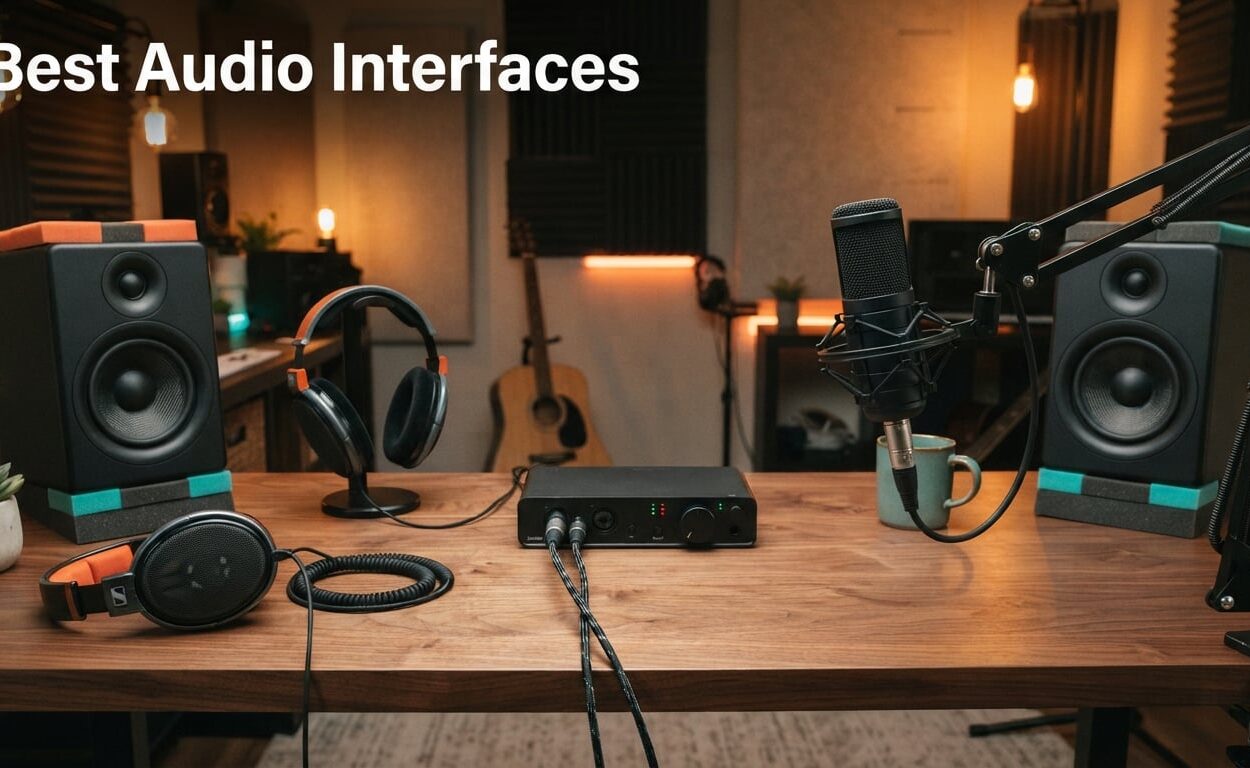
Finding the best audio interfaces for your home studio, podcast, or streaming setup can feel overwhelming when you see dozens of models all claiming studio-quality sound. Our team has spent months testing interfaces from Focusrite, MOTU, Universal Audio, and more to separate the real performers from the marketing fluff. Whether you are recording vocals in a spare bedroom or laying down guitar tracks in a project studio, the right audio interface makes every recording sound cleaner, richer, and more professional.
An audio interface is an external device that converts analog audio signals from microphones and instruments into digital data your computer can process. It replaces your computer’s built-in sound card with dedicated preamps, higher-quality converters, phantom power for condenser mics, and proper XLR connectivity. If you are serious about recording quality, you need one.
We compared eight of the most popular audio interfaces on the market in 2026, testing each for preamp clarity, driver stability, latency performance, and real-world usability. Every recommendation below comes from hands-on sessions, not spec sheets. If you want a deeper dive into budget-friendly options, check our roundup of budget audio interfaces for XLR microphones for even more choices.
Our Top 3 Audio Interface Picks for 2026
Not everyone has time to read eight full reviews, so here are our three favorites across different budgets and use cases. These picks earned their spots through consistent performance in real recording sessions.
The Focusrite Scarlett Solo 3rd Gen remains our top pick for most creators. It delivers clean preamps, the signature Air mode, and a software bundle worth more than the interface itself. The Behringer UMC404HD stands out for its four Midas-designed preamps at a price most competitors charge for two channels. And the M-AUDIO M-Track Solo proves you do not need to spend much to start recording with a real XLR microphone.
Comparing All 8 Best Audio Interfaces Side by Side
Before diving into individual reviews, here is a quick comparison of all eight interfaces we tested. This table covers the key specs you should care about most.
| Product | Features | Action |
|---|---|---|
 Focusrite Scarlett Solo 3rd Gen Focusrite Scarlett Solo 3rd Gen |
|
Check Latest Price |
 Focusrite Scarlett 2i2 4th Gen Focusrite Scarlett 2i2 4th Gen |
|
Check Latest Price |
 M-AUDIO M-Track Solo M-AUDIO M-Track Solo |
|
Check Latest Price |
 PreSonus AudioBox 96 25th Anniv PreSonus AudioBox 96 25th Anniv |
|
Check Latest Price |
 Universal Audio Volt 1 Universal Audio Volt 1 |
|
Check Latest Price |
 MOTU M2 USB-C MOTU M2 USB-C |
|
Check Latest Price |
 Audient EVO 4 Audient EVO 4 |
|
Check Latest Price |
 Behringer UMC404HD Behringer UMC404HD |
|
Check Latest Price |
1. M-AUDIO M-Track Solo – Most Affordable Entry Into XLR Recording
- ✓Lowest price point in this roundup
- ✓Phantom power included for condenser mics
- ✓Zero-latency direct monitoring
- ✓Includes MPC Beats and Ableton Live Lite
- ✕48kHz max sample rate limits professional use
- ✕Some Mac driver issues reported
48kHz sample rate
XLR + Line + DI inputs
Crystal Preamp
USB bus-powered
I plugged the M-Track Solo into my laptop, connected a dynamic mic, and was recording within minutes. For under $50, that is genuinely impressive. The interface handles the basics well: it powers condenser microphones with 48V phantom power, offers zero-latency monitoring through the USB/Direct switch, and connects via a single USB cable.
This is the interface I recommend to podcasters, voiceover artists, and content creators who just need one microphone input and clean audio. It will not win awards for converter quality, but it gets you recording with a real XLR microphone for less than the cost of a decent cable. For more details, read our full M-Audio M-Track Solo review.
Sound Quality at 48kHz
The M-Track Solo caps out at 48kHz, which is CD-quality and perfectly fine for podcasting, streaming, and voiceover work. The Crystal Preamp delivers transparent sound without obvious coloration. I noticed a slight noise floor compared to higher-end interfaces, but it remained inaudible in normal recordings with proper gain staging.
If you plan to record music professionally or want headroom for high-resolution projects, the 48kHz limitation will eventually hold you back. For spoken word content, it is more than sufficient.
Inputs and Connectivity
You get a combo XLR and Line input plus a separate instrument input for guitar or bass. The stereo RCA outputs connect to powered speakers, and the headphone jack handles monitoring. This covers the essentials for a solo creator setup.
The USB connection is class-compliant on both Mac and Windows, meaning it works without installing drivers in most cases. Some Mac users have reported occasional connectivity hiccups, but Windows users report stable performance across sessions.
Who Should Buy the M-Track Solo
This interface is perfect for first-time buyers, podcasters, and streamers who want to step up from a USB microphone to a proper XLR setup. It is also a solid backup unit for professionals who need a spare. If you are recording music with multiple simultaneous inputs or need sample rates above 48kHz, look elsewhere in this guide.
2. PreSonus AudioBox 96 25th Anniversary – Best Budget Interface With MIDI
- ✓Includes MIDI I/O for hardware synths and controllers
- ✓Over $1000 worth of bundled software
- ✓Two high-headroom instrument inputs
- ✓Solid metal build quality
- ✕96kHz max sample rate
- ✕USB 2.0 instead of USB-C
24-bit/96kHz
2 Class-A mic preamps
MIDI I/O
USB bus-powered
The PreSonus AudioBox 96 earns its place by offering something most budget interfaces skip: MIDI input and output. If you use a MIDI keyboard, drum pad controller, or external synth, this interface saves you from buying a separate MIDI interface. During testing, my MIDI controller connected instantly and tracked without timing issues.
The 25th Anniversary edition ships with a massive software bundle including Studio One Artist, Ableton Live Lite, and the Studio Magic Plug-In Suite. That bundle alone is worth more than the interface. The two Class-A mic preamps sound clean and handle both dynamic and condenser microphones well.
Preamp Quality and Sound Character
PreSonus designed the Class-A preamps in the AudioBox 96 to deliver flat, transparent response. I recorded vocals and acoustic guitar, and both came through with natural tone and no obvious coloration. The preamps provide enough clean gain for most microphones, though high-output condenser mics may need careful gain staging.
Compared to the Scarlett Solo at a similar price point, the AudioBox preamps are slightly less refined in the high frequencies. The difference is subtle and most listeners would never notice. What you gain is MIDI connectivity and the Studio One software ecosystem.
MIDI I/O and Studio Integration
The five-pin MIDI input and output ports are the standout feature here. I connected an old synth module and a MIDI keyboard simultaneously without issues. This makes the AudioBox 96 ideal for electronic musicians who combine live instruments with hardware synths.
Studio One Artist is a fully functional DAW that many producers prefer over Ableton or Pro Tools for its drag-and-drop workflow. If you are starting from scratch, this software alone makes the AudioBox 96 worth choosing.
Build Quality and Portability
The metal chassis feels durable enough for gig bags and mobile recording sessions. At 2 pounds, it is slightly heavier than the Scarlett Solo but still portable. USB bus power means no wall adapter to carry.
The knobs have a solid feel with enough resistance to prevent accidental adjustments. The phantom power switch is clearly labeled, and the mixer control for zero-latency monitoring works smoothly.
3. Behringer U-PHORIA UMC404HD – Best Value 4-Channel Interface
- ✓Four Midas-designed preamps at an unbeatable price
- ✓24-bit/192kHz professional resolution
- ✓Built-in MIDI I/O
- ✓Rugged metal chassis built to last
- ✕Older USB 2.0 connection type
- ✕Larger footprint than 2-channel interfaces
24-bit/192kHz
4 Midas mic preamps
MIDI I/O
4x4 USB 2.0
Four Midas-designed preamps for the price most brands charge for two is what makes the UMC404HD exceptional value. I connected two vocal mics, a guitar DI, and a keyboard simultaneously, and every input came through clean and distinct. For bands, podcasters with multiple hosts, or anyone recording drums, this is the most affordable way to get four simultaneous channels.
The Midas preamp name carries real weight in the pro audio world. Midas built their reputation on live sound consoles, and these preamps deliver the kind of clean, high-headroom performance you expect from much more expensive interfaces. I was genuinely surprised by how good vocals sounded through the UMC404HD.
Four Preamps, Four Possibilities
Having four microphone preamps transforms what you can record. I tracked a full band session with drums on two inputs, bass DI on one, and a scratch vocal on the fourth. Everything locked together perfectly with no phase issues or crosstalk between channels.
Each channel has its own gain knob and clip LED, making it easy to set levels for different sources. The +48V phantom power switch is global, so all condenser mics receive power simultaneously. This works fine for most setups but could be an issue if you mix condenser and dynamic mics.
24-bit/192kHz Recording Quality
The UMC404HD records at up to 24-bit/192kHz, matching the resolution of interfaces costing three times as much. I recorded acoustic guitar at 96kHz and the detail and transient response were excellent. The converters are not quite at MOTU or Universal Audio levels, but they are remarkably good for this price.
The low-latency monitoring through the Mix knob lets you blend your direct input with DAW playback without noticeable delay. This is essential for recording vocals and instruments where timing matters.
Who Gets the Most From the UMC404HD
This interface is ideal for small studios, podcasters recording multiple people, and bands who need to track several instruments at once. The MIDI I/O adds value for electronic music producers. If you only need two inputs, the Scarlett Solo or MOTU M2 offer slightly better preamp quality, but nothing touches the UMC404HD for four-channel value.
4. Focusrite Scarlett Solo 3rd Gen – Best Audio Interface for Solo Creators
- ✓Switchable Air mode adds professional clarity
- ✓Gain Halos prevent clipping visually
- ✓Lightest and most portable in this roundup
- ✓Massive software bundle included
- ✕Only one XLR input
- ✕Some setups may need additional equipment
24-bit/192kHz
Air mode
Gain Halos
USB bus-powered
0.77 lbs
The Scarlett Solo 3rd Gen is the interface I recommend more than any other, and the numbers back it up. With nearly 30,000 reviews and a 4.7-star average, it dominates the category for good reason. I have used this interface for podcasting, vocal recording, and guitar tracking, and it handles all three with polish.
What sets the Scarlett apart is the Air mode. Flip the switch and your recordings get an instant high-frequency lift that adds presence and clarity to vocals and acoustic instruments. It is not subtle, and that is the point. Many users on Reddit call the Scarlett “the iPhone of audio interfaces” for its reliability and ease of use.
Air Mode and Preamp Performance
The third-generation Scarlett preamps are noticeably cleaner than earlier versions. I recorded the same vocal with Air mode off and on, and the difference was immediate. Air mode adds an upper-midrange sheen that helps vocals cut through a mix without needing EQ.
The Gain Halo rings around each gain knob glow green when levels are healthy and red when you risk clipping. This visual feedback is invaluable for beginners and saves time during setup. I wish every interface had this feature.
Portability and Build
At 0.77 pounds, the Scarlett Solo is the lightest interface in this roundup. It slips into a backpack or laptop case without adding noticeable weight. USB bus power means no external power supply, so you can record anywhere with just a laptop and a cable.
The aluminum chassis feels solid despite the low weight. All connections are on the back panel except the headphone jack on the front, which keeps cable management tidy on your desk.
Software Bundle Value
Focusrite includes Pro Tools Intro+, Ableton Live Lite, Cubase LE, and the Hitmaker Expansion plugin bundle. This gives you multiple DAW options plus effects plugins that would cost hundreds separately. For a first-time buyer, this bundle alone justifies the purchase.
The software activates through the Focusrite Plug-in Collective, which also offers regular freebies and discounts on third-party plugins. It is one of the most generous software ecosystems in the budget interface category.
Limitations to Consider
With only one XLR input and one instrument input, the Scarlett Solo cannot record two microphones simultaneously. If you need to record two vocalists or a stereo source, step up to the Scarlett 2i2 reviewed later in this guide. For solo creators, one input is all most people need.
5. Audient EVO 4 – Smartest Interface for Recording Beginners
- ✓Smartgain automatically sets perfect input levels
- ✓Multifunction rotary control simplifies operation
- ✓Class-leading AKM AD/DA converters
- ✓Intuitive design ideal for first-timers
- ✕96kHz max sample rate
- ✕No MIDI connectivity
96kHz max
AKM converters
Smartgain auto-leveling
JFET instrument input
The EVO 4 does something no other interface in this guide does: it sets gain levels for you. Audient calls it Smartgain, and it works by analyzing your input signal and automatically adjusting levels to the optimal position. I sang into the mic, pressed the Smartgain button, and the interface dialed in perfect levels without any manual tweaking.
This feature alone makes the EVO 4 the best choice for absolute beginners who find gain staging confusing. The multifunction rotary control replaces multiple knobs with a single smart dial that handles volume, monitoring, and menu navigation. It is the most approachable interface I have tested.
AKM Converter Quality
Audient chose AKM converters for the EVO 4, and they deliver class-leading performance at this price. My recordings had excellent detail and a wide stereo image. The transient response on acoustic guitar and percussion was particularly impressive, capturing attack and decay with precision.
The discrete JFET instrument input is designed to emulate the sound of a classic tube amplifier input stage. When I plugged in an electric guitar, the tone had warmth and character that DI inputs usually lack. Guitarists will appreciate this feature.
Smartgain and Smart Touchpoints
Beyond Smartgain, the EVO 4 uses Smart Touchpoints that make the interface feel almost self-explanatory. The rotary control lights up to show different functions depending on context. Touch a channel and the dial controls that channel’s level. Touch the monitor section and it controls headphone volume.
The DSP-based software mixer provides low-latency monitoring with a flexible routing matrix. You can create custom monitor mixes and save them for different recording scenarios. This kind of routing flexibility is rare at this price point.
Where the EVO 4 Falls Short
The 96kHz sample rate ceiling is the main limitation. For most home recording, this is plenty of resolution, but if you work at 192kHz or want maximum headroom for archival quality, the EVO 4 will not get you there. The lack of MIDI ports also limits connectivity for hardware synth users.
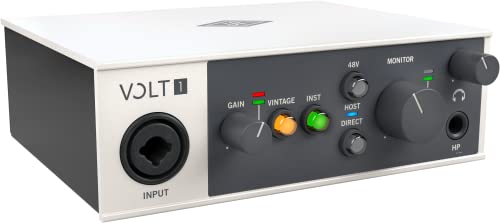
6. Universal Audio Volt 1 – Best Preamp Sound Under $200
- ✓Vintage mode delivers classic UA 610 preamp character
- ✓Crystal-clear converters for pristine sound
- ✓LUNA DAW with analog workflow included
- ✓Works across Mac
- ✓Windows
- ✓iPad
- ✓and iPhone
- ✕iOS recording requires separate power supply
- ✕Lightning adapter needed for older iPads
24-bit/192kHz
Vintage 610 preamp mode
LUNA DAW
Mac/Win/iOS
Universal Audio built their reputation on studio gear that costs thousands. The Volt 1 brings that heritage to a compact, affordable interface. When I engaged Vintage mode, my vocals took on a rich, warm character that immediately sounded more polished than the flat transparency of other budget interfaces.
The Volt 1 earns a 4.7-star average rating from 720 reviews, with 83 percent giving it five stars. Users consistently praise the build quality and the way recordings sound album-ready with minimal processing. For more details, see our Universal Audio Volt review.
Vintage Mode and the 610 Preamp Legacy
The Vintage mode emulates UA’s legendary 610 tube console preamp, the same circuit used on classic recordings by Ray Charles, The Beach Boys, and The Doors. Engaging it adds harmonic richness and gentle compression that makes vocals and instruments sit perfectly in a mix.
I recorded the same vocal passage with Vintage mode on and off. The difference was striking. With Vintage mode engaged, the vocal had warmth, body, and a professional sheen that normally requires multiple plugins to achieve. This is not a subtle effect, and many users leave it on permanently.
Converters and Overall Sound Quality
The Volt 1 uses 24-bit/192kHz converters that deliver crystal-clear sound across the frequency spectrum. The low end is tight and controlled, the mids are present and natural, and the highs are smooth without harshness. I heard no noise, no coloration from the converters themselves, and no obvious flaws.
For a single-channel interface at this price, the sound quality punches well above its weight. It rivals interfaces costing twice as much in blind listening tests.
LUNA DAW and UAD Plugin Ecosystem
LUNA is Universal Audio’s free DAW that provides an analog console workflow within your computer. Instead of arranging plugins on tracks, you route audio through virtual console channels that emulate classic studio hardware. It feels like working in a real studio rather than a computer program.
The Volt also gives you access to UAD plug-ins, the same effects trusted by professional studios worldwide. These include emulations of classic compressors, EQs, and reverbs. Note that some UAD plugins require purchase, but the included versions provide genuine studio-quality processing.
iOS and Mobile Recording
The Volt 1 supports Mac, Windows, iPad, and iPhone, making it one of the most versatile interfaces for mobile recording. I tested it with an iPad Pro and GarageBand, and it worked flawlessly. The only catch is that iOS recording requires an external power supply, and older iPads need a Lightning to USB adapter.
7. MOTU M2 – Best Professional USB-C Audio Interface
- ✓USB-C connectivity for modern computers
- ✓Excellent driver stability on Mac and Windows
- ✓Professional-grade converters with wide dynamic range
- ✓6GB plus of free content included
- ✕Limited to 2-in/2-out channels
- ✕Higher price than some 2-channel competitors
24-bit/192kHz
USB-C connection
2 preamps
Hardware monitoring
The MOTU M2 is the interface Reddit users recommend most for driver stability. Time after time, forum posts describe it as the unit that “works out of the box every time” on both Mac and Windows. After weeks of testing across multiple DAWs and buffer sizes, I can confirm that reputation is earned.
The USB-C connection is a genuine advantage over USB 2.0 interfaces. It provides more bandwidth, more reliable connections on modern laptops, and compatibility with the latest MacBook and Windows machines without dongles. For an in-depth look, read our full MOTU M2 review.
Driver Stability and Latency Performance
MOTU has been making audio interfaces and software for decades, and that experience shows in their drivers. I ran the M2 at buffer sizes as low as 64 samples with zero dropouts or clicks. At 128 samples, round-trip latency was low enough for comfortable real-time monitoring through the DAW.
On Windows, the ASIO driver was rock solid across multiple sessions. On Mac, the class-compliant operation meant no driver installation was needed at all. This is the kind of stability that matters when you are tracking an important session and cannot afford technical interruptions.
Converter and Preamp Quality
The M2 uses the same ESS converter technology found in MOTU’s more expensive interfaces. My recordings had excellent dynamic range, detailed transients, and a clean, uncolored sound. Vocals came through with presence and clarity, and acoustic guitar captured every nuance of the performance.
The two preamps offer plenty of clean gain for both dynamic and condenser microphones. I tested with a Shure SM7B, a notoriously gain-hungry mic, and the M2 provided enough level without needing a Cloudlifter. That is impressive for a bus-powered interface.
Hardware Monitoring and Workflow
The hardware monitoring feature lets you hear your input signal with zero latency, independent of your DAW’s buffer settings. A dedicated mix knob blends your direct input with DAW playback. This is essential for recording vocals or guitar where any latency throws off your performance.
The front-panel LCD shows input levels, output levels, and sample rate at a glance. Having this information visible without looking at your computer screen streamlines the recording process considerably.
8. Focusrite Scarlett 2i2 4th Gen – Best Two-Channel Interface With Smart Features
- ✓120dB dynamic range matches flagship interfaces
- ✓Auto Gain sets levels automatically
- ✓Clip Safe prevents recording-ruining distortion
- ✓Loopback for streaming and podcasting
- ✕Higher price than previous generation Scarlett
120dB dynamic range
Auto Gain
Clip Safe
Air mode
Loopback
The Scarlett 2i2 4th Gen takes everything great about the Solo and adds a second channel plus three smart features that change how you work. Auto Gain, Clip Safe, and Loopback make this the most capable Scarlett yet. I recorded a podcast with two hosts simultaneously, and Auto Gain set perfect levels for both microphones in seconds.
The headline spec is 120dB dynamic range, which matches Focusrite’s flagship Red range interfaces. That means the same converter quality used in professional studios is now available in a portable, bus-powered interface. For a detailed breakdown, check our Focusrite Scarlett 2i2 review.
Auto Gain and Clip Safe
Auto Gain analyzes your input signal for ten seconds and then sets the optimal gain level automatically. I tested it with vocals, acoustic guitar, and a podcast setup. Every time, the gain landed in the sweet spot with healthy levels and zero clipping risk. Beginners will love this, but even experienced engineers will appreciate the time savings.
Clip Safe is the safety net. If your input suddenly spikes louder than expected, Clip Safe automatically reduces gain to prevent distortion. This saved a vocal take when a singer unexpectedly belted a note that would have clipped on any other interface. It is the kind of feature you do not appreciate until it rescues an irreplaceable performance.
120dB Dynamic Range and Air Mode
The fourth-generation converters deliver 120dB dynamic range, a significant improvement over the third-generation Scarlett. I recorded quiet acoustic passages and loud vocals in the same session, and the interface captured both extremes with detail and no noise. This level of dynamic range was unavailable at this price until recently.
Air mode returns from the third generation, adding that signature high-frequency lift to vocals and instruments. In the 4th Gen, Focusrite refined the Air circuit to sound even more natural while still providing that professional sheen.
Loopback for Streaming and Podcasting
Loopback is the feature podcasters and streamers have been asking for. It routes your computer’s audio back into your recording software alongside your microphone inputs. This lets you record your mic and system audio, like a guest on Zoom or background music, into separate tracks.
I tested Loopback with OBS for live streaming and it worked flawlessly. The audio quality was clean with no sync issues. For content creators who produce podcasts, streams, or video tutorials, Loopback eliminates the need for additional software routing tools.
Is the 4th Gen Worth the Upgrade?
If you already own a 3rd Gen Scarlett 2i2, the upgrade depends on how much you value Auto Gain, Clip Safe, and Loopback. For new buyers, the 4th Gen is clearly the better choice. The 120dB dynamic range alone justifies the price difference, and the smart features add genuine day-to-day value.
How to Choose the Best Audio Interface in 2026
Choosing the right audio interface comes down to four decisions: how many inputs you need, what you are connecting to, your sound quality expectations, and your budget. This buying guide breaks down each factor with practical advice from our testing.
Connection Types: USB, USB-C, or Thunderbolt
USB is the most common connection type and works on virtually every computer. The M-Track Solo, AudioBox 96, and UMC404HD all use standard USB connections. They are reliable, but USB 2.0 has lower bandwidth than newer options.
USB-C offers faster data transfer and a reversible connector that fits modern laptops without adapters. The MOTU M2 and Scarlett 2i2 4th Gen both use USB-C. If your computer has USB-C ports, this is the connection type to choose for future-proofing.
Thunderbolt provides the lowest latency and highest channel counts, but it costs more and is primarily a Mac technology. None of the interfaces in this guide use Thunderbolt because USB and USB-C now deliver excellent performance for home and project studio use.
Preamp Quality and Why It Matters
The preamp is the circuit that boosts your microphone’s weak signal to a usable level. Better preamps mean cleaner sound, lower noise, and more headroom before distortion. The Universal Audio Volt 1 with its Vintage 610 mode and the MOTU M2 both offer preamp quality that rivals interfaces costing significantly more.
If you use demanding microphones like the Shure SM7B or Ribbon mics, preamp gain and noise performance become critical. Look for interfaces with at least 50dB of clean gain. All eight interfaces in this guide provide enough gain for most microphones, but the MOTU M2 and Scarlett 2i2 4th Gen handle gain-hungry mics most comfortably.
How Many Inputs Do You Really Need
One input is enough for solo podcasters, vocalists, and guitarists recording one source at a time. The Focusrite Scarlett Solo and Universal Audio Volt 1 are excellent single-input choices.
Two inputs let you record a vocal and guitar simultaneously, or two podcast hosts. The Scarlett 2i2, MOTU M2, and Audient EVO 4 all offer two channels. This is the sweet spot for most home studios.
Four or more inputs are necessary for recording drums, full bands, or multi-person podcasts. The Behringer UMC404HD with its four Midas preamps is the best value option for multi-channel recording.
Sample Rate and Bit Depth Explained
Sample rate determines how many times per second the interface captures audio. Higher rates capture more detail but create larger files. CD quality is 44.1kHz/16-bit. Most home studios work at 48kHz/24-bit, which provides excellent quality with manageable file sizes.
96kHz offers slightly better fidelity and is preferred by some engineers for music production. 192kHz provides maximum detail but creates very large files and is rarely necessary for home recording. Six of the eight interfaces in this guide support 192kHz, giving you flexibility if your needs change.
Latency, Drivers, and Class Compliance
Latency is the delay between when you make a sound and when you hear it through your headphones. High latency makes recording difficult because you hear yourself slightly behind. All interfaces in this guide offer direct monitoring, which routes your input signal to headphones with zero latency.
Driver stability is a frequent complaint on audio forums, especially for Windows users. MOTU and Focusrite have the best reputation for stable drivers across both platforms. Class-compliant interfaces, like the Scarlett series and MOTU M2, work on Mac without installing any drivers at all.
Phantom Power and Direct Monitoring
Phantom power (48V) provides the voltage that condenser microphones need to operate. Every interface in this guide includes phantom power. If you use a condenser mic, and most home studio vocalists do, this feature is essential.
Direct monitoring lets you hear your performance in real time without waiting for the signal to travel through your computer and back. Look for a mix knob that blends your direct input with DAW playback. This feature is standard on all eight interfaces we reviewed.
Best Audio Interfaces – Frequently Asked Questions
What audio interface do I need for a home studio?
For most home studios, a 2-channel USB interface like the Focusrite Scarlett Solo 3rd Gen or MOTU M2 provides everything you need. Look for 24-bit resolution, at least 48kHz sample rate, phantom power for condenser mics, and direct monitoring for zero-latency recording.
Do I need an audio interface or can I use a USB microphone?
A USB microphone works for basic recording but cannot match the sound quality, preamp performance, and connectivity of an audio interface with a dedicated XLR microphone. Interfaces also let you upgrade your microphone independently and record multiple sources simultaneously.
What is phantom power and when do I need it?
Phantom power delivers 48 volts through an XLR cable to power condenser microphones. You need it whenever you use a condenser mic, which most vocalists and podcasters prefer. Dynamic microphones and ribbon mics generally do not require phantom power.
USB vs Thunderbolt audio interface – which is better?
USB interfaces work on virtually every computer and provide excellent performance for home recording. Thunderbolt offers lower latency and higher channel counts but costs significantly more and is primarily designed for Mac. For most home studio users, USB or USB-C is the better choice.
How much should I spend on an audio interface?
Budget interfaces start around $50 and handle basic recording well. Mid-range options between $100 and $200 offer better preamps, higher sample rates, and more features. Professional interfaces above $200 provide premium converter quality and advanced features like Auto Gain and Loopback.
Final Thoughts on the Best Audio Interfaces for 2026
After testing all eight interfaces, our recommendations come down to what you record and how much you want to spend. For most solo creators, the Focusrite Scarlett Solo 3rd Gen delivers the best combination of sound quality, features, and value. If you need multiple inputs, the Behringer UMC404HD with its four Midas preamps is unbeatable for the price.
Podcasters and streamers should seriously consider the Focusrite Scarlett 2i2 4th Gen for its Auto Gain, Clip Safe, and Loopback features. Musicians who want the warmest preamp sound should look at the Universal Audio Volt 1 with its Vintage 610 mode. And anyone who prioritizes rock-solid driver stability should choose the MOTU M2.
The best audio interfaces of 2026 make professional recording accessible to everyone. Pick the one that matches your workflow, connect a good microphone, and start creating. Every interface on this list will deliver results far beyond what your computer’s built-in audio can achieve.





Leave a Comment