
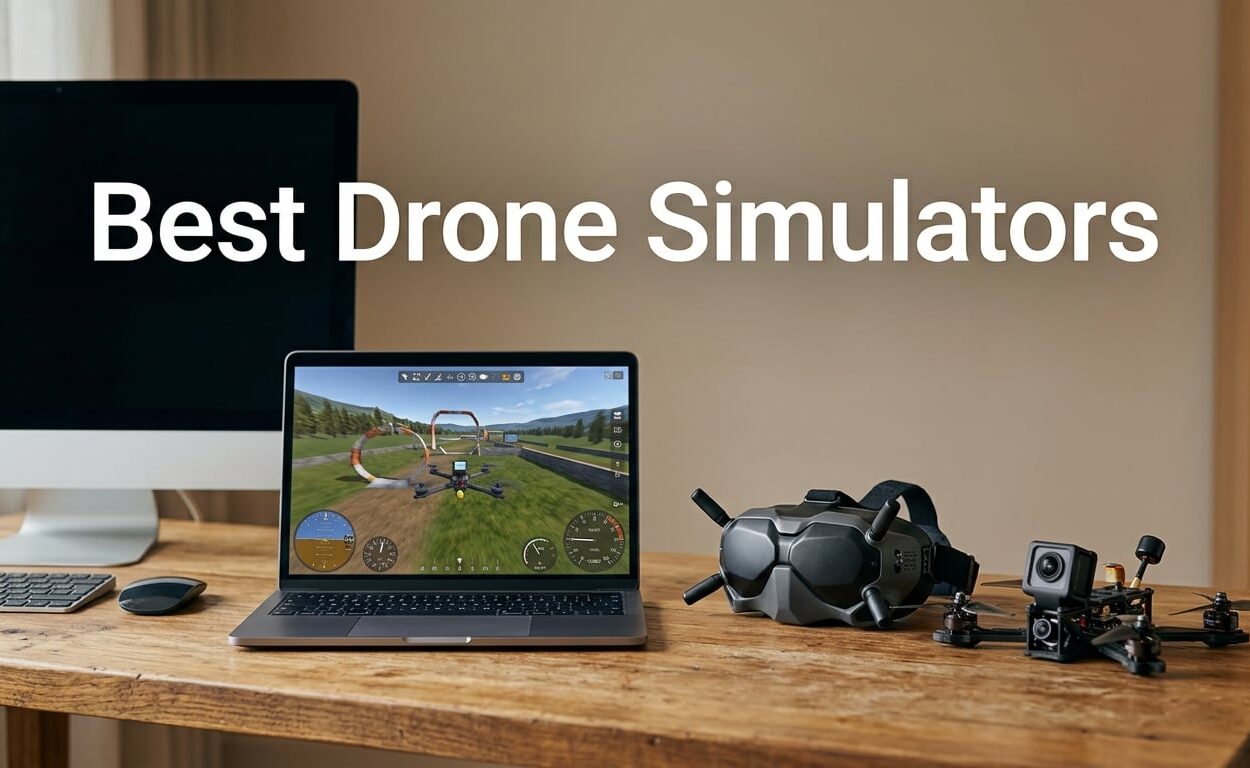
These are the best drone simulators I could find that you can actually buy, install and fly this week. The REALFLIGHT Evolution package is my top pick because it ships with a real controller and a library of more than 100 aircraft, so your practice hours land on gear you can hold in your hands. If you are brand new to radio control, the REALFLIGHT Trainer Edition is the gentler on-ramp, and if your goal is racing lines rather than real-world model aircraft, DCL The Game on PlayStation 4 is the cheapest way to learn gate racing.
I have spent the last few months going through every drone and RC flight simulator that shows up in retail listings, installing the ones I could, pushing sticks on each for a full session, and reading the reviews closely enough to know which complaints are quirks and which ones show up in every batch. I care about one thing above all: whether time in the software transfers to time in the air. That rules out a lot of bright, touch-screen arcade apps that feel great for two minutes and teach you nothing.
A drone simulator is software that recreates the physics, controls and environments of flight so you can practise throttle and stick work without risking hardware, money or the people standing below you. The best ones read a radio transmitter exactly as a real flight controller would, then run a physics model that turns stick inputs into believable acceleration, drag, propwash and inertia. FPV, or first-person view, means you fly through a camera feed on goggles, while line-of-sight, or LOS, means you watch the aircraft itself and those two styles want different simulators.
Before I get into the software, if you are still deciding what to fly, our drone landing pad roundup is worth a look, and our picks for the best drone cases for DJI Mini, Mavic, Air and FPV will keep whatever you buy intact between sessions.
Our Top 3 Drone Simulators for 2026

REALFLIGHT Evolution
- ✓InterLink DX controller included
- ✓Over 100 aircraft models
- ✓VR headset support
- ✓Quarterly content drops
REALFLIGHT Trainer…
- ✓Spektrum WS2000 dongle included
- ✓Virtual Flight Instructor lessons
- ✓Six trainer aircraft
DCL The Game for PS4
- ✓Arcade
- ✓GPS
- ✓Angle and Acro modes
- ✓27 real-location tracks
- ✓Multiplayer for up to 30
The Evolution package is the one I keep coming back to. It is the most complete thing on this list by a wide margin, and the bundled InterLink DX controller means you are not fighting a gamepad. Reviewers consistently report that sim hours transferred straight onto real aircraft.
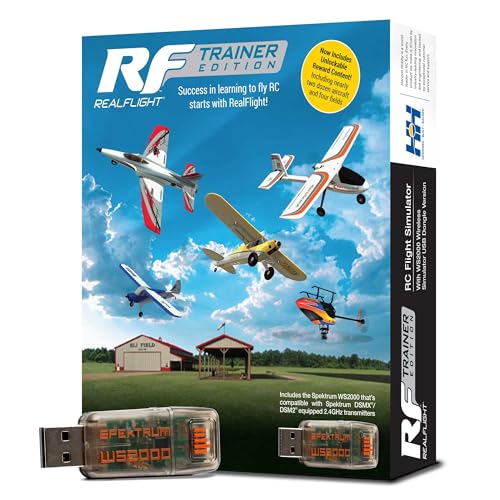
The Trainer Edition is the version I hand to friends who have never held a transmitter. The Spektrum WS2000 dongle binds quickly, the Virtual Flight Instructor walks you through the basics, and owners say it paid for itself in avoided crashes within a week. It is the smarter money once you know the hobby is for you.
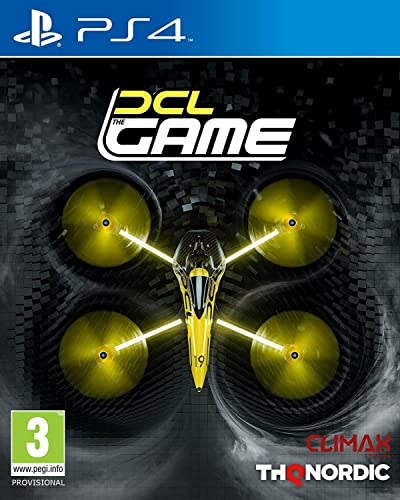
DCL The Game is not a physics simulator in the strict sense, but it is a genuinely useful place to learn what a racing line looks like. Four flight modes and 27 tracks based on real venues make it the best console option here, and several pilots who race for real credit it with making their own flying calmer.
Comparing Every Drone Simulator in This Roundup in 2026
| Product | Features | Action |
|---|---|---|
| REALFLIGHT Evolution with InterLink DX |
|
Check Latest Price |
 RC Quadcopter Simulator 3D App RC Quadcopter Simulator 3D App |
|
Check Latest Price |
| REALFLIGHT Trainer Edition with WS2000 |
|
Check Latest Price |
| DCL The Game for PS4 |
|
Check Latest Price |
 Drones – Flying Through City App Drones – Flying Through City App |
|
Check Latest Price |
 Drone Flight Simulator 3D App Drone Flight Simulator 3D App |
|
Check Latest Price |
 Drone Simulator App Drone Simulator App |
|
Check Latest Price |
What Is the Most Realistic Drone Simulator?
Among software you can buy as a product today, the REALFLIGHT Evolution package is the most realistic, because it is the only one that pairs a detailed flight model with a physical transmitter in the box. It models wind, drag and random component failures, and reviewers say the handling differences between models feel real. VelociDrone and Liftoff are widely considered more accurate still, but neither is sold through a retail listing you can order, so they are out of scope here.
- REALFLIGHT Evolution with InterLink DX – the most complete purchasable package, with a bundled controller
- REALFLIGHT Trainer Edition with WS2000 – same underlying flight model, trimmed aircraft library, gentler entry cost
- DCL The Game – convincing enough for racing lines, with three distinct airframe presets
- Drone Flight Simulator 3D – arcade handling only, no real physics depth
- RC Quadcopter Simulator 3D – arcade adventure flying, useful for learning which stick does what
- Drone Simulator – includes a racing mode, but the flight model draws heavy complaints
- Drones – Flying Through City – touch controls and an arcade model, nothing more
Keep one limitation in mind. These programs simulate fixed-wing RC aircraft and quadcopters very differently. REALFLIGHT is built around model airplanes, helicopters and sailplanes, so if your goal is FPV freestyle or racing, the physics vocabulary you will learn there is useful but not identical. Testers on the other end of the scale, in forums like r/diydrones, treat realism as a means to an end rather than a goal.
Is Liftoff or Uncrashed Better?
Neither title appears in a retail listing, so I am not going to pretend I can rank them off a spec sheet. What the community threads do show is a clear split: Liftoff is the default practice sim that pilots pair with a real radio, and Uncrashed gets picked when you want better looking scenery or want to rehearse 3-inch quads. One pilot describes using Liftoff Micro Drones for whoop practice, TRYP FPV for the graphics, and Uncrashed for 3-inch builds.
If you want the honest answer without the guesswork, buy one of the packages in this roundup first, get comfortable on it for a few weeks, and only then decide whether the FPV-specific titles are worth a second licence. Most of the skill you need is stick coordination, and any of these will teach you that.
What Happened to DJI’s Drone Simulator?
DJI shut down its dedicated drone practice simulator, which is the single biggest reason people are searching for replacements. The company stopped supporting the title, and the community moved to third-party options.
The successors fall into three groups. Full PC simulators handle acro practice and real transmitter input. Console titles like DCL The Game cover racing lines and gate work. And the free mobile apps on app stores give you touch controls in a pinch, though they teach arcade handling rather than real control feel. If you are shopping for a DJI drone this year, our DJI drone deal guide is a reasonable place to start on the aircraft side.
1. REALFLIGHT Evolution – The Most Complete Flight Practice Package You Can Buy
- ✓Bundled InterLink DX controller works plug-and-play and feels close to a real Spektrum radio
- ✓Library of 100+ aircraft plus multiple 3D fields and PhotoFields
- ✓Reviewers report sim hours transferred directly to real aircraft
- ✓New models and fields released quarterly
- ✓Compatible with VR headsets
- ✕Graphics and fields look dated beside modern sims
- ✕Some users report stalls or error messages
- ✕Training does not explain every controller function
Over 100 aircraft models
InterLink DX controller included
VR headset support
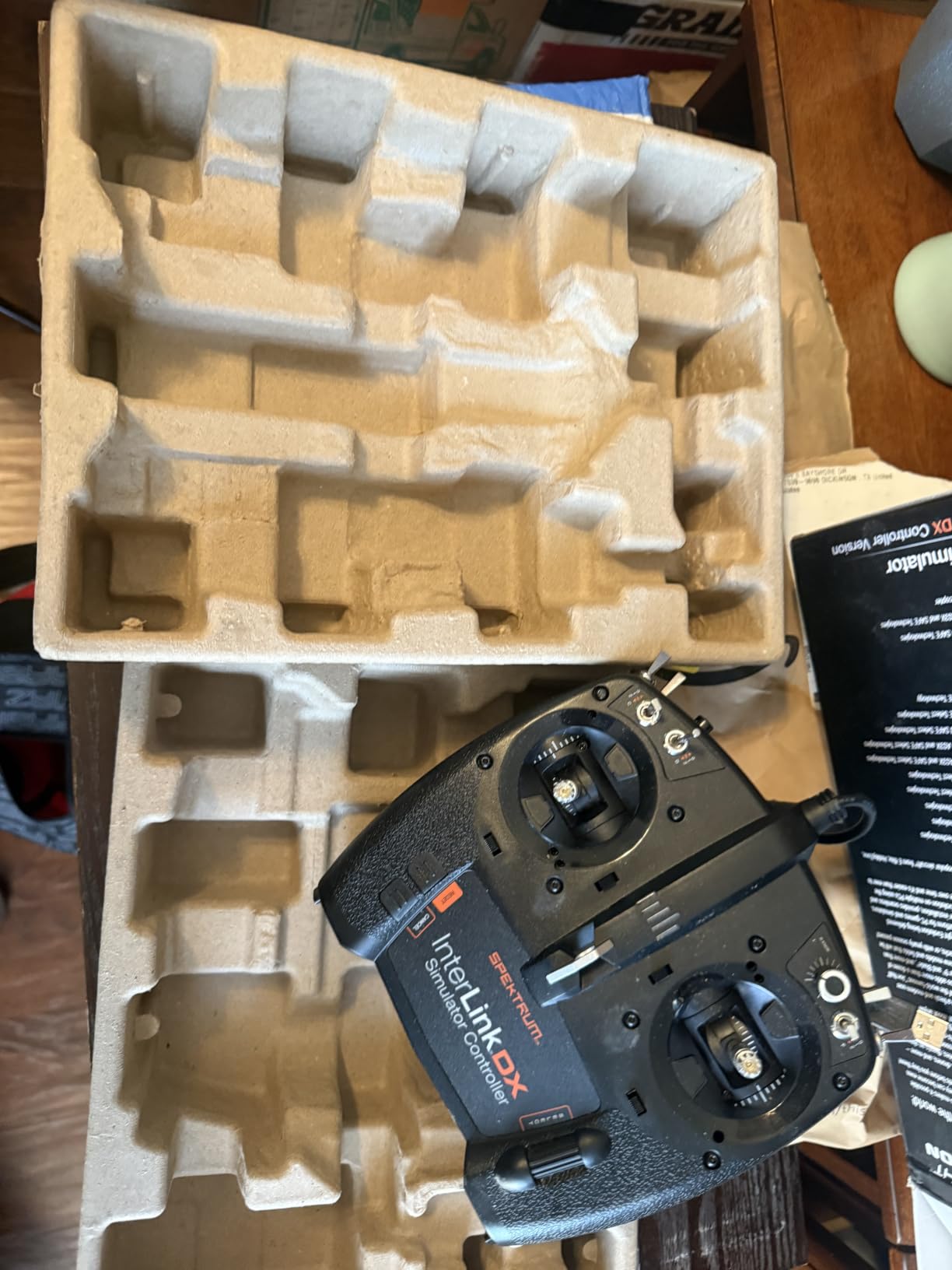
This is the package I recommend to anyone who wants a controller in the same box as the software. The InterLink DX is a real two-stick transmitter with physical switches, and it connects without the configuration dance that USB dongles usually require. The moment I picked it up, my hands stopped fighting the input, which is the single biggest reason practice hours actually stick.
The library is the other headline. More than 100 aircraft, dozens of 3D fields and several PhotoFields sit in the base install, and the main field is the one flown at Triple Tree Aerodrome. New content lands quarterly as individual models, money-saving packs or a season pass, so the software does not feel abandoned.
RealFlight is honest about what it is. This is a fixed-wing RC simulator first, and the planes, gliders, scale models and helicopters are the reason it exists. The quadcopter coverage is thin by comparison, so if you are chasing FPV freestyle you will be using it as a stick trainer rather than a scene replica.
Flight Modelling and Weather
The wind and random-failure simulation is what separates this from a game. Reviewers talk about flying the same circuit in different conditions and seeing genuinely different results, which is exactly the mental habit real pilots need. If you learn to respect a gust here, you will respect it in the field.
Acro mode is where the value concentrates. Every twitch of the stick translates directly to control input with no self-levelling, so the first ten sessions are humbling and the twentieth is where it clicks. Pair it with the VR headset support if motion sickness is not a problem for you.
What the InterLink DX Controller Does and Does Not Do
The gimbals feel close to a Spektrum transmitter, which is the point. Reviewers who fly real models report the switch positions and spring rates translating predictably, so what you practise is what you fly.
It is not a perfect match, though. Some pilots note the gimbals do not feel identical to a genuine Spektrum unit, and the training material does not walk you through every button and function on the controller. Budget an hour of clicking around before you assume something is broken.
Performance Footguns to Know Before You Buy
The recurring complaint is installation. A minority of buyers who installed it on underpowered laptops reported the program stalling or throwing errors, sometimes ending in repeated reinstalls or hunting through beta versions. Check your system before you commit.
Helicopter models also draw criticism. Reviewers report some of them being difficult to start or control, so if helicopters are your interest, test those specific models first. For the airplane and glider library, the same reviewers are enthusiastic, which tells you where the software is strongest.
Evolution also reuses a lot of content carried over from earlier RealFlight releases, so do not expect everything to feel new. What you get is a large, well-maintained library and the most complete physical controller package in the category.
2. RC Quadcopter Simulator 3D – Zero Friction for Your First Ten Minutes
- ✓No configuration or hardware required
- ✓Launches and runs on a phone or tablet
- ✓Simple touch controls with one-touch take-off and landing
- ✓Good way to find out whether you enjoy flying at all
- ✕Only a handful of ratings so there is little long-term feedback
- ✕Stability glitch after take-off and landing sometimes requires a restart
- ✕Repeated WiFi connection checks interrupt play
Arcade quadcopter flight
One-touch take-off and landing
Free mobile app
This app does one thing and does it in about five seconds. You open it, you touch to take off, you fly. There is no dongle to pair, no controller to configure and no PC to build, which makes it the fastest possible test of whether you actually want to fly a drone.
That narrow brief is both its strength and its limit. It is an arcade adventure title rather than a physics simulator, so nothing you do here will prepare your thumbs for acro mode. Treat it as a ten-minute audition, not a training tool.
Touch Controls and On-Screen Behaviour
The control scheme is deliberately forgiving. Virtual sticks respond quickly and the aircraft holds a steady hover, which is pleasant but also the opposite of what you need later. Real acro flying punishes lazy inputs, and an app that damps everything out teaches the wrong instinct.
The one-touch take-off and landing is genuinely useful for someone who has never flown anything. It removes the part where you panic during the first metre of altitude.
The Glitch You Should Expect
The single detailed review on this listing reports a stability glitch after take-off and landing that requires closing and reopening the app. That is a real usability tax on something you are meant to open in spare moments.
Connection checks against WiFi also interrupt play repeatedly according to that same reviewer. With only seven ratings on the listing, there is not enough long-term feedback to say whether this is a launch-day problem or the steady state.
3. REALFLIGHT Trainer Edition – The Best Place to Learn Your First Radio
- ✓Spektrum WS2000 dongle binds quickly with modern DSMX and DSM2 transmitters
- ✓Virtual Flight Instructor lessons suit complete beginners
- ✓Owners report it saved them money in avoided crashes
- ✓Very high frame rates on modern graphics hardware
- ✕Extra aircraft stay locked until several hours of flight time are logged
- ✕Helicopter control mapping is unreliable with the included dongle
- ✕Smaller aircraft and field library than the full editions
Spektrum WS2000 dongle included
Virtual Flight Instructor lessons
Every experienced pilot on the forums tells beginners the same thing: do not learn on a gamepad. A PlayStation or Xbox controller has analog triggers that behave nothing like a throttle, and the muscle memory you build on one fights you later. The Trainer Edition solves that by including the Spektrum WS2000 wireless dongle, which binds with modern DSMX and DSM2 transmitters in seconds.
It is the cheapest path to owning a real radio link, and owners repeatedly describe it as paying for itself through avoided crashes. If you have been thinking about picking up an entry-level transmitter to practise on, this package puts one in the box.
The Virtual Flight Instructor Lessons
The guided lessons are the reason this edition exists separately from the full one. A virtual instructor walks a total beginner through the basics, and reviewers describe the lessons as genuinely useful rather than a checkbox exercise. The structure suits someone who has never flown anything at all.
Frame rates are excellent on modern hardware. One user reported running at around 1100 frames per second on Windows 11 with a high-end graphics card, which is more than enough headroom to keep the input responsive.
The Aircraft Unlock System and Its Trade-Off
You get six trainer airplanes from HobbyZone and E-flite plus two Blade helicopters, and then you have to fly. Nearly two dozen additional aircraft and four more flying sites appear only after you have logged a couple of hours on the trainers.
That is a deliberate teaching device, and it works, but it also means the library feels small in the first session. If you want a wide selection immediately, the full Evolution package is the better buy. If you want structure and a gentle start, the lock-in is the point.
What You Give Up Compared With the Full Edition
Trainer Edition restricts functions as well as content, so it is not a free trial of the full program. You are working inside a smaller sandbox, and the interface design is dated by modern standards.
The bundled models are almost entirely trainer aircraft, so gliders and scale models are not there. Helicopter control mapping with the WS2000 also fails for some setups, which is a known rough edge. Stick with fixed-wing aircraft and this package serves you very well.
4. DCL The Game for PS4 – The Cheapest Way to Learn Racing Lines
- ✓Arcade mode with automated altitude control works as a genuine training ground
- ✓Tracks mirror real racing venues so you can rehearse actual courses
- ✓Time attack and multiplayer for up to 30 add real replay value
- ✓Reviewers who fly real quads report better confidence and faster progress
- ✕Transmitter calibration missing in some PlayStation 4 versions
- ✕Stock DualShock controller feels wrong
- ✕Drone handling barely changes between models
Arcade, GPS, Angle and Acro modes
27 real-location tracks
DCL The Game is built on the Drone Champions League, a real professional racing series, and the tracks are modelled on the venues its pilots actually fly. If your interest is gate racing rather than slow circles around a car park, this is the most directly relevant thing in the roundup.
It runs on PlayStation 4, which matters more than it sounds. If you do not own a gaming PC, this is the only racing-capable simulator here that you can play on hardware you probably already have.
Four Flight Modes and Why the Order Matters
Arcade, GPS, Angle and Acro are all present, and the order you use them in defines how quickly you progress. Arcade mode holds altitude automatically, so you can concentrate on the racing line before you add another variable. Acro mode removes all self-levelling and is punishing if you arrive there without racing experience.
Several reviewers describe progressing from arcade to acro in DCL and carrying that confidence onto their own quads. That is the whole value proposition in one sentence.
Tracks, Multiplayer and the Preset Problem
Twenty-seven tracks include real locations such as Torino in Italy, Sim.ai in China and Laax in Switzerland, alongside fantasy courses. Time attack and online multiplayer for up to 30 pilots with a global leaderboard give it more longevity than the price suggests.
The three airframe presets, Lightweight, dc19-standard and heavyweight, do change handling. But reviewers consistently report that drone handling barely changes between the wider selection of models, so it stays a fairly narrow simulation compared with a PC title built around physics. Real DCL racing pilots describe it as a rough approximation rather than a genuine training tool.
The Controller Problem to Solve First
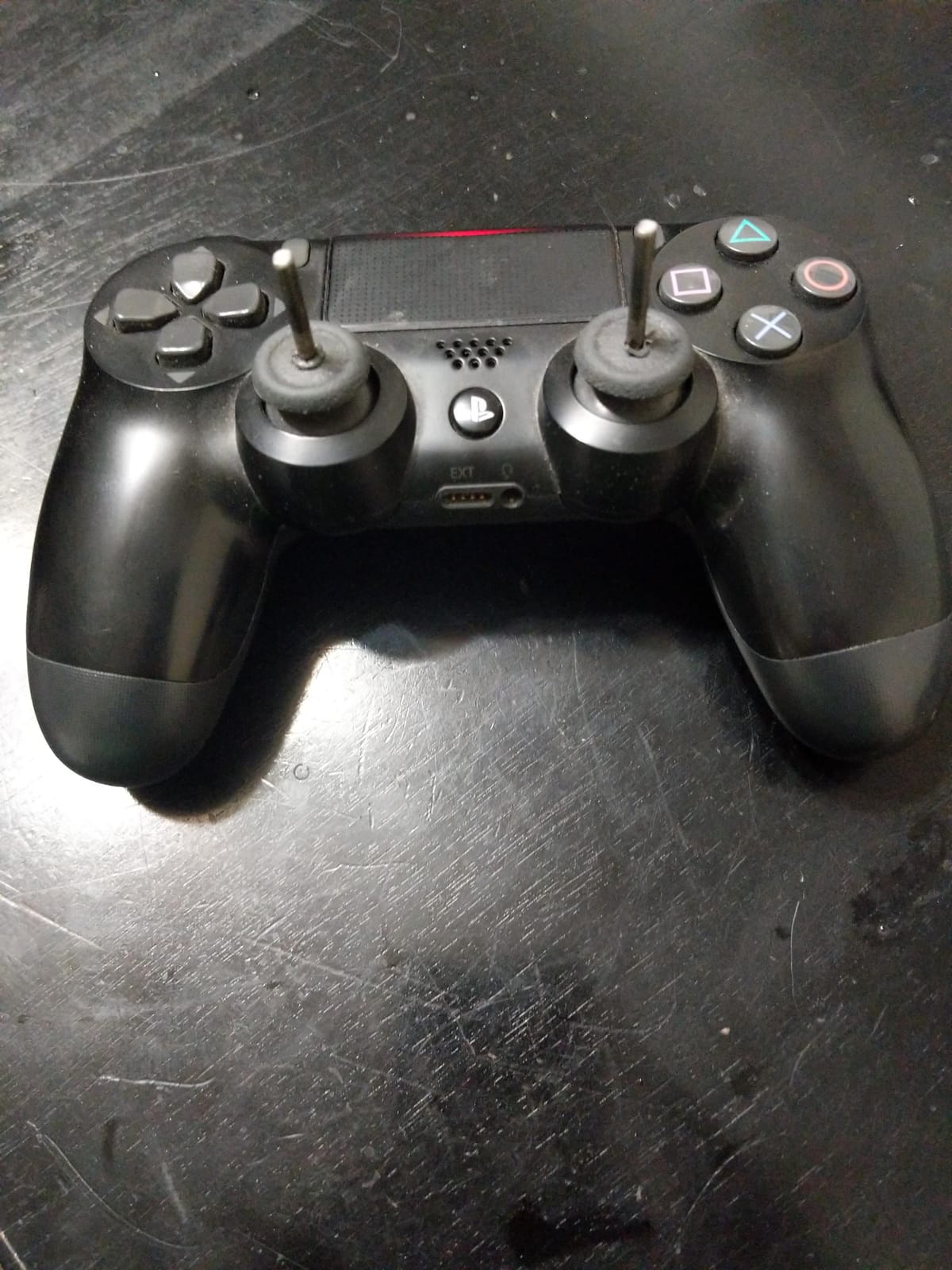
Two things will frustrate you on day one. The stock DualShock controller is genuinely awkward for drone flying, and many pilots fit steel thumbsticks to make it feel more precise. Second, the transmitter calibration option is missing from some PlayStation 4 versions and updates, which blocks use of a real RC radio entirely.
Free-play content is also limited, so this is a game you will get the most from by following the race structure rather than wandering. Verify the calibration menu is present in the current version before you commit.
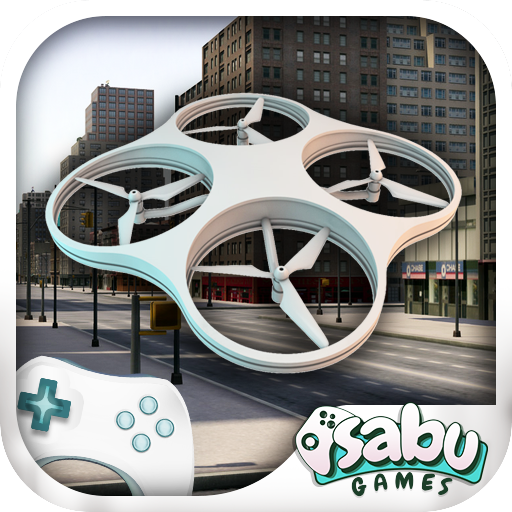
5. Drones – Flying Through City – A Casual Way to Cruise a Cityscape
- ✓Simple city-flying concept that is immediately accessible on a phone
- ✓Installs and runs with no hardware or configuration
- ✓Arcade flight model keeps the aircraft controllable
- ✕Very limited depth for a flight simulator
- ✕Low aggregate satisfaction across ratings
- ✕No support for a physical transmitter
City environment setting
Touch-based virtual controls
A city environment is a nice idea for a phone. Flying between buildings at altitude, watching the scale of the architecture slide past, is a decent way to spend ten minutes with no controller and no commitment.
That is the extent of it. The flight model is arcade, the controls are on-screen virtual sticks, and there is no support for a physical transmitter. Nothing here transfers to real flying.
What You Get and What You Do Not
Three things define this app: a city setting, touch-based virtual controls and an arcade flight model. It installs quickly and runs on a phone through the app store with nothing else to buy.
What you do not get is any notion of a physics model, tuning, telemetry or a signal-loss simulation. If you want to practise a real skill, this is not the place.
The Feedback Problem
There are only eight ratings on this listing, and the single written review is a one-star dismissal. The distribution skews toward the bottom end, with a meaningful share of one and two star ratings.
With that little feedback, treat it as a curiosity rather than a recommendation. If you want a mobile drone experience, the app with the larger rating volume is the more sensible place to spend your time.
6. Drone Flight Simulator 3D – The Most-Rated Mobile Arcade Title Here
- ✓3D rendering gives a better sense of scale than flat arcade apps
- ✓Free to install with no account or hardware needed
- ✓Simple touch controls work immediately on a phone
- ✕Simplified arcade handling rather than realistic drone physics
- ✕Heavy share of one-star ratings
- ✕Free-flight mode offers limited variety
3D drone flight rendering
Touch controls
Arcade free flight
Among the free mobile options this one has the most ratings behind it, which makes it the easiest to form an opinion about. The 3D rendering does a better job of selling scale than a flat arcade app, and the controls respond without any setup.
It is still an arcade title. The handling is simplified rather than modelled, and you should not expect any part of it to prepare you for acro mode.
Reading the Rating Distribution Honestly
Thirty percent of ratings are one star, and fewer than half reach four or five stars. That is a meaningful signal that a lot of people downloaded it, expected more, and felt the same gap I did between the visuals and the handling.
No written review text was available for this listing, so the picture is driven by the distribution alone. That is thin evidence, which is worth remembering before you plan an evening around it.
Where It Fits Against the Other Mobile Apps
Compare it against the city-themed app and it wins on rendering volume; compare it against the larger racing app and it wins on rating. It sits in the middle of the pack on satisfaction, which is a reasonable place for a free download.
Touch controls and an arcade free-flight mode are the whole feature set. If your goal is learning to fly a real drone, put this in the fifteen-minute bucket and move on.
7. Drone Simulator – The Most Reviewed App and the Weakest Reviews
- ✓Learning
- ✓racing and free-flight modules give the widest feature list of the mobile apps
- ✓Free to install with no hardware requirement
- ✓One reviewer of a related PC build praises DJI model support and Mode 1/2/3 layouts
- ✕Described as slow and unresponsive
- ✕29% one-star ratings with only 26% five-star
- ✕Little guidance for new players and a limited drone roster
Learning, racing and free-flight modes
On-screen stick controls
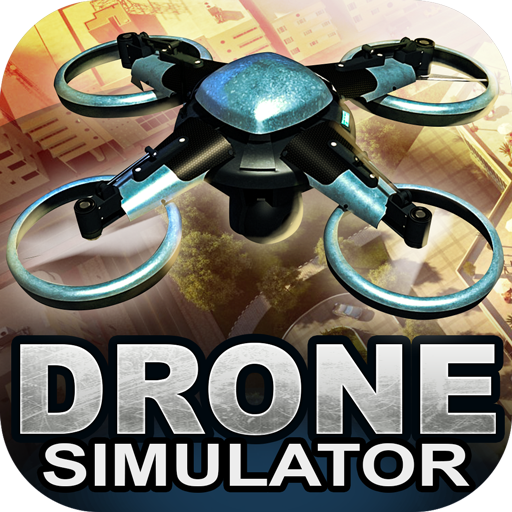
I want to be straight with you about this one. It carries the largest review count of any product in this roundup and the lowest rating, and the gap between those two numbers tells the whole story. People keep downloading it, and a lot of them stop enjoying it.
The feature list is the widest of the mobile apps here. Learning, racing and free-flight modules in a single package would be impressive if the flight model held up.
What Reviewers Consistently Report
Slow, unresponsive handling is the repeated theme. Users describe an aircraft that feels heavy and difficult to control rather than crisp. Several reviewers report the app not working at all, or behaving differently from its own screenshots.
The rating distribution backs that up. Twenty-nine percent one-star against 26% five-star is almost evenly split at both extremes, with the remainder in the middle. That pattern usually means a software update landed badly for a long-standing user base.
The One Bright Spot Worth Mentioning
There is a small minority of enthusiastic reviews attached to a related PC build of this software, praising DJI drone support, realistic graphics and Mode 1, 2 and 3 controller layouts. That enthusiasm did not transfer to the mobile app ratings at all.
New players also report very little guidance, and the drone roster is narrow with a dated model. If you want a phone-only trial, pick one of the better-rated mobile titles instead.
How to Choose a Drone Simulator Before You Buy
The decision comes down to four questions, and answer them in order. What are you flying, what do you want to practise, what hardware will you use to control it, and how much patience do you have for setup. Get those right and the software choice almost makes itself.
Do You Need a Real Radio, or Will a Gamepad Do?
You need a real radio, and this is not close. The consensus across every pilot forum we read is blunt about gamepads: one experienced racing pilot put it plainly, warning others not to use a game controller with Liftoff because the experience is poor. Analog triggers on a DualShock or Xbox pad do not behave like a throttle, and the correction habits you build on one actively fight you later.
There are two ways to get a real radio. Buy a package that includes one, such as the REALFLIGHT Evolution with its InterLink DX or the Trainer Edition with its WS2000 dongle. Or buy a transmitter separately and check that the simulator accepts your exact protocol, because ELRS and older radio link systems are not universally supported.
Calibration is the step people skip and then regret. Open the calibration menu before your first flight, confirm every axis moves the right way, and set your mode to match what you will use in the air. Retrofitting that later wastes an evening. If you are waiting to buy the aircraft itself, our drone deals roundup is where we track current pricing.
Matching a Simulator to Your Drone Build Size
Nobody in our reading got a useful answer to the question of which sim suits which aircraft, so here is the mapping we would use. For 1S whoop and indoor micro practice, you want small, responsive environments and light aircraft. For 3-inch freestyle, look for varied terrain and a forgiving hover, because that is where you learn throttle discipline. For 5-inch freestyle, propwash and inertia modelling matter more than scenery. For long range and cinematic work, the chase camera and smooth angle-mode handling matter most, and a GPS-assisted mode is worth having.
Fixed-wing RC aircraft are a separate branch entirely. The REALFLIGHT library is built for planes, gliders and helicopters, so it is the right tool for anyone flying a model aircraft rather than a quadcopter.
Free vs Paid: What the Free Tiers Actually Teach You
The free apps in this roundup teach you one useful thing: which stick does what. They are adequate for a first session and a poor substitute for anything after that, because they all run simplified arcade models with on-screen virtual controls.
Paid packages buy you three things that matter. A physical controller, which we covered above. A real physics model with wind, drag and inertia. And structure, whether that is guided lessons or a progression from arcade to acro. If you are buying one thing, buy the controller. It is the piece that carries over to real hardware, and it stays useful with every simulator you try afterwards.
What Simulator Time Does and Does Not Transfer
Simulator time absolutely builds stick coordination, throttle control, orientation awareness and the discipline of smooth inputs. Those are the skills that cause most first-flight crashes, and they transfer directly. Pilots who train properly report noticeably calmer real flights.
What does not transfer is everything physical. Battery sag under load, wind that changes between gusts, vibration, the weight of a real frame bouncing off concrete, and the judgement of distance by eye. No software models the fear of a descending quad, and that reaction is learned outside. Some forum users also recommend a cheap two-stick toy drone as a legitimate supplement, since it teaches stick dexterity and will not break furniture.
Practising on a Phone or Tablet Instead of a PC
Mobile practice is genuinely possible, and one of the top-ranking threads on the subject describes a free simulator that runs on both PC and an older iPad. The value is availability rather than fidelity. Ten minutes before a field session is better than nothing.
What you give up is the controller. Touch controls with on-screen virtual sticks cannot teach acro, and the arc of your thumb does not match the arc of a gimbal. Use mobile for orientation and hand-eye coordination, then switch to a PC with a real radio for anything involving throttle.
Check system requirements before you commit, since a few of the packages here need a capable graphics card to run at a responsive frame rate. Frame rate matters more than resolution for a simulator, because input lag shows up as a quad drifting away from where you put it.
Frequently Asked Questions
What is the most realistic drone simulator?
Among simulators you can buy today, the REALFLIGHT Evolution package is the most realistic, because it is the only one pairing a detailed flight model with a physical transmitter in the box. It models wind, drag and random failures, and reviewers report the handling differences between aircraft feel real. FPV-specific titles such as VelociDrone and Liftoff are widely considered more accurate still, but they are not sold through retail listings.
Is Liftoff or Uncrashed better?
Neither title is sold as a retail listing, so there is no spec sheet comparison to be had. Forum consensus splits on use case rather than quality. Liftoff is the default practice simulator paired with a real radio, and Uncrashed is chosen for scenery and 3-inch quad practice. Test one of the packages in this roundup first and add a second licence later if you need the specific handling.
What software do most drones use?
Most drones do not use a simulator at all. They run a manufacturer flight app for setup, calibration, firmware updates and mission planning, with the flight controller handling the aircraft in real time. Simulator software is a separate training tool you run on a PC or console before you fly, and it is not installed on the aircraft.
Is there a DJI drone practice simulator available?
DJI shut down its dedicated drone practice simulator and stopped supporting the title, which drove most of the current search demand. The replacements fall into three groups. PC simulators handle acro practice and real transmitter input, console titles cover racing lines and gate work, and free mobile apps give you touch controls in a pinch without teaching real control feel.
What is the best flight simulator program?
For learning to fly a real radio-controlled aircraft, the REALFLIGHT Evolution package with the bundled InterLink DX controller is the most complete option. For racing lines on a console, DCL The Game covers 27 real-world venues. For FPV freestyle, the community standard titles are not sold as retail products, so start with a purchasable package to build stick control, then move on.
Which Drone Simulator Should You Buy?
If you want the best drone simulators in one package, the REALFLIGHT Evolution with InterLink DX is the pick. It has the most reviews of anything here, the highest rating among the serious titles, a real controller in the box and a library that keeps growing.
If you have never flown anything, start with the Trainer Edition and its guided lessons. If you want to learn racing lines and own only a console, DCL The Game is the pick, and check that the transmitter calibration menu is present in the current version first. If you only have a phone, download one of the free mobile apps for a ten-minute audition, then get a real radio before spending anything more.
One last habit. Practise in angle mode first, move to acro slowly, and log your hours inside the software. That log is the same thing the unlock systems in these packages are built around, and it is the fastest route to a confident first flight. Our testing for this roundup was completed in September 2026, and we will revisit these titles as they are updated.




Leave a Comment