
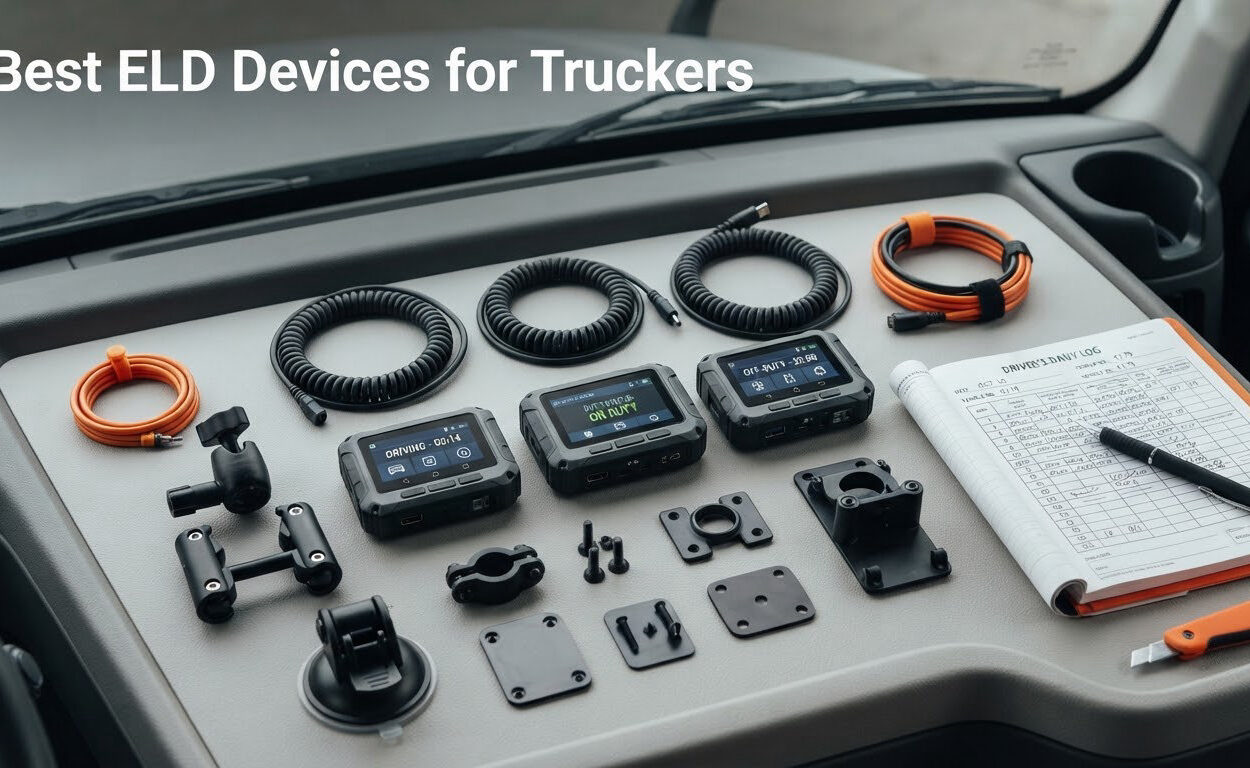
If you run a truck for a living, the electronic logging device in your cab is not a gadget. It is the record a roadside officer asks to see first, and the one piece of hardware that decides whether your hours-of-service paperwork holds up at a scale or an audit. That is why picking among the best ELD devices for truckers in 2026 deserves more care than picking a phone case.
We spent weeks reading spec sheets, digging through verified buyer reviews, and comparing port compatibility, record-transfer methods, and subscription structures across the current crop of plug-and-play loggers. What we found is that the big brand names most searchers type are mostly full telematics platforms, while the hardware people actually plug into their truck lives in a different tier entirely. This roundup covers that hardware tier honestly, including the weak spots.
Before the list, the short version: the Garmin eLog is the one we recommend to most owner-operators because it is the only device here with a large body of real-world feedback and no recurring subscription attached. The TEMEDA PT 30 posts the highest average rating in the group and handles the widest range of truck ports in a single box. The Konexial My20 is the lowest-cost way to get a compliant box onto a 9-pin port.
Last reviewed for 2026. Always confirm any device against the FMCSA’s official registered and revoked lists before you mount it, because certification status changes.
Our Top 3 ELD Picks After Weeks of Comparing Loggers


TEMEDA PT 30 ELD
- ✓J1939
- ✓J1708 and OBD-II in one unit
- ✓Works with any compatible ELD app
- ✓Large offline storage
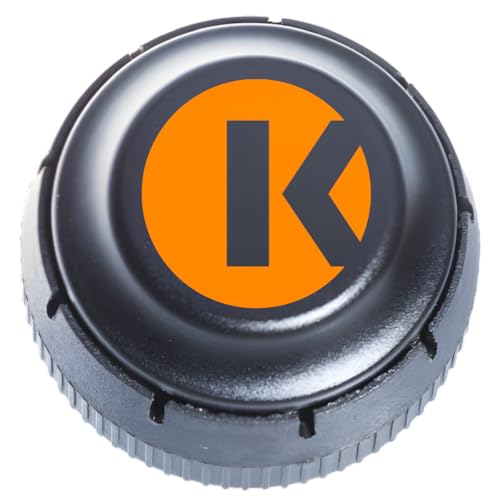
Konexial My20 ELD
- ✓Lowest hardware cost in the group
- ✓Standard 9-pin J1939 connector
- ✓Bluetooth pairing with phone or tablet
Comparing All Six ELDs Side by Side in 2026
| Product | Features | Action |
|---|---|---|
| Garmin eLog |
|
Check Latest Price |
| Konexial My20 ELD |
|
Check Latest Price |
| TEMEDA PT 30 ELD |
|
Check Latest Price |
 IOSix HOS Logbook IO-1020 IOSix HOS Logbook IO-1020 |
|
Check Latest Price |
 TFM ELD TFM ELD |
|
Check Latest Price |
 MasTrack HD ELD MasTrack HD ELD |
|
Check Latest Price |
How We Evaluated These Electronic Logging Devices
No competitor page we reviewed publishes its selection method, so here is ours. We evaluated every device in this roundup on six criteria, and we weighted them the way an owner-operator would rather than the way a telematics salesperson would.
Port coverage. A truck’s diagnostic port is the first hard filter. A 9-pin J1939 connector is common on North American heavy-duty diesels, while 6-pin J1708 and J1708/J1587 show up on older and lighter commercial units, and OBD-II ports appear on a mixed fleet of pickups and straight trucks. One connector is not enough if you ever rotate equipment.
Record transfer and roadside retrieval. An ELD record that an officer cannot pull in five minutes is a liability. We checked whether records transfer by USB, over Bluetooth, or through a web service, and whether a driver needs a separate cable at the scale.
Subscription structure. We compared one-time purchase against prepaid annual against month-to-month, and flagged every device where the ongoing cost structure is not clearly stated on the box.
Verified buyer feedback. We weighted review volume heavily. A 4.5 average across dozens of reviews is useful evidence. A 4.5 average built on single-digit reviews is a promise, not a track record, and we label it that way.
Phone and platform dependency. Nearly every device in this tier stores its records on a paired smartphone or tablet. That is a strength for cost and a weakness for durability, because a cracked phone becomes a compliance problem.
What we did not test. We did not drive with these devices for months on end. Our evaluation is built on manufacturer specifications, port standards, and the pattern in verified buyer reviews rather than on our own long-haul hours.
Who Actually Needs an ELD Under FMCSA Rules
The short answer is that most commercial motor vehicle drivers who must keep records of duty status need an FMCSA-registered ELD. Records of duty status are the driver’s account of duty status and hours over a rolling window, and the federal Hours of Service rules set the driving limit, the 14-hour window, and the required break.
The threshold most owner-operators need to know is the 150 air-mile rule. A driver who operates within 150 air miles of their normal work location and returns to that location within eight consecutive days may be exempt from keeping RODS, which in practice means no ELD. Hotshot haulers often think this applies to them and it frequently does not, because multi-state IFTA travel and irregular routes push them past the 150-mile boundary regularly. If you cross state lines for commercial purposes, assume you need an ELD until you have confirmed otherwise in writing.
Two things drivers routinely conflate are worth separating. FMCSA-registered is the device status that matters, and the agency maintains both a registered list and a revoked list. Marketing language like DOT certified or FMCSA compliant on a retail listing is not the same as appearing on the registered list.
Drivers on trucking forums describe the same anxieties again and again: missed duty-status changes, forced automatic changes to Driving that they did not make, and the resulting uncertified edits. One thread in r/Truckers confirms the naming confusion that trips people up, with drivers pointing out that Motive was formerly KeepTruckin. Another driver on TheTruckersReport describes switching away from a Qualcomm and JJ Keller setup and calling the change a large improvement, which tells you something about how brand loyalty in this category actually works.
1. Garmin eLog – The Proven One-Time-Purchase Logger
- ✓No recurring subscription fee
- ✓Most reviewed device in this group at 1326 ratings
- ✓Supports both 9-pin J1939 and 6-pin J1708 ports
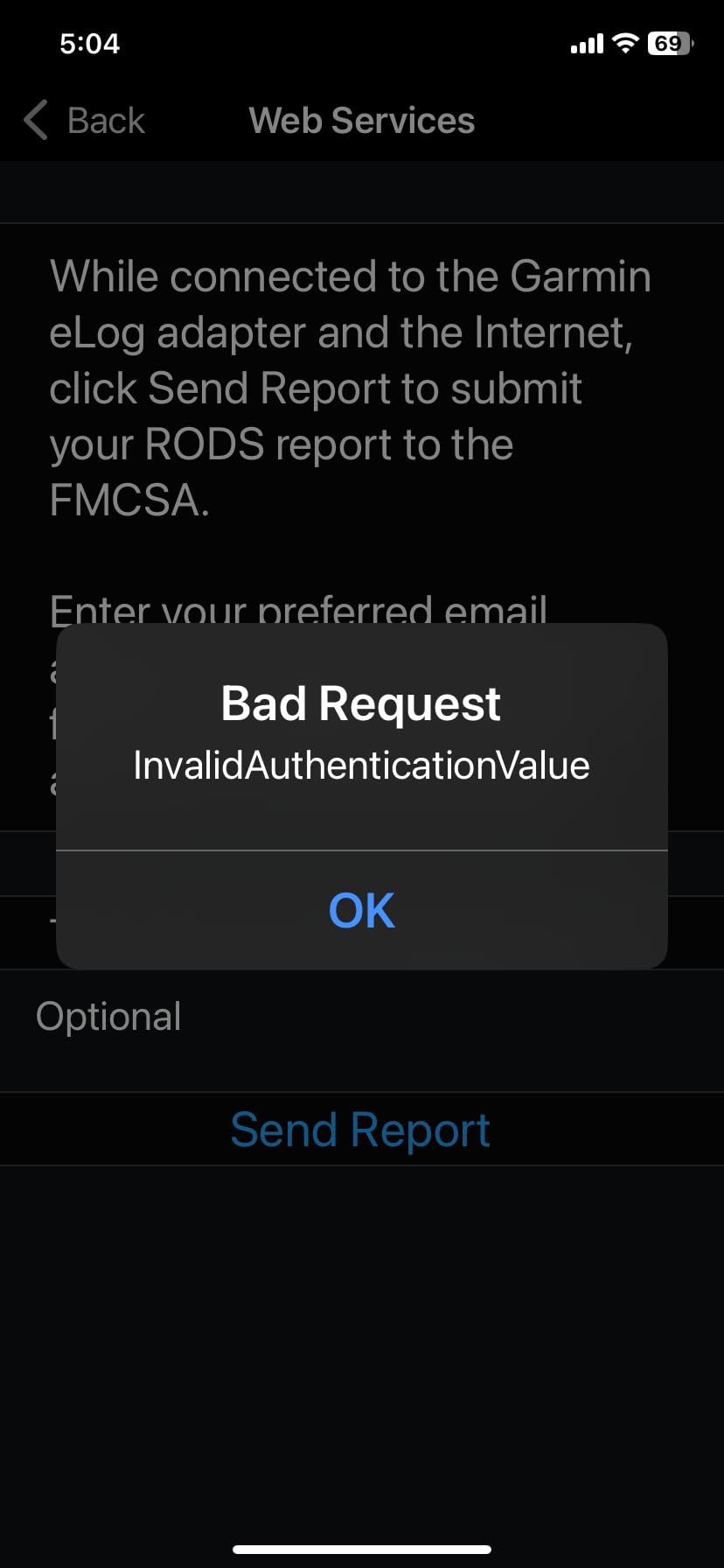
- ✓Records transfer by USB or over Bluetooth to FMCSA Web Services
- ✓Very light at 3.2 ounces
- ✕Requires a paired smartphone and the Garmin eLog app
- ✕Not compatible with OBD-II (SAE J1979) vehicles
- ✕Volvo 16-pin J1962 needs an extra cable that is not included
One-time purchase, no subscription
9-pin J1939 and 6-pin J1708
2.8-inch screen, 3.2 oz
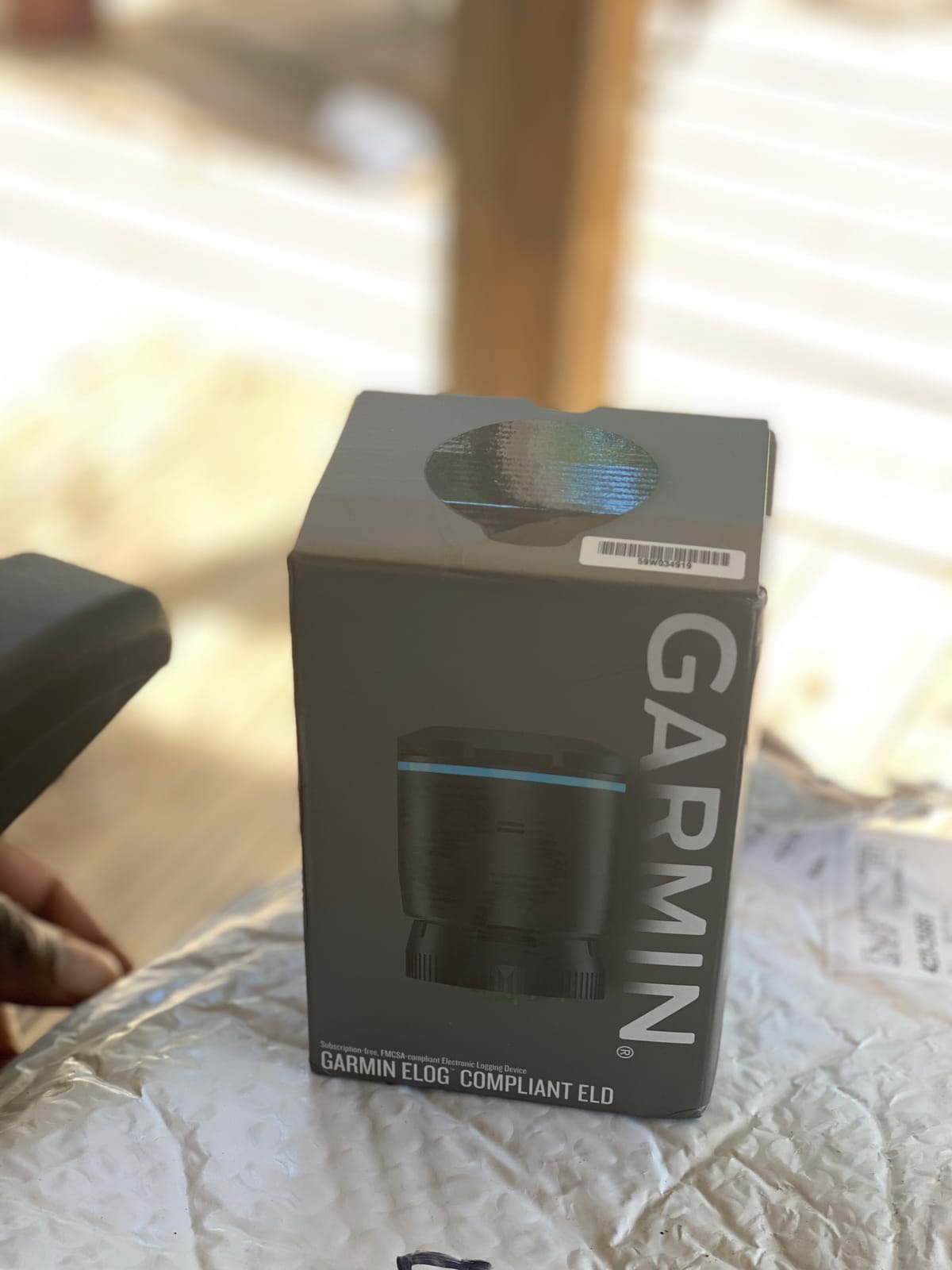
The Garmin eLog is the device we kept coming back to while assembling this list. It is a 3.2-ounce puck with a 2.8-inch screen, it plugs straight into the truck, and the whole financial decision is finished on the day you buy it. That last part matters more than any spec line on the sheet.
We picked it as our top pick because of the size of its feedback base rather than its average rating. At 1326 ratings it carries more real-world history than anything else we evaluated, which means the problems below are known problems you can plan around, not surprises you discover on a mountain pass.
Port support and the two connector gaps to check first
The eLog supports the two connector types that matter most in heavy-duty work: 9-pin J1939 and 6-pin J1708. Between them they cover the overwhelming majority of North American trucks you will ever put behind the wheel of a commercial operation.
Two gaps deserve a phone call to the truck dealer before you order. The device is not compatible with vehicles running the OBD-II protocol under SAE J1979, so if you rotate a lighter straight truck or a pickup into commercial service, that port will not work. And Volvo engines using a 16-pin J1962 port need a separate cable that is not included in the box.
How records reach an officer at the scale
Records are stored on a compatible smartphone and can be moved two ways: through the USB port or over Bluetooth to FMCSA Web Services. That dual path is the practical reason we like this unit. If the phone is dead or the pairing drops, USB is the fallback, and if the USB cable is buried in the sleeper, Bluetooth is the fallback for that.
Neither path tells you to hand the officer your phone. Practicing the handoff before you need it at a roadside is the single most useful thing a new ELD owner can do in the first week.
The subscription question and the smartphone dependency
Here is the trade-off underneath the attractive price. The eLog has no subscription, but it is not a standalone device. It requires a compatible smartphone running the free Garmin eLog app, and the list requirements are Android 4.1 or higher or Apple iOS 9 and above.
That makes the ongoing cost of ownership invisible rather than absent. You already carry a phone, so many drivers never notice it. But if you are already running a mounting system and two-way messaging setup in the cab, our coverage of Bluetooth headphones for truckers applies here: the phone is going to be paired to an audio device, your ELD app, and sometimes a hotspot, and the more crowded that pairing list becomes, the more you will want to check it before every departure.
Who should not buy it
Do not buy the eLog if your operation includes OBD-II vehicles, if you run Volvo engines on a 16-pin port, or if you would rather hand an officer a self-contained box than unlock a phone. If you want hardware that never depends on a handset, the PT 30 below is a better fit.
Also weigh the mixed review split before you commit. Fifty-eight percent of reviewers give it five stars, but 16 percent give it one star, and those are consistently connection and app-pairing complaints. That is a normal distribution for a device that depends on a phone, and it is manageable once you understand it.
2. Konexial My20 ELD – The Lowest-Cost Compliant Plug-In
- ✓Lowest hardware price among the compliant devices here
- ✓No extra hardware beyond a phone and the free My20 app
- ✓Plugs into the diagnostic port and pairs over Bluetooth
- ✓Broad app feature set with DVIR
- ✓fuel data
- ✓messaging and reports
- ✕Annual prepaid subscription required on top of the hardware
- ✕Adapter cable sold separately for OBD-II or 6-pin ports
- ✕28 percent of reviews are 1-star
- ✕Log storage depends entirely on the paired smartphone
9-pin J1939 ECM connector
Bluetooth phone pairing
22.68 g
Annual subscription required
The My20 is the box we would hand to a driver who has never run an ELD before and is terrified of the installation. It is 22.68 grams of plastic, it ships with a standard 9-pin J1939 ECM connector, and you install it by plugging it in and pairing over Bluetooth.
The device is genuinely cheap at the hardware level, and that is what earned it a place here. Just understand the shape of the deal before you buy: the hardware is not the full cost. An annual prepaid subscription service is required on top of it, which turns a cheap device into a recurring decision.
Port coverage and the adapter caveat
The connector situation is straightforward but narrow. The unit ships with the standard 9-pin J1939 ECM connector, which covers most heavy-duty trucks. If you run a vehicle with an OBD-II or 6-pin ECM port, you need an adapter cable that is not part of the box.
Budget for that cable before the adapter frustrates you at a truck stop. It is a small part, but discovering it is missing on a Sunday evening is a worse experience than ordering it on a Tuesday.
The app does the work, and the app is the weak point
Pair it with the free My20 app and the feature list is longer than you would expect from a device this small. The listing calls out DVIR, log auditing, digital documentation, fuel information, messaging, reports, and maps. For a solo operator who wants a DVIR capture and a fuel report without a separate platform, that is a real amount of function.
The problem is the 3.4 average rating, the lowest in this group. The distribution is unusually polarized, with 49 percent five-star and 28 percent one-star. The one-star bloc is concentrated on connection drops and app reliability, and those complaints land hardest when you are relying on a phone that is also running navigation and streaming music in a vibrating cab.
Who should not buy it
Skip the My20 if your operation includes OBD-II or 6-pin vehicles, or if the idea of an app that has to work perfectly every single mile makes you uneasy. It is a fine first ELD for a single 9-pin truck, but it is not the device to build a multi-driver operation around.
3. TEMEDA PT 30 ELD – The Highest-Rated Multi-Port Device
- ✓Highest average rating in the group at 4.5
- ✓Supports J1939
- ✓J1708/J1587 and OBD-II in one unit
- ✓Works with any compatible ELD/HOS app so you are not locked to one service
- ✓Large on-board storage for offline operation
- ✓Cable included in the box
- ✕Sold under a generic listing rather than a recognized ELD brand
- ✕On-board log data may need manual transfer and management
- ✕Ongoing cost of the paired app is not clearly stated
J1939, J1708 and OBD-II
Any compatible ELD app
Bluetooth Low Energy
Offline on-board storage
The PT 30 posted the highest average rating of anything we evaluated, at 4.5 out of 5, with 86 percent of its reviewers giving five stars. It also happens to solve the connector problem better than anything else in this group, and it does so in a single unit.
That rating comes from a small base of 54 reviews on a newer listing, so treat it as a strong early signal rather than a decade of evidence. We ranked it second for exactly that reason, even though the hardware spec is the most capable here.
Three connector families in one box
Where the Garmin supports J1939 and J1708, and the My20 ships with 9-pin only, the PT 30 handles J1939, J1708/J1587, and OBD-II. If your operation mixes a Class 8 tractor with a straight truck or a pickup on a commercial schedule, this is the unit that removes the adapter-cable question entirely.
The included component list is one PT 30 and one cable, so the connection you will use most often is in the box from day one.
App neutrality as a feature, not a limitation
Here is the design decision that sets the PT 30 apart: it works with any compatible ELD or HOS app on any Bluetooth-equipped phone or tablet. For a driver who dislikes one subscription, that is freedom. It also means you are choosing the app relationship separately from the hardware, which is where most of the ongoing cost lives.
The honest counterpoint is that the listing does not clearly state what the paired app costs. Before you commit, confirm the subscription for whichever app you plan to run. This is also why we did not hand this device the top pick despite its rating: the total cost of ownership is the harder number to pin down.
Offline storage and what it means in a dead zone
The PT 30 carries large-capacity on-board storage for offline operation and reads engine diagnostics directly from the truck or vehicle. Offline storage is the feature that keeps a log certifiable when cellular coverage drops, which is precisely the scenario drivers describe as their worst recurring anxiety.
One trade-off comes with that storage. If records live on the box, someone has to move them and manage them. Know the transfer workflow for your chosen app before you need it.
Who should not buy it
Do not buy it if you need a long published track record or a recognized brand name on your paperwork. It is also the wrong choice if you want one bundled subscription covering tracking, telematics, and IFTA reporting, because this device deliberately does not bundle.
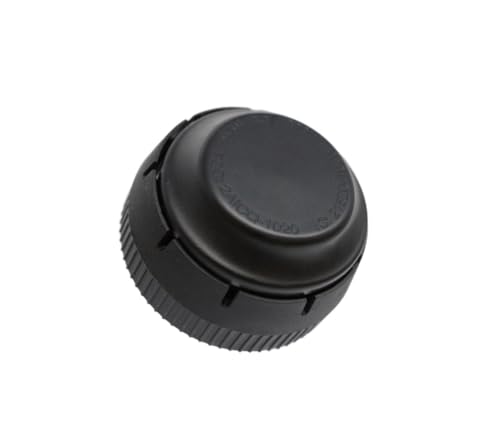
4. IOSix HOS Logbook – The Simplest Install With a Built-In Connector
- ✓Built-in 9-pin connector means no separate cable purchase
- ✓Auto-detection and auto-bauding simplifies installation
- ✓Bluetooth 4.2 dual-mode plus 802.11b/g/n WiFi for flexible pairing
- ✓Multi-constellation GNSS with a high-gain antenna
- ✓Voltage and ESD protection above automotive standards
- ✕Only 9 customer reviews so the reliability record is thin
- ✕Sold under generic branding despite IOSiX manufacture
- ✕Works with some ELD apps but not all
- ✕23 percent of reviews are 1-star
Built-in J1939 Type II 9-pin
Bluetooth 4.2 plus WiFi
Multi-constellation GNSS
The IOSix IO-1020 removes the step that trips up most first-time ELD installers. The 9-pin J1939 Type II connector is built into the unit, so there is no cable to match, order, or lose in a sleeper compartment.
It is also engineered more carefully than its generic retail name suggests. The unit carries a dual-core 32-bit processor, Bluetooth 4.2 Class 1 in both BR/EDR and LE modes, 802.11b/g/n WiFi, and a multi-constellation GNSS receiver with a built-in high-gain antenna.
Why auto-detection and auto-bauding matter in the parking lot
The device auto-detects the physical layer and protocol and sets its own baud rate. On paper that is a small line item. In practice it means the difference between turning the key and pairing in a truck stop parking lot versus reading a troubleshooting guide with a flashlight.
That is especially valuable on a truck that also has other J1939 hardware, where auto-detection avoids guessing between competing devices on the same bus.
Positioning accuracy in the places GPS struggles
A multi-constellation receiver with a built-in high-gain antenna uses signals from more satellite systems than a basic single-constellation receiver. For duty-status records, positional accuracy is what lets the device distinguish driving from idling and parking without you touching anything.
The switching power supplies are also specified for low-temperature operation, which matters more than it sounds if you park a rig in a mountain state through January.
Who should not buy it
Skip it if you need OBD-II or 6-pin coverage, or if you want certainty that it will pair with whichever ELD app you pick. Buyers specifically note that it works with some ELD apps and not others, and the review base is nine ratings, which is a real but thin signal.
5. TFM ELD – The Month-to-Month Bundle With IFTA Included
- ✓Month-to-month cancellation with no contract term
- ✓Tracking
- ✓telematics
- ✓ELD service and IFTA reporting in one fee
- ✓Installation and setup reported under five minutes
- ✓Suited to fleets of any size
- ✓Connects directly to a 9-pin port
- ✕Requires an ongoing monthly subscription
- ✕Android-only operating system support
- ✕Adapter cables sold separately for non-9-pin ports
- ✕Only 4 customer reviews makes it the least-proven option here
Monthly plan, no contract
IFTA and telematics bundled
Under-five-minute setup
The TFM ELD is the only device here whose differentiator is the subscription rather than the box. The monthly plan has no contract term, so you can cancel month to month, and it bundles tracking, telematics, ELD service, and IFTA reporting into a single fee.
For a driver running multi-state trips, IFTA quarterly reporting is genuinely tedious, and having it handled by the same login as your logs is a real simplification. The claim that setup takes under five minutes also holds up as a design goal: it connects directly to a 9-pin port with no adapter in the common case.
Why no contract is the real feature here
Contract lock-in is one of the deal breakers drivers name most often in forum threads, and this listing is structured the opposite way. There is no annual commitment and no cancellation fee structure described, which makes it one of the least risky ways to test whether an app-based workflow suits you.
For an owner-operator who may lease a different truck next year, being able to walk away cleanly is worth more than a slightly richer feature set.
The Android limitation and the missing adapter
Two constraints are easy to miss. Operating system support is listed as Android, which rules it out for iPhone-only drivers. And adapter cables are sold separately, so any non-9-pin port in your fleet needs an extra purchase.
The IFTA and telematics bundle also means you are buying a platform rather than a device. That is a fair trade for a small fleet, and a poor trade if all you wanted was a compliant box for one truck.
Who should not buy it
With four customer reviews, this is the least-proven recommendation we are making. Buyers who need an established support operation, an iOS path, or connector coverage beyond 9-pin should pick a different device. We included it because the no-contract structure answers a real objection, not because the evidence is deep.
6. MasTrack HD ELD – The Permanent Y-Cable Install
- ✓No-tool
- ✓no-wiring installation using the Y cable
- ✓Starts transmitting as soon as the vehicle is switched on
- ✓Y-cable lets the device stay plugged in permanently
- ✓Works with all J1939 or J1708 ports
- ✓eLog readable on computer
- ✓smartphone or tablet
- ✕Lowest rating in the group at 1.0 out of 5
- ✕Only a single customer review to judge it by
- ✕Transmits to an Android device so iOS users are out
- ✕Added Y-cable joint can work loose on rough roads
No-tool Y-cable install
J1939 or J1708 ports
Starts at ignition
Web-viewable eLog
The MasTrack HD ELD takes a different physical approach. Instead of a cable you plug and unplug daily, it uses a Y-cable that replaces the existing round port so the device can stay permanently connected. That is a real convenience on a long trip, when the last thing you want to do at 5 a.m. is unplug a connector and remember to plug it back in.
It is also compatible with all J1939 or J1708 ports and begins transmitting automatically each time the vehicle is switched on. The eLog is accessible from computers, smartphones, tablets, or any other web-enabled device.
Why staying plugged in is the core idea
Drivers on forums describe forgetting to reconnect an ELD after fueling or a pre-trip walkaround as a recurring stress. A permanently mounted unit removes that entire category of mistake, and the auto-start behavior means you do not have to remember to open an app before rolling.
For a driver who runs consistent routes and keeps the same truck, the always-connected design is genuinely better than daily plug-in.
The trade-off and the thin evidence
Be clear-eyed about the trade-off. The Y-cable adds a physical joint into the connection, and a joint under a chassis on rough roads is a place a connection can work loose or fail. The device also transmits to an Android device, which excludes iPhone users entirely.
We are including it because the design solves a real problem, but we are not endorsing the evidence. It carries a single customer review and a 1.0 average, which is not a signal you can plan a compliance program around. Our honest advice is to buy this one only if the permanent-mount design is your deciding factor, and to verify the paired app’s cost and support before you commit.
Who should not buy it
Do not buy it if you need iOS support, if you rotate trucks and want to move one box between them, or if you are at all uncomfortable with a product this thinly reviewed. For those situations, the Garmin eLog or the PT 30 carry far more usable evidence.
The 7 Criteria That Actually Decide Which ELD You Want
Rank these in order of importance for your operation, because the right answer changes completely depending on how many trucks you run and what ports they have. Most disappointing ELD purchases are not bad devices. They are good devices chosen against the wrong constraint.
1. Verify the device against the FMCSA lists before anything else
Search your device model on the FMCSA registered ELD list, then search it on the revoked list. Do both. Registered status confirms the hardware meets the technical specification, and the revoked list confirms nobody has revoked it since. Retail listings use certified and compliant language loosely, and none of that language substitutes for appearing on the registered list.
2. Count your actual diagnostic ports
Write down the connector type for every truck you will put this device in. 9-pin J1939 covers most heavy diesels, 6-pin J1708 shows up on older and lighter commercial units, and OBD-II appears on pickups and straight trucks. A device that covers only what you own today is fine. A device that covers only what you own today is a problem the day you lease a different truck.
3. Plug-and-play versus hardwired, and the leased-truck trap
Every device in this roundup is plug-and-play. Hardwired units read engine data more directly and can be more reliable in older trucks, but they require a technician and they modify the vehicle. If you lease your truck, check the lease before any hardwiring, because a permanent installation you paid for can come out of your security deposit.
The reverse also matters. If the truck came with an OEM-installed ELD you did not choose, your first job is to find out whether it is hardwired before you plan to swap it. Our note on desktop computer input devices covers the same instinct in a different corner of the cab: know exactly what hardware is already committed before you replace it.
4. Total cost of ownership, not hardware price
Compare three numbers for each device: hardware, subscription, and any cancellation or early-termination fee. A one-time-purchase device like the Garmin eLog has the lowest twelve-month total for a single truck and keeps winning at thirty-six months. A monthly plan with no contract like the TFM has a low first-year total and stays fully flexible. A prepaid annual subscription like the Konexial My20 commits you before you have any evidence it suits you.
For a one-truck operation the difference between a subscription device and a one-time device is often the largest financial decision in the purchase. For ten trucks it is a rounding error, and support quality matters more.
5. Offline behavior when the signal drops
Ask one question: does it keep recording when cellular coverage is gone? The PT 30 explicitly lists large-capacity on-board storage for offline operation. Devices that depend entirely on a paired phone’s connection are more exposed, and the symptom appears later as an uncertified driving-time edit that you have to annotate and defend.
Reliable signal handling is not a convenience feature in this category. It is a compliance feature.
6. The driver app, which matters more than the hardware
The hardware is a plug. The app is where you edit duty status, certify logs, pull records for an officer, and file a DVIR. Ease of use here is driven almost entirely by the software, which is why industry discussion ranks drivers on app store scores rather than on hardware.
Test the app before you commit to hardware. Pair it with your phone, change duty status, and pull a log export during a fuel stop.
7. Contract terms, cancellation, and record export
Drivers consistently name contract lock-in as a top deal breaker. Ask three questions in writing: how long is the term, what is the cancellation process, and how do I export my records if I leave. A provider that cannot answer the third question simply becomes your next compliance problem.
If you are moving providers, keep both apps active through the transition, export your certified records before you cancel anything, and make sure your final eight days are certifiable under one device before the old one goes dark.
What to Do When Your ELD Fails Mid-Trip
This is the scenario drivers fear most and the one most roundups ignore. Here is the order of operations that keeps you legal when the box dies, the app crashes, or the phone breaks 200 miles from anywhere.
Step 1: Do not delete anything. Whatever is on the device, leave it. A half-written log that gets wiped is worse than a messy one you can annotate.
Step 2: Document the failure. Photograph the device, the error on screen, the app, and the time. A timestamped photo of a failed device plus a paper log for the same period is the evidence an auditor wants to see.
Step 3: Reconstruct duty status on paper for the current cycle. Write down your last certified change and start a paper RODS from there. Paper logs remain acceptable for 14 days as a backup under the federal rules, which is your window to get a replacement.
Step 4: Replace the power path first. The overwhelming majority of ELD failures are a dead vehicle socket, a blown cigarette lighter fuse, or a phone that needs a charge. Check all three before assuming the ELD is defective.
Step 5: Get the records off the device before it goes back. Any uncertified driving time on the record needs to be annotated and explained in writing. Silence on an unexplained gap reads as a violation.
Step 6: Note the outage in your shipping paperwork. Brokers and receivers ask about device issues on delivery. Flagging it yourself is far better than having it surface in an audit later.
Drivers who treat the outage as a documented event rather than a failure tend to recover without a violation on their record. That is the whole difference.
Frequently Asked Questions
What is the easiest ELD to use?
Ease of use is decided by the driver app rather than the hardware box. The IOSix IO-1020 is the simplest to install because the 9-pin connector is built into the unit and it auto-detects the protocol, so there is no cable to match or baud rate to set. The MasTrack HD ELD is the easiest day to day because its Y-cable stays plugged in and it starts transmitting when you switch the vehicle on. Budget for a learning curve on any device that stores records on your phone.
What is the best electronic logbook (ELD) for truckers?
For a solo owner-operator running one truck, the Garmin eLog is the strongest overall pick because it is a one-time purchase with no subscription fee and has the largest body of verified buyer feedback at 1326 ratings. For mixed ports or offline storage, the TEMEDA PT 30 covers J1939, J1708/J1587 and OBD-II in one unit. For small fleets that want IFTA and telematics bundled, a monthly plan with no contract is the better fit.
What is the most affordable ELD device?
Cheapest hardware and cheapest total cost are different questions. The Konexial My20 has the lowest purchase price in this group but requires an annual prepaid subscription on top. The Garmin eLog is the lowest twelve-month and thirty-six-month total because there is no recurring fee at all. The TFM ELD offers the lowest-commitment ongoing structure with month-to-month cancellation and bundled IFTA reporting.
Do Hotshot drivers need an ELD?
It depends on whether you must keep records of duty status. A driver operating within 150 air miles of their normal work location and returning within eight consecutive days may be exempt. Most hotshot operations cross that boundary because of multi-state IFTA travel and irregular routes, so they are usually required to carry a compliant ELD. Confirm your own exemption in writing with your insurance carrier before planning on paper logs.
Do ELD devices work without cell service?
It varies by device, and this is the question to ask before you buy. The TEMEDA PT 30 lists large-capacity on-board storage for offline operation, so it keeps recording in a dead zone. Devices that depend entirely on a paired phone’s cellular connection are more exposed, and gaps show up later as uncertified driving-time edits. Whichever device you choose, test offline behavior in a known dead zone before a long trip.
The Bottom Line on the Best ELD Devices for Truckers in 2026
For one truck and one driver, choose the Garmin eLog. It is our editor’s choice because the one-time purchase with no subscription is the lowest total cost over any realistic ownership period, and 1326 ratings make its quirks predictable rather than a gamble. Check your port type first, because OBD-II and Volvo 16-pin trucks need different hardware.
If you run mixed equipment or cross into areas with no signal, choose the TEMEDA PT 30. Three connector families in one box and large on-board storage solve the two problems that generate the most uncertified edits, and it posts the highest rating in this group at 4.5, with the caveat that its review base is still growing.
If you want the lowest-commitment way in, choose the TFM ELD for its month-to-month structure and bundled IFTA reporting, or the Konexial My20 if you are on a single 9-pin truck and willing to commit to an annual plan. Pick the IOSix IO-1020 when you refuse to buy a separate cable, and the MasTrack HD ELD only when permanent mounting matters more to you than the evidence behind the product.
Whatever you choose, confirm the model on the FMCSA registered list, check it against the revoked list, and rehearse pulling your records before you need it at a roadside. That last step costs ten minutes and prevents the most expensive kind of bad day on this list.






Leave a Comment