
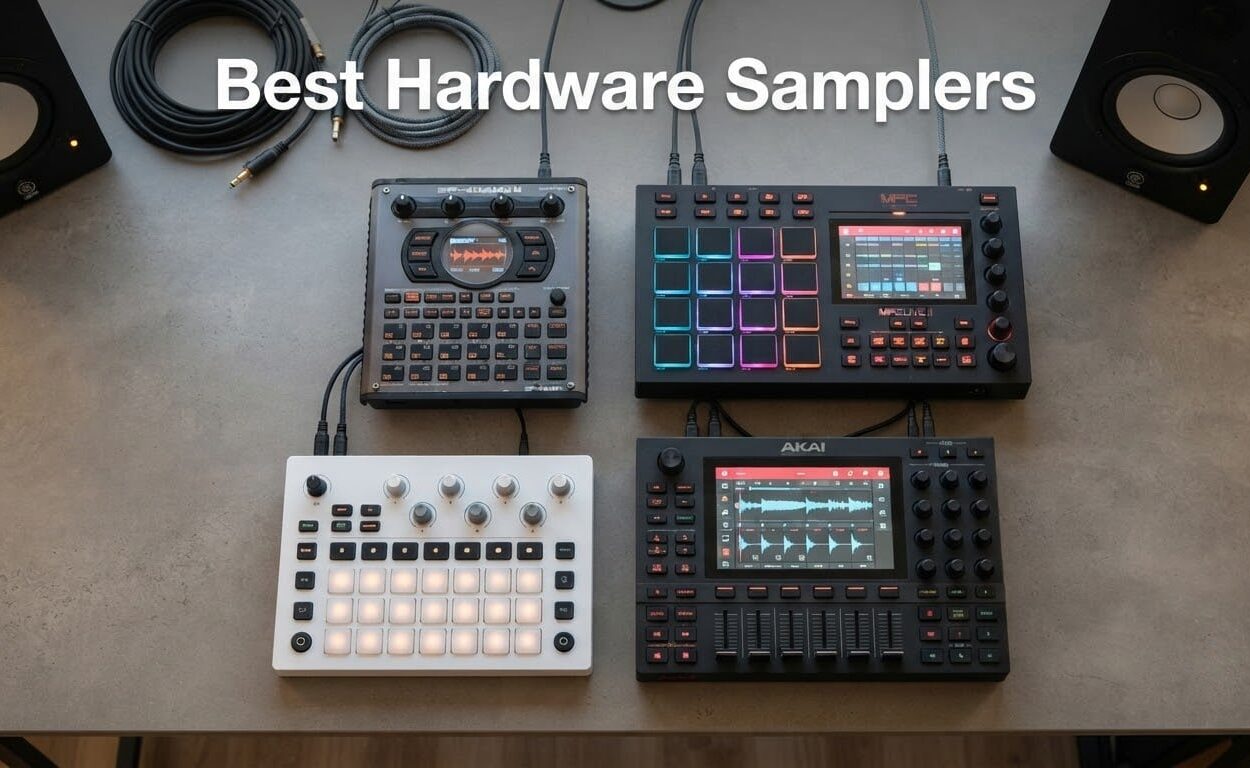
There are two kinds of hardware sampler, and mixing them up is how people end up with a machine that sits in a corner unused. One kind samples its own audio input, stores it in memory, and plays it back from pads or a sequencer. The other is a sample player that ships with a library of pre-recorded sounds and treats any input as a bonus feature.
Our team has spent weeks living with the current crop of machines on this list: sampling into them, chopping on them, stuffing them into bags and playing them on small stages. The best hardware samplers in 2026 all clear one test that spec sheets never mention, which is whether the second week still feels as good as the first.
Below we cover eleven machines across the full price range, from a sampler that fits in a shirt pocket to a production centrepiece with plugin hosting and CV outputs. For each one we ask the same four questions. Can it work without a computer attached? How do samples get in and how do they get edited? What does the sequencer actually let you do? And do the controls stay fast after a month of daily use?
If you would rather start with the short list, jump to the comparison table below. If you want the full reasoning on any machine, each review stands on its own.
Our Top 3 Hardware Samplers After Weeks of Testing
Three units earned the most desk time, and they share a trait that is hard to see on paper. Each starts quickly, samples without a computer plugged in, and stays responsive when you play it rather than program it.
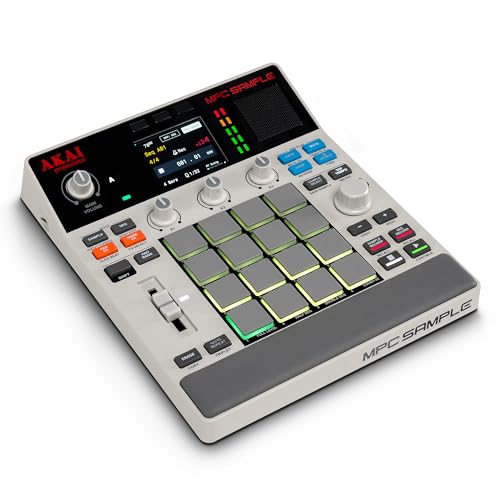
Akai MPC Sample
- ✓True standalone with battery
- ✓speaker and microphone
- ✓16 MPC pads and 2.4 inch color display
- ✓Over 100 factory kits with Instant Sample Chop
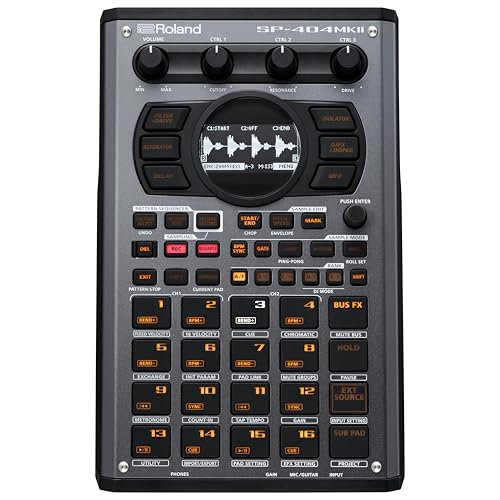
Roland SP-404MKII
- ✓16GB internal storage and 32-voice polyphony
- ✓17 velocity-sensitive RGB pads
- ✓OLED display with real-time auto-chop sampling
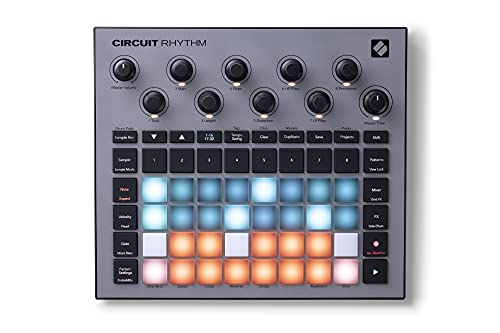
Novation Circuit Rhythm
- ✓8 sample tracks with chainable 32-step patterns
- ✓4-hour internal battery for portable work
- ✓Performance FX with beat repeat and lo-fi tape
The Akai MPC Sample takes the top spot on the strength of a 4.8 average across 420 reviews and genuinely complete standalone hardware. The Roland SP-404MKII is the smoothest beatmaking machine here and carries the largest review base of the three. The Novation Circuit Rhythm wins on value and on the fact that its four-hour battery means you can actually take it somewhere.
Comparing Every Hardware Sampler in This Roundup
Here is the full lineup in one place, with the key specification from each unit drawn straight from its own product sheet. Use it to narrow the field, then read the individual write-ups for the ones that survive.
| Product | Features | Action |
|---|---|---|
| Akai Professional MPC Sample |
|
Check Latest Price |
| Roland SP-404MKII Creative Sampler and Effector |
|
Check Latest Price |
| Novation Circuit Rhythm Sampler and Groovebox |
|
Check Latest Price |
 Elektron Digitakt II Drum Computer and Sampler Elektron Digitakt II Drum Computer and Sampler |
|
Check Latest Price |
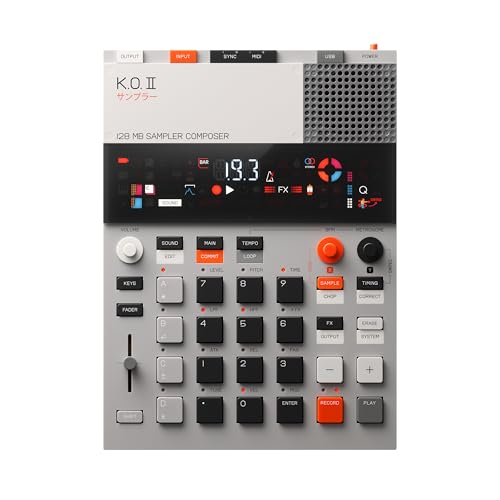 teenage engineering EP-133 K.O. II Sampler teenage engineering EP-133 K.O. II Sampler |
|
Check Latest Price |
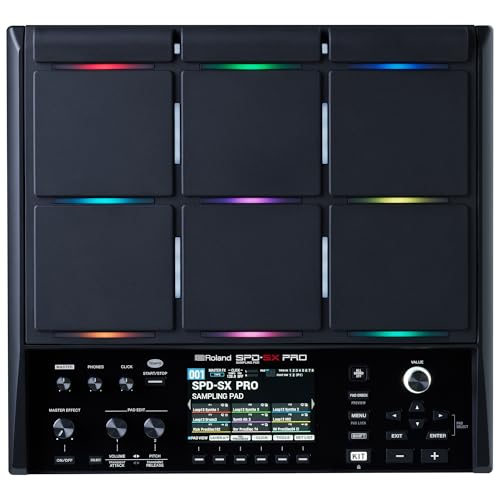 Roland SPD-SX PRO Sampling Pad Roland SPD-SX PRO Sampling Pad |
|
Check Latest Price |
 teenage engineering PO-33 K.O! micro sampler teenage engineering PO-33 K.O! micro sampler |
|
Check Latest Price |
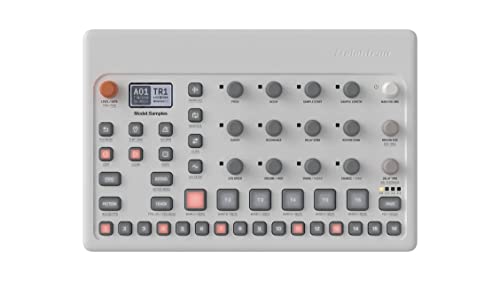 Elektron Model:Samples Six Track Groovebox Elektron Model:Samples Six Track Groovebox |
|
Check Latest Price |
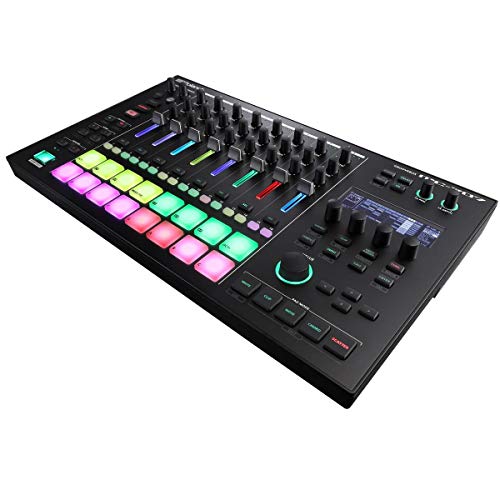 Roland MC-707 Groovebox Production Workstation Roland MC-707 Groovebox Production Workstation |
|
Check Latest Price |
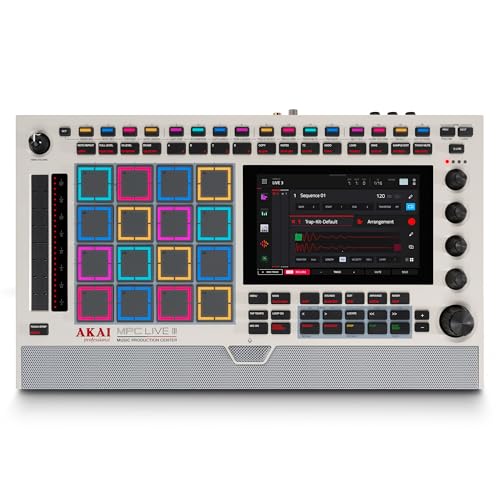 Akai Professional MPC Live III Retro Akai Professional MPC Live III Retro |
|
Check Latest Price |
 teenage engineering PO-35 speak Sampler teenage engineering PO-35 speak Sampler |
|
Check Latest Price |
Two patterns jump out of that table. The compact machines win on portability and lose on editing speed, and the larger machines win on everything except the size of the bag they need. A third observation matters most for beginners: the machines with the friendliest workflows are not the ones with the most features.
1. Akai Professional MPC Sample – The Sampler That Really Does Run Standalone
- ✓Highest average rating in this group at 4.8 across 420 reviews
- ✓Truly standalone thanks to battery and speaker and mic
- ✓Color display makes chopping and beatmaking quick to pick up
- ✓Over 100 factory kits plus Instant Sample Chop Mode
- ✓60 effect types across four FX processors with dedicated knob control
- ✕Small 2.2 inch screen limits how much you can see at once
- ✕microSD workflow keeps sample management card-dependent
- ✕MIDI DIN adapter not included in the box
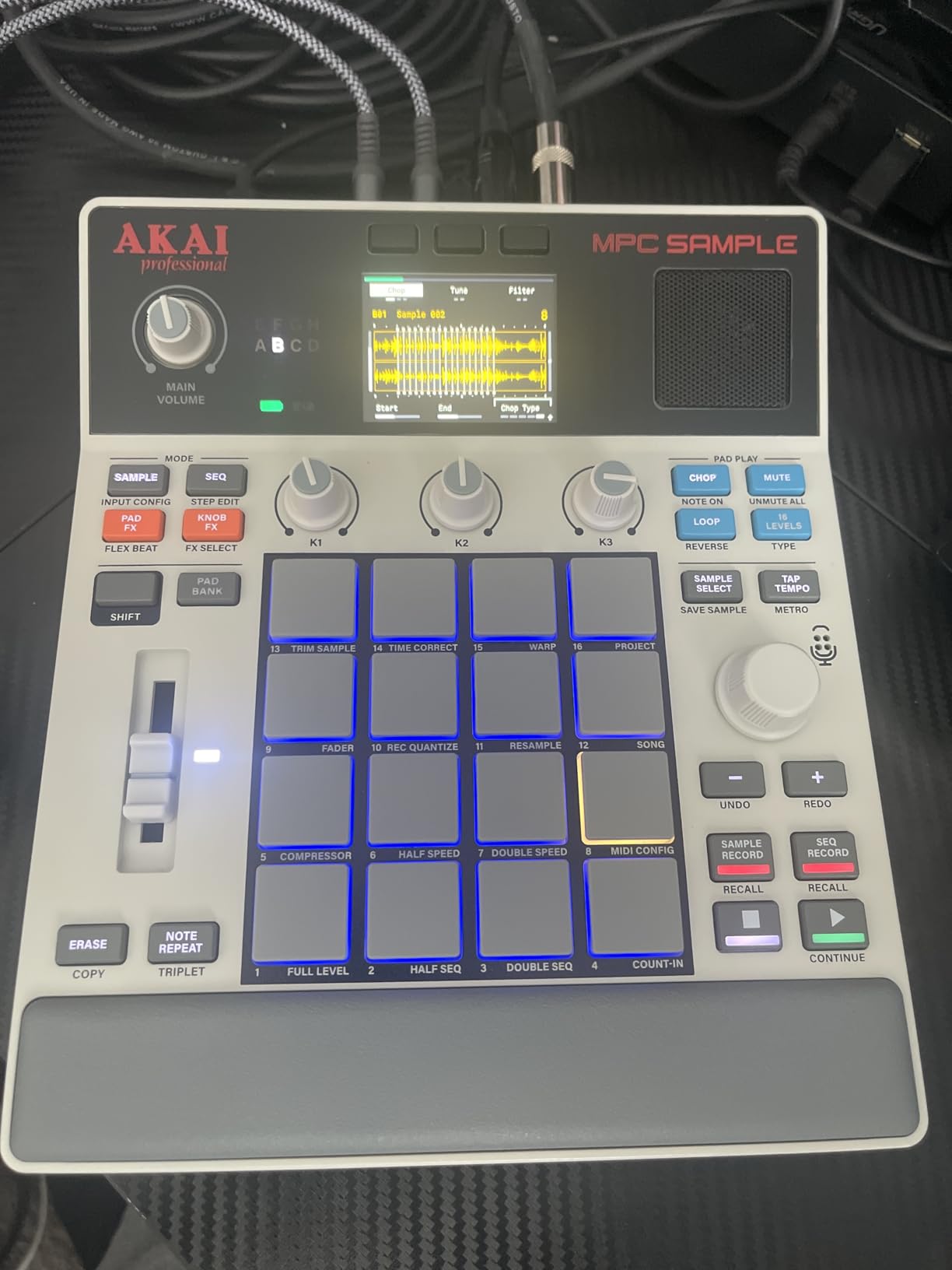
16 MPC pads and 2.4 inch color display
Battery, speaker and mic
Over 100 kits and 60 effect types
The MPC Sample is the first machine in this roundup that made me stop reaching for a laptop. It carries a rechargeable lithium-ion battery, a built-in speaker and an internal microphone, so you can capture a sound in a room and work through chopping it without a single cable attached.
It also holds the highest average rating in the group at 4.8, and the 420 reviews behind that number are unusually consistent. Owners keep returning to the same three strengths: real standalone operation, an approachable 16-pad layout, and a factory kit library large enough to finish a track on the first day.
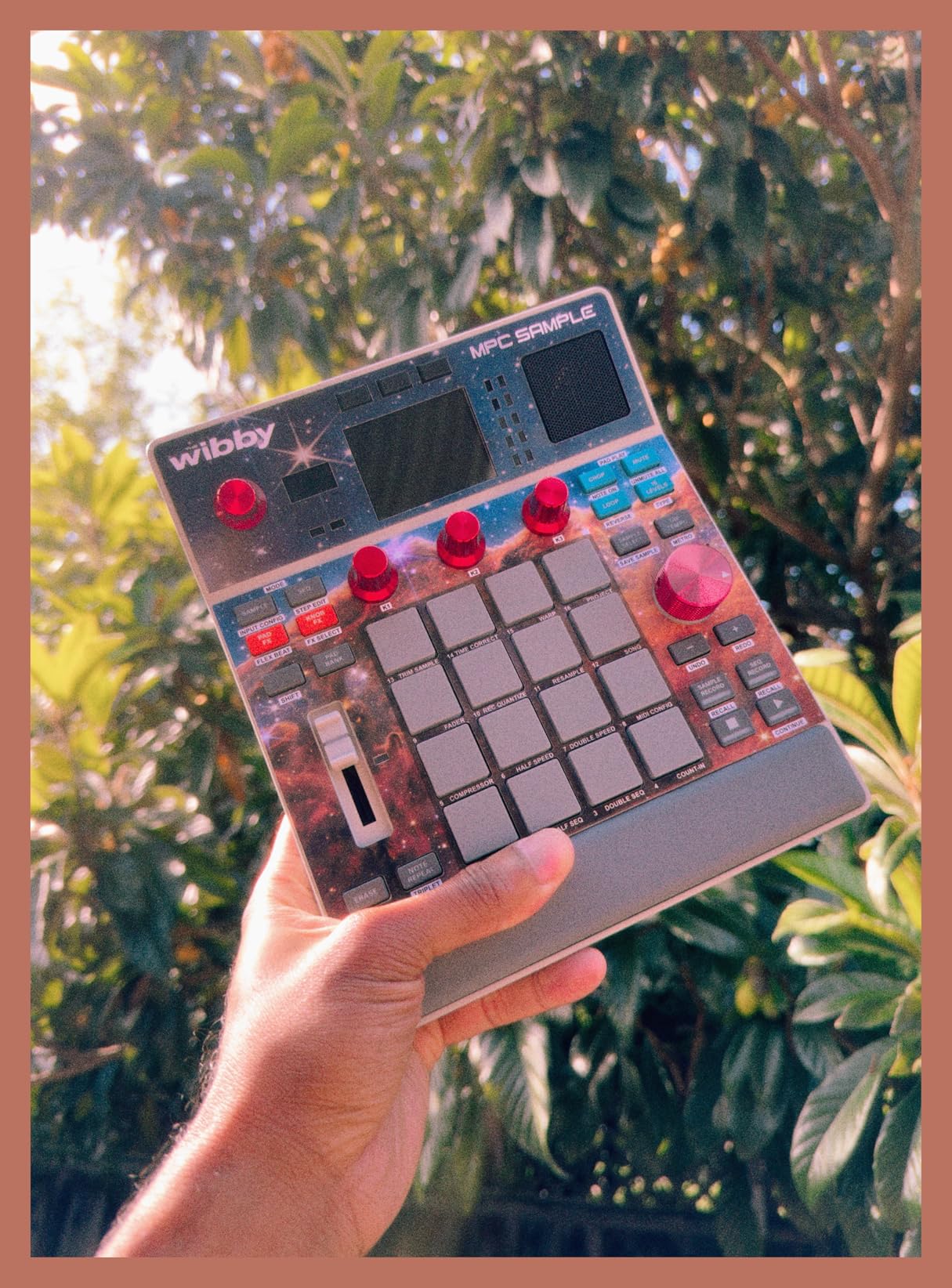
Akai also ships 60 interactive Melodics finger drumming lessons with the unit. That is not a gimmick. For anyone learning pads instead of menus, it is guided practice built into the hardware, and it makes the first fortnight with the machine much less intimidating.
Pad Response and How It Samples in Real Time
The 16 pads follow the compact MPC layout, which means they are smaller than the pads on a full MPC Live or a live drum pad. They respond to velocity, and for chopping at the pace most beatmakers work, that responsiveness is enough. Finger drumming is a learned skill rather than something these pads hand you, so plan on a few days of practice before your chops sit where you want them.
Real-time timestretch, repitch and internal resampling with effects are all handled on the device itself. Nothing needs to route through a computer, and the internal disk-streaming engine is designed to keep playback steady while you are working with large sample folders on a card.
Factory Kits, Chop Mode and the Effects Rack
Over 100 factory kits arrive loaded, and Instant Sample Chop Mode takes care of initial slice assignment without you counting transients by hand. That single feature is the reason most people finish a beat on this unit rather than abandoning it after a week of menus.
Four internal FX processors with dedicated knob control and 60 effect types give the machine more sonic range than the specification implies. FlexBeat, a colour compressor, and vinyl and tape emulations are all present, and because every processor has its own physical knob, you can change an adjustment mid-performance rather than only when stopped.
Connectivity and Desktop Integration
I/O is wider than the compact form factor suggests. You get stereo quarter-inch TRS line in and out, an eighth-inch headphone output, MIDI in and out, sync out and a dedicated record gain knob, so it slots into a small rig without an interface.
USB-C handles audio and MIDI, smart device sampling and card file transfer in one cable. MPC OS 3.8 adds MPC Sample integration across both the standalone and desktop environments, which means a kit made on the unit is available in your desktop session.
Who should buy it: anyone who wants a complete MPC workflow that survives being unplugged. Who should skip it: producers who need to edit long multi-layered samples visually, because a 2.4 inch display cannot show much at once.
2. Roland SP-404MKII – Fast Beatmaking With a Display That Earns Its Place
- ✓4.7 average across 449 reviews with a large owner base
- ✓Faster startup and sample loading than earlier SP models
- ✓OLED display makes waveform editing far less blind
- ✓16GB of internal storage removes constant card swapping
- ✓Auto-chop and auto BPM detect and resampling cover most beatmaking tasks
- ✕32-voice polyphony and 160 samples per project feel cramped on large projects
- ✕Deeper sample editing runs through menus rather than a hands-on interface
- ✕Effects are fixed presets rather than user-editable synth parameters
16GB internal storage and 32-voice polyphony
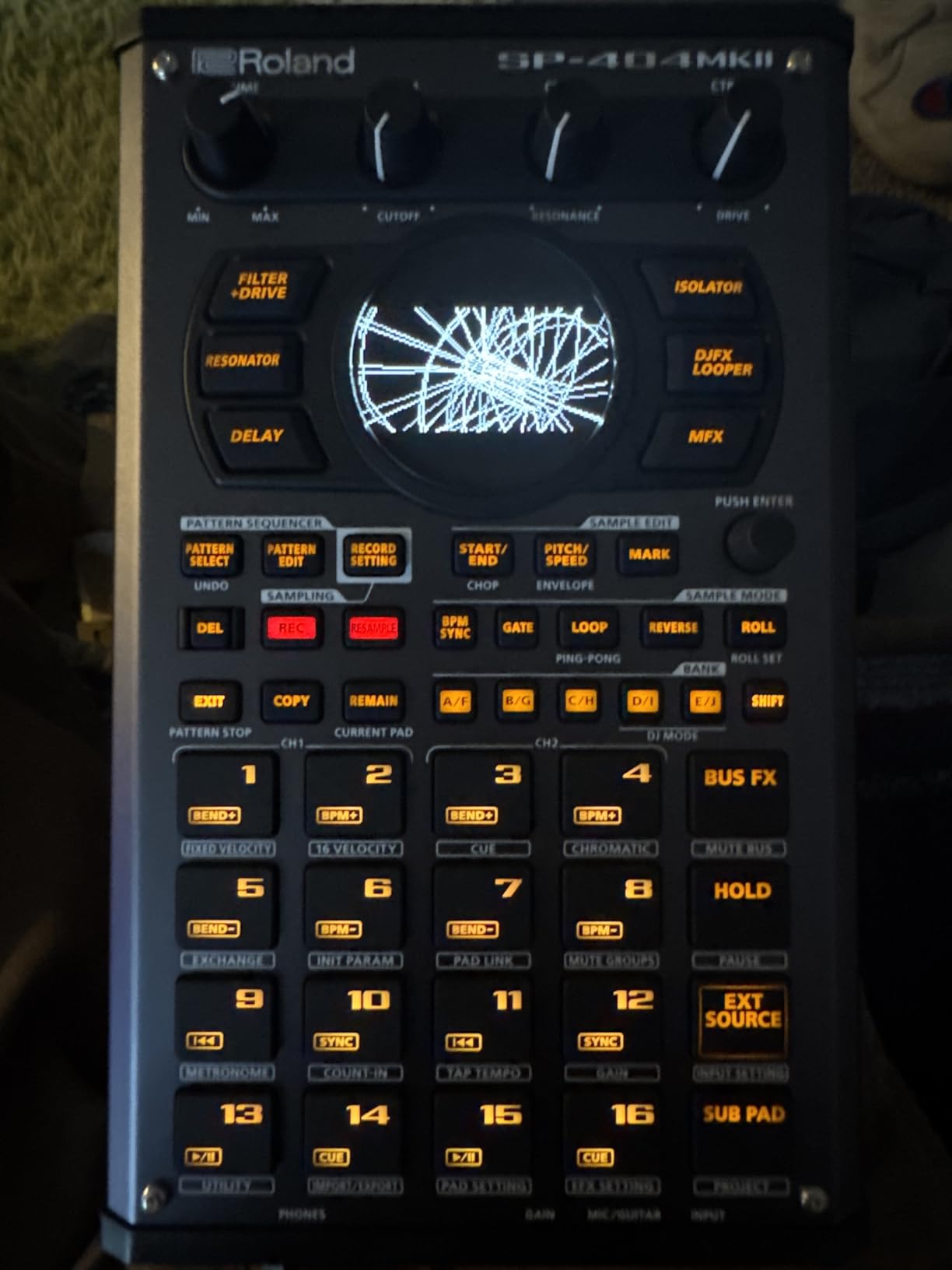
17 RGB pads with OLED display
Auto-chop with BPM detect
The SP-404MKII is the machine we reach for when a track needs to exist quickly. The workflow is the same performance-first design that made the SP series a lo-fi hip-hop staple, refined through community feedback, and the additions were chosen to fix the complaints that actually mattered.
With 449 reviews averaging 4.7, this is one of the two most reviewed units in the roundup, and the feedback is close to unanimous about the same three upgrades. Startup is quick, sample loading no longer stalls, and the display makes waveform editing possible instead of guesswork.
Pads, Display and the Beatmaking Flow
The 17 velocity-sensitive RGB pads use a no-click design, so laying down a pattern feels like playing an instrument rather than hammering switches. They light up in colours you can read from a short distance, which matters more than expected when you are working at a desk in a dim room.
The vivid OLED display is the feature that changed this machine most. On older SP models you worked largely blind; here you can see the waveform, set slice points and check a resample while the track is playing. That turns sample editing from a guess into a decision.
Chopping, Resampling and the Onboard Effects
Sampling works in real-time or through auto-chop mode, with auto BPM detect handling tempo matching for you. Envelope, pitch shift and resampling are all built in, so layering a phrase over a loop does not need a computer at any point.
The effects list is the reason this box became famous. Vinyl Simulator, DJFX Looper, lo-fi, Cassette Simulator, Resonator, Vocoder, Auto Pitch and Guitar Amp Simulator are all onboard, and 144 professionally recorded samples and patterns ship pre-loaded. You can get a finished-sounding beat out of the box before loading anything of your own.
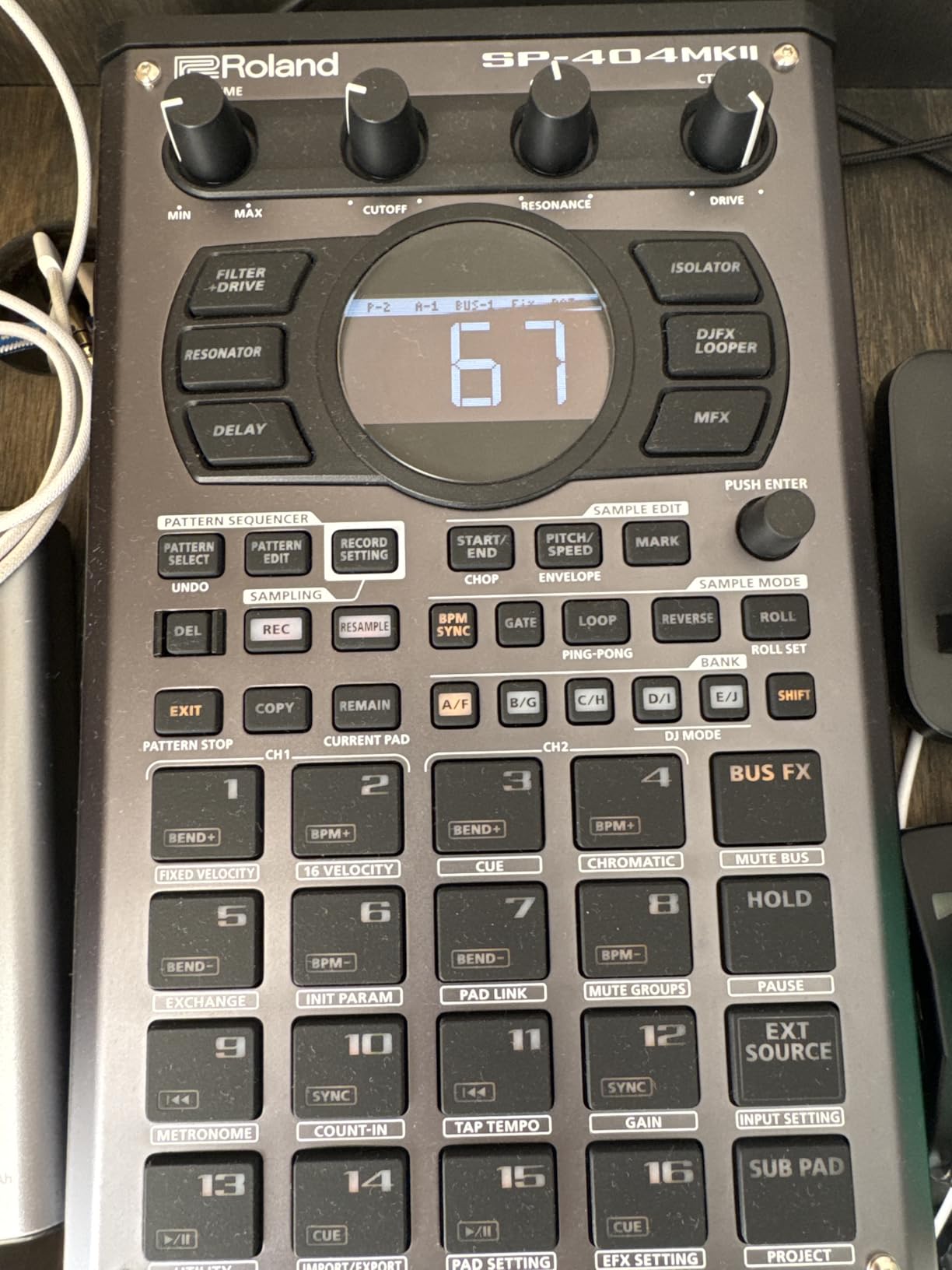
Storage, Power and the Ceiling on Big Projects
Storage is the quiet headline. 16GB internal storage with 32-voice polyphony, 160 samples per project and 16 internal projects means the constant card-swapping that shaped older SP use simply stops being part of the process. Power comes from USB-C, a mobile battery over USB-C, six AA batteries or an AC adaptor, so portability is real rather than nominal.
The ceiling is on large-scale work. Thirty-two voices and 160 samples per project get tight if you are building a heavily layered piece, and the effects are fixed presets rather than fully editable synth-style parameters. If your music needs deep sound design per layer, this is the wrong tool.
Who should buy it: beatmakers who want speed over depth, especially in lo-fi hip-hop and sample-driven beats. Who should skip it: anyone planning to build arrangements with dozens of simultaneous layers.
3. Novation Circuit Rhythm – Grid Chopping That Needs No Screen at All
- ✓Fast and intuitive workflow once the colour-coded layout is learned
- ✓Sample slicing plus reverse and loop and resample functions
- ✓8 tracks with chainable 32-step patterns hold a full beat
- ✓Four-hour internal battery in a sturdy small body
- ✓Also works as a DAW controller and sequencer for other hardware
- ✕No display so slicing has to be done by ear
- ✕Sample saving is very slow over USB-C
- ✕Weak MIDI implementation and coarse six-microstep sequencer resolution
8 tracks with chainable 32-step patterns
4-hour battery plus MIDI
Performance FX with beat repeat
The Circuit Rhythm is the most divisive machine here, and the reason is unusual. Owners who get it describe the fastest chopping workflow they have used, while the ones who do not get it usually arrive with expectations set by a screen-equipped competitor.
At 4.3 from 214 reviews, the split is genuine. The positive side points at the pads, the slicing mode and four hours of battery. The negative side focuses on the missing display, slow sample transfer and a sequencer resolution that feels dated next to Elektron hardware.
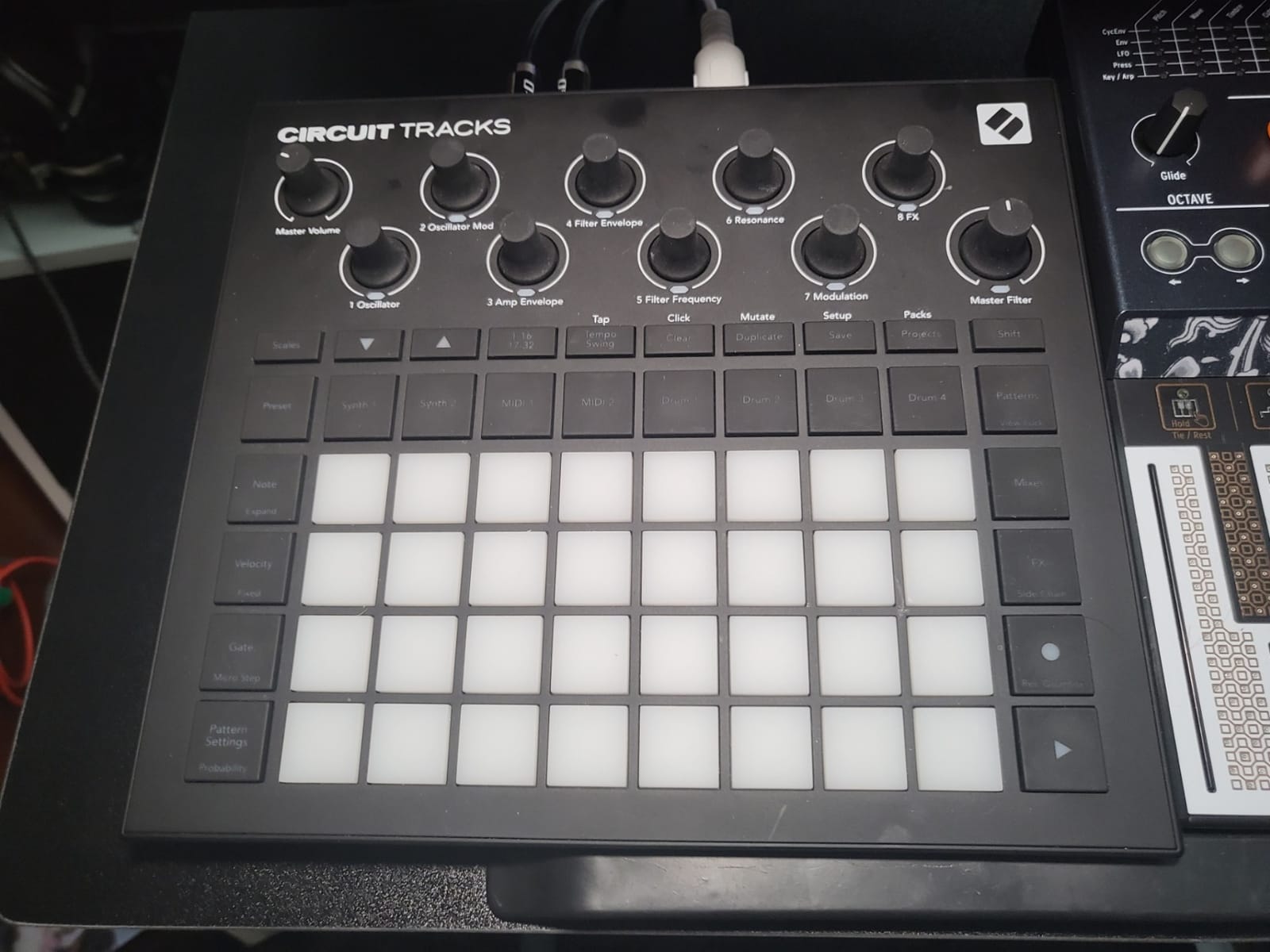
Eight Sample Tracks and the Sequencer Underneath
Each of the eight tracks carries its own 32-step patterns that chain up to 256 steps, so a full arrangement fits on the device rather than in your head. The sequencer captures grooves either quantized or off-grid, and samples layer with dedicated drum tracks, which is how most people build a beat on it.
That off-grid capture is genuinely useful for live work. You play a rhythm into the sequencer, then decide later whether to lock it to the grid, which is the opposite of what most hardware asks you to commit to up front.
Performance FX and Working Without a Screen
Performance FX include lo-fi tape, beat repeat, grid FX, reverb, delay and sidechain, all accessible from the front panel. Sidechain in particular changes how a chopped loop sits against a kick, and having it one knob away means you can use it while playing rather than programming it in advance.
There is no display at all, so the interface is colour-coded buttons, pads and knobs. Once those colours are in your fingers it is fast and forgiving. Before that, it will slow you down, and slicing adjustments are sensitive enough that fine work happens by ear.
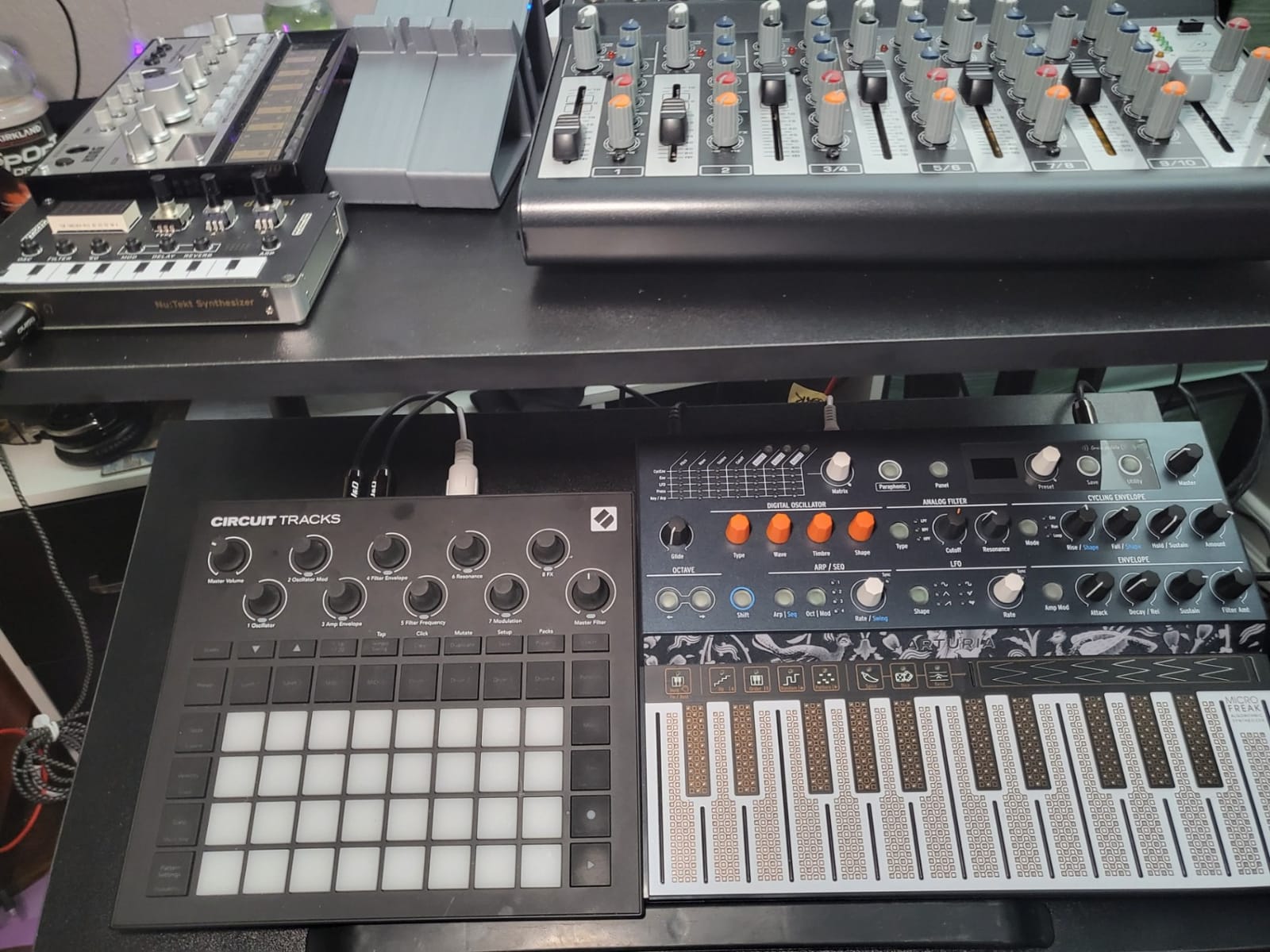
Sample Loading, MIDI Limits and What You Give Up
The honest weakness is file transfer. Sample saving is slow, and even a small pack can take many minutes over USB-C, which means you want your library chosen before the session rather than during it. The bundled software also asks you to register an account before you can download firmware, and the file workflow is cumbersome.
MIDI is the other soft spot, with a full step required to register a CC message, and samples are mono only with a capped total project sample length. Per-slice timestretch and per-slice effects are not available. For a performer who chops once, plays hard and loads deliberately, none of that matters. For someone building long arrangements, all of it does.
Who should buy it: players who want to chop on stage and value battery life above screen real estate. Who should skip it: producers who move samples constantly or build arrangements that run past a few minutes.
4. Elektron Digitakt II – Sixteen Tracks and the Sequencer to Use Them
- ✓16 audio tracks give far more headroom than six or eight track boxes
- ✓Deep Elektron sequencer with 128 steps plus Song Mode and four trig modes
- ✓Per-track delay reverb chorus bit reduction sample reduction and overdrive
- ✓Swappable filter options plus three assignable LFOs per track
- ✓Cast aluminum build is a step up from plastic-bodied rivals
- ✕Small display means detailed sample editing still needs menu navigation
- ✕The Elektron workflow takes real time to learn even for experienced Elektron owners
- ✕Only 30 reviews so far so long-term feedback is limited
16 audio tracks for samples or MIDI
128 steps with Song Mode
Cast aluminum chassis
The Digitakt II is the machine on this list where the sequencer is the product. Sixteen audio tracks accept stereo or mono samples or MIDI, and each one gets three assignable LFOs plus its own effects chain. You are buying sequencing depth with sampling attached rather than the other way round.
Be aware that the review base here is thin. Thirty reviews at 4.3 means the rating is real but early, and long-term reliability reports for this specific model are limited compared with the mature feedback on the machines around it.
Sixteen Tracks and Three LFOs Each
Sixteen audio tracks is roughly double what most compact grooveboxes offer, and that headroom is what makes per-track movement possible. Every track can carry its own delay, reverb, chorus, bit reduction, sample reduction and overdrive, so a part can sound different on every step without any global processing.
Three assignable LFOs per track turn those effects into motion. Combined with the parameter locking behaviour Elektron is known for, a single track can open a filter, swell a reverb and shift pitch across a phrase, which is how these machines turn short loops into arrangements that feel composed.
The 128-Step Sequencer and Song Mode
A 128-step sequencer with Song Mode means you can create, edit and play full compositions on the device, not just loops. Four trig modes and a Euclidean sequence generator speed up pattern creation, and the Euclidean generator in particular removes the most tedious part of writing polyrhythms by hand.
Filters are swappable rather than fixed. One base-width filter is always available, plus a swappable filter from multi-mode, low pass 4, comb, EQ or a legacy low pass and high pass option, so the same machine covers quite different tonal territory depending on what you fit.
Build, Editing and the Learning Curve
The cast aluminum chassis is immediately noticeable in the hand and is a step above the plastic bodies on most competitors at this size. At 3.3 pounds it stays portable, and 8.4 by 6.9 by 2.5 inches means it fits in a bag without a dedicated case.
The compromise is the small display. Detailed sample editing still runs through menu navigation, and the sampling workflow is less immediate than on a machine built specifically for chopping. Forum discussion around Elektron gear repeatedly mentions the same point from different directions: the learning curve is steep, and owners who accept it tend to stay for years. If you want hands-on sample slicing, look at the SP-404MKII or the MPC Sample instead.
Who should buy it: producers who write long, arranged pieces and want one machine to sequence them. Who should skip it: newcomers who want to load a loop and start chopping in the first ten minutes.
5. Teenage Engineering EP-133 K.O. II – The Travel Sampler That Does Not Feel Like a Toy
- ✓4.7 average across 50 reviews with 86 percent five-star ratings
- ✓128MB of memory and 999 slots double the original K.O. II
- ✓Commit button and pattern groups capture and recall sections instantly
- ✓Multifunctional fader gives hands-on control of filter and pitch and both FX banks
- ✓OS 2.0 adds resampling and chopping and sidechain and song mode
- ✓Battery and USB-C power plus sync and MIDI I/O fit into a setup
- ✕Busy colour and layout take time to learn
- ✕Small screen limits visual sample editing
- ✕Onboard library is a starting point rather than a deep sound set
- ✕Not a full keyboard instrument so melodic work is limited
128MB sample memory and 999 sample slots
4 groups by 99 patterns
Song mode in OS 2.0
The EP-133 K.O. II is what happens when Teenage Engineering takes a toy-shaped idea and gives it real memory. At 4.7 from 50 reviews, it is rated very highly for a compact sampler, and the reasons owners give are practical: more storage, more slots and a set of workflow shortcuts that move you from idea to arrangement quickly.
It is worth flagging that sentiment here rests on a small sample of owners, so treat the rating as encouraging rather than settled.
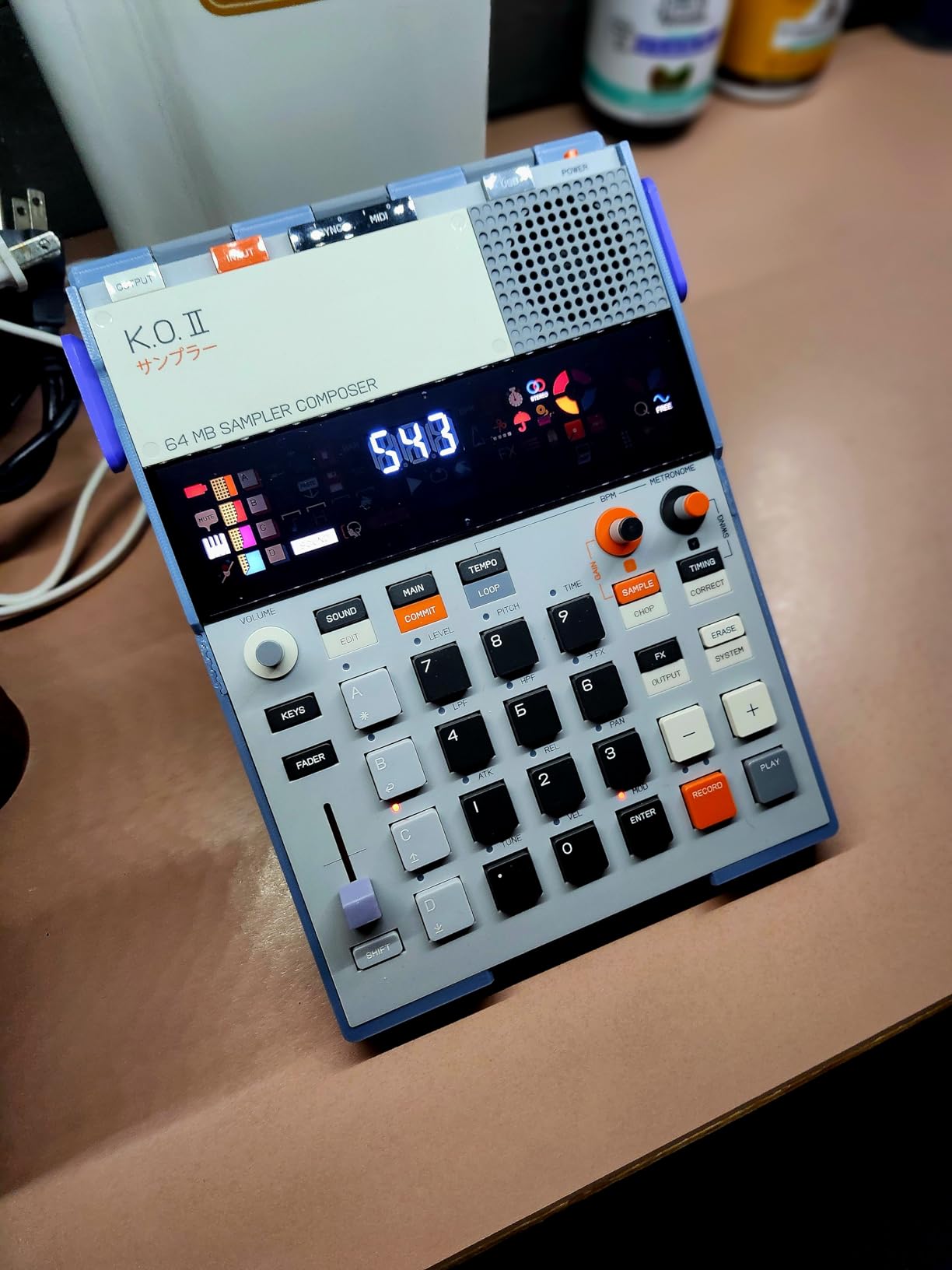
128MB of Memory and 999 Sample Slots
Memory is the headline and it is the real change. 128MB of sample memory across 999 slots is double what the original K.O. II offered, which is the difference between capturing a handful of one-shots and actually building a small sample library on the move.
The four-track sequencer runs 12 stereo voices or 16 mono voices, which is enough polyphony to layer a chopped loop with a bass line and a percussion part. Sampling happens through line-in or the built-in microphone, and monitoring is through the built-in speaker or line-out.
Pattern Groups, the Commit Button and the Fader
Four groups of 99 patterns with instant pattern swap per group give you 396 pattern slots, and the commit button captures a moment in time so you can freeze a fill or a transition without writing it out step by step. For live use, that is the single feature that makes this machine usable in front of an audience.
The multifunctional fader controls 6 master effects and 12 punch-in effects, plus filter, pitch and automation. Twelve punch-in 2.0 effects and 6 built-in effects sit behind it, and having one physical fader that changes meaning by context keeps the top panel uncluttered.
OS 2.0 and What Still Frustrates
OS 2.0 is a substantial update rather than a bug fix. It adds resampling, chopping, a pumping sidechain, song mode with up to 9801 bars, an optimized playback engine and extended MIDI support, which moves the machine closer to a full groovebox than a pocket sampler.
What remains is the layout itself. The colour scheme and control arrangement are busy, so learning the panel takes time, and the small screen limits visual editing of samples. The onboard library covers drums, bass and keys well enough to start, but it is a starting point rather than a deep sound set. Power comes from 4 AAA batteries or USB-C, and sync in and out plus MIDI in and out let you link it to other gear.
Who should buy it: writers who capture ideas anywhere and want a real sample library on the device. Who should skip it: players who want fine visual editing or a keyboard-style melodic layout.
6. Roland SPD-SX PRO – The Sampling Pad Built for a Live Drum Kit
- ✓4.7 average across 94 reviews
- ✓Nine pads with improved shoulder sensitivity play easier than previous SPD models
- ✓High-visibility customizable LEDs read clearly on a dark stage
- ✓4.3 inch color display makes kit browsing practical
- ✓Four direct mono outputs allow per-drum levels at a gig
- ✓Eight external trigger inputs expand a hybrid acoustic and electronic kit
- ✕Not beginner friendly with a lot to learn before it feels natural
- ✕Manual-heavy workflow needs real time invested to pay off
- ✕As a pad it needs an audio source or mixer or other gear to make a full sound
- ✕Large desktop footprint next to compact samplers
Nine pads including three shoulder pads
4.3 inch color display and customizable LEDs
Stereo main out plus four balanced mono outputs
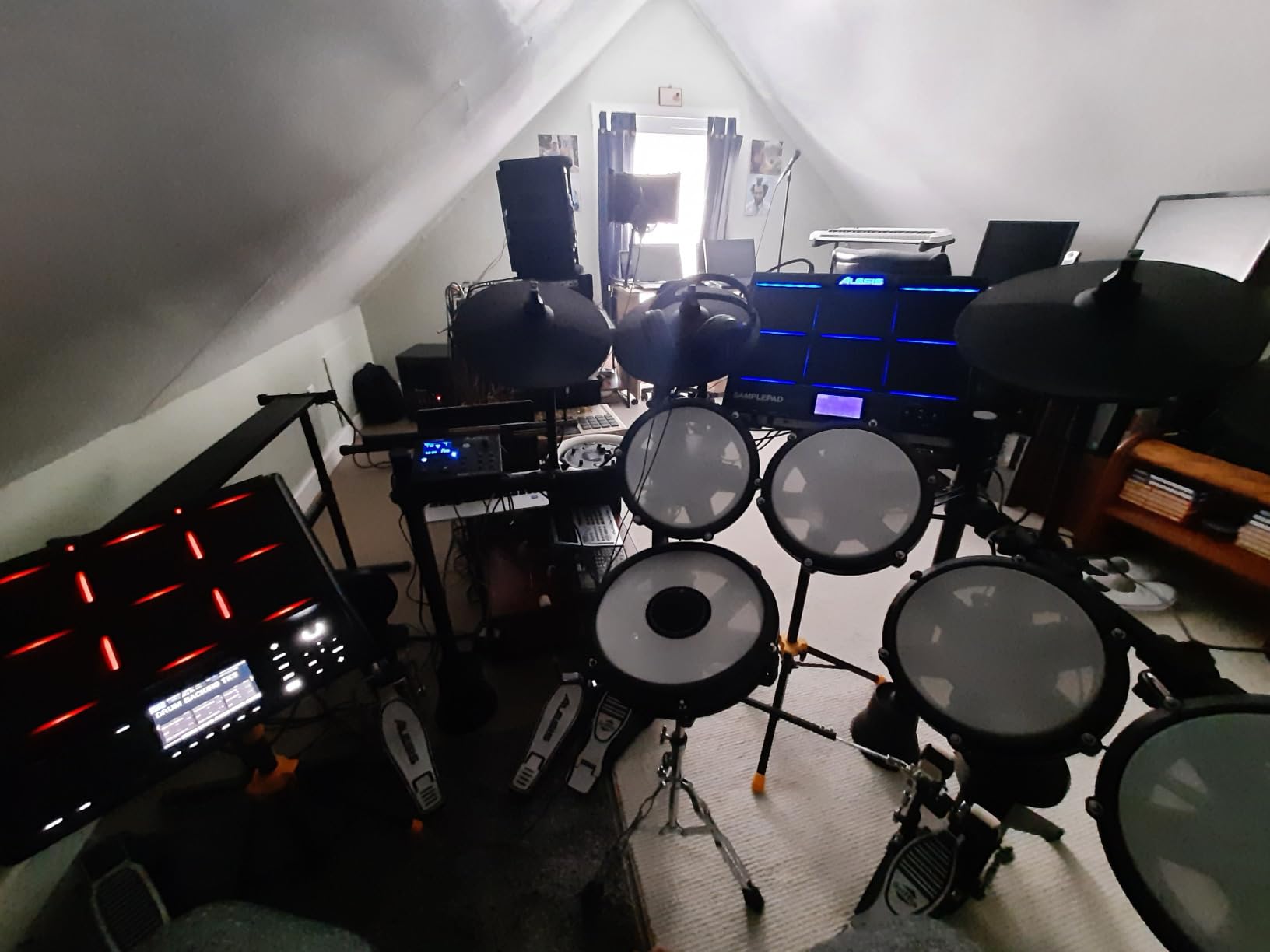
The SPD-SX PRO is the only percussion-focused machine on this list, and that focus is the point. It is built to be hit with sticks in front of an audience, so the design decisions go toward visibility, output control and expandability rather than toward sample editing depth.
Owners rate it 4.7 across 94 reviews, with 86 percent five-star ratings, and the praise concentrates on exactly those choices. The recurring complaint is the learning curve, which is the same thing said about every professional pad we have used.
Nine Pads and Stage Visibility
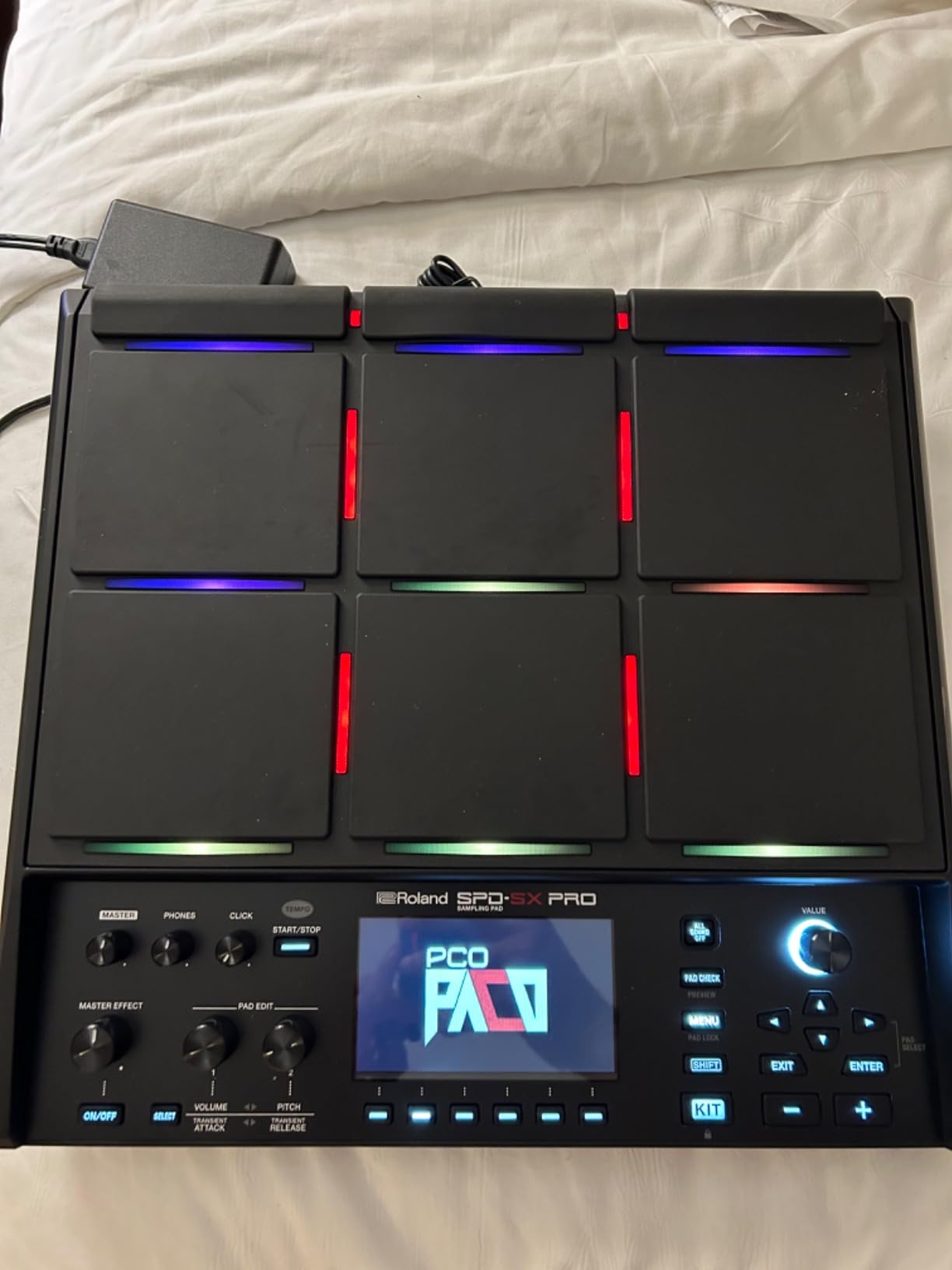
There are nine pads in total, six large pads plus three top-row shoulder pads using Roland trigger technology. Shoulder pad sensitivity is increased over earlier SPD models and crosstalk performance is improved, so neighbouring pads bleed into each other less when you play hard.
Visibility is handled with high-visibility horizontal and vertical LEDs that support multi-colour customisation. On a dark stage this is the difference between seeing your layout and guessing it, and it is a detail that only matters if you have actually played in one.
Outputs, File Handling and Trigger Expansion
The output section is unusually serious for a pad. A stereo main output is joined by four direct mono outputs, balanced for stage mixing, which lets you set levels per drum at the venue instead of carving them out of a single stereo pair at the desk.
File handling accepts 48 and 44.1 kHz WAV and AIFF in 16, 24 or 32-bit, plus MP3 from 32 to 320 kbps, auto-converted to 48 kHz and 16-bit on load. The dedicated SPD-SX PRO app for Windows and Mac handles importing, managing samples and deep kit editing, and up to eight external individual triggers are supported, four stereo or eight mono with Y-cables.
Where It Falls Short
It is not a beginner instrument. There is a manual-heavy workflow here, and the difference between a good sounding result and a thin one is knowledge you build over months rather than minutes. Buyers expecting a self-contained groovebox will find it needs an audio source, a mixer or other hardware to produce a full sound.
The footprint is the other practical issue. At 19.7 by 14.7 by 17.5 inches it occupies a desk, a stand or a pedal board, so it is a studio and stage purchase rather than a travel one. For drummers running a hybrid acoustic and electronic kit, several owners describe powering the whole hybrid setup from this one box, which is where the value concentrates.
Who should buy it: drummers and percussionists who need per-drum output control and stage visibility. Who should skip it: producers looking for a compact sampling workstation.
7. Teenage Engineering PO-33 K.O! – The Smallest Sampler You Can Genuinely Carry
- ✓Genuinely pocket-sized and battery powered
- ✓Built-in microphone makes capturing environmental sounds immediate
- ✓16 built-in effects add real value
- ✓Speaker and line out let you check work with no extra gear
- ✓Two operating modes give it range beyond a toy
- ✕40 seconds of sample memory is very limited for anything but short one-shots
- ✕No display so chopping and editing are entirely blind
- ✕Sequence length and pattern count are modest against full grooveboxes
- ✕Plastic body and tiny buttons feel fragile beside metal hardware
4-voice sampler with 8 melodic and 8 drum slots
40 seconds of sample memory
16 built-in effects, mic, speaker and line I/O
The PO-33 K.O! is the most reviewed product in this roundup by a wide margin, with 2,287 reviews averaging 4.6 and roughly 80 percent five-star ratings. That volume of owner feedback is itself informative, because it tells you how many people bought a small sampler expecting one thing and got another.
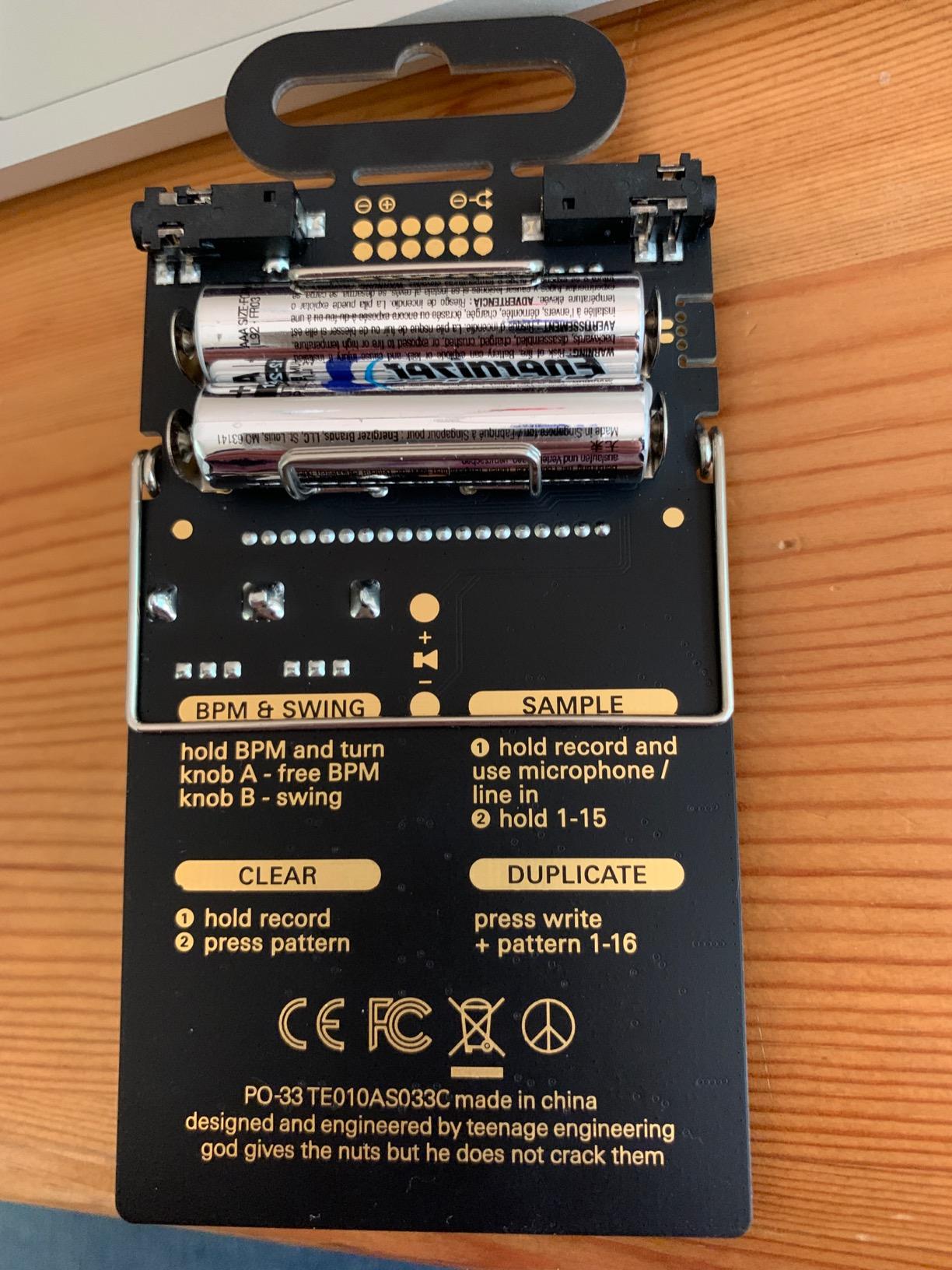
What they got is a genuinely portable instrument. Built-in microphone, 3.5 mm line in, built-in speaker and line out, 2 AAA batteries and roughly a month of battery life. Sampling works anywhere, which is the entire point of the device.
Forty Seconds, Two Modes and What Fits
The 4-voice sampler holds 40 seconds of total sample memory spread across 8 melodic sample slots and 8 drum slots. That sounds restrictive, and for chopping a full track it is. For capturing a door slam, a vocal fragment or a two-bar phrase and building around it, it is enough to finish ideas.
Melodic mode gives you chromatic melodies and drum mode handles dynamic drum beats, so the same sample memory serves two very different jobs. The sequencer supports swing, a Euclidean mode and endless pattern chaining, which is more arrangement power than the word toy suggests.
The 16 Effects Are the Real Value
Pitch, downsample, delay, drive, filter and reverb are among the 16 onboard effects, and they do more for the sound of a short sample than the sample itself. Pitch and downsample are what turn a clean recording into something that sits well in a loop.
The folding stand, clock and alarm clock function are small details that make it an actual object rather than an accessory. At roughly a month of battery life from two AAA cells, it also survives being left in a bag for weeks, which no mains-powered box does.
Blind Editing and Where to Draw the Line
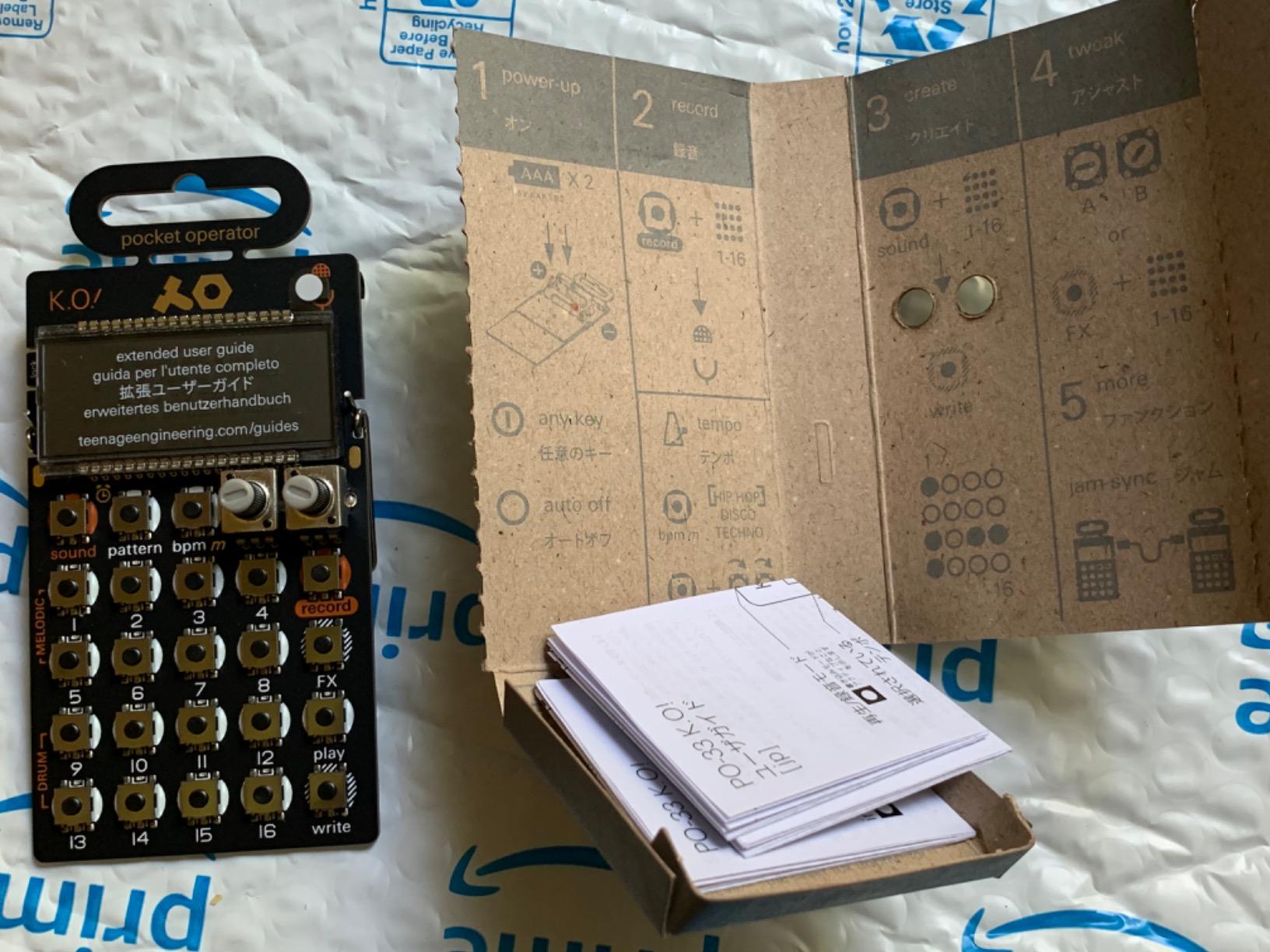
The limitation that shapes everything is the absence of a display. Chopping and editing are entirely blind and driven by menu buttons, so you learn the layout or you do not. Sequence length and pattern counts are also modest compared with any full groovebox, and the plastic body with tiny buttons feels fragile next to metal-bodied hardware.
Owners consistently frame it as a first sampler or a travel instrument rather than a production machine, and that framing is accurate. If your goal is to learn what sampling feels like, this is the lowest-friction way in. If you want to build arrangements, the EP-133 K.O. II covers similar ground with far more memory and a much bigger pattern vocabulary.
Who should buy it: beginners, and anyone who wants a sampler in a coat pocket. Who should skip it: producers who need to hold loops and arrangements on the device.
8. Elektron Model:Samples – Six Tracks That Punch Well Above Their Count
- ✓Per-trigger parameter locking lets each step diverge in pitch
- ✓filter
- ✓decay
- ✓delay
- ✓reverb and LFO
- ✓Sample locking plus 1GB of storage gives far more sounds in play than six tracks suggests
- ✓Simplest Elektron workflow to learn
- ✓Single-cycle waveform support opens synth-style sound design from stored audio
- ✓Great swing and a sequencer that produces results quickly
- ✕Cannot record or sample audio input directly so it plays pre-loaded samples rather than live sources
- ✕64MB sample memory is small for chopping longer sources
- ✕Pads are stiff and largely redundant since they mainly select the sample
- ✕Not practical for live use due to limited pattern and scene navigation
64MB sample memory plus 1GB of storage
Parameter locking and sample locking per trigger
Six velocity-sensitive pads, filter and LFO per track
The Model:Samples is a sample-based groovebox rather than a sampler in the strict sense, and that distinction defines both its strengths and its limits. It scores 4.5 across 104 reviews, and the single most common point in that feedback is that it does far more than six tracks should allow.
Forum discussion around Elektron gear frequently describes this machine as the friendliest entry point to the platform, and the reasons are structural rather than cosmetic. It uses the same per-trigger logic as the larger Elektron units without their density of features competing for attention.
Parameter Locks and Sample Locking
Per-trigger parameter locking is the feature to understand first. Each step in a pattern can carry its own pitch, filter, decay, delay, reverb and LFO value, so a single track plays a kick differently on beat one than on beat four. It turns static loops into performance without any live playing.
Sample locking sits alongside it and lets you swap which sample a step plays within a track. Combined with 1GB of storage, the practical sound count is far beyond what six tracks implies, because you are not committing one sample per track, you are committing a set per step.
Storage, Memory and the Missing Audio Input
Sample memory is 64MB, which is small for chopping long sources, and there is no audio input at all. That is the core caveat: you cannot record or sample a live source, so this is a sample player with exceptional sequencing rather than a capture device.
Each track gets a resonant multimode filter and an assignable LFO, and single-cycle waveform support lets you build synth-like sounds from stored audio. Real-time and grid recording modes are both present, and 96 projects each holding 96 patterns cover far more storage than most people will use.
Build, Pads and Live Use
At 1.8 pounds the build is solid in the hand and the plastic body feels well made rather than thin. The six velocity-sensitive pads are the weak point for playing, described as stiff and largely redundant since they mainly select the sample. If you plan to finger drum, the MPC Sample or a Roland pad serves you better.
Live use is limited by pattern and scene navigation rather than by sound, and there is MIDI I/O for controlling other hardware plus a PC transfer utility and iOS app for moving samples. It also pairs well with other Elektron gear such as the Model:Cycle and Digitakt if you already own any.
Who should buy it: beatmakers who want Elektron’s sequencing character on pre-loaded sounds. Who should skip it: anyone whose first requirement is capturing audio from the world.
9. Roland MC-707 – Arrangement Depth With a Preset-Heavy Engine
- ✓Huge preset library covering classic Roland sounds and drum kits
- ✓Tone
- ✓Drum Kit and Looper track types cover recording
- ✓sequencing and looping in one box
- ✓Battery and USB powered for portable standalone use
- ✓Full-size MIDI in and out makes it easy to slot into a hardware setup
- ✓8 tracks and 128 clips with a 128-step sequencer give real arrangement depth
- ✓Quantize is optional which allows more human-feeling grooves
- ✕Very limited short-term memory for recorded loops
- ✕Small screen and a menu-heavy operating system
- ✕Pads are not velocity sensitive
- ✕Only 8 scenes and no program change support
- ✕Resample triggers feel laggy and clips must be re-recorded rather than overdubbed
49 keys with Tone, Drum Kit and Looper tracks
8 tracks, 128 clips and 128-step sequencer
Track and master effects, battery and USB power
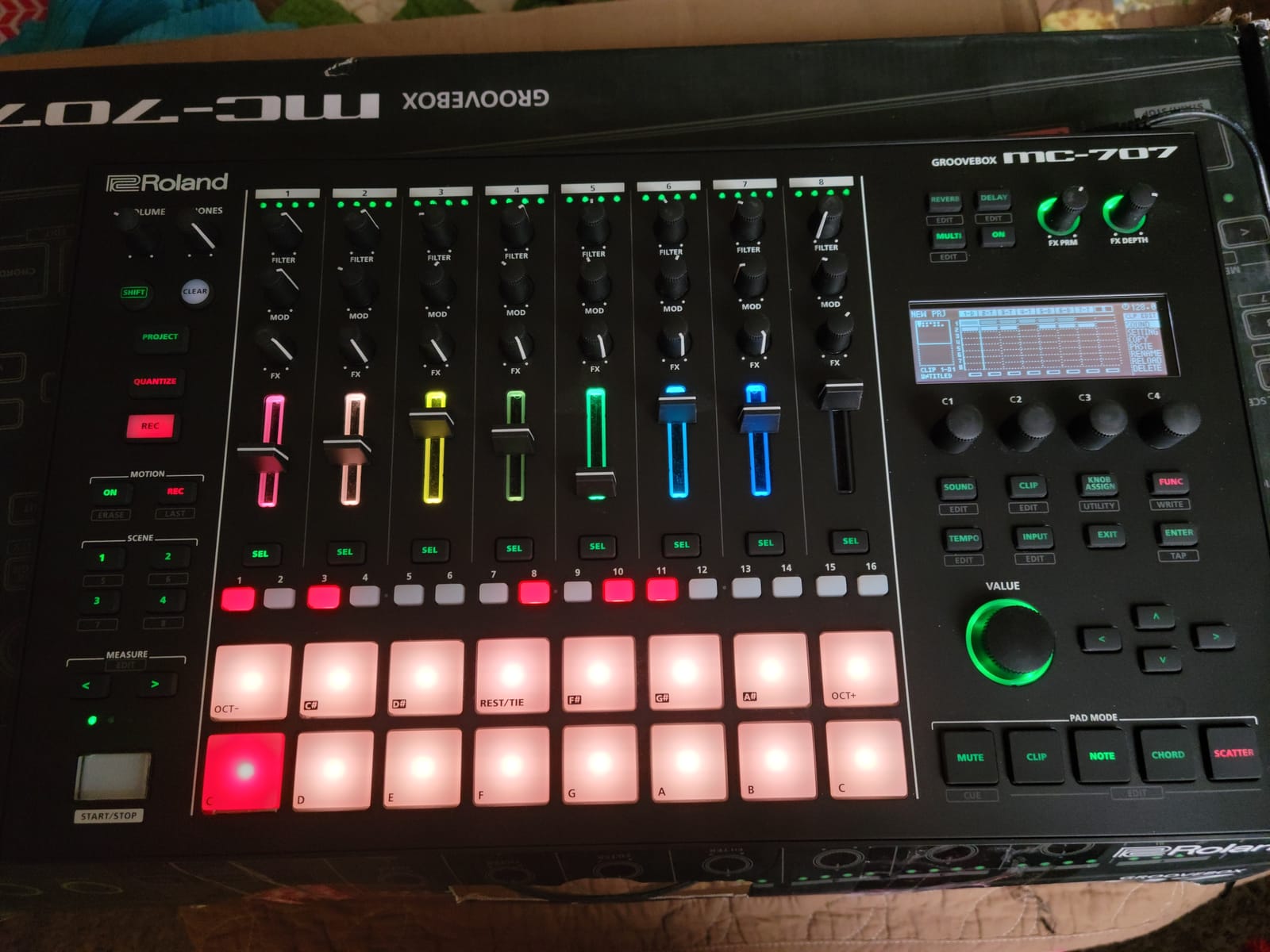
The MC-707 is a workstation with 49 keys, and it is the only machine here that lets you play sampled material from a keyboard. That changes what it is good for. Where the SP-404MKII and MPC Sample are pad instruments, this one is closer to a small arranger you can hold.
Owners are split at 4.3 across 379 reviews. Firmware updates that added song mode and improved knob behaviour have lifted sentiment since launch, while the small display and tight loop memory keep the average honest.
Three Track Types and Real Arrangement Depth
Tone, Drum Kit and Looper track types are the structural idea. Tone tracks carry synth voices, Drum Kit tracks handle kit and percussive material, and Looper tracks record audio directly, which means the machine can capture a phrase from a microphone and sequence it alongside programmed parts.
Eight tracks and 128 clips at 16 clips per track, driven by a 128-step sequencer, give you more arrangement structure than the compact machines manage. Quantize is optional, so you can leave recorded-in human timing intact instead of forcing everything onto the grid.
Effects, Scenes and Where It Frustrates
The effects load is heavy. Track Multi-Effects offer 90 types, with Track EQ, Chorus and Delay across 9 types and Reverb across 7, plus Master Effects, Master Compressor and Master EQ. The preset library covering classic Roland sounds and drum kits is the real reason many people buy this machine.
The limitations are structural. Short-term memory for recorded loops is very tight, so arrangement length on the device is restricted. The screen is small and the operating system is menu-heavy, only 8 scenes are available with no program change support, and resample triggers feel laggy enough that clips must be deleted and re-recorded rather than overdubbed. Pads are not velocity sensitive, which is a real loss on a pad-led instrument.
Keyboard Playability and Rig Integration
Connectivity is the strongest argument for it. Five quarter-inch phone jacks, MIDI in and out, USB, EXT IN and a headphone output, with an SD card included for project and audio storage, mean it drops into an existing hardware rig without an interface. At 4 pounds and powered by battery or USB, it moves between rooms easily.
Forum owners often note the split personality here, praising the sound library and MIDI integration while calling the sampling and looping side average at best. Judge it as a portable arranger with a sampler attached, and that description is fair. Judge it as a chopping machine and you will be disappointed.
Who should buy it: songwriters who want to sketch full arrangements on a keyboard, unplugged. Who should skip it: producers whose work is built on chopping samples into short loops.
10. Akai Professional MPC Live III – The Studio Centrepiece With 3D-Sensing Pads
- ✓8-core processor and 8GB RAM make this the most responsive MPC to date
- ✓MPCe pads add velocity and pressure and XY control for far more expressive playing
- ✓7 inch multi-touch display shows pads and waveform and mixer together
- ✓Rechargeable battery and onboard stereo monitors make it portable
- ✓Clip launch and a 16-step sequencer extend it past beatmaking
- ✓128GB storage and over 1000 factory kits cover a lot of ground out of the box
- ✕Moving a project into a DAW is logistically difficult
- ✕7 inch screen is small relative to the number of buttons
- ✕Steep learning curve given the depth of the platform
- ✕Battery longevity over several years is uncertain and replacement is awkward
- ✕Overkill unless you already work at a professional level of programming
8-core processor, 8GB RAM and MPC3 OS
MPCe pads with velocity, pressure and XY
7 inch display, 128GB storage, plugin hosting
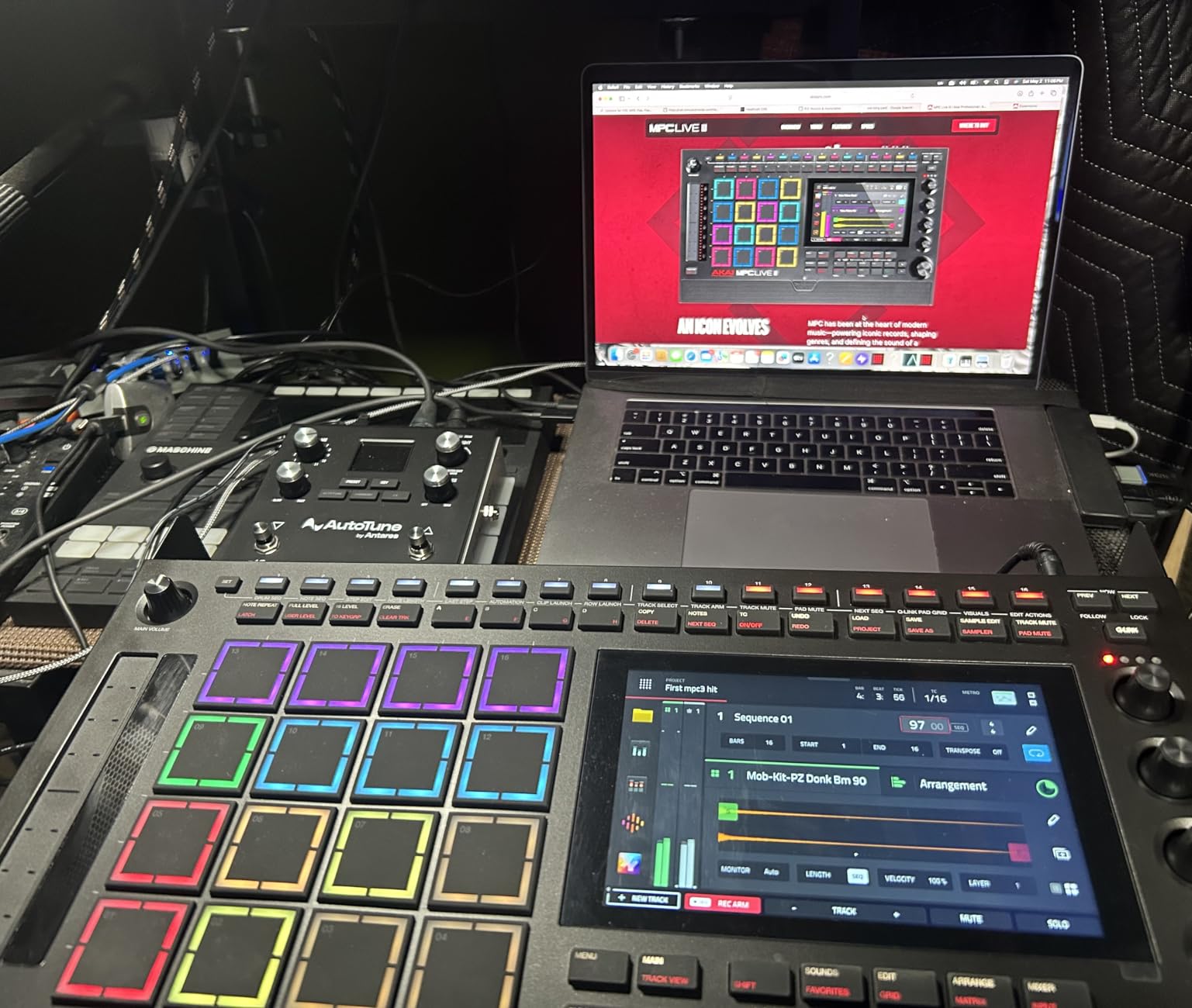
The MPC Live III is the most capable machine here and the one most likely to be wasted on a beginner. It runs an 8-core processor with 8GB RAM on MPC3 OS, carries 128GB of internal storage, and hosts up to 32 plugin instances across 16 tracks. That is a working environment, not an instrument.
Owners upgrading from the MPC Live or Force describe it as a clear step up in speed, clip functionality and portability, and the review base reflects that, with 115 reviews at 4.4.
MPCe Pads and the 7-Inch Display
The MPCe pads sense velocity, pressure and X/Y in three dimensions. In practice that means sample blending, note repeats and dynamic articulations from a single pad, which is a real expressive gain over two-dimensional pads and the main hardware reason to move up to this generation.
The 7-inch multi-touch display runs a next-generation clip launch matrix and shows pads, waveform and mixer together without constant scrolling. A 16-step sequencer with function buttons and a performance touch-strip sit alongside it, and the combination takes the machine well beyond beatmaking into arrangement.
Storage, Plugins and Connectivity
128GB internal storage expands via SD or SSD, and the factory library holds over 1000 MPC-ready drum kits and instruments plus premium plugin instruments. Up to 32 plugin instances across 16 tracks, Super Timestretch, Pro Stems and CV Playground are included, along with the MPC3 Pro Pack with Reverb Pro, Visual EQ4, Fabric Select and Utility AIR.
Connectivity is the most extensive here, with USB-C, CV and gate outputs, MIDI I/O, two combo XLR and TRS inputs, six TRS outputs, Bluetooth and Wi-Fi. An integrated microphone and stereo monitors plus a rechargeable battery mean it can be used away from a desk, and the retro colourway stands out in a market of black boxes.
Getting Work Out of It and the DAW Handoff
The most common criticism from owners is not about the hardware. Moving a finished project into a DAW is logistically difficult and the MPC3 software integration is not seamless, so if your workflow ends in a DAW you should factor that friction in before buying. Battery longevity over several years is also uncertain, with replacement described as awkward.
Alongside that, the 7-inch screen is small relative to the number of buttons on the panel, and the learning curve is steep given how much the platform offers. Most reviewers frame it as overkill for anyone not already working at a professional level of programming, which is fair. The smaller MPC Sample delivers the same essential workflow for a fraction of the money and is the better starting point for most people.
Who should buy it: working producers who finish tracks on the device and want plugin hosting. Who should skip it: anyone still learning the workflow, or anyone who hands off to a DAW for the final mix.
11. Teenage Engineering PO-35 speak – Built for Vocal and Environmental Sampling
- ✓Sample anything with the built-in microphone and save to eight voice slots
- ✓Eight voice characters give far more vocal character than a plain sample player
- ✓Runs about a month on two AAA batteries
- ✓Built-in speaker means you can sketch ideas with no cables
- ✓Distinctive design and layout make it engaging to play
- ✕No display at all so editing and navigation are blind
- ✕Voice-character processing is fixed with no per-sound parameter editing
- ✕Only eight slots and eight effects restrict arrangement length and depth
- ✕Plastic body and tiny controls feel less premium than metal hardware
- ✕Some owners find sample memory and polyphony limiting for melodic work
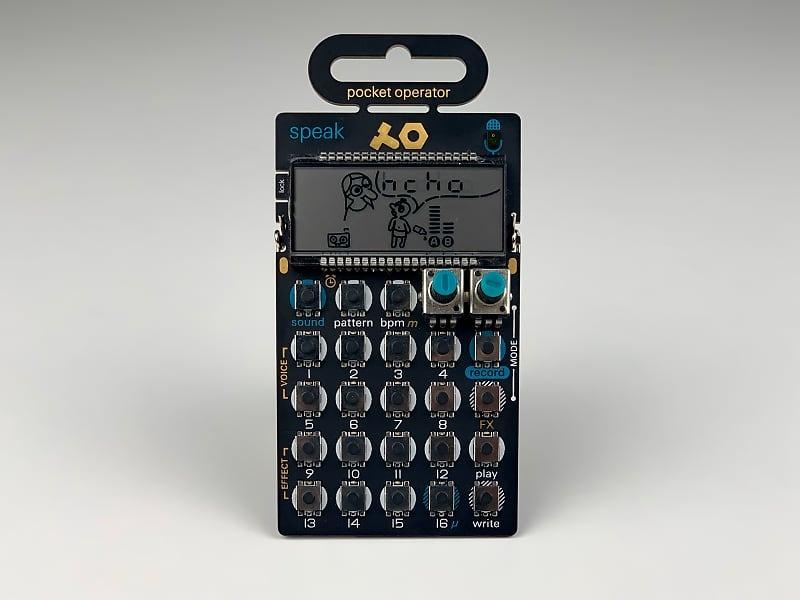
120 seconds of memory across 8 voice slots
Eight voice characters including vocoder and synth
Built-in mic, speaker, line in and 8 effects
The PO-35 speak is the odd one out in this list, and that is its appeal. Rather than treating samples as drum hits, it runs everything through one of eight voice characters, so a recording of a door or a spoken word comes out as a voice rather than as a raw slice.
It rates 4.3 across 401 reviews, and it carries the highest share of one-star ratings in the roundup at roughly 10 percent. The split is about expectations, since buyers expecting a general sampler tend to be the ones who feel the eight-slot limit first.
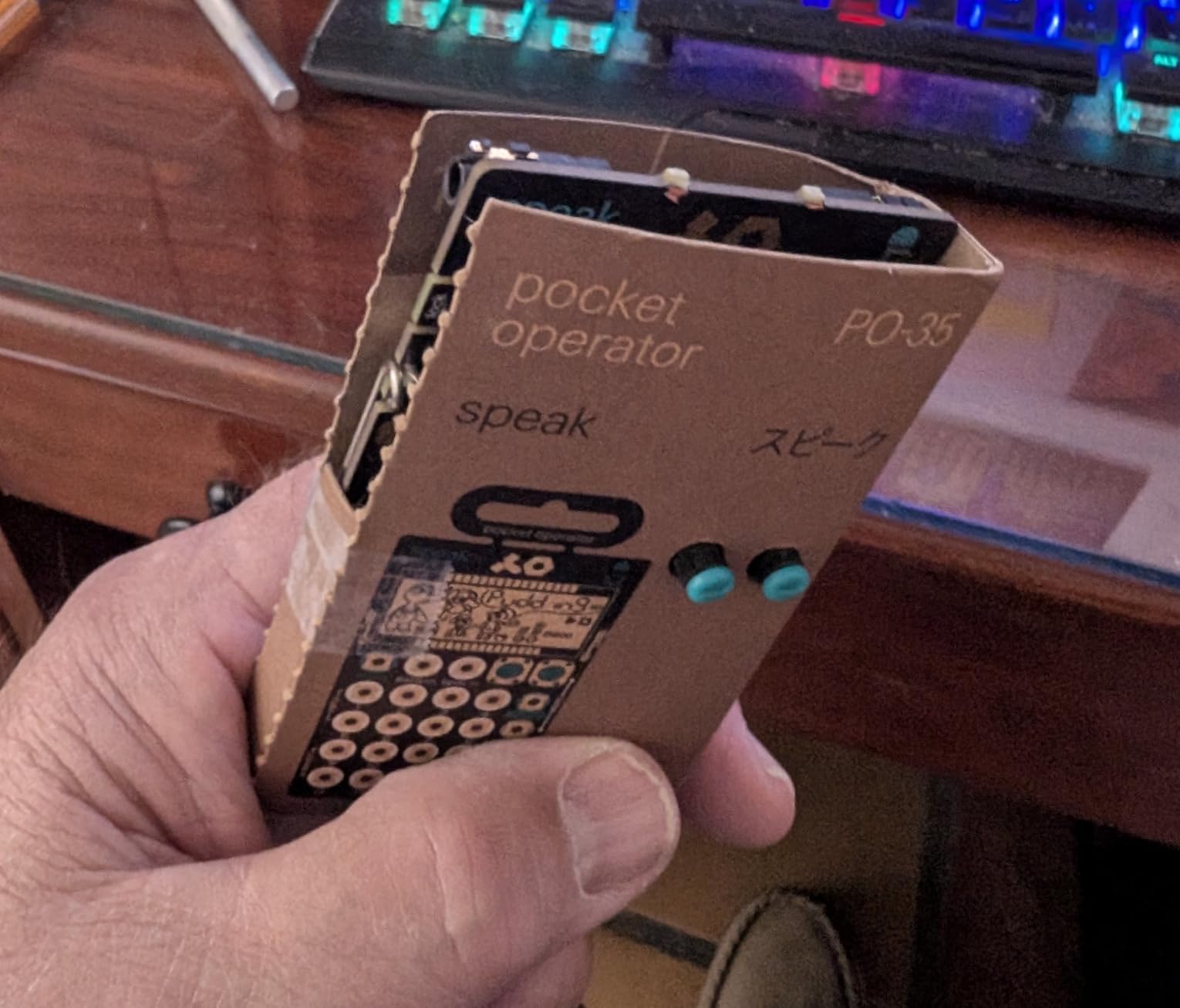
Eight Voice Characters Do the Real Work
The voice characters are neutral, autotune, retro, noise, robot, fifth, vocoder and synth. That list is the instrument. A sample recorded in a room and played back through the vocoder or robot character is immediately usable in a track, and eight built-in effects shape the result further, plus transpose and scale change for melodic material.
There is an optional microtonic drum kit sold separately, which is a nice touch for anyone who wants the character processing on percussion as well as voice.
120 Seconds, Eight Slots and No Display
Sample memory is 120 seconds across 8 voice character slots, which is triple what the PO-33 K.O! offers but still very short by groovebox standards. Within that limit it works well, since a vocal phrase or a short texture is exactly the kind of material this machine is built to hold.
The absence of any display means editing and navigation are entirely blind, and voice-character processing is fixed with no per-sound parameter editing. Between the eight slots, the eight effects and the blind workflow, arrangement length and depth are both restricted compared with the EP-133 K.O. II in the same general category.
Portability and Where It Sits
At 0.06 kg and roughly a month of battery life from two AAA cells, this is the most portable sampler in the roundup by a wide margin. The built-in microphone, built-in speaker and 3.5 mm line in and line out mean it is fully self-contained, and the folding stand, clock and alarm clock function make it a genuine object rather than a component.
Some owners find the sample memory and polyphony limiting for melodic work, and the plastic body with tiny controls feels less premium than metal hardware. If your material is voice and environment, the character processing makes this the right tool. If you want melodic sample instruments, the PO-33 K.O! with its melodic mode is the better companion, and we covered that machine separately in our hands-on sampler reviews.
Who should buy it: anyone building tracks from voices, found sound and short textures. Who should skip it: producers who need many sounds and any visual editing.
How to Choose a Hardware Sampler Without Regretting It
Every machine above can be defended, so the useful question is which constraint binds you hardest. Work through these seven in order and the shortlist usually drops to two or three before you spend anything.
Decide Standalone or Computer-Connected First
This is the decision that matters more than any specification, because it changes what you can do with the machine years later. A standalone sampler records audio input, stores it and plays it back with no computer in the loop, which means it works on a stage, in a rehearsal room or in a hotel room with a pair of headphones.
A computer-connected controller is a different proposition. It may be a superb sampler while tethered and a poor one on its own, and forum discussion repeatedly returns to this as a source of buyer regret. The rule of thumb is straightforward: if you want to take the instrument where the sound is, buy standalone. If your music already lives inside a DAW and you want pads and a screen to control it, a controller is a better use of money.
Two products here blur the line in useful ways. The Elektron Model:Samples is a standalone sample player with no audio input at all, so it never competes with a computer for the recording job. The Roland MC-707 is standalone but tight on loop memory, so it works best for sketching arrangements rather than holding a finished piece.
Judge Sample Handling, Not Sample Count
Published sample counts are close to meaningless on their own. What matters is how many samples fit in usable memory, how they get onto the device, and how long that takes, because a machine with a fast card reader and generous storage changes how you work compared with one that stalls during a transfer.
The spread in this roundup is instructive. The SP-404MKII carries 16GB internally and never asks you to manage cards. The Circuit Rhythm saves samples slowly enough that you choose your library before a session rather than during one. The PO-35 speak holds 120 seconds total, and the Model:Samples separates 64MB of sample memory from 1GB of sound storage so the two constraints stay distinct.
Also check the file formats a machine accepts before you commit. The Roland SPD-SX PRO handles 48 and 44.1 kHz WAV and AIFF in 16, 24 or 32-bit plus MP3, converting to 48 kHz and 16-bit on load, which is the kind of detail that avoids a frustrating afternoon with mismatched files.
Match the Sequencer to How You Compose
Step sequencing, clip launching and pattern chaining are three different ways of writing music, and each suits different habits. Step sequencers with per-trigger or per-step parameter control give you movement inside a short loop. Clip launch with a large display suits producers who think in song sections. Long step counts with song mode suit producers who write pieces that evolve.
On that last point, the Digitakt II with its 128 steps and Song Mode and the MC-707 with 128 clips across 8 tracks are the two machines here built for arrangements. The Circuit Rhythm chains 32-step patterns up to 256 steps per track, and the EP-133 K.O. II uses 4 groups of 99 patterns with instant swap plus a commit button for capturing moments live.
A word on Elektron terminology, since it causes confusion: several Elektron devices treat four notes on a track as a single voice rather than four, which is why owners describe them as homophonic. If you write chordal material, check that a machine handles true polyphony before you commit.
Connectivity: Audio, MIDI, USB and Power
Count your outputs before anything else, because that determines whether the machine can drive a PA. The SPD-SX PRO has a stereo main out plus four balanced direct mono outputs, which is professional stage territory. The MPC Live III goes furthest with USB-C, CV and gate outputs, MIDI I/O, two combo XLR and TRS inputs, six TRS outputs, Bluetooth and Wi-Fi.
On the smaller end, check whether the audio interface is stereo or mono. Circuit Rhythm works in mono samples only, which rules out certain layered ideas. Also verify whether a MIDI adapter cable is included, since the MPC Sample does not ship one.
Power decides portability more than weight does. USB-C power with battery options appears on the SP-404MKII, MPC Sample, MC-707, Circuit Rhythm and EP-133 K.O. II. The Circuit Rhythm rates four hours of internal battery, the others run on AAA cells, and the Digitakt II is mains powered, which makes it a desk instrument by design.
Be Honest About the Learning Curve
The community consensus is consistent on this point even when opinions diverge on everything else. Beginner learning curve is a top consideration for anyone buying their first sampler, and the machines differ enormously. The Circuit Rhythm is fast once the colour coding is in your fingers. The PO-33 K.O! is simple because it has no screen. The Digitakt II and the MPC Live III are described by their own owners as steep.
Practical advice: buy the simplest machine that will hold your material. You can always add complexity later, and moving up from a well-understood groovebox is far easier than pushing through a complex interface before you know what you want from it. If you already own other Elektron hardware, that changes the calculation, since the workflow is shared and familiar.
Match the Machine to the Genre
Genre matching is where most of the useful detail sits, since the same feature can be essential in one style and wasted in another. For lo-fi hip-hop and dusty sample-based beatmaking, the SP-404MKII is the fit, with vinyl, cassette and DJFX looper emulation plus a large pre-loaded library. For live drumming, the SPD-SX PRO is the only real option on this list.
For techno and house built on long, structured arrangements, the Digitakt II with its 16 tracks, 128 steps and Song Mode gives you room to evolve a track. For melodic hip-hop and song sketching on a keyboard, the MC-707 covers territory nothing else here does. For ambient, experimental and found-sound work, the PO-35 speak with eight voice characters turns recordings into usable material, and the Circuit Rhythm suits hands-on chopping without a screen.
For finger drumming, pad quality decides everything, and the MPC Sample includes 60 interactive Melodics lessons to get you started. For travel and portable sketching, the EP-133 K.O. II pairs 128MB of memory with 999 slots in a package that includes a foam carry case.
Decide What You Will Do With the Files Afterwards
Finally, consider whether the machine is the end of the process or the beginning of one. Reviewers of the MPC Live III raise this most often, describing the handoff into a DAW as logistically difficult and noting that MPC3 software integration is not seamless. If your workflow ends in a DAW for mastering and release, verify that transfer path before buying, and buy a machine with a computer connection that suits your DAW rather than assuming it will.
For the opposite case, the standalone machines on this list exist precisely so you can finish a track without a computer. That is not a consolation prize, and producers who work that way tend to say the hardware changes what they make rather than only how they work.
Frequently Asked Questions
What is considered the best sampler ever made?
Most producers point to the Roland SP series, and the SP-404MKII is the current version of that idea: a 4.7 average across 449 reviews, 16GB of internal storage, 17 velocity-sensitive RGB pads and a vivid OLED display for waveform editing. Its vinyl, cassette, DJFX looper and lo-fi effects plus 144 pre-loaded samples make it a complete beatmaking machine the moment you open it.
What is the best hardware sampler in 2026?
The Akai MPC Sample is our pick for the best hardware sampler in 2026. It holds the highest average rating in this roundup at 4.8 across 420 reviews and is genuinely standalone, with a rechargeable battery, built-in speaker, internal microphone, 16 MPC pads, a 2.4 inch color display, over 100 factory kits and 60 effect types across four FX processors.
What is the best sampler for a beginner?
The Teenage Engineering PO-33 K.O! is the easiest place to start. It has no screen, so there is nothing to learn beyond a short set of buttons, and it captures sound through a built-in microphone in seconds. For a slightly larger step up with more memory and pattern control, the EP-133 K.O. II offers 128MB of sample memory, 999 slots and a 16-step sequencer.
What is the difference between a groovebox and a sampler?
A groovebox is a self-contained instrument with its own sound engine, drum sounds and usually a sequencer, and it can stand alone without any samples of your own. A sampler records audio and plays it back, so it needs material loaded or recorded before it makes sound. Several machines on our list, including the Akai MPC Sample and the Roland SP-404MKII, are both.
Should I buy a standalone sampler or a computer-connected controller?
Buy standalone if you want to make music away from a desk, because it records, stores and plays back audio with no computer in the loop. Buy a computer-connected controller if your music already lives in a DAW and you want pads, knobs and a screen to control it. Forum owners report that regret comes most often from buying a tethered machine expecting it to be portable.
The Verdict: Which Hardware Sampler Should You Buy
If you want one machine that does everything without a computer, take the Akai MPC Sample. The battery, speaker and microphone are not small extras, the 4.8 rating is the strongest in the group, and it stays approachable as you get better.
If you make beats fast and care about feel over depth, the Roland SP-404MKII is the pick, with a display that makes editing visible and 16GB that removes card management. If you want the most sequencing depth per track, the Elektron Digitakt II gives you 16 tracks, 128 steps and Song Mode in a cast aluminum body.
If you need to travel, the EP-133 K.O. II carries 128MB and 999 slots in a package built for a bag. If you play drums in front of people, the Roland SPD-SX PRO is the only real choice here. If your material is voice and found sound, the PO-35 speak turns recordings into characters rather than slices.
Whichever way you go, buy the machine that matches how you already work rather than the one with the longest feature list. The best hardware samplers in 2026 are the ones you will still be using in a year, and that has far more to do with workflow fit than with specification count. We keep our full testing notes and follow-up coverage alongside our hardware and setup guides if you want to see how these machines sit in a wider studio.





Leave a Comment