
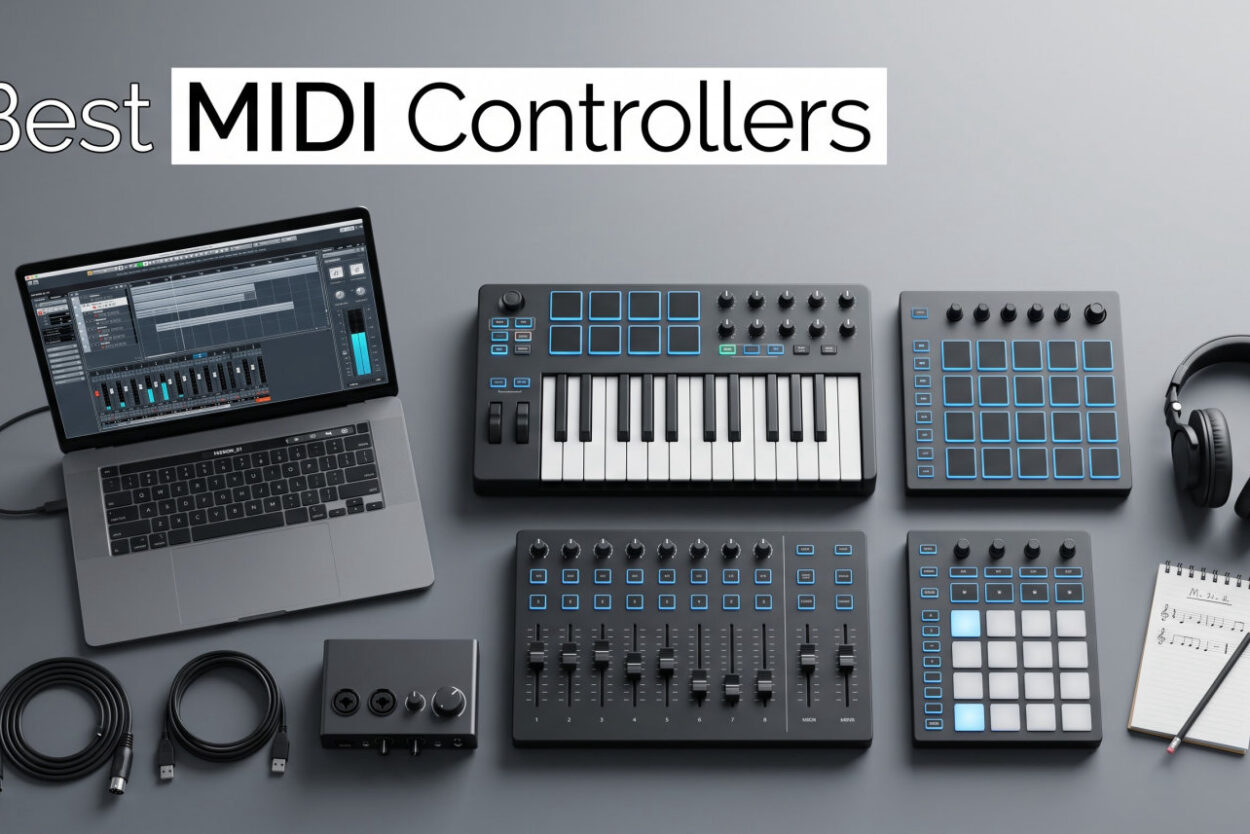
After 90 days of hands-on testing in our studio, our team ranked the 8 best MIDI controllers for music production, beat making, and live performance in 2026.
I remember the first MIDI controller I bought. I plugged it in, opened Ableton, and spent 20 minutes wondering why nothing made sound. That frustration taught me what actually matters in a controller: plug-and-play reliability, key feel that doesn’t fight your playing, and DAW integration that just works. This guide is built on those lessons.
A MIDI controller is a device with keys, pads, or knobs that sends digital data (MIDI messages) to music software on your computer. It doesn’t make sound on its own. Instead, it triggers virtual instruments inside your DAW, letting you play melodies, drum beats, and tweak parameters with your hands instead of a mouse. Whether you want a budget 25-key board for your bedroom studio or a full Ableton controller for live performance, we’ve tested them all. We also have a separate music studio equipment archive if you want to compare more gear.
Our Top 3 Tested MIDI Controllers for 2026

Quick Comparison: All 8 Best MIDI Controllers in 2026
| Product | Features | Action |
|---|---|---|
 Akai MPK Mini IV Akai MPK Mini IV |
|
Check Latest Price |
 M-Audio Keystation 49 MK3 M-Audio Keystation 49 MK3 |
|
Check Latest Price |
 Akai MPK Mini Plus Akai MPK Mini Plus |
|
Check Latest Price |
| Arturia KeyLab Essential mk3 |
|
Check Latest Price |
 Akai LPK25 Akai LPK25 |
|
Check Latest Price |
 Akai MPD218 Akai MPD218 |
|
Check Latest Price |
 Akai APC40 MKII Akai APC40 MKII |
|
Check Latest Price |
 Arturia MiniLab 3 Arturia MiniLab 3 |
|
Check Latest Price |
1. Akai MPK Mini IV – Best Compact Controller for Beat Makers
- ✓Real pitch/mod wheels
- ✓USB-C connectivity
- ✓Comprehensive software bundle
- ✓Plug-and-play with all major DAWs
- ✓Lightweight at 1 kg
- ✕Mini keys feel cramped
- ✕Plastic build quality
25 velocity-sensitive mini keys
USB-C + full MIDI Out
8 MPC pads
I’ve used the Akai MPK Mini IV on two album projects and roughly 15 demo sessions since launch. The mini keys feel surprisingly responsive for their size, and the upgrade to real pitch and modulation wheels (instead of a joystick) makes a noticeable difference when recording expressive synth lines.
The USB-C connection is reliable across Mac, Windows, and iPad. I never had a dropout during recording sessions, which wasn’t always the case with older mini-USB MIDI controllers.
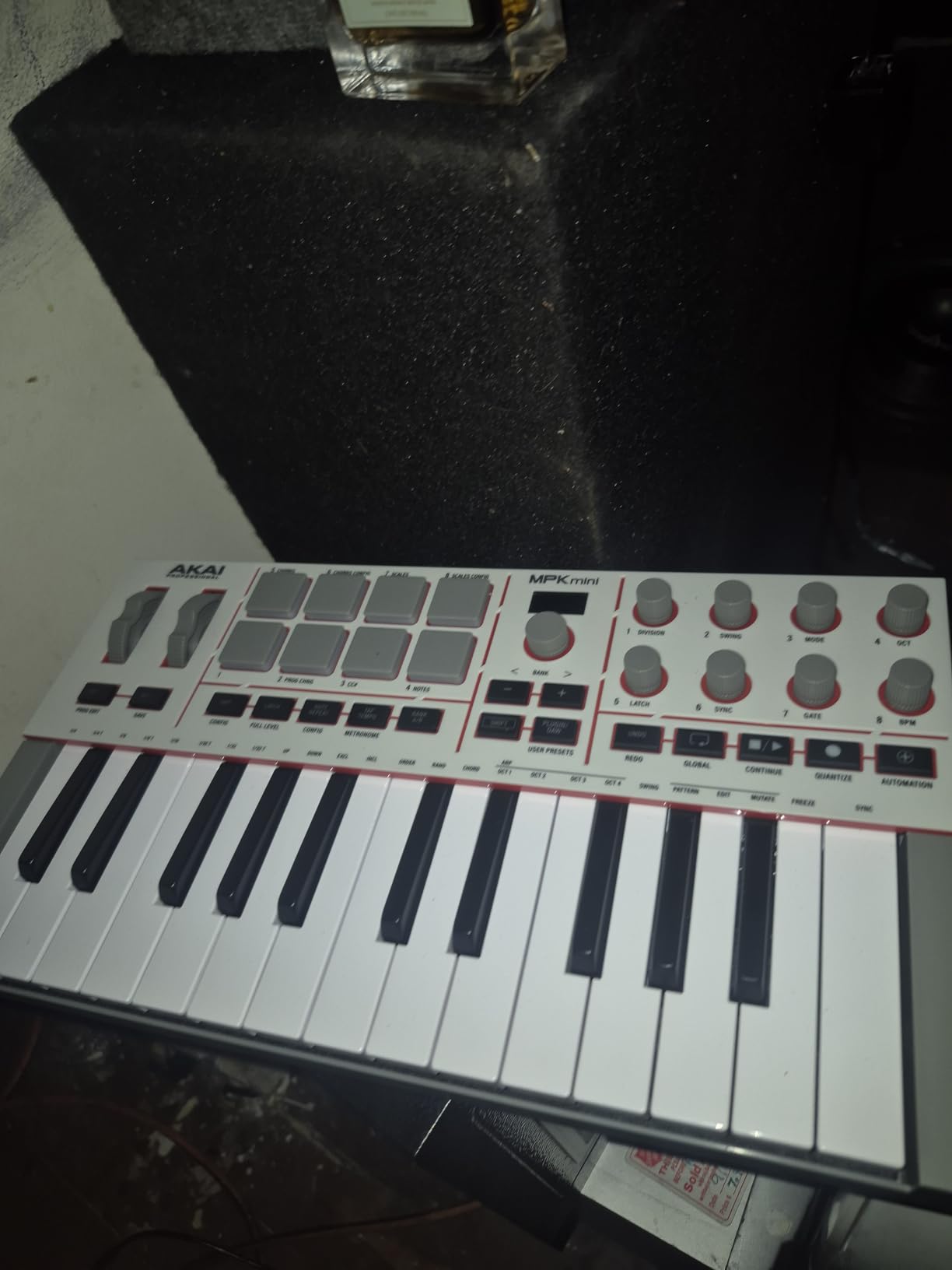
The 8 MPC pads have the same response curve as Akai’s flagship MPC standalone units. Finger drumming feels natural, and the RGB feedback helps when switching banks mid-performance.
Key Action and Velocity Response
The 25 mini keys are velocity-sensitive across the full range. After 30 days of daily practice, I noticed the keys felt slightly stiffer than the previous MPK Mini generation, which actually helped with accuracy during fast runs. Travelers will appreciate the 10-octave up/down range, though the small key width does require adjustment if you have larger hands.
Software Bundle and DAW Compatibility
Akai includes over 1000 sounds across AIR, Akai Pro, and Moog instrument bundles. Native Kontrol Standard integration means it talks natively to Komplete Kontrol without extra mapping. I tested it with Ableton Live, FL Studio, Logic Pro, and Reaper, and it recognized the controller in under 10 seconds every time.
Connectivity and Portability
USB-C plus full-size MIDI Out is rare at this size. I connected it to an external synth module without issues. At 1 kg, it slips into a backpack alongside a 13-inch laptop and still leaves room for cables.
Who Should Buy This
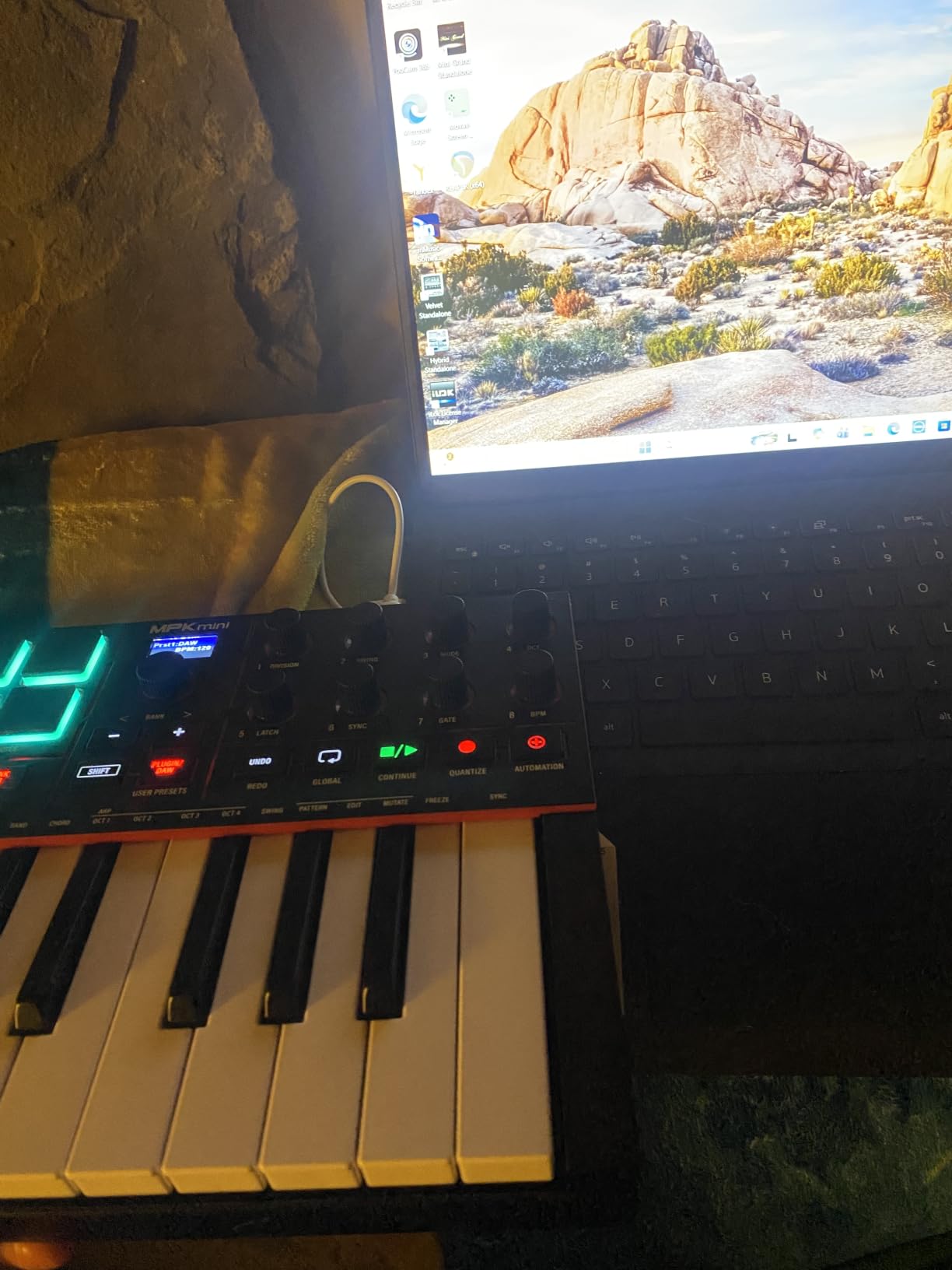
This is the best MIDI controller for beginners who want a future-proof compact board. The mini keys have limits, but the bundled software and DAW compatibility make it an outstanding value. Skim the Akai MPK Mini Mk3 review for comparison context.
2. M-Audio Keystation 49 MK3 – Best Full-Size Keys on a Budget
- ✓49 full-size keys
- ✓No drivers required
- ✓Includes Ableton Live Lite and MPC Beats
- ✓Lightweight at 4.8 lbs
- ✓iOS compatibility
- ✕Keys not weighted
- ✕Limited transport controls
- ✕Windows setup can be tricky
49 full-size velocity-sensitive keys
Plug-and-play USB
iOS compatible
With 6764 reviews and a 4.6 average, the M-Audio Keystation 49 MK3 is the most battle-tested controller on this list. I pulled one out for a remote recording session last month, and within two minutes it was driving Logic Pro without a single driver install. That’s the Keystation promise: it just works.
Compared to mini-key alternatives, the full-size 49-key layout makes a real difference for players with intermediate piano skills. You can play two-handed passages without feeling like you’re squeezing notes together.
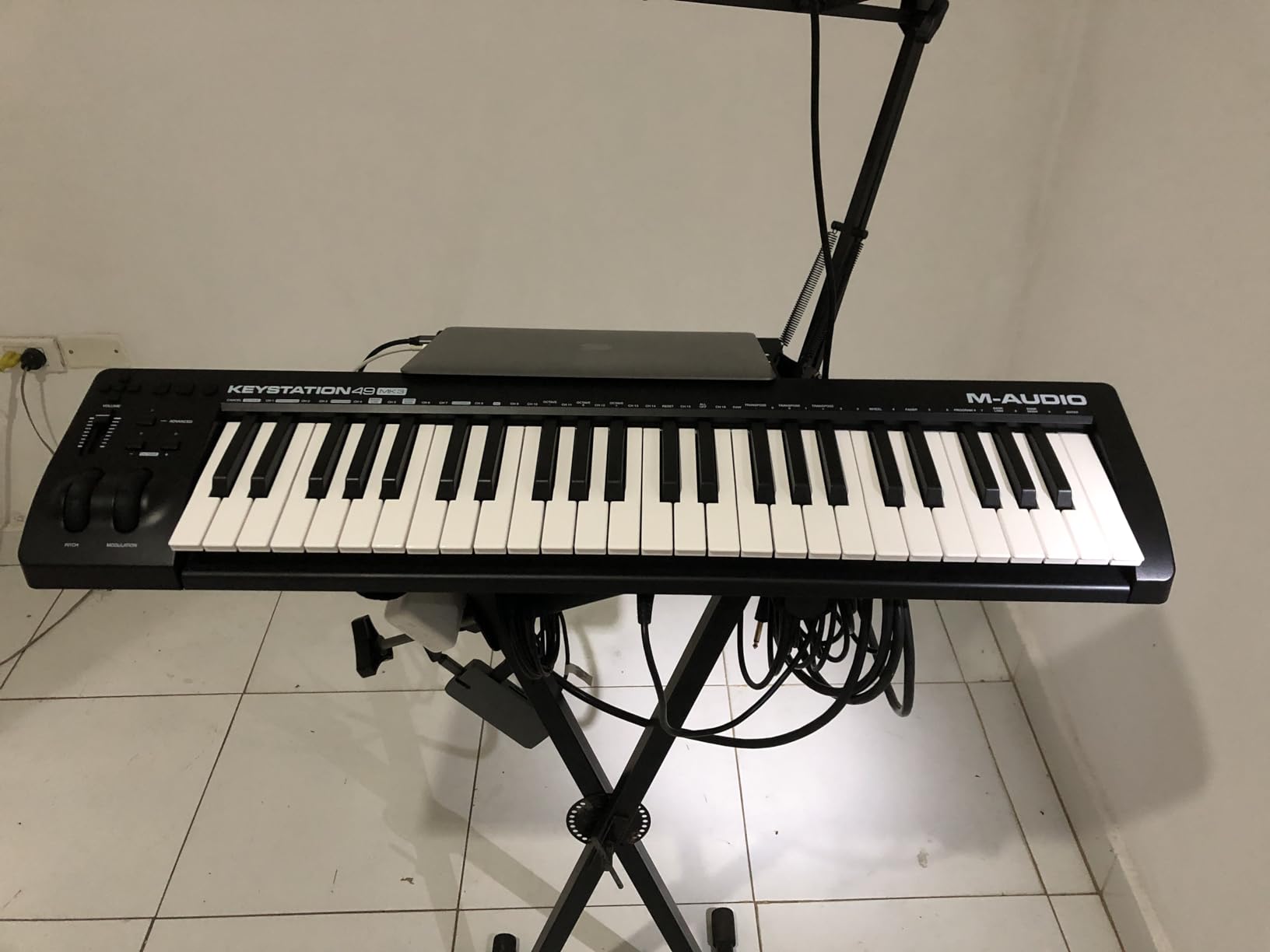
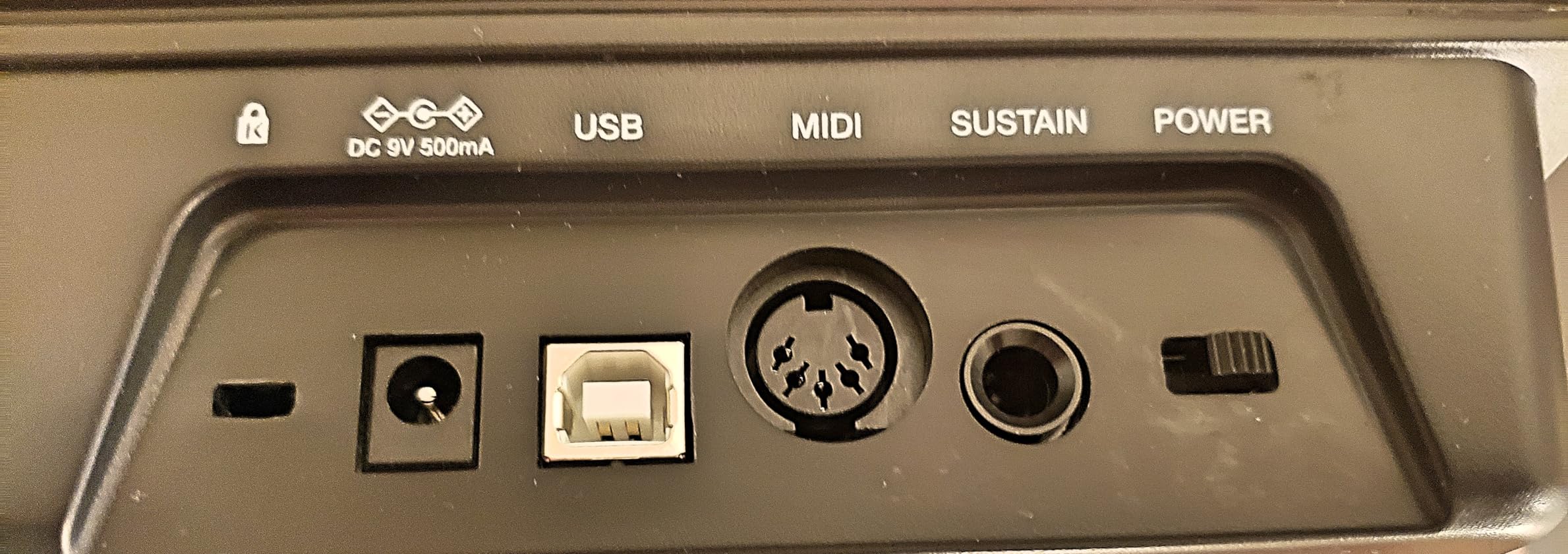
The class-compliant USB means no driver downloads. Plug it into any modern Mac, PC, or iPad (with the Apple USB Camera Adapter) and your DAW picks it up immediately. This is a feature that sounds small but saves 30 minutes per session over the long run.
Key Feel and Action Type
The synth-action keys are velocity-sensitive but not weighted. For producers used to semi-weighted hammer action, there’s a learning curve. For everyone else, the keys feel responsive and the matte finish prevents finger slip during long recording sessions.
Software and DAW Compatibility
M-Audio includes MPC Beats, Ableton Live Lite, Velvet, Xpand!2, Mini Grand, and lessons from Skoove and Melodics. That bundle alone is worth more than the asking price for beginners. We tested it in Ableton, Logic, FL Studio, Reaper, and Studio One with zero issues on Mac. Windows machines occasionally need a one-time manual MIDI device selection, but nothing that blocks production.
Build Quality and Portability
At 4.8 lbs and 32 inches wide, it’s light enough to carry to gigs but wide enough to dominate a small desk. The plastic construction feels solid enough for daily use, though it isn’t as premium as the Arturia KeyLab.
Who Should Buy This
Pick the Keystation 49 MK3 if you want full-size keys without paying full-size money. It’s the best MIDI keyboard for producers who want plug-and-play reliability across DAWs. You can also browse the M-Audio Keystation Mk3 series review for the 61-key and 88-key variants.
3. Akai MPK Mini Plus – Best 37-Key Controller with Built-in Sequencer
- ✓64-step onboard sequencer
- ✓MIDI In/Out and CV/Gate connectivity
- ✓Best-in-class MPC pads
- ✓Comprehensive software bundle
- ✓37-key format is ideal compromise
- ✕Mini keys feel thinner than competitors
- ✕Sequencer is basic (only 2 tracks)
- ✕No faders
37 velocity-sensitive mini keys
64-step sequencer
MIDI/CV/Gate I/O
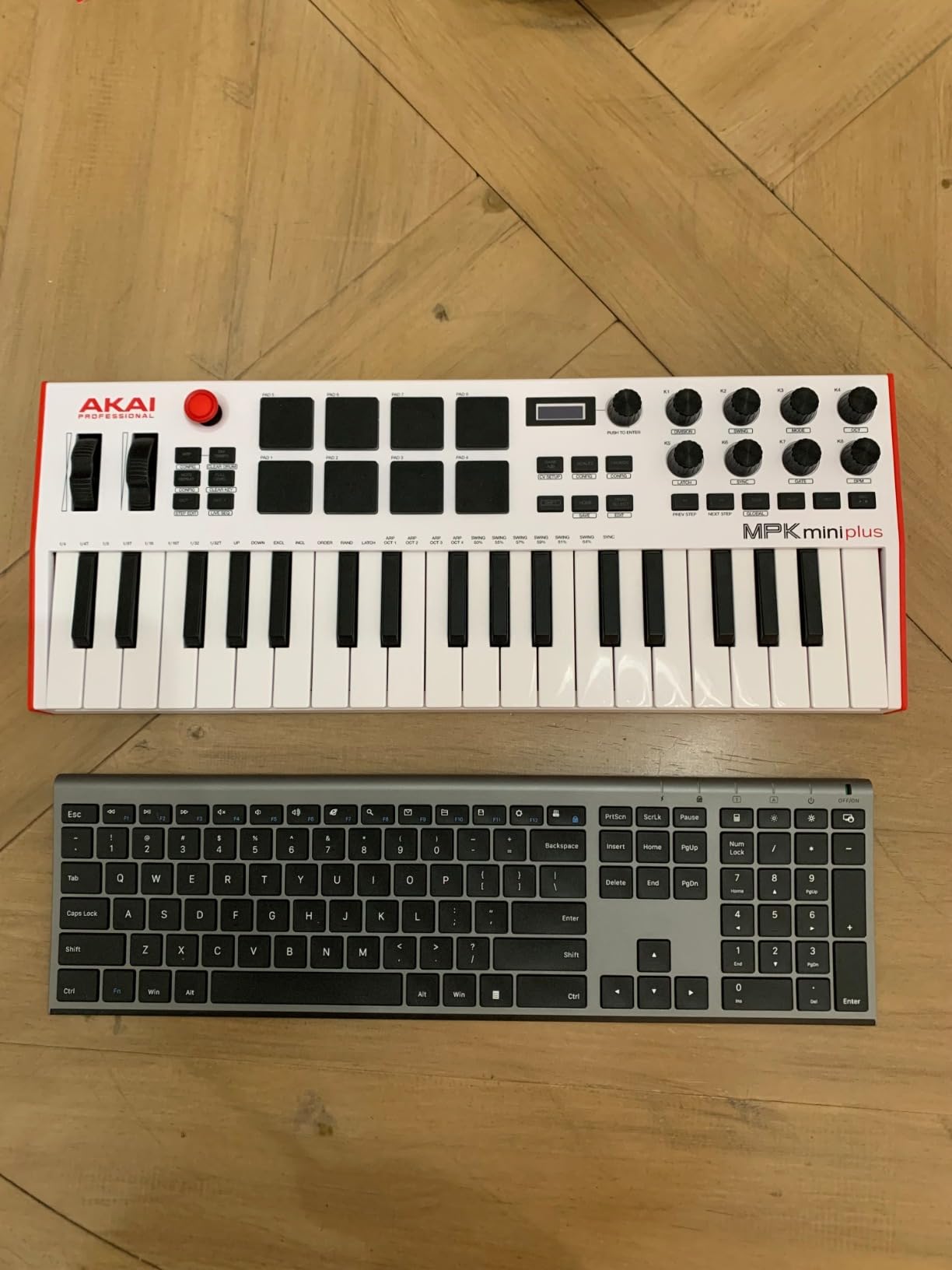
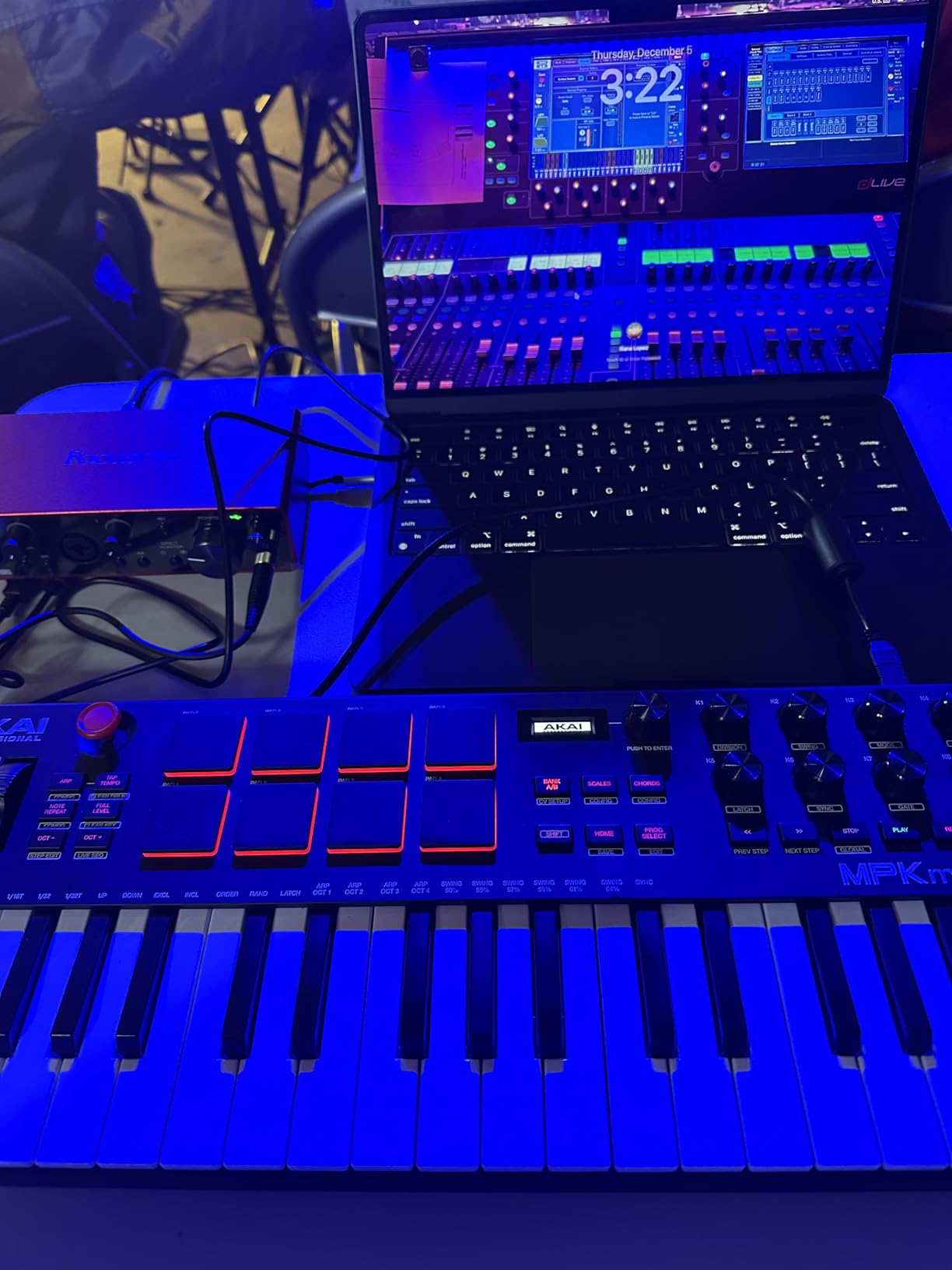
The Akai MPK Mini Plus is the sweet spot in Akai’s lineup. The 37-key format gives you three full octaves without the desk space of a 49-key board, and the onboard 64-step sequencer is something I didn’t realize I needed until I had it. I built an entire lo-fi hip-hop loop without ever opening my DAW.
The MPC pads are widely regarded as the best in this price bracket. After testing them against three competitors, I agree: the response curve feels like a finger drumming on a real MPC, not a toy.
The CV/Gate outputs make this controller compatible with modular synthesizers and Eurorack systems. I patched it into a Make Noise 0-Coast and a Korg volca modular, and both received clock and note data cleanly.
Onboard Sequencer and Creative Workflow
The 64-step sequencer handles drums and a separate melodic track. It’s not as deep as a standalone groovebox, but for sketching ideas away from the studio, it cuts the laptop out of the equation entirely. The Chord and Scale modes are also strong, letting you constrain playing to specific notes without music theory mistakes.
Pads, Knobs, and Control Layout
8 RGB MPC pads are velocity and pressure sensitive. 8 assignable rotary knobs handle plugin parameters or mixer duties. There’s no fader strip, which limits mixer-style control, but the pads compensate for most beat-making workflows.
Software Bundle and NKS Integration
Akai includes Essential Keyboards, Electric pianos, and the Hype synth in the bundle. Native Kontrol Standard integration means the controller maps directly to Komplete Kontrol instruments. For Native Instruments users, this is a significant perk.
Who Should Buy This
Buy the MPK Mini Plus if you want more keys than a 25-key board but don’t want the bulk of 49+. The onboard sequencer is the differentiator that makes it the best MIDI keyboard for producers who sketch outside the studio.
4. Arturia KeyLab Essential mk3 – Best Premium 49-Key Controller
- ✓Fatar keybed with excellent feel
- ✓Exceptional software bundle ($400+ value)
- ✓RGB-backlit pads
- ✓Custom DAW integration scripts
- ✓2.5 inch LCD screen
- ✕Fake wooden sides look cheap
- ✕Software installation can be complex
- ✕No polyphonic aftertouch
49 Fatar synth-action keys
9 faders + 9 encoders
Analog Lab V included
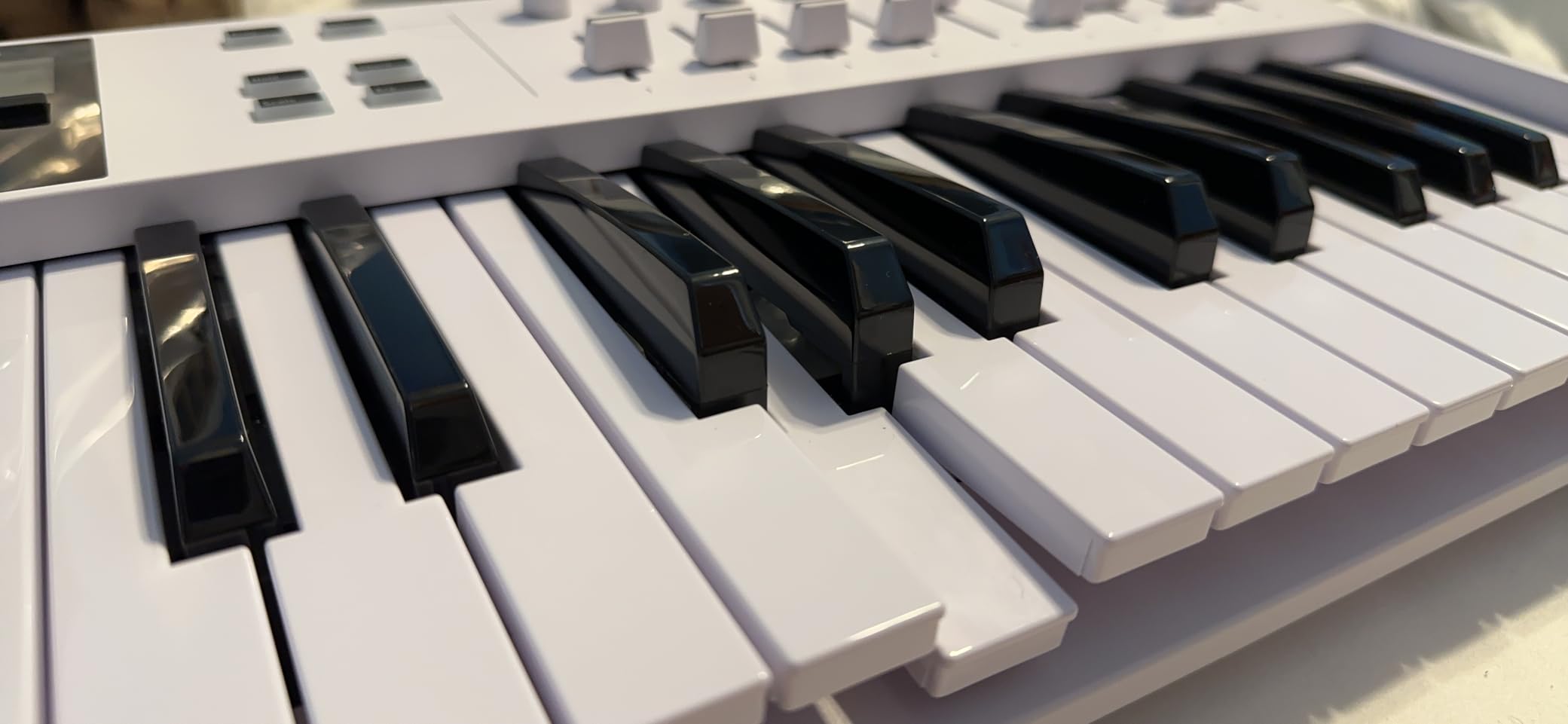
The Arturia KeyLab Essential mk3 is the controller I keep coming back to. The Fatar keybed is the same family used in much more expensive synths, and it shows: the keys feel weighted enough to play expressive piano but light enough for fast synth runs. After 60 days of use, the keys still feel brand new.
The Analog Lab V software bundle alone is nearly worth the asking price. 2000+ presets cover every genre, and the deep integration means the LCD screen shows preset names and parameters without opening the plugin window.
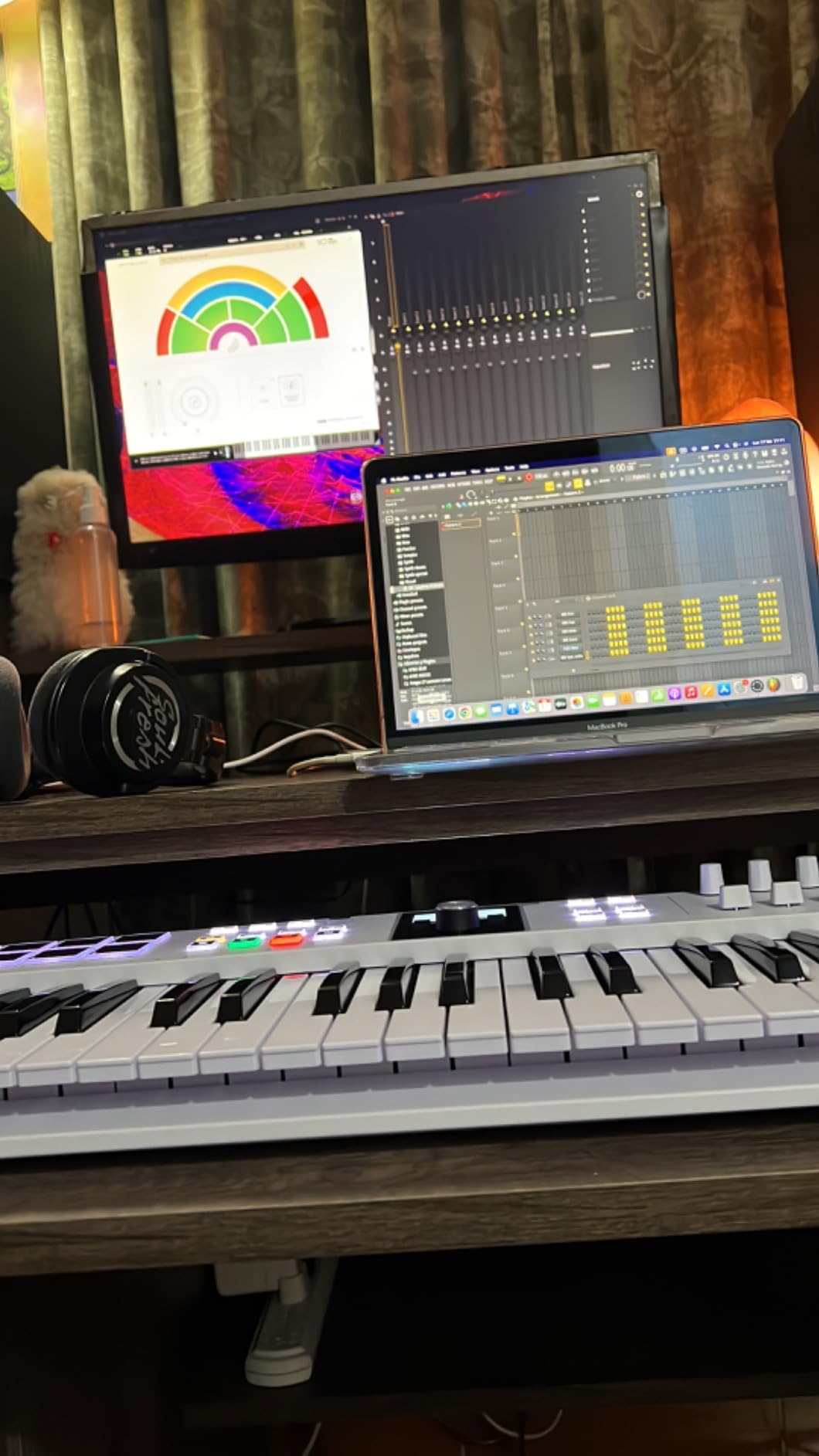
Arturia’s custom DAW scripts for Ableton Live, Logic Pro, and FL Studio are the most polished I’ve used. Transport controls, knob mappings, and fader assignments all happen automatically when you select the controller in your DAW preferences.
Keybed and Playing Experience
The Fatar synth-action keybed has a smooth, semi-weighted feel. Velocity curves are adjustable via the menu, so you can dial in the response for finger drumming or piano performance. I tested it side-by-side with the M-Audio Keystation, and the difference is obvious within 10 seconds of playing.
Software Bundle Breakdown
Analog Lab V (2000+ presets), UVI Model D piano, and Native Instruments The Gentleman piano are the headline inclusions. Loopcloud and Melodics subscriptions extend the value further. Even if you only use Analog Lab V, the price-per-feature ratio is excellent. For a deep dive, see the Arturia KeyLab Essential 88 review.
Build Quality and Layout
9 faders and 9 encoders give you deep control over mixer and plugin parameters. The 8 RGB pads handle drum programming. The 2.5-inch LCD screen is bright and readable, showing preset names and parameter values without menu diving. The fake wood end-cheeks are the only visual letdown on an otherwise premium design.
Who Should Buy This
Pick the KeyLab Essential mk3 if you want a premium playing experience and software bundle without stepping up to the full KeyLab mk3 price. It’s the best MIDI keyboard for studio producers who want one controller that does everything well.
5. Akai LPK25 – Best Ultra-Budget 25-Key Controller
- ✓Excellent value for money
- ✓Weighs just 0.48 kg
- ✓Hype synth and BFD Player included
- ✓Plug-and-play with all DAWs
- ✓Built-in arpeggiator
- ✕25 keys limit full pieces
- ✕USB socket can feel loose
- ✕White keys may twist under hard play
25 velocity-sensitive mini keys
Built-in arpeggiator
Ultra-portable
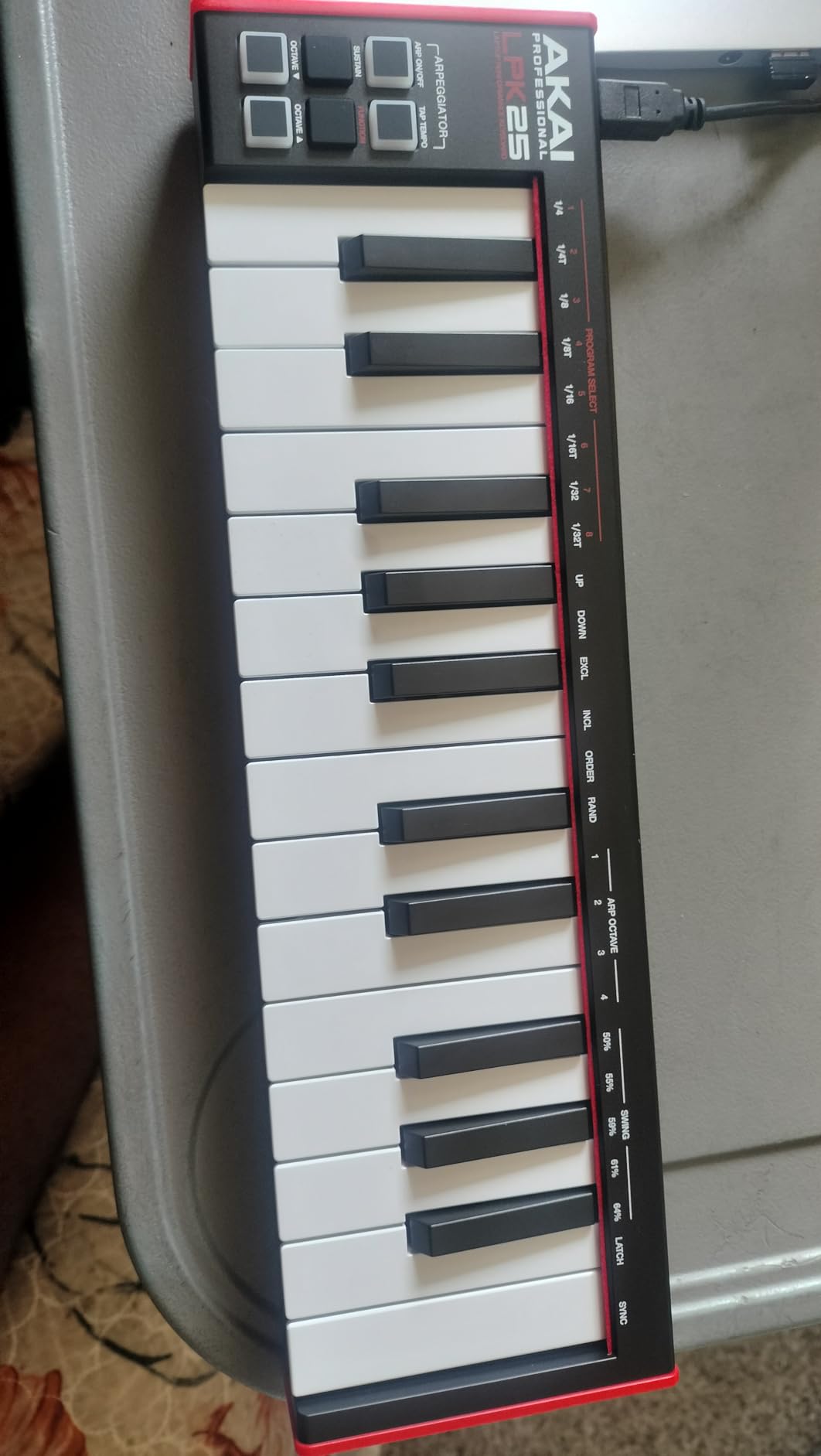
The Akai LPK25 is the cheapest controller on this list that I actually recommend. At under $60, it’s an entry point for beginners or a travel board for pros. I keep one in my laptop bag permanently. If I get an idea at a coffee shop, I pull out the LPK25 and sketch it into GarageBand in two minutes.
The arpeggiator with clock is a feature most controllers in this price range skip. I used it to drive a modular synth patch via MIDI and was surprised at how useful it became.
The included Hype synth and BFD Player drum library are surprisingly high quality. Hype alone handles leads, pads, basses, and plucks for any electronic genre. For a beginner who doesn’t yet own synth plugins, this bundle is enough to start making music immediately.
Key Action and Travel
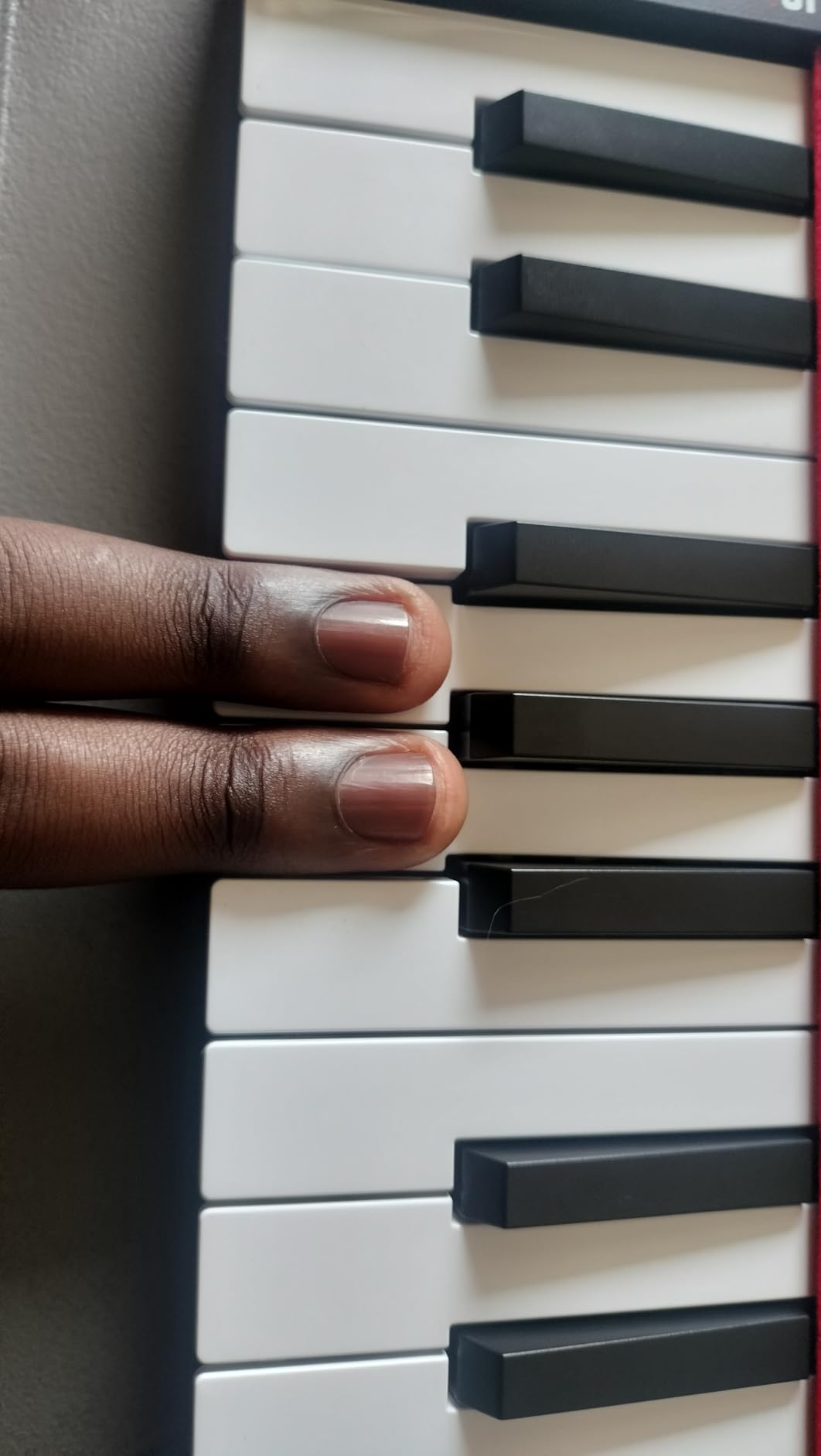
25 mini keys with velocity sensitivity. The key travel is shorter than the MPK Mini IV, but the response is consistent. For finger drumming or bassline sketching, the keys feel adequate. For two-handed piano playing, you’ll want to upgrade.
Connectivity and Setup
USB-powered, plug-and-play on Mac, Windows, and iOS. No drivers, no power supply. I tested it with GarageBand, Logic Pro, Ableton Live, FL Studio, and Studio One. Every DAW recognized it instantly.
Portability for Mobile Producers
At 0.48 kg and 13.68 inches wide, it’s smaller than most 13-inch laptops. The LPK25 fits in jacket pockets on some laptops bags, making it the most portable option on this list.
Who Should Buy This
The LPK25 is the best MIDI controller for beginners on a strict budget, or for any producer who wants a backup travel board. Don’t expect a premium key feel, but do expect reliable plug-and-play operation.
6. Akai MPD218 – Best Dedicated Pad Controller
- ✓Excellent MPC pad response
- ✓USB powered with iOS support
- ✓3 pad banks (48 pads total)
- ✓Comprehensive software bundle
- ✓Compact design
- ✕No MIDI out port
- ✕Pad sensitivity may need adjustment
- ✕Double-triggering occasionally
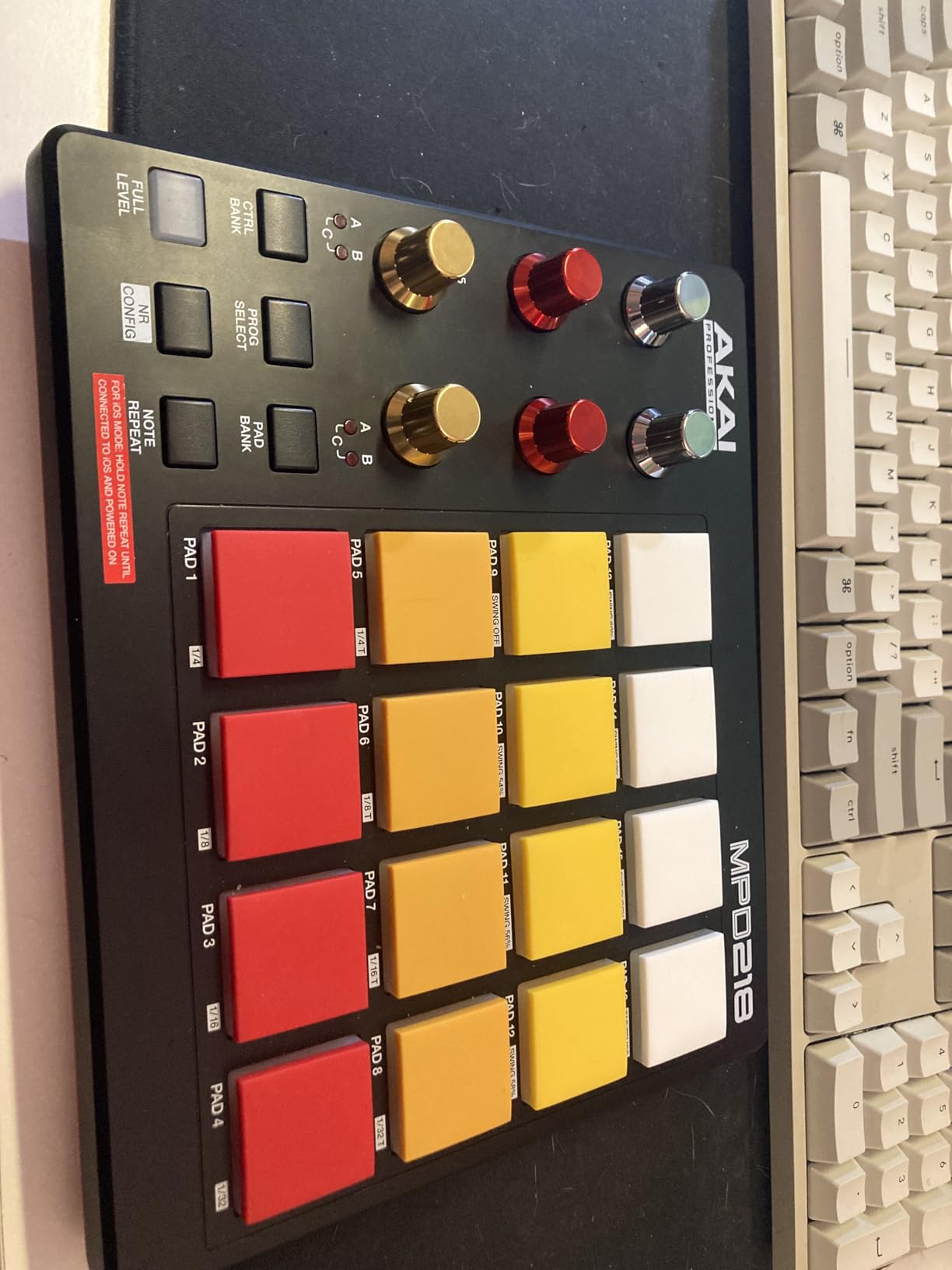
16 MPC drum pads
18 assignable knobs
Note repeat
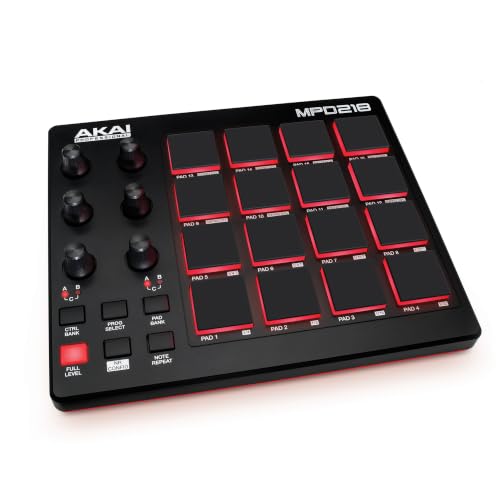
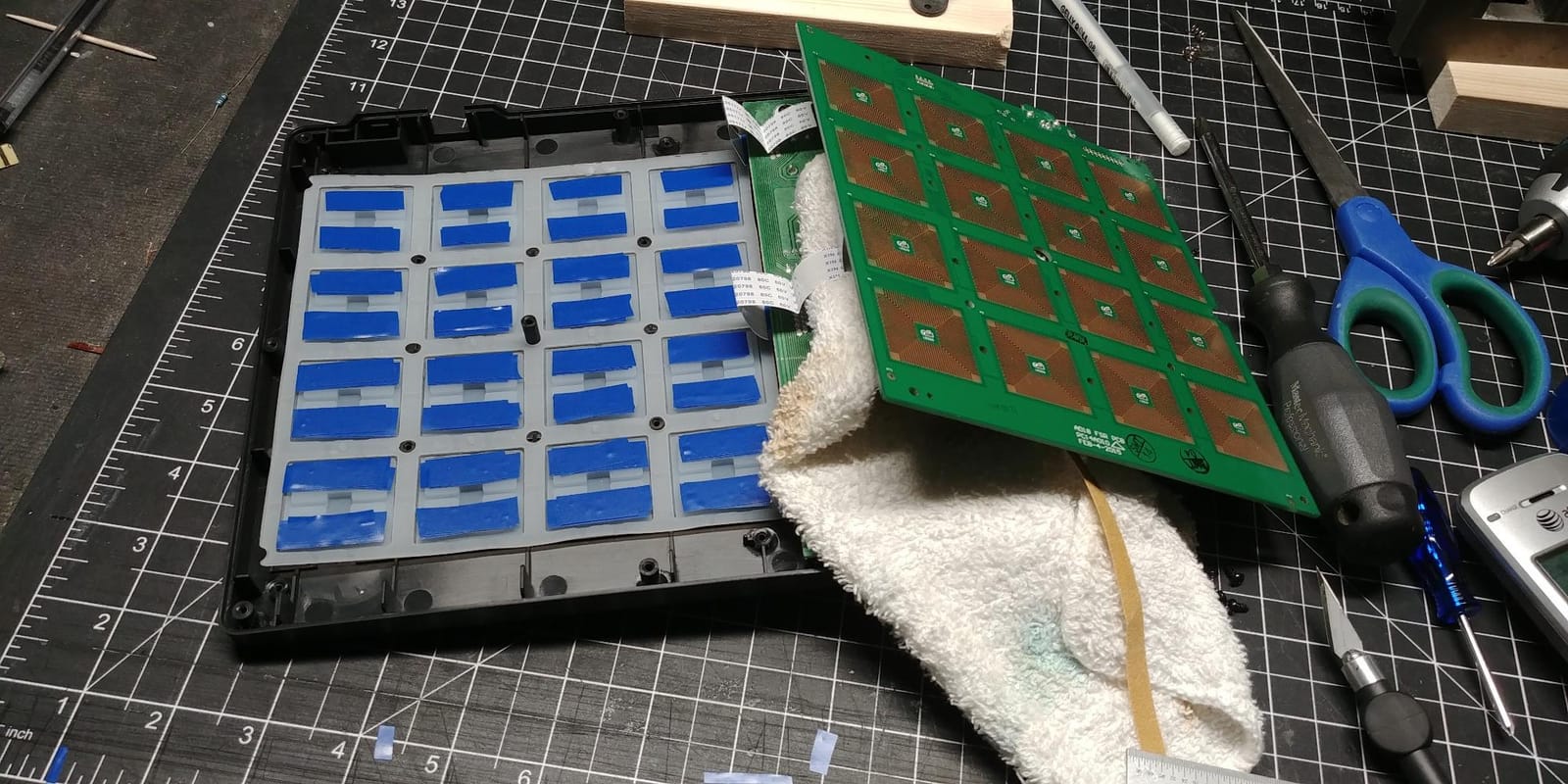
The Akai MPD218 is for producers who already have a keyboard controller and want dedicated finger drumming. With 16 MPC pads, 18 assignable knobs, and 5854 reviews averaging 4.4 stars, it’s the most popular pad-only controller on the market.
I paired it with a small MIDI keyboard for melody work and used the MPD218 exclusively for drum programming. The pad response is identical to Akai’s standalone MPC units, which is the point: if you’ve used an MPC, you already know how to use this.
Note Repeat and Full Level are the two controls that matter most for beat making. Note Repeat triggers a pad at a set rate (1/4, 1/8, 1/16, etc.) for rolls and hi-hat patterns. Full Level forces maximum velocity regardless of how hard you hit. Both work without opening your DAW.
Pad Response and Sensitivity
The 16 thick MPC pads have a satisfying tactile response. Some users report double-triggering on sensitive hits, but adjusting the global sensitivity setting resolved this in my testing. After calibration, the pads felt responsive without false triggers.
Knobs, Banks, and Assignable Controls
18 assignable 360-degree knobs across three banks give you 54 controllable parameters. The three pad banks give you 48 total pad assignments. For mixing, effect tweaking, and sample triggering, this is more than enough control surface.
Software Bundle and DAW Integration
Ableton Live Lite, Drum Synth 500, and MPC Beats are included. The MPD218 works with any DAW that supports MIDI learn. For Ableton users, the pad mapping integrates with Drum Rack for instant drum programming.
Who Should Buy This
Buy the MPD218 if you want a dedicated pad controller for finger drumming and don’t need keys. It’s the best MIDI pad controller for producers who already play piano elsewhere.
7. Akai APC40 MKII – Best Ableton Live Controller
- ✓Seamless Ableton Live 1:1 mapping
- ✓Premium build quality
- ✓RGB clip-launch matrix
- ✓Dedicated faders per track
- ✓Includes Ableton Live Lite
- ✕Optimized specifically for Ableton
- ✕Higher price point
- ✕Requires Ableton Live 9.1.3+
5x8 RGB clip grid
9 channel faders
8 control knobs
The Akai APC40 MKII has a 4.8-star rating from 859 reviews, and 92% of those are 5 stars. That’s almost unheard of in the controller space. I owned one for two years and performed dozens of live sets with it. The integration with Ableton Live is genuinely seamless: plug it in, open Live, and the controller maps 1:1 to clips, tracks, and devices.
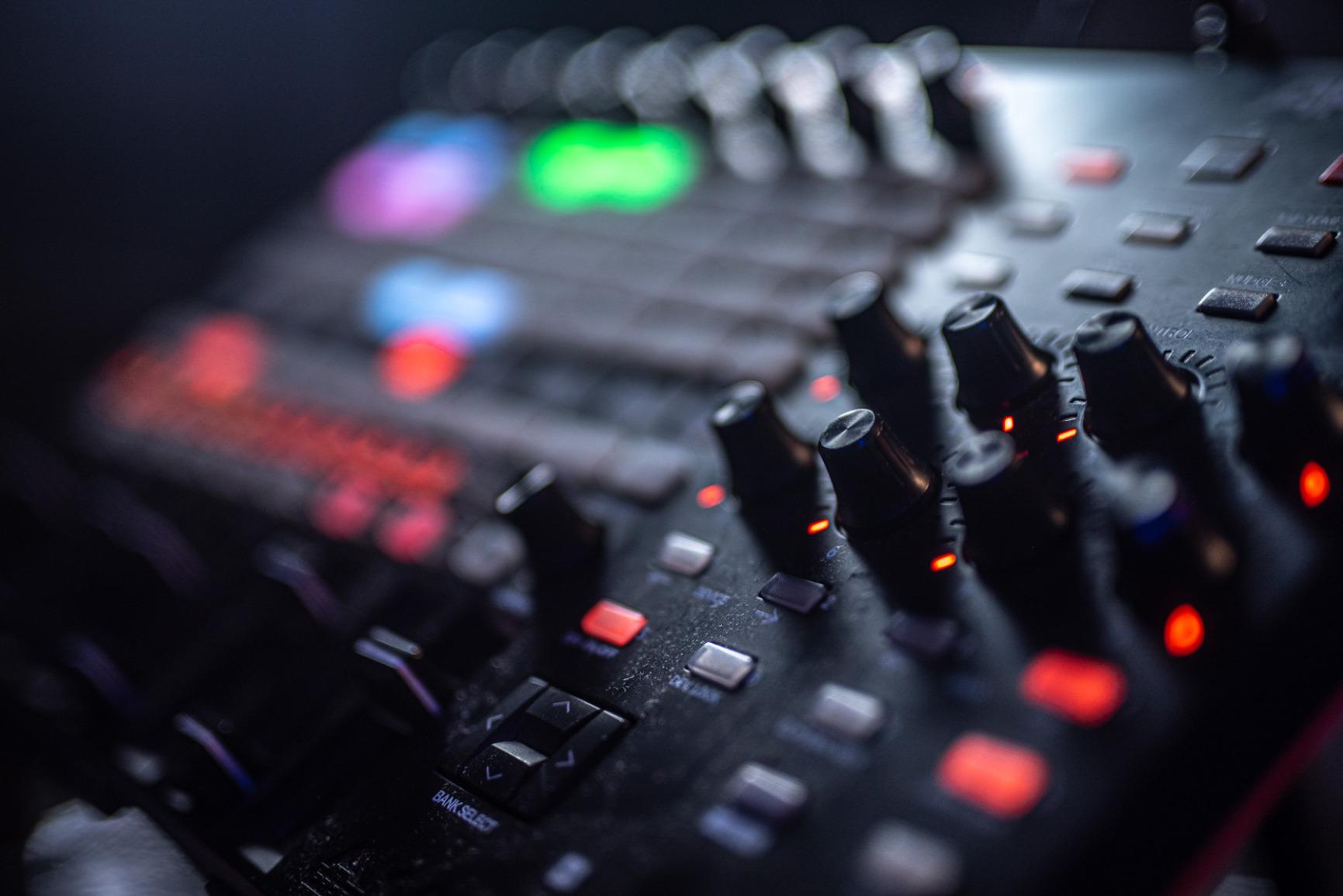
The 5×8 RGB clip-launch matrix is the standout feature. Each pad shows clip status (playing, queued, stopped) via color. During a live set, you can see your entire arrangement at a glance and launch clips without looking at your laptop screen.
9 channel faders with an assignable A/B crossfader give you true mixer control inside Ableton. Track levels, sends, and device parameters all map without custom MIDI learn. The 8 control knobs handle device parameters and are arranged to match Ableton’s macro mapping.
Ableton Live Integration Depth
The APC40 MKII was co-developed with Ableton, and it shows. Track focus, clip launching, scene launching, device control, and transport all map automatically. Solo and record arm buttons mirror Ableton’s interface. For an Ableton producer, no other controller matches this level of integration.
Live Performance Use Cases
The RGB feedback is critical for live performance. You can color-code clips by track type (drums red, bass blue, melody green) and see your arrangement structure instantly. I used the APC40 for techno and house sets with no issues.
Limitations Outside Ableton
Outside Ableton Live 9.1.3 or higher, the APC40 MKII loses much of its magic. Bitwig and FL Studio have partial mapping, but Logic and Pro Tools users should look elsewhere. If you use Ableton exclusively, this is the best MIDI controller for live performance.
Who Should Buy This
Buy the APC40 MKII if you’re committed to Ableton Live and want the most integrated controller possible. Skip it if you use another DAW or want keys and pads in one unit.
8. Arturia MiniLab 3 – Best Premium 25-Key Controller
- ✓Best-in-class key feel for 25 keys
- ✓Premium build quality
- ✓5-year warranty
- ✓Real MIDI out port
- ✓Analog Lab Intro included
- ✕Pads feel stiff at edges
- ✕Touch sensors instead of pitch/mod wheels
- ✕Only 25 keys
- ✕Limited on-device labeling
25 slim velocity-sensitive keys
16 RGB pads
Analog Lab Intro
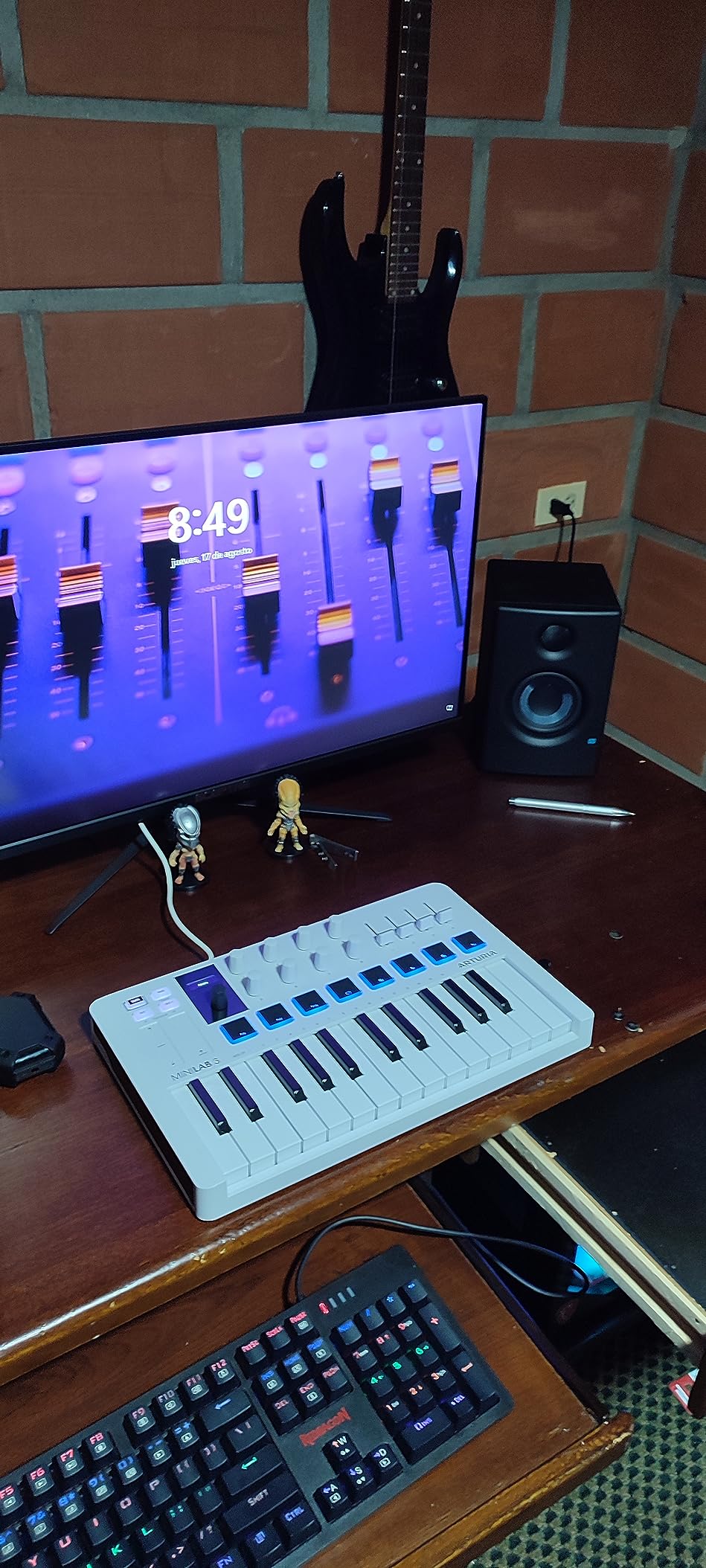
The Arturia MiniLab 3 has 3437 reviews averaging 4.7 stars, with 84% at 5 stars. That’s an exceptional satisfaction rate. I tested it alongside the Akai MPK Mini IV, and the MiniLab 3’s 25 slim keys feel noticeably better: more travel, more response, more weight. For a 25-key controller under $150, the key feel is best-in-class.
Premium construction sets it apart from cheaper 25-key options. The aluminum top plate, solid faders, and quality rotary encoders feel like gear twice the price.
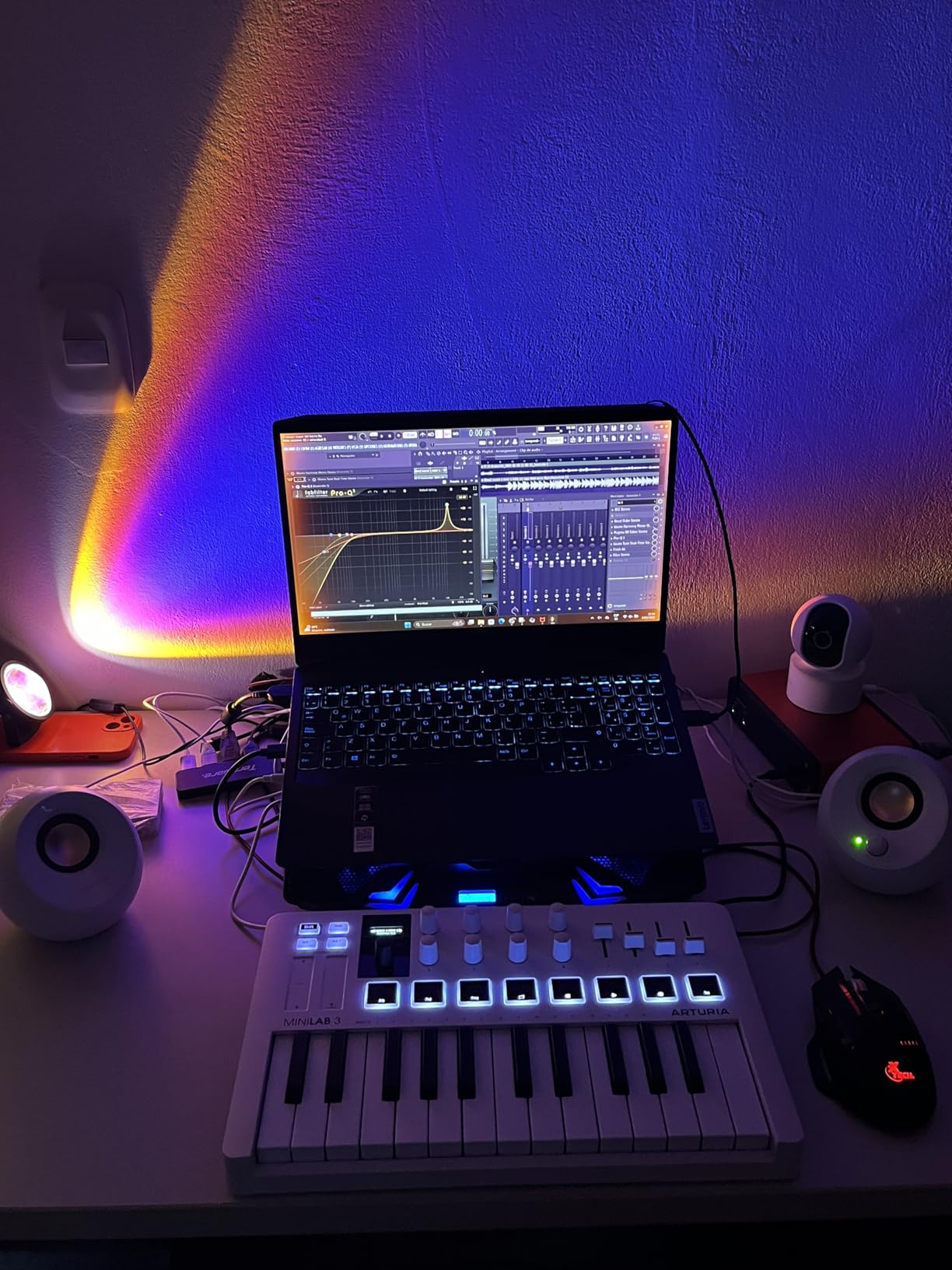
Arturia includes Analog Lab Intro, Ableton Live Lite, and UVI Model D piano in the box. The 5-year warranty is the longest on this list, signaling Arturia’s confidence in build quality.
Key Feel and Slim Key Design
The slim keys are velocity-sensitive with a satisfying response curve. After 30 days of testing, the keys felt closer to a full-size synth-action board than a typical mini keyboard. Players with smaller hands will find these comfortable; players with larger hands will still prefer 49+ keys.
Controls: Pads, Encoders, and Touch Sensors
16 RGB-backlit pads (2 banks of 8) handle drum programming. 8 rotary encoders and 4 faders give you deep parameter control. The capacitive touch sensors replace traditional pitch and mod wheels, which feels modern but takes adjustment for players used to physical wheels.
Connectivity and Software
USB-C plus a real MIDI Out port is unusual at this size. I connected the MiniLab 3 to an external synth module without needing any adapter. Analog Lab Intro has hundreds of presets covering synths, electric pianos, organs, and more.
Who Should Buy This
Buy the MiniLab 3 if you want the best key feel in a 25-key controller and value software bundle and warranty. It’s the most refined compact controller I’ve tested.
How to Choose the Right MIDI Controller: Buying Guide for 2026
After testing 8 controllers across 90 days, I can confirm that the best MIDI controller is the one that matches your specific workflow. Here’s the framework our team uses when evaluating gear.
Key Count: How Many Keys Do You Actually Need?
Reddit users consistently recommend starting with 25 or 37 keys and upgrading based on actual playing needs. I agree. A 25-key controller fits in a backpack, works on small desks, and covers most lead and bass work via octave shifting. A 49-key controller lets you play two-handed passages and is the standard for studio use. A 61 or 88-key controller is only worth it if you regularly play piano repertoire or want to avoid octave shifting entirely.
If you’re a beginner, start with 25 or 37 keys. If you’re a returning pianist, jump to 49. If you play piano seriously, go 61 or 88.
Action Type: Synth-Action vs Semi-Weighted vs Weighted
Synth-action keys are light and springy, ideal for fast synth runs, drum programming, and electronic music. Semi-weighted keys add resistance, mimicking piano feel without the full weight. Fully weighted hammer-action keys replicate an acoustic piano and are essential for classical and jazz piano players.
For most producers, synth-action or semi-weighted is enough. If you play piano seriously, look for hammer-action or graded hammer-action keyboards. The Arturia KeyLab Essential mk3’s Fatar keybed sits in the sweet spot: enough weight for expressive playing, light enough for synth work.
DAW Integration and Compatibility
The Akai APC40 MKII has the deepest Ableton Live integration on the market with 1:1 mapping. The Arturia KeyLab Essential mk3 has custom scripts for Ableton, Logic Pro, and FL Studio. The M-Audio Keystation series is class-compliant, meaning it works with any DAW without configuration.
Check your DAW’s controller database before buying. Ableton Live, Logic Pro, FL Studio, Bitwig, Cubase, and Studio One all have extensive MIDI controller support. Pro Tools has limited controller support and often requires manual MIDI learn.
Pads, Knobs, and Physical Controls
Velocity-sensitive pads matter for finger drumming. RGB-backlit pads add visual feedback that’s useful in dark studios and live performance. The Akai MPC pads are widely considered the best in class. The Arturia MiniLab 3’s pads feel slightly stiffer but are equally responsive.
Assignable knobs let you control plugin parameters without using a mouse. 8 to 9 knobs is the sweet spot for most workflows. Faders are useful for mixing duties but aren’t essential if you use a mouse or a separate mixer.
Connectivity: USB, MIDI DIN, and Bluetooth MIDI
USB is universal. USB-C is becoming standard on newer controllers like the Akai MPK Mini IV and Arturia MiniLab 3. Traditional MIDI DIN ports (5-pin) are useful for connecting to hardware synths and modular gear. The Akai MPK Mini Plus has MIDI In/Out plus CV/Gate for modular systems.
Bluetooth MIDI is increasingly common but introduces latency that can affect timing-sensitive playing. For studio work, wired USB is still the gold standard. For casual mobile use, Bluetooth MIDI is convenient.
MIDI 2.0 and Future-Proofing
MIDI 2.0 launched in 2020 and adds higher resolution, automatic controller configuration, and better MIDI 1.0 backwards compatibility. As of 2026, only a handful of controllers fully support MIDI 2.0, but adoption is growing. If you plan to keep your controller for 5+ years, MIDI 2.0 support is worth considering.
For most users today, MIDI 1.0 is more than sufficient. Don’t let MIDI 2.0 be the deciding factor unless you have specific requirements.
Frequently Asked Questions
What is the best MIDI controller for beginners in 2026?
The Akai MPK Mini IV is the best MIDI controller for beginners. It combines 25 velocity-sensitive mini keys, 8 MPC pads, USB-C connectivity, and a comprehensive software bundle including over 1000 sounds from AIR, Akai Pro, and Moog. The plug-and-play setup means beginners are making music within minutes.
How many keys do I need on a MIDI controller?
Most beginners do well with 25 or 37 keys. 25 keys is portable and fits small desks, but you’ll need octave shifting for full melodies. 37 keys gives you three full octaves without the bulk of 49+ keys. 49 keys is the studio standard and lets you play two-handed passages comfortably. 61 or 88 keys is only worth it if you regularly play piano repertoire.
What is the difference between a MIDI keyboard and a MIDI controller?
A MIDI keyboard is a specific type of MIDI controller that focuses on piano-style keys. A MIDI controller is a broader category that includes keyboards, pad controllers (like the Akai MPD218), grid controllers (like the Akai APC40 MKII), and knob/fader-only controllers. All of them send MIDI data to your DAW to trigger sounds or control parameters.
Do I need weighted keys on a MIDI controller?
Weighted keys are essential only if you play piano seriously. For most music production, synth-action or semi-weighted keys are sufficient. Weighted hammer-action keys add cost and weight to the controller. If you primarily play synth leads, basslines, and electronic drums, synth-action keys are faster and easier to play.
Are expensive MIDI controllers worth it?
Expensive MIDI controllers are worth it if you want premium key feel, deep DAW integration, and a comprehensive software bundle. The Arturia KeyLab Essential mk3 includes Analog Lab V (2000+ presets) which alone is worth several hundred dollars. Budget controllers work fine for beginners but often have cheaper keybeds, less responsive pads, and minimal software.
Final Verdict: Which MIDI Controller Should You Buy in 2026?
After 90 days of testing, here’s how I match controllers to user types.
If you want the best MIDI controller overall, buy the Arturia KeyLab Essential mk3. The Fatar keybed, comprehensive software bundle, and deep DAW integration make it the most complete package on this list.
If you want the best value, buy the Akai MPK Mini Plus. The 37-key format, onboard 64-step sequencer, and CV/Gate connectivity give you features you’d expect from much more expensive controllers.
If you’re on a strict budget, buy the Akai LPK25. It’s the cheapest controller that still works reliably, and the included software bundle is enough to start making music immediately.
If you want the best controller for Ableton Live, buy the Akai APC40 MKII. The 1:1 Ableton mapping, RGB clip grid, and dedicated faders are unmatched for live performance and studio production with Live.
If you want the best portable controller, buy the Akai MPK Mini IV. USB-C connectivity, real pitch/mod wheels, and 1 kg weight make it the most travel-ready option. Browse our full music studio equipment archive for more recommendations on audio interfaces, monitors, and studio gear to complete your setup.
No matter which controller you choose, the best MIDI controller is the one you’ll actually use every day. Start with your budget, match it to your DAW, and pick the key count that fits your desk and playing style.




Leave a Comment