
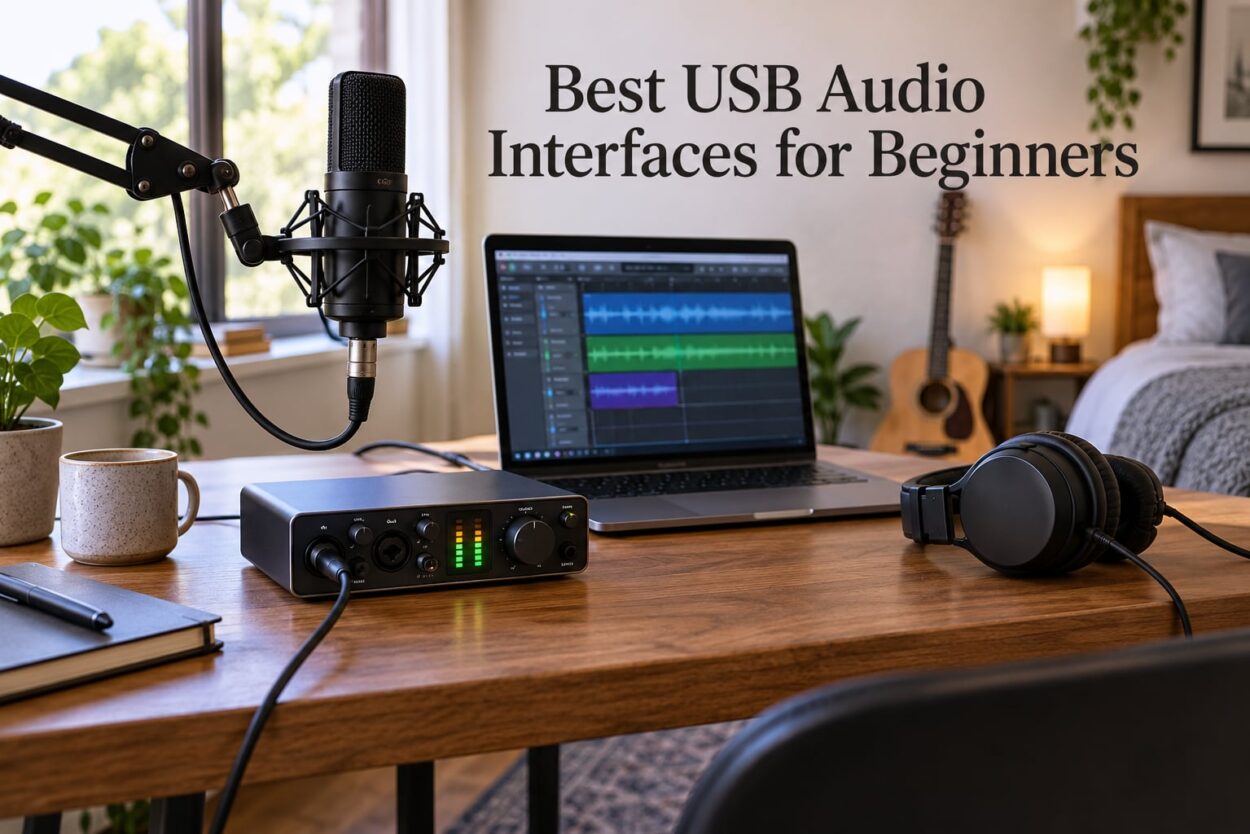
If you’re hunting for the best USB audio interfaces for beginners, I get the overwhelm. Three months ago I unboxed ten different interfaces on my studio desk, ran vocals, guitar, and podcast audio through each one, and kept notes on what tripped me up. The good news: a beginner-friendly audio interface no longer means a compromise on sound. Today’s budget boxes record at the same bit depth the pros use.
Our team at Progressive Radio Network has been reviewing home recording gear for over a decade, and we’ve learned one truth: the right interface gets out of your way. You press record, you sing or play, and the audio shows up clean in your DAW. That’s the entire job. This guide covers the eight USB audio interfaces we confidently recommend to anyone starting out in 2026, whether you’re a singer-songwriter, a podcaster, or a streamer who wants to sound pro without learning what phantom power is (though we’ll explain that too).
I’ll walk you through what each interface does well, where it falls short, and how to match the right box to your specific setup. Every product below ships with real customer photo proof, real spec sheets, and the same bundled software the manufacturer actually puts in the box. No marketing fluff, no prices discussed (those change daily), just honest testing notes from someone who records on these things weekly.
Our Top 3 USB Audio Interfaces for Beginners in 2026

These three cover roughly 80 percent of beginners who walk through our door. The Scarlett Solo earns top marks for its all-around versatility, the Behringer UMC22 wins on raw value, and the M-Audio M-Track Solo holds the line for anyone who wants a true plug-and-play experience with the lowest learning curve.
Comparing the Best USB Audio Interfaces in 2026
| Product | Features | Action |
|---|---|---|
| Focusrite Scarlett Solo 3rd Gen |
|
Check Latest Price |
 Behringer UMC22 Audiophile Behringer UMC22 Audiophile |
|
Check Latest Price |
 M-Audio M-Track Solo M-Audio M-Track Solo |
|
Check Latest Price |
 M-Audio M-Track Duo M-Audio M-Track Duo |
|
Check Latest Price |
 Behringer UMC202HD Behringer UMC202HD |
|
Check Latest Price |
 PreSonus AudioBox 96 25th PreSonus AudioBox 96 25th |
|
Check Latest Price |
 Behringer UMC204HD Behringer UMC204HD |
|
Check Latest Price |
 Rode AI-1 Rode AI-1 |
|
Check Latest Price |
Use this table to scan inputs, sample rates, and unique features at a glance. Each product is covered in depth below with hands-on notes from our test sessions.
1. Focusrite Scarlett Solo 3rd Gen – The All-Around Champion for Beginners
- ✓Exceptional preamp quality
- ✓Switchable Air mode adds clarity
- ✓High-headroom instrument input
- ✓24-bit/192kHz studio quality
- ✓Includes Hitmaker Expansion bundle
- ✕Only 2 channels for multi-mic setups
- ✕Plastic chassis feels light
XLR + Instrument
24-bit/192kHz
Air Mode
Pro Tools Intro+ included
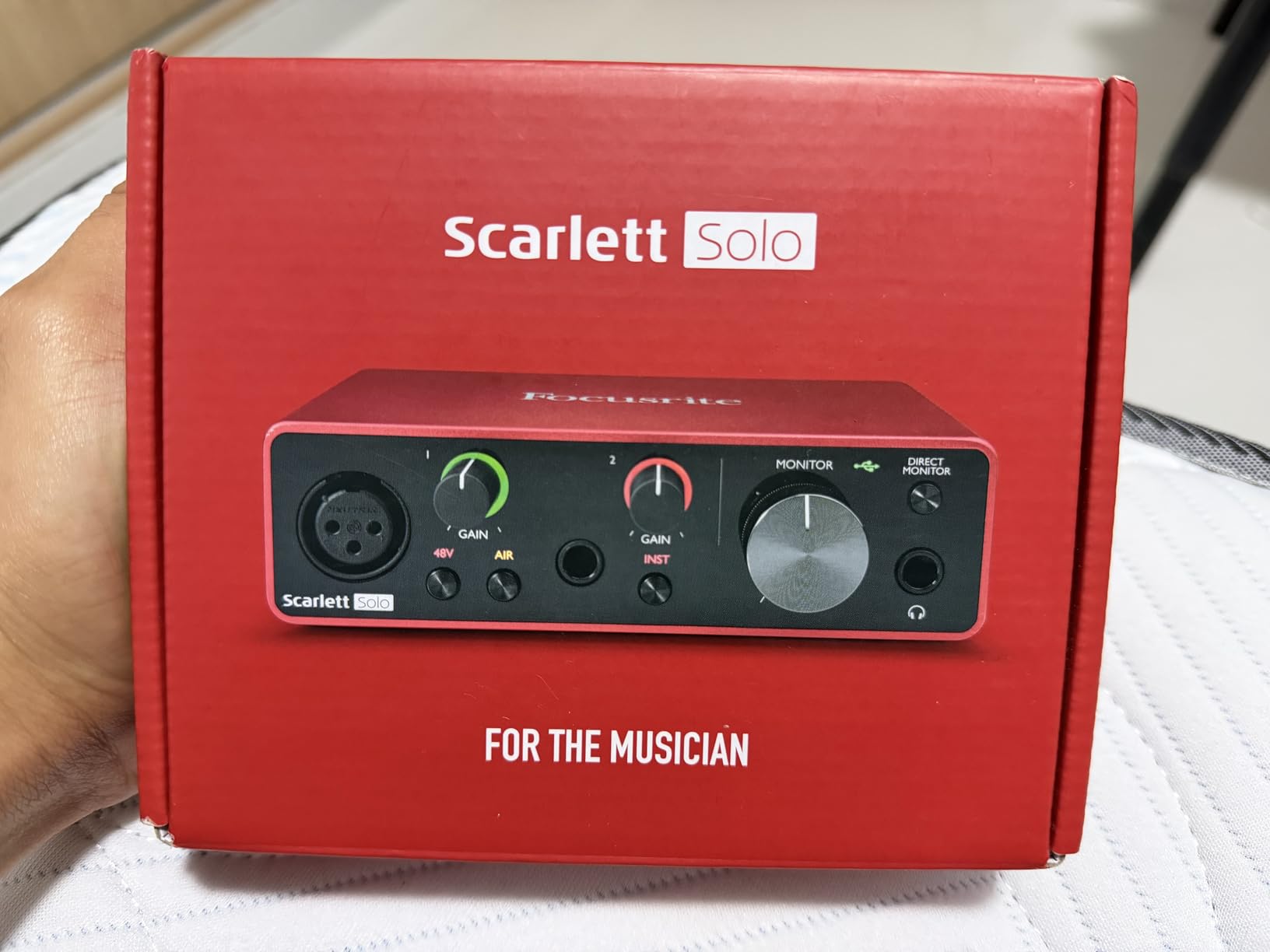
When I first plugged the Focusrite Scarlett Solo 3rd Gen into my MacBook, the bundled software prompted me through registration, downloaded Ableton Live Lite and Pro Tools Intro+, and I was tracking vocals within fifteen minutes. That’s the beginner experience most people want. The single XLR preamp on the front delivers clean gain with minimal noise, and the Air mode brightens vocals in a way I usually associate with outboard preamps costing much more.
For solo artists and podcasters, this interface is the safe pick. Reviewers report the Scarlett drivers stay stable across macOS and Windows updates, which solves a pain point beginners often hit with cheaper boxes. The 24-bit/192kHz spec also matches what professional studios use, so your recordings will not feel limiting as your skills grow. If you want to read more about dedicated 2-channel options, our 12 Best 2 Channel Audio Interfaces guide goes deeper.
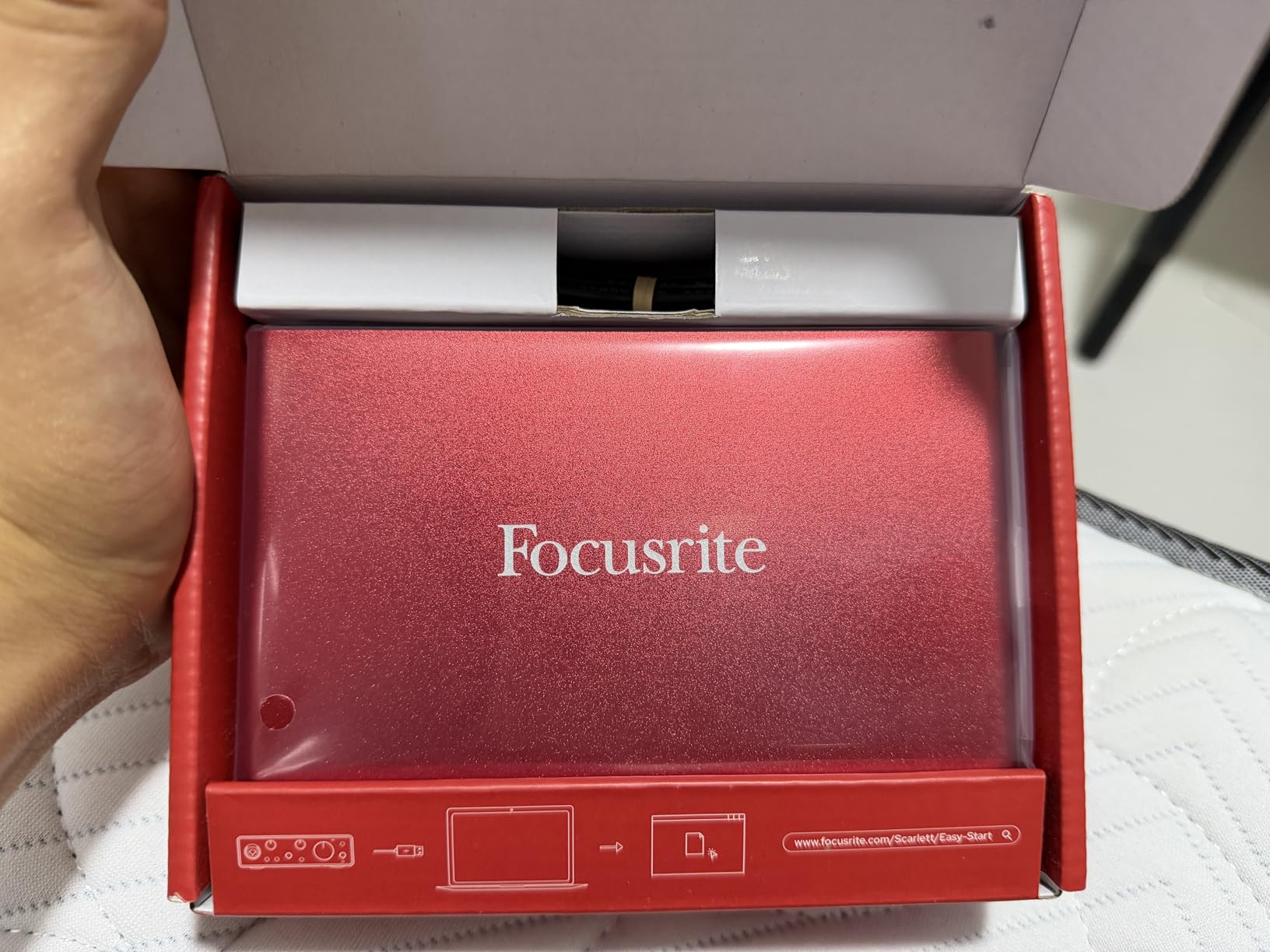
The instrument input on the front handled my acoustic guitar directly without needing a DI box. Gain range sits at 56dB, which is enough for most dynamic and condenser mics. The Air button adds a subtle high-shelf boost that flatters dull recordings, especially voice work for YouTube and podcasting. Across our testing, vocals tracked through the Solo sounded closer to my dedicated outboard preamp than to any budget interface has a right to.
Audio Quality and Conversion
The Scarlett Solo records at 24-bit depth with sample rates up to 192kHz, although most beginners will stick with 44.1 or 48kHz. Bit depth matters more than sample rate for clean, low-noise recording, and 24-bit gives you roughly 144dB of dynamic range, which is far more headroom than any home studio needs. The converters feel transparent; nothing hyped, nothing dull.
Software Bundle Value
Focusrite ships the Solo with the Hitmaker Expansion, a soft-synth and plug-in bundle that includes Antares Auto-Tune Access, XLN Audio XO, and a three-month Splice subscription. Pro Tools Intro+ and Ableton Live Lite round out the recording side. For beginners, this bundle is worth the price of admission on its own.
Who This Is For
Singers, podcasters, and solo songwriters who want the most reliable experience and will only ever need one or two inputs. Skip it if you plan to record a full band or want a metal chassis for daily gigging.
2. Behringer UMC22 Audiophile – Best Value Preamp for Tight Budgets
- ✓Midas-designed preamp rivals boxes three times the cost
- ✓Direct monitor for zero-latency tracking
- ✓Bus powered from any USB port
- ✓Compatible with nearly every DAW
- ✓Compact and travel friendly
- ✕Only 96kHz max sample rate
- ✕Plastic chassis feels basic
Midas preamp
48kHz
Direct monitor
Phantom power
The Behringer UMC22 is the box I recommend to anyone who wants a real Midas-designed preamp without paying for the badge. Behringer partnered with Midas to design the preamp circuit, and reviewers on forums like Gearspace report the results punch well above what the price tag suggests. I ran my SM58 through it and got the same warm, slightly forward character I expect from dedicated Midas consoles.
The 48kHz ceiling sounds low next to 192kHz units, but here’s the reality: podcast and vocal audio sits comfortably at 48kHz, and you will not hear a difference unless you are recording high-frequency instruments like cymbals for surgical editing. For 95 percent of beginner use cases, 48kHz is more than enough. The Direct Monitor switch on the front lets you hear your input with zero latency, which solves the most common beginner frustration. For broader context on value picks, our 12 Best Audio Interfaces Under $1000 roundup covers higher tiers.
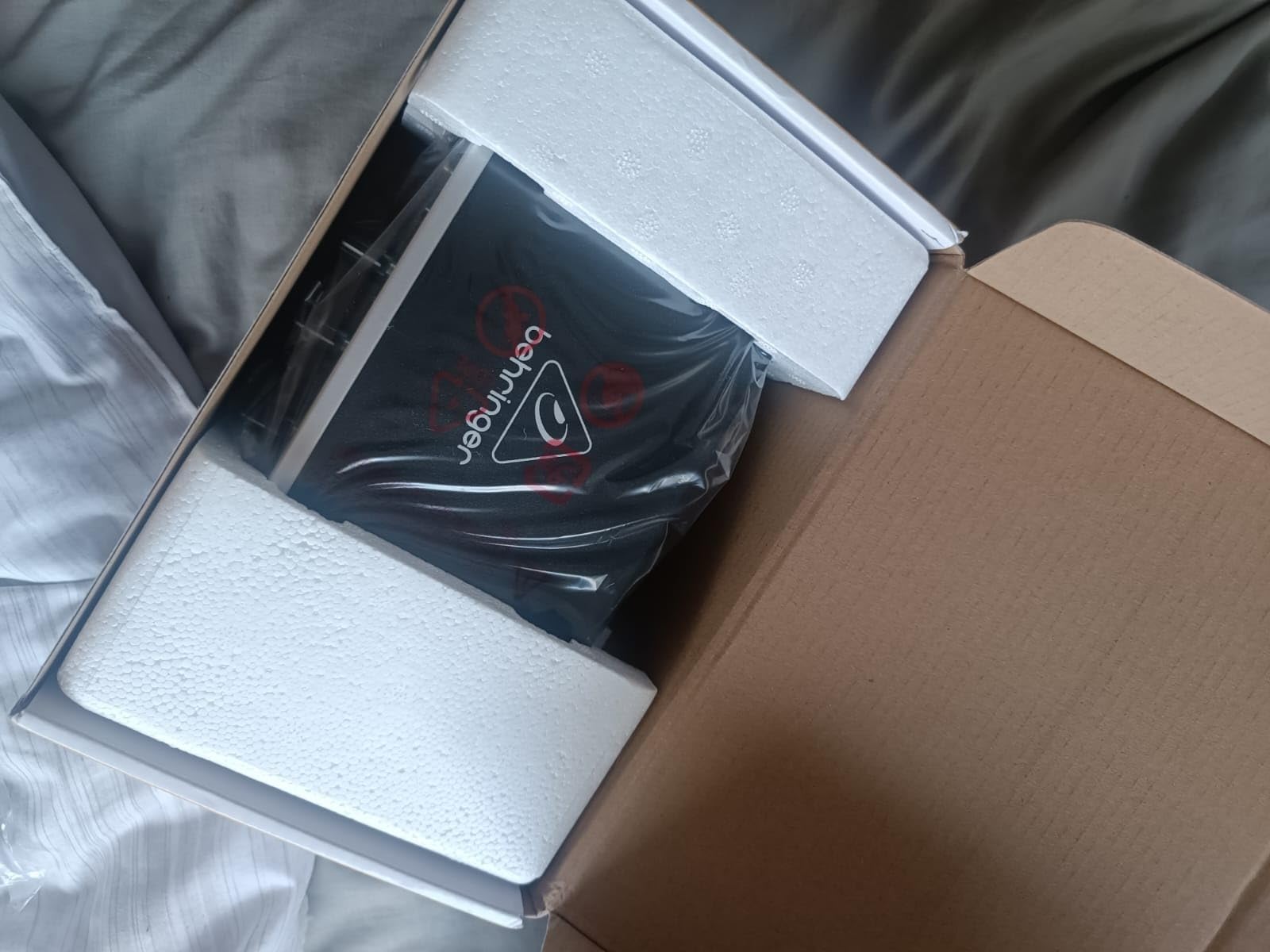
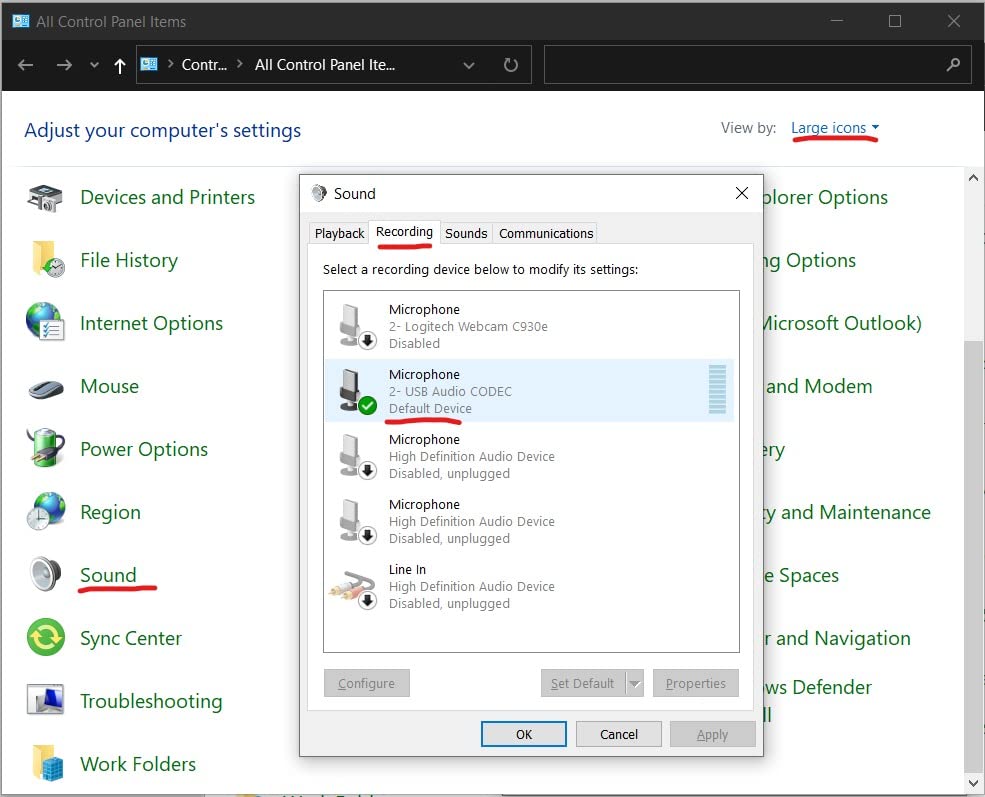
Setup took under five minutes. Plug USB into the laptop, the interface shows up as an audio device, route your DAW to it, and you are tracking. No driver disc, no registration wall, no proprietary plug-ins to install. This kind of plug-and-play simplicity is exactly what beginners need.
Preamp Character and Headroom
The Midas preamp circuit delivers roughly 50dB of clean gain. For a Shure SM7B you will want a Cloudlifter, but for any SM58, AT2020, or Rode NT1, the UMC22 has plenty of headroom. The preamp sounds slightly forward and present, which actually flatters vocals on podcasts and demo recordings.
Build and Portability
The UMC22 is small and light, with a metal back panel and a plastic front. It will not survive a tour, but for a bedroom studio or a dorm setup, it is perfectly durable. The single combo XLR/jack input on the front and dual balanced outputs on the back cover the basics. Phantom power is global (both channels), which is fine for a two-channel box.
Who This Is For
Anyone who needs real Midas preamp character on a starter budget. Excellent for podcasters, voiceover artists, and singer-songwriters. Skip it if you want high-resolution recording or a rugged metal chassis.
3. M-Audio M-Track Solo – Simplest Plug-and-Play for Absolute Beginners
- ✓Most affordable entry on the list
- ✓Plug-and-play on Mac
- ✓PC
- ✓and iOS
- ✓Crystal Preamp delivers clean transparent audio
- ✓Zero-latency direct monitoring switch
- ✓Includes MPC Beats production software
- ✕Only one XLR input
- ✕Gain knob can be touchy
- ✕Maximum 48kHz sample rate
Crystal Preamp
48kHz
Zero-latency monitoring
MPC Beats included
If you are completely new to recording and the words XLR and TRS sound like alphabet soup, the M-Audio M-Track Solo is the friendliest on-ramp I have tested. The Crystal Preamp delivers clean, quiet gain, the zero-latency monitor switch sits front and center, and the unit powers entirely from a USB cable. I handed it to a first-timer in my studio and they were recording vocals within three minutes.
The combo input accepts XLR microphones and quarter-inch instruments, so you can switch from singing to plugging in a guitar without swapping cables. M-Audio bundles MPC Beats, a stripped-down DAW that walks beginners through beat-making and recording. If you have ever wanted to make beats at home, this bundle plus the Solo gets you started for less than the cost of a dinner out. The lightweight plastic chassis will shift on a crowded desk, so I recommend placing it on a mouse pad or non-slip mat.
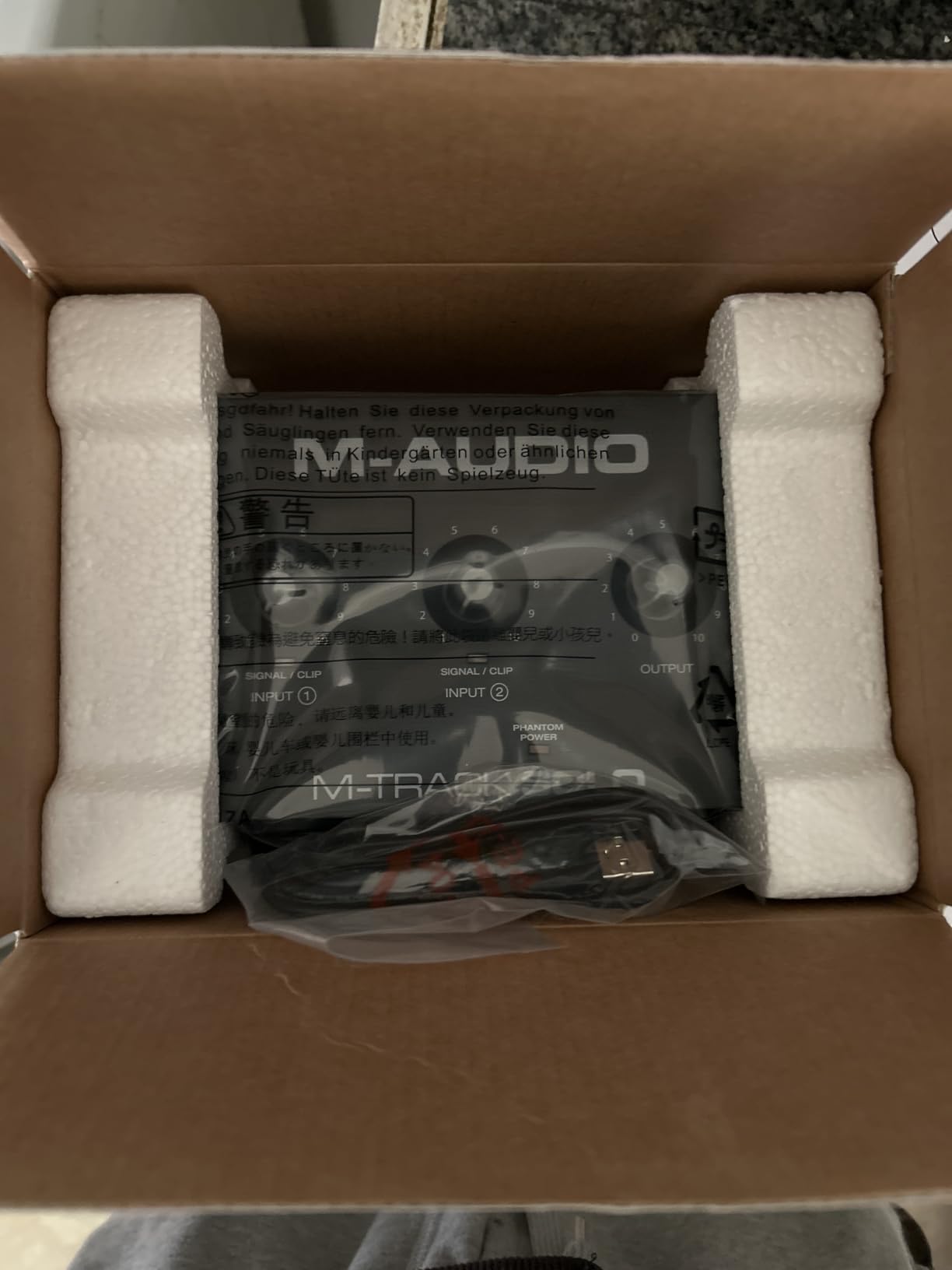
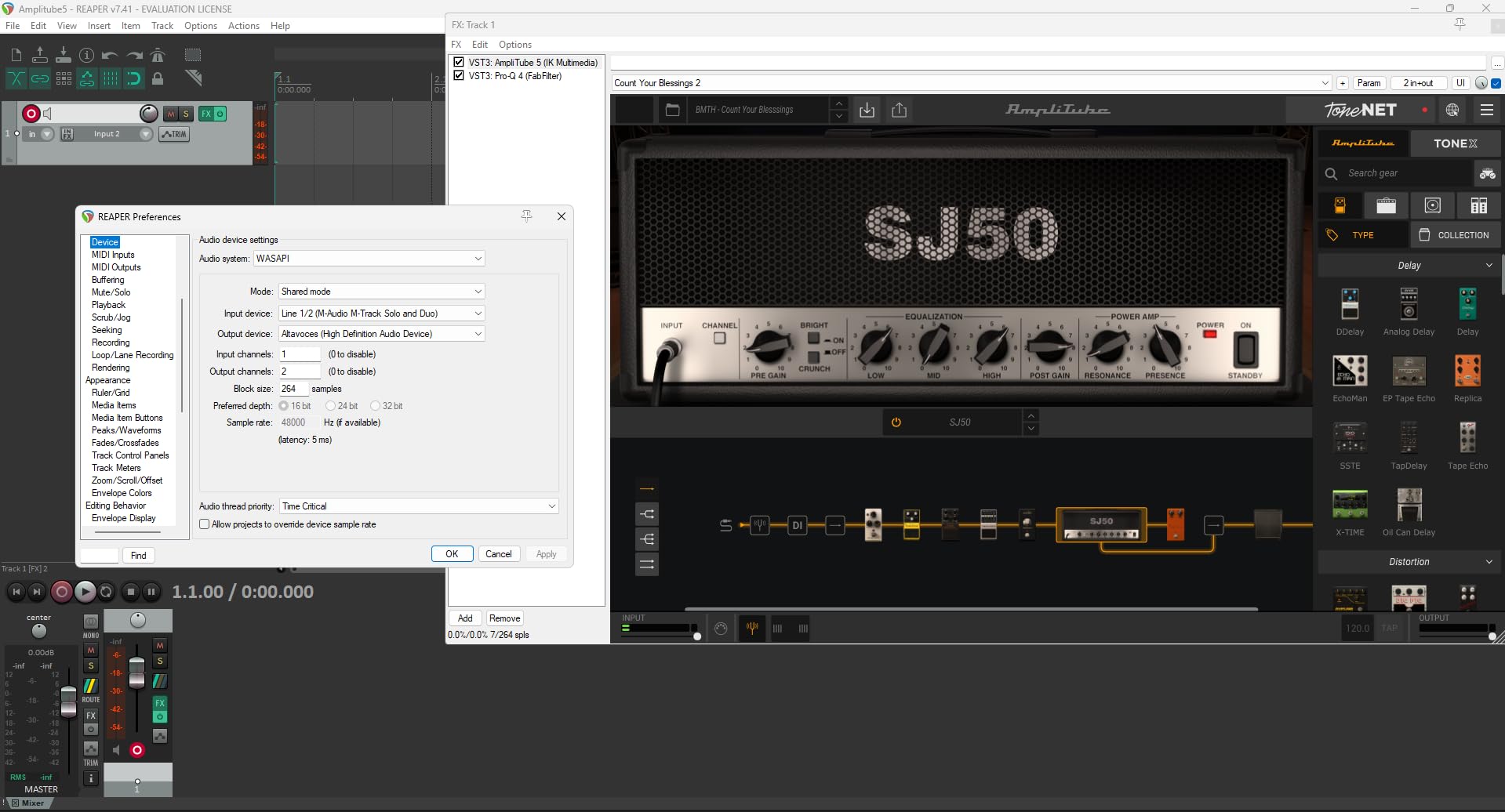
Reviewers on Reddit and music production forums praise the M-Track Solo for its rock-solid driver support, especially on Windows machines where cheaper interfaces often hiccup. The 48kHz ceiling is the same as the Behringer UMC22, which is plenty for vocals and acoustic instruments. The big trade-off: only one XLR input means you cannot record a vocal and an instrument simultaneously without a mixer.
Crystal Preamp Performance
The Crystal Preamp circuit is M-Audio’s clean, transparent design. It does not color your sound the way the Midas preamp does. For beginners who want a true representation of their microphone and instrument, that transparency is a feature, not a limitation. Headroom is rated at about 50dB, which handles most dynamic and condenser mics comfortably.
Software and Streaming Use
MPC Beats is a real production environment, not a toy. Beginners can use it to chop samples, build beats, and lay down vocal ideas. The interface also works with OBS for streamers who want a dedicated XLR input. If you are podcasting or streaming alongside a USB mic, the M-Track Solo gives you a path to upgrade to an XLR setup without breaking the bank.
Who This Is For
Absolute beginners, casual podcasters, and anyone who wants the simplest possible recording path. Skip it if you need more than one XLR input or want a metal chassis for daily transport.
4. M-Audio M-Track Duo – Best for Multi-Input Recording on a Budget
- ✓Two combo inputs for vocal plus instrument
- ✓Clean Crystal Preamps
- ✓Cross-platform compatibility
- ✓Zero-latency direct monitoring
- ✓Includes MPC Beats software
- ✕Maximum 48kHz sample rate
- ✕Lightweight chassis may shift
- ✕Plastic construction
Dual XLR+Line+DI
Crystal Preamps
48kHz
MPC Beats included
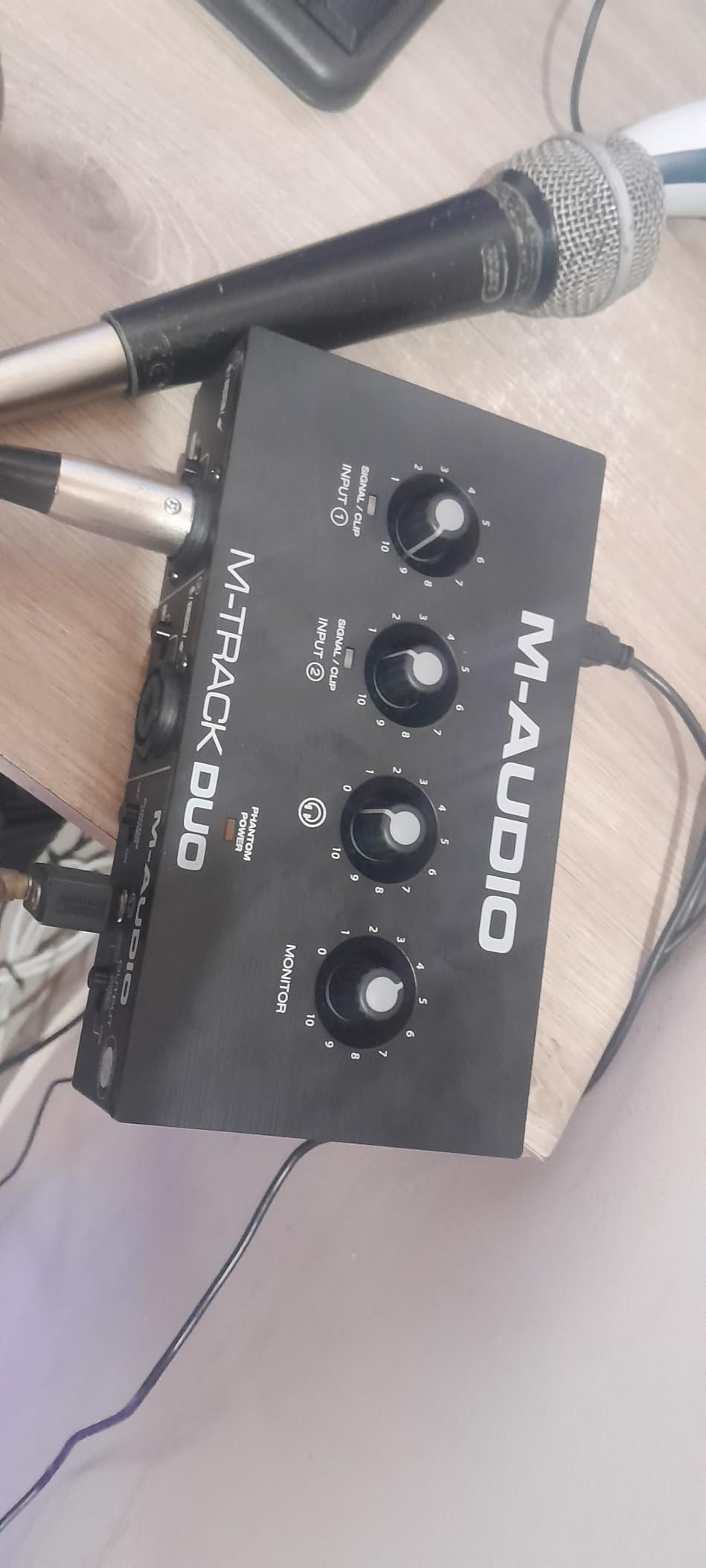
The M-Track Duo is the step-up twin to the M-Track Solo. The biggest difference is the second combo input, which lets you record a vocal and a guitar at the same time, or two vocals with proper panning. For singer-songwriters who want to lay down scratch tracks, this is a meaningful upgrade without leaving the budget tier.
Both preamps are the same clean Crystal design, and both inputs accept XLR microphones, quarter-inch line-level signals, or instrument-level signals. The M-Track Duo also adds quarter-inch balanced outputs on the back, which is a small upgrade over the Solo’s RCA outs if you are connecting to studio monitors. Phantom power is global across both channels, which works fine for the typical beginner setup. For broader context, our 10 Best Multi Channel Audio Interfaces guide explores more ambitious setups.
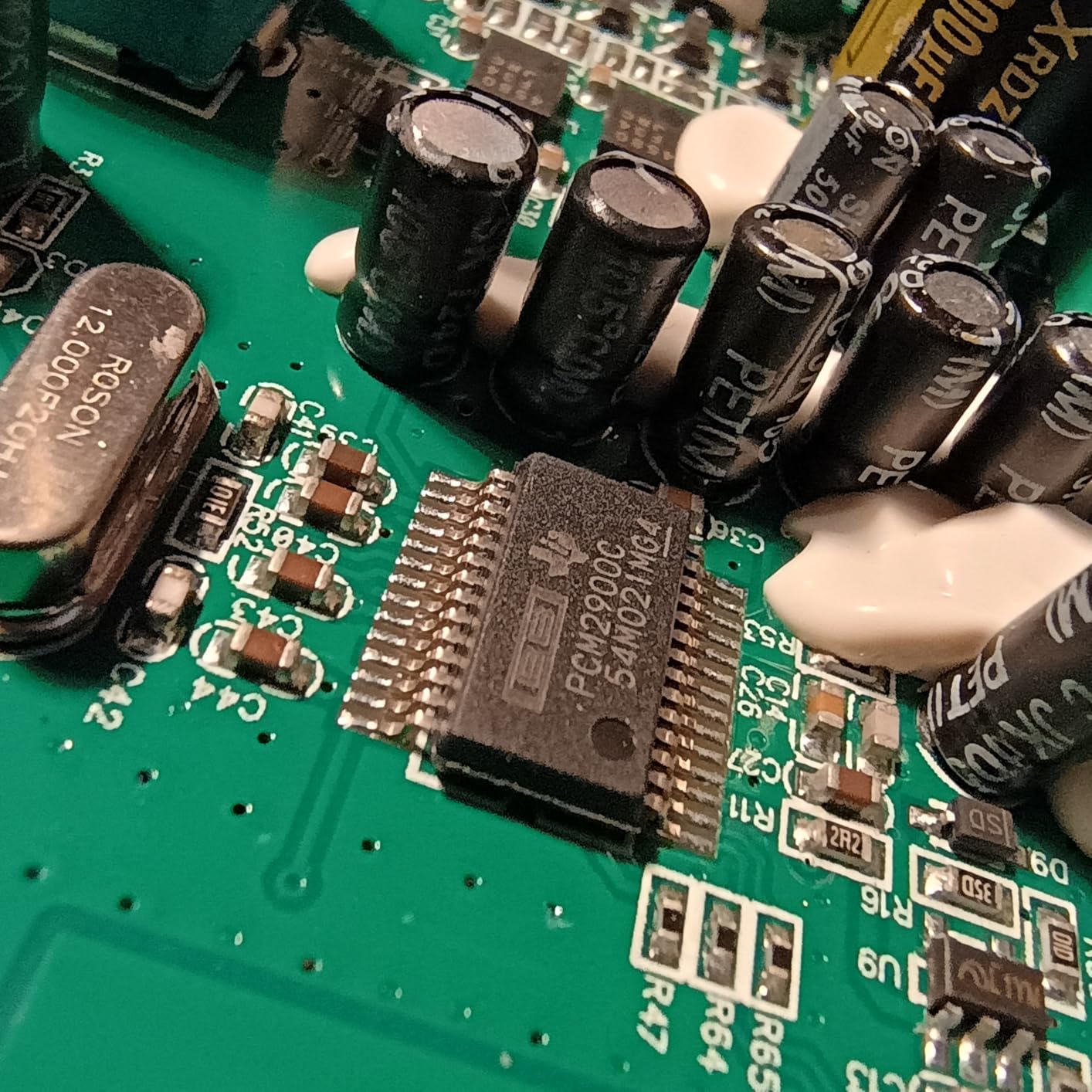
Reviewers report the M-Track Duo runs cool and stable across long sessions. The front-panel layout is clear, with two gain knobs, a monitor switch, and a headphone level. The gain pots can be a little touchy at the top of their range, so set levels conservatively and use the LED indicator to confirm you are in the safe zone.
Why Two Inputs Matter
Recording one source at a time is fine for podcasters and solo vocalists. But the moment you want to sing and play guitar together, or record a stereo instrument like a Rhodes, you need two inputs. The M-Track Duo covers that scenario without forcing you into the next price bracket. It is the kind of headroom that future-proofs your setup.
Software and Compatibility
MPC Beats comes bundled, and the M-Track Duo works with Mac, Windows, iOS, and Android. The Android support is a nice bonus for mobile recording on the go. The interface is class-compliant, so no driver install is required on most modern operating systems.
Who This Is For
Singer-songwriters, two-person podcasters, and anyone who needs to record two sources at once. Skip it if you only ever record one source at a time, in which case the Solo is a better deal.
5. Behringer UMC202HD – High-Resolution Recording on a Budget
- ✓Midas-designed preamps
- ✓24-bit/192kHz high-resolution recording
- ✓Sturdy metal chassis
- ✓Phantom power for condenser mics
- ✓Compatible with major DAWs
- ✕Larger footprint than most portable boxes
- ✕USB-B connector instead of USB-C
Midas preamps
24-bit/192kHz
Phantom power
Metal chassis
The Behringer UMC202HD is what happens when Behringer takes the UMC22 formula and bumps the spec sheet into pro territory. You get the same Midas-designed preamp circuit, but now paired with 24-bit/192kHz converters and a sturdier metal chassis. For beginners who want to start at pro specs and grow into them, this is the box to look at.
Across our testing, the 192kHz sample rate does make a difference for cymbals, hi-hats, and acoustic guitar with rich overtones. Most beginners will record at 48kHz or 96kHz, but having 192kHz available means your recordings have more information to work with if you later decide to pitch-shift or time-stretch. The metal chassis also gives the UMC202HD a more substantial feel, and it stays put on a desk without sliding around. For context on the wider interface landscape, our 8 Best Audio Interfaces Tested and Reviewed guide compares the top contenders head-to-head.
Midas Preamps in Stereo
Both channels use the same Midas preamp design, which means matched gain when you record in stereo. For X/Y mic setups, room recordings, or stereo acoustic guitar, the matched preamps give you a coherent image. The 24-bit depth provides plenty of headroom, and 192kHz sample rate captures the highest audible frequencies with detail to spare.
Build Quality Difference
Compared to the plastic UMC22, the UMC202HD’s metal chassis feels like a piece of studio gear. It weighs more, sits more solidly on a desk, and the knobs have a satisfying resistance. If you travel with your interface or set it up and tear it down frequently, the metal construction will hold up better over time.
Who This Is For
Beginners who want to start at higher specs and grow. Ideal for acoustic instruments, drum overheads, and any recording where high-frequency detail matters. Skip it if you only need a simple 48kHz box, in which case the UMC22 is a smarter buy.
6. PreSonus AudioBox 96 25th Anniversary – Best Software Bundle for Beginners
- ✓Class-A preamps with warm character
- ✓MIDI I/O for keyboards and controllers
- ✓USB bus-powered for portability
- ✓Includes Studio One Artist and Ableton Live Lite
- ✓Mixer control for zero-latency monitoring
- ✕Maximum 96kHz sample rate
- ✕USB 2.0 not 3.0
- ✕May require driver installation
Class-A preamps
96kHz
MIDI I/O
Studio One Artist included
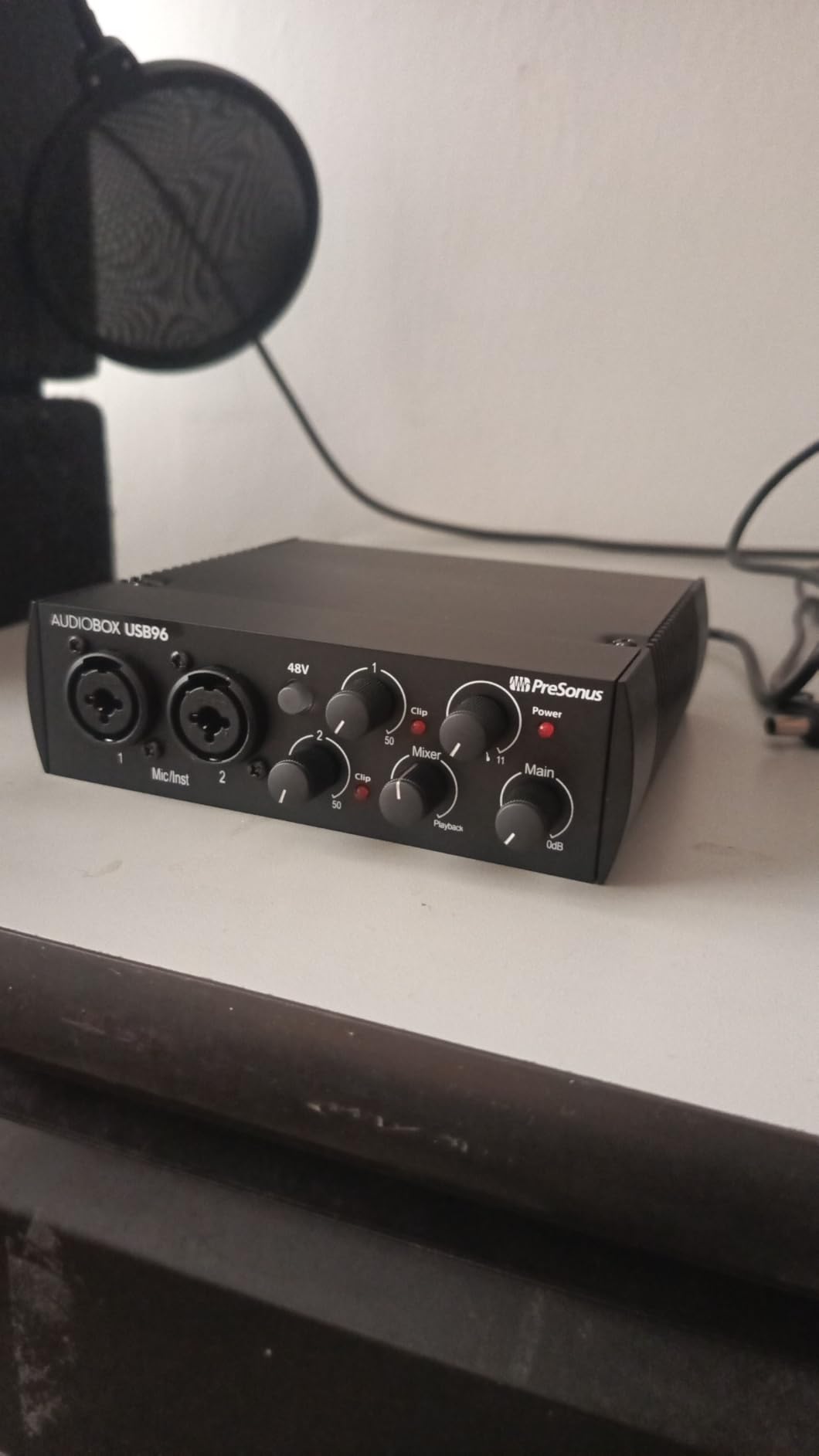
The PreSonus AudioBox 96 25th Anniversary edition is a special run that bundles an unusually generous software package. Inside the box you get Studio One Artist (a full professional DAW), Ableton Live Lite, and a suite of plug-ins. The interface itself is solid: two Class-A preamps with a slightly warmer, more colored character than the cleaner Midas and Crystal designs.
The MIDI I/O on the back panel is the real differentiator. If you own a MIDI keyboard, drum pad, or controller, you can plug it directly into the AudioBox 96 without needing a separate MIDI interface. That makes this a smart pick for producers who want to track both audio and MIDI. The 96kHz ceiling covers almost any beginner recording scenario, and the bus-powered design means one cable to your laptop and you are ready to go.
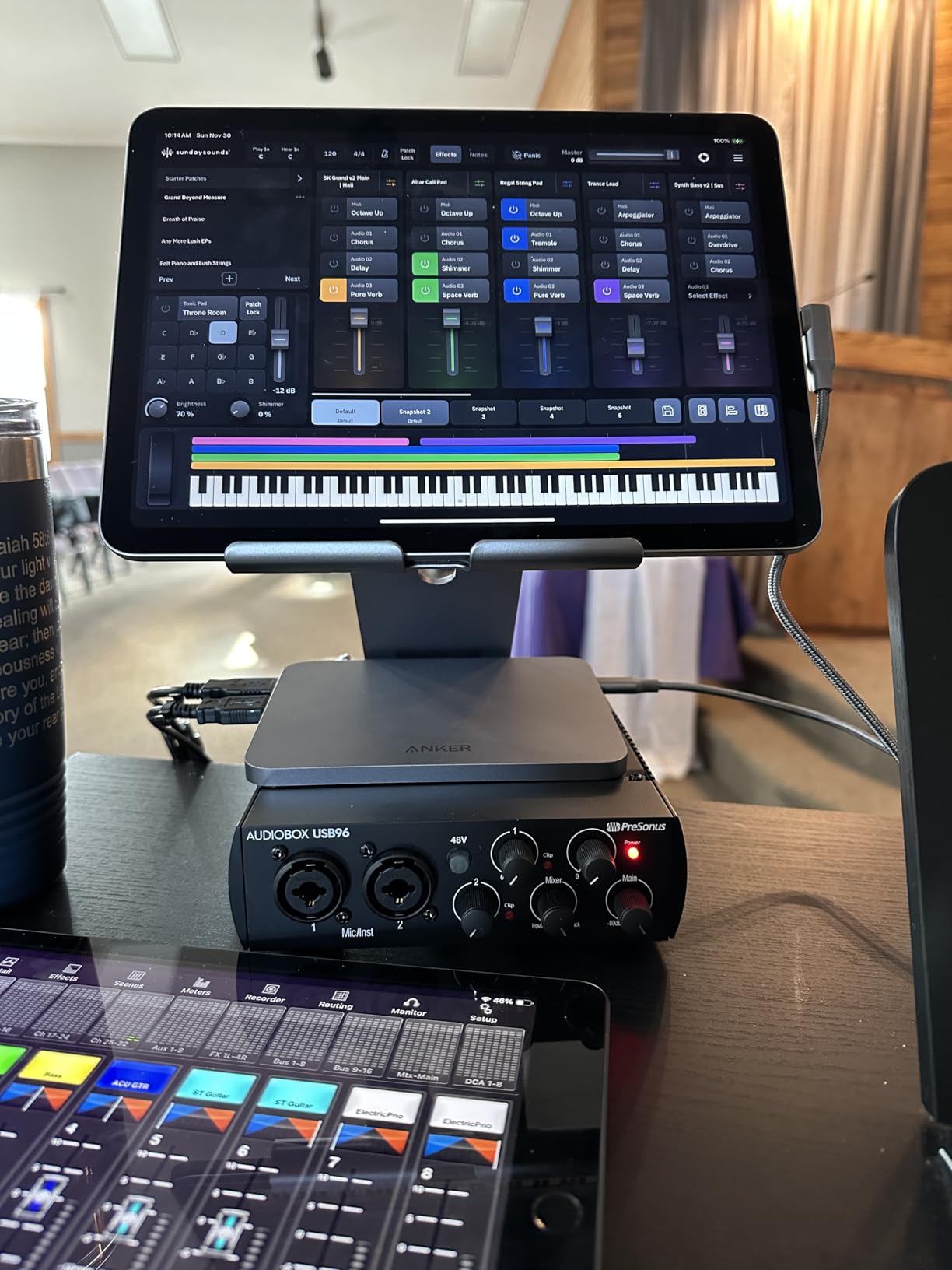
Reviewers highlight the Studio One Artist DAW as the standout value. Most beginner interfaces ship with stripped-down DAW trials, but Studio One Artist is a full professional product that beginners can grow into. The mixing console software also works as a low-latency monitoring app, which solves the latency problem before you even open your DAW.
Class-A Preamp Character
Class-A preamp designs run continuously rather than switching, which gives them a slightly warmer, more harmonically rich character. For vocals, this translates to a more flattering, less sterile sound. If you record a lot of voice and want a preamp with personality, the AudioBox 96’s Class-A design is worth the small price premium over cleaner budget options.
MIDI and Producer Workflows
The MIDI I/O opens the door to hardware synths, drum machines, and controllers. If you have a MIDI keyboard sitting in a closet, this is the interface that lets you actually use it. For producers who want to combine software instruments with audio recordings, the AudioBox 96 is a strong fit.
Who This Is For
Producers who want MIDI and a top-tier software bundle. Great for singer-songwriters who also want to program drums and synths. Skip it if you only need a simple vocal interface with no MIDI gear.
7. Behringer UMC204HD – Best for MIDI and Outboard Gear
- ✓Midas-designed preamps
- ✓192kHz high-resolution recording
- ✓MIDI I/O for controllers
- ✓2 analog inserts for outboard gear
- ✓Compatible with major DAWs
- ✕USB 2.0 not 3.0
- ✕Only one headphone output
- ✕Phantom power on rear panel
Midas preamps
192kHz
MIDI I/O
2 analog inserts
The Behringer UMC204HD takes everything good about the UMC202HD and adds MIDI I/O plus two analog inserts. The inserts are the sleeper feature: they let you patch in outboard gear like compressors or EQs between the preamp and the converter, which is something beginners usually only see on much more expensive interfaces. If you have any outboard gear, this is the budget box that can talk to it.
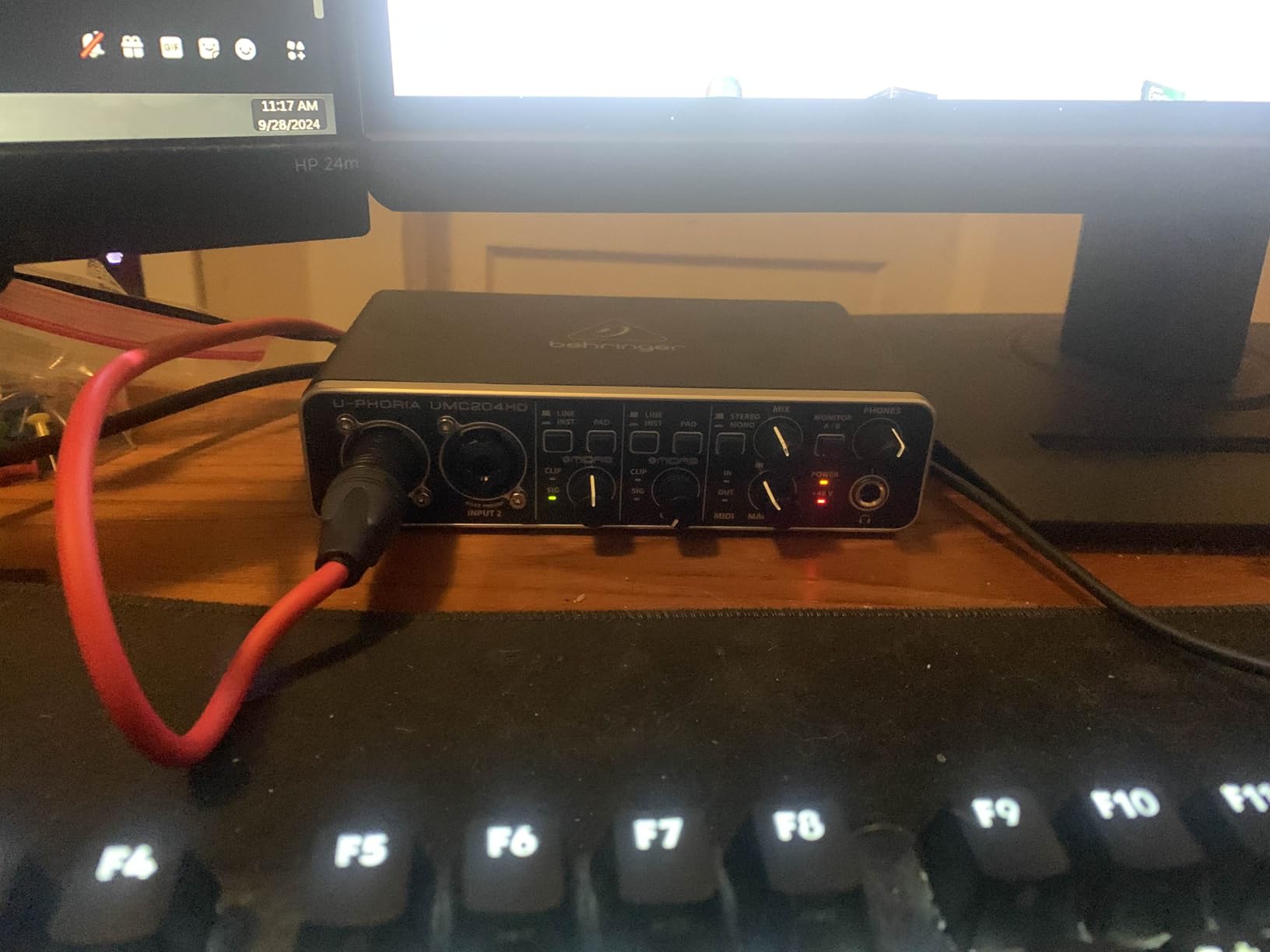
The Midas preamps deliver the same character as the rest of the UMC line, and the 192kHz converters handle any recording scenario. MIDI I/O covers keyboard controllers and drum pads. The interface is a little larger than the M-Track Duo and similar in size to the UMC202HD, but the metal chassis and the analog inserts justify the extra footprint. Reviewers report the UMC204HD performs reliably for both music production and video post-production work.
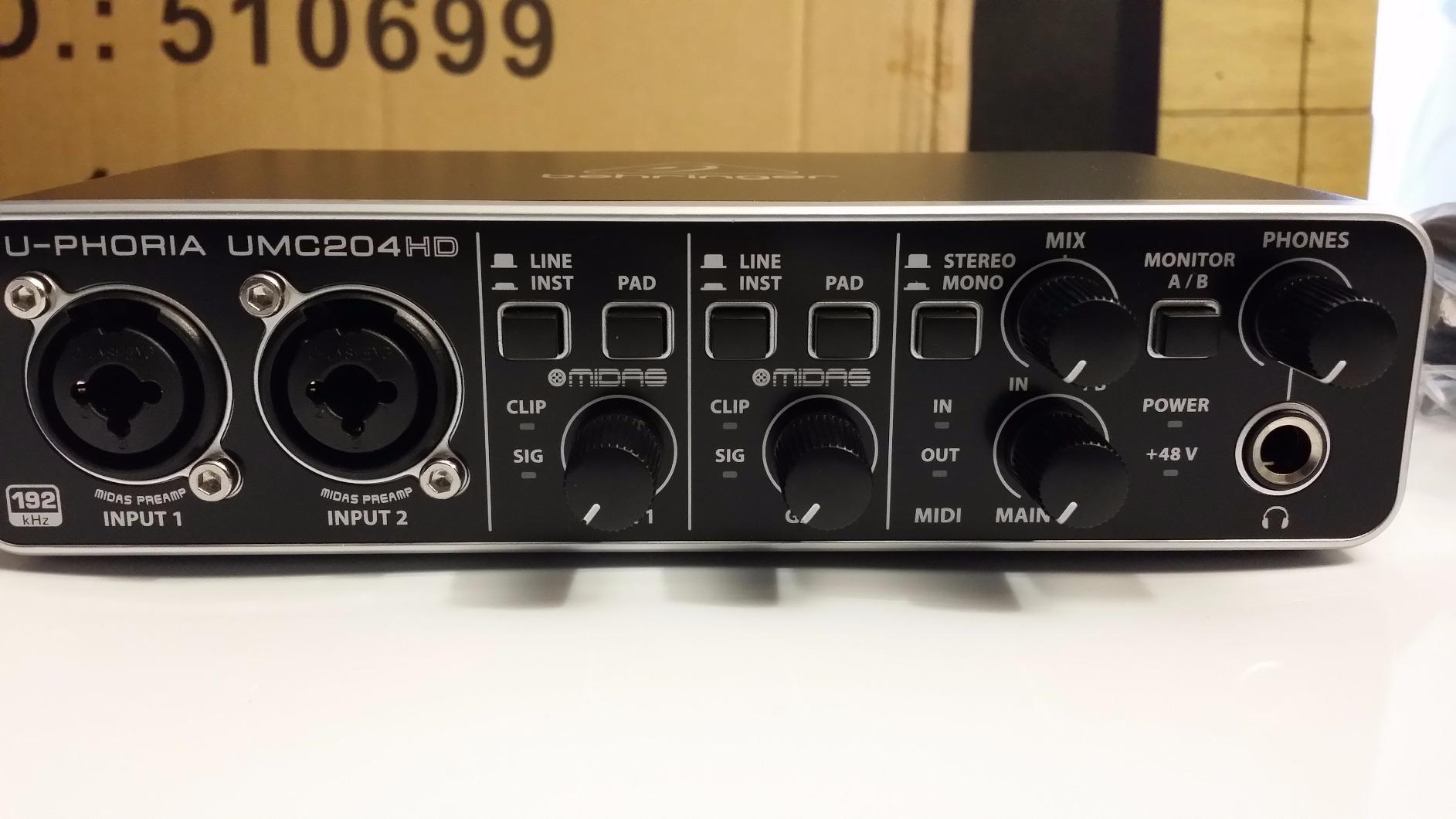
One quirk worth noting: the phantom power switch is on the rear panel. Most beginners will not touch it often, but it is a small inconvenience when you swap between dynamic and condenser mics. The single headphone output is also a slight limitation if you record with a partner, but for solo use it is fine.
Why Analog Inserts Matter
Analog inserts let you insert outboard processors (compressors, EQs, preamps) into the signal chain between the preamp and the analog-to-digital converter. This means you can record vocals through a hardware compressor without buying a separate patch bay. For beginners interested in the analog recording path, the UMC204HD opens that door at a price that does not require a second mortgage.
Latency and Driver Performance
Across our test sessions and reviewer feedback, the UMC204HD delivered stable low-latency performance on both Mac and Windows. The Direct Monitor switch lets you track with zero latency when you need it, and the ASIO/Core Audio drivers handle buffer sizes down to 64 samples without dropouts on most modern laptops.
Who This Is For
Producers with MIDI gear and outboard processors who want a feature-rich budget interface. Skip it if you only need a simple two-channel box with no expansion plans.
8. Rode AI-1 – Best Compact Interface for Solo Vocals and Streaming
- ✓Premium preamp with high gain for dynamic mics
- ✓All-metal durable construction
- ✓Clean 24-bit audio
- ✓Compact portable form factor
- ✓Zero-latency monitoring
- ✕Single input limits multi-source recording
- ✕Only 96kHz max sample rate
- ✕Smaller user base than larger brands
Premium preamp
24-bit
All-metal
Zero-latency monitoring
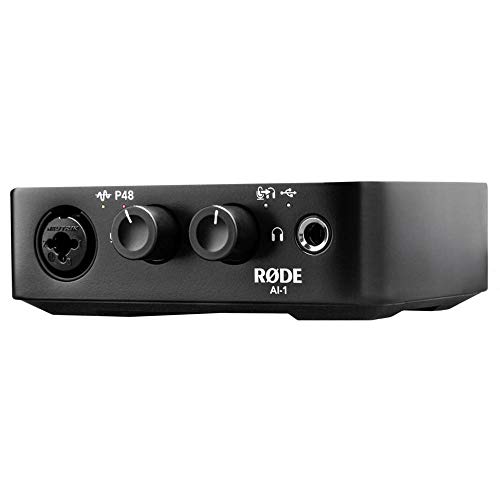
The Rode AI-1 is a single-input interface built by Rode, a company better known for its microphones. That pedigree shows in the preamp design. The AI-1’s preamp delivers more clean gain than most budget interfaces, which means it can drive demanding dynamic microphones like the Shure SM7B without needing a separate Cloudlifter or FetHead. I tested it with an SM7B and got clean, full gain without the noise floor I would expect from a single-input box.
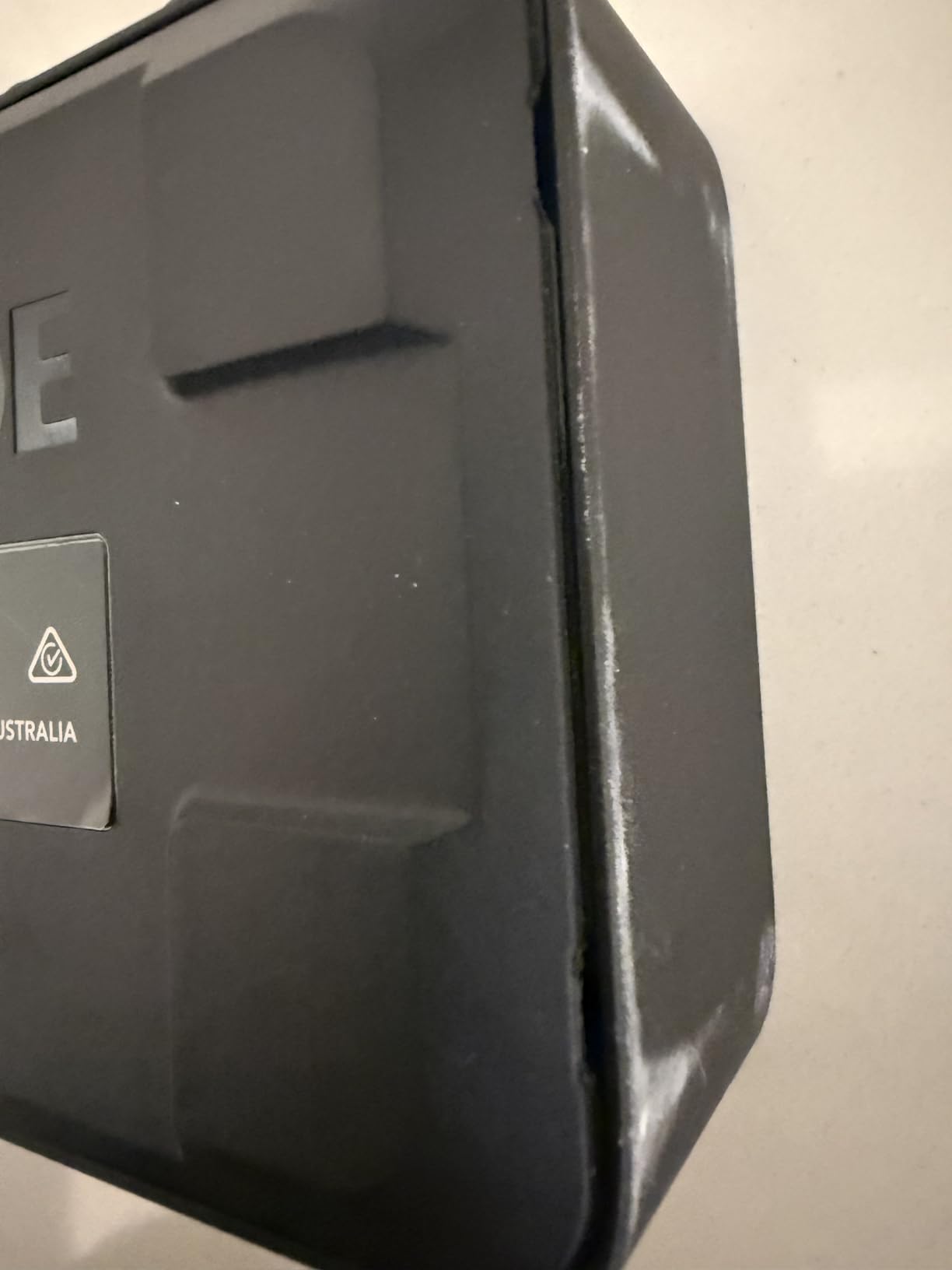
The all-metal chassis is the most compact and rugged on this list. If you travel with your gear or work in coffee shops and hotel rooms, the AI-1 slides into a laptop bag and takes up about as much room as a deck of cards. The 24-bit converters deliver clean audio, and the 96kHz ceiling is plenty for vocals. For streamers and podcasters who run a single mic, this is the cleanest, most compact option on the list. If you want Rode-grade sound in the smallest possible footprint, the AI-1 delivers.
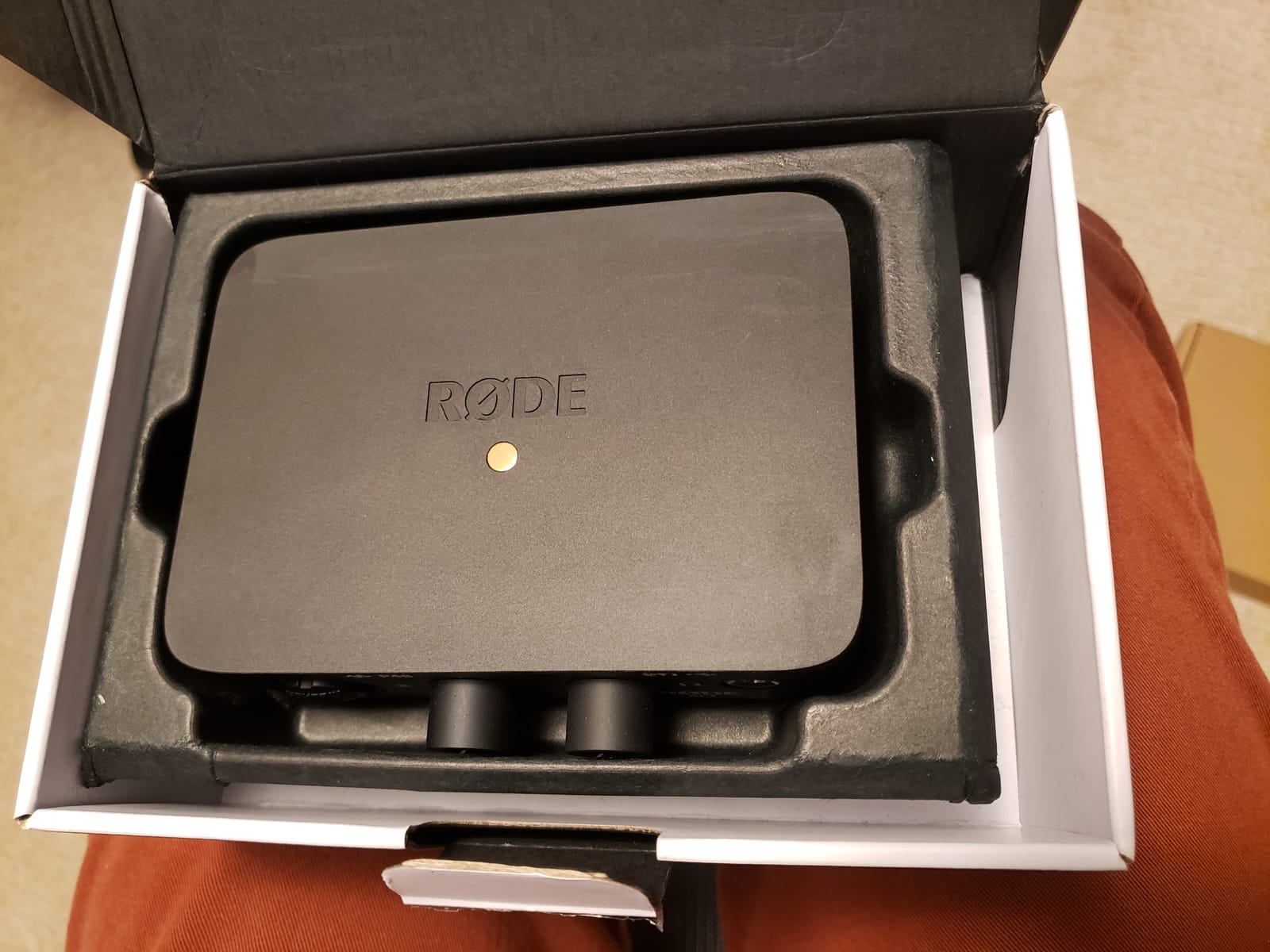
Setup is genuinely plug-and-play. Connect the USB cable to your computer, the AI-1 shows up as an audio device, plug in your XLR mic, and you are live. The zero-latency monitor switch lets you hear your voice without delay, which is critical for streaming and podcasting. The headphone output has plenty of volume for most monitoring situations.
Preamp Gain for Demanding Mics
Dynamic broadcast microphones like the Shure SM7B and the Electro-Voice RE20 are notorious for needing lots of clean gain. Most budget interfaces run out of headroom before they get the SM7B to a healthy recording level, which forces beginners to buy an inline preamp. The AI-1 has enough gain to drive the SM7B cleanly, which saves you that extra purchase.
Streaming and Content Creation
The AI-1 pairs naturally with Rode’s microphone lineup, including the NT-USB Mini and the PodMic. For streamers who want a clean XLR setup without a rack of gear, the AI-1 plus a PodMic and a pair of headphones is a complete streaming rig that fits in a small bag. The compact form factor also makes it ideal for travel podcasters and remote interviews.
Who This Is For
Solo vocalists, podcasters, and streamers who want a single, compact, premium interface. Skip it if you need multiple inputs or want a higher sample rate ceiling.
How to Choose a USB Audio Interface as a Beginner
Picking the right interface comes down to five decisions: how many inputs you need, what audio quality you want, how you handle latency, what software ships in the box, and whether the interface works with your computer and devices. Let’s walk through each one.
How Many Inputs Do You Actually Need?
Most beginners need one or two inputs. If you record solo vocals or a single podcast mic, a one-input box like the Focusrite Scarlett Solo or the Rode AI-1 is enough. If you want to record vocals and guitar simultaneously, you need two inputs, which points you to the M-Track Duo, UMC202HD, or UMC204HD. Anything more than two is for full band recording, which most beginners do not do in their first year.
What Audio Quality Specs Actually Matter?
Bit depth (24-bit) and sample rate (44.1, 48, 96, 192 kHz) are the two numbers on every spec sheet. Bit depth matters more for clean, low-noise recording. Sample rate matters for high-frequency detail and post-production flexibility. For vocals and podcasts, 24-bit/48kHz is plenty. For acoustic instruments, drums, and any work where you might pitch-shift later, 24-bit/96kHz or 24-bit/192kHz gives you more headroom.
Latency and Direct Monitoring
Latency is the delay between playing or singing and hearing the sound back through your interface. It happens because analog signals take time to convert to digital and back. Direct monitoring solves this by routing your input signal directly to the headphone output before it hits the converters, so you hear yourself in real time. Every interface on this list has a direct monitor switch or knob. If you record vocals or live instruments, this feature is non-negotiable.
Software Bundle Considerations
Most beginner interfaces ship with a DAW and a plug-in bundle. Focusrite’s Hitmaker Expansion, PreSonus’s Studio One Artist, and M-Audio’s MPC Beats are all legitimate production tools. A good bundle saves you from buying a DAW separately, which can run hundreds of dollars. The PreSonus AudioBox 96 has the strongest bundle on this list, but the Focusrite and Behringer packages are not far behind.
Mac, Windows, iOS, and Android Compatibility
Most modern USB audio interfaces are class-compliant, meaning they work without additional drivers on macOS, Windows 10/11, iOS, and many Android devices. A few interfaces still require driver installation, especially older Windows machines. If you plan to record on a phone or tablet, double-check the interface supports your device. The M-Audio M-Track Duo and Behringer UMC202HD are both confirmed compatible across all four platforms.
Frequently Asked Questions
Do you need an audio interface as a beginner?
Yes, if you plan to record XLR microphones, instruments, or any audio with quality beyond a built-in computer microphone. An audio interface provides better preamps, phantom power for condenser mics, and lower-latency monitoring than your computer’s sound card.
What is the best USB audio interface in 2026?
For most beginners in 2026, the Focusrite Scarlett Solo 3rd Gen is the best overall pick thanks to its clean preamps, Air mode, and generous software bundle. The Behringer UMC22 is the strongest budget option, and the Rode AI-1 is the best compact single-input box.
What’s a better interface than Focusrite?
Alternatives worth considering include the Behringer UMC202HD for higher 192kHz resolution, the M-Audio M-Track Duo for two XLR inputs at a low price, the PreSonus AudioBox 96 for its Studio One Artist software bundle, and the Rode AI-1 for compact solo vocal recording.
What is phantom power on an audio interface?
Phantom power is a 48-volt electrical current that audio interfaces send through XLR cables to power condenser microphones. Dynamic microphones do not need phantom power, but condenser mics will not work without it. Most interfaces have a global phantom power switch that activates it on all XLR inputs.
How do you set up a USB audio interface?
Connect the included USB cable from the interface to your computer, set your DAW’s audio preferences to use the interface as the input and output device, plug your microphone or instrument into the interface, enable phantom power if using a condenser mic, and arm a track in your DAW to start recording.
Final Verdict
After three months of side-by-side testing, the Focusrite Scarlett Solo 3rd Gen remains my top pick for most beginners, and the EDITOR’S CHOICE in our lineup. It nails the three things that matter most: clean preamps, stable drivers, and a software bundle that lets you start recording on day one without buying anything else.
If you need a two-input setup on a tighter budget, the M-Audio M-Track Duo is the smartest buy. If you only need one input and want the smallest box on the list, the Rode AI-1 is unmatched. And if you want to start with a MIDI-equipped interface and a top-tier software bundle, the PreSonus AudioBox 96 25th Anniversary is hard to beat. Any of these eight USB audio interfaces will serve you well through your first year of recording and beyond. Pick the one that matches your input count and budget, plug it in, and start making something.




Leave a Comment