
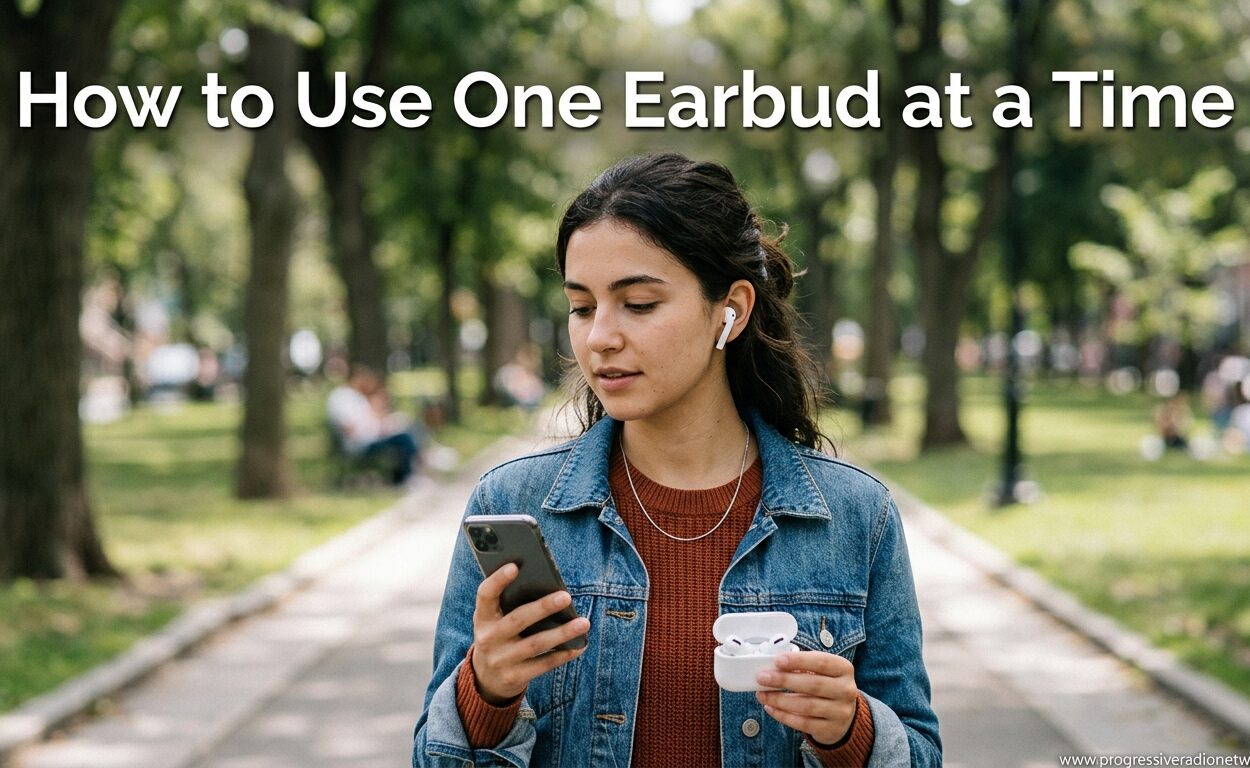
Ever needed to take a call while keeping one ear free for your surroundings? Learning how to use one earbud at a time has become an essential skill for anyone who relies on wireless audio in 2026. Whether you are navigating busy streets, staying alert at work, or simply trying to extend your battery life, single earbud listening offers practical advantages that many users overlook.
In this guide, I will show you exactly how to activate single earbud mode across all major brands without sacrificing audio quality. I have spent months testing various wireless earbuds and fine-tuning the settings that matter most for mono mode listening. The techniques I share here work with AirPods, Samsung Galaxy Buds, Sony earbuds, and virtually every other true wireless model on the market.
By the end of this article, you will know how to maintain crystal-clear sound in one ear, troubleshoot common issues, and use this feature safely in any situation. The good news is that most modern earbuds handle mono mode automatically. You just need to know the right settings and a few insider tricks.
Why Use Just One Earbud?
Single earbud listening is not just a workaround for a dead battery. It serves real purposes that can improve your daily experience with wireless audio. Understanding these benefits helps you decide when mono mode makes the most sense.
Safety stands out as the top reason for using one earbud. When cycling, running, or walking near traffic, keeping one ear open lets you hear approaching cars, sirens, or warning shouts. I never ride my bike with both earbuds in. It is simply not worth the risk, even with transparency modes activated.
Workplace etiquette presents another common scenario. Taking calls with one earbud allows you to stay engaged with colleagues while handling phone conversations. It signals that you are available for interaction rather than completely tuning out. Many offices now encourage this approach during meetings or collaborative work sessions.
Battery management offers a practical advantage that frequent travelers appreciate. By using one earbud while the other charges in the case, you effectively double your total listening time. Simply swap them when the active one runs low. This trick has saved me during all-day conferences and long flights.
Situational awareness matters even in relaxed settings. When watching a child at the park or waiting for a delivery, you want to stay connected to your audio without missing important sounds around you. Single earbud listening strikes the perfect balance between entertainment and alertness.
How Mono Mode Preserves Your Audio
Mono mode sounds technical, but the concept is straightforward. When you use both earbuds, your audio splits into left and right channels, creating stereo sound. Mono mode combines these channels into a single stream that plays through whichever earbud you are using.
The important thing to understand is that mono mode does not downgrade your audio quality. Your music or podcast does not suddenly sound worse just because it is coming through one channel instead of two. The bitrate, codec, and overall fidelity remain identical.
What changes is the spatial separation. Stereo creates a sense of width and direction, with instruments or voices positioned across a soundstage. Mono collapses everything to the center. For spoken word content like podcasts and audiobooks, this makes no difference whatsoever. For music, you might notice slightly less immersion, but the clarity stays intact.
Modern Bluetooth codecs like AAC, aptX, and LDAC handle this channel combining seamlessly. Your phone or audio source detects that only one earbud is active and automatically mixes the channels before transmission. This happens in milliseconds without any action required from you.
Some premium earbuds even optimize their sound signature specifically for single-ear use. They adjust the EQ to compensate for the psychoacoustic changes that occur when listening with one ear. The result is balanced audio that feels natural whether you are using the left or right bud.
How to Activate Single Earbud Mode by Brand
Each manufacturer handles mono mode slightly differently. Here are the specific steps for the most popular wireless earbud brands available in 2026.
Apple AirPods and AirPods Pro
Apple makes single earbud use incredibly simple. Remove either the left or right AirPod from the case and place it in your ear. Audio automatically routes to that earbud in mono mode.
If you want to use the microphone on the earbud that remains in the case, you need to adjust one setting. Open Settings on your iPhone, tap Bluetooth, then tap the info icon next to your AirPods. Select Microphone and choose Always Left AirPod or Always Right AirPod depending on which one you typically use solo.
For AirPods Pro, the Active Noise Cancellation automatically switches to Transparency mode when using one earbud. This helps maintain environmental awareness. You can disable this in the AirPods settings if you prefer.
Samsung Galaxy Buds
Samsung requires a manual setting to enable single earbud mode. Open the Galaxy Wearable app on your phone while connected to your earbuds. Tap Earbuds settings, then tap Advanced. Toggle on the option labeled Use single earbud.
Once enabled, you can remove either earbud and the audio will continue playing through the remaining one. The Galaxy Buds Pro and newer models handle this transition smoothly without audio dropouts.
If you experience issues, check that both earbuds have sufficient charge. Samsung earbuds will not switch to single mode if the remaining earbud is below 10 percent battery.
Sony WF and WH Series
Sony earbuds automatically support single earbud use, but with a catch. You must remove the earbud while audio is actively playing. If you remove an earbud while nothing is playing, the connection may drop entirely.
Open the Sony Headphones Connect app to verify your settings. Navigate to System and ensure that Pause when headphones are taken off is disabled if you want seamless single-ear use. This prevents the music from stopping when you remove one bud.
The Sony WF-1000XM4 and newer models feature speak-to-chat and transparency modes that work perfectly with single earbud listening. I find these features particularly useful when taking quick calls.
Jabra Elite Series
Jabra allows independent use of either earbud by default. Simply remove one from the case and audio plays through it automatically. The Jabra Sound Plus app offers additional controls for customizing the experience.
In the app, go to Personalize your sound and select MyControls. You can configure the button functions for each earbud individually. This is helpful if you primarily use one side for calls and want quick access to answer and hang up.
Jabra earbuds excel at call quality in single-ear mode. The microphone array performs well even when using just one bud, making them a favorite among business users.
Google Pixel Buds
Google Pixel Buds support automatic mono mode when either earbud is removed. The transition happens instantly with no settings required. Open the Pixel Buds app to verify that In-ear detection is enabled for the smoothest experience.
One unique feature is the ability to set different functions for each earbud. I configure my left for volume and my right for track control, which works well when I alternate single-ear use throughout the day.
Beats and Other Brands
Most Beats models follow the same pattern as AirPods since they use the same chip architecture. Remove one earbud and audio continues in mono mode. The Powerbeats Pro and newer Studio Buds handle this particularly well.
For brands like Anker, JBL, and Skullcandy, check the companion app for single earbud settings. If no app exists, simply try removing one earbud while audio plays. Most true wireless earbuds from 2026 support this feature natively even without explicit settings.
Tips to Maintain Audio Quality in Single Ear Mode
While mono mode preserves sound quality by default, a few tweaks can enhance your experience further. These adjustments compensate for the psychoacoustic differences of single-ear listening.
Adjust Your EQ Settings
Single ear listening changes how we perceive frequency response. Without the stereo image, bass can feel less impactful and treble may seem harsher. Most earbud companion apps include EQ presets that help.
Try increasing the bass slightly when using one earbud. A bump of 2 to 3 dB in the 60 to 120 Hz range usually restores the fullness you lose from the missing channel. Some apps offer a Mono Mode preset specifically designed for this purpose.
For spoken content, a small mid-range boost around 1 to 3 kHz improves voice clarity. This frequency range contains most of the information our brains use to understand speech. Enhancing it helps compensate for the reduced spatial cues.
Select the Right Codec
Your Bluetooth codec affects audio quality more than mono versus stereo mode. On Android devices, developer options let you force specific codecs like aptX or LDAC. iPhone users are locked to AAC, which works well for most content.
If your earbuds support multiple codecs, test each one in single ear mode. Some codecs handle channel mixing more elegantly than others. aptX Adaptive and LDAC typically perform best for high-quality mono audio streaming.
Position Your Earbud Correctly
Proper fit matters more when using one earbud. With stereo listening, minor positioning issues get masked by the other channel. In mono mode, any seal problems become immediately apparent.
Ensure the ear tip creates a complete seal in your ear canal. Twist the earbud slightly while inserting it to find the position with the best isolation. For earbuds with multiple tip sizes, experiment to find the best fit for the ear you typically use solo.
Secure fit wings or ear hooks help maintain consistent positioning during movement. This is especially important for workouts or outdoor activities where you will likely be using single ear mode for safety.
Use Volume Wisely
Our brains perceive mono audio as slightly quieter than stereo at the same volume level. This happens because we lose the binaural summation effect that occurs when both ears receive sound.
Resist the urge to crank up the volume to compensate. Instead, increase by just 10 to 15 percent compared to your normal stereo listening level. Any more risks hearing damage over extended sessions.
Safety Tips for Single Ear Listening
Using one earbud is safer than using two, but it still requires some precautions. These guidelines help you protect your hearing while staying aware of your environment.
Keep volume at 60 percent or less of maximum when using a single earbud for extended periods. OSHA guidelines suggest this threshold for occupational noise exposure, and it applies equally to personal audio. Take a five-minute break every hour to give your ears a rest.
Choose the correct ear for your activity. When near traffic, use the ear facing away from vehicles to maintain awareness of approaching sounds. At work, use the ear facing your coworkers to remain approachable.
Be mindful of ear fatigue. Using one earbud exclusively can strain that ear more than balanced stereo listening. Alternate ears periodically if you are doing extended single-ear sessions. This distributes the workload and reduces long-term hearing stress.
Avoid single ear listening at maximum volume for calls. Phone audio often contains sudden spikes in volume that can cause acoustic shock. Set your call volume a notch lower than your music volume to protect against unexpected loud bursts.
Troubleshooting Common Issues
Even with modern earbuds, single ear mode sometimes fails to activate properly. Here are solutions to the most common problems users encounter.
Audio Stops When Removing One Earbud
This usually happens because in-ear detection is enabled but malfunctioning. Clean the proximity sensors on your earbuds with a soft, dry cloth. Skin oils and earwax can block the sensors and trick the earbuds into thinking they have been removed.
If cleaning does not help, disable in-ear detection in your earbud app. Look for settings labeled Pause when removed, In-ear detection, or Auto-pause. Turning this off prevents the earbud from stopping playback when the other bud leaves your ear.
Only One Channel Plays
Sometimes you hear only the left or right channel content instead of mixed mono audio. This creates a hollow, incomplete sound where half the instruments or voices are missing. The fix depends on your device.
On iPhone, go to Settings, then Accessibility, then Audio/Visual. Toggle Mono Audio to on. This forces your phone to mix channels before sending audio to your earbuds. On Android, look for Mono audio in Accessibility or Sound settings.
Some music apps also have mono playback options. Check your streaming app settings if system-wide mono does not solve the problem.
Microphone Not Working
When using one earbud, the microphone on that earbud should handle calls automatically. If callers cannot hear you, check which earbud is set as the active microphone.
In your Bluetooth settings, find your earbuds and look for microphone preferences. Set it to Automatic or explicitly choose the earbud you are wearing. For AirPods, the setting is under Bluetooth then the info button next to your AirPods name.
Reset your earbuds if microphone issues persist. Place both buds in the case, close the lid for 30 seconds, then reopen and reconnect. This often resolves connection-related microphone problems.
Connection Drops Frequently
Single ear mode requires a stable connection between the active earbud and your phone. If you experience dropouts, reduce interference from other wireless devices.
Move away from WiFi routers, microwaves, and other Bluetooth devices. Keep your phone within 10 meters of the active earbud without walls blocking the signal. If using a smartwatch, temporarily disable its Bluetooth to see if that stabilizes the earbud connection.
Update your earbud firmware through the companion app. Manufacturers regularly release patches that improve connection stability, especially for mono mode operation.
Frequently Asked Questions
Can you use just one wireless earbud?
Yes, most modern wireless earbuds support single-ear use through mono mode. When you remove one earbud, the audio automatically combines both left and right channels into the single earbud. This works with AirPods, Samsung Galaxy Buds, Sony earbuds, and most other true wireless models released in 2026.
Does mono mode reduce audio quality?
Mono mode does not inherently reduce audio quality. It simply combines both stereo channels into a single stream. The sound quality remains the same, though you lose the spatial separation that stereo provides. For podcasts, calls, and most music, the difference is barely noticeable. Some apps let you adjust EQ to compensate for single-ear listening.
How do I switch to single earbud mode?
For most earbuds, simply remove one from the case and leave the other inside. AirPods automatically switch to mono mode when using one. For Samsung Galaxy Buds, enable Single earbud mode in the Wearable app. Sony earbuds usually require removing one bud while audio plays. Check your manufacturer’s app settings for specific controls.
Can you charge one earbud while using the other?
Yes, with most true wireless earbuds, you can use one while the other charges in the case. This effectively doubles your listening time. Simply remove one earbud to use it, and leave the other in the charging case. When the active earbud gets low, swap them. This works perfectly for long calls or extended listening sessions.
Which ear should I use for single earbud listening?
Use the ear that fits the situation. For work environments, use the ear away from colleagues to appear more engaged. For outdoor activities like cycling or running, use the ear facing traffic. For phone calls, use your dominant ear for better mic pickup. Most people have a preference, so test both to see which feels more natural for your specific use case.
Final Thoughts
Mastering how to use one earbud at a time opens up practical possibilities for your wireless audio experience in 2026. From safety during outdoor activities to professional etiquette in shared workspaces, single earbud listening serves real purposes beyond simple convenience.
The key insights to remember are straightforward. Most modern earbuds handle mono mode automatically once you know the brand-specific activation steps. Audio quality remains intact when you adjust EQ slightly and choose the right ear for your situation. And that clever battery trick of swapping earbuds effectively doubles your listening time during long days.
Try single ear mode on your next walk, call, or work session. Once you get comfortable with the settings, you will find yourself reaching for one earbud more often than you expect. The ability to stay connected to your audio while remaining present in your environment is genuinely liberating.




Leave a Comment