
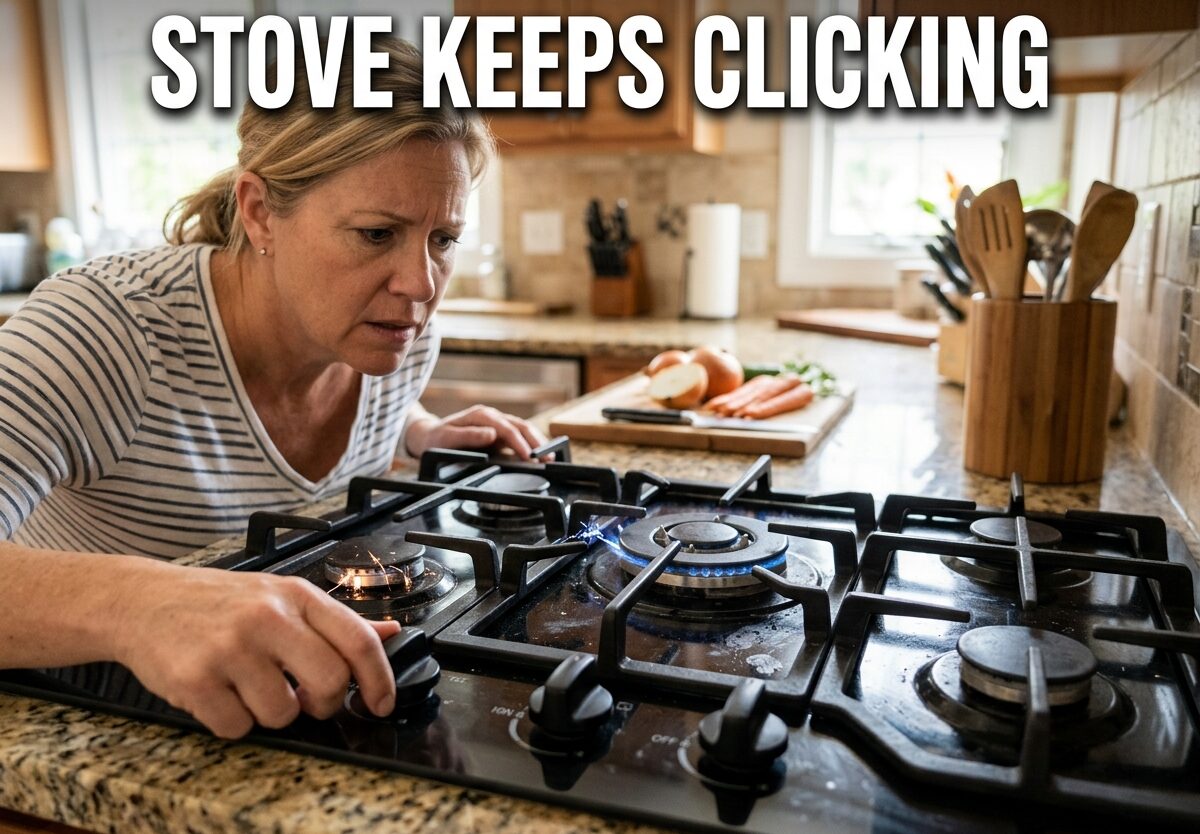
That relentless clicking sound from your stove isn’t just annoying—it’s your ignition system trying to tell you something’s wrong. When your stove keeps clicking, it means the electric igniter is attempting to spark but failing to light the burner properly. I’ve helped countless homeowners troubleshoot this frustrating issue, and in most cases, the fix is simpler than you might think.
Understanding why your stove keeps clicking matters because it could indicate anything from a minor moisture issue to a faulty component that needs professional attention. The good news? Most clicking problems are resolved in under 30 minutes with basic tools and no special skills.
Why Your Stove Keeps Clicking: The Quick Answer
The persistent clicking of your gas stove igniter typically stems from three common issues:
- Misaligned burner caps disrupting the proper gas flow and spark connection
- Moisture trapped in burner components after cleaning, spills, or high humidity
- Food debris blocking the igniter’s functionality and preventing proper flame detection
These three causes account for about 90% of all stove clicking issues I encounter. Let me walk you through exactly how to identify and fix each one.
How Your Gas Stove Ignition System Works
Before diving into repairs, it helps to understand what’s actually happening when your stove clicks normally versus when something goes wrong. When you turn a burner knob, the ignition switch sends electricity to the spark module, which then sends voltage to the igniter electrode near the burner.
This creates a spark that jumps to the burner, igniting the gas. Once the flame sensor detects the flame is present, the clicking should stop automatically. When your stove keeps clicking without stopping, it means this feedback loop has been interrupted somehow.
The clicking itself isn’t dangerous—that’s just the spark doing its job. But continuous clicking without ignition can waste gas, create wear on components, and in rare cases, indicate a more serious issue.
Common Causes: Why Your Stove Keeps Clicking
Moisture in the Burner Assembly
Moisture is by far the most common culprit I see when a stove keeps clicking. This often happens after cleaning the cooktop, spilling water or liquids near the burners, or even in high-humidity environments (coastal areas report this issue frequently during summer months).
Here’s why moisture causes problems: water creates an electrical pathway that interferes with the spark. The igniter keeps clicking because it can’t complete the proper spark connection to light the burner. I’ve seen this happen countless times after someone enthusiastically scrubs their stove with a wet sponge.
The solution? Patience and proper drying. Most moisture-related clicking resolves itself within 12-24 hours as the water naturally evaporates. But you can speed this up significantly with a hair dryer on the cool setting—just be careful not to use heat, which could damage electrical components.
Forum users consistently report this as their number one issue. One homeowner shared: “I panicked when my stove kept clicking after cleaning, but after unplugging it overnight and letting it air dry, it worked perfectly the next morning.”
Burner Cap Misalignment
Your burner caps aren’t just decorative covers—they’re precision-engineered components that must sit perfectly on the burner base for proper ignition. Even a slight misalignment can prevent the spark from reaching the gas, causing continuous clicking.
This happens more often than you’d think. Heavy pots and pans can knock caps out of position during cooking. Sometimes after cleaning, we don’t seat the caps properly when putting everything back together. I’ve even seen manufacturer defects where the caps don’t align perfectly from day one.
The fix is straightforward: remove the burner cap and inspect it. Look for any damage, then carefully replace it, ensuring it sits flat and level. Gently rotate it until you feel it settle into the correct position. There’s usually only one way the cap fits properly—the notches and grooves are designed to prevent incorrect placement.
Wolf range owners, in particular, report frequent burner cap alignment issues. The precision engineering that makes Wolf stoves premium also makes them more sensitive to proper cap placement. If you have a Wolf range and experience clicking, check your burner caps first.
Food Debris Blocking the Igniter
Over time, food particles, grease, and cooking residue can accumulate around the igniter electrode and burner ports. This buildup physically blocks the spark from reaching the gas or prevents the flame sensor from detecting ignition properly.
I commonly see this in households that do a lot of high-heat cooking or frying—splatter can coat the igniter without you even noticing. The stove keeps clicking because the spark is there, but it can’t do its job through the layer of grime.
The burner ports (those small holes around the burner ring) are especially susceptible to clogging. When these ports get blocked, gas can’t flow properly to where the spark occurs, leading to continuous clicking without ignition.
Cleaning this debris requires some finesse. You’ll need to access the areas around the igniter electrode and carefully clean the burner ports. A toothpick or paperclip works well for clearing port blockages—just be gentle so you don’t damage anything.
Step-by-Step: How to Fix a Clicking Stove
Step 1: Safety First
Before doing anything else, assess the situation for safety. If you smell gas at any point, stop what you’re doing immediately. Turn off the gas supply valve (usually located behind the stove), open windows for ventilation, and call your gas company or a professional technician. Gas leaks are not DIY projects.
If there’s no gas smell, you can proceed safely. For electric ignition systems, you can unplug the stove to stop the clicking temporarily while you work. This won’t affect gas safety but will stop that annoying noise and prevent any electrical issues.
Step 2: Identify Which Burner Is Clicking
If only one burner is clicking, you’ve already isolated the problem. If multiple burners are clicking at once, that’s actually helpful information—it usually points to a spark module issue rather than individual burner problems. But let’s assume the common scenario: one problematic burner.
Turn the burner knob to the “light” position and observe closely. Which burner electrode is sparking? That’s your problem area. Sometimes the clicking can seem to come from everywhere, but careful observation usually reveals the source.
Step 3: Remove and Inspect the Burner Cap
Lift off the burner cap from the clicking burner. Set it aside and try turning the burner knob again. If the clicking stops without the cap, you’ve found your issue—the cap was misaligned or dirty.
Inspect the cap for any food residue, grease buildup, or damage. Clean it thoroughly with warm, soapy water and a sponge. Dry it completely before reinstalling—remember, moisture causes clicking!
Step 4: Check for Moisture
Look closely at the burner base, igniter electrode, and surrounding area. Do you see any visible moisture, water spots, or recent cleaning residue? Even small amounts of water can cause issues.
If you find moisture, dry everything thoroughly with a clean cloth. For stubborn moisture in hard-to-reach areas, use a hair dryer on the cool setting—never use heat, which can warp or damage components. Hold the dryer about 6 inches away and move it around the area for 2-3 minutes.
Some forum users report success with waiting it out—one homeowner shared: “I just left the stove alone for a day after a big spill, and by the next evening, the clicking had stopped completely.” Natural evaporation often resolves moisture issues given enough time.
Step 5: Clean the Burner Ports and Igniter
Inspect the small holes around the burner ring—these are the burner ports where gas flows out. Are any clogged with food debris or grease? A toothpick or paperclip works perfectly for gently clearing these blockages.
Now look at the igniter electrode—that small ceramic or metal post near the burner. Is there any buildup on it? Carefully clean around it with a cotton swab and rubbing alcohol. Be gentle—the electrode is somewhat fragile and can break if you apply too much pressure.
For stubborn grime, a paste of baking soda and water works wonders. Apply it with a soft cloth or sponge, let it sit for 5 minutes, then wipe clean. Rinse thoroughly and dry completely before testing.
Step 6: Reassemble and Test
Once everything is clean, dry, and properly aligned, reassemble the burner. Place the cap back on the burner base, ensuring it sits flat and level. There should be no wobble or rocking—it should feel secure.
Plug the stove back in if you unplugged it earlier. Now turn the burner knob to the “light” position. You should hear a brief clicking followed by ignition. If the burner lights and the clicking stops, congratulations—you’ve fixed the problem!
If the stove keeps clicking after all these steps, don’t worry. We’ll cover what to do next.
Advanced Troubleshooting: When Basic Fixes Don’t Work
Sometimes, despite your best efforts, the clicking persists. This usually indicates a component failure rather than a simple maintenance issue. Here’s what might be happening:
Faulty ignition switch: Each burner has an ignition switch activated by the knob. Over time, these switches can fail, causing continuous clicking even when the burner is off. This is especially common in Whirlpool and Maytag stoves—owners of these brands report switch issues more frequently than other brands.
Failed spark module: The spark module is the component that sends voltage to all the igniters. When it fails, it can cause random or continuous clicking across multiple burners. This is actually what’s happening when ALL burners click simultaneously rather than just one.
Shorted wiring: Rare but possible—wiring problems can cause electrical issues that manifest as clicking. This usually requires professional diagnosis and repair.
These advanced issues typically require replacement parts and some technical skill. If you’re comfortable with DIY appliance repair, you can order replacement parts online (have your stove’s model number ready). But many homeowners prefer to call a professional at this point.
When to Call a Professional
There’s no shame in calling a professional—some stove issues are beyond DIY repair. Here’s when I recommend picking up the phone instead of reaching for your toolbox:
- The clicking persists after you’ve tried cleaning, drying, and realigning everything
- You smell gas at any point (this is an emergency—call immediately)
- Multiple burners are clicking simultaneously (often indicates spark module failure)
- The stove is older and you’re unsure of its repair history
- You don’t feel comfortable working with gas appliances
- The clicking is accompanied by other unusual sounds or behaviors
Professional repair typically costs $150-300 depending on the issue and your location. Spark module replacements tend to be on the higher end of that range, while individual ignition switches are usually less expensive to replace.
One technician I spoke with put it this way: “I’d rather homeowners call me too early than too late. Small issues become expensive problems when people keep trying to force a stove that clearly needs professional attention.”
Safety Warnings: What NOT to Do
NEVER ignore gas smells: If you smell gas, that’s an immediate emergency. Turn off the gas supply, evacuate the area, and call your gas company or emergency services. Don’t try to troubleshoot a stove that smells like gas.
Don’t force knobs: If a knob won’t turn, forcing it can break the ignition switch. This often creates the exact clicking problem you’re trying to avoid.
Avoid water near electrical components: When cleaning, never spray cleaning fluids directly onto the stove. Liquid can seep into electrical connections and cause clicking or worse. Always spray your cloth first, then wipe.
Don’t bypass safety features: I’ve seen people try to disable the clicking by disconnecting wires or removing components. This creates serious safety hazards and can void warranties. Proper troubleshooting, not bypassing, is the safe approach.
Stop if you’re unsure: There’s no deadline for fixing a clicking stove. If something doesn’t seem right or you’re uncomfortable with a step, stop and reassess. Better to wait for professional help than create a bigger problem.
Preventing Future Clicking Issues
The best way to deal with stove clicking is to prevent it from happening in the first place. Here’s a simple maintenance routine I recommend:
Daily: Wipe up spills immediately—especially liquids near the burners. Don’t let food residue accumulate. A quick wipe after each cooking session prevents buildup that leads to clicking.
Weekly: Check burner cap alignment. Give them a quick visual inspection to ensure they’re seated properly. Remove any visible debris from around the igniters.
Monthly: Deep clean the burners. Remove caps and clean thoroughly with warm, soapy water. Inspect burner ports for blockages and clean with a toothpick if needed. Dry everything completely before reassembling.
After big spills: If you have a major spill or overflow, unplug the stove (if possible) and let it dry thoroughly before attempting to use it again. This one step prevents countless clicking issues.
Following this routine won’t prevent every clicking issue—components can still fail—but it will dramatically reduce moisture and debris-related problems, which account for the vast majority of cases.
FAQ
Why won’t my cooktop stop clicking?
The most common reason is moisture trapped in the burner components after cleaning or spills. Burner cap misalignment and food debris blocking the igniter are also frequent causes. Try cleaning, drying, and realigning the burner cap first. If clicking persists, it may indicate a faulty ignition switch or spark module that needs professional replacement.
What makes the clicking sound on a gas stove?
The clicking sound is the electric igniter creating a spark to ignite the gas. When you turn the burner knob, the ignition switch sends electricity to the spark module, which sends voltage to the igniter electrode. This creates a spark that jumps to the burner. The clicking should stop once the flame sensor detects the flame is present.
Can a dirty burner cause a clicking sound?
Yes, absolutely. Food debris, grease, and cooking residue can accumulate around the igniter electrode and clog the burner ports. This buildup physically blocks the spark from reaching the gas or prevents the flame sensor from detecting ignition properly, causing continuous clicking. Regular cleaning of burner ports and the area around the igniter prevents this issue.
How do I fix my stove that keeps clicking?
Start by unplugging the stove to stop the clicking. Remove and clean the burner cap thoroughly. Check for moisture around the burner base and igniter—dry completely with a cloth or hair dryer on cool setting. Clean the burner ports with a toothpick and clean around the igniter electrode with a cotton swab. Reassemble everything securely and test. If clicking persists after these steps, you may have a faulty component requiring professional repair.
Should I call a professional for a clicking stove?
Call a professional if clicking persists after cleaning and drying, if multiple burners click simultaneously, or if you smell gas at any point. Also seek professional help if the stove is older with unknown repair history, if you’re uncomfortable working with gas appliances, or if clicking is accompanied by other unusual behaviors. Professional repair typically costs $150-300 depending on the issue.
Why does my stove top igniter keep sparking?
The igniter keeps sparking because it’s not detecting a flame or completing the ignition circuit. This usually happens when moisture creates an alternative electrical pathway, when burner caps are misaligned so the spark can’t reach the gas properly, or when debris blocks the spark electrode or flame sensor. In some cases, it indicates a failed ignition switch or spark module that needs replacement.
Is a gas stove supposed to make a clicking noise?
Yes, brief clicking when you first turn on a burner is normal—that’s the ignition system working. The clicking should stop within 1-3 seconds once the burner lights. What’s NOT normal is continuous clicking that doesn’t stop, clicking when the stove is turned off, or clicking without the burner lighting. These symptoms indicate a problem that needs troubleshooting.
Why is my gas stove clicking but no flame?
This happens when the spark system works but ignition fails. Causes include clogged burner ports preventing gas flow, burner cap misalignment blocking the spark, moisture interfering with the electrical connection, or a gas supply issue. First check that your gas supply is on. Then clean burner ports, realign the burner cap, and ensure all components are dry. If the issue persists, you may have a faulty gas valve or other component requiring professional service.
Can I use my stove if it keeps clicking?
You should NOT use a stove that keeps clicking without resolving the issue first. Continuous clicking without ignition can waste gas, create unnecessary wear on components, and potentially indicate a more serious problem. If the burner eventually lights after extended clicking, there may still be underlying issues that could worsen. For safety, troubleshoot and fix the clicking before using the stove. If you smell gas at any point, do not use the stove and call your gas company immediately.
Final Thoughts
Dealing with a stove that keeps clicking is frustrating, but in most cases, it’s a solvable problem. The majority of clicking issues stem from moisture, misalignment, or debris—all things you can address yourself with basic tools and a bit of patience.
Start with the simple fixes: clean everything thoroughly, dry all components completely, and ensure burner caps are properly aligned. These steps resolve the vast majority of clicking issues. If problems persist, don’t hesitate to call a professional—some component failures require expert diagnosis and repair.
Remember to prioritize safety above all else. If you smell gas or something doesn’t seem right, stop immediately and call for professional help. No home repair is worth compromising your safety.
With proper maintenance and prompt attention to clicking issues, your stove should provide reliable service for years to come. And the next time your stove keeps clicking, you’ll know exactly what to do.


Leave a Comment