
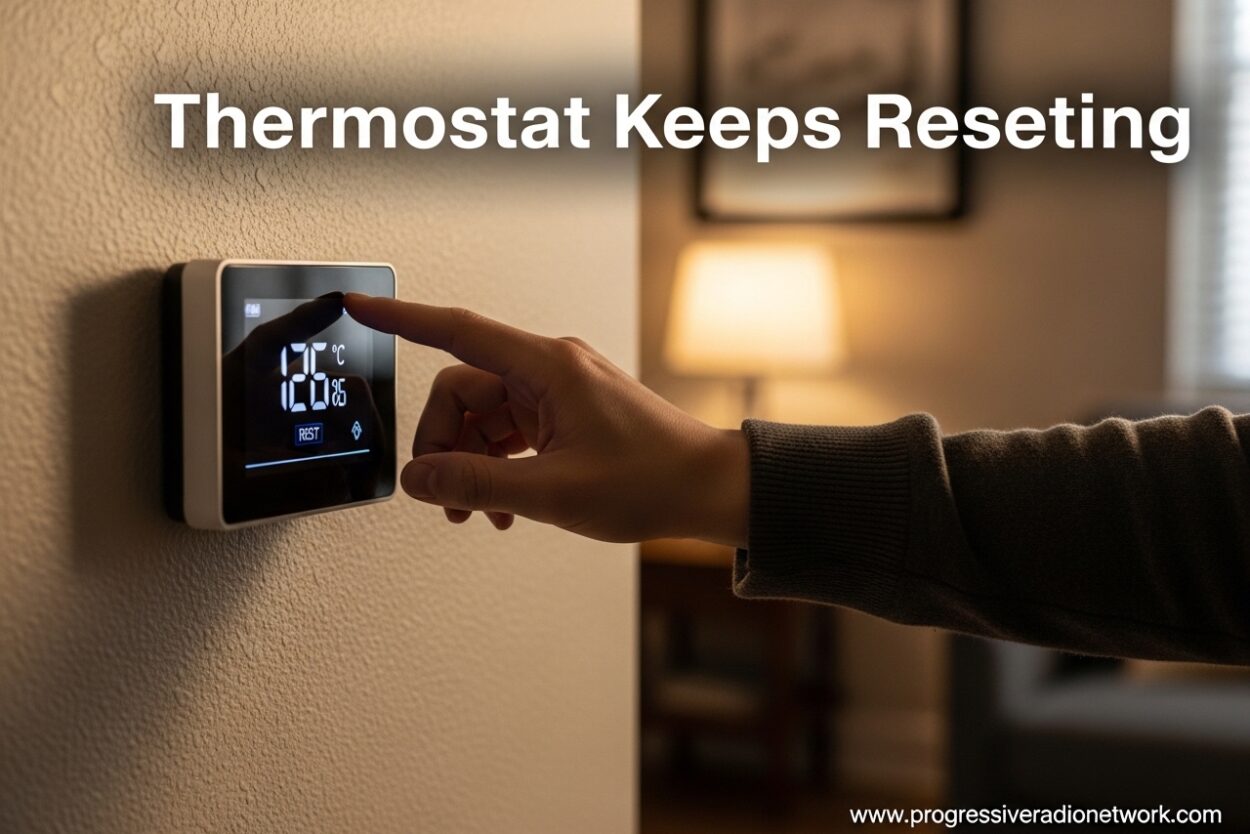
There’s nothing more frustrating than coming home after a long day, expecting comfort, and finding your house either freezing or sweltering because your thermostat keeps resetting. I’ve been there, and I know how annoying it is to constantly reprogram your thermostat only to have it lose all your settings again. When your thermostat keeps resetting, it’s not just an inconvenience – it can lead to higher energy bills and potential damage to your HVAC system from constant on-off cycling.
In this comprehensive guide, I’ll walk you through exactly why your thermostat keeps resetting and give you proven solutions to fix it. Whether you have a Honeywell, ecobee, Nest, or any other brand, you’ll find the answers you need to stop the reset cycle for good.
Why Does My Thermostat Keep Resetting?
A thermostat that keeps resetting is almost always trying to tell you something is wrong. Based on my research and HVAC community insights, most thermostat reset issues stem from a handful of common problems. Understanding these root causes will help you pinpoint the issue faster and get your home comfort back on track.
7 Common Causes of Thermostat Resets
1. Dead or Dying Batteries – The most common cause by far. When batteries get low, your thermostat can’t maintain its programming and will reset to default settings, often 62 or 85 degrees depending on your brand.
2. Power Outages and Surges – Even brief power interruptions can wipe out your thermostat’s settings unless it has battery backup or a capacitor to hold memory during outages.
3. Loose or Damaged Wiring – Poor connections at the thermostat or at the HVAC system can cause intermittent power loss that triggers resets.
4. Tripped Circuit Breaker – If the breaker for your HVAC system trips, your thermostat will lose power and reset when power returns.
5. Software or Firmware Glitches – Smart thermostats can experience software bugs that cause constant rebooting, especially after updates.
6. Bad Thermostat Location – Placement in direct sunlight, near drafts, or close to heat sources can cause your thermostat to malfunction and reset.
7. High Limit Switch Issues – If your HVAC system overheats due to airflow problems, the high limit switch will cut power, causing your thermostat to reset repeatedly.
Dead or Dying Batteries (Most Common Cause)
Before anything else, check your batteries. This single step fixes about 60% of all thermostat reset issues. I can’t tell you how many times I’ve seen homeowners spend hours troubleshooting complicated problems when all they needed was fresh batteries.
How to Check and Replace Thermostat Batteries
Step 1: Locate your thermostat’s battery compartment. Most programmable thermostats have a hinged front panel that pulls straight off the wall plate. Some models have batteries behind the main unit, while others use a pull-out battery tray on the side.
Step 2: Note what battery type you need. Most thermostats use AA alkaline batteries, though some use AAA or even 3V lithium batteries (CR2032). The battery type is usually printed inside the compartment or in your manual.
Step 3: Replace all batteries at once, even if some still test good. Mixing old and new batteries can cause inconsistent power delivery. Use fresh, name-brand batteries – cheap batteries often don’t provide reliable power.
Step 4: Reprogram your thermostat settings. Most thermostats will reset to factory defaults after battery replacement, so you’ll need to set your schedule and preferences again.
Pro Tip: Set a recurring reminder to change your thermostat batteries once a year, perhaps when you change your smoke detector batteries. Many users find that daylight saving time is an easy reminder. Fresh batteries annually will prevent most reset issues.
Power Supply Issues That Cause Resets
If new batteries didn’t solve the problem, your thermostat keeps resetting due to power supply issues. These are trickier to diagnose but equally important to address.
Power Outages and Surges
Even momentary power flickers can reset your thermostat, especially if it lacks battery backup or a capacitor for memory retention. In areas with unstable power, I recommend installing a whole-home surge protector to protect your thermostat and other sensitive electronics.
Some smart thermostats have internal batteries that maintain settings during brief outages, but these batteries degrade over time. If your thermostat is more than 5 years old, the internal backup battery may no longer hold a charge effectively.
Tripped Circuit Breaker
Check your electrical panel for any tripped breakers. The circuit for your HVAC system and thermostat may be separate from other circuits in your home. A tripped breaker will completely cut power to your thermostat, causing a full reset when power is restored.
To check: Look at your breaker panel for any breakers in the middle position or flipped to “off.” Flip them fully to “off” first, then back to “on.” This resets the breaker properly. If the breaker trips again immediately, you have an electrical problem that requires a professional.
Loose or Damaged Wiring
Loose wire connections are a common cause of intermittent resets. Over time, thermostat wires can loosen from vibration, temperature changes, or improper installation. A wire that makes occasional contact will cause your thermostat to power cycle randomly.
Warning: Before touching any wires, turn off power to your HVAC system at the breaker. Thermostat wires carry low voltage (24V), but short circuits can damage your equipment. If you’re uncomfortable working with wiring, this is a job best left to a professional.
Inspect the wire connections at your thermostat. Each wire should be securely fastened under its terminal screw with no copper visible. If you see corrosion, frayed wires, or loose connections, these need to be addressed. Common wire labels include R (power), C (common), W (heat), Y (cooling), and G (fan).
Smart Thermostat Rebooting Issues
Smart thermostats like ecobee and Nest add complexity to the equation. These devices require constant power and rely on a C-wire (common wire) for stable operation. Without proper wiring, smart thermostats often reboot repeatedly, especially when calling for heating or cooling.
Why Does My Smart Thermostat Keep Restarting?
C-Wire Problems: The most common issue with smart thermostats is missing or inadequate C-wire power. The C-wire provides continuous 24V power to your thermostat. Without it, your smart thermostat steals power from the heating/cooling wires, which can cause reboots when your HVAC system runs.
Firmware Glitches: Smart thermostats receive regular software updates that can sometimes introduce bugs. If your thermostat started rebooting after an update, you may need to wait for a patch or manually update to the latest firmware.
WiFi Issues: Connection problems can cause some smart thermostats to reboot as they attempt to reconnect. Check that your WiFi signal is strong at your thermostat location. Weak signals can cause connectivity loops that trigger restarts.
Overheating: Some smart thermostats have internal temperature protection. If the device overheats due to direct sunlight or poor ventilation, it will shut down and restart to cool off.
HVAC System Compatibility Problems
Sometimes your thermostat keeps resetting because of issues with your HVAC system itself, not the thermostat. These problems are more serious and often require professional diagnosis.
High Limit Switch Issues
Every furnace has a high limit switch that shuts down the system if it gets too hot. This safety feature prevents fires but can cause your thermostat to reset repeatedly if triggered often. When the high limit switch trips, it cuts power to everything, including your thermostat.
Common causes of high limit trips include:
- Dirty or clogged air filter
- Closed or blocked vents
- Undersized ductwork
- Blower motor problems
- Heat exchanger issues
Forum users frequently report that replacing a dirty filter solved their reset issues. When airflow is restricted, your furnace overheats and the safety switch kills power – causing your thermostat to reset when power cycles back on.
Airflow Problems
Restricted airflow is a leading cause of HVAC system overheating. Check all your vents and registers to ensure they’re open and unobstructed. Furniture, curtains, or rugs blocking vents can create significant airflow problems.
Your air filter should be replaced every 1-3 months depending on usage and filter type. A dirty filter not only reduces efficiency but can cause the system to overheat and trigger safety shutdowns that reset your thermostat.
Bad Thermostat Location
Where your thermostat is installed matters more than you might think. Poor placement can cause your thermostat to malfunction and reset unexpectedly.
Avoid these locations:
- Direct sunlight – causes false temperature readings
- Next to exterior doors – drafts cause temperature fluctuations
- Near heat sources – lamps, electronics, or appliances affect readings
- In drafty hallways – inconsistent air movement affects accuracy
- On exterior walls – temperature transfer through walls skews readings
If your thermostat is poorly located, consider relocating it to an interior wall away from windows, doors, and heat sources. This may require running new wire, so it’s often best handled by a professional.
Brand-Specific Troubleshooting
Different thermostat brands have unique quirks and common problems. Here’s what to look for with the most popular brands based on real user experiences from HVAC forums.
Honeywell Thermostat Keeps Resetting
Honeywell thermostats are reliable workhorses, but they have some known issues. Many Honeywell models reset to specific default temperatures – often 62 degrees for heating or 85 degrees for cooling. These defaults are intentional safety settings programmed into the thermostat.
Common Honeywell issues:
- Resetting to 62 degrees – usually indicates dead batteries or power loss
- Resetting to 85 degrees – common on programmable models when schedule conflicts occur
- Date/time resetting – battery replacement needed on older models
- Hold setting not working – the thermostat may be running its programmed schedule instead
For Honeywell thermostats that keep resetting to specific temperatures, try using the “permanent hold” or “vacation” feature to override the programmed schedule. Many users discover their thermostat isn’t actually broken – it’s just running a schedule they didn’t know existed.
Ecobee Keeps Rebooting
Ecobee thermostats are known for their advanced features, but they’re also known for reboot issues when not properly powered. The ecobee requires a C-wire for stable operation, and without one, it will reboot repeatedly, especially when calling for heating or cooling.
Common ecobee issues:
- Constant reboots – usually missing or inadequate C-wire
- Reboots when heating or cooling starts – indicates power draw issue
- Firmware update loops – may require manual reset and update
- WiFi connection issues – can cause restart cycles
For ecobee reboots, first ensure you have a proper C-wire installed. If you don’t have a C-wire, ecobee sells a power extender kit that can help. Also check that your HVAC system can provide enough power – some older systems struggle to deliver adequate amperage for smart thermostats.
Nest Thermostat Keeps Restarting
Google Nest thermostats have their share of reboot problems, often related to power supply issues. Like ecobee, Nest devices work best with a C-wire for consistent power delivery.
Common Nest issues:
- Delayed reboots – may indicate internal battery degradation
- Restarting during system operation – power draw insufficient without C-wire
- Software update problems – occasionally require manual reset
- Base connection issues – dirty contacts between display and base
For Nest restarts, try cleaning the contacts on the base and display with a soft, dry cloth. Dirty connections can cause intermittent power loss. If cleaning doesn’t help, check your wiring and consider adding a C-wire if you don’t have one.
Complete Troubleshooting Guide
Ready to fix your thermostat for good? Follow this step-by-step troubleshooting guide in order. Most reset issues are resolved by step 2, but work through all five steps to be thorough.
Step 1: Check Your Batteries
Start here, as this fixes the majority of cases. Remove your thermostat from the wall plate and check the battery compartment. Replace all batteries with fresh ones, even if some appear to test good. After replacement, you’ll need to reprogram your schedule and preferences.
Test your thermostat for 24-48 hours to see if the reset issue persists. If it does, move to step 2.
Step 2: Check Power Supply
Go to your electrical panel and check for any tripped breakers. The HVAC circuit may be separate from other circuits. If you find a tripped breaker, flip it fully off, then back on. Monitor the situation – if the breaker trips again, you have an electrical problem requiring professional service.
Also check that the furnace/AC power switch (usually a light switch near your unit) hasn’t been turned off accidentally.
Step 3: Inspect Wiring Connections
Safety first: Turn off power to your HVAC system at the breaker before touching any wires. Thermostat wires carry low voltage, but short circuits can damage your equipment.
Remove your thermostat from the wall plate and inspect each wire connection. Each wire should be securely fastened under its terminal screw. Look for:
- Loose terminal screws
- Frayed or damaged wire insulation
- Corrosion on terminals or wires
- Wires that have pulled out of terminals
Tighten any loose connections and clean any corrosion with a small wire brush or contact cleaner. If you find damaged wires, they’ll need to be replaced. This is usually a job for an HVAC technician.
Step 4: Check Airflow and Filters
Restricted airflow causes your system to overheat, which triggers the high limit switch and resets your thermostat. Check your air filter and replace it if dirty. Most filters need replacement every 1-3 months.
Walk through your home and check all vents and registers. Make sure none are blocked by furniture, curtains, or rugs. Count the number of open vents – closing too many vents can create pressure problems that cause overheating.
After replacing your filter and ensuring proper airflow, test your system for 24-48 hours. If the reset issue continues, move to step 5.
Step 5: Reset Your Thermostat
If all else fails, try a factory reset of your thermostat. This will erase all settings and restore the device to its original state, which can resolve software glitches that cause reboots.
For most thermostats:
- Remove the thermostat from the wall plate
- Locate the reset button (usually a small recessed button)
- Press and hold the reset button for 5-10 seconds
- Reattach the thermostat and reprogram your settings
For smart thermostats, you can often perform a reset through the device menu. Consult your manual for the specific procedure for your model.
When to Call a Professional
Some thermostat reset issues require professional expertise. Call an HVAC technician if you experience any of these situations:
- Your circuit breaker keeps tripping repeatedly
- You see visible damage to wiring or electrical components
- Your furnace or AC unit makes unusual sounds or smells
- Your HVAC system runs but doesn’t heat or cool properly
- You’re uncomfortable working with electrical systems
- The thermostat reset issue persists after completing all troubleshooting steps
A qualified technician can diagnose complex issues like bad control boards, failed transformers, or compatibility problems between your thermostat and HVAC system. The cost of professional service is far less than repairing damage caused by continued use of a malfunctioning system.
Preventing Future Thermostat Resets
Once you’ve resolved your thermostat reset issue, take these preventive measures to avoid future problems.
Regular Maintenance Tips
Battery Replacement: Change your thermostat batteries annually, even if they still appear to work. Set a reminder for daylight saving time or another annual date you’ll remember.
Filter Changes: Replace your HVAC filter every 1-3 months depending on usage and filter type. Set recurring reminders so you don’t forget. A clean filter prevents the overheating issues that cause resets.
Yearly HVAC Maintenance: Schedule professional maintenance for your heating and cooling systems annually. A technician can identify and address small problems before they cause thermostat issues.
Surge Protection
Install a whole-home surge protector to safeguard your thermostat and other electronics from power surges. Surge protectors are relatively inexpensive and can prevent countless problems, including thermostat resets caused by power fluctuations.
For added protection, consider an uninterruptible power supply (UPS) for your thermostat. These battery backup units keep your thermostat powered during brief outages, preserving your settings and preventing resets.
FAQ
Why does my thermostat keep resetting temperature?
The most common cause is dead or dying batteries. When batteries get low, your thermostat can’t maintain its programming and will reset to default settings. Other causes include power outages, loose wiring, tripped circuit breakers, and software glitches in smart thermostats.
How to fix thermostat short cycling?
Short cycling is when your HVAC system turns on and off frequently. First check and replace your air filter – a dirty filter is the most common cause. Also check that all vents are open and unobstructed. If these don’t fix the issue, you may have a refrigerant leak, oversized system, or malfunctioning thermostat – all of which require professional service.
How do you know when your thermostat is going bad?
Signs of a failing thermostat include: unresponsive buttons or touchscreen, display flickering or going blank, inconsistent temperatures throughout your home, the HVAC system not responding to commands, or the thermostat constantly losing its programming. If you experience these symptoms after replacing batteries, the thermostat itself may need replacement.
Why does my thermostat keep rebooting?
For smart thermostats, constant reboots usually indicate power supply issues. The most common cause is missing or inadequate C-wire power. Smart thermostats require continuous power and without a C-wire, they may reboot repeatedly when calling for heating or cooling. Other causes include firmware glitches, WiFi connection problems, or overheating from direct sunlight.
Why does my thermostat reset to 62 degrees?
62 degrees is a common factory default temperature for many thermostat brands, particularly Honeywell. When your thermostat loses power or has low batteries, it resets to this safety setting. Replacing the batteries usually fixes the issue. If the problem persists, check for loose wiring or power supply issues.
Why does my thermostat reset to 85 degrees?
85 degrees is another common factory default, often used for cooling settings. Like the 62-degree default, this occurs when the thermostat loses power or battery backup. Replace the batteries and check your circuit breaker. Some programmable thermostats also reset to 85 degrees when there’s a schedule conflict – try using the permanent hold feature.
Final Thoughts
Dealing with a thermostat that keeps resetting is frustrating, but most issues are easily resolved with basic troubleshooting. Start with fresh batteries – this simple fix resolves the majority of cases. If batteries don’t solve the problem, work through the power supply, wiring, and airflow checks systematically.
Remember that while many thermostat reset issues are DIY-friendly, some problems require professional expertise. Don’t hesitate to call an HVAC technician if you’re uncomfortable with electrical work or if the issue persists after completing all troubleshooting steps.
By following this guide and performing regular maintenance, you can stop the reset cycle and enjoy consistent comfort in your home. Your future self will thank you for taking the time to address this issue properly.
Leave a Comment