
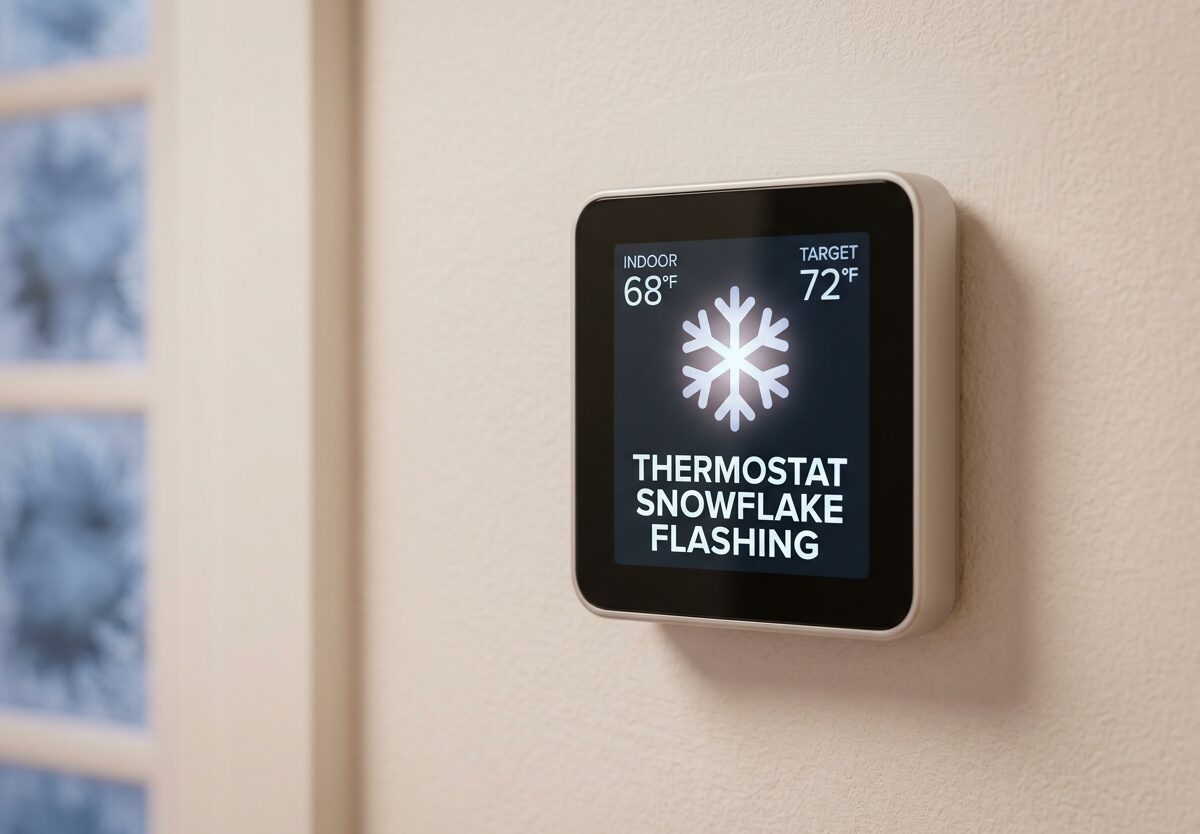
Seeing a flashing snowflake on your thermostat can be confusing, especially when you just want your home to cool down. I’ve helped dozens of homeowners understand this indicator, and the good news is that it’s usually normal behavior rather than a serious problem. A flashing or blinking snowflake on your thermostat indicates that cooling mode is active and your system is in a compressor delay or lockout period to protect your AC unit from damage.
What Does a Flashing Snowflake Mean on Your Thermostat?
A flashing snowflake symbol means your thermostat has requested cooling but the compressor isn’t running yet. This is actually a protective feature built into most modern HVAC systems. When you turn on your air conditioning, the thermostat triggers a delay before the outdoor compressor starts.
This delay typically lasts 3-5 minutes, though some systems may take up to 15 minutes. During this time, the snowflake icon blinks to show that your request has been received but the system is waiting. Once the delay ends and the compressor kicks on, the snowflake usually becomes solid.
The purpose of this delay is simple but important. Rapid cycling on and off can damage your compressor, which is the most expensive component of your AC system. The blinking snowflake is your thermostat’s way of saying “I heard you, but I’m protecting your equipment.”
Common Causes of Thermostat Snowflake Flashing
While the compressor delay is the most common reason you’ll see a blinking snowflake, there are several other causes depending on your system and situation. Understanding these can help you determine whether what you’re seeing is normal or needs attention.
Compressor Delay (Most Common)
When you adjust your thermostat to a lower temperature, the system initiates a built-in delay before starting the compressor. This typically lasts 3-5 minutes but can extend to 10-15 minutes in some models. The blinking snowflake indicates this protective delay is active.
Heat Pump Defrost Mode
If you have a heat pump system, the blinking snowflake may indicate the defrost cycle is active. Heat pumps occasionally need to defrost their outdoor coils when operating in cold weather. During this cycle, which can last 10-15 minutes, the system temporarily switches modes and the snowflake icon may blink.
Power Interruption Recovery
When your thermostat loses power (due to a power outage, tripped breaker, or someone working on the system), it may enter a recovery mode with a blinking snowflake when power is restored. This is especially common after solar panel installations or electrical work. The blink usually resolves within 10-30 minutes.
Temperature Adjustment in Progress
Some thermostats blink the snowflake when you’re actively adjusting the temperature setting. This typically stops within a minute or two after you finish making changes. It’s simply the system processing your new input.
System Error or Malfunction
If the snowflake continues blinking beyond 15-20 minutes, it may indicate a problem with your HVAC system. This could include a faulty capacitor, bad contactor, or issue with the compressor itself. Extended blinking without the AC turning on warrants further investigation.
Low Battery Warning
Some thermostat models use the blinking snowflake as a low battery indicator. If you’ve had your thermostat for over a year and the display seems dim, try replacing the batteries before assuming there’s a system problem.
Blinking vs. Solid Snowflake: What’s the Difference?
Understanding the difference between a blinking and solid snowflake can help you diagnose issues quickly:
Blinking Snowflake: The system is in delay mode, waiting to start cooling, or processing your request. This is normal for the first 5-15 minutes after adjusting the temperature.
Solid Snowflake: The cooling system is actively running. Your AC should be operating and you should feel cool air coming from your vents.
Snowflake Disappeared Completely: The system has reached the desired temperature or cooling has been turned off.
If you see a blinking snowflake that never turns solid, or if the solid snowflake appears but you don’t feel cool air, there may be an issue that needs troubleshooting.
Brand-Specific Snowflake Indicators
Different thermostat brands handle the snowflake indicator in slightly different ways. Here’s what you might expect from popular brands:
Honeywell Thermostats
Honeywell thermostats typically show a blinking snowflake during the 5-minute compressor delay. If your Honeywell thermostat’s snowflake continues blinking beyond 10 minutes, try removing the thermostat from the wall plate for 30 seconds, then reattach it to reset the system.
Emerson and Sensi Thermostats
Emerson thermostats, including the Sensi line, usually blink the snowflake for 3-5 minutes after a cooling request. If the blink persists, check your Wi-Fi connection as these smart thermostats may blink when having communication issues with your network.
White Rodgers Thermostats
White Rodgers models may show both a snowflake and flame blinking simultaneously during certain conditions. This often indicates the system is switching between heating and cooling modes or is in a defrost cycle if you have a heat pump.
Lux Thermostats
Lux thermostats typically have a shorter delay period of 2-3 minutes. If your Lux unit shows an extended blink, it may indicate the outdoor unit is not receiving the signal from the thermostat.
Smart Thermostats (Nest, Ecobee)
Smart thermostats often provide more detailed information through their apps. The blinking snowflake works similarly, but you may get additional notifications explaining exactly what’s happening with your system.
How to Fix a Blinking Snowflake on Your Thermostat
If your snowflake has been blinking longer than expected and your AC isn’t working, try these troubleshooting steps in order. Most issues can be resolved without calling a professional.
Step 1: Wait 10-15 Minutes First
Before doing anything, give the system time to complete its normal delay cycle. Many people panic and make changes too quickly, which only resets the delay timer. Set your temperature and walk away for at least 15 minutes to see if the system starts on its own.
Step 2: Check Your Air Filter
A clogged air filter can cause your system to struggle and may trigger extended delays or error modes. If your filter is dirty, replace it with a new one. This simple fix resolves many HVAC issues and should be done every 1-3 months depending on your household.
Step 3: Verify Your Breaker Is On
Check your electrical panel for any tripped breakers. The AC circuit should be in the “on” position. If it has tripped, reset it by flipping it fully off, then back on. If it trips again immediately, call a professional as this indicates an electrical problem.
Step 4: Check Your Outdoor Unit
Go outside and look at your AC unit. The fan should be running when cooling is active. If the fan isn’t spinning or if you notice ice on the coils, you have a problem that requires professional service. Also clear any debris like leaves or grass clippings that may be blocking airflow.
Step 5: Reset Your Thermostat
Try resetting your thermostat by removing it from the wall plate for 30-60 seconds, then reattaching it. For battery-operated models, remove the batteries for the same duration. This can clear minor glitches and restore normal operation.
Step 6: Check Your Furnace Switch
Your HVAC system has a power switch on or near your furnace (often looks like a light switch). Make sure it’s in the “on” position. Many people accidentally flip this switch off during maintenance or cleaning.
When to Call a Professional
Some situations require professional HVAC service. If you experience any of the following, it’s time to call a qualified technician:
- The snowflake blinks continuously for more than 30 minutes – This suggests the system cannot complete its startup sequence
- Your AC never turns on – If the snowflake becomes solid but you feel no cool air, there’s a system problem
- Strange sounds from the outdoor unit – Grinding, buzzing, or clicking sounds indicate mechanical issues
- Your thermostat display is blank or flickering – This may indicate a wiring problem or failed thermostat
- Your breaker keeps tripping – Repeated breaker trips signal an electrical fault that needs professional diagnosis
- You see ice on your refrigerant lines – Iced-over lines indicate low refrigerant or airflow problems
HVAC technicians have the tools and expertise to safely diagnose these issues. Attempting to repair electrical or refrigerant problems yourself can be dangerous and may void your system’s warranty.
Preventive Maintenance Tips
Keeping your HVAC system well-maintained can prevent many issues that cause extended snowflake blinking or system failures:
- Change air filters regularly – Every 1-3 months, or more often if you have pets or allergies
- Keep the outdoor unit clean – Clear debris and maintain 2 feet of clearance around the unit
- Schedule annual professional maintenance – A yearly tune-up can catch problems before they become emergencies
- Don’t rapidly adjust the temperature – Multiple quick adjustments can confuse the system and extend delays
- Consider a smart thermostat – These provide better diagnostics and can alert you to problems early
FAQs
What does the snowflake symbol on a thermostat mean?
The snowflake symbol on a thermostat indicates that cooling mode is active or requested. When flashing, it means the system is in a compressor delay period (typically 3-5 minutes) before the AC starts running. When solid, the cooling system is actively operating.
Why is my thermostat snowflake blinking?
Your thermostat snowflake is blinking because the system is in a protective compressor delay mode after you’ve requested cooling. This prevents rapid cycling that could damage your AC compressor. The blink typically lasts 3-5 minutes but can extend to 15 minutes depending on your system.
How long does thermostat snowflake blink?
A thermostat snowflake typically blinks for 3-5 minutes after requesting cooling, though some systems may have delays up to 15 minutes. If the blinking continues beyond 20-30 minutes without the AC turning on, there may be a system issue that requires troubleshooting.
Should AC be on sun or snowflake?
For cooling, your thermostat should be set to the snowflake or cool mode. The sun symbol typically represents heating mode. In 2026, most digital thermostats use clear snowflake icons for cooling and sun or flame icons for heating to avoid confusion.
How to reset a thermostat for AC?
To reset your thermostat for AC, remove it from the wall plate for 30-60 seconds, then reattach it. For battery-powered models, remove the batteries for the same duration. This clears minor glitches and can resolve extended snowflake blinking issues.
What does it mean when the snowflake is blinking?
When the snowflake is blinking on your thermostat, it means the cooling system is in a delay mode before the compressor starts. This is a normal protective feature that lasts 3-5 minutes to prevent damage to your AC compressor from rapid cycling.
How to fix snowflake blinking on thermostat?
To fix extended snowflake blinking, first wait 15 minutes for normal delay. If it continues, check your air filter, verify breakers are on, inspect the outdoor unit, and try resetting the thermostat by removing it for 30 seconds. Call a professional if blinking exceeds 30 minutes.
Is snowflake blinking on thermostat normal?
Yes, snowflake blinking on thermostat is normal for 3-5 minutes after requesting cooling. This indicates the protective compressor delay is active. However, if blinking continues beyond 15-20 minutes without the AC starting, it may indicate a system problem.
Conclusion
A thermostat snowflake flashing is usually nothing to worry about. It’s simply your system’s way of protecting itself while preparing to cool your home. The typical 3-5 minute delay prevents damage to your expensive compressor and ensures efficient operation. However, if the blinking persists beyond 15-20 minutes or your AC never starts running, follow the troubleshooting steps outlined above or contact a qualified HVAC technician.
Understanding what your thermostat’s indicators mean can save you time and money while keeping your home comfortable. Most blinking snowflake situations resolve themselves within minutes, but knowing when to call for professional help can prevent small issues from becoming major repairs.




Leave a Comment