
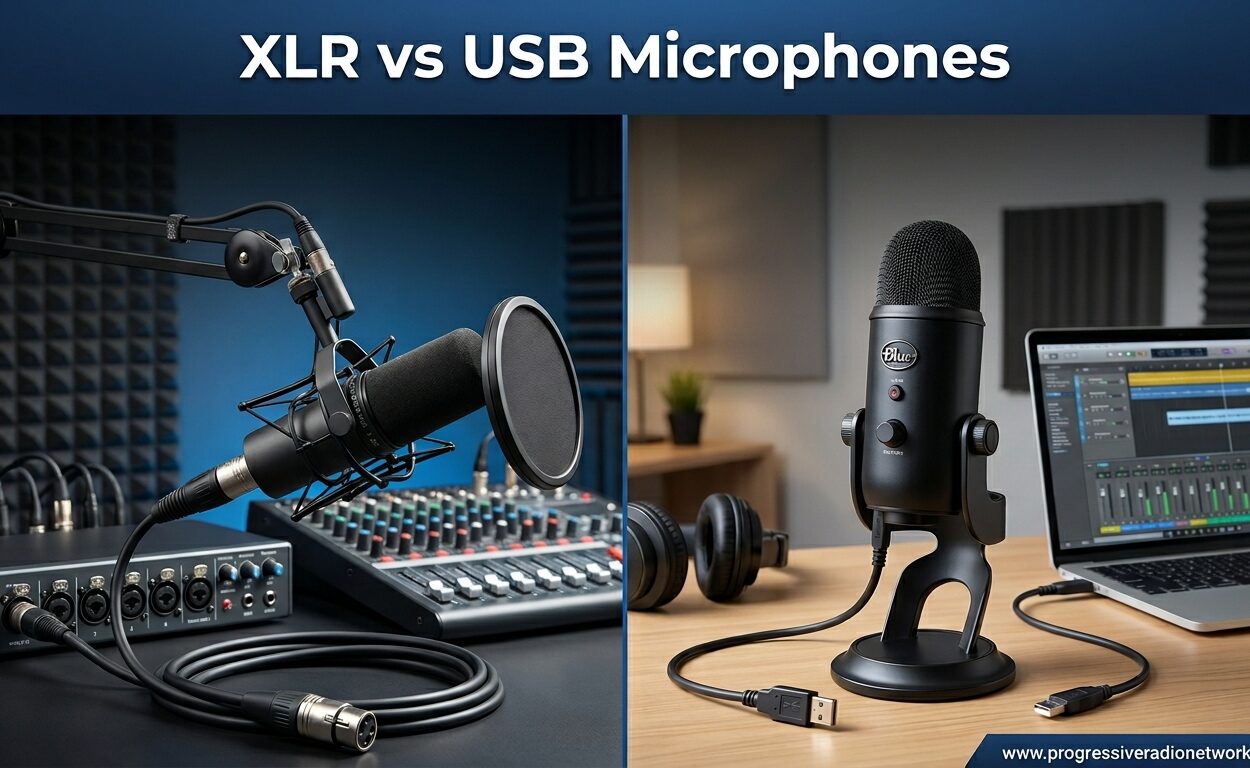
Choosing between XLR and USB microphones can feel overwhelming when you’re starting your podcasting or streaming journey. I remember spending weeks researching before buying my first serious microphone. After testing dozens of models and recording hundreds of hours of content, I can tell you the answer isn’t as simple as “XLR is always better.”
In 2026, the lines between these two microphone types have blurred more than ever. USB microphones now rival entry-level XLR setups in sound quality. Meanwhile, XLR systems have become more accessible with budget-friendly audio interfaces hitting the market. The real question is which connection type matches your specific needs, budget, and future plans.
This guide compares XLR vs USB microphones head-to-head. I’ll walk you through real product recommendations from both categories. You’ll learn exactly when USB makes sense and when XLR is worth the extra investment. By the end, you’ll know exactly which microphone type belongs in your setup.
4 XLR vs USB Microphones (September 2026)
Before diving into individual reviews, here’s a side-by-side look at our top picks from each category. These four microphones represent the best options at different price points and use cases.
| Product | Features | Action |
|---|---|---|
 Blue Yeti USB Microphone Blue Yeti USB Microphone |
|
Check Latest Price |
 HyperX SoloCast USB Mic HyperX SoloCast USB Mic |
|
Check Latest Price |
 Shure SM7B XLR Microphone Shure SM7B XLR Microphone |
|
Check Latest Price |
 RØDE PodMic XLR RØDE PodMic XLR |
|
Check Latest Price |
1. Blue Yeti USB Microphone – The Versatile Choice
- ✓Four versatile pickup patterns
- ✓Blue VO!CE vocal effects
- ✓Plug-and-play simplicity
- ✓Solid metal construction
- ✓Zero-latency monitoring
- ✕Older micro-USB connector
- ✕Sensitive to room noise
- ✕Heavy at 3.51 lbs
Condenser
4 Pickup Patterns
USB Micro-USB
48kHz/16-bit
3.51 lbs
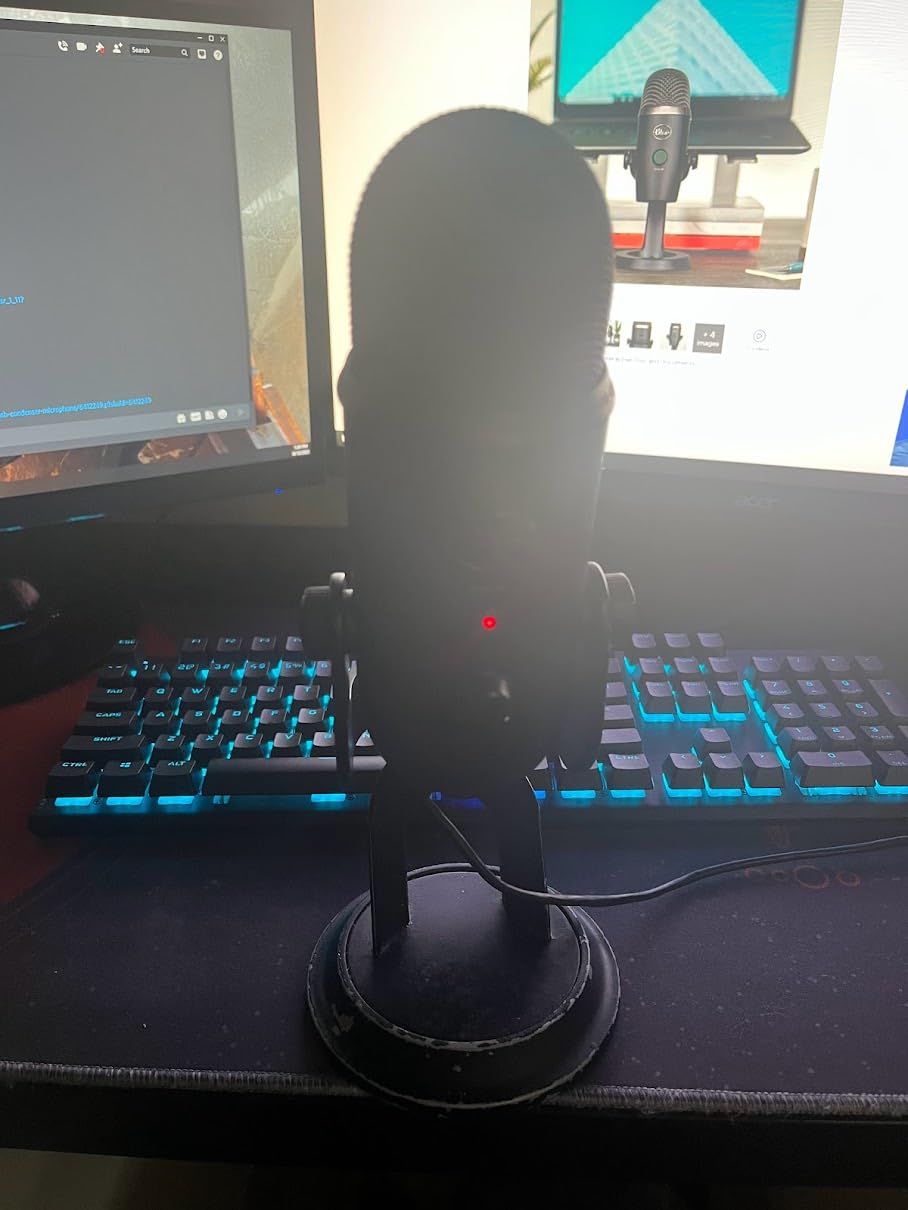
I bought my Blue Yeti three years ago when I started my podcast. It was the first microphone that made me sound like a professional instead of someone talking into a tin can. The three-capsule array captures audio with surprising clarity for a USB microphone under $150.
The four pickup patterns genuinely make a difference. I use cardioid for solo recordings, bidirectional when interviewing someone across the table, and omnidirectional for group discussions. Most USB microphones lock you into cardioid only, which limits your recording options.
Blue VO!CE software adds real value. I can apply noise reduction, de-esser, and EQ presets without opening a separate audio editor. The podcast preset flatters my voice with minimal tweaking. For streamers, the broadcaster preset helps cut through game audio without shouting.

Build quality impressed me immediately. The all-metal construction feels substantial compared to plastic USB mics I’ve handled. The adjustable stand pivots smoothly and stays where you position it. After three years of regular use, mine still looks and functions like new.
The micro-USB connector annoys me in 2026 when everything uses USB-C. I keep a dedicated cable attached to avoid fumbling behind the mic. The weight can also strain cheap boom arms, so factor that into your mounting decision. I upgraded to a heavier-duty arm after six months.
Room treatment matters more with the Yeti than dynamic alternatives. The condenser capsules pick up everything from keyboard clicks to air conditioning hum. I added acoustic panels behind my desk and the improvement was dramatic. Without treatment, you’ll hear your environment clearly.
Who Should Buy the Blue Yeti
The Blue Yeti suits content creators who need versatility above all else. If you record solo episodes, interviews, and occasional roundtable discussions, the pickup pattern flexibility pays for itself. Podcasters starting with one microphone but planning multiple formats should strongly consider this option.
Streamers benefit from the plug-and-play simplicity and onboard controls. You can adjust gain, mute, and monitor levels without touching software. The mute button saves you when family members walk in during live broadcasts. The headphone jack provides zero-latency monitoring essential for professional-sounding streams.
Who Should Skip the Blue Yeti
Skip the Yeti if you primarily record in untreated, noisy environments. The condenser sensitivity works against you in echoey rooms or shared spaces. A dynamic USB microphone or XLR option handles poor acoustics better.
Budget-conscious beginners might find the SoloCast below delivers 80% of the performance for half the price. If you only need cardioid pattern and basic audio quality, you’re paying for features you won’t use.
2. HyperX SoloCast – Best Budget USB Pick
- ✓Exceptional value under $60
- ✓Hi-Res 24-bit/96kHz recording
- ✓Convenient tap-to-mute
- ✓Compact monitor-friendly design
- ✓Plug-and-play on PC/Mac/PS4/PS5
- ✕Single cardioid pattern only
- ✕No included pop filter
- ✕Software can be finicky
Condenser
Cardioid Only
USB-C
24-bit/96kHz
0.58 lbs
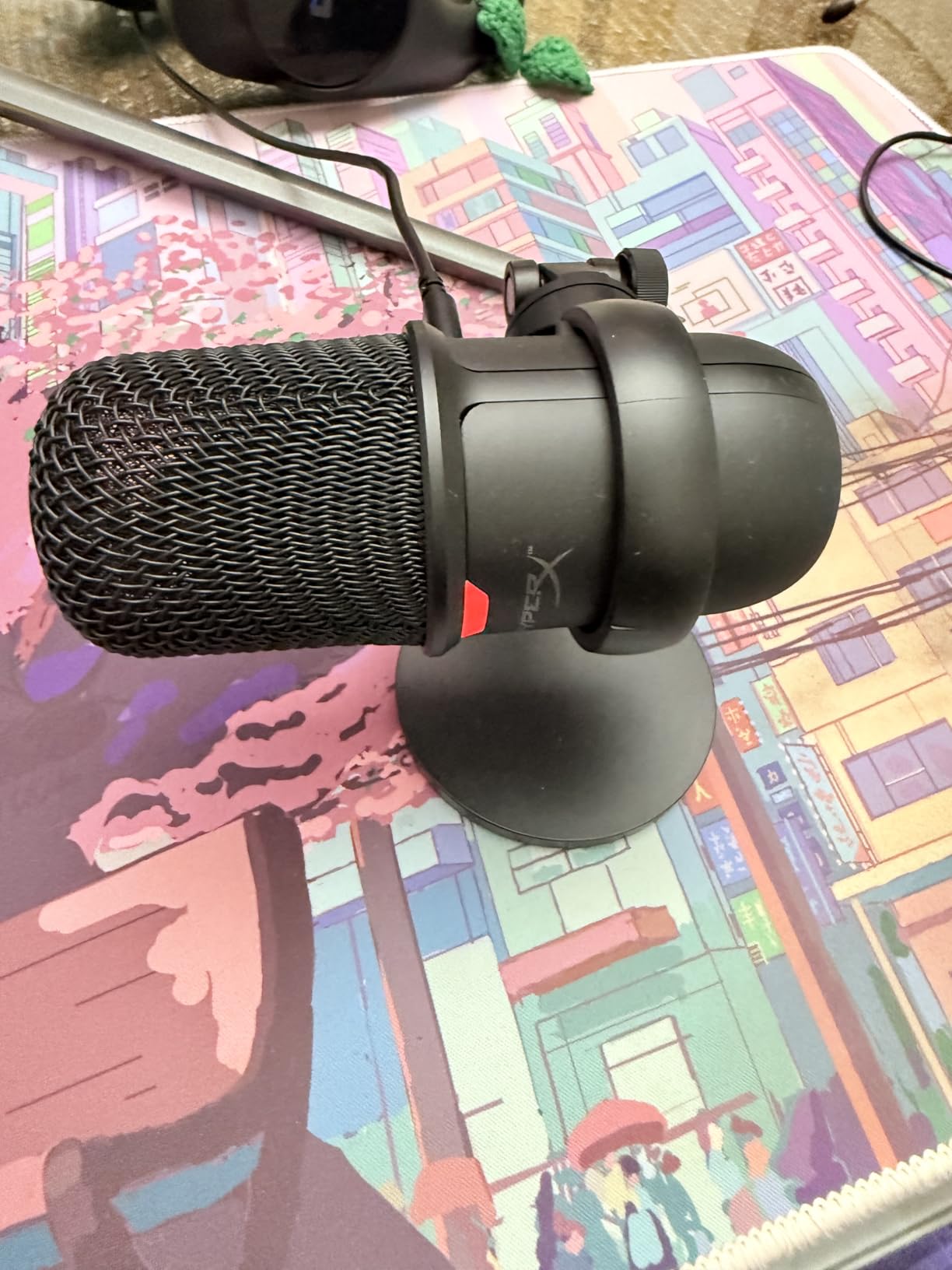
The HyperX SoloCast surprised me during testing. At under $60, I expected mediocre sound typical of budget USB microphones. Instead, I got recordings that rival microphones costing twice as much. The 24-bit/96kHz sample rate exceeds the Blue Yeti’s 16-bit/48kHz specification on paper.
Real-world testing confirmed the technical advantages. SoloCast recordings sounded crisp and detailed in my untreated home office. The cardioid pattern rejected keyboard noise better than expected for a condenser. I recorded a full podcast episode without my guest noticing I wasn’t using my usual SM7B setup.
The tap-to-mute feature became my favorite quality-of-life improvement. A simple touch on the top mutes the microphone with an LED indicator showing status. No more fumbling for software mute buttons during video calls. The compact design fits under monitors where larger mics would block the screen.
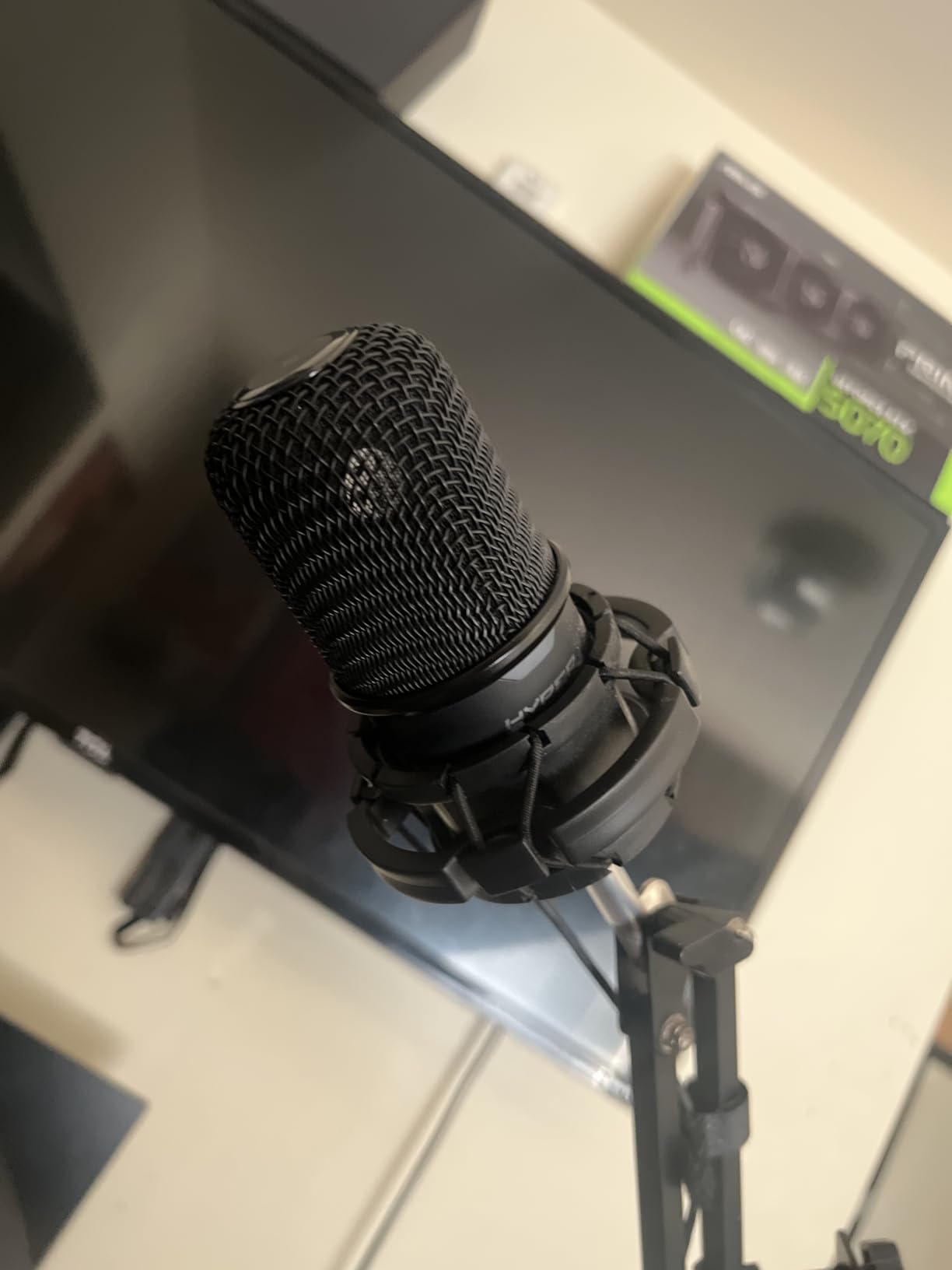
Build quality punches above its weight class. The all-metal construction feels premium compared to plastic competitors at this price. The flexible stand swivels smoothly and includes threading for boom arm mounting. I appreciate not needing adapters to attach it to standard microphone arms.
Limitations appear when comparing to the Blue Yeti. The single cardioid pattern restricts recording scenarios. You cannot flip to bidirectional for face-to-face interviews or omnidirectional for group recordings. Software compatibility issues occasionally surface with Windows 11 updates requiring driver reinstalls.
The lack of onboard gain control forces software adjustments. I keep the HyperX Ngenuity software installed for quick level tweaks. Without it, you’re dependent on Windows sound settings or your recording software’s input controls. This matters less for streaming where OBS handles gain, but podcasters might miss hardware controls.
Who Should Buy the SoloCast
First-time podcasters and streamers with tight budgets should start here. The SoloCast delivers professional-sounding audio without requiring interface knowledge or complex setups. Students, hobbyists, and anyone testing the content creation waters get excellent value.
Gamers specifically benefit from the compact size and PlayStation compatibility. The microphone sits unobtrusively beside monitors without dominating desk space. Console streamers finally have a USB microphone that matches PC options for sound quality.
Who Should Skip the SoloCast
Anyone recording multiple people with one microphone needs pickup pattern flexibility. The SoloCast’s cardioid-only design cannot capture two people sitting across from each other effectively. You’ll need separate microphones or a more versatile single mic like the Blue Yeti.
Content creators wanting hardware control over their signal should look elsewhere. The absence of gain knobs, pattern switches, or headphone monitoring creates dependency on software. If you prefer twisting physical knobs to dragging software sliders, this microphone frustrates you.
3. Shure SM7B – The Industry Standard XLR
- ✓Industry-standard broadcast quality
- ✓Warm smooth vocal tone
- ✓Exceptional background noise rejection
- ✓Built-in pop filter and shock mount
- ✓Rugged all-metal construction
- ✕Requires 60dB+ gain (Cloudlifter recommended)
- ✕Heavy weight needs sturdy boom arm
- ✕Expensive with interface costs
Dynamic
Cardioid
XLR Connector
50Hz-20kHz
2.7 lbs
The Shure SM7B sits in more professional podcast studios than any other microphone. After finally buying one last year, I understand why. This dynamic microphone makes mediocre rooms sound good and good rooms sound exceptional. The warm, smooth character flatters virtually every voice type.
My first recording with the SM7B shocked me. I’d been using a $200 USB microphone previously and thought it sounded fine. Side-by-side comparison revealed what I’d been missing. The SM7B captured vocal depth and body that the USB mic smoothed away. My voice sounded like me instead of a phone call version of me.
Noise rejection ranks among the SM7B’s superpowers. I recorded a podcast episode while my neighbor used a leaf blower outside. The microphone barely picked it up. Condenser microphones would have captured every leaf rustle. This forgiveness makes the SM7B ideal for home creators without professional studios.
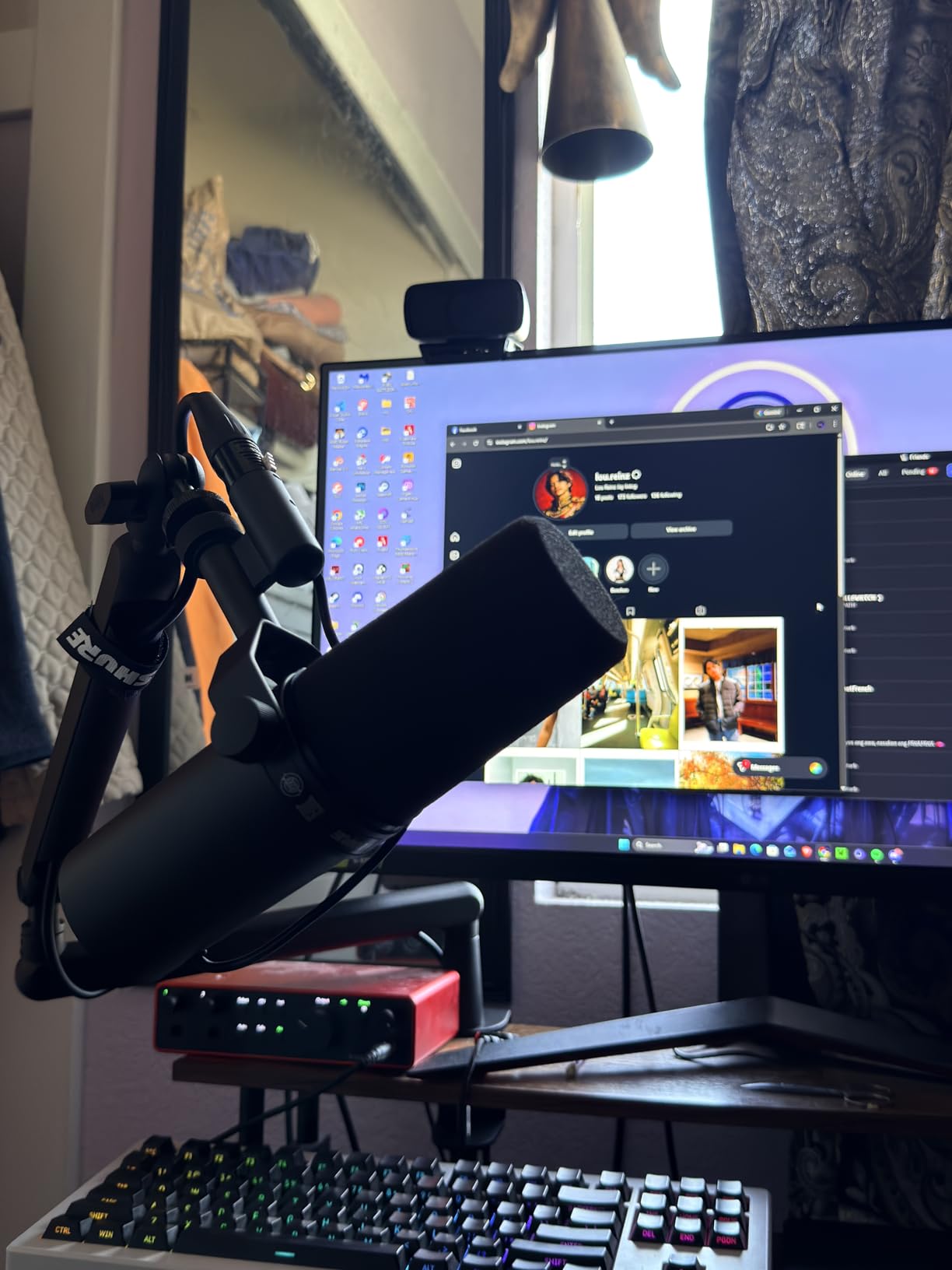
Built-in features save money and hassle. The internal pop filter handles plosives better than external filters I’ve tried. The air suspension shock isolation eliminates rumble from desk bumps or typing. Electromagnetic shielding prevents computer hum from polluting recordings. These details separate professional microphones from consumer options.
The gain requirement represents the hidden cost nobody mentions upfront. The SM7B needs at least 60dB of clean gain, which many budget audio interfaces cannot provide. I added a Cloudlifter for $150 to get the signal level my Focusrite Scarlett struggled to deliver. Factor this into your total investment.
Weight demands respect. At 2.7 pounds, this microphone requires a serious boom arm. My first $30 arm sagged under the load. I upgraded to a Heil PL-2T and finally got stable positioning. Don’t cheap out on mounting hardware when investing in an SM7B.
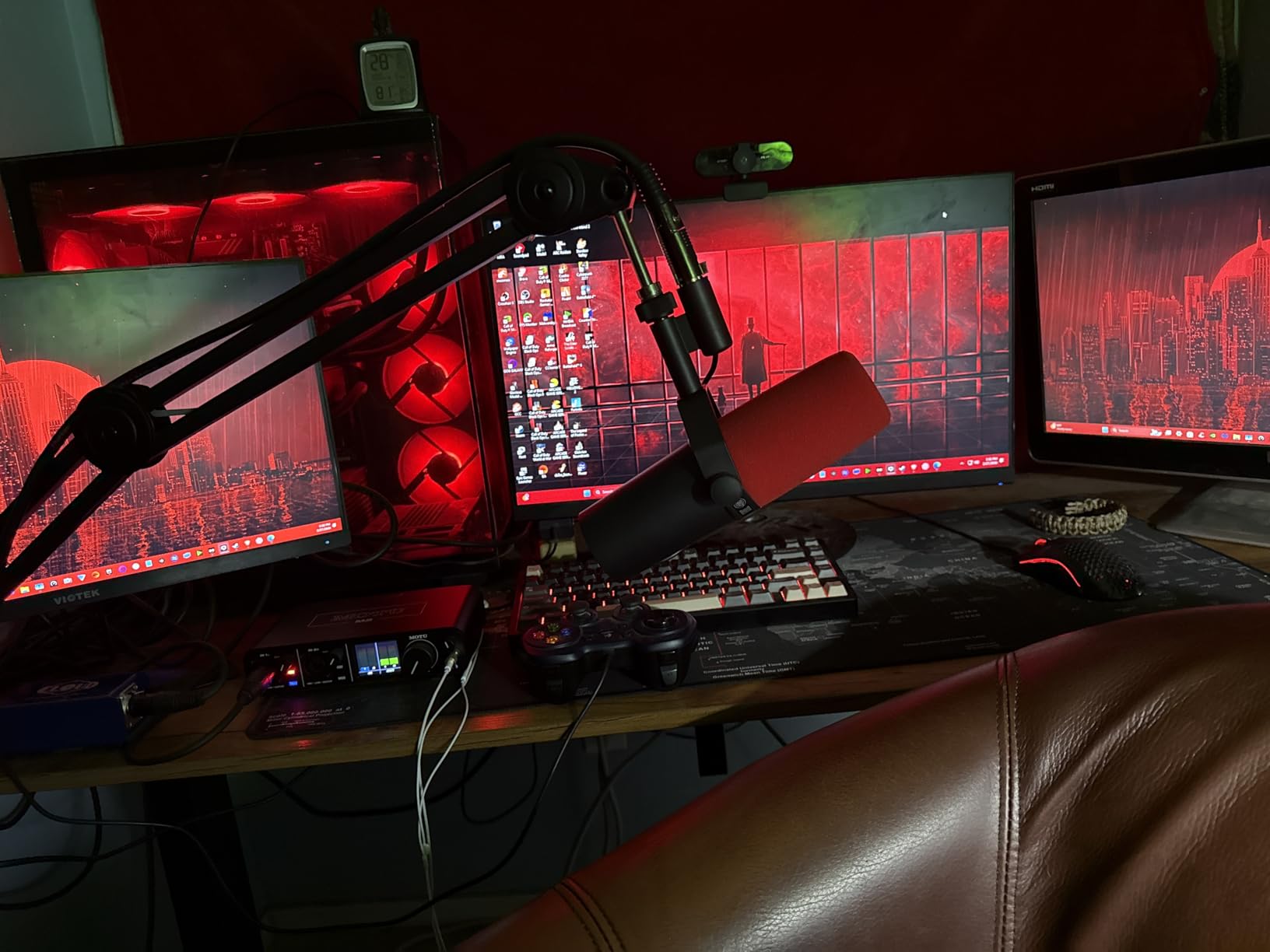
Who Should Invest in the SM7B
Serious podcasters planning long-term careers should consider this microphone a lifetime investment. The build quality survives decades of daily use. Radio stations have used SM7Bs since the 1980s and many still work perfectly. If you record multiple episodes weekly, the per-use cost becomes negligible quickly.
Creators in untreated or shared spaces benefit most from the noise rejection. Apartments with thin walls, home offices near kitchens, or any imperfect recording environment become workable. The SM7B forgives acoustic sins that would ruin recordings on sensitive condenser microphones.
Who Should Look Elsewhere
Budget-conscious beginners should pause before committing to this investment. The microphone itself costs $400, then you need an audio interface ($150+), likely a Cloudlifter ($150), and a sturdy boom arm ($100+). Total entry cost exceeds $800. That’s reasonable for professionals but steep for hobbyists.
Those wanting bright, airy vocal tones might prefer alternatives. The SM7B’s warmth suits broadcasting but can sound dark on already deep voices. Some vocalists and voice actors prefer condenser microphones for their detailed top-end. The SM7B prioritizes smoothness over sparkle.
4. RØDE PodMic – Best Entry-Level XLR
- ✓Outstanding broadcast quality for price
- ✓Rich optimized podcast tone
- ✓Internal pop filter and shock mount
- ✓Compact size vs broadcast mics
- ✓All-metal rugged construction
- ✕Low output requires gain boost
- ✕Not as warm as SM7B
- ✕Bright sound signature
Dynamic
Cardioid
XLR Connector
20Hz-20kHz
2.07 lbs
The RØDE PodMic earned its reputation as the “SM7B killer for budget creators” honestly. At roughly one-quarter the price, it delivers 80% of the performance. I tested one for three months before recommending it to podcasting students. Every one of them has been thrilled with the upgrade from USB microphones.
Sound quality focuses specifically on podcasting and voice work. Where general-purpose microphones try to handle everything from vocals to instruments, the PodMic optimizes for speech. The result is clarity and presence that helps voices cut through without sounding harsh. I noticed less need for EQ in post-production compared to other microphones.
Integrated features match premium competitors. The internal pop filter works as well as external options costing $30. The internal shock mounting reduces handling noise when adjusting position. The integrated swing mount lets you angle the microphone precisely without separate hardware. RØDE thought through the user experience completely.
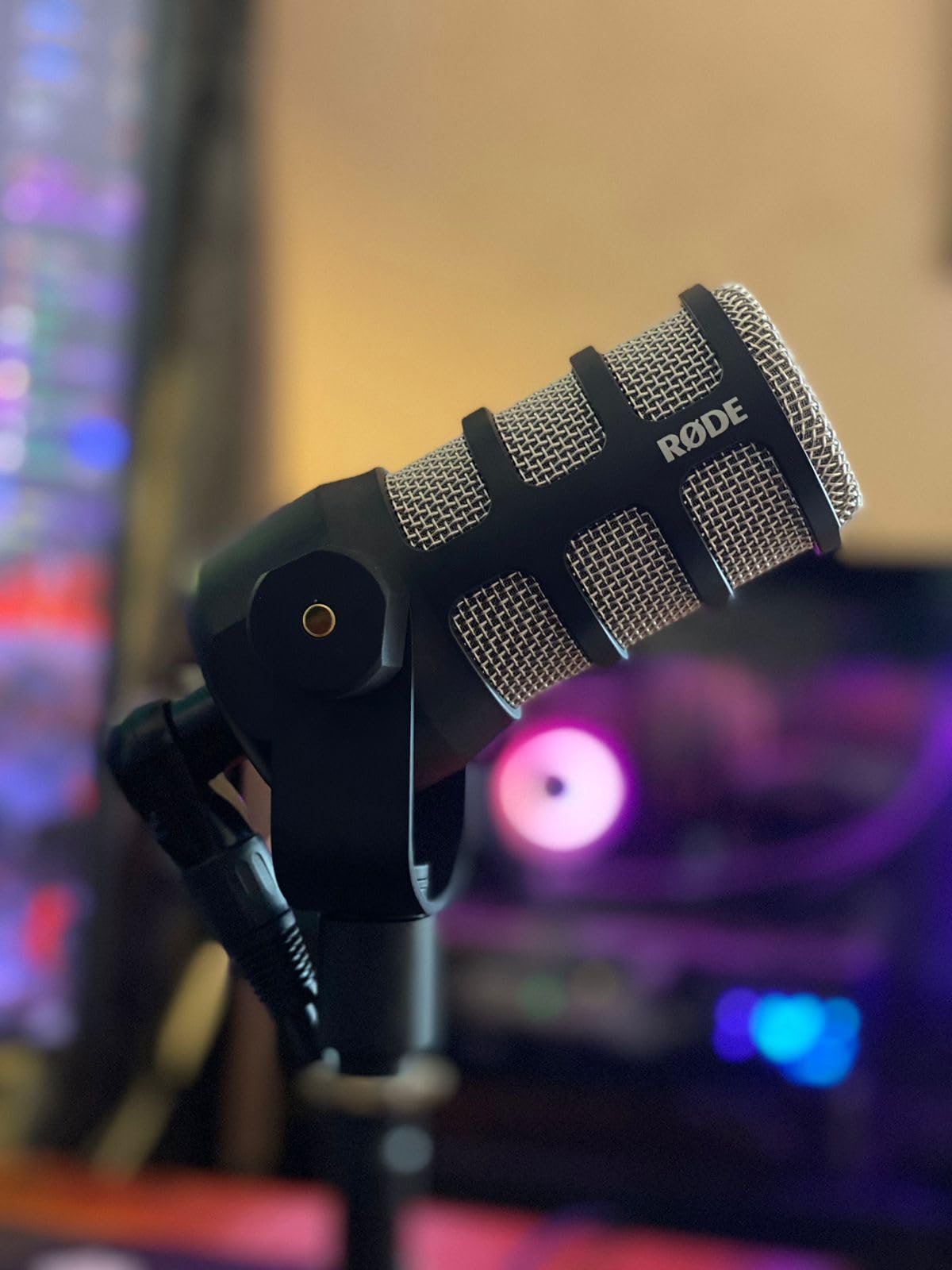
Build quality matches microphones costing three times as much. The all-metal body feels substantial and professional. Mine survived a drop onto hardwood flooring without damage. The matte black finish resists fingerprints and looks professional on camera. If you also need a USB version, check our Rode PodMic USB review for direct comparison.
The output level demands attention like the SM7B. RØDE specifically designed this microphone for use with their RODECaster Pro mixer, which provides ample gain. Using it with budget interfaces requires either a FetHead/Cloudlifter or accepting higher noise floors from cranked preamps. Budget $100 extra for a gain booster unless you own quality preamps already.
Sound character differs subtly from the SM7B. The PodMic emphasizes clarity and articulation where the SM7B prioritizes warmth. Some voices benefit from this brightness. Others find it slightly fatiguing for long recording sessions. Neither sound is objectively better, just different flavors of “professional.”
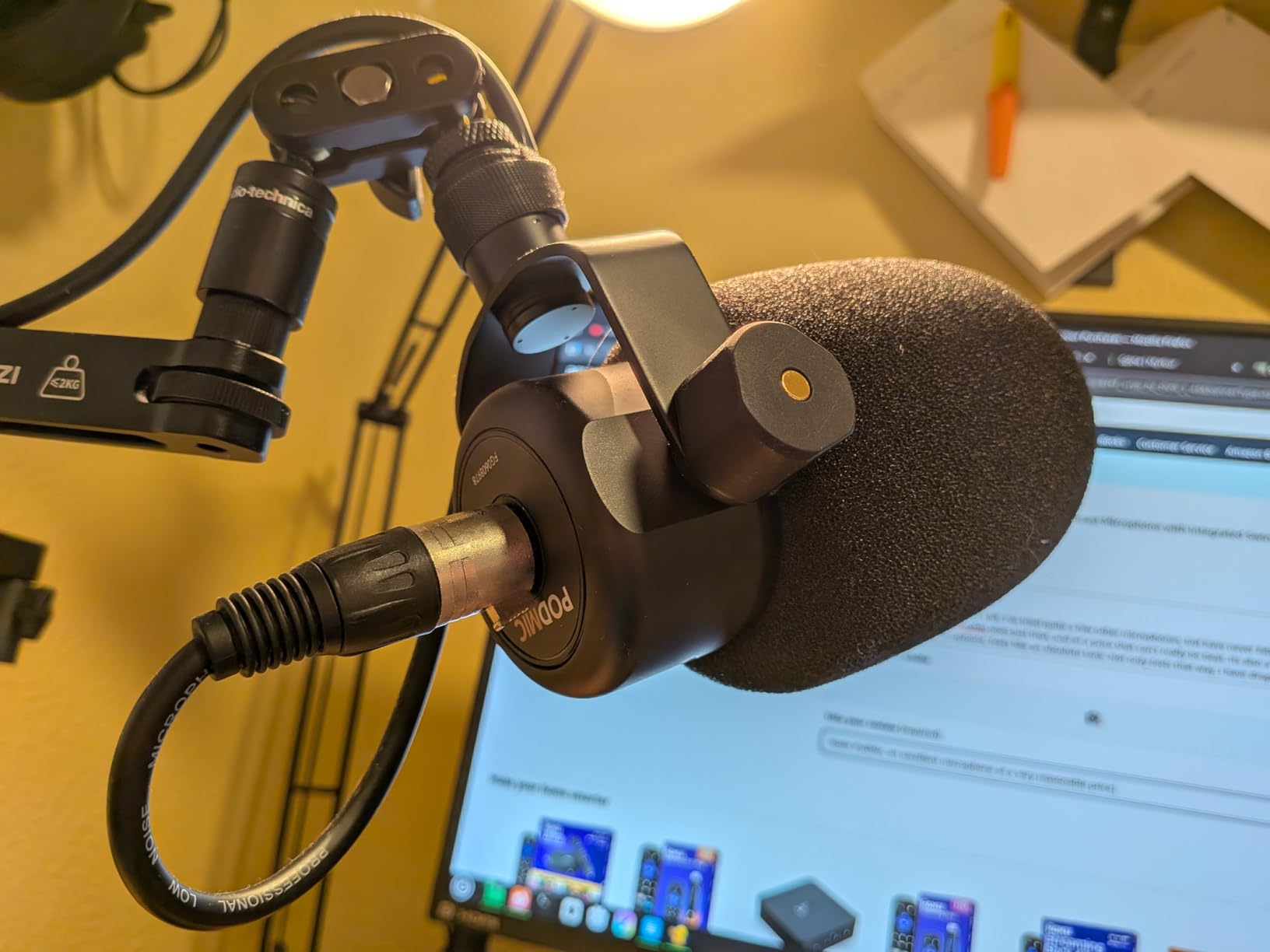
Who Should Choose the PodMic
Podcasters ready to graduate from USB but not ready for SM7B pricing find their sweet spot here. The PodMic teaches you XLR workflow without $500+ investment. If you outgrow it eventually, you’ve learned enough to make informed upgrade decisions.
Multi-microphone setups benefit from the reasonable price point. Equipping a four-person podcast with SM7Bs costs $1600 just for microphones. Four PodMics run under $400, leaving budget for interfaces and processing. The sound quality difference won’t matter to most listeners.
Who Should Skip the PodMic
Purists chasing the specific SM7B warmth should save for the original. The PodMic’s clarity-focused tuning sounds different, not worse. But if you’ve set your heart on that particular dark, smooth broadcast tone, the PodMic won’t fully satisfy you.
Those wanting maximum dynamic range and warmth should consider investing more upfront. The PodMic’s budget-conscious design involves compromises. For professional studios or commercial voiceover work, the extra investment in an SM7B or premium condenser pays dividends.
XLR vs USB Microphones: Detailed Comparison
Now that we’ve examined specific products, let’s compare XLR and USB microphone categories directly. Understanding these differences helps you choose between connection types regardless of specific model.
Sound Quality: Which Sounds Better?
XLR microphones generally offer superior sound quality, but the gap narrows every year. Premium USB microphones like the Blue Yeti approach entry-level XLR quality. However, XLR microphones like the SM7B and PodMic still outperform any USB option for professional applications.
The difference lies in signal chain control. XLR microphones send analog signals to dedicated audio interfaces with quality preamps. USB microphones combine microphone, preamp, and analog-to-digital converter in one package. This integration sacrifices some quality for convenience. For most listeners, USB microphones sound excellent. For audio professionals, XLR provides that final 10% of quality.
Ease of Setup and Use
USB microphones win handily on simplicity. Plug into your computer, select the input in software, and record. No drivers to configure, no gain staging to learn, no separate devices to connect. Beginners can start recording quality audio within minutes of unboxing.
XLR microphones require more knowledge and equipment. You need an audio interface, proper cables, and understanding of gain structure. Initial setup takes longer and involves more troubleshooting. However, this complexity rewards you with deeper control over your sound. Experienced creators prefer this flexibility.
Cost Comparison: The Full Picture
USB microphones cost less upfront but limit future expansion. A $100 USB microphone is self-contained. A $100 XLR microphone needs a $150 audio interface minimum. True total cost comparison must include these requirements.
XLR investment scales better long-term. Once you own an interface, adding a second XLR microphone costs only the microphone price. Adding a second USB microphone creates driver conflicts and sync issues. Multi-person podcasts should seriously consider XLR for this reason alone. For solo creators, USB remains the budget-friendly choice.
Versatility and Upgrade Path
XLR microphones offer clear upgrade advantages. You can replace your audio interface while keeping the same microphone. You can add external preamps, compressors, or signal processors between microphone and interface. USB microphones lock you into their integrated design permanently.
USB microphones work across multiple devices easily. Moving your Blue Yeti from desktop to laptop to PlayStation requires no configuration changes. XLR setups need interface drivers installed on each computer. Remote recording and travel favor USB simplicity.
Best Use Cases for Each Connection Type
Choose USB microphones for solo podcasting, gaming streams, remote interviews, and mobile recording. The plug-and-play nature eliminates technical barriers. Content creators prioritizing convenience over ultimate quality find their match here.
Choose XLR microphones for professional studios, multi-person recordings, commercial voiceover, and music production. The quality ceiling and expansion options justify the complexity. Serious creators building long-term setups should start with XLR.
Which Microphone Type Should You Choose?
Your specific situation determines the right choice more than any universal recommendation. Here’s how to decide based on your circumstances.
Choose USB If…
You are beginning your content creation journey and want minimal barriers to entry. USB microphones remove technical complexity while delivering professional-sounding results. Solo creators working from one computer benefit most from this simplicity.
Your budget is under $150 total. Quality USB microphones like the SoloCast deliver excellent performance at this price point. Matching XLR quality requires $300+ investment including interface costs. Budget constraints favor USB decisively.
You need portability between multiple computers or locations. USB microphones travel easily without interface baggage. Remote interviewers and digital nomads appreciate this flexibility. Setting up XLR equipment in coffee shops or hotel rooms proves impractical.
Choose XLR If…
You envision a long-term professional setup that grows with your career. XLR investment pays off over years of use. The upgrade path protects your initial microphone investment as you improve other equipment.
You record multiple people regularly. XLR interfaces handle multiple microphones without software conflicts. USB microphones create driver headaches when connecting more than one. Podcasts with co-hosts should strongly prefer XLR.
You want maximum control over your sound quality. External preamps, compressors, and processors integrate only with XLR signals. Audio perfectionists and professional voice actors need this flexibility.
Budget Tier Breakdown
Under $75: USB microphones dominate. The HyperX SoloCast provides professional quality at entry-level pricing. No XLR setup competes at this price point when including interface costs.
$75-$200: USB remains compelling with premium options like the Blue Yeti. Budget XLR setups become possible if you already own an interface or find used equipment. Solo creators should still lean USB here.
$200-$400: XLR becomes attractive with options like the RØDE PodMic. This price buys professional XLR microphones requiring only interface investment. Serious creators should evaluate XLR seriously at this tier.
$400+: XLR is the clear choice. The Shure SM7B and professional interfaces deliver studio-grade results. USB microphones cannot match this quality level regardless of price. Pair your microphone with the best podcast headphones with mic for complete monitoring.
Frequently Asked Questions
Do XLR microphones sound better than USB microphones?
XLR microphones generally offer superior sound quality due to dedicated audio interfaces with quality preamps. However, premium USB microphones like the Blue Yeti approach entry-level XLR quality. For professional applications, XLR microphones like the Shure SM7B still outperform any USB option. The gap matters most for commercial voiceover and music recording where that final 10% of quality justifies the investment.
What type of microphone is best for podcasts?
The best microphone type depends on your specific situation. Solo podcasters in quiet home offices do excellently with USB microphones like the Blue Yeti or HyperX SoloCast. Multi-person podcasts benefit from XLR microphones connected through audio interfaces for clean multi-mic recording. Professional podcast studios should invest in XLR dynamic microphones like the Shure SM7B or RØDE PodMic for broadcast-quality results.
Are USB mics good for podcasting?
USB microphones are excellent for podcasting, especially for beginners and solo creators. Modern USB mics deliver professional-sounding audio without requiring technical knowledge of audio interfaces or gain staging. The Blue Yeti and HyperX SoloCast produce podcast-quality recordings that satisfy most listeners. USB microphones struggle primarily in multi-person recordings and untreated noisy environments.
What type of microphone is best for streaming?
Streamers benefit from USB microphones for their plug-and-play simplicity. The Blue Yeti’s onboard controls let you mute instantly without software interaction. USB microphones work reliably across streaming software like OBS without complex configuration. However, professional streamers with treated rooms may prefer XLR microphones for their superior sound quality and processing options.
Is USB or XLR better for mics?
Neither connection type is universally better. USB offers superior convenience and value for beginners and solo creators. XLR provides better sound quality, upgrade paths, and multi-mic capabilities for professionals. Choose USB if you prioritize simplicity and cost-effectiveness. Choose XLR if you need maximum quality and plan to expand your setup over time.
Are XLR mics good for streaming?
XLR microphones work excellently for streaming when paired with quality audio interfaces. The Shure SM7B appears in many professional streamer setups for its broadcast-quality sound and background noise rejection. However, XLR requires more technical knowledge and equipment investment than USB. Streamers should choose XLR when audio quality is a top priority and USB when convenience matters more.
Final Verdict
XLR vs USB microphones isn’t a battle with one winner. Both connection types serve different creators excellently. Your choice depends on budget, technical comfort, recording environment, and future plans.
For beginners and solo creators, USB microphones like the Blue Yeti and HyperX SoloCast deliver professional results without complexity. The money saved on interfaces and preamps can fund other equipment like headphones or acoustic treatment. Most listeners cannot distinguish quality USB recordings from entry-level XLR setups.
For professionals and growing creators, XLR microphones like the Shure SM7B and RØDE PodMic justify their investment. The upgrade path, multi-mic capability, and maximum sound quality support serious careers. The initial learning curve pays off in flexibility and longevity.
In 2026, both options have matured impressively. USB microphones rival early XLR quality. XLR setups have become more affordable and accessible. Whatever you choose, focus on creating content rather than obsessing over equipment. The best microphone is the one that gets you recording.





Leave a Comment