
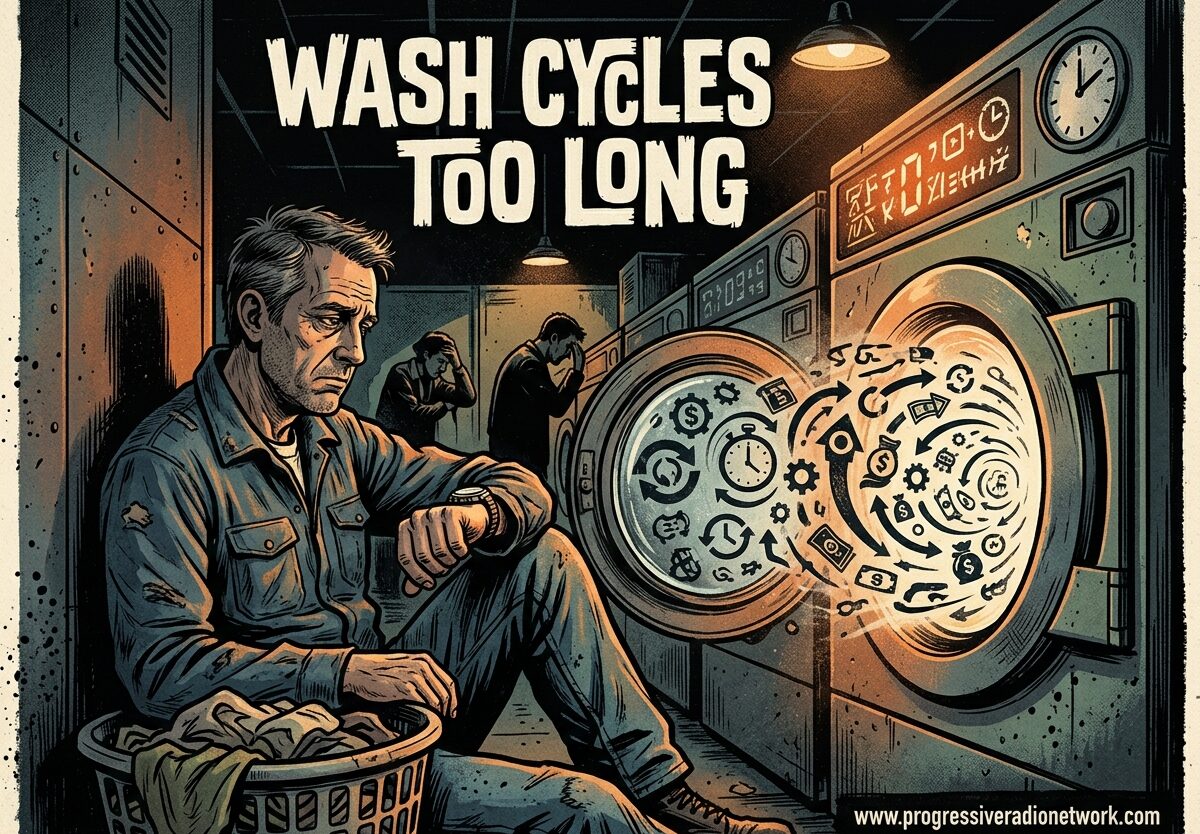
There’s nothing more frustrating than starting a load of laundry, expecting it to finish in 45 minutes, and realizing an hour later that the machine is still running. If your wash cycles are too long, you’re not alone – this is one of the most common complaints among modern washing machine owners. I’ve researched this issue extensively, consulted with appliance repair professionals, and gathered real user experiences to help you understand why your machine is running marathon cycles and what you can do about it.
Why Modern Wash Cycles Are Longer Than Expected
If you’ve been doing laundry for decades, you’ve probably noticed that today’s washing machines take significantly longer than older models. What used to be a 35-minute cycle in the 1990s can now stretch to 2-3 hours on modern machines. This isn’t a defect – it’s actually by design.
Modern washing machines are engineered for energy efficiency and water conservation, not speed. The Department of Energy has implemented stricter standards that require machines to use less water and electricity. To achieve clean clothes with fewer resources, manufacturers have designed machines that wash more slowly but more thoroughly. The trade-off is longer cycle times, but the benefit is lower utility bills and better cleaning performance.
Additionally, today’s machines use sophisticated sensor technology that continuously monitors load size, soil level, water temperature, and balance. These sensors adjust the cycle in real-time, adding time when needed for optimal cleaning. This sensing phase can add significant time to your cycle, especially if the machine detects heavily soiled items or an unbalanced load.
Many users on Reddit and appliance forums express frustration that “eco” modes extend cycles by 30-45 minutes compared to normal cycles. While this seems counterintuitive, eco modes intentionally run longer to use cooler water and less energy while still achieving clean results.
7 Common Causes of Long Wash Cycles
Based on my research and data from appliance repair professionals, here are the seven most common reasons your washing machine cycles are running longer than expected:
1. Improper Cycle Selection (30% of Cases)
The number one cause of unexpectedly long wash cycles is simply selecting the wrong cycle for your load. Eco, sanitize, and heavy-duty cycles are designed to run much longer than normal cycles. If you’re washing everyday lightly soiled clothes and select “Eco” or “Sanitize,” you’re adding 45-90 minutes to your wash time unnecessarily.
2. Water Supply Problems
When your washing machine can’t get enough water, it will keep waiting and trying to fill, dramatically extending cycle time. Common water supply issues include kinked inlet hoses, clogged inlet filters, low household water pressure, or partially shut-off water valves. The machine will pause repeatedly to wait for adequate water levels, turning a 45-minute cycle into a 2-hour ordeal.
3. Overloading the Machine
Stuffing too many clothes into your washer prevents proper agitation and water circulation. The machine’s sensors detect this imbalance and add extra spin cycles and rinsing attempts to compensate. What should be a simple cycle becomes extended as the machine struggles to clean and balance your overstuffed load.
4. Drainage Issues
If your washer can’t drain properly, it can’t move to the next cycle phase. A clogged drain hose, blocked drain pump filter, or improperly installed drain hose (typically needs to be at least 30 inches high) will cause the machine to repeatedly attempt drainage, adding substantial time to your cycle.
5. Sensor Malfunctions
Modern machines rely on sensors to detect load size, water level, and balance. When these sensors malfunction or become dirty with detergent residue, they can give inaccurate readings, causing the machine to extend cycles unnecessarily. The metal sensing bars inside your drum should be cleaned monthly to prevent false readings.
6. Excess Detergent Usage
Using too much detergent creates excessive suds that the machine must rinse out through multiple extra rinse cycles. High-efficiency (HE) machines require special HE detergent, and using regular detergent or too much of any detergent will trigger extended rinse cycles to remove all soap residue.
7. Cold Water Supply Issues
If your machine heats water for certain cycles and the incoming water is particularly cold (common in winter), the heating element must work longer to reach target temperatures. This can significantly extend cycles, especially for sanitize or whitening cycles that require hot water.
Step-by-Step DIY Troubleshooting Guide
Step 1: Check Your Cycle Selection
Start simple – review which cycle you’re using. For everyday laundry, stick to “Normal” or “Regular” cycles. Reserve “Eco” for when energy conservation is more important than time, and use “Quick Wash” only for lightly soiled, small loads. Understanding your cycle options can immediately reduce wash times by 30-60 minutes.
Step 2: Inspect Water Supply
Check that both hot and cold water valves are fully open. Look for kinks in the inlet hoses behind your machine. Remove and clean the inlet filters where hoses connect to the machine – these commonly clog with sediment and can reduce water flow by up to 70%. If your household water pressure is below 20 PSI, consider a pressure booster pump.
Step 3: Reduce Load Size
For top loaders, fill to the top row of holes – no more. For front loaders, fill until the machine is 3/4 full when clothes are lightly pressed down. A good rule of thumb: you should be able to fit your hand comfortably into the drum above the clothes. Overloading not only extends cycle time but also results in poorly cleaned laundry.
Step 4: Clean the Drain Filter
Most front-load machines have a drain pump filter located behind a small access panel at the bottom front. Place a shallow pan beneath it, unscrew the filter cap, and remove any debris, coins, or fabric buildup. Do this monthly to prevent drainage issues that extend cycle time. Many users report this single fix reduced their cycle times by 20-30 minutes.
Step 5: Clean the Sensors
The metal sensing bars inside your drum (usually near the bottom) detect water level and soil amount. Clean these monthly with a damp cloth to remove detergent residue and fabric softener buildup. Dirty sensors can cause the machine to misread load conditions and add unnecessary time to cycles.
Step 6: Adjust Detergent Usage
Use only HE detergent in HE machines, and follow the manufacturer’s recommended amount – usually far less than the cap suggests. If your machine has an automatic detergent dispenser, ensure it’s not clogged. Excessive suds will always trigger extended rinse cycles, adding 15-30 minutes per load.
Step 7: Check the Drain Hose Installation
Your drain hose should form a U-shape (air gap) and be elevated at least 30 inches from the floor to prevent water from siphoning back into the machine. If it’s too low, water drains continuously, causing the machine to keep refilling and extending cycle time. Refer to your manual for proper installation specific to your model.
Understanding Cycle Times by Type
Knowing what to expect from each cycle type helps you plan better and identify when something is wrong. Here are typical cycle durations for modern washing machines:
- Quick Wash/Express: 15-30 minutes – for lightly soiled, small loads only
- Normal/Regular: 45-65 minutes – for everyday laundry
- Whites/Heavy Duty: 75-100 minutes – for heavily soiled items
- Eco/Energy Saver: 120-180 minutes – uses less energy but takes significantly longer
- Sanitize: 120-150 minutes – heats water to kill bacteria
- Bulky/Bedding: 60-90 minutes – for large items that need special handling
If your cycles are consistently running 30-60 minutes longer than these baseline times, you likely have an issue that needs addressing.
Brand-Specific Considerations
Different manufacturers have unique design characteristics that affect cycle duration:
Samsung: Samsung machines are known for adding significant time during the “sensing” phase. Many Samsung users report cycles running 45 minutes longer than displayed. The company attributes this to load-sensing technology, but cleaning the sensors regularly can help minimize the extension.
Whirlpool: Whirlpool Cabrio and similar models often experience extended cycles due to the “calibrate” function getting triggered. A simple control board reset (unplugging for 1 minute, then holding the start button for 5 seconds) can resolve this issue.
LG: LG front-loaders are notorious for extending cycles when the load becomes unbalanced. The machine will repeatedly attempt to redistribute the load, adding substantial time. Avoid mixing heavy items (like jeans) with light items (like t-shirts) to prevent this issue.
When to Call a Professional
While most long-cycle issues can be resolved with DIY troubleshooting, certain problems require professional repair. Call a technician if:
- Your machine consistently runs 3+ hours regardless of cycle selection
- You notice burning smells or unusual noises during extended cycles
- The machine displays error codes related to the motor, control board, or heating element
- You’ve tried all DIY fixes and cycle times haven’t improved
- The machine is under warranty and you want to avoid voiding coverage
Professional repair typically costs $150-300, but may be worth it if your machine is relatively new or high-end. A technician can diagnose control board issues, motor problems, or heating element failures that are beyond DIY repair.
Prevention and Maintenance Tips
Preventing long wash cycles is easier than fixing them after the fact. Follow these maintenance routines to keep your machine running efficiently:
- Monthly: Clean drain pump filter and sensing bars
- Monthly: Run an empty hot water cycle with vinegar to remove detergent buildup
- Quarterly: Check and clean inlet filters
- Always: Use HE detergent in HE machines at recommended amounts
- Always: Leave the door open after cycles to prevent mold growth on sensors
- Always: Sort loads properly – heavy fabrics with heavy, light with light
Frequently Asked Questions
Why are my washing machine cycles so long?
Modern washing machine cycles are longer because they’re designed for energy efficiency and water conservation, not speed. The machines use sensors to detect load size and soil level, adjusting cycle time accordingly. Eco modes intentionally extend cycles to use less water and energy while still achieving clean results. Additionally, improper cycle selection, water supply issues, overloading, and drainage problems can all cause cycles to run longer than expected.
Why is my wash cycle 3 hours?
A 3-hour wash cycle typically indicates a specific issue. The most common causes are: using Eco or Sanitize cycles (which are designed to run 2-3 hours), water supply problems where the machine waits to fill, drainage issues causing repeated draining attempts, or overloading triggering multiple rebalancing cycles. If you’re experiencing 3-hour cycles on Normal settings, check your water supply valves, clean the drain filter, and ensure you’re not overloading the machine.
Why does my washer take 2 hours to wash?
A 2-hour wash cycle is common for certain cycle types but unusual for normal loads. This duration is typical for Eco, Heavy Duty, or Sanitize cycles. However, if Normal cycles are taking 2 hours, check for: excess detergent causing extended rinsing, cold water supply making heating take longer, or sensor malfunctions causing the machine to add time unnecessarily. The fix is often as simple as selecting the appropriate cycle for your laundry type or reducing detergent usage.
Is a 15 minute wash cycle okay?
A 15-minute wash cycle is okay only for lightly soiled, small loads. These quick wash cycles are designed for items you’ve worn once that aren’t stained or sweaty. They use minimal water and agitation, which isn’t sufficient for heavily soiled clothes, bedding, or full loads. For everyday laundry, expect to use Normal cycles of 45-65 minutes. Quick wash cycles that extend to 45 minutes or longer indicate your machine has detected soil or load balance issues requiring additional time.
How long should a washing machine cycle take?
A normal washing machine cycle should take 45-65 minutes. Quick wash cycles run 15-30 minutes for small, lightly soiled loads. Heavy Duty or Whites cycles typically take 75-100 minutes for thorough cleaning. Eco cycles are the longest at 120-180 minutes due to their energy-efficient design. If your cycles consistently exceed these times by 30+ minutes, you likely have an issue with water supply, drainage, overloading, or sensors that needs attention.
Why does the last minute of my wash cycle take so long?
The infamous ‘last minute that takes forever’ is caused by the final spin and balance check. The machine displays ‘1 minute remaining’ early, then spends 15-30 minutes ensuring the load is balanced before the final high-speed spin. This is normal behavior, especially with unbalanced or mixed loads. The machine will repeatedly pause and attempt to redistribute the load to prevent damage during the spin cycle. Mixing heavy items with light items exacerbates this issue.
Are longer wash cycles better for cleaning?
Longer wash cycles are not necessarily better for cleaning – they’re designed for different purposes. Eco and Sanitize cycles are longer because they use cooler water or target bacteria, not because they clean dirt better. For typical everyday laundry, a Normal cycle of 45-65 minutes is perfectly adequate. In fact, excessively long cycles can cause clothes to wear out faster due to prolonged tumbling. The key is selecting the right cycle for your load type rather than assuming longer equals cleaner.
Conclusion
Dealing with wash cycles that are too long is frustrating, but understanding the causes and solutions puts you back in control. Most cases can be resolved with simple DIY fixes like selecting the appropriate cycle, cleaning sensors and filters, and adjusting your laundry habits. Remember that modern machines are designed differently than older models – longer cycles are often intentional trade-offs for energy efficiency and better cleaning performance. If your wash cycles are still excessively long after trying these troubleshooting steps, it may be time to call a professional technician to diagnose more serious issues with your machine’s components.




Leave a Comment