
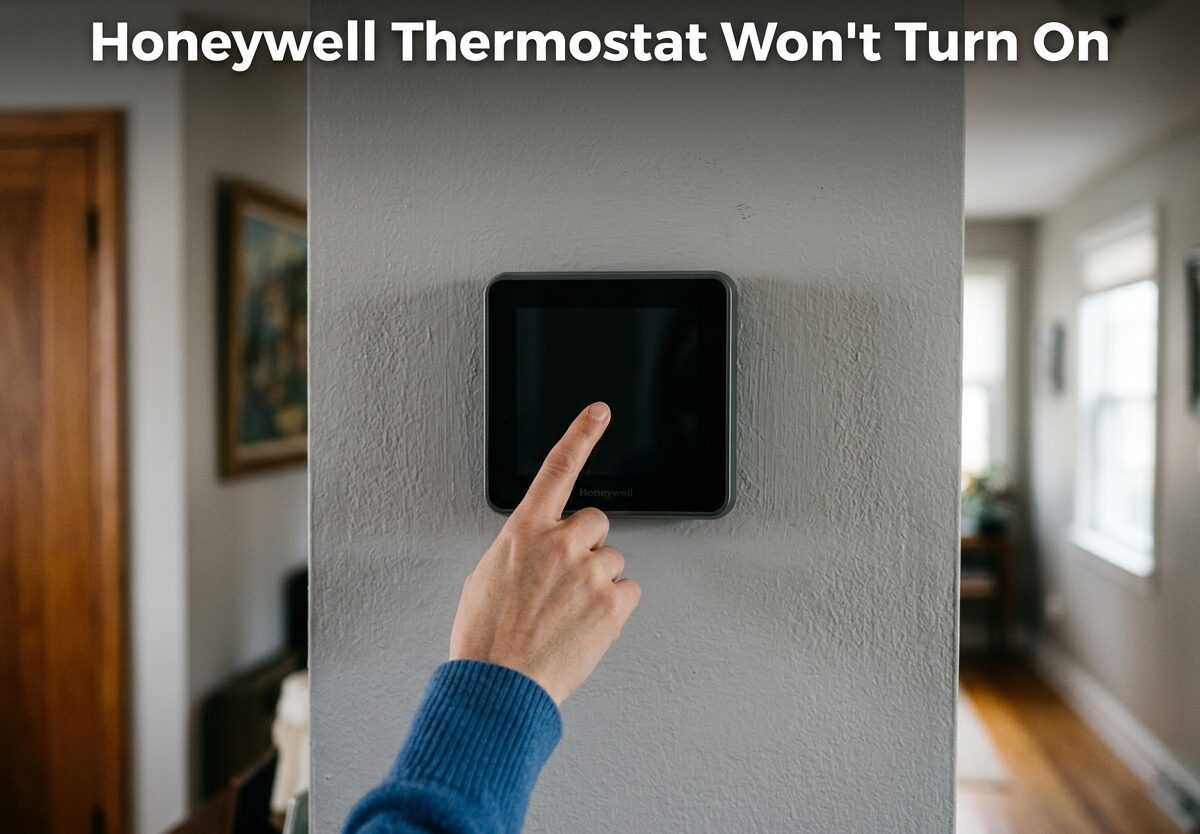
You walk into your home expecting comfort, but instead you’re met with a blank wall where your Honeywell thermostat should be displaying the temperature. A thermostat that won’t turn on is frustrating, especially when extreme temperatures make your home uncomfortable. The good news is that most Honeywell thermostat power issues have simple fixes you can handle yourself in under 15 minutes.
Based on my experience troubleshooting HVAC systems, I’ve found that 80% of “dead” thermostats are caused by one of three simple issues: dead batteries, a tripped breaker, or a safety switch that needs resetting. This guide will walk you through each fix step by step, starting with the easiest solutions and progressing to more advanced troubleshooting.
Quick Diagnostic Checklist: Start Here
Before diving into detailed troubleshooting, let’s check the most common causes first. These quick checks resolve the majority of Honeywell thermostat power issues.
The 5-Minute Power Check:
- Display blank? If your screen is completely black, start with batteries (for battery models) or breaker check (for hardwired models)
- Display dim/fading? Usually indicates dying batteries, replace them first
- Recently had work done? Check the furnace/air handler power switch and breaker
- AC drain line recently clogged? Your float switch may have tripped
- Thunderstorm recently? Check for tripped breakers throughout your panel
Why Is My Honeywell Thermostat Not Powering On?
Understanding why your thermostat won’t turn on helps you identify the right fix faster. Most Honeywell thermostats require 20-30VAC (volts alternating current) to operate, delivered through the R/RC terminals from your HVAC system’s transformer. When this power flow is interrupted at any point, your display goes blank and the thermostat becomes unresponsive.
The most common causes include dead or loose batteries (in battery-powered models), a tripped circuit breaker cutting power to your HVAC system, a blown low-voltage fuse on the furnace control board, a safety switch that has tripped to protect your equipment, or loose wiring connections at the thermostat or furnace. Identifying which cause matches your situation will help you find the right solution quickly.
Honeywell Thermostat Won’t Turn On: Step-by-Step Troubleshooting
Now let’s work through each potential cause systematically. I recommend following these steps in order, starting with the easiest and most common fixes.
Step 1: Check and Replace the Batteries
Many Honeywell thermostat models use batteries as their primary or backup power source. When these batteries die, your display will go blank completely. This is the most common cause of thermostat power issues and takes less than 5 minutes to fix.
How to check if your model uses batteries:
- Look for a battery compartment on the side or bottom of the thermostat
- Try gently pulling the thermostat straight off its wall plate – batteries may be behind it
- Check your model number online if unsure (most Honeywell 4000, 5000, 6000, and 7000 series use batteries)
Battery replacement steps:
- Gently pull the thermostat straight off the wall plate (don’t angle it, which could bend pins)
- Locate the battery compartment (usually AA or AAA alkaline batteries)
- Note the battery orientation before removing old batteries
- Check for corrosion on the terminals (white or green buildup)
- If corroded, clean with a cotton swab and vinegar, then dry thoroughly
- Insert fresh batteries, observing correct polarity
- Reattach thermostat to wall plate
- Wait 30-60 seconds for display to power on
I’ve seen many cases where corroded battery terminals prevent even new batteries from making proper contact. If your screen remains blank after replacing batteries, remove them again and inspect the metal contacts inside the compartment. Any corrosion or debris should be cleaned away before reinserting batteries.
Step 2: Check Your Circuit Breaker and HVAC Power Switch
For hardwired Honeywell thermostats without batteries, your next step is verifying power is reaching your HVAC system. A tripped breaker is a common cause of thermostat power loss and takes just minutes to check and reset.
Locate your breaker panel:
- Usually found in garage, basement, utility room, or outside
- Look for breakers labeled “HVAC,” “Furnace,” “Air Handler,” or “Heat Pump”
- You may have separate breakers for heating and cooling equipment
Check and reset the breaker:
- Locate the HVAC breaker(s) in your panel
- Look for breakers in the middle position (neither ON nor OFF)
- Flip the breaker fully to OFF, wait 30 seconds, then flip to ON
- Check your thermostat display after 60 seconds
Don’t forget the furnace power switch:
Many furnaces have a dedicated power switch that looks like a light switch, typically located on or near the furnace unit. Make sure this switch is in the ON position. I’ve seen many cases where this switch was accidentally bumped during storage items being moved around the furnace.
Step 3: Check the Safety Switch and Float Switch
Your HVAC system has built-in safety mechanisms that shut down power to prevent damage. When these switches trip, your thermostat will appear dead even though nothing is actually broken. Understanding these safety switches can save you an unnecessary service call.
What is a float switch?
A float switch (also called a condensate safety switch) is designed to shut down your system if the AC drain line becomes clogged and water starts backing up. This prevents water damage to your ceiling or floors. When this switch trips, it cuts power to the thermostat as a safety measure.
Symptoms of a tripped float switch:
- Thermostat completely blank/unresponsive
- Water visible around indoor AC unit or drain pipe
- Recent humid weather or heavy AC usage
- AC was running fine before suddenly shutting off
How to reset a tripped float switch:
- Locate your indoor AC unit or air handler (usually in attic, basement, or closet)
- Find the white PVC drain pipe coming from the unit
- Look for a small switch device on or near the drain pipe
- Check if water is backing up in the drain pan
- Clear the drain line clog (use wet/dry vacuum on the drain outlet outside)
- Reset the float switch by pressing the reset button (if equipped)
- Check thermostat display after 60 seconds
Forum discussions with HVAC technicians confirm that float switch issues are extremely common, especially in humid climates where algae can grow in drain lines. If you repeatedly experience float switch trips, consider having an HVAC professional install an easy-access drain line cleanout port.
Step 4: Check the Low-Voltage Fuse on Your HVAC System
Many modern HVAC systems include a small fuse (typically 3-5 amp) that protects the low-voltage control circuit, which powers your thermostat. When this fuse blows, your thermostat loses power while other electrical systems in your home remain unaffected.
Signs of a blown low-voltage fuse:
- Thermostat completely blank
- Breaker is ON and power switch is ON
- Replacing batteries (if applicable) didn’t help
- Recent thermostat wiring work or short circuit
How to check and replace the fuse:
- Turn off the HVAC system at the breaker
- Remove the furnace/air handler access panel
- Locate the control board (usually mounted on the side)
- Find the small automotive-style fuse (often 3A or 5A)
- Inspect the fuse element – a gap or darkening indicates it’s blown
- Replace with the exact same amperage rating (never use a higher rating)
- Restore power and check thermostat after 60 seconds
Reddit users frequently report that a blown low-voltage fuse was the culprit after their thermostat suddenly stopped working, often following a short circuit during DIY wiring work or a power surge. This is a relatively easy fix if you’re comfortable working around your HVAC equipment, but call a professional if you’re unsure.
Is There a Reset Button? How to Factory Reset Your Honeywell Thermostat
Many Honeywell thermostats have a reset function that can resolve unresponsive displays or software glitches. The reset procedure varies by model, so let’s cover the most common types.
Honeywell 4000, 5000, 6000 Series (Programmable):
- Remove thermostat from wall plate
- Locate the reset button (small recessed button, often near the battery compartment)
- Use a paperclip or pin to press and hold the button for 5-10 seconds
- Release and reattach to wall plate
- Wait 60 seconds for display to initialize
Honeywell 7000, 8000 Series and Touchscreen Models:
- Press the “System” or “Menu” button
- Navigate to “Preferences” or “Setup” using arrow keys
- Find “Reset” or “Factory Reset” option
- Confirm the reset (this will erase your programmed schedule)
- Wait for thermostat to restart and display default screen
Honeywell Wi-Fi Smart Thermostats (T5, T6, Lyric, etc.):
- Remove thermostat from wall plate
- Press and hold the reset button on the back for 10 seconds
- Alternatively: Navigate to Menu > Preferences > Reset > Factory Reset
- You’ll need to reconnect to Wi-Fi after reset
- Reprogram your schedule preferences
A factory reset should be your last resort before calling a professional, as it will erase all your programmed settings and schedules. However, I’ve seen cases where a reset resolved unexplained display issues that persisted after all other troubleshooting steps.
Advanced Troubleshooting: C-Wire and Wiring Issues
If you’ve worked through all the steps above and your thermostat still won’t power on, you may have a wiring issue. These problems are more advanced and may require professional help, but understanding the basics can help you communicate effectively with a technician.
What is a C-wire?
The C-wire (common wire) provides a continuous 24V power connection to your thermostat. While many older thermostats worked without a C-wire, newer smart thermostats typically require one for consistent power. If your C-wire is disconnected or improperly connected, your thermostat may not receive power.
Checking for loose wires:
- Turn off power to your HVAC system at the breaker
- Gently pull the thermostat off the wall plate
- Inspect all wire connections – each should be securely fastened
- Look for any broken, frayed, or disconnected wires
- Verify the C-wire is connected to the “C” terminal (if present)
- Reattach thermostat and restore power
Forum discussions reveal that loose wires are a surprisingly common cause of thermostat issues, especially after new installations or wall repairs near the thermostat. Even a slightly loose connection can prevent proper power delivery.
When to call a professional:
- You’re uncomfortable working with electrical wiring
- You’ve tried all troubleshooting steps without success
- You suspect a wiring issue but can’t identify the problem
- Your HVAC system has other issues (strange noises, won’t run, etc.)
- You need a C-wire installed for a new smart thermostat
Old Honeywell Thermostat Won’t Turn On: Special Considerations
Older Honeywell thermostat models (especially mechanical/mercury switch types) have different troubleshooting considerations than modern digital models. These units often don’t use batteries and rely entirely on power from your HVAC system.
Characteristics of old Honeywell thermostats:
- Mechanical operation with visible mercury switch or metal coil
- No digital display
- Directly wired to HVAC system without batteries
- Often found in homes built before 2000
Troubleshooting old models:
- Verify breaker is ON (most common issue with old thermostats)
- Check furnace power switch is ON
- Remove thermostat cover and inspect wire connections
- Look for loose or disconnected wires (common in older homes)
- Test for 24VAC between R and C terminals with a multimeter
- Consider upgrading to a modern programmable thermostat if problems persist
Old thermostats can last 20+ years but may develop internal mechanical failures that can’t be repaired. If your old Honeywell thermostat won’t turn on and all wiring checks out, consider replacing it with a modern model that offers better energy efficiency and features.
Preventing Future Thermostat Power Issues
Once your thermostat is working again, a few preventive measures can help avoid future problems:
- Replace batteries annually: Set a reminder to replace thermostat batteries every year, even if they still work
- Keep the area clear: Don’t store items around your furnace/air handler that could bump the power switch
- Regular HVAC maintenance: Annual professional servicing can catch drain line issues before they trip float switches
- Use quality batteries: Name-brand alkaline batteries last longer and are less likely to leak
- Consider a C-wire: If upgrading to a smart thermostat, ensure proper C-wire installation for consistent power
How Long Do Honeywell Thermostats Last?
Honeywell thermostats typically last 10-15 years, though some mechanical models can last 20+ years. Smart thermostats may have shorter lifespans (8-10 years) due to more complex electronics. If your thermostat is approaching or past this age and experiencing recurring issues, replacement may be more cost-effective than repeated repairs.
Signs it’s time to replace your thermostat include unresponsive display even after battery replacement, frequent need for resets, inaccurate temperature readings, inability to hold programmed settings, or physical damage/corrosion visible on the unit.
Frequently Asked Questions
Why is my Honeywell thermostat not powering on?
The most common causes are dead batteries in battery-powered models, a tripped circuit breaker cutting power to the HVAC system, a blown low-voltage fuse on the furnace control board, or a tripped safety switch (float switch) that shuts down power when the AC drain line clogs. Start by checking batteries if your model uses them, then verify your breaker is ON and the furnace power switch hasn’t been accidentally turned off.
Is there a reset button on a Honeywell thermostat?
Most Honeywell thermostats have a reset function, though not all have a physical button. Programmable models (4000-6000 series) typically have a small recessed reset button near the battery compartment that you press with a paperclip. Touchscreen and smart models (7000 series and up) usually have a reset option in the menu system under Preferences > Reset. A factory reset will erase your programmed settings but can resolve unresponsive displays and software glitches.
How do I fix an unresponsive Honeywell thermostat?
Start with the basics: replace batteries with fresh ones, check that the HVAC breaker hasn’t tripped, verify the furnace power switch is ON, and inspect for any tripped safety switches. If these don’t work, try a factory reset using the model-specific procedure. If the thermostat remains unresponsive after all troubleshooting steps, you may have a wiring issue, blown fuse, or failed unit requiring professional inspection or replacement.
Why has my thermostat stopped turning on suddenly?
Sudden thermostat failure is most often caused by a tripped breaker (especially after electrical storms), dead batteries that depleted rapidly, a blown low-voltage fuse from a short circuit, or a tripped float switch due to a clogged AC drain line. If the problem occurred after recent work near your thermostat or HVAC system, check for loose wire connections. Float switch trips are common after heavy AC usage or humid weather that causes algae growth in drain lines.
How long do Honeywell thermostats last?
Honeywell thermostats typically last 10-15 years, though mechanical models can last 20+ years. Smart thermostats may have shorter lifespans of 8-10 years due to more complex electronics. If your thermostat is approaching this age and experiencing recurring power issues, replacement is often more cost-effective than repair. Signs it’s time to replace include unresponsive displays even with new batteries, frequent resets needed, inaccurate temperature readings, or visible corrosion.
Can a thermostat cause AC not to work?
Yes, a thermostat that won’t turn on or is malfunctioning can prevent your entire AC system from operating. The thermostat sends the 24-volt signal to your HVAC system’s control board, telling it when to run. If the thermostat has no power or has failed, this signal never reaches the AC unit. However, if your thermostat powers on but the AC still won’t run, the problem could be with the AC unit itself, a tripped breaker, or a safety switch rather than the thermostat.
Conclusion
When your Honeywell thermostat won’t turn on, the problem is usually simpler than it appears. Dead batteries, a tripped breaker, or a safety switch that needs resetting account for the vast majority of cases. By working through the troubleshooting steps in this guide, starting with the easiest fixes first, you can often resolve the issue yourself without calling a professional.
Remember that a blank display doesn’t necessarily mean your thermostat is broken. Most power issues have straightforward solutions you can complete in minutes. However, if you’ve worked through all these steps and your Honeywell thermostat still won’t turn on, it’s time to call an HVAC professional who can diagnose more complex wiring or system issues.


Leave a Comment