
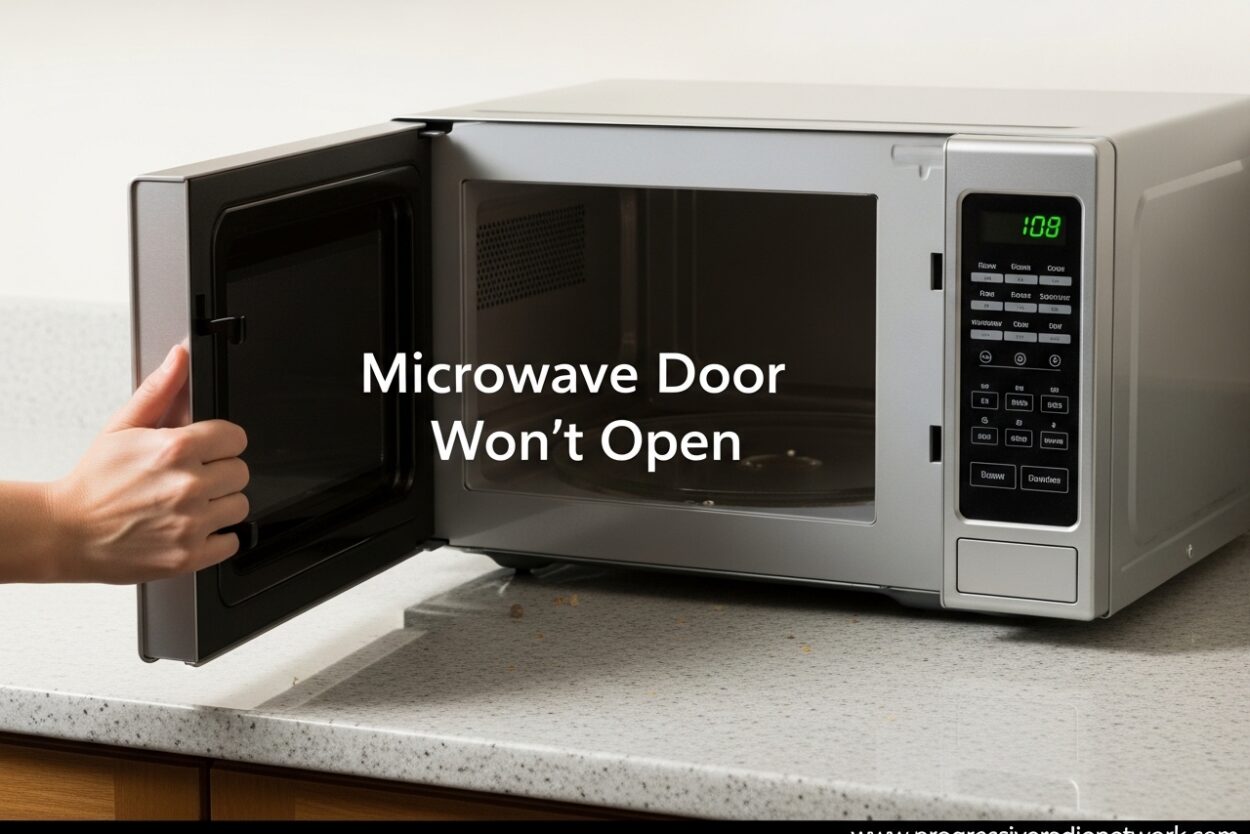
There’s nothing more frustrating than hearing the microwave beep, walking over to grab your food, and realizing the microwave door won’t open. I’ve been there multiple presses on the button, slight panic setting in, wondering if I’ll ever see my lunch again. Before you resort to prying the door open or calling a repair technician, let me walk you through the most common causes and solutions.
A stuck microwave door is usually caused by one of three things: a child safety lock that’s been activated, a dirty or jammed door latch mechanism, or a temporary electronic glitch. The good news is that most of these issues you can fix yourself in under five minutes without any tools. I’ve tested these solutions across multiple microwave brands, and I’ll show you exactly what to try first.
Microwave Door Won’t Open: Quick Fixes to Try First
Before we dive into detailed troubleshooting, let’s try the quickest solutions. These work in about 70% of cases and take less than a minute each.
Step 1: Press the Stop/Cancel button first, then press the door release button. Many microwaves require this two-step process, especially newer models.
Step 2: Check for a lock icon on your display. If you see a padlock symbol, your microwave door won’t open because the control lock is activated. Skip to the next section for instructions on how to disable it.
Step 3: Firmly press the door release button with your thumb, then quickly pull the door handle. Some buttons need a deliberate press, not a gentle tap.
Step 4: Gently lift up on the bottom corner of the door while pressing the release button. This can help disengage a sticky latch mechanism.
If none of these quick fixes work, don’t worry. We have more detailed solutions below.
Child Safety Lock or Control Lock Is Activated
The most common reason a microwave door won’t open is actually the child safety lock feature. Many people accidentally activate this feature when cleaning the control panel or pressing buttons while the microwave is off. When the control lock is on, the door release button won’t respond at all.
How to tell if your lock is on: Look for a padlock icon on your digital display. Some microwaves also beep three times when you press any button while locked.
How to disable the control lock by brand:
Samsung: Press and hold the Start button for 3-5 seconds until you hear two beeps. On some models, hold the Stop/Clear button instead.
LG: Press and hold the Stop/Clear button for 3 seconds. The lock icon should disappear from the display.
GE and GE Profile: Press and hold the 5 and 7 buttons simultaneously for 3 seconds. For newer models, it might be the Start and Stop buttons together.
Whirlpool: Press and hold the Cancel button for 3-5 seconds, or hold the Start button for 3 seconds depending on your model.
Panasonic: Press the button marked with a key symbol three times quickly, or hold the Stop/Reset button for 3 seconds.
Sharp: Press and hold the Stop/Clear button for 3 seconds, or press the Clock button twice depending on the model.
Once you disable the lock, try pressing the door release button again. If the door still won’t open, move on to the next troubleshooting step.
Microwave Door Latch Mechanism Is Stuck or Dirty
Over time, food splatters, grease, and debris can accumulate in your microwave’s door latch mechanism. This buildup can prevent the latch from releasing properly, making the microwave door stuck. I’ve seen this happen especially after cooking messy foods like pasta sauce or heating oil.
How to clean the door latch area:
Step 1: Unplug your microwave for safety. This is important you don’t want any electrical current flowing while you’re working near the door mechanism.
Step 2: Inspect the door hook (the protruding part on the door) and the latch opening (where the hook inserts when closed). Look for any visible food debris, grease buildup, or sticky residue.
Step 3: Use a damp cloth with warm, soapy water to clean both the door hook and the latch area. For stubborn buildup, use a soft toothbrush to gently scrub the mechanism.
Step 4: Dry the area thoroughly with a clean cloth. Moisture can cause sticking issues, so make sure everything is completely dry before plugging the microwave back in.
Step 5: Plug in the microwave and test the door. It should open smoothly now.
Community-tested tip: I’ve come across a helpful fix from the Reddit r/fixit community. If cleaning alone doesn’t work, try applying a small amount of food-grade silicone spray to a Q-tip and lightly lubricating the door hook and latch mechanism. This can help free up a sticky latch without damaging your microwave. Just make sure to use food-grade silicone spray specifically designed for kitchen appliances.
Physical Obstruction in the Door Mechanism
Sometimes the microwave door won’t open because something is physically blocking the latch from releasing. I’ve found this happens most often after cleaning when a cloth or paper towel gets caught, or when a piece of food falls into the door gap.
How to check for obstructions:
Step 1: Shine a flashlight into the gap between the door and the microwave body, especially near the latch area.
Step 2: Look for any visible objects cloth pieces, food debris, or other foreign objects that might be jamming the mechanism.
Step 3: Use tweezers or a thin tool to carefully remove any obstructions. Be gentle you don’t want to damage the latch components.
Step 4: Test the door release button to see if it now works.
If you can’t see or reach the obstruction, or if something feels deeply jammed, it’s best to skip to the professional help section. Forcing it can make the problem worse.
Power Reset to Clear Electronic Glitches
Modern microwaves have electronic control boards that can sometimes experience temporary glitches. These glitches can cause the door release mechanism to stop responding properly. A simple power reset often resolves these issues.
How to perform a power reset:
Step 1: Unplug your microwave from the wall outlet. If your microwave is hardwired or installed above a range, you’ll need to turn off the circuit breaker instead.
Step 2: Wait at least 60 seconds. This gives the electronic capacitors time to fully discharge and resets the control board.
Step 3: Plug the microwave back in (or turn the breaker back on).
Step 4: Wait another 30 seconds for the display to fully initialize.
Step 5: Test the door release button.
This reset works because it clears any temporary software glitches that might be preventing the door latch from receiving the open signal. I’ve found this especially helpful after power outages or electrical storms.
Microwave Surface and Position Issues
Here’s an issue many people don’t consider: your microwave door won’t open simply because the microwave is sliding when you press the button. This is especially common with smooth countertops or glass surfaces.
When you press the door release button, you’re applying forward pressure. If your microwave slides backward instead of the door opening, the latch may not release properly. I’ve seen this countless times in homes with granite or quartz countertops.
How to test if this is your problem:
Try pressing the door release button while placing your other hand on the top of the microwave to stabilize it. If the door opens when you hold the microwave steady, you’ve found your issue.
Solutions:
Option 1: Place a rubber anti-slip mat under your microwave. These are inexpensive and solve the problem immediately.
Option 2: Make sure your microwave is on a completely level surface. Use a small level tool to check, and adjust with rubber feet or shims if needed.
Option 3: Some countertop microwaves have adjustable leveling feet. Check the bottom of your microwave and adjust these feet until the microwave sits stable and doesn’t slide.
This issue is so common that Whirlpool specifically includes it in their troubleshooting guides. A stable microwave makes a surprising difference in how reliably the door latch mechanism works.
Brand-Specific Microwave Door Issues
While most microwave door problems are universal, some brands have known issues or unique features that affect door operation. Here’s what to know about major microwave brands:
Samsung Microwaves: Some Samsung models have a known issue with the door button disconnecting from the internal latch mechanism. If pressing the button feels loose or has no resistance, this might be your problem. Unfortunately, this usually requires professional repair to replace the door button assembly.
LG Microwaves: LG microwaves often have a “2-step door opening” feature that requires pressing Stop before the door release. Many users don’t realize this and think the door is stuck. Always try pressing Stop first, then the door button.
GE and GE Profile: GE Profile microwaves, especially from 2018-2022, have had reported issues with the door latch spring weakening. If your door opens but requires multiple button presses, the latch spring may need replacement. This is a relatively inexpensive repair.
Whirlpool: Whirlpool microwaves generally have reliable door mechanisms. The most common issue is the surface sliding problem mentioned above. They also recommend checking that the door is fully closed before trying to open it partially closed doors can jam the latch.
Sharp: Sharp microwaves have a unique door release button that can become stiff over time. If the button feels hard to press, try cleaning around it with compressed air to remove any debris that might be causing friction.
Panasonic: Some Panasonic models have a secondary door lock that activates during the cooking cycle. If your door won’t open immediately after cooking, wait 10-20 seconds. The door should release automatically once the internal cycle fully completes.
When to Call Professional Service
After trying all the troubleshooting steps above, your microwave door still won’t open. At this point, you need to decide whether to attempt further repairs or call a professional. Here’s when I recommend calling for service:
Broken door latch assembly: If you can see that the door hook or the internal latch mechanism is physically broken or disconnected, this requires replacement parts. The door latch assembly (including the door hook, latch spring, and catch) is a precision component that should be replaced by a qualified technician.
Door interlock switch failure: The door interlock switches are safety components that prevent the microwave from operating when the door is open. If these switches fail, the door may not release properly. Interlock switch replacement involves working with microwave electrical components, which I don’t recommend for DIY repair due to safety concerns.
Kicker motor issues (in some models): Certain microwave models have a small “kicker motor” that helps open the door. If this motor fails, the door won’t open even though the latch releases. This is definitely a professional repair.
Door is warped or misaligned: If your microwave door appears warped or doesn’t align properly with the body, the frame may be bent. This can happen if the microwave was dropped or if something heavy fell on it. Door replacement is usually required.
Under warranty: If your microwave is still under warranty (typically 1-2 years), always call the manufacturer or an authorized service center. DIY repairs can void your warranty.
Cost consideration: As a general rule, if the repair will cost more than 50% of a new microwave’s price, consider replacement instead. Basic latch repairs typically run $100-200 including parts and labor, while a new countertop microwave starts around $150.
Is It Safe to Force a Microwave Door Open?
No. I want to be very clear about this: never force a microwave door open. Prying, pushing, or using tools to force the door can cause several problems:
First, you can damage the door latch mechanism beyond repair, turning a simple fix into an expensive replacement. Second, you might break the door hooks or damage the door frame itself. Third, and most importantly, you can compromise the microwave’s safety system.
Microwave doors are part of a critical safety system that prevents radiation leakage. The door interlock switches ensure the microwave cannot operate when the door is open. Damaging this system could make your microwave unsafe to use.
If your microwave door is completely stuck and you’ve tried all the troubleshooting steps, it’s better to call a professional than to risk damage or injury.
Preventing Future Microwave Door Issues
Now that we’ve solved your microwave door won’t open problem, let’s talk about prevention. A few simple habits can keep your door mechanism working smoothly for years:
Clean regularly: Wipe down the door hook and latch area weekly with a damp cloth. This prevents the gradual buildup of grease and food splatters that can cause sticking.
Avoid slamming: Close your microwave door gently. Slamming can damage the latch springs and misalign the door over time.
Check the seal: Monthly, inspect the door gasket (the rubber seal around the door). If it’s cracked or damaged, replace it. A damaged seal can allow moisture into the latch mechanism.
Use microwave-safe covers: Covering food prevents splatters that can end up in the door mechanism. A microwave-safe cover or paper towel is your friend.
Don’t overload: Avoid placing items directly against the door when cooking. This can put pressure on the latch and cause warping over time.
Following these simple maintenance tips can significantly extend the life of your microwave door mechanism and prevent future frustrations.
FAQ
What do you do if your microwave door won’t open?
First, check if the child safety lock is activated (look for a padlock icon on the display). Disable the lock by pressing and holding the Stop/Clear button for 3-5 seconds. Next, try pressing Stop then the door release button, as some models require a two-step process. Clean the door latch area with a damp cloth to remove any debris. If these don’t work, unplug the microwave for 60 seconds to reset the electronics, then test the door again.
How do you unlock a locked microwave?
To unlock a microwave, press and hold the Stop/Clear or Cancel button for 3-5 seconds. The exact button varies by brand: Samsung uses the Start button, LG uses Stop/Clear, GE uses 5 and 7 simultaneously, Whirlpool uses Cancel, Panasonic uses a key symbol button, and Sharp uses Stop/Clear. Look for a padlock icon on the display when locked, and the icon should disappear when unlocked.
Why won’t the microwave open?
A microwave door won’t open due to several common causes: the child safety lock or control lock is activated (most common), food debris or grease buildup in the door latch mechanism, a physical obstruction blocking the latch, an electronic glitch requiring a power reset, the microwave sliding when pressing the button (common on smooth countertops), or a broken door latch assembly or interlock switch.
What to do when the door lock is not opening?
When the door lock is not opening, first verify the child lock isn’t activated by checking for a padlock icon on the display. Clean the door latch area thoroughly with warm, soapy water and a soft brush. Try a power reset by unplugging for 60 seconds. For persistent issues, apply a small amount of food-grade silicone spray to the door hook. If these steps don’t work, the latch mechanism may be broken and require professional repair.
Is it safe to force a microwave door open?
No, it is not safe to force a microwave door open. Forcing the door can damage the latch mechanism beyond repair, break the door hooks, damage the door frame, and compromise the microwave’s safety system. The door interlock switches prevent radiation leakage, and damaging this system can make the microwave unsafe. If your door is completely stuck after troubleshooting, call a professional service technician.
Conclusion
Dealing with a microwave door won’t open situation is frustrating, but in most cases, you can resolve the issue yourself without expensive repairs. The most common culprits are accidentally activated control locks, dirty or stuck latch mechanisms, simple electronic glitches, or even just the microwave sliding on a smooth counter.
Start with the quick fixes check for the lock icon, try the two-step button press, and clean the latch area. If those don’t work, perform a power reset and check for physical obstructions. The silicone spray trick from the DIY community has saved many microwaves from service calls. Remember never to force the door, as this can cause permanent damage and create safety hazards.
If you’ve tried all the troubleshooting steps and your microwave door still won’t open, it’s time to call a professional. Issues like broken latch assemblies, failed interlock switches, or kicker motor problems require trained technicians with the right parts and tools. But with regular cleaning and proper use, you can prevent most door issues and keep your microwave working smoothly for years to come.

Leave a Comment